GEEKOM is back with its 2025 offering in the IT series of mini PCs with the IT15. The 15 represents the generation of Intel Core processor inside it, even though Intel sort of reset this with the launch of the Intel Core Ultra series, now at "Series 2" in 2025. It"s a pretty beefy Mini PC.
Below are the full specifications of it. I have bolded my configuration where relevant.
| GEEKOM IT15 | ||
|---|---|---|
| Dimensions | ||
| Size | 117 x 112 x 45.5 mm (49.1 mm incl rubber feet) | |
| Weight | 593 g | |
| CPU | Intel Core Ultra 9 285H, TDP 45W Intel Core Ultra 5 225H, TDP 28W | |
| Graphics | Intel® Arc™ 140T GPU Intel® Arc™ 130T GPU | |
| Memory | 32GB Dual-channel DDR5 262PIN 5600 MHz SODIMM, up to 64GB | |
| Storage | 1 x M.2 2280 PCIe Gen 4 x4 SSD, Crucial P3 Plus 1 or 2 TB | |
| Operating System | Windows 11 Pro 24H2 | |
| Bluetooth | Bluetooth v5.4 | |
| Ethernet | Intel® 10/100/1000/2500 Mbps RJ45 Ethernet | |
| Wireless LAN | Intel M.2 Wi-Fi 7 BE200 | |
| Kensington Lock | Yes | |
| Adapter | 19V, (120W PSU) | |
|
| ||
| I/O Ports | 1 x USB 3.2 Gen 2 Type-A (back panel) 1 x USB 2.0 Type-A (back panel) 2 x USB 4.0, one supports PD (back panel) 1 x USB 3.2 Gen 2 Type-A (back panel) 1 x 2.5G RJ45 (back panel) 2 x HDMI 2.0 (back panel) 1 x DC in (back panel) 2 x USB 3.2 Gen 2 Type-A (front panel) 1 x 3.5mm stereo headset jack (front panel) 1 x Power Button (front panel) 1 x Kensington Lock (right side) 1 x SD Card 4.0 (left side) | |
| Price | £899.10 / $899.10 (with coupon) | |
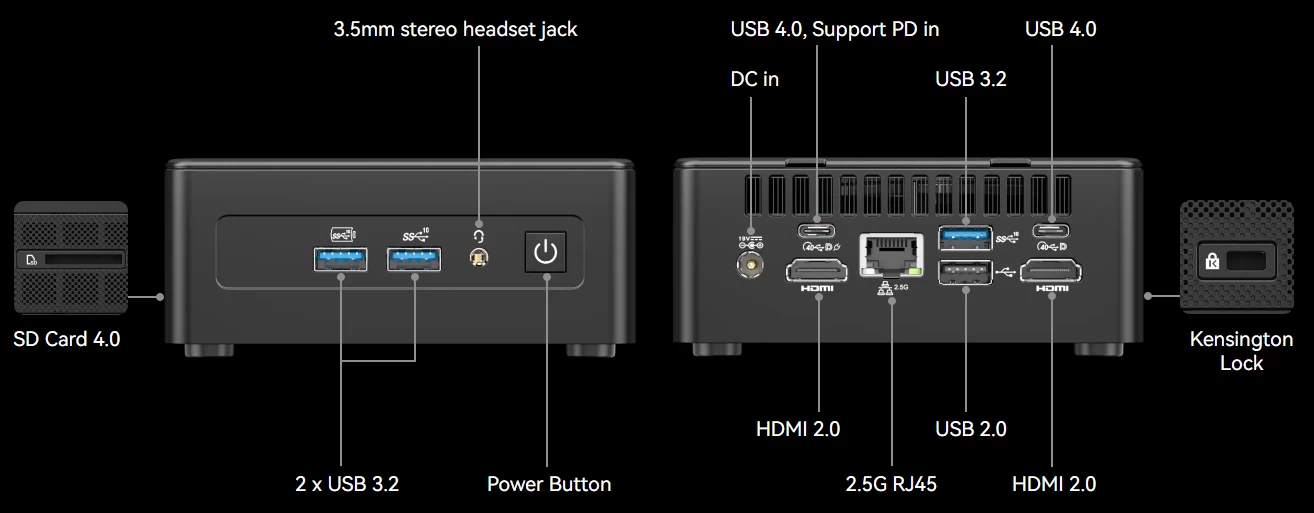
The IT15 is powered by this year"s Series 2 Intel Core Ultra 9 285H mobile CPU, which boasts a max turbo frequency of 5.4GHz on 16 Cores of which six are E-Cores, eight are P-Cores, and two are LP E-Cores. On the graphics front, the 285H includes an Intel ARC 140T integrated GPU with a max GPU frequency of 2.35GHz featuring 8 cores (128 CUs, 8 Raytracing units) with XMX instructions for improved AI performance of up to 77 TOPS and 8 MB L2-Cache. Other highlights include DDR5 memory at 5600 MT/s, WiFi 7, Bluetooth 5.4, a card slot and a Kensington Lock.
AI PC, Yay, or Nay?
GEEKOM calls this an AI Mini PC on their product page, and while it does include an NPU, which means it can handle AI workloads, it is disqualified from being a Copilot+ PC because it has just 13 TOPS, while a qualified Copilot+ PC must meet a minimum of 40 TOPS.
So, technically, it"s an AI PC, but keep your expectations in check.
The other variant
Also, a little note: there is also an Intel Core Ultra 5 Processor 225H variant that includes a smaller 1TB SSD, and weaker Arc 130T integrated graphics with a list price of $899; you can add a 10% off coupon, bringing that price down to $809.10. With the current discounts on the Intel Core Ultra 9 285H variant, you are better off going that route as it is only $80 more expensive with 1TB more storage, and better CPU and graphics.
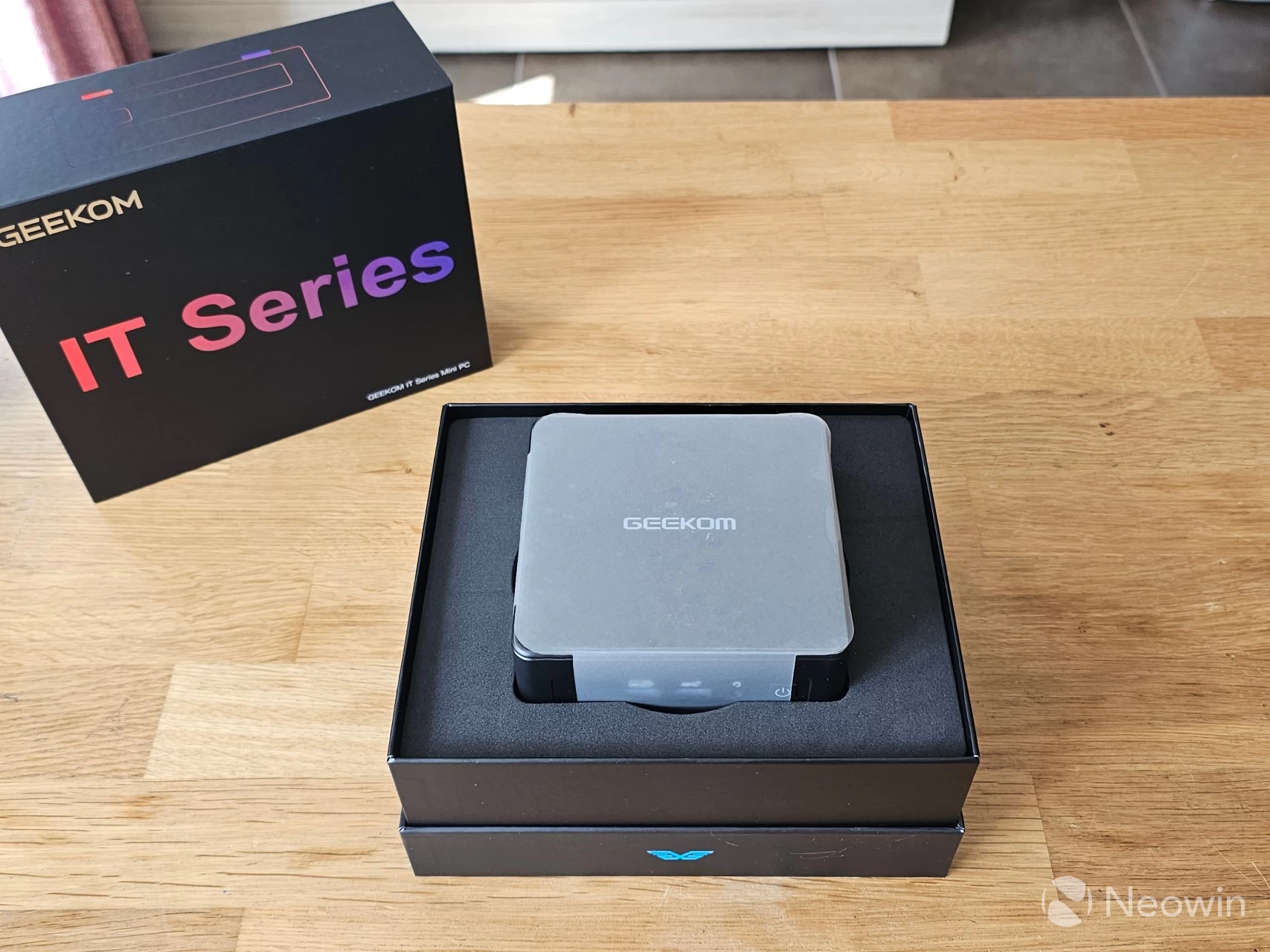
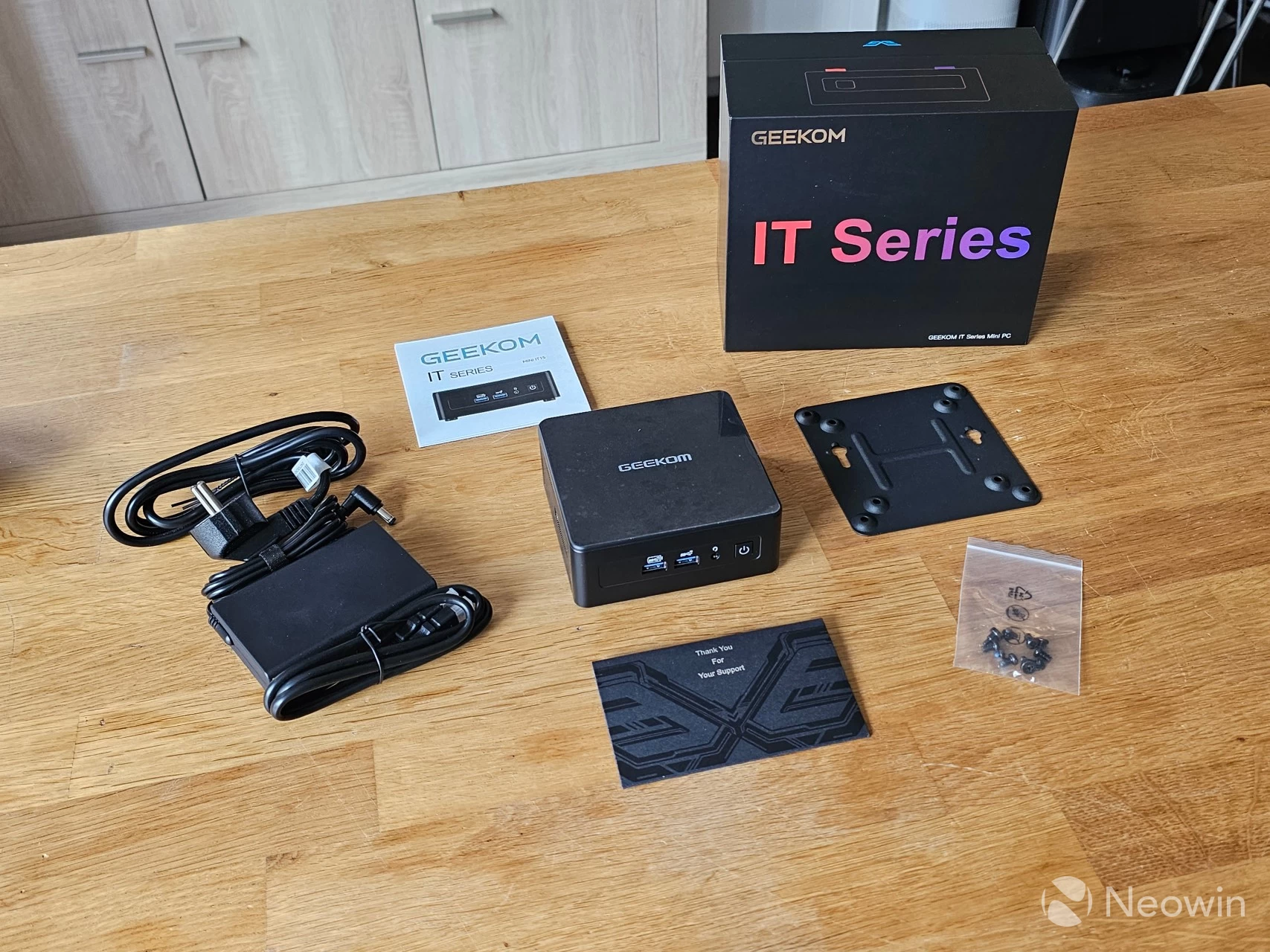
I"ll just say straight off, the packaging and build are exactly the same as the IT13 (2025) aside from the color, which is a dark gray, so my findings will not be any different on that front. I can tell you that it still exerts the same premium feel as you pull the top of the box off to reveal the Mini PC sitting inside a foam-cushioned interior. Once you have the PC out and the foam is removed, you are greeted with a Thank You envelope. Below that, and after removing the cardboard "shelf", you can find the other components such as the power lead, HDMI cable, VESA mount plate with a bag of screws, and the instruction manual.
What’s In The Box
- 1 x IT15 Mini PC
- 1 x VESA Mount
- 1 x Power Adapter
- 1 x HDMI Cable
- 1 x User Manual
- 1 x Thank You Card
No carry bag
GEEKOM left out the carry bag again, which is a bit of a shame for first-time buyers, as you may have noticed from the specs.
Design
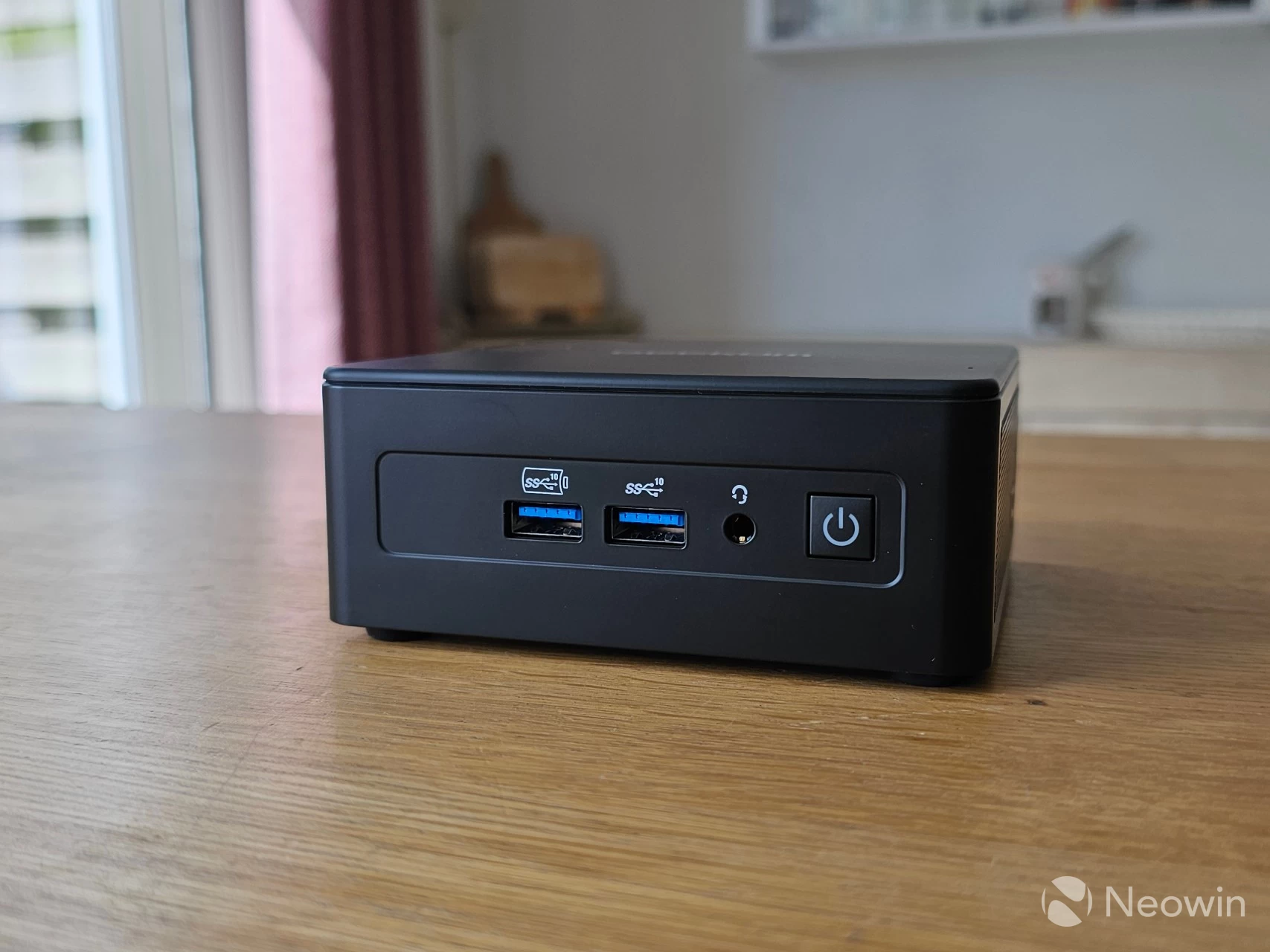
The IT15 has not changed at all from the original IT Series Mini PC, right down to the ports and internals. It is actually the same weight, and retains a good heft to it, while not being heavy, it isn"t light either. It definitely gives off a premium and balanced feel to it. All the edges and corners, except for the bottom edges of the Mini PC, are rounded, so it is comfortable to hold and move around.
Although the IT15 also includes two USB4 ports (Type-C), unfortunately, these are still located on the back of the Mini PC. I can only imagine this decision was made to make the front of the IT15 look more uniform with its ports; however, having the option for Type-C and USB Type-A on the front of the Mini IT11 is what made it great. The Mini PC still includes three USB3 Gen 3.2 ports and one USB 2.0 port.
As far as looks go, it has a fully gray exterior, and it"s not a fingerprint magnet. It also looks like aluminum, but it actually isn"t; it"s a plastic shell that covers a metal frame. GEEKOM says the shell is made up of PC-ABS, which is a thermoplastic blend combining the properties of Polycarbonate (PC) and Acrylonitrile Butadiene Styrene (ABS). The product page claims that the IT15 can withstand over "200kg of force," but we wouldn"t recommend loading heavy objects on top of it anyway; it supposedly gives protection against accidents and falls. It doesn"t feel cheap and isn"t flimsy either, and even when the base is removed, it remains sturdy.
Teardown
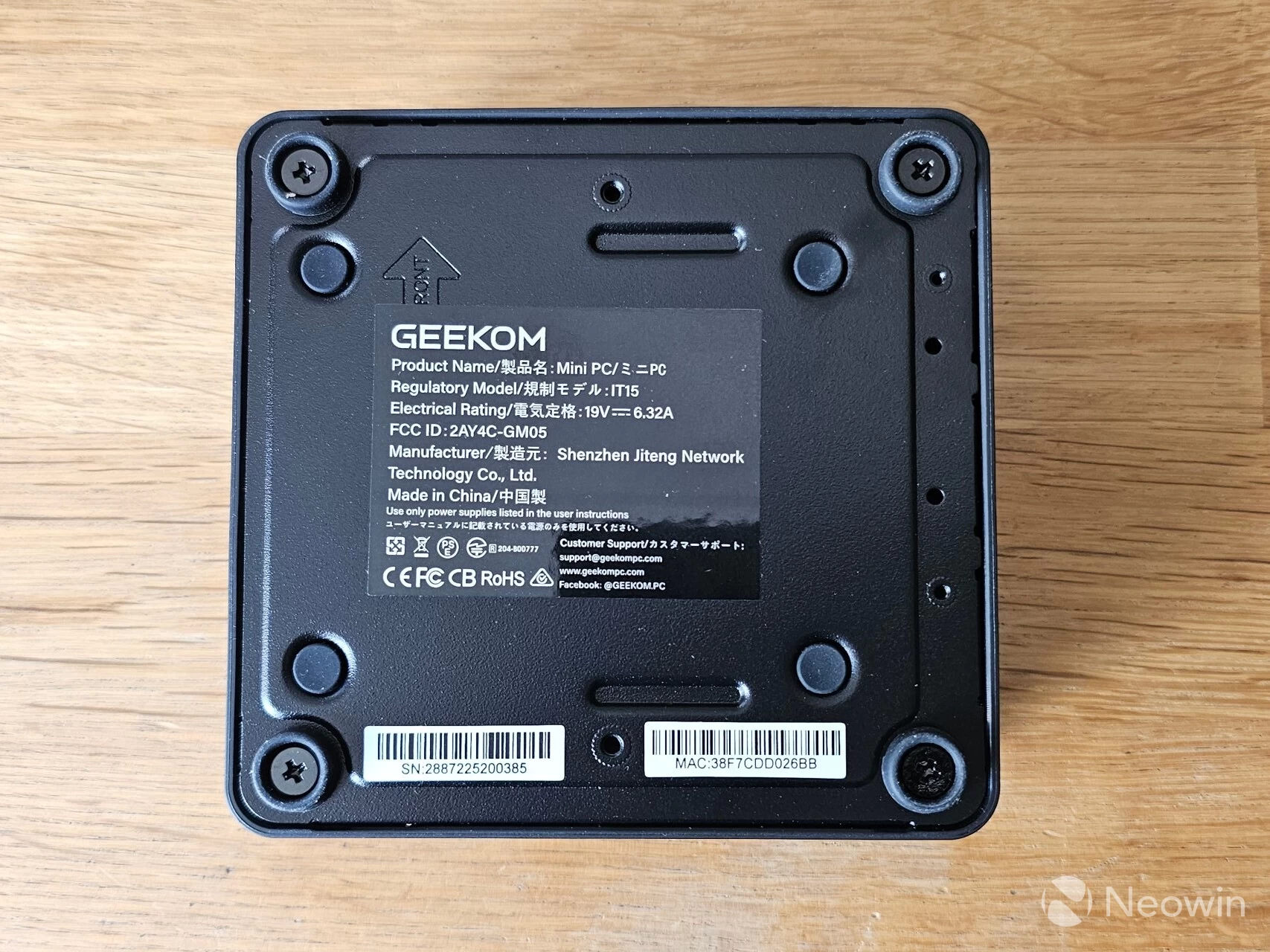
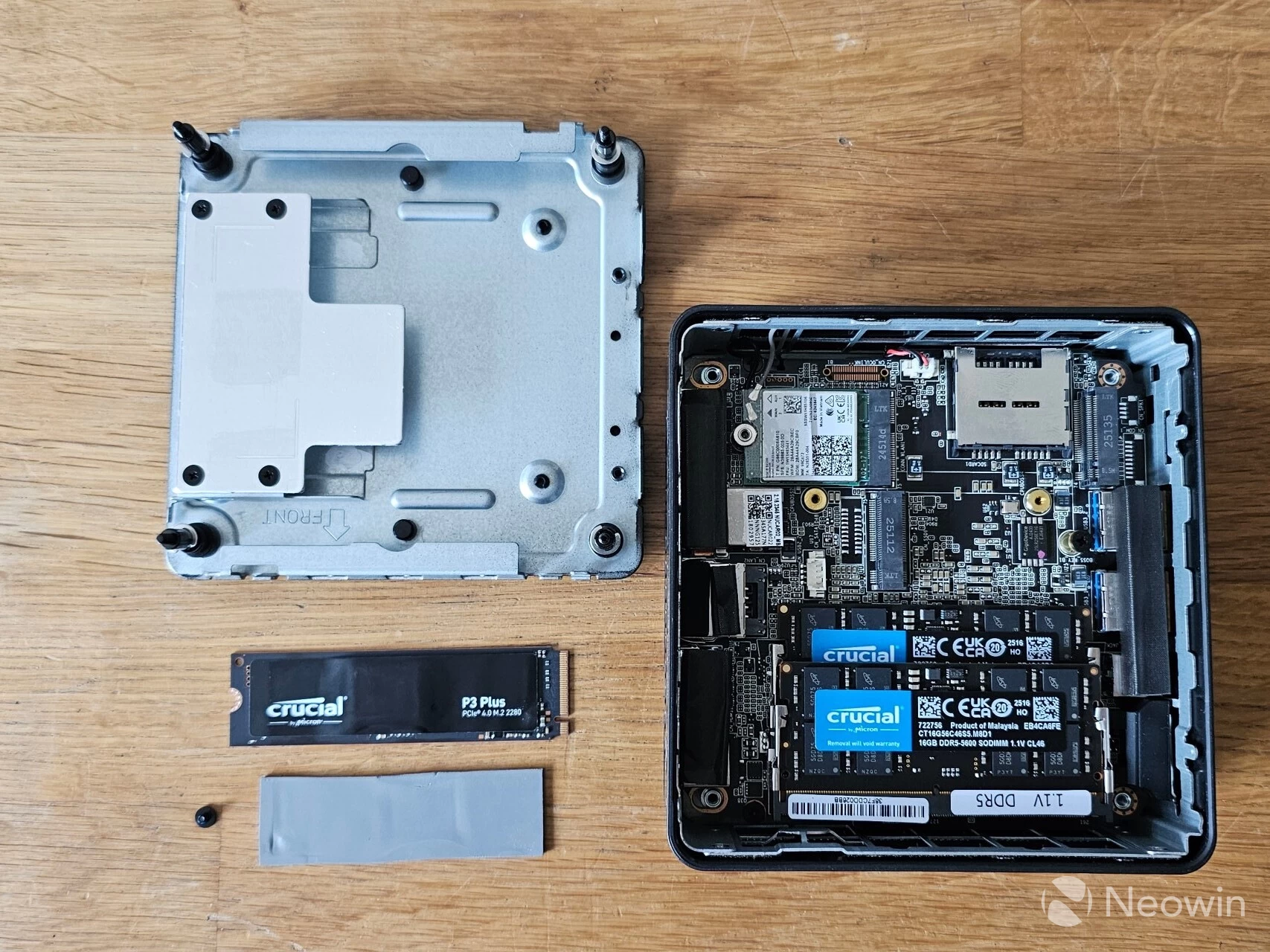
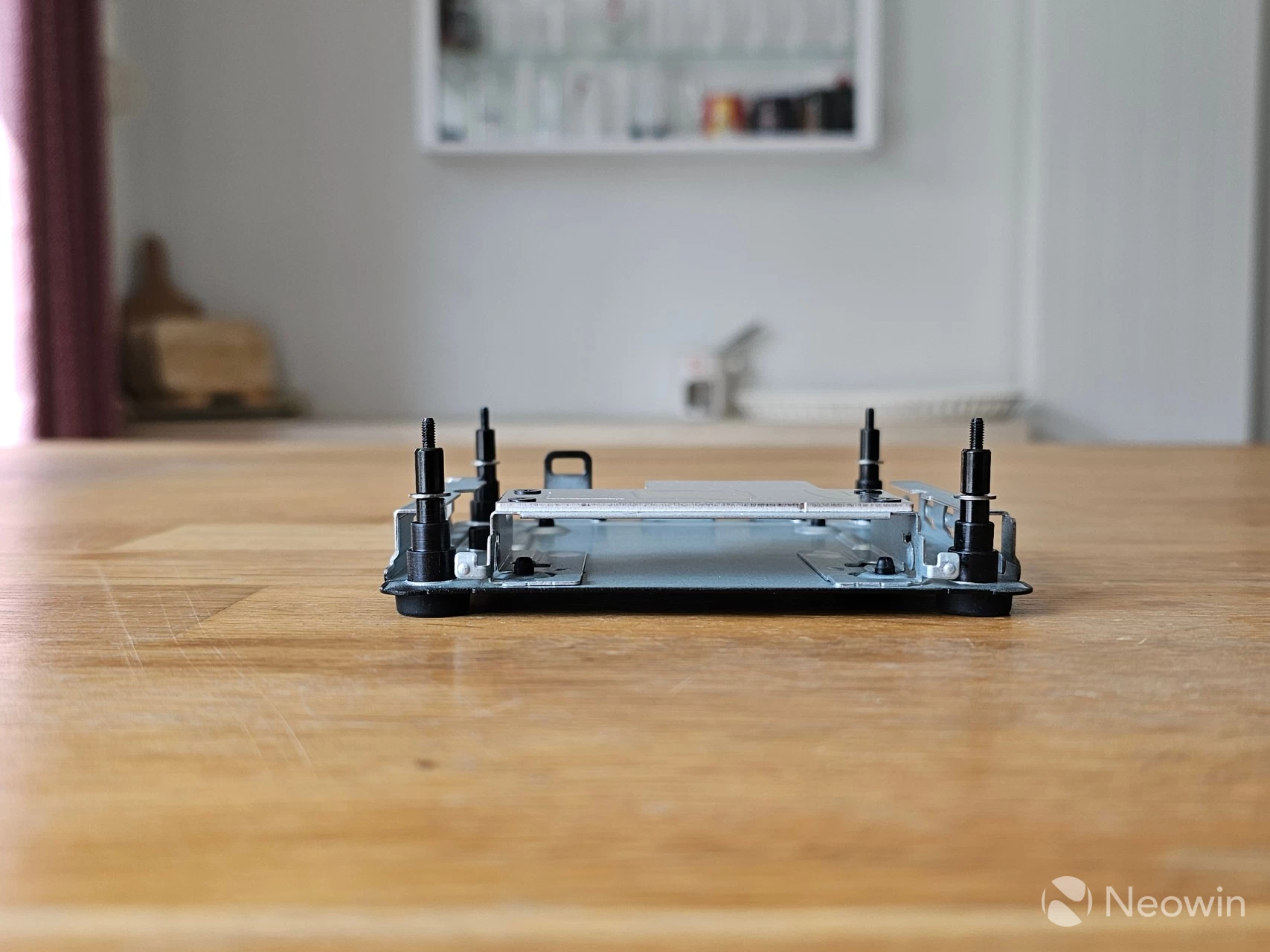
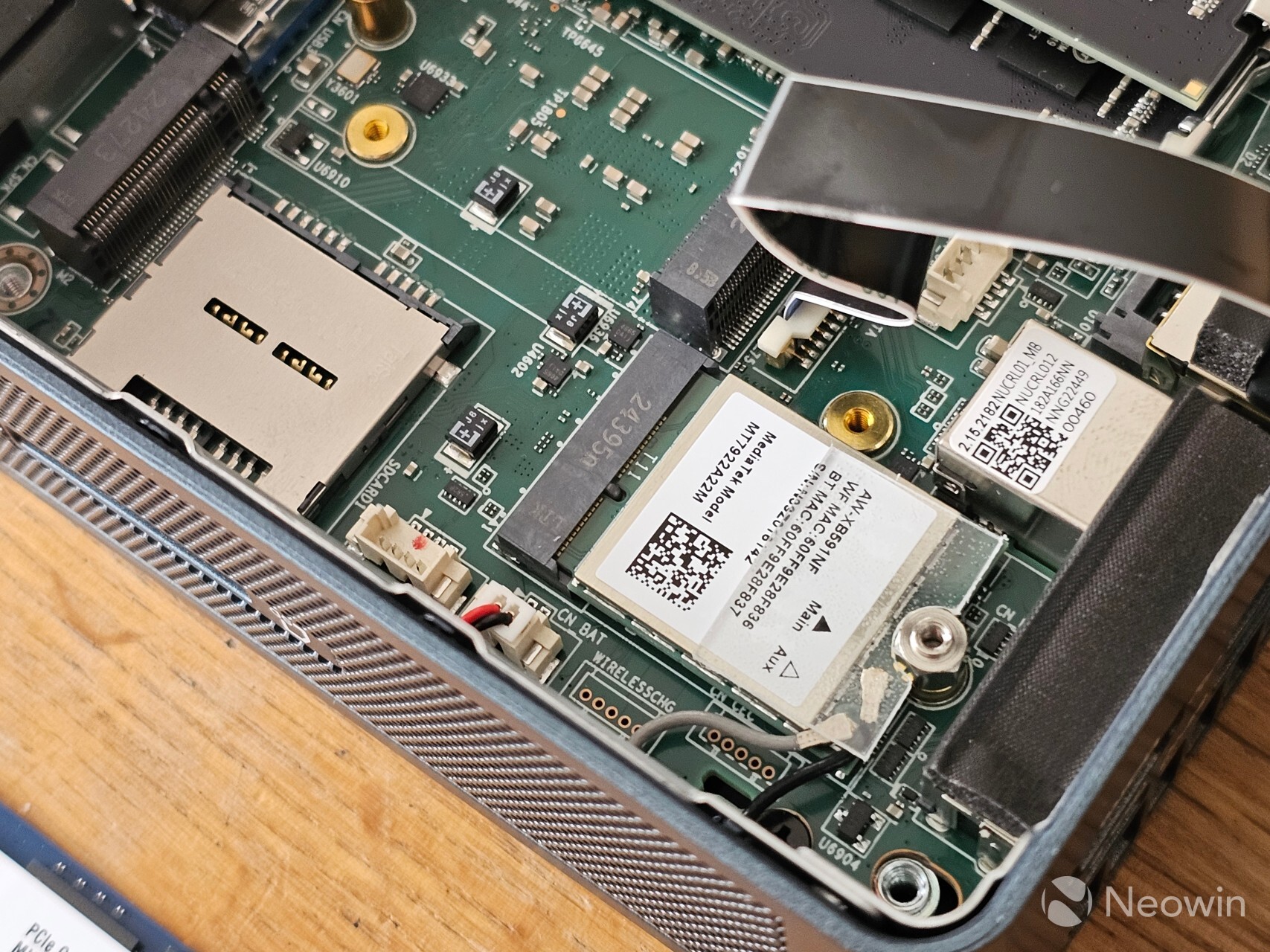
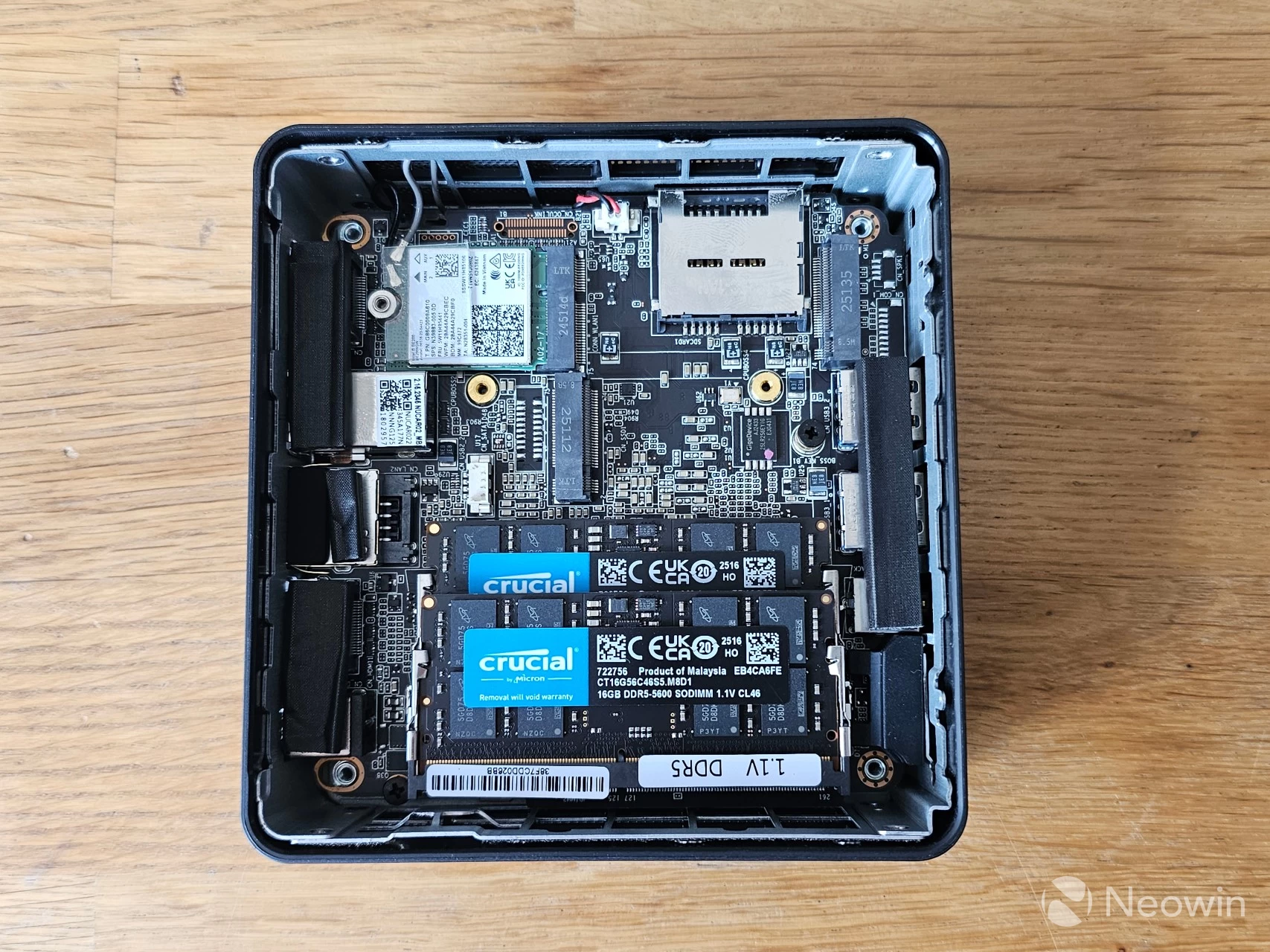
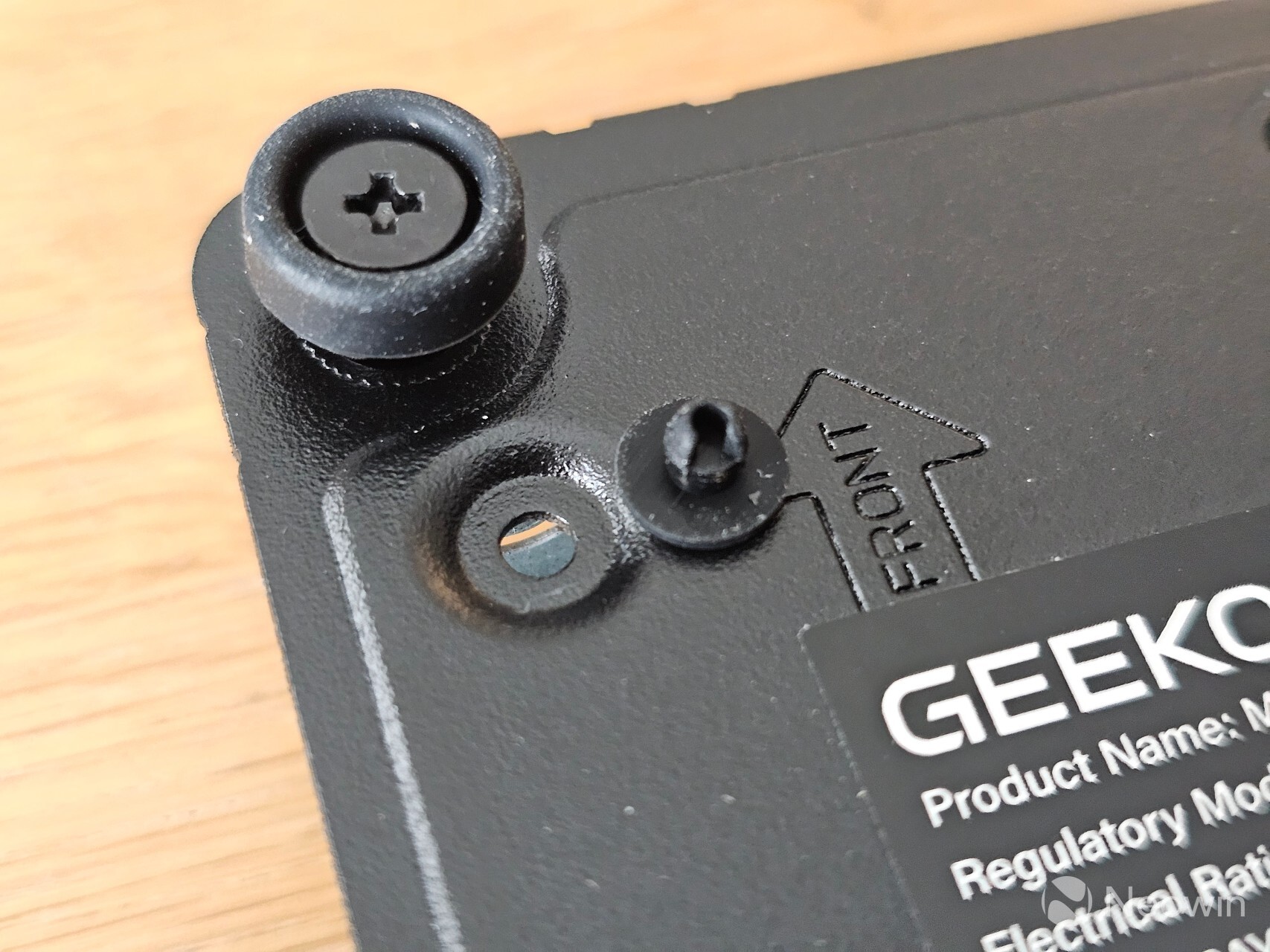
Accessing the IT15 is as easy as unscrewing the bottom plate with the four Philips head screws located in the center of each rubber foot. A small hobby screwdriver is enough for the job (helpfully, the screws do not come loose from the backplate, so that you won"t lose them either), but you may want to use a flat-head screwdriver to pry the plate free.
2.5-inch SSD option is gone
One thing you may notice immediately is that there is no way to add a 2.5-inch SSD. The frame still accounts for such a drive, but the connector is absent. I have asked my contact why this IT Series Mini PC does not include it, as it is a relatively cheap way to get a higher capacity SSD.
As you can see from the above images, which can be enlarged when clicked on, there is ample room to manage the SODIMMs and Corsair P3 Plus 2TB PCIe 4.0 NVMe SSD, so you can swap it out for something else if you want. The IT15 includes an option to add a second NVMe SSD, as long as it is only 42mm long. The included WiFi also will not get in the way while managing the internals, because the antenna is placed within the base of the PC, rather than being stuck to the removable backplate.
The backplate only fits back on one way, which is to ensure that the NVMe is always connected to the heat spreader.
Usage
BIOS
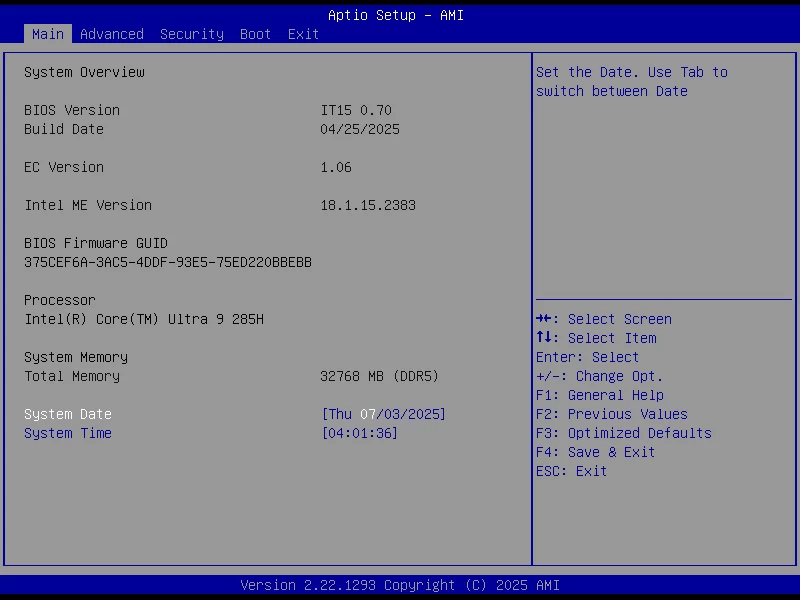
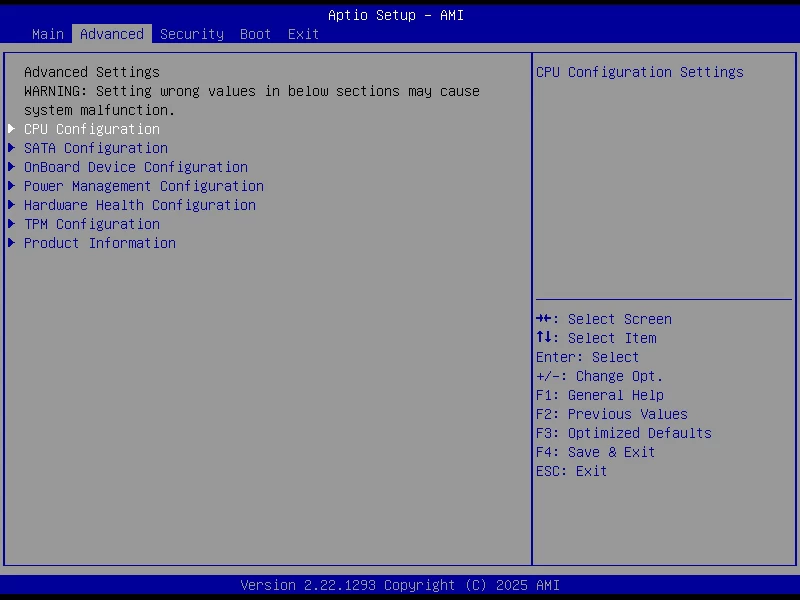
The IT13 (2025) includes an AptiBIOS, which is not locked down; you can edit it to your heart"s content (1), (2), (3).
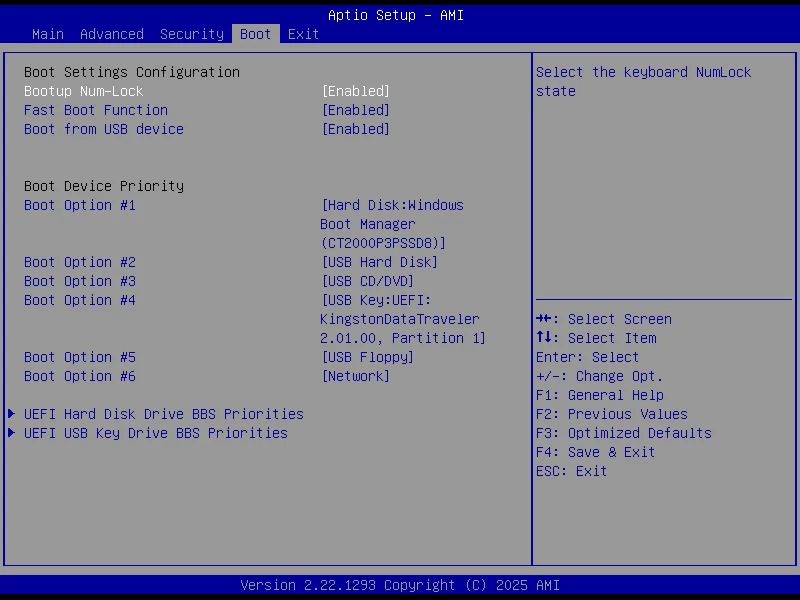
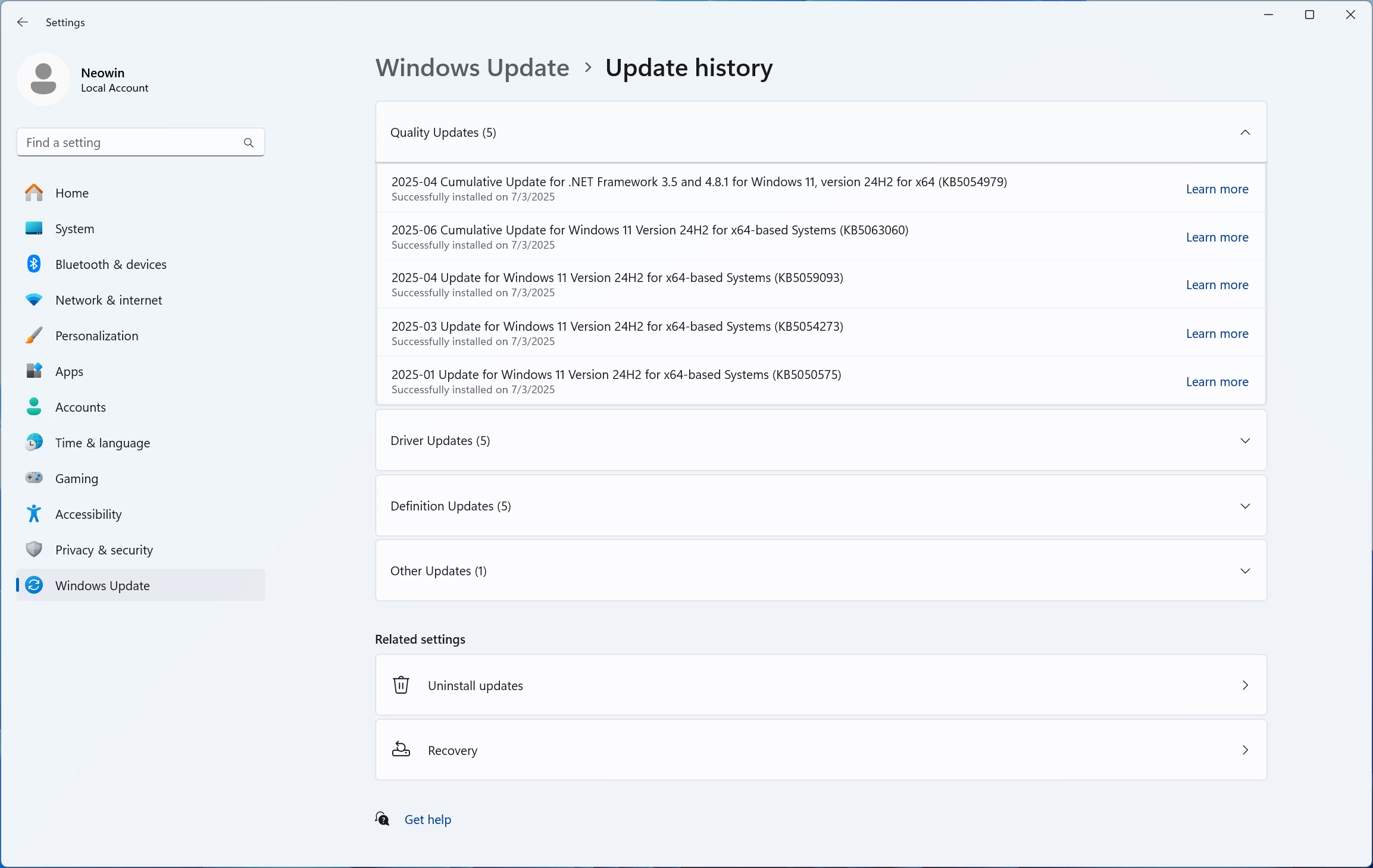
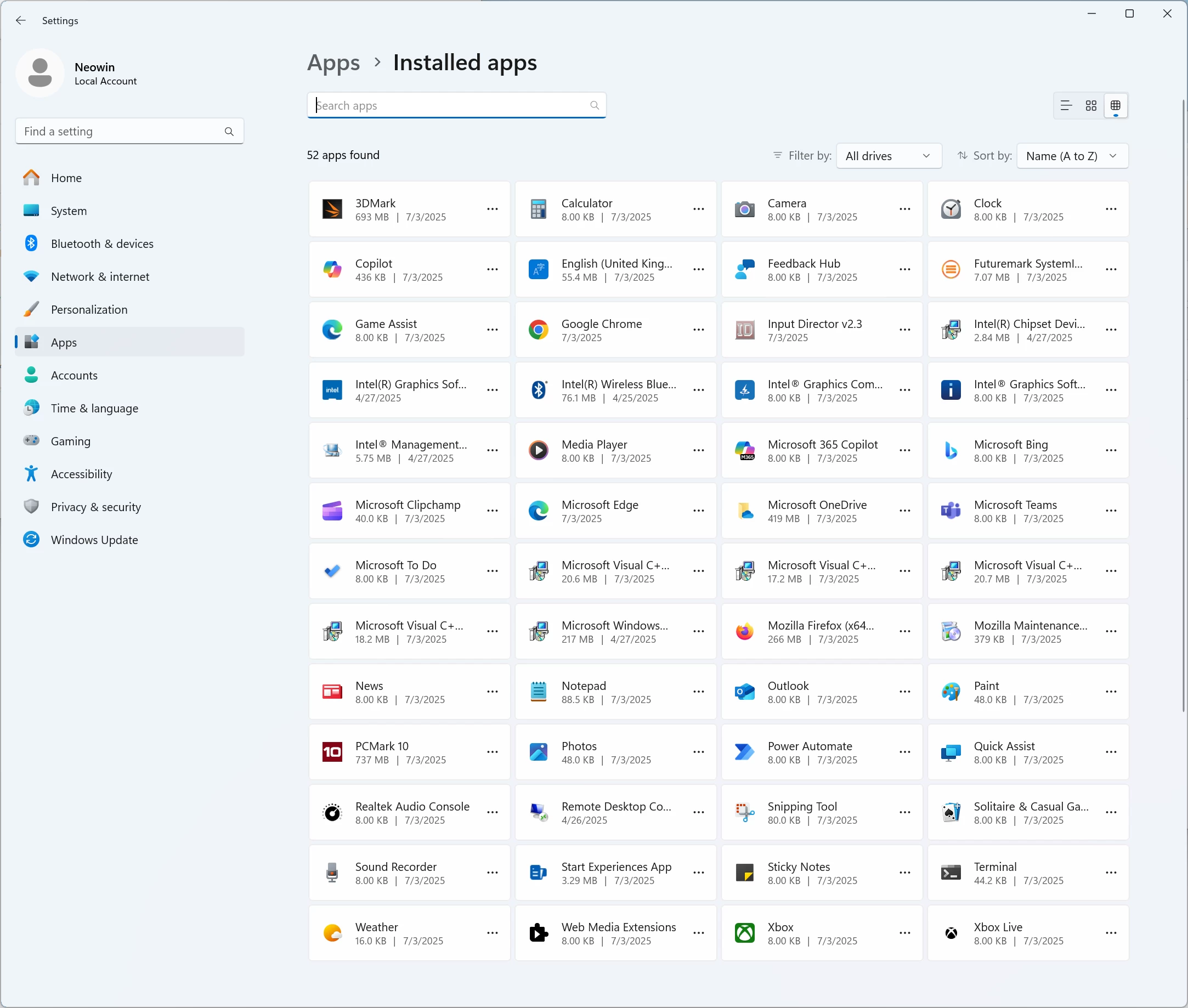
On first boot, you are prompted to complete the setup of Windows 11 Pro, meaning you do not have to fork out for a license, which is nice. After the setup is completed, I am happy to report that it does not come with any bloatware installed (pls note I installed 3DMark, FutureMark, PCMark 10, Chrome, Firefox, and Input Director myself before taking the screenshot). The OOBE also installs several updates to Windows 11 24H2, so the updates were relatively minimal.
Before starting with benchmarks, I checked Windows Security, which gave several alerts, which ended up being because the Memory integrity setting (among others) was disabled. Once opening and locating it on the Core Isolation page, I enabled the security-related settings and restarted, which gave an all clear on the Windows Security app.

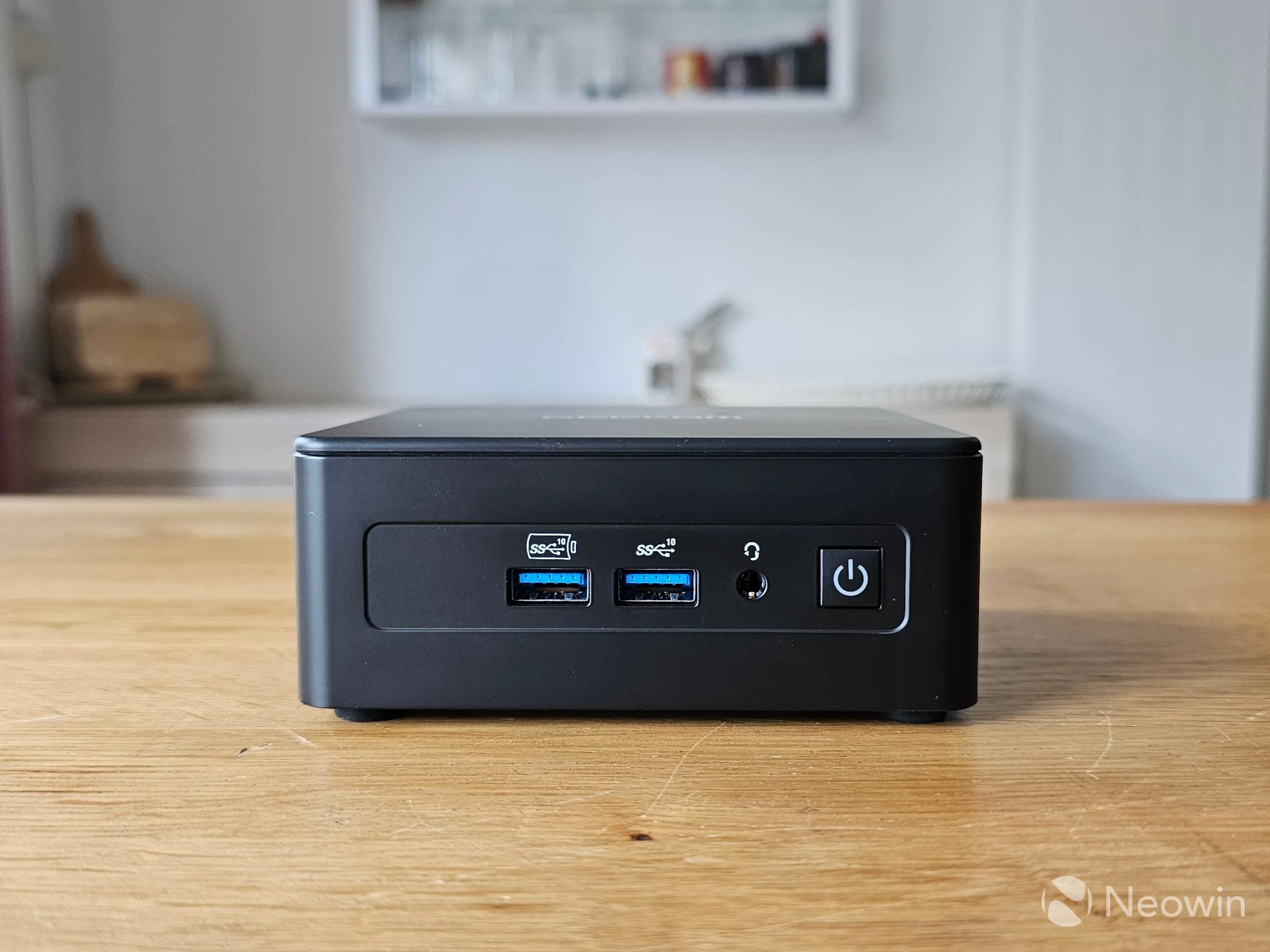
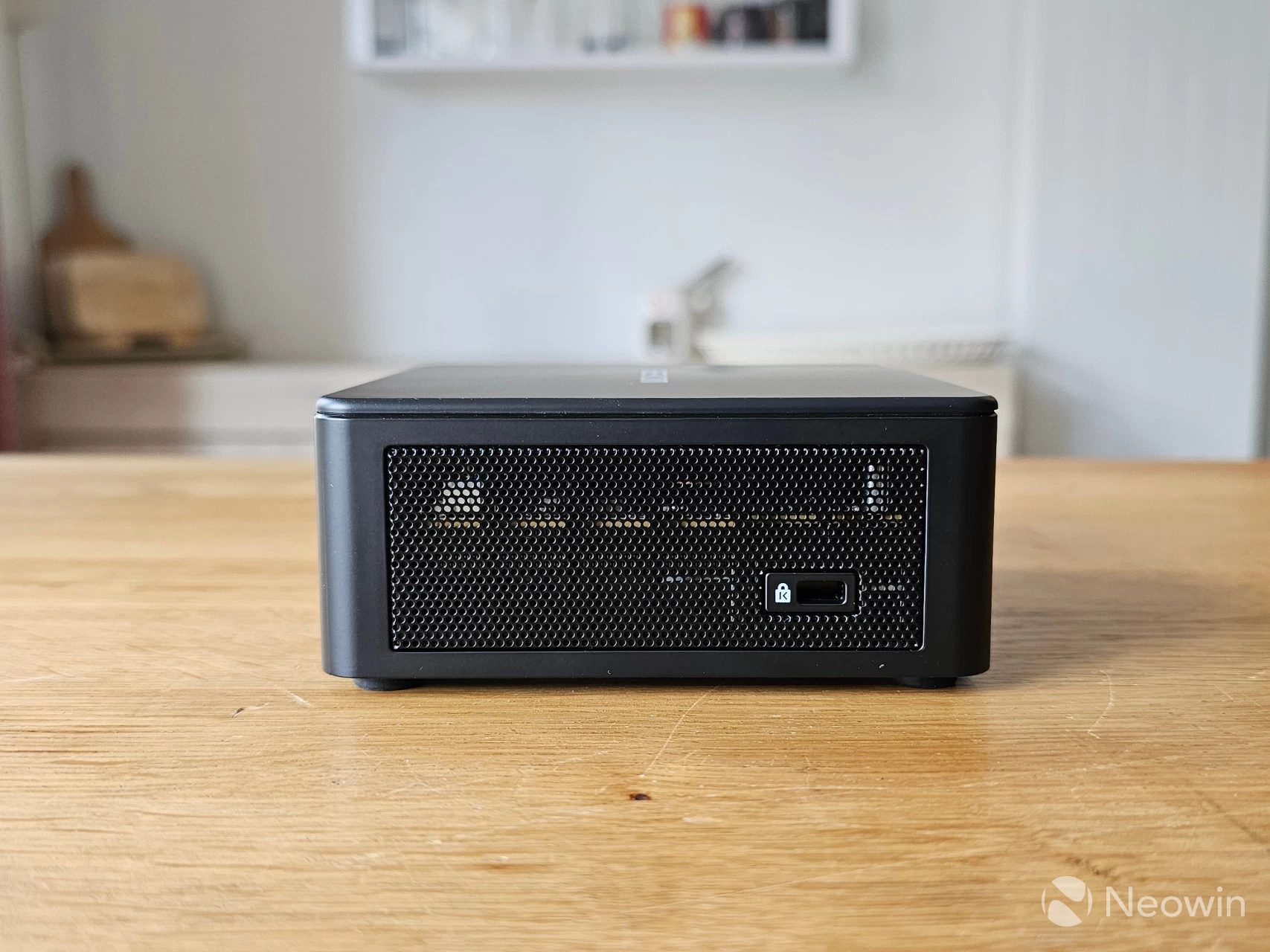
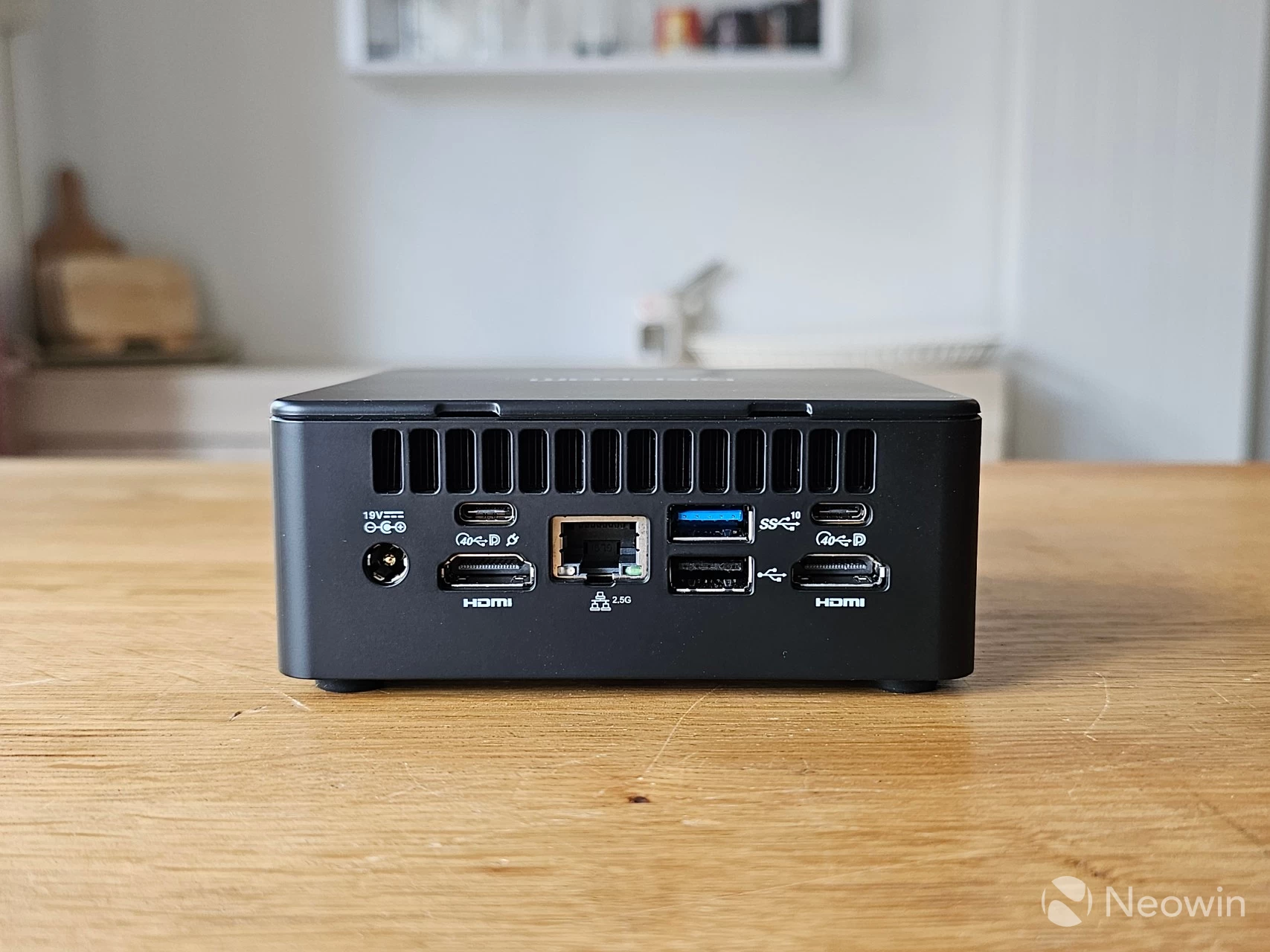
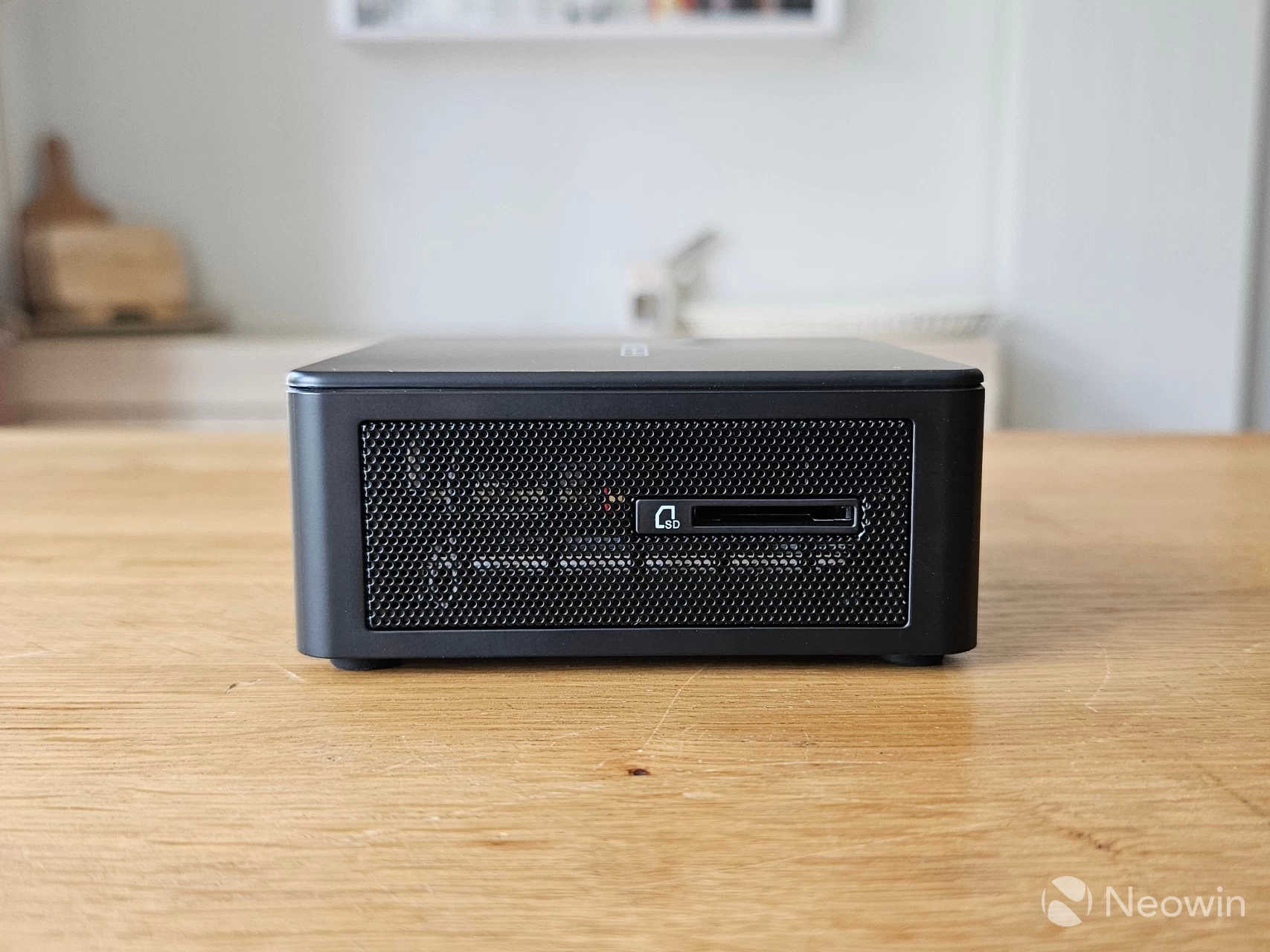
Just like with the original IT13, it"s physically possible to directly attach four screens to the IT15 using the two full HDMI ports along with the two USB4 ports, if you wanted, although be aware that only one of the USB4 ports has Power Delivery to power an external portable monitor. Regarding connectivity, there"s no change from the previous generation: There"s a single USB 2.0 port, a 3.2 Gen 2 port, along with a barrel port for power on the back. Around the front, it"s the same as with two USB 3.2 Gen 2 ports and a port for a 3.5mm headphone jack.
As you can see from the images above, you can affix a Kensington lock on one side and insert an SD adapter for a micro SD card on the left side of the IT15.
Benchmarks
With that out of the way, and because people like that sort of thing, I ran some benchmarks and added Mini PCs with the top pre-Core Ultra series CPU, as well as AMD"s Ryzen 9 8845HS for comparison. The IT15 is running Windows 11 Professional 24H2 build with the latest (June 2025) updates, and the latest Intel Graphics driver (32.0.101.6913).
For the benchmarks, I used Cinebench 2024, 7-Zip, AS SSD, and CrystalDiskMark. 3DMark, PCMark 10, Procyon (Windows ML for CPU and GPU, and Intel OpenVINO for NPU) was provided to Neowin by UL Solutions; Primate Labs Inc. provided us with commercial versions of Geekbench 6, and Geekbench AI.
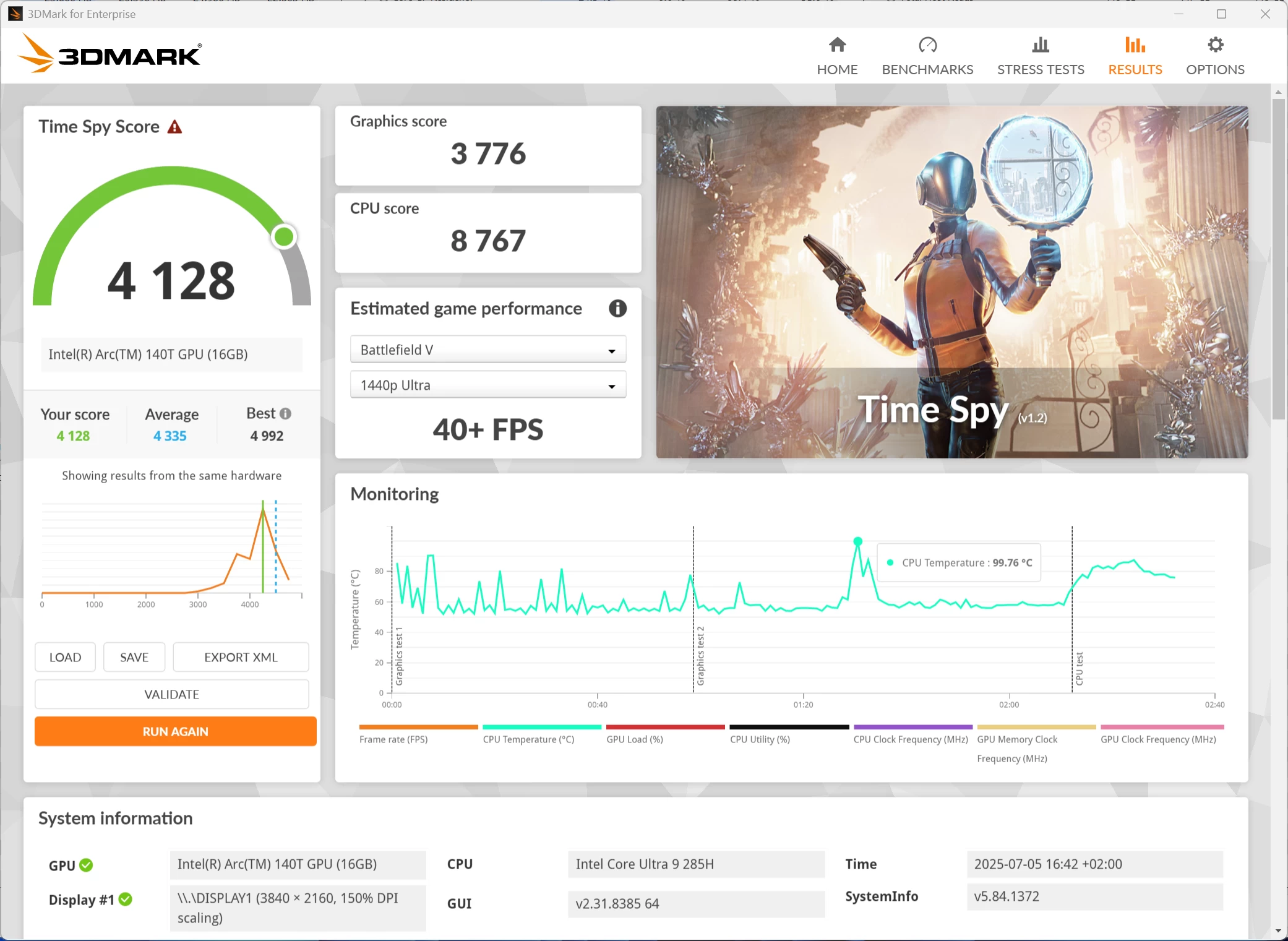
3DMark Time Spy tests gaming capability with DX12 graphics performance. PCMark tests are a mix of CPU and real-world productivity tests, such as using an office suite, web browsing, light photo/video editing, and making conference calls. Cinebench stresses the entire CPU as it is a multi-threaded rendering test. Geekbench is a synthetic benchmark that is great for a quick look at the potential performance across a wide range of workloads.
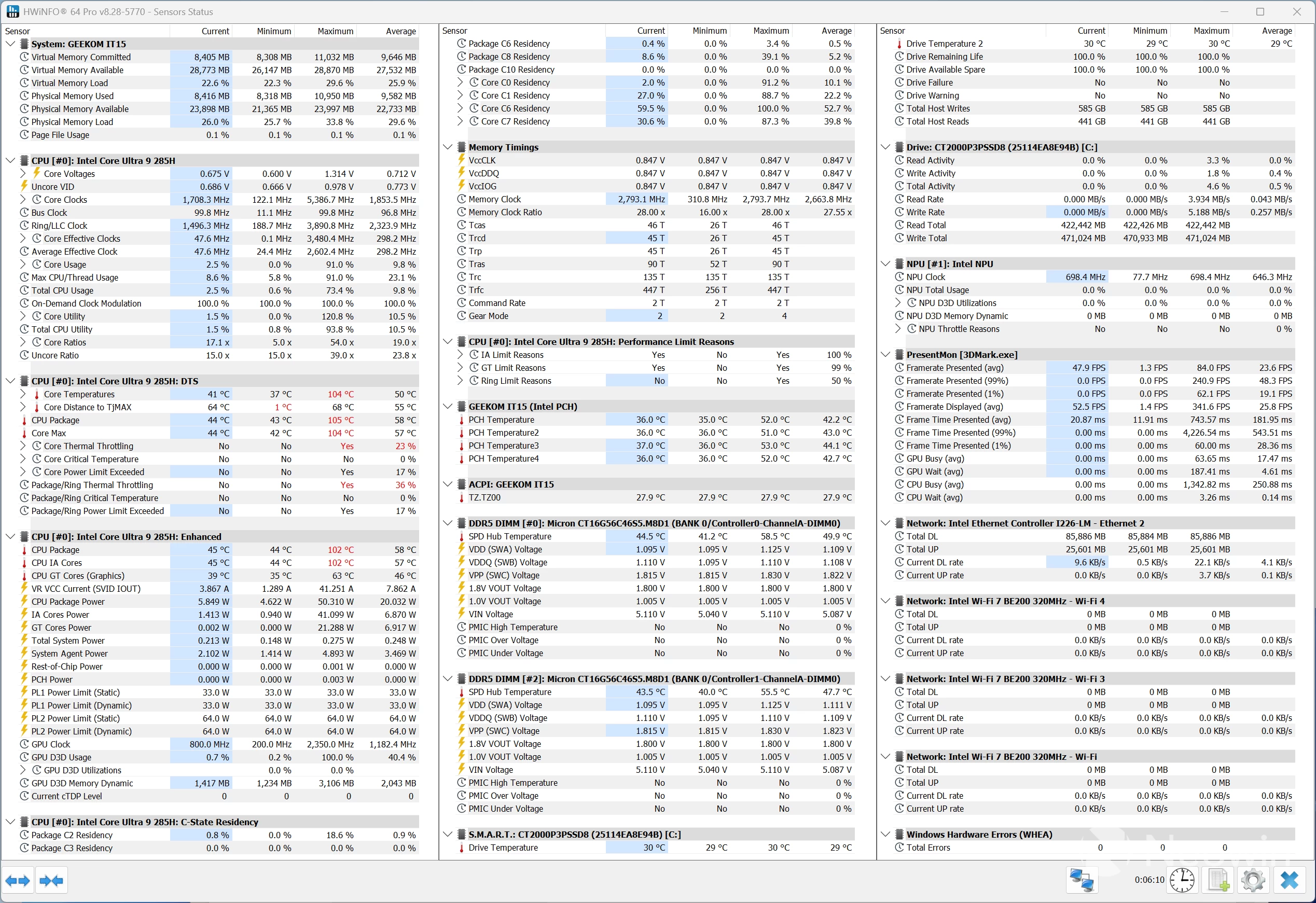
I also used HWiNFO to monitor hardware sensors and temperature readings.
| Geekom IT15 Core Ultra 9 285H | Beelink GTi13 Ultra Intel i9-13900HK | Geekom AE8 Ryzen 9 8945HS | |
|---|---|---|---|
| 3DMark: Time Spy | 4,128 3,329 843 | 2,148 1,437 207 | 3,343 |
| PCMark 10: Standard Extended test | 7,468 7,544 | 6,034 5,912 | 7,488 7,423 |
| Procyon: Windows ML CPU | 122 | 111 | 125 219 - |
| Geekbench 6: Single Multicore Compute (OpenCL) | 3,044 15,634 40,628 | 2,417 13,307 17,409 | 2,662 13,468 31,707 |
| Geekbench AI: ONNX CPU ONNX DirectML OpenVINO NPU | 4803, 1962, 8835 8013, 12079, 5233 5476, 9557, 14506 | 3357, 1325, 6482 3315, 3335, 2.083 - | 4503, 1978, 8823 7301, 11678, 5499 6394, 6329, 17840 |
| Cinebench 2024: Single Multicore | 131 857 | 104 977 | 107 938 |
| 7-Zip | 101,483 | 100,122 | 102,259 |
Geekbench AI scores are in the following order (left to right): Single Precision, Half Precision, Quantized.
The Intel chip easily beats the Ryzen 9 8945HS in Cinebench 2024 single core, but isn"t quite as good with Multicore, as AMD here takes advantage of its Simultaneous Multi-Threading (SMT), which Intel dropped in 2024.
In GPU power, though, the ARC 140T with its 8 Xe-cores (128 Execution Units or EUs) more than makes up for this, as can be seen with the 3DMark benchmarks, which pretty much obliterates the 12 CU Radeon 780M competition and older i9-13900HK (96 EU Iris Xe).
It is noteworthy here that Intel graphics is not quite as efficient as AMD Radeon in terms of driver overhead and other similar optimizations. As such, the real-world performance may be closer than what we see here in 3DMark synthetics.
The Arc GPU once again shines in AI/ML compute in Procyon as it bests both the 13900HK and 8945HS.
Browser Performance
| Browser | Low | High |
|---|---|---|
| Chrome | 29.2 | 29.3 |
| Edge | 29.7 | 30.0 |
| Firefox | 22.3 | 22.5 |
Next up, I tested browsing performance using Speedometer 3.1. Speedometer provides a value and also a range showing the lowest and highest scores after three runs, as indicated in the chart above by the two scores for each browser. It"s clear to see that Edge and Chrome bested Firefox by 6.4 and 6.9 on the low, and 7.2 and 7.5 on the high, respectively, with Edge 0.5 on the low and 0.7 on the high, slightly ahead of Chrome for the winner.
Disk performance
I also tested the SSD"s capability using AS SSD and CrystalDiskMark.
| AS SSD | CrystalDiskMark |
|---|---|
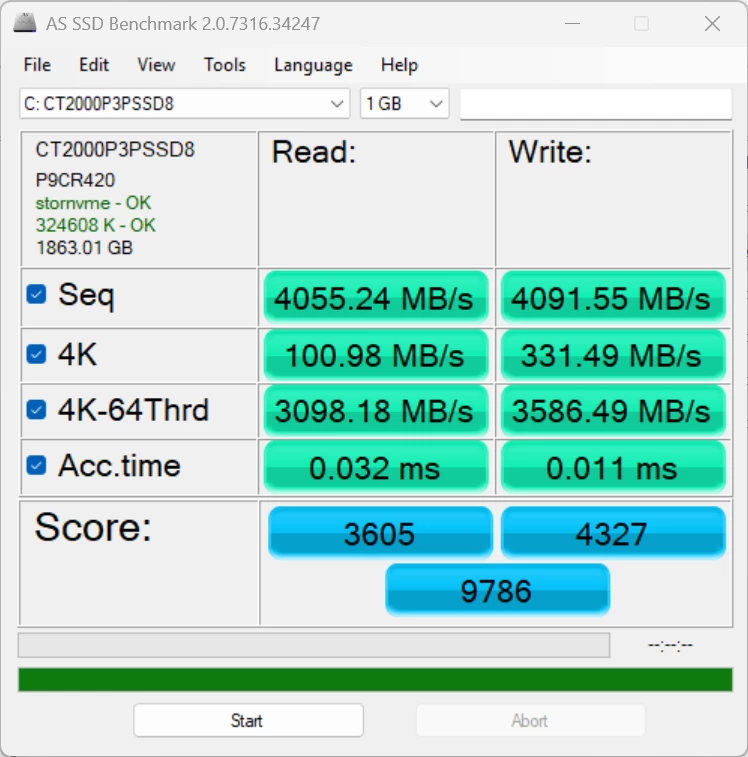
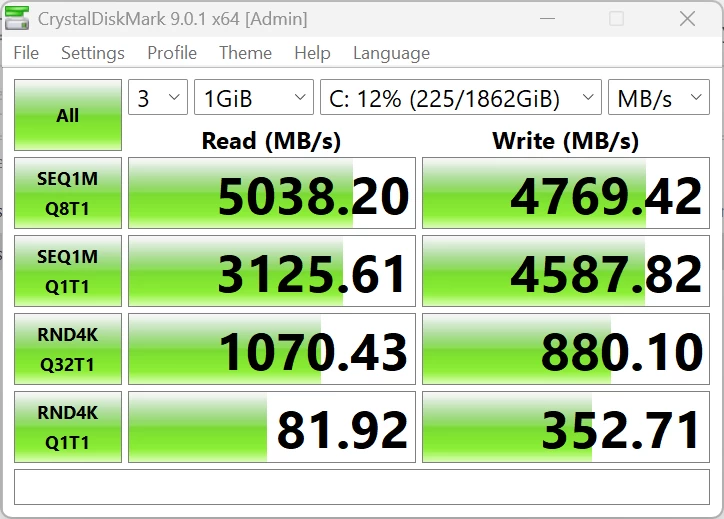
The IT15 comes with a 2TB Crucial P3 Plus (CT2000P3PSSD8) SSD, and it easily exceeds the official 5000/4200 MB/s read/write rating for the drive. Good news!
Despite running all of the above benchmark tests, the IT15 did not get hot (or even warm) to the touch, and no annoying noises were coming from the single fan that cools the unit. The Highest CPU temperature recorded was during TimeSpy (99.6 °C), where the CPU Package reached 106 °C, which meant that it was throttling.
Infrared thermal imaging
| Top | Bottom |
|---|---|
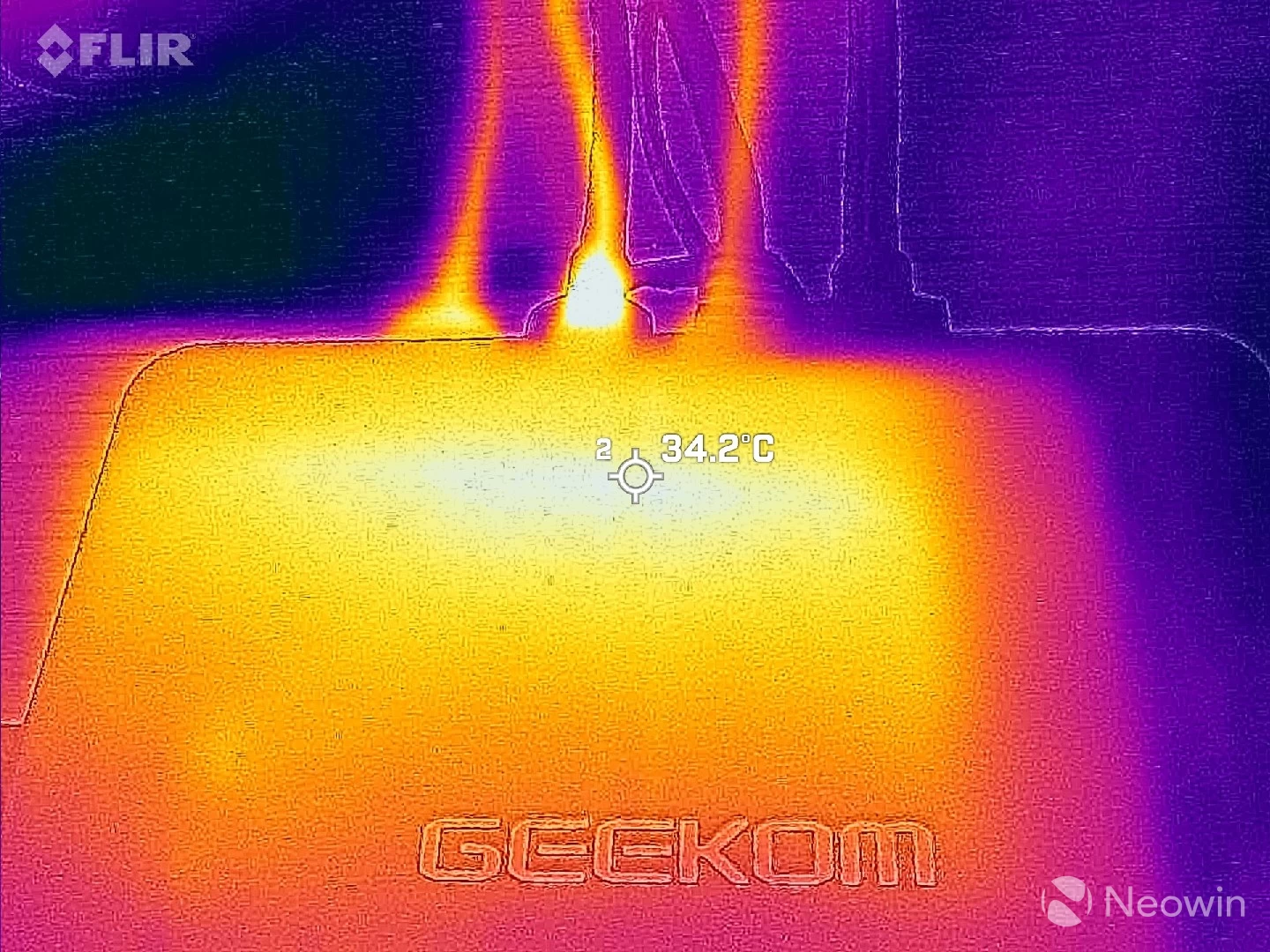
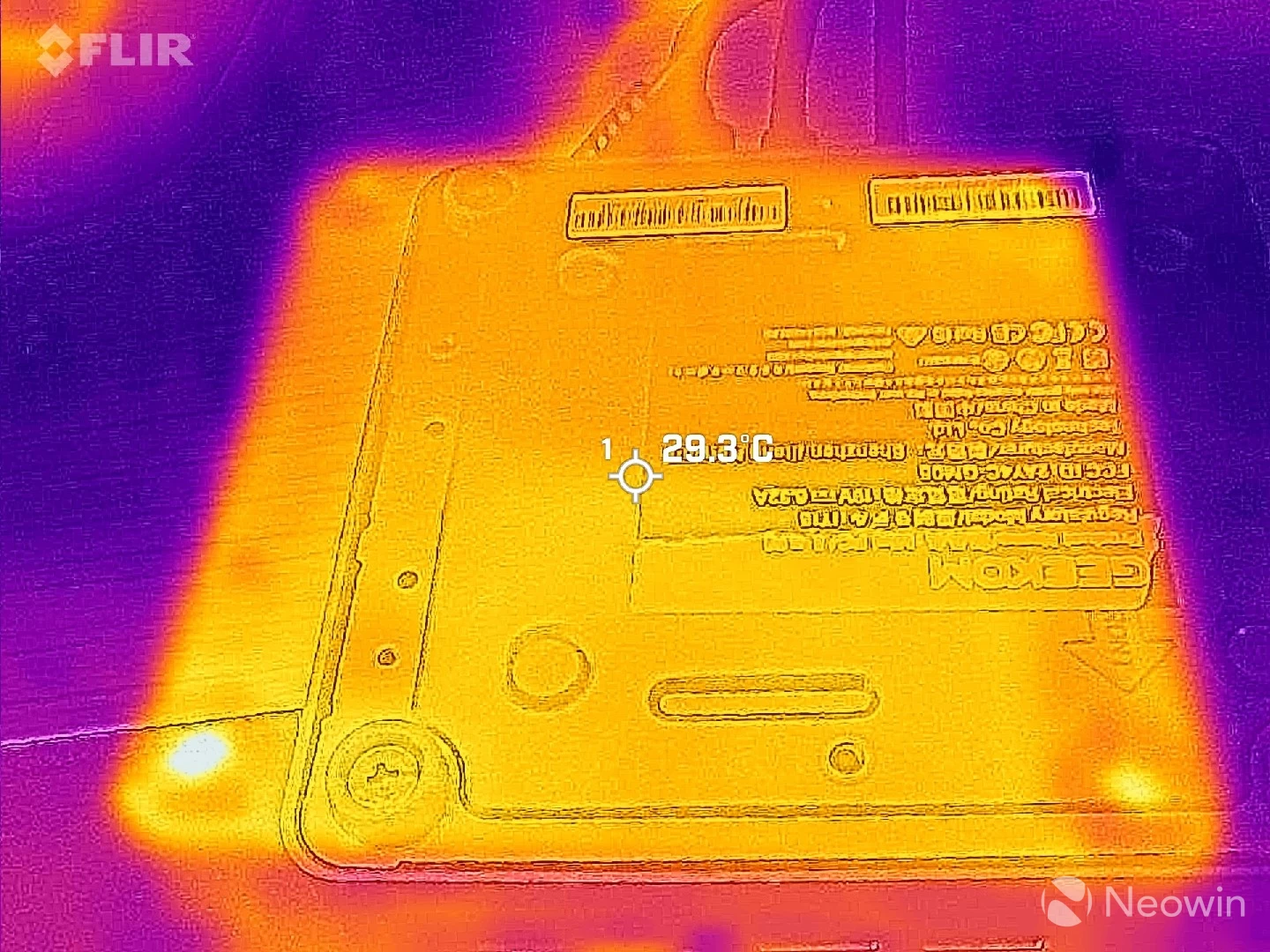
Despite all this, the outer shell never exceeded 34.2 °C while I was pointing my FLIR ONE Gen 3 thermal camera at it. The bottom of the Mini PC even showed a more uniform 29.3 °C across the whole plate, while on the top, it was more concentrated towards the back.

Conclusion
I"ve said it time and time again, I love these Mini PCs. They simply aren"t gaming PCs, though, so you will not be able to enjoy graphically intensive games on them. For that, you need a dGPU along the lines of the mobile Nvidia 4060, AMD 7600 (XT), or better. However, it absolutely is suited for light gaming (Arc 140T is roughly equivalent to RTX 3050 Mobile), and as an office workstation. Perhaps it"s a good solution for a student with limited living space, with the ability to pack this into a backpack for a portable solution. This thing isn"t taking up much room, you can even screw it to the back of a screen if it has VESA support with the included mount plate.
In a world that is apparently too stingy for phone manufacturers to include a power lead and charger for their flagship phones, GEEKOM has provided all of the cables and tools necessary to get started straight away, along with a Windows 11 Pro license and a clear guide with instructions on how to access the internals.
When it comes to Mini PCs, the market is saturated with crap, so you really have to be on the lookout and study the specs properly. One trick I have seen often is Mini PCs utilizing old tech, sometimes two generations behind. This Mini PC will let you connect to four displays, whereas cheaper solutions will be limited to two screens.
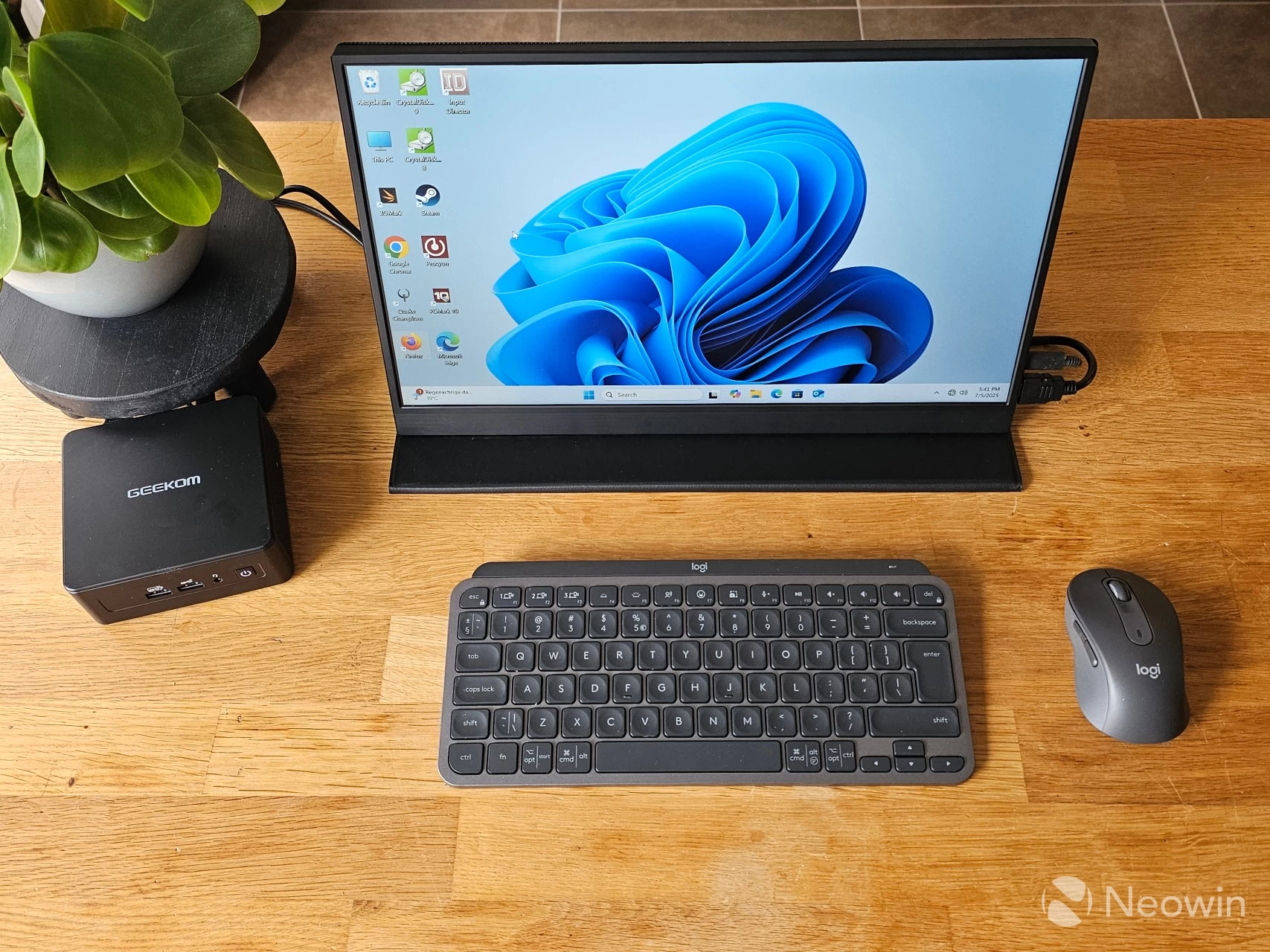
Assuming you"ve made it this far, yes, at an MSRP of $1699, the IT15 is a hard sell, even if we consider that GEEKOM currently has it "discounted" at $1,199 on the official website. If we also consider that GEEKOM again cut corners not to offer a 2.5-inch SSD option, and not fully support HDMI 2.1a for some reason, or no USB Type-C around the front, this adds up to it costing a point off a perfect ten. It"s still great, though. Aside from not being able to game on it seriously, it"s still a very powerful machine inside a tiny frame.
Where to buy & coupons
Although the IT15 has an MSRP of $1699 on the official website, it is currently listed for $1,199, but you can also add the IT15NEW coupon code to bring that price down to $999, saving you $200 off that already "discounted" price.
What"s more, GEEKOM has partnered with Neowin on a promotion that lets you save 10% off the price of the IT15 until August 31, when you enter the NEOWINIT15 coupon code upon checkout through Amazon.com that brings the price down even further to a total of $899.10 with free delivery and returns for Prime (SNAP) members which is also an option.
The above coupons also work on Amazon UK for £899.10, and the GEEKOM UK website.
Our stories may contain affiliate links for products/apps where Neowin is paid an affiliate fee if you complete a purchase via those links.