GEEKOM is back with an update to its first fully qualified Copilot+ PC with the A9 Max 2026 Edition offering. If you read Neowin's reviews, you are familiar with its mini PCs.
GEEKOM's "A" series of Mini PC is described as:
The A series is crafted as the AMD Ryzen Mini PC with its advanced Ryzen Al processors, featuring exceptional aesthetic appeal, engineered to unleash its gaming capabilities and power of creative tasks fully.
With that out of the way, first a disclaimer: GEEKOM provided a free sample without any editorial input or review pre-approval. Now some specifications:
| GEEKOM A9 Max 2026 Edition | ||
|---|---|---|
|
Dimensions |
|
|
| Size | 135 × 132 × 46.9 mm (W × D × H) 5.32 x 5.2 x 1.8 inches | |
|
Weight |
690 g (self-weighed) | |
|
CPU |
AMD Ryzen AI 9 HX 470, 12C, 24T (Base 2.0 GHz, Boost 5.2 GHz) 24 MB L3 Cache, TDP: 28W, cTDP: 54W |
|
|
Graphics |
AMD Radeon 890M (16 CU's, 3000 MHz) | |
| NPU | 55 TOPS (dedicated) with a combined 86 TOPS | |
|
Memory |
1 x Crucial CT32G56C46S5 32GB DDR5-5600 SODIMM (up to 128GB) | |
|
Storage |
1 x M.2 2280 PCIe Gen 4 x4, Kingston OM8TAP42048K1-A00 2TB 1 x M.2 2230 PCIe Gen 4 x4, Unpopulated |
|
| Audio | HDA CODEC | |
|
Operating System |
Windows 11 Pro 25H2 | |
|
Bluetooth |
Bluetooth v5.4 | |
|
Ethernet |
Intel® 10/100/1000/2500 Mbps RJ45 Ethernet | |
|
Wireless LAN |
MediaTek MT7925 M.2 Wi-Fi 7 LAN card | |
|
|
|
|
|
Rear I/O ports |
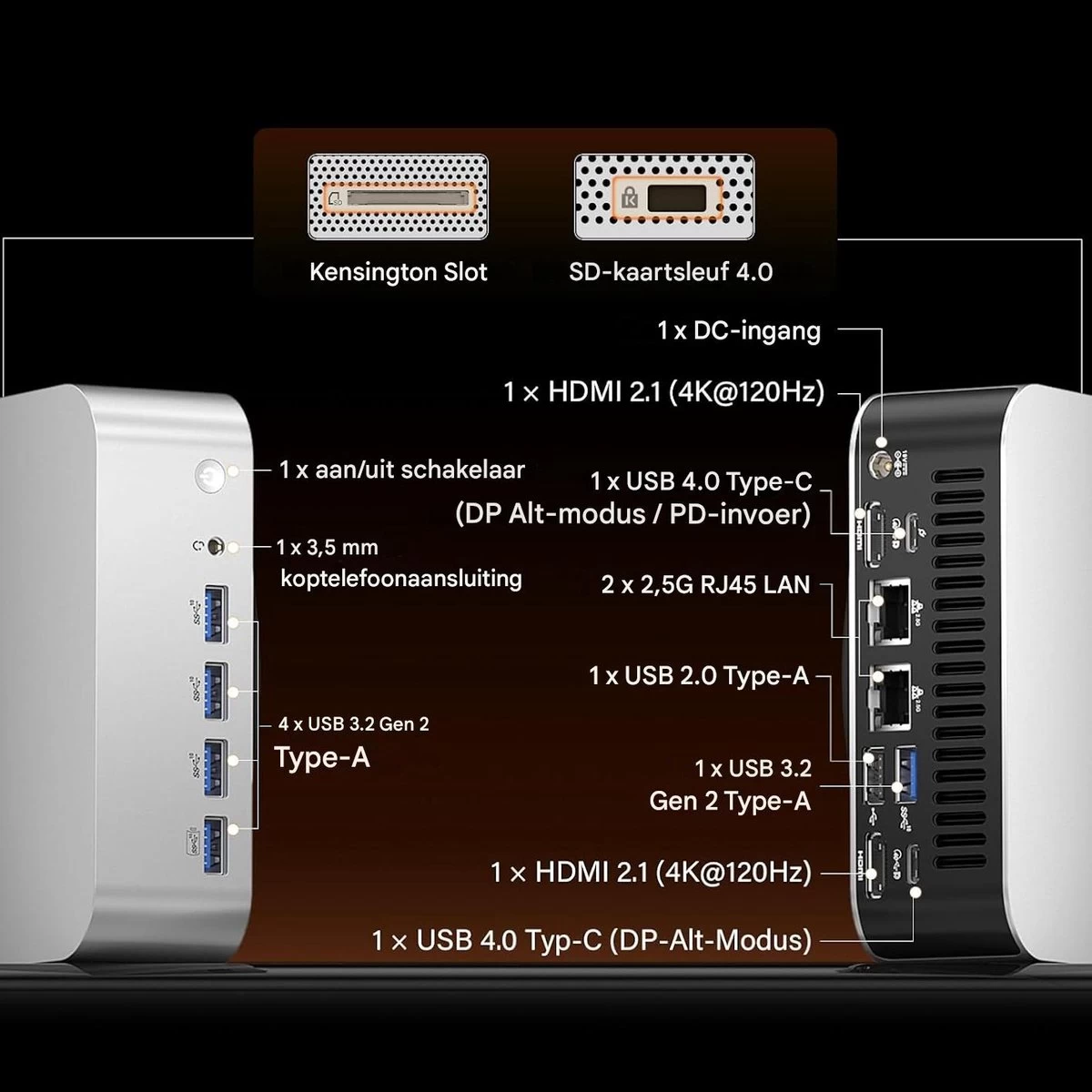
1 × USB 3.2 Gen 2 Type-A 1 × USB 2.0 Type-A 1 × USB 4.0 Type-C DP-Alt-Mode / PD-In 1 × USB 4.0 Type-C DP-Alt-Mode, 2 × Ethernet RJ45 2.5 Gbit/s 2 × HDMI 2.1 FRL 1 × DC-In |
|
| Front I/O ports | 3 × USB 3.2 Gen 2 Type-A 1 × USB 3.2 Gen 2 Type-A Always On 1 × 3.5 mm headphone jack |
|
| SD Card slot | 1 × SD card reader 4.0 | |
| Kensington Lock | Yes | |
| Power | 19V, (120W External PSU) | |
| Certification | CE, FCC, CB, CCC, SRRC, RoHS | |
| Warranty | 3 years | |
|
MSRP |
$1,799 | |
Introduction
If you were wondering what the FRL stands for (next to the HDMI 2.1 spec), it means "Fixed Rate Link," and it's a signalling technology supported in the HDMI 2.1 Specification.
In addition, the A9 Max 2026 Edition comes with just one 32GB DDR5 SODIMM preinstalled. My contact told me that although this could degrade performance, it was intentional to afford buyers the option to upgrade by only having to purchase one module instead of replacing 2x 16GB. My contact provided the following statement:
... in certain integrated graphics bandwidth benchmarks, there is a measurable difference between single-channel and dual-channel configurations. However, this difference is mainly reflected in synthetic test results and is not noticeable in real-world usage, with no meaningful impact on the day-to-day experience.
This decision almost certainly aligns with the storage and memory hell we're all going through right now, thanks to the giant datacenters buying up everything, which drove consumer pricing through the roof.
The A9 Max 2026 Edition is powered by the in January-released AMD Ryzen AI 9 HX 470 mobile CPU built on the Zen 5 architecture with Socket FP8. Thanks to AMD Simultaneous Multithreading (SMT), the 12-core count is effectively doubled, to 24 threads. It runs at a base speed of 2.0 GHz and can boost to a max turbo frequency of 5.2GHz. However, overclockability is limited on this chip since the multiplier is locked.
On the graphics front, the HX 470 includes a Radeon 890 M integrated GPU with a max GPU frequency of 3000 MHz across 16 cores. It has been said that the iGPU is equivalent to the NVIDIA GeForce GTX 1650 in gaming and synthetic benchmarks. On the AI front, the HX 470 features a dedicated NPU (55 TOPS) and is rated at up to 86 TOPS, combining CPU cores, GPU cores, and NPU. Other highlights include DDR5 memory at 5600 MT/s, WiFi 7, Bluetooth 5.4, an SD card slot, and a Kensington Lock.
AI PC?
This qualifies as a Copilot+ PC thanks to the dedicated NPU delivering up to 55 TOPS, and as previously mentioned, with help from the CPU and iGPU cores, it is capable of a combined 86 TOPS.
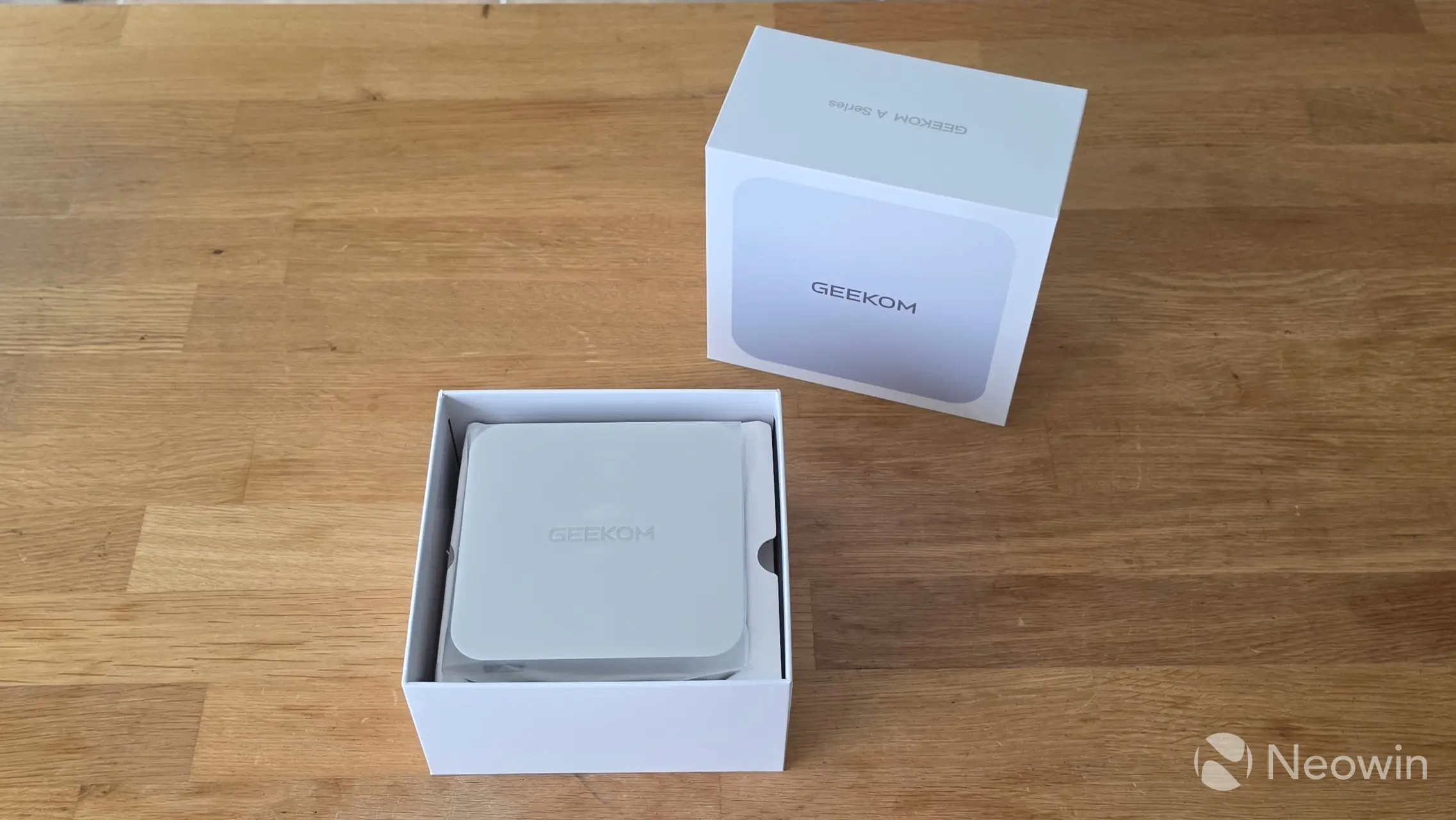
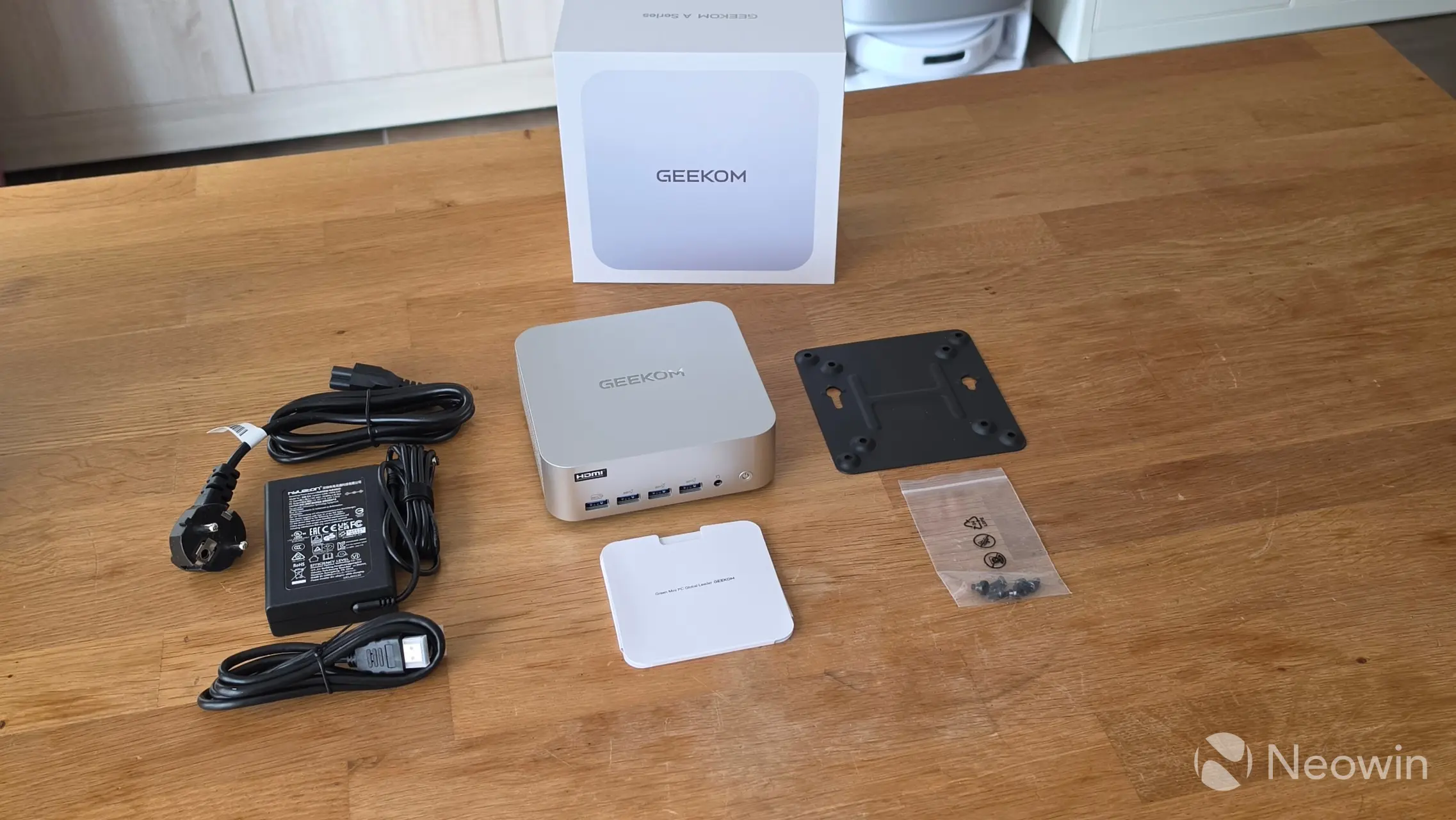
I'll just say straight off, the packaging and build are similar to others in the A series that I have reviewed, such as the A6, A7, and A8, so my findings will not be any different on that front. I can tell you that it still exerts the same premium feel as you pull the top of the box off to reveal the Mini PC sitting inside the cardboard mold interior. Once you have the PC out and the mold is removed, you are greeted with an envelope. Below that, and after removing the cardboard "shelf", you can find the other components, such as the power lead, HDMI cable, VESA mount plate with a bag of screws, and the instruction manual.
What’s In The Box
- 1 x GEEKOM A9 Max 2026 Edition Mini PC
- 1 x HDMI Cable
- 1 x VESA Mount
- 1 x Power Adapter
- 1 x User Guide
- 1 x Bag of screws
No carry bag
GEEKOM left out the carry bag again, which is a bit of a shame for first-time buyers, as you may have noticed from the specs.
Design
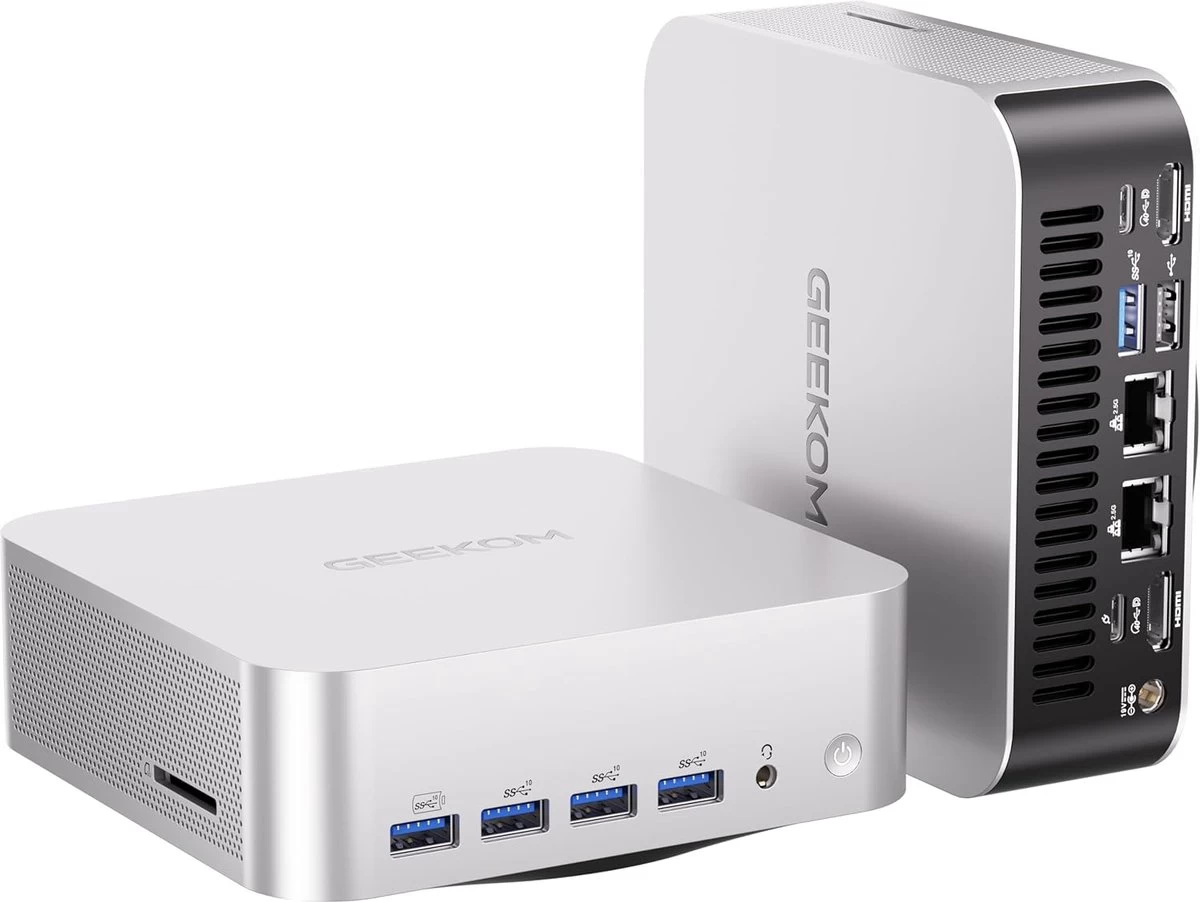
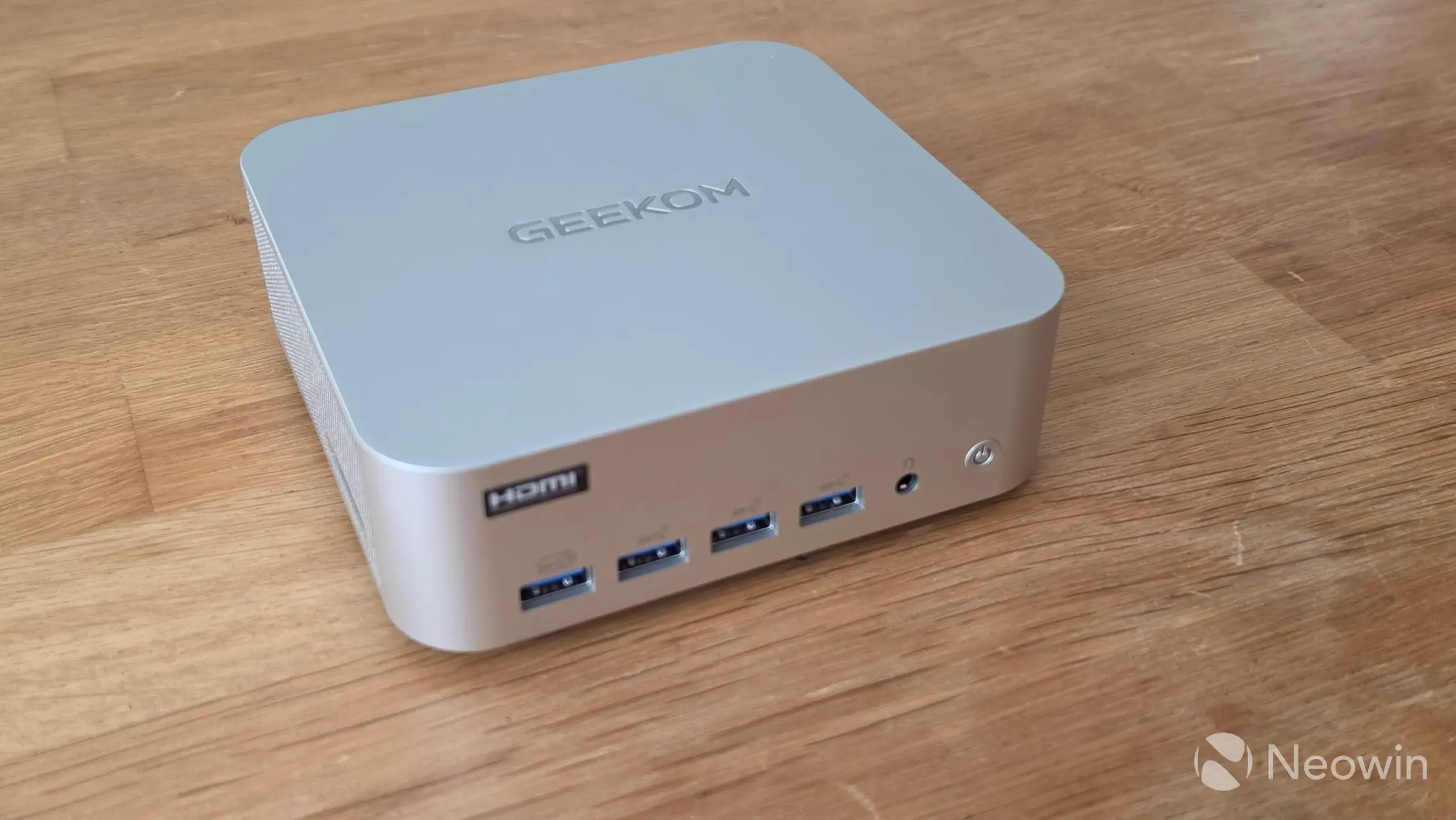
The A9 Max 2026 Edition's design is basically the same as others in the A series, and almost completely identical to the 2025 Edition, right down to the ports (on the rear), because on the front, there are two additional Type A USB ports. It is a similar weight and retains a good heft to it; while not being heavy, it isn't light either. It definitely gives off a premium and balanced feel to it. All the edges and corners, except for the bottom edges of the Mini PC, are rounded, so it is comfortable to hold and move around. It must be noted that GEEKOM did not include the official weight along with the other specifications, so I weighed it myself, and it came to 690 grams; all of that weight is thanks to the all-metal frame and housing.
Although the A9 Max 2026 Edition also includes two USB4 ports (Type-C), unfortunately, these are still located on the back of the Mini PC. I can only imagine this decision was made to make the front of the A9 Max 2026 Edition look more uniform with its ports; however, having the option for Type-C and USB Type-A on the front of the Mini IT11 is what made it great. The Mini PC still includes five USB3 Gen 3.2 ports and one USB 2.0 port, that's two more than other A series Mini PCs I have tested, and these extra ports are located on the front, one of which is an "Always on" port for powering external devices while the Mini PC is powered off.
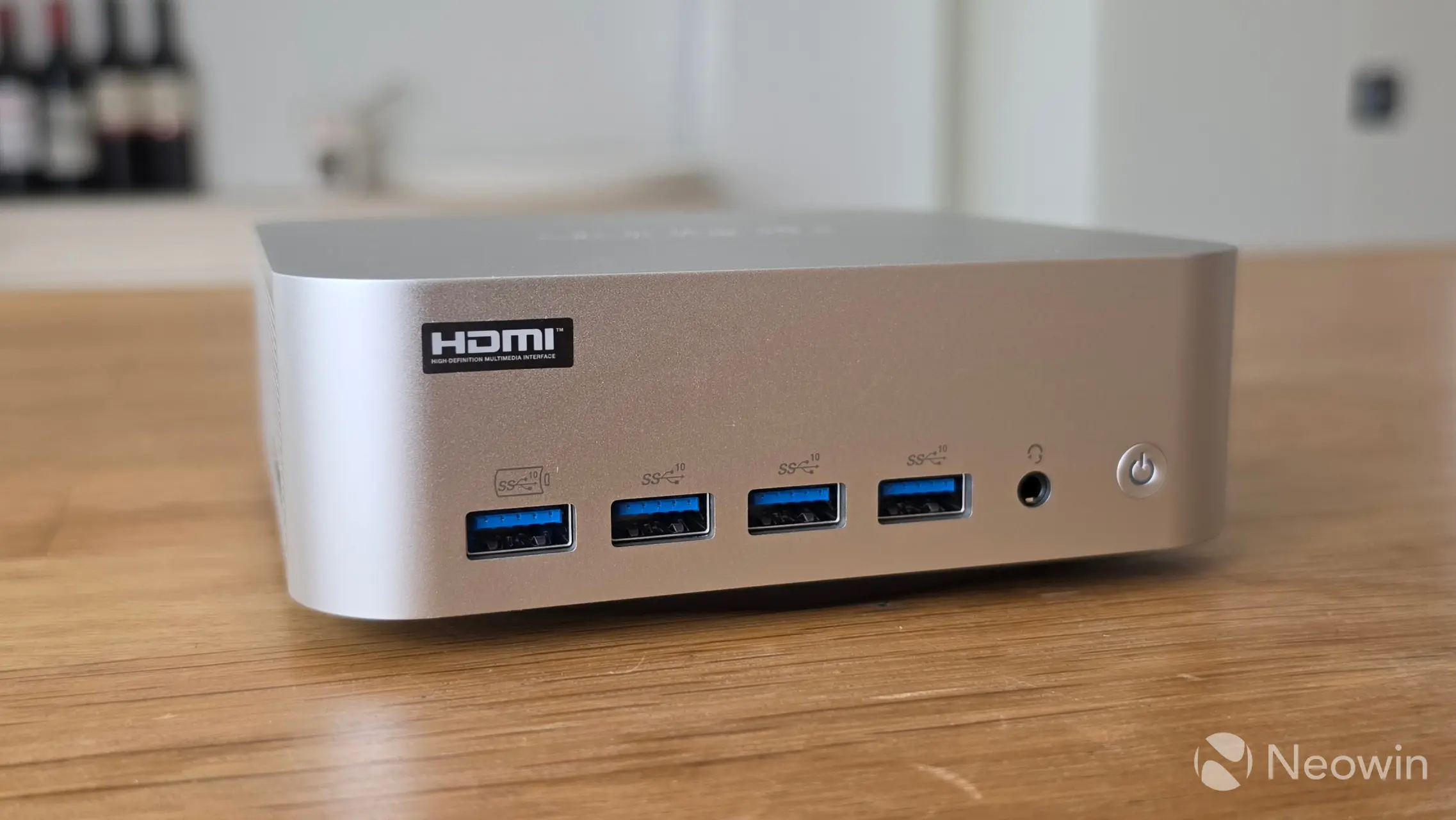
As far as looks go, it has a fully silver/gray exterior, and it's not a fingerprint magnet. GEEKOM does not say what materials are used for the exterior other than a "reinforced full-metal chassis" exterior. The product page claims that the A9 Max 2026 Edition can withstand over "200kg of pressure without bending," but we wouldn't recommend loading heavy objects on top of it anyway; it supposedly gives protection against accidents and falls. It doesn't feel cheap and isn't flimsy either, and even when the base is removed, it remains sturdy.
One small change between the 2025 and 2026 editions is the inclusion of the official HDMI logo on the front; I wonder if this is only allowed when the aforementioned FRL support is included along with HDMI 2.1.
Teardown
|
|
|
|
|
|
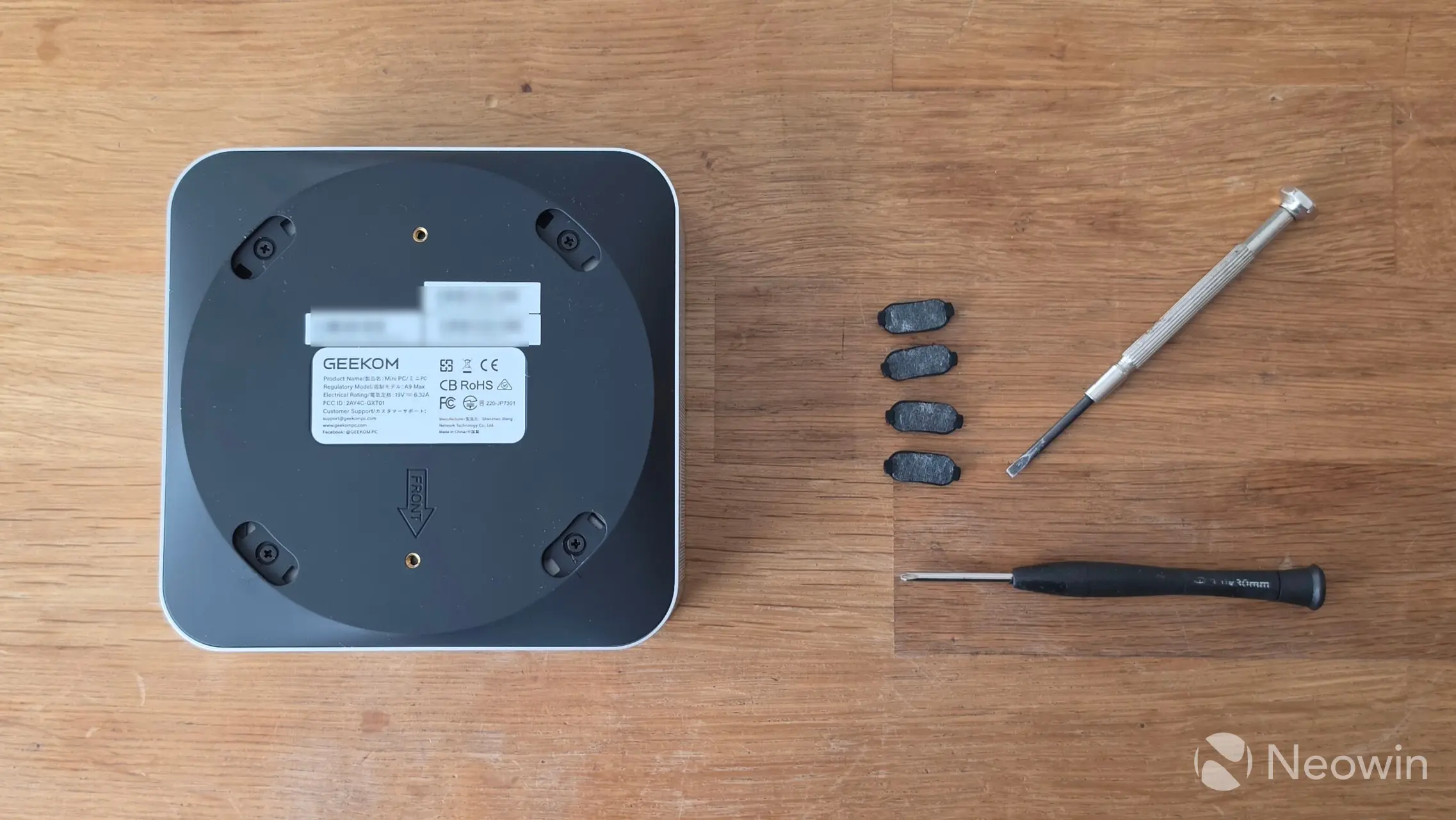
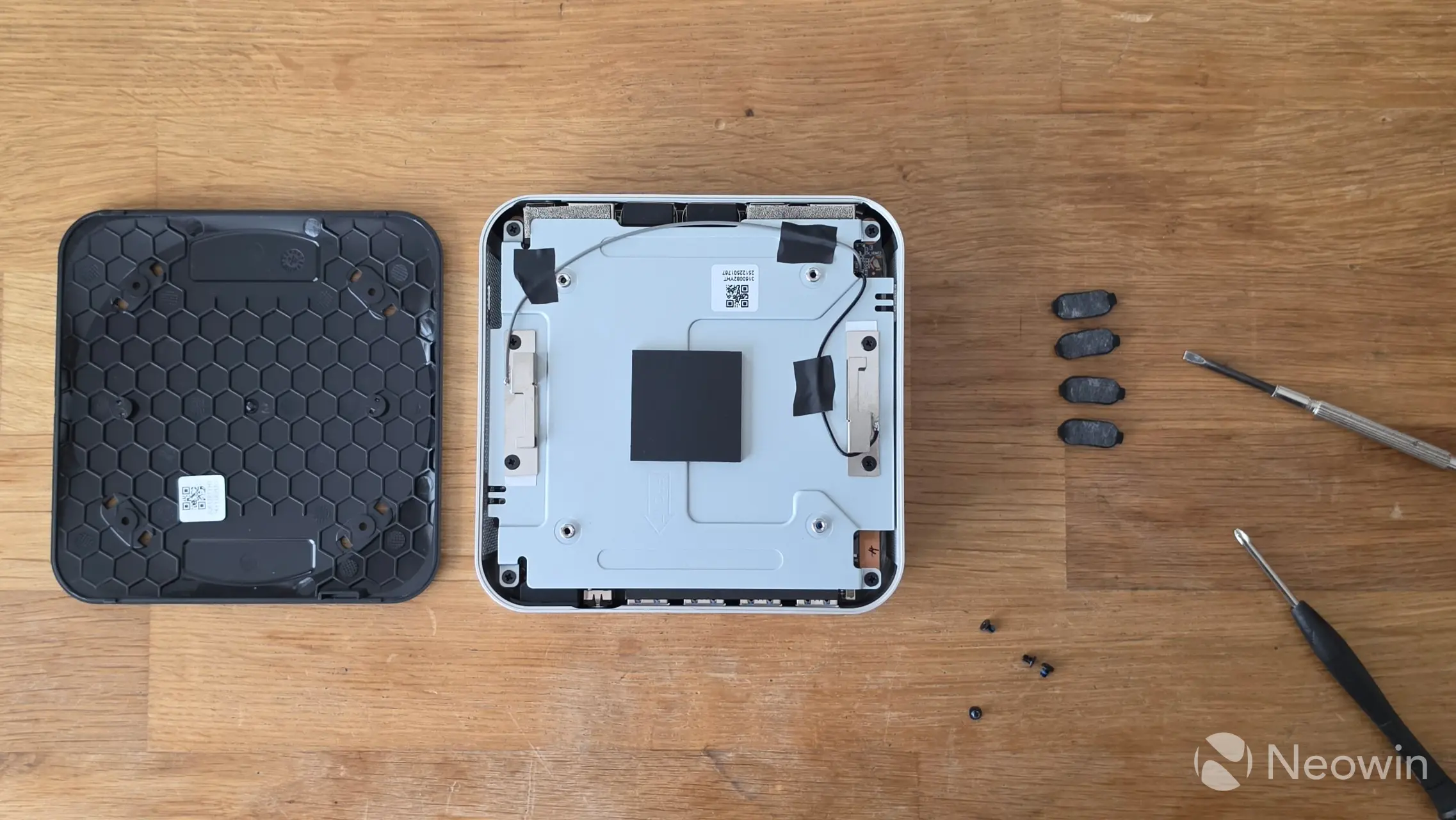
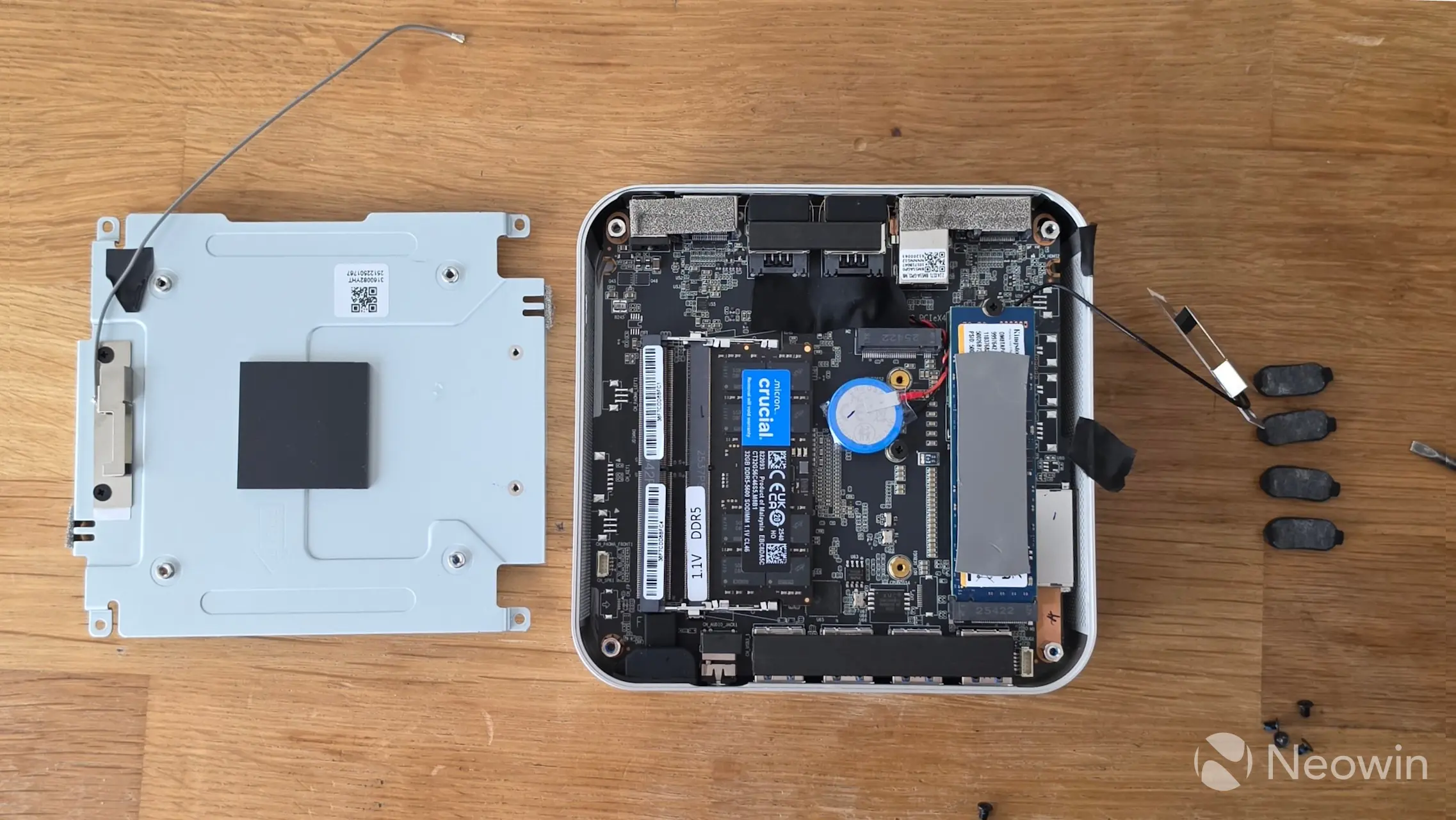
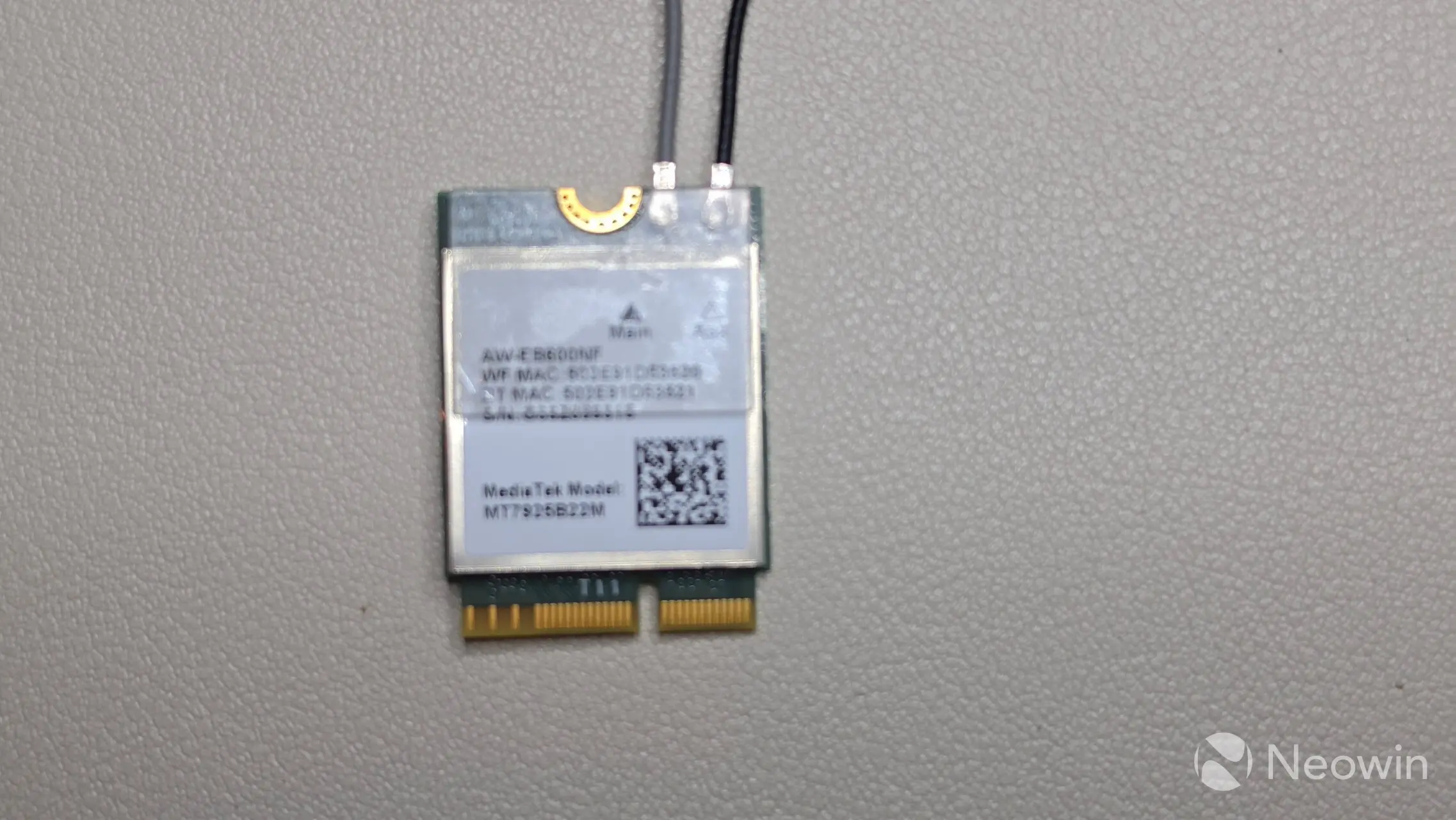
Accessing the A9 Max 2026 Edition is a bit of a task, and you also have to watch out that you don't accidentally unplug the WiFi antenna, because it is taped to a metal plate that needs to be removed to access the SSD and memory slots.
I actually did manage to disconnect the WiFi cables, and spent around an hour having to fix them, which meant removing both the SSD and WiFi 7 card and plastic cover. To top it off, the connectors can't be reused forever (why is there a plastic cover on it in the first place!), so I really think this is a poor design considering that accessing the A9 Max 2026 Edition is supported by GEEKOM to manage the SSD and memory.
Apologies for the blurry WiFi card pic, but as you can imagine, I am not tearing it down to get a better picture! You should be able to see what I mean with the cable connectors. Too much force while attempting to reconnect them destroys the connector on the cable and card. I was able to confirm that WiFi still worked, however... crisis averted!
- Use a flat-head screwdriver to pry the glued-on rubber feet free
- Remove four Philips screws located under the rubber feet
- Use a flat-head screwdriver or a knife to remove the plastic bottom cover
- Remove four screws on the internal metal plate
- Carefully lift the plate free, making sure not to pull on the WiFi antenna
- Now you can access the M.2 slots and memory
As you can see from the above images, which can be enlarged when clicked on, there is ample room to manage the SODIMMs and Kingston 2TB PCIe 4.0 NVMe SSD, so you can swap it out for something else if you want. The A9 Max 2026 Edition includes an option to add a second NVMe SSD, as long as it is only 30mm long. A word of warning: if the WiFi cables become unplugged, they are very difficult to reattach, which makes it a poor design choice. At the very least, longer cables would have made it easier to manage the internals, but it is what it is.
Usage
BIOS
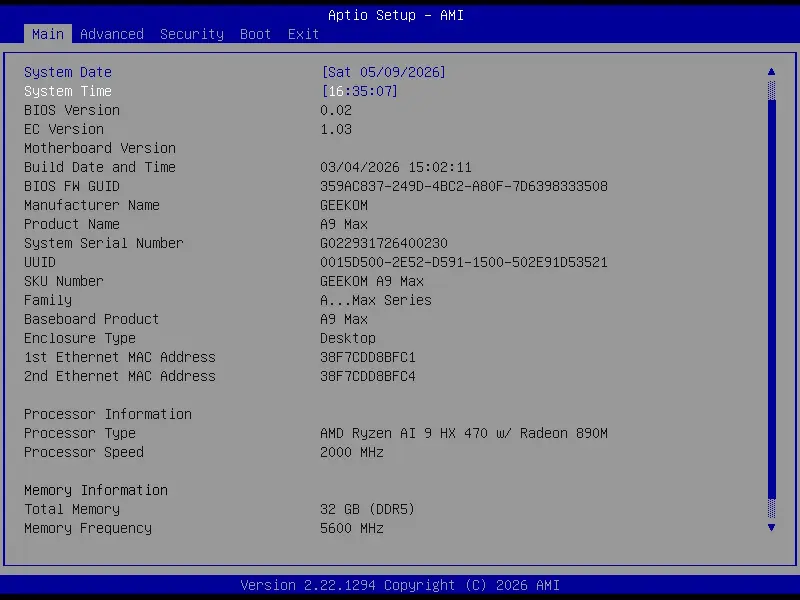
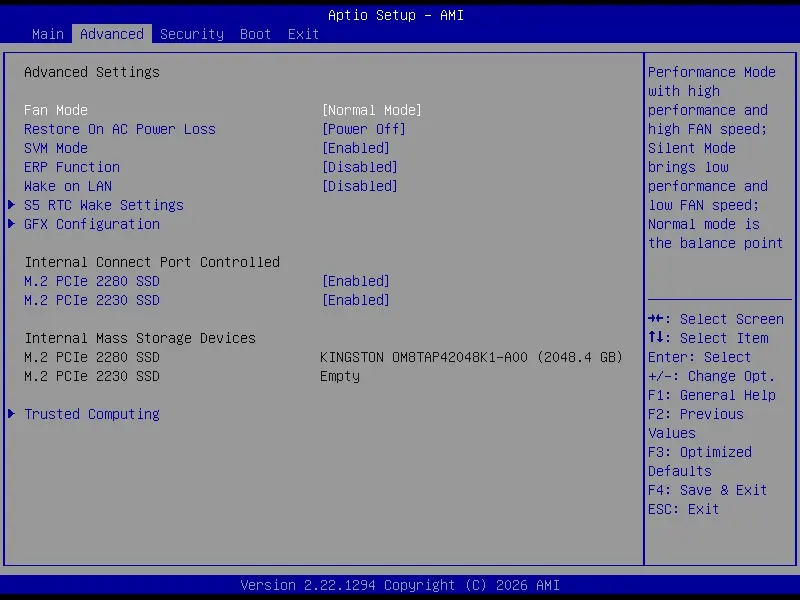
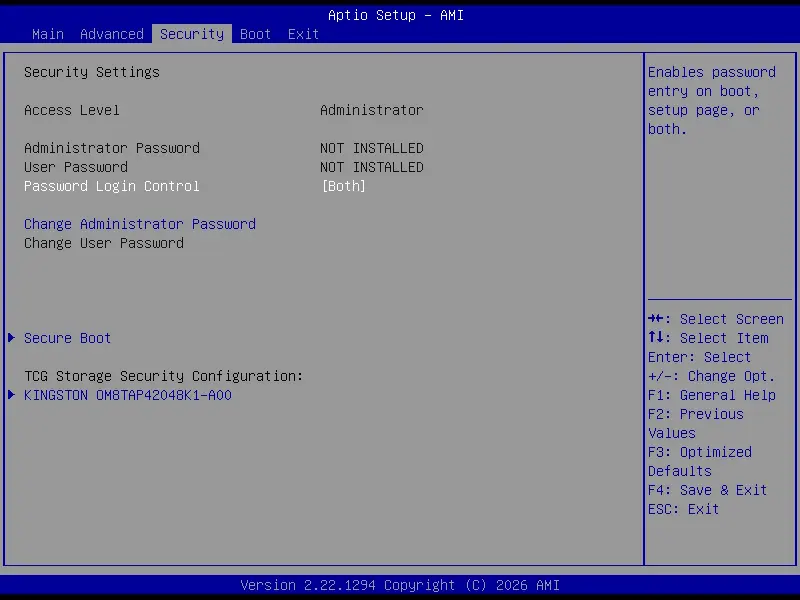
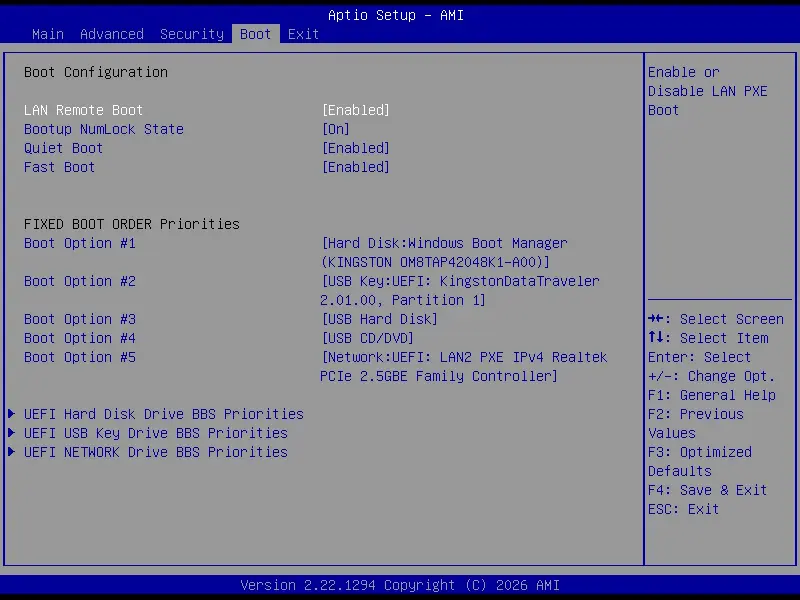
The A9 MAX 2026 Editin includes an AptiBIOS, which is not locked down; you can edit it to your heart's content (1), (2), (3), (4).
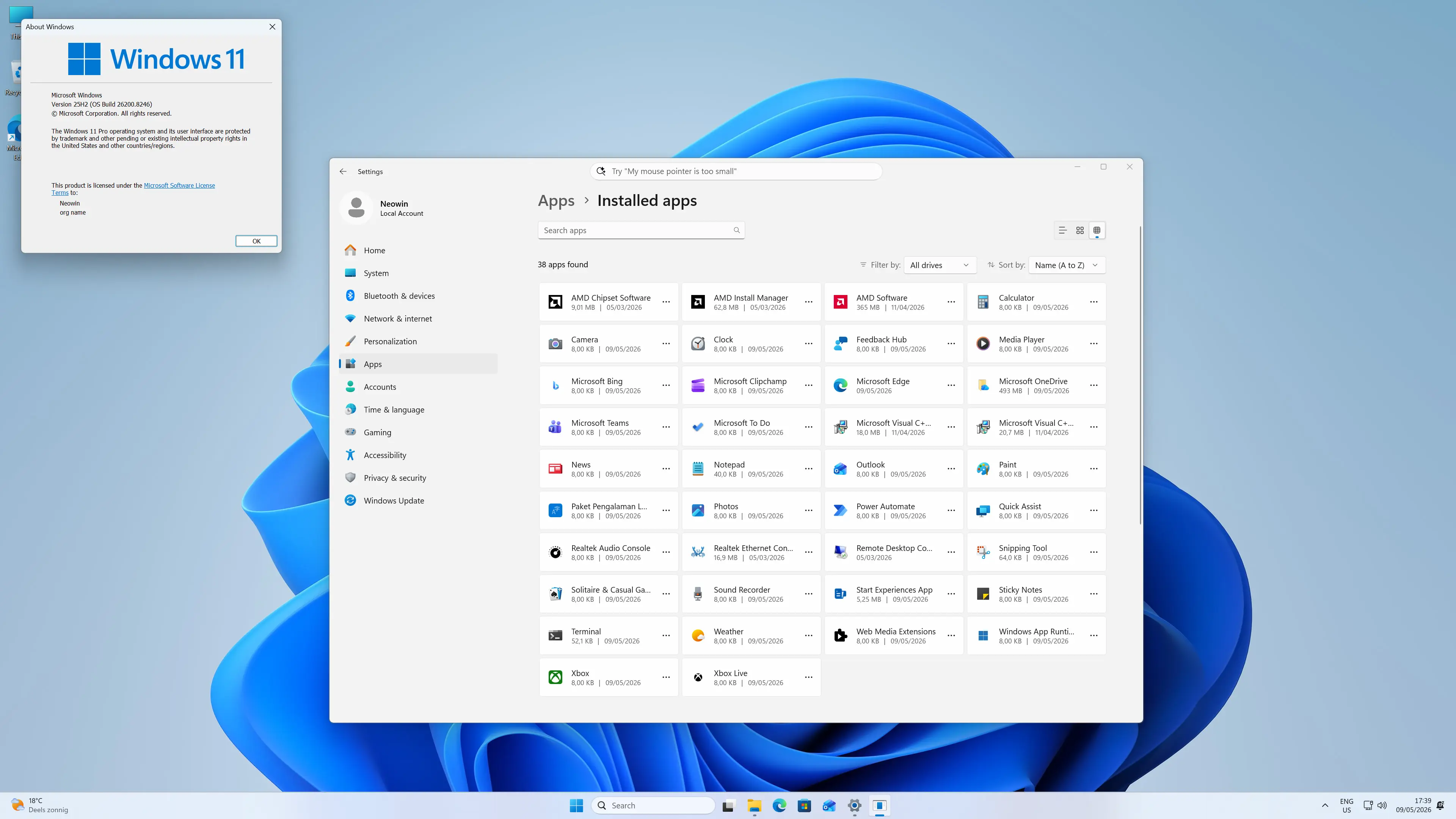
On first boot, you are prompted to complete the setup of Windows 11 Pro, meaning you do not have to fork out for a license, which is nice. After the setup is finished, I am happy to report that it does not come with any bloatware installed. The OOBE also installs several updates to Windows 11 25H2, so the updates were relatively minimal.
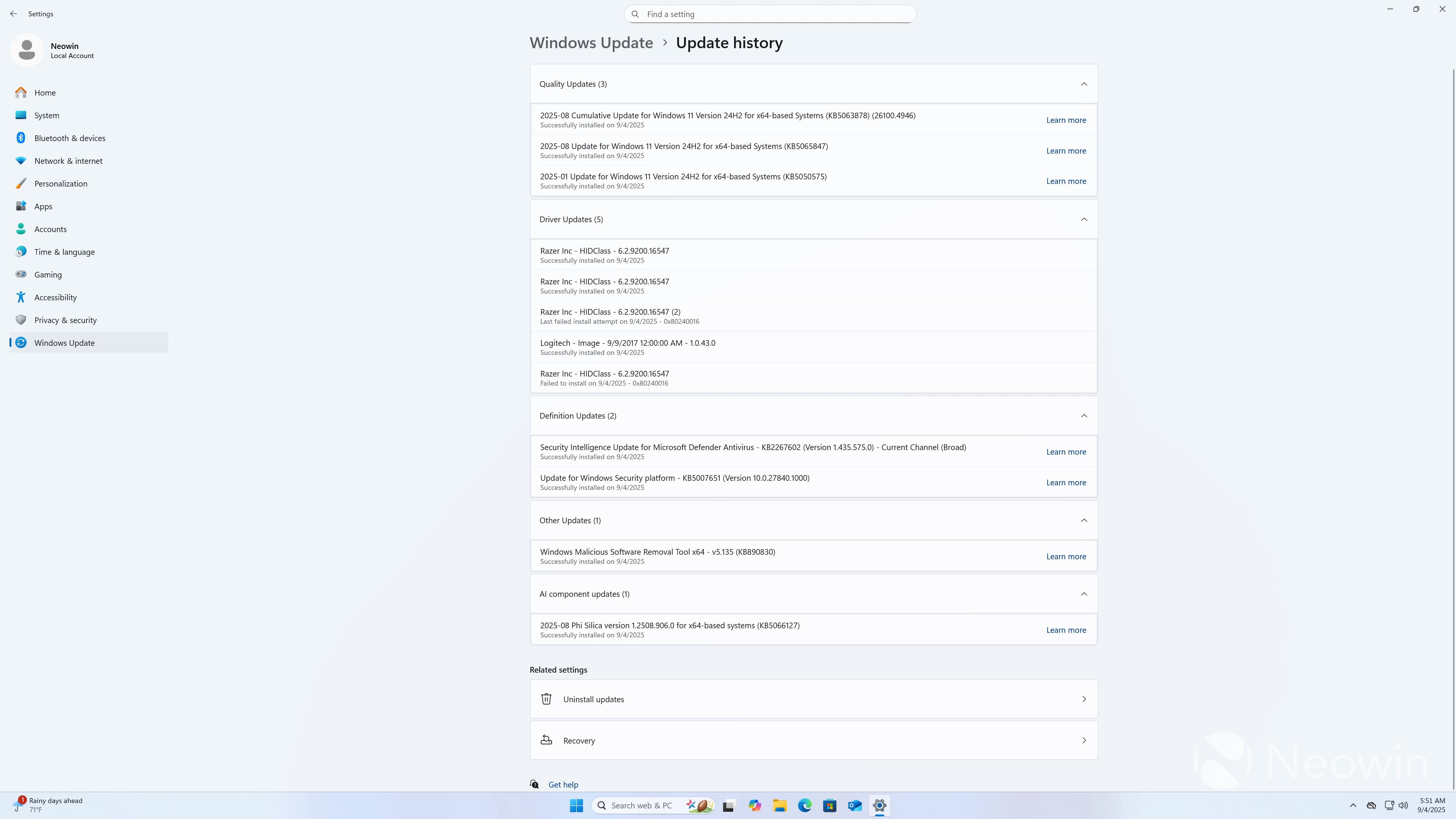
Before starting with benchmarks, I checked Windows Security, which gave several alerts, which ended up being because the Memory Integrity setting was disabled. Once opening and locating it on the Core Isolation page, I enabled the security-related settings and restarted, which gave an all clear on the Windows Security app.
|
|
|
|
|
|
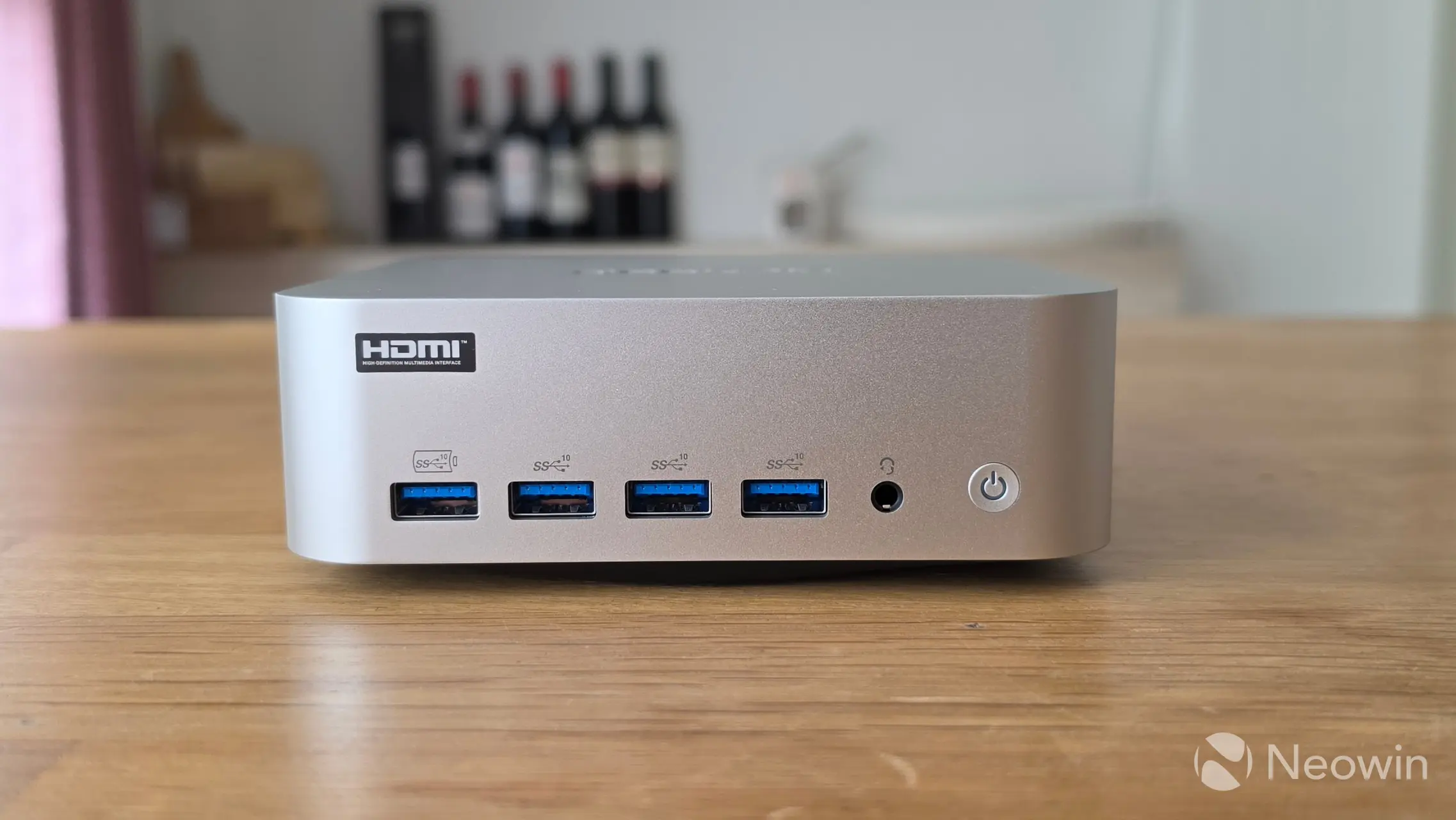
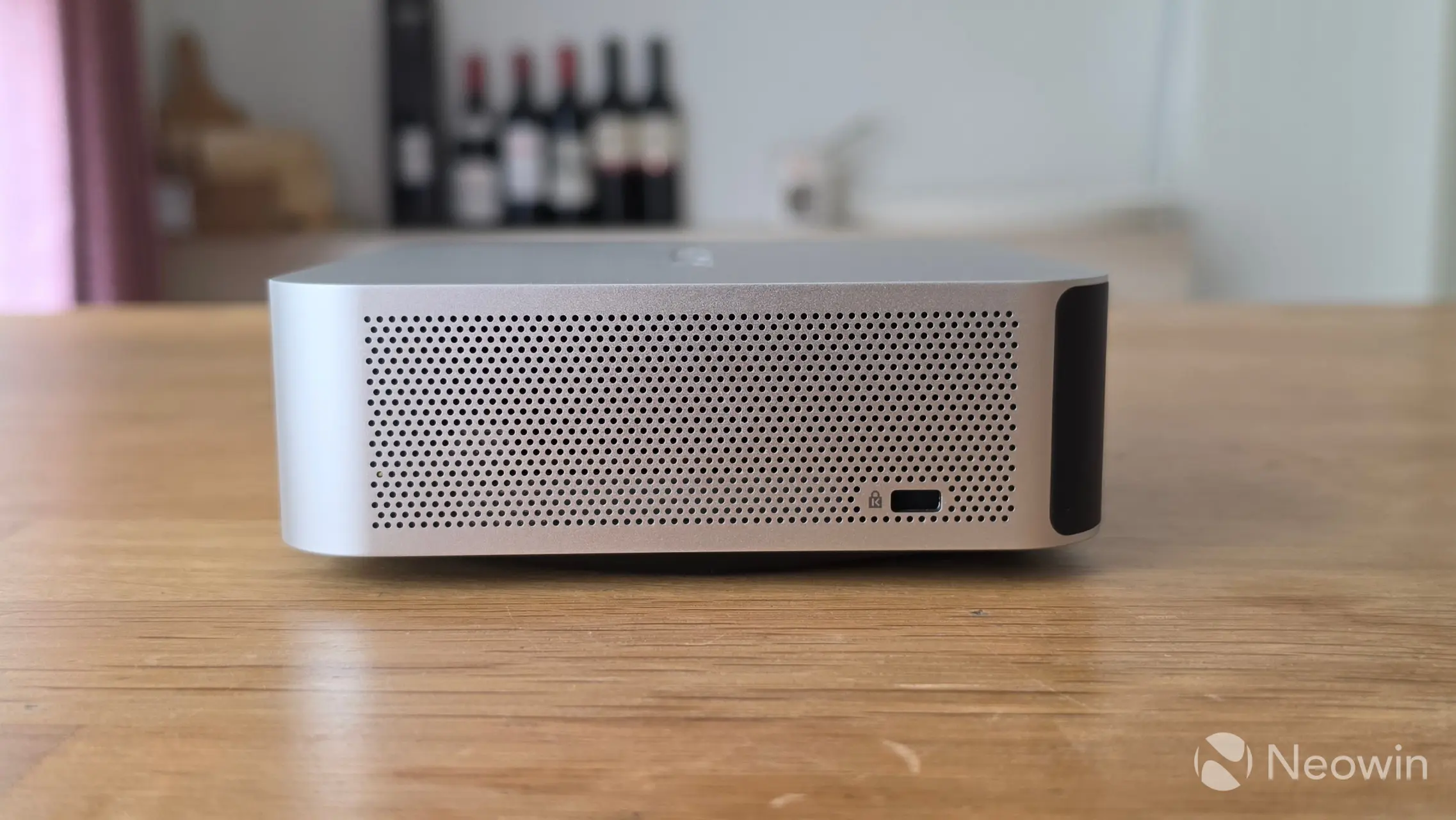
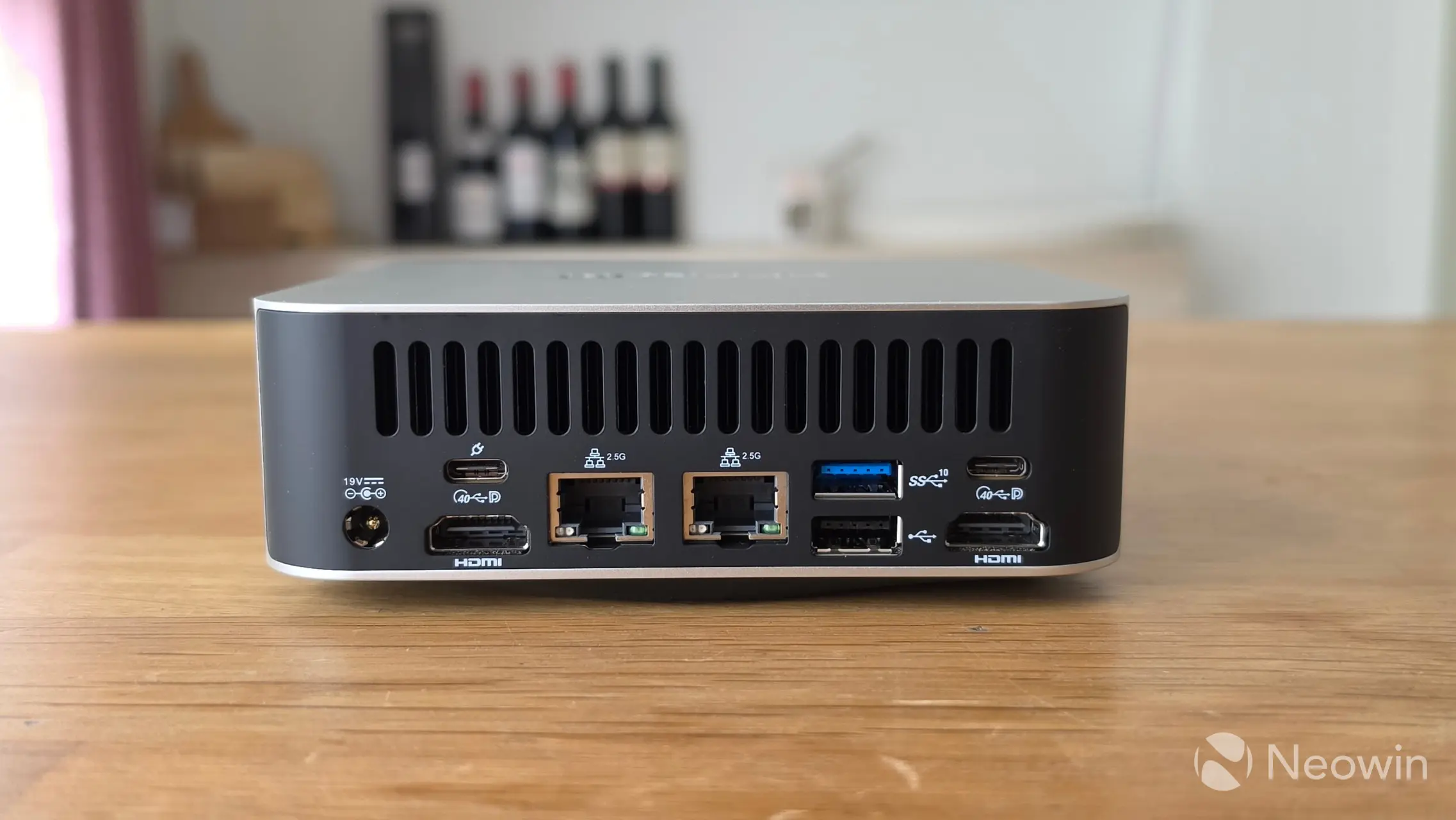
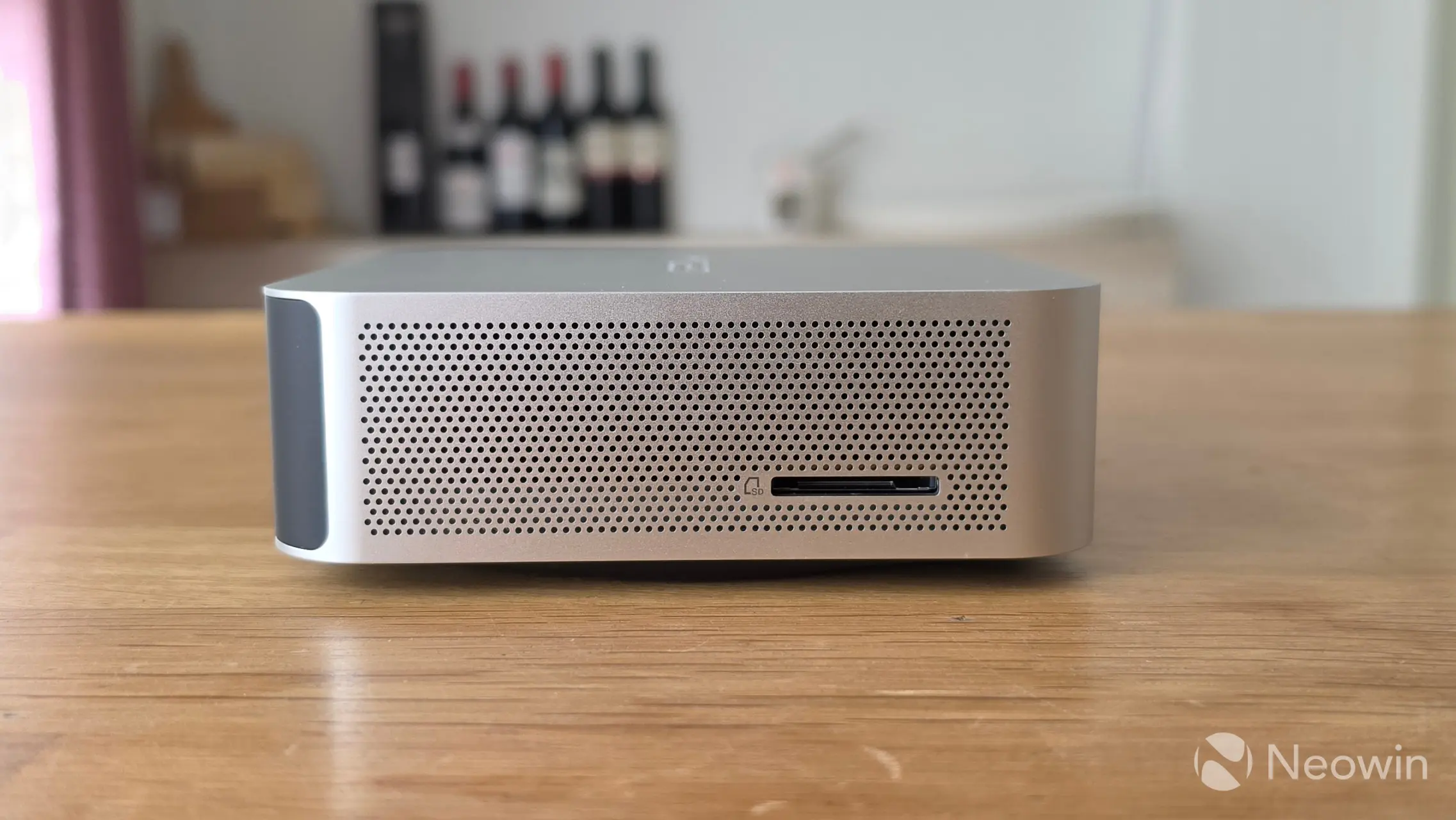
Just like with the original IT13, it's physically possible to directly attach four screens to the A9 Max 2026 Edition using the two full HDMI ports along with the two USB4 ports, if you wanted, although be aware that only one of the USB4 ports has Power Delivery to power an external portable monitor. Regarding connectivity, there's also a single USB 2.0 port, a 3.2 Gen 2 port, two 2.5 GbE ports, along with a barrel port for power on the back. Around the front, there are four USB 3.2 Gen 2 ports and a port for a 3.5mm headphone jack.
As you can see from the images above, you can affix a Kensington lock on one side and insert an SD adapter for a micro SD card on the left side of the A9 Max 2026 Edition.
Benchmarks
With that out of the way, and because people like that sort of thing, I ran some benchmarks and added a Mini PC with the top Core Ultra series CPU, as well as the HX 370-powered A9 MAX for comparison. The A9 Max 2026 Edition is running Windows 11 Professional 25H2 build with the latest (April 2026) updates, and the latest AMD Graphics and Chipset drivers (26.5.1 and 8.02.18.557).
I checked GEEKOM's support page for driver downloads or a BIOS update, but the A9 MAX 2026 Edition is not even listed there yet.
For the benchmarks, I used Cinebench 2024, Cinebench 2026, 7-Zip, AS SSD, and CrystalDiskMark. 3DMark, PCMark 10, Procyon (Windows ML for CPU and GPU, and Intel OpenVINO for NPU) was provided to Neowin by UL Solutions; Primate Labs Inc. provided us with commercial versions of Geekbench 6, and Geekbench AI.
3DMark Time Spy tests gaming capability with DX12 graphics performance. PCMark tests are a mix of CPU and real-world productivity tests, such as using an office suite, web browsing, light photo/video editing, and making conference calls. Cinebench stresses the entire CPU as it is a multi-threaded rendering test. Geekbench is a synthetic benchmark that is great for a quick look at the potential performance across a wide range of workloads.
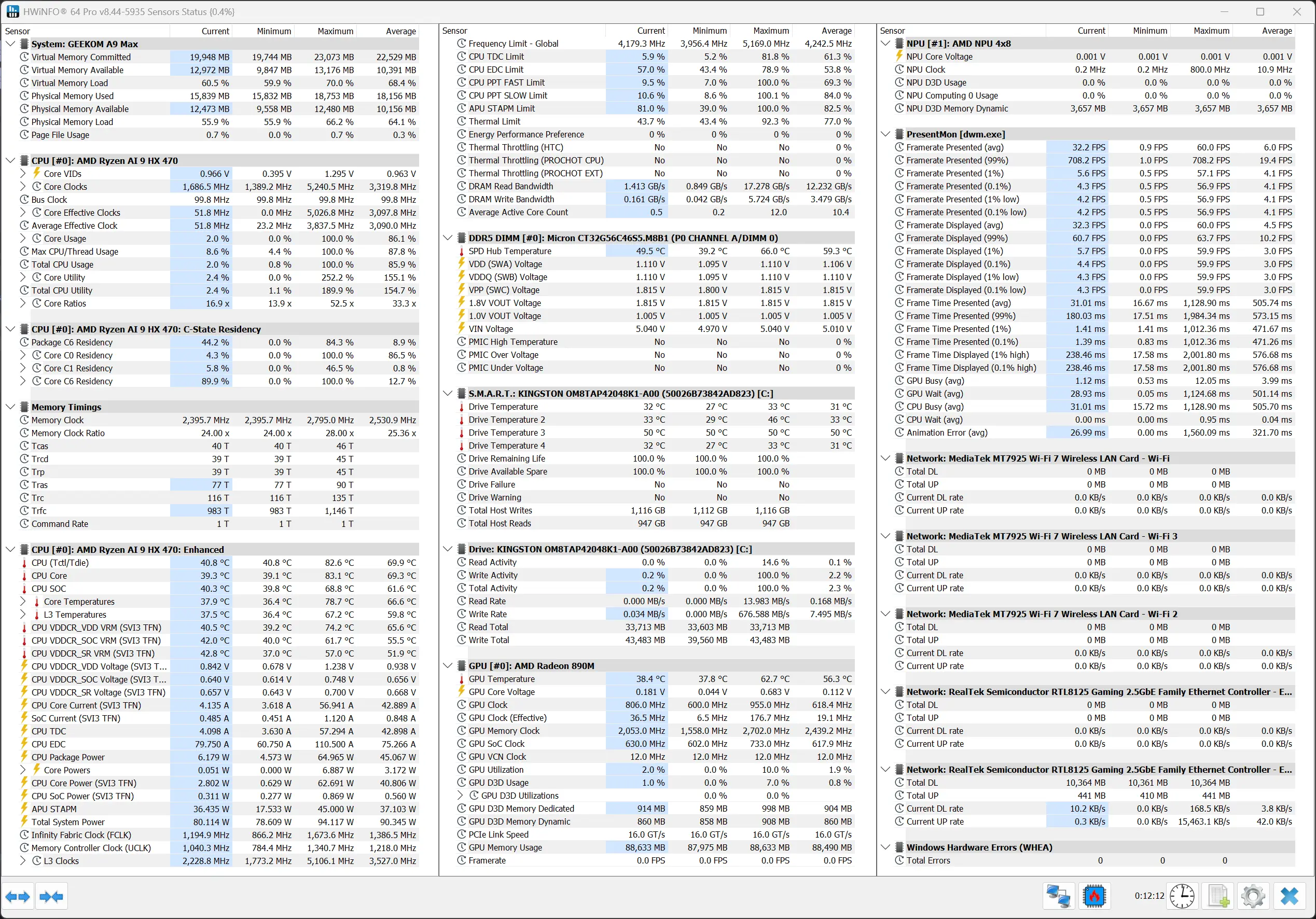
I also used HWiNFO to monitor hardware sensors and temperature readings.
| GEEKOM | A9 MAX 2026 Edition Ryzen AI 9 HX470 |
A9 MAX Ryzen AI 9 HX370 |
IT15 Core Ultra 9 285H |
|---|---|---|---|
| 3DMark: Time Spy Steel Nomad Light Steel Nomad Fire Strike Wild Life |
2,295 2,042 391 4,928 11,803 |
3,732 3,293 518 8,579 20,773 |
4,128 3,329 843 |
| PCMark 10: Standard Extended test |
8,596 7,342 |
7,762 7,675 |
7,468 7,544 |
|
(CV 1.0) Windows ML CPU |
105 167 1,491 |
129 255 788 |
122 |
| (CV 2.0) Windows ML NPU Windows ML GPU AMD Ryzen AI NPU |
856 212 866 |
- - - |
- - - |
| Geekbench 6: Single Multicore Compute (OpenCL) Compute (Vulkan) |
2,922 11,706 32,986 33,647 |
2,885 15,196 39,233 |
3,044 15,634 40,628 |
| Geekbench AI: ONNX CPU ONNX DirectML OpenVINO NPU |
3619, 1850, 7222 5207, 10398, 3820 5118, 5074, 14735 |
4229, 2100, 7774 7596, 12469, 5730 6197, 6177, 16420 |
4803, 1962, 8835 8013, 12079, 5233 5476, 9557, 14506 |
| Cinebench 2024: Single Core Multi Core |
120 1,048 |
120 1,146 |
131 857 |
| Cinebench 2026: Single Core Multi Core |
4,472 652 |
||
| 7-Zip | 110,999 | 123,551 | 101,483 |
(CV 1.0) = Procyon Computer Vision test (CV 2.0) = Procyon Computer Vision 2.0 test
Geekbench AI scores are in the following order (left to right): Single Precision, Half Precision, Quantized.
First off, for some reason, 3DMark and Procyon kept hanging with the "Collecting System Info" task before running the benchmark. I accidentally discovered that it was fine between reboots, but running a second benchmark would hang at this stage unless I rebooted first. The Ryzen AI 9 HX 470 is quite new, so I wondered if the benchmarks were hanging on missing system info, or something else. I tried disabling the Card Reader in Device Manager, which was suggested by a user on the Steam forums, but this didn't help, so I have reached out to my contact at UL Solutions to see if it has anything to do with the newer AMD CPU.
The newer HX 470 easily beats the Core Ultra 9 285H in Cinebench 2024 Multicore, as AMD here takes advantage of its Simultaneous Multithreading (SMT), which Intel dropped in 2024; on the flip side, it was slower than the HX 370, which was slightly disappointing. That's just the tip of the iceberg, though, as all graphics benchmarks underperformed on today's A9 Max 2026 Edition mini PC due to the single stick of memory, which meant the bandwidth available was halved.
The benchmarks are really telling as to how important system RAM bandwidth is for iGPs like these that do not come with their own dedicated memory. This shows up in the 3DMark gaming tests as well as in 7-Zip and Procyon Computer Vision GPU tests. As such, neither measure up to the Intel Arc 140T, which is a very powerful integrated graphics part.
It is noteworthy here that Intel graphics is not quite as efficient as AMD Radeon in terms of driver overhead and other similar optimizations. Hence, the real-world performance may be closer than what we see here in 3DMark synthetics.
The NPU on the Ryzen AI 9 HX 470 is seriously impressive. In Procyon, it is nearly five times better than the Intel 285H's NPU, and almost twice as good as the HX 370. It seems like AMD has been optimizing OpenVINO support on its NPUs during this time, as a result of which we see this excellent performance.
Browser Performance
| Browser | Low | High |
|---|---|---|
| Chrome | 35.6 | 36.8 |
| Edge | 35.6 | 36.9 |
| Firefox | 27.8 | 28.5 |
Next up, I tested browsing performance using Speedometer 3.1. Speedometer provides a value and also a range showing the lowest and highest scores after three runs, as indicated in the chart above by the two scores for each browser. It's clear to see that Edge and Chrome leave Firefox in the dust by 7.8 on the low, and 8.4/8.3 on the high, respectively. There's no daylight between Chrome and Edge on the low coming in on 35.6 together, while there's only a 0.1 difference on the high, giving Edge the win on 36.9.
Disk performance
I also tested the SSD's capability using AS SSD and CrystalDiskMark.
| AS SSD | CrystalDiskMark |
|---|---|
|
|
|
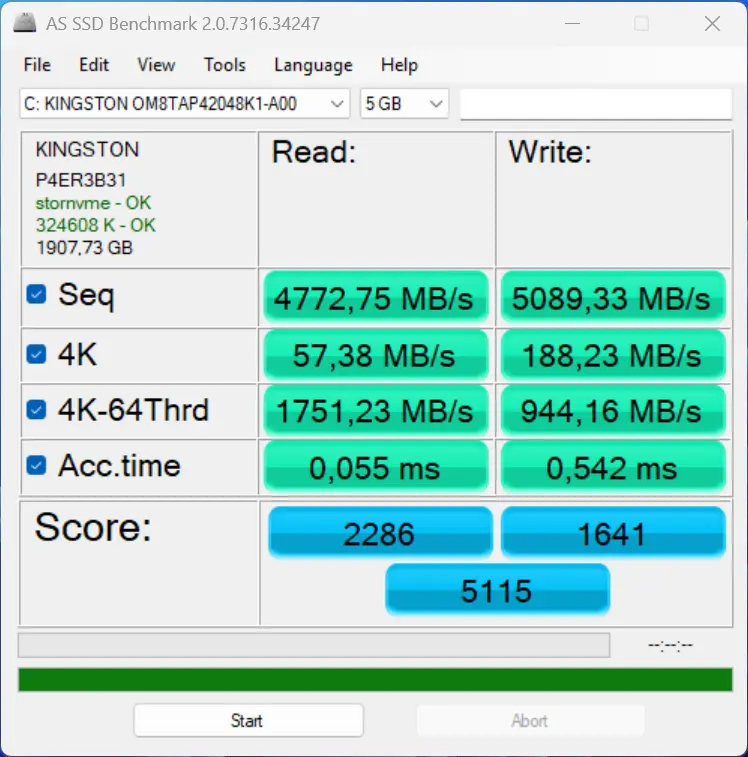
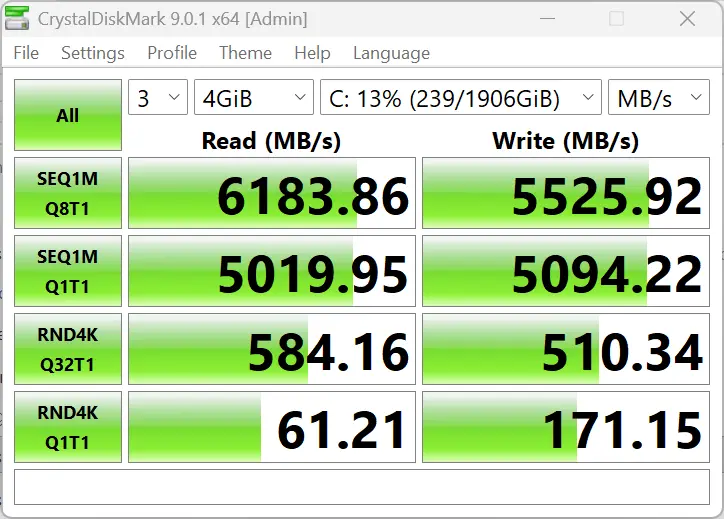
The A9 Max 2026 Edition comes with a 2TB Kingston OM8TAP42048K1-A00 2TB SSD, and it easily exceeds the official 6,100/5,400 MB/s read/write rating for the drive in CrystalDiskMark, but not so in AS SSD, though for some reason.
Despite running all of the above benchmark tests, the A9 Max 2026 Edition did not get hot (or even warm) to the touch, and no annoying noises were coming from the single fan that cools the unit. The Highest CPU temperature recorded was during PCMark10, where the CPU Core reached 83.1 °C.
Infrared thermal imaging
| Top | Bottom |
|---|---|
|
|
|
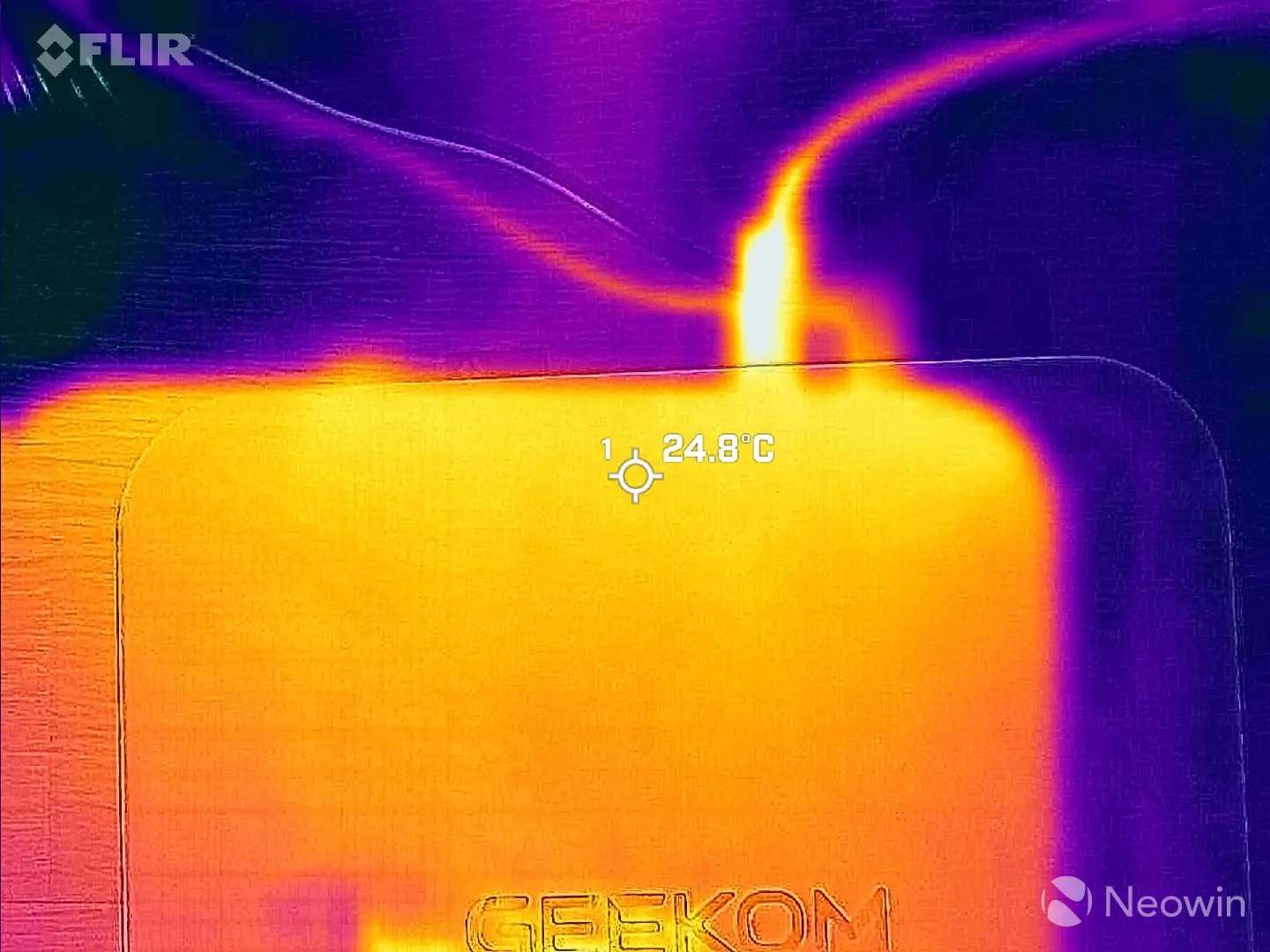
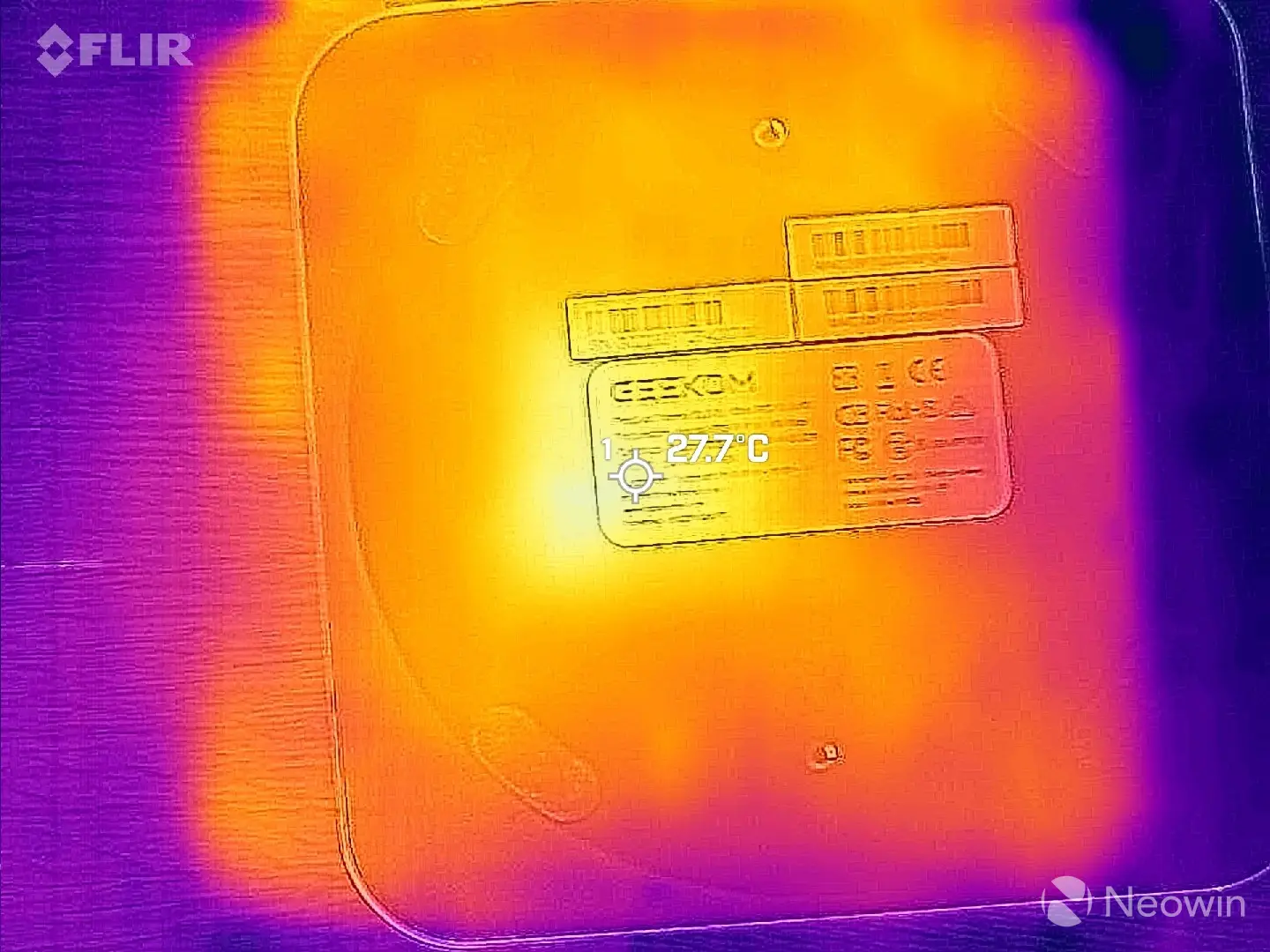
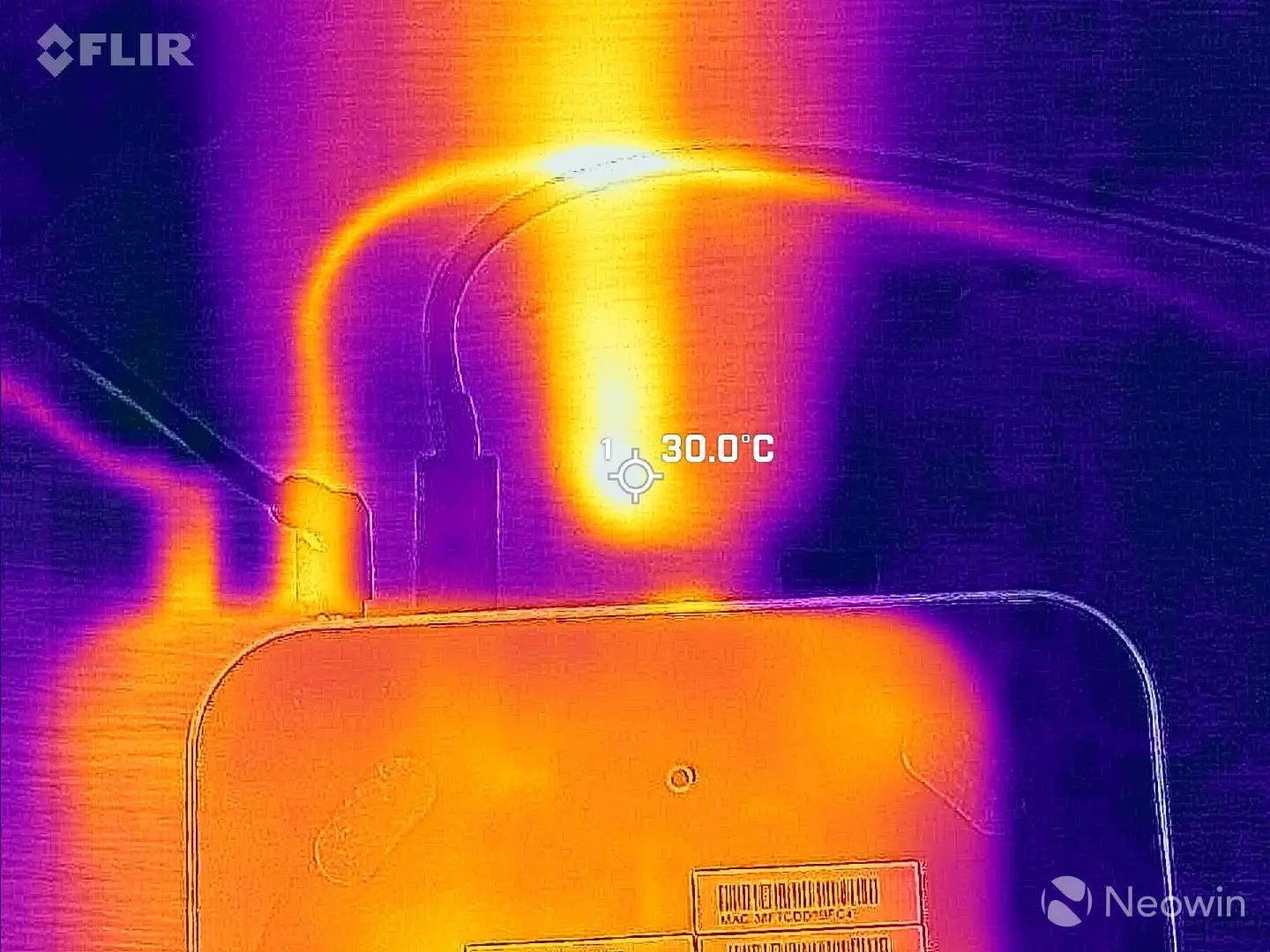
Despite all this, the outer shell never exceeded 27.7°C while I was pointing my FLIR ONE Gen 3 thermal camera at a hotspot on the bottom during the TimeSpy benchmark test. The bottom of the Mini PC even showed a more uniform 24.8°C across the whole plate, while on the top, it was more concentrated towards the back. In fact, the hottest part was the Type-C cable for my portable monitor, reaching 30°C.
Conclusion
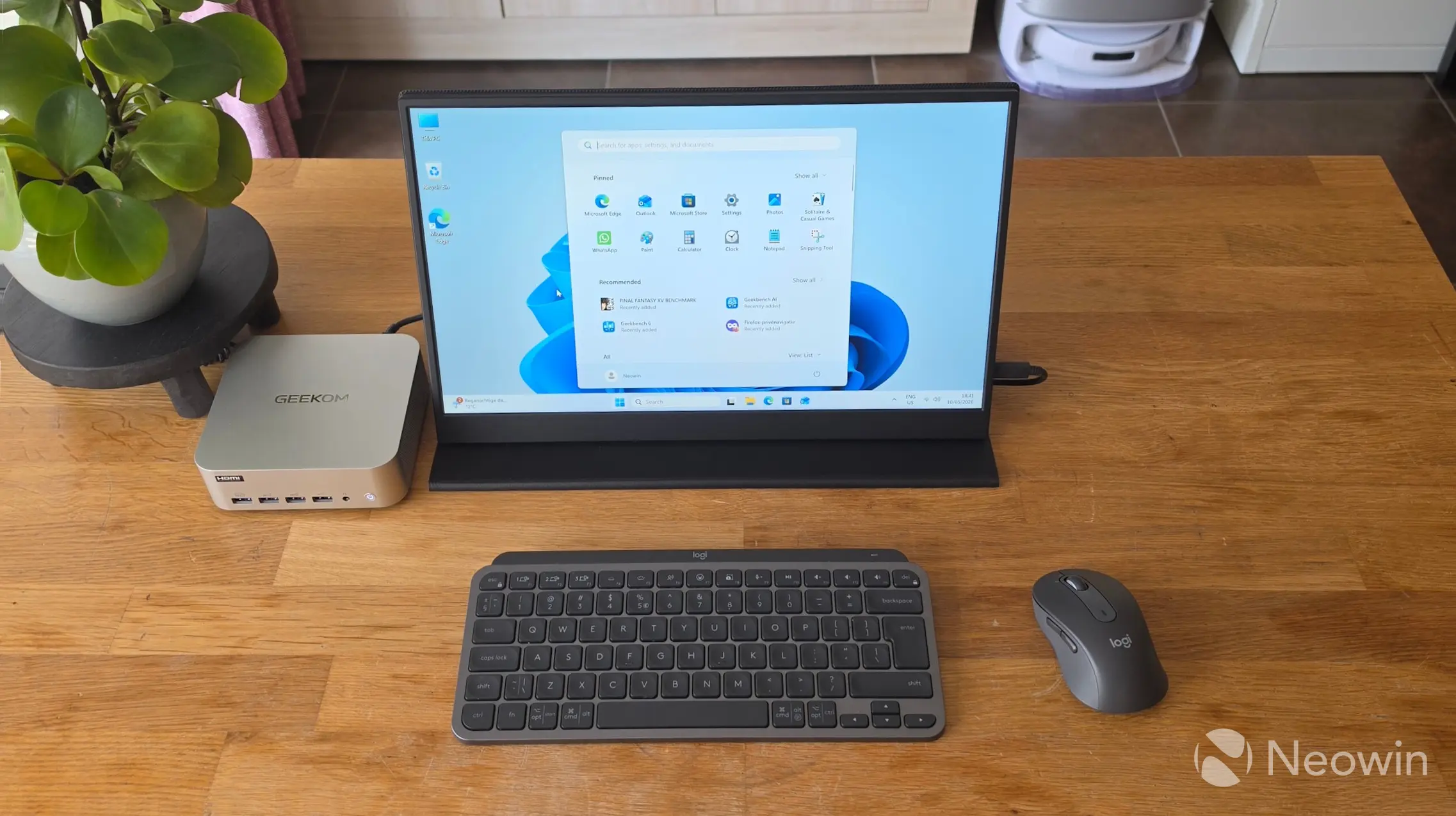
I've said it time and time again, I love these Mini PCs. They simply aren't gaming PCs, though, so you will not be able to enjoy graphically intensive games on them. For that, you need a dGPU along the lines of the mobile Nvidia 4060, AMD 7600 (XT), or better. However, it absolutely is suited for light gaming (Radeon 890M is roughly equivalent to GTX 1650 dGPU), and as an office workstation. Perhaps it's a good solution for a student with limited living space, with the ability to pack this into a backpack for a portable solution. This thing isn't taking up much room; you can even screw it to the back of a screen if it has VESA support with the included mount plate.
In a world that is apparently too stingy for phone manufacturers to include a power lead and charger for their flagship phones, GEEKOM has provided all of the cables and tools necessary to get started straight away, along with a Windows 11 Pro license and a clear guide with instructions on how to access the internals.
When it comes to Mini PCs, the market is saturated with crap, so you really have to be on the lookout and study the specs properly. One trick I have seen often is Mini PCs utilizing old tech, sometimes two generations behind. This Mini PC will let you connect to four displays, whereas cheaper solutions will be limited to two screens.
Assuming you've made it this far, yes, at an MSRP of $1,799, the A9 Max 2026 Edition is a hard sell, even if we consider that GEEKOM currently has it discounted down to $1,399 on the official website. If we also consider that, for some reason, there's no USB Type-C around the front, and the poor design choices made for end users to access the internals, this adds up to it costing a point, as well as another point for shipping with Single rank memory, which nerfs the A9 Max 2026 Edition somewhat off a possible perfect ten.
Don't get me wrong, it's still great, though if you pay attention to the aforementioned shortcomings. Aside from not being able to game on it seriously, it's still a very powerful machine inside a tiny frame. Maybe people could spend that $400 discount on an additional memory stick that will surely help a lot, especially in gaming. However, that still adds up to an additional cost for the buyer.
But wait!
There is a part two to this review. I managed to secure a second identical 16GB DDR5 SODIMM and ran all the tests again, you can check out the results here.
Where to buy and coupon
Although the A9 Max 2026 Edition has an MSRP of $1,799 on the official website, it is currently listed for $1,399, and you would need to consider the fact that you will need an additional 32GB of memory to really unlock the performance of this Mini PC, so factor that into the cost as well.
- To save 18% off the cost use NWA9MAX26 upon checkout (valid until: June 30, 2026)
- To save 8% at Amazon, other regions use NWA9MAX26 upon checkout (valid until: Nov 1, 2026)
- GEEKOM A9 Max 2026 Edition on U.S. official website for $1,147 (was $1,799)
- GEEKOM A9 Max 2026 Edition on U.K. official website for £1,224.96 (was £1,999)
- GEEKOM A9 Max 2026 Edition on EU (DE) official website for €1,563 (was €1,899)
As an Amazon Associate we earn from qualifying purchases.









0 Comments
Load the comments and join the conversation!
Read the comments, ask the editors questions, show respect and join the conversation.