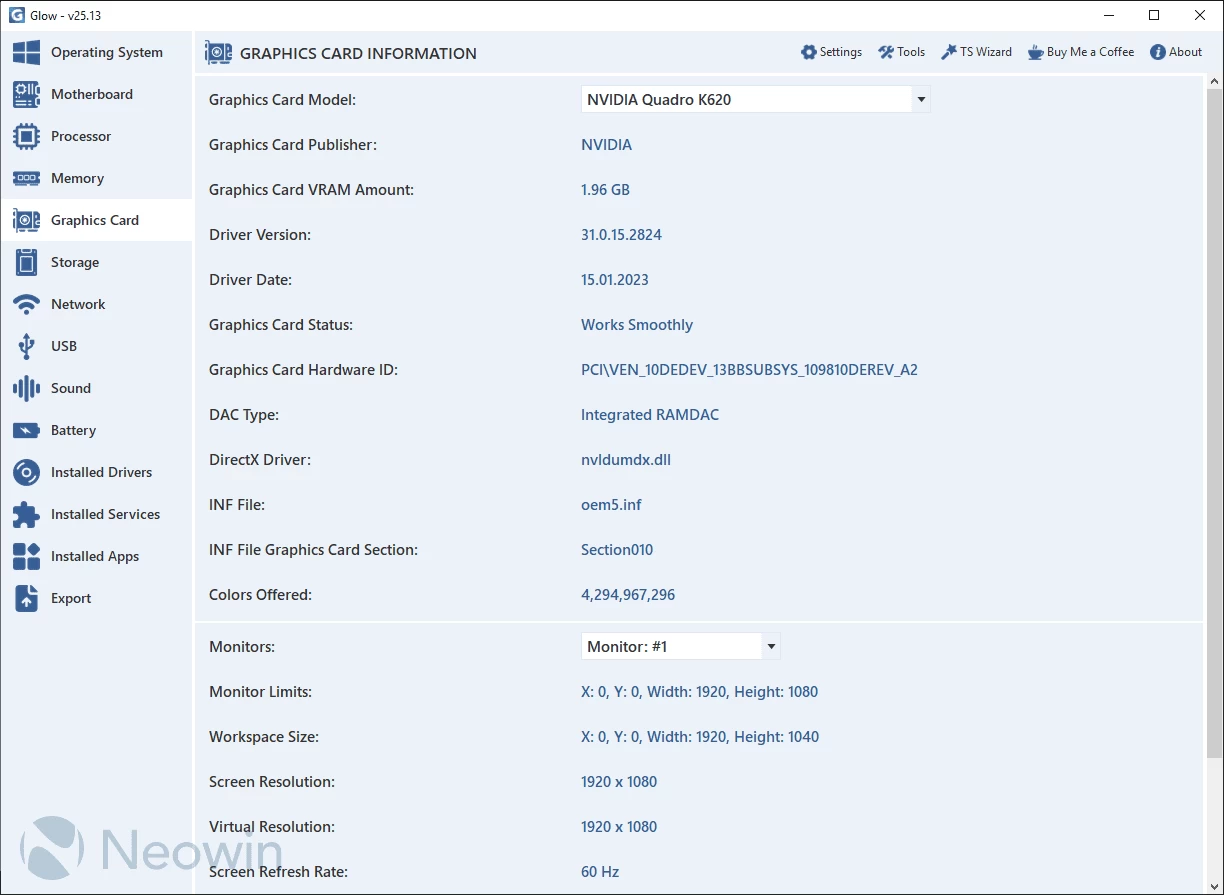
Glow provides detailed reporting on every hardware component in your computer, saving you valuable time typically spent searching for CPU, motherboard, RAM, graphics card, and other stats. With Glow, all the information is conveniently presented in one clean interface, allowing you to easily access and review the comprehensive hardware details of your system.
Glow provides detailed information on various system aspects, including OS, motherboard, processor, memory, graphics card, storage, network, battery, drivers, and services. The well-organized format ensures easy access to the required information. You can export all the gathered data to a plain text file, facilitating sharing with others for troubleshooting purposes.
No installation needed. Just decompress the archive, launch the executable, and access computer-related information. Glow runs on Windows 11 and Windows 10 64-bit versions.
Glow 26.6 changelog:
New Features
- Glow"s Visual Basic dependencies have been removed; the application now runs entirely on pure C#.
- Extensive accessibility improvements have been implemented to enhance the experience for visually impaired users. Assistive technologies such as screen readers can now present content more accurately, consistently, and clearly while navigating within Glow.
- The "Used Disk Space" feature has been added to the Disk section. With this feature, you can now see how much space is being used on the selected disk. Admittedly, this update is somewhat overdue; however, it has finally been integrated into Glow and is now available for use.
- The DISM and SFC Automation Tool has finally been brought up to the expected standard. Thanks to the updated reporting system, detailed information is now provided at the end of the process regarding which command performed the repair or at which stage an error occurred. In cases where no repair is needed, a "No Issues Detected" notification has been added. Additionally, all operations executed via the Command Prompt (CMD) can now be monitored in real time through the interface without requiring a console window. It is also compatible with Microsoft"s latest-generation update for the "sfc /scannow" command.
- The loading algorithm for the Installed Drivers and Installed Services sections has been improved and finalized. It now delivers very fast loading performance even on systems with a large number of drivers and services.
- The processing algorithm of the Memory Test Tool has been updated. It now performs more stable and accurate memory tests.
Bug Fixes
- Issues caused by asynchronous conflicts in background tasks and rare errors occurring during application shutdown have been resolved. The shutdown process has been optimized for a more reliable workflow.
- A bug that caused the "Registered User Account" field in the Operating System section to appear empty on some systems has been fixed. If it cannot be detected, it will now display "Unknown".
- Various issues related to RAM calculations in Glow have been resolved.
- A bug in the TSNaturalSortKey algorithm that produced incorrect sorting results in certain languages has been fixed.
Changes
- Unnecessary .NET Framework dependencies within Glow have been removed, reducing system load and eliminating unnecessary resource usage.
- Across Glow, the resources used to read total, available, and used RAM values have been updated.
- The ordering of features in the Operating System section has been reorganized to ensure a more accurate and structured presentation.
- Removed Features
- Unnecessary, non-functional, and low-value content has been removed from the Operating System section of Glow. As a result, the section has been refined to deliver simpler, clearer, and more focused information.
- In the DNS Test Tool, the non-functional "Custom DNS Test" feature has been removed, making the tool more reliable and easier to use.
Note: Always unzip the program before using it. Otherwise you may get an error.
Download: Glow 26.6 | 1.7 MB (Open Source)
View: Glow Homepage | Screenshot