
Glow provides detailed reporting on every hardware component in your computer, saving you valuable time typically spent searching for CPU, motherboard, RAM, graphics card, and other stats. With Glow, all the information is conveniently presented in one clean interface, allowing you to easily access and review the comprehensive hardware details of your system.
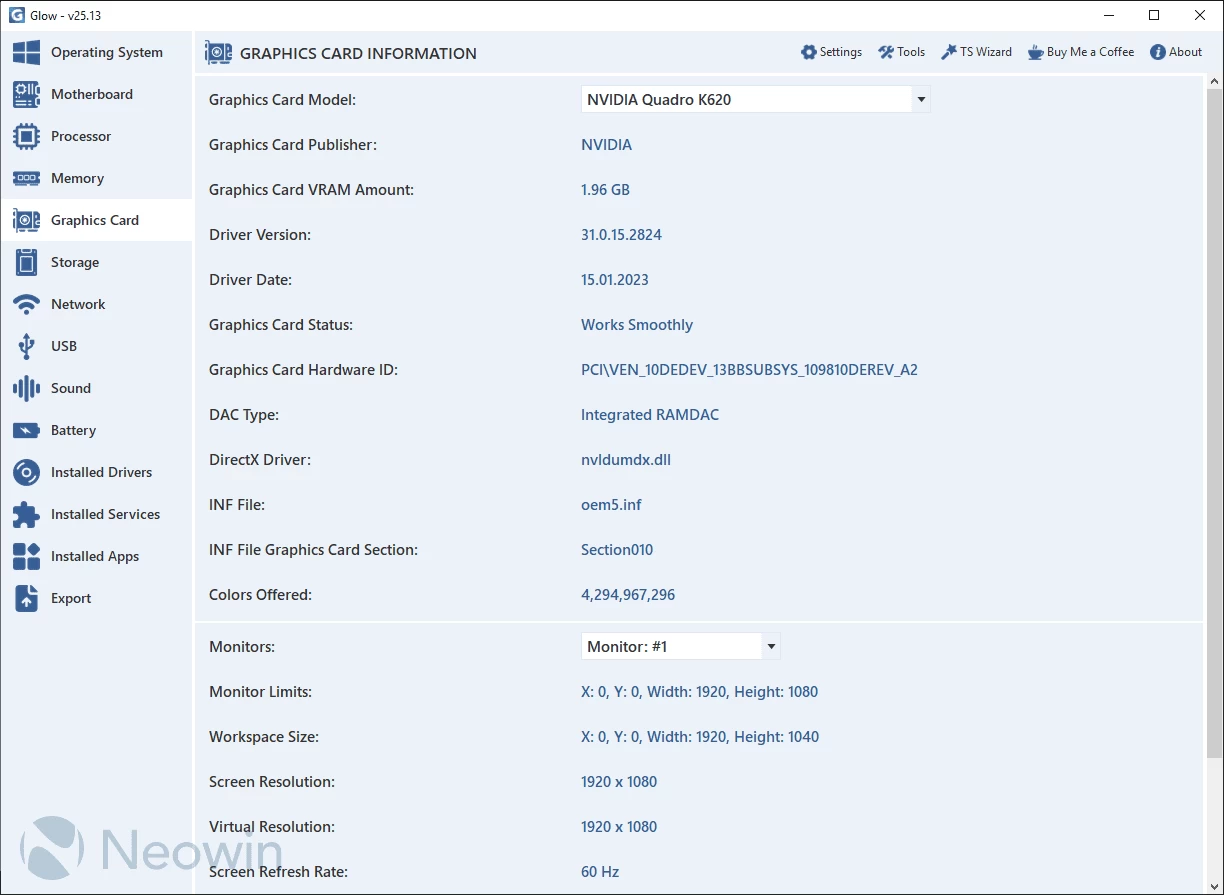
Glow provides detailed information on various system aspects, including OS, motherboard, processor, memory, graphics card, storage, network, battery, drivers, and services. The well-organized format ensures easy access to the required information. You can export all the gathered data to a plain text file, facilitating sharing with others for troubleshooting purposes.
No installation needed. Just decompress the archive, launch the executable, and access computer-related information. Glow runs on Windows 11 and Windows 10 64-bit versions.
Glow 26.5 changelog:
What's New
- Support for Windows 11 26H1 has been introduced.
- The Export module has been completely reprogrammed. Thanks to the new flexible selection system, you can create reports that only include the sections you need. In addition to the existing TXT and HTML formats, fully compatible Markdown support has been integrated for modern platforms.
- The DISM and SFC Automation Tool has been improved. It now clearly reports which command performed repairs and which commands returned errors after the process completes. Error-checking mechanisms have also been enhanced, providing more advanced detection capabilities. All operations previously executed through the CMD window are now fully accessible directly through the interface.
- The System Version feature in the Operating System section has been improved. On Windows 10 systems, Glow can now detect whether the device is enrolled in the ESU (Extended Security Updates) program.
- New features have been added to the Operating System section, including Windows License Duration, Activation Server, Activation Verification Server, and a button to enter Recovery Mode.
- A BIOS Menu Access feature has been added to the Motherboard section. If the system is installed in UEFI mode, pressing the button will restart the computer and automatically open the BIOS/UEFI menu.
Fixed Bugs
- The issue that caused TS Preloader to freeze when the loading progress reached 80% and prematurely start Glow after the last update has been fixed. Additionally, numerous minor processing errors were corrected, improving performance and stability. It now operates smoothly without issues.
- An issue causing the Windows Activation Channel feature in the Operating System section to return incorrect results on some systems has been fixed.
- A bug in the Export section where the file format selection box did not update option texts after changing the language has been resolved.
- An issue in the DISM and SFC Automation Tool where the timer could occasionally freeze and skip two seconds has been fixed.
- The TS Custom Controls module has been updated to version 26.4, including various improvements and bug fixes.
Changes
- When generating export reports, the current date is now automatically appended to the end of the file name.
- The module responsible for dynamic button width has been improved. It now performs more accurate scaling and calculations across different button types.
- Various updates and refinements have been made to the language files.
Note: Always unzip the program before using it. Otherwise you may get an error.
Download: Glow 26.5 | 1.7 MB (Open Source)
View: Glow Homepage | Screenshot
 Get alerted to all of our Software updates on Twitter at @NeowinSoftware


















0 Comments
Load the comments and join the conversation!
Read the comments, ask the editors questions, show respect and join the conversation.