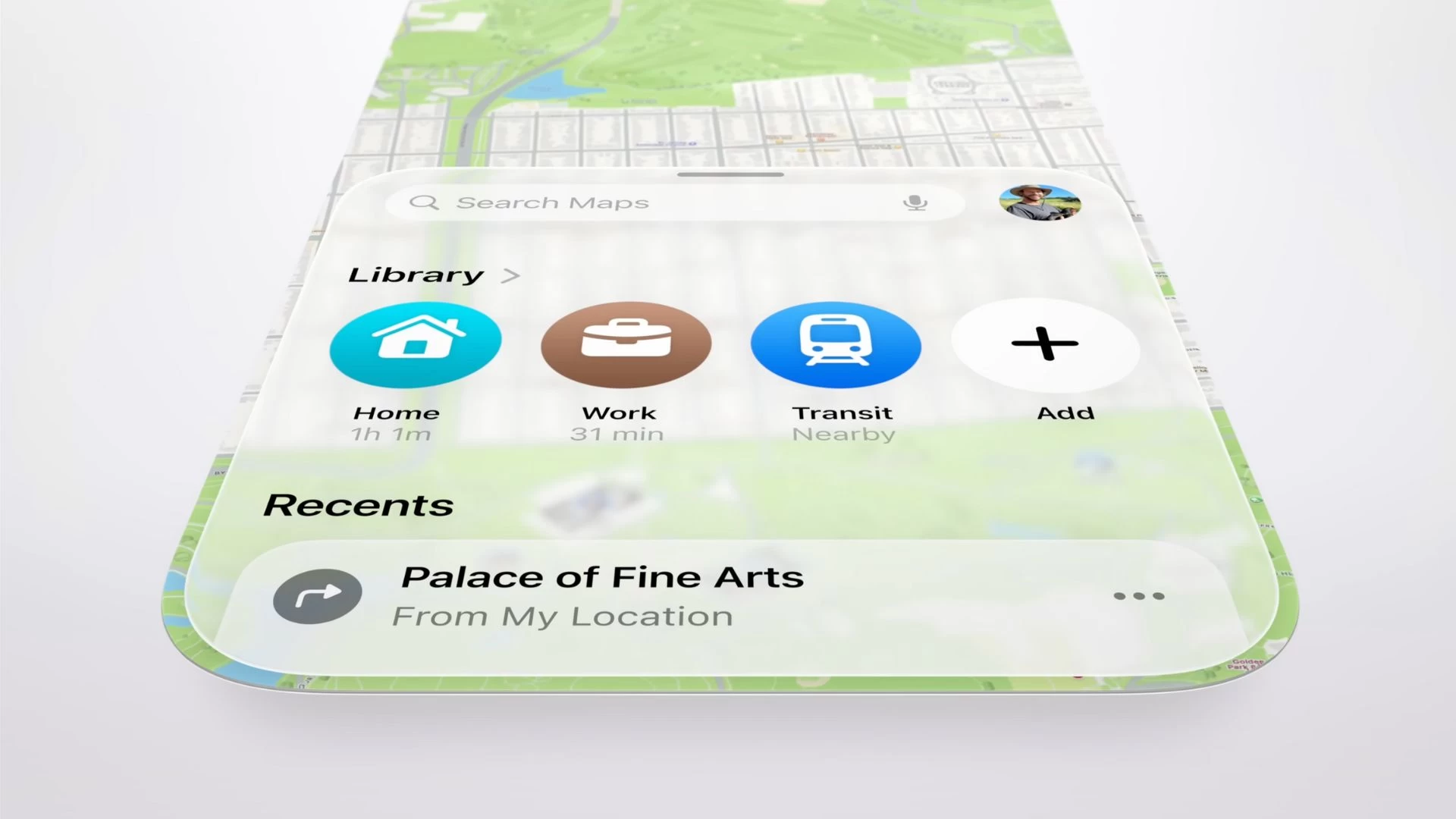
It"s been a while since Apple released the new iOS 26 update for supported iPhone models. The update is fresh, and you might still be busy exploring new features. It"s hard to ignore that the update brings some initial trouble for users, but that"s part and parcel of software updates in general.
Let"s talk about all the new features that Apple Maps has added as part of the iOS 26 update. If you haven"t done so already, be sure to read our guide on the ten things you should do before installing iOS 26 on your iPhone.
1. Visited Places
One of the highlights of iOS 26 is the new Visited Places feature in Apple Maps. It uses on-device Apple Intelligence to detect places you visit, such as shops, restaurants, and attractions. Google has had a similar feature for years, called Timeline, for both Android and iOS devices.
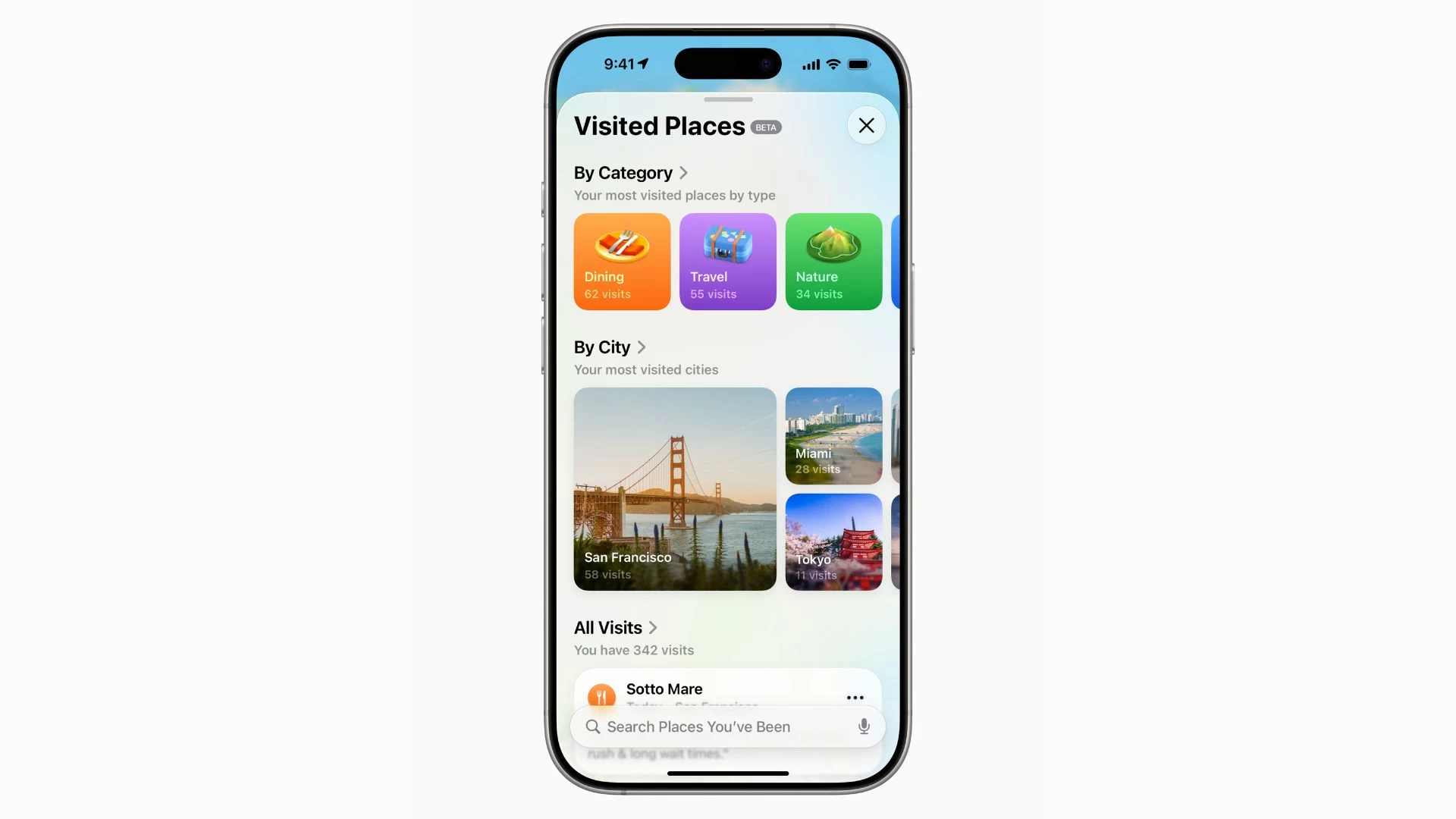
Visited Places lets you keep a track of all places you"ve been in the past, allowing you to revisit them or share them with other people. The saved places are synced across your devices, and Apple claims that it can"t access your data because the feature is end-to-end encrypted.
Here"s how you can turn on Visited Places on your iPhone:
- Go to Settings > Apps > Maps.
- Go to Location and turn on "Precise Location and Visited Places."
- Go to Settings > Privacy & Security > Location Services > Turn on "Location Services."
- Go to System Services > Significant Locations & Routes > Turn on "Significant Locations & Routes."
You can access your Visited Places by tapping your profile icon in Apple Maps, then selecting the Places option. It"s currently available in beta in the US, UK, Australia, Canada, Switzerland, and Malaysia. Note that you can remove and edit a place or clear your entire Visited Places history.
2. Search using natural language
Apple has improved natural language search with iOS 26, and Maps is one of the places where you can see it in effect. You can type queries in the search bar, like "find restaurants that offer cheap buffet meals."
Of course, the feature is powered by Apple Intelligence, which is also the force behind other iOS 26 features, such as Adaptive Power mode and Live Translation in the Phone app and other places.
3. New incident report types
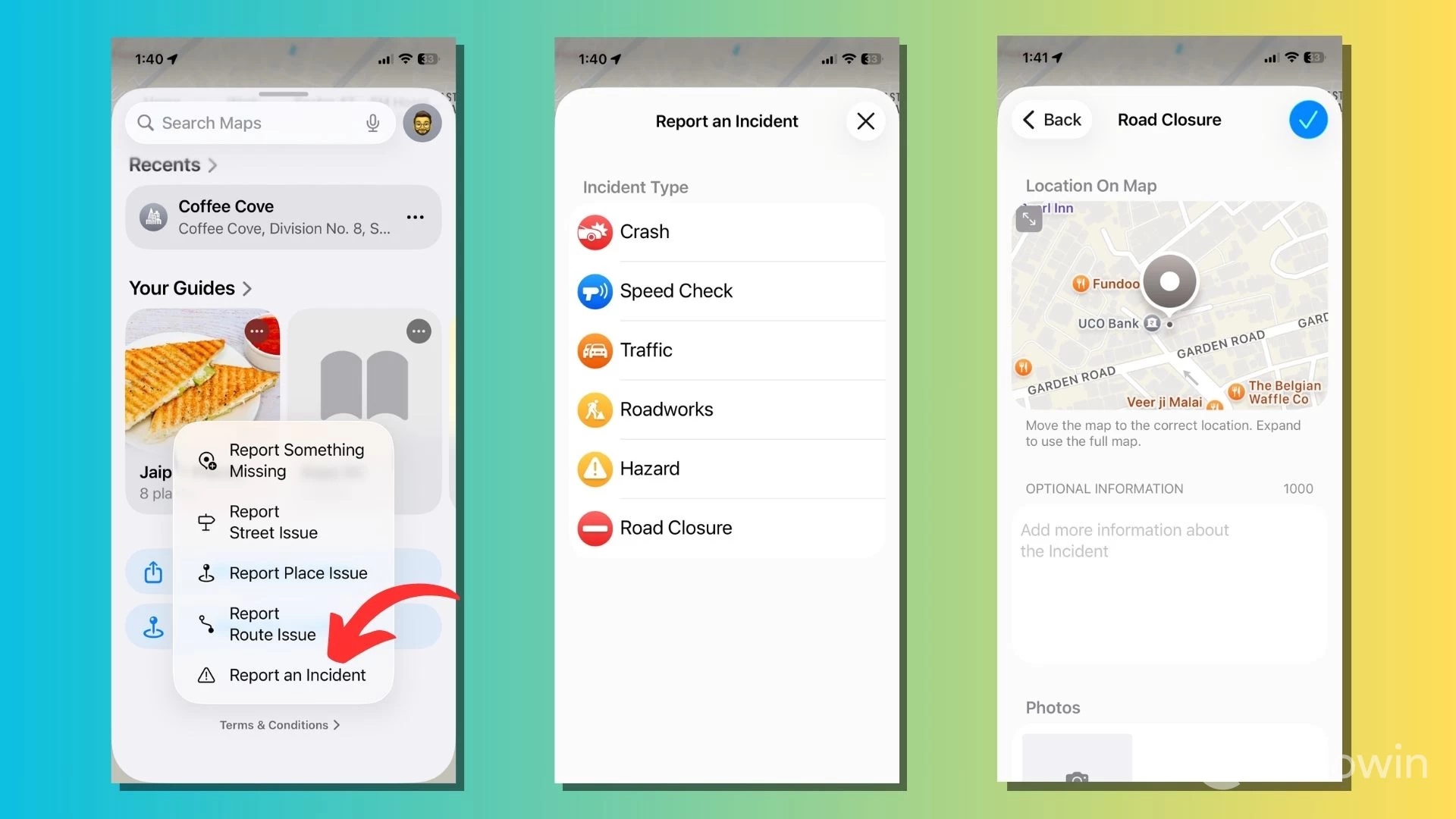
Apple has added more options to the "Report an incident" feature in Apple Maps. You can now report on road closures, traffic, and ongoing roadwork along your route to warn other travelers who might take the same road while navigating.
4. Preferred Routes
Another Apple Intelligence feature is Preferred Routes, which utilizes on-device processing to learn about the routes you typically take to work in the morning or back home in the evening. The feature can warn you about significant delays if you take the same route between work and home every day.
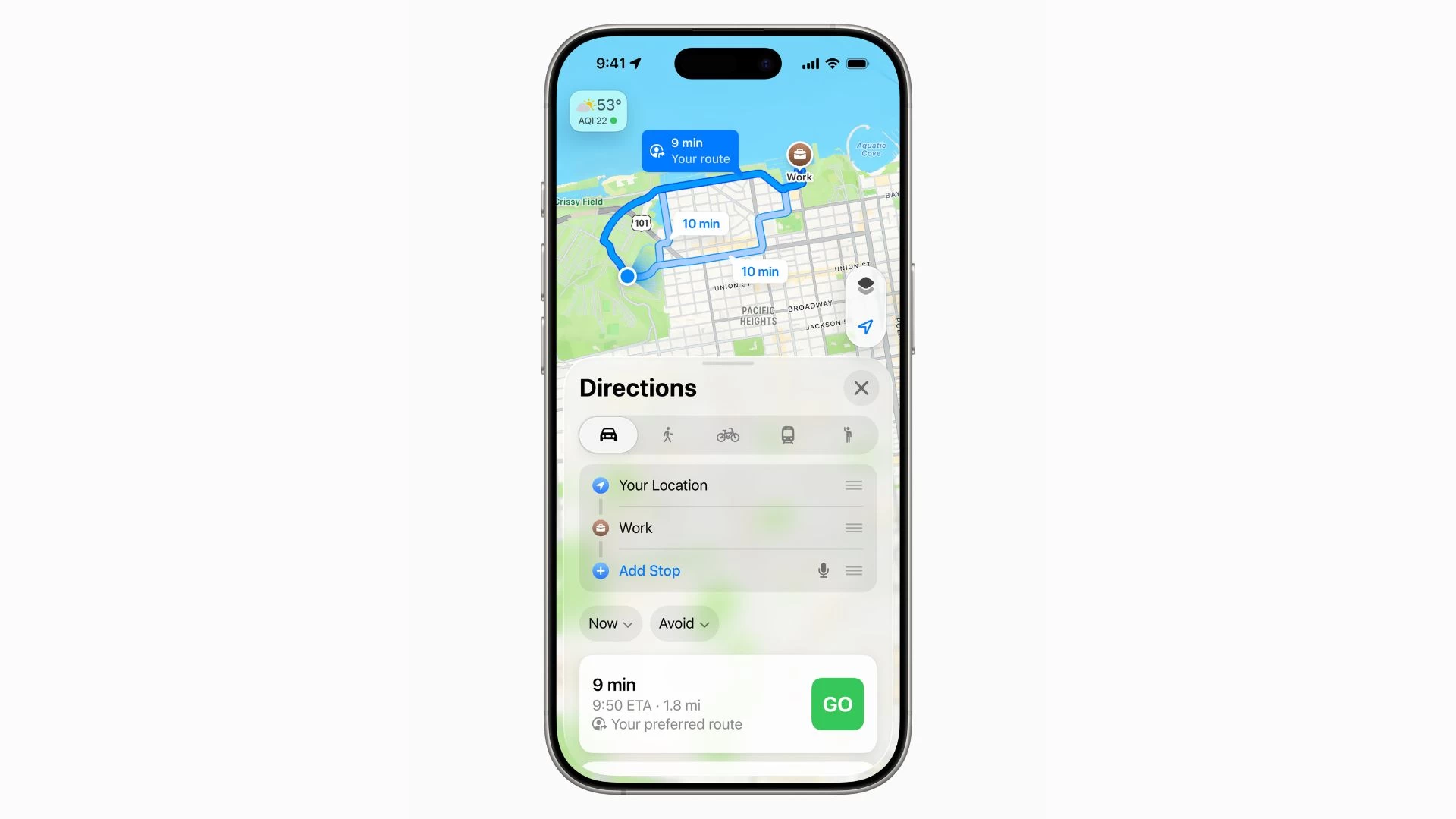
It can suggest alternative routes, display a preview of your commute in the Maps widget, and adapt automatically when you change your routine. You can turn the feature on or off by going to Settings > Apps > Maps > Location. Here, turn off "Preferred Routes & Predicted Destinations."
5. Share content with new options
When sharing Guides and places with other users, Apple Maps now uses a shortened URL (https://maps.apple). The shared link appears cleaner and takes up less space when you send it via messaging apps like WhatsApp, Telegram, or Messages.
6. Liquid Glass design changes
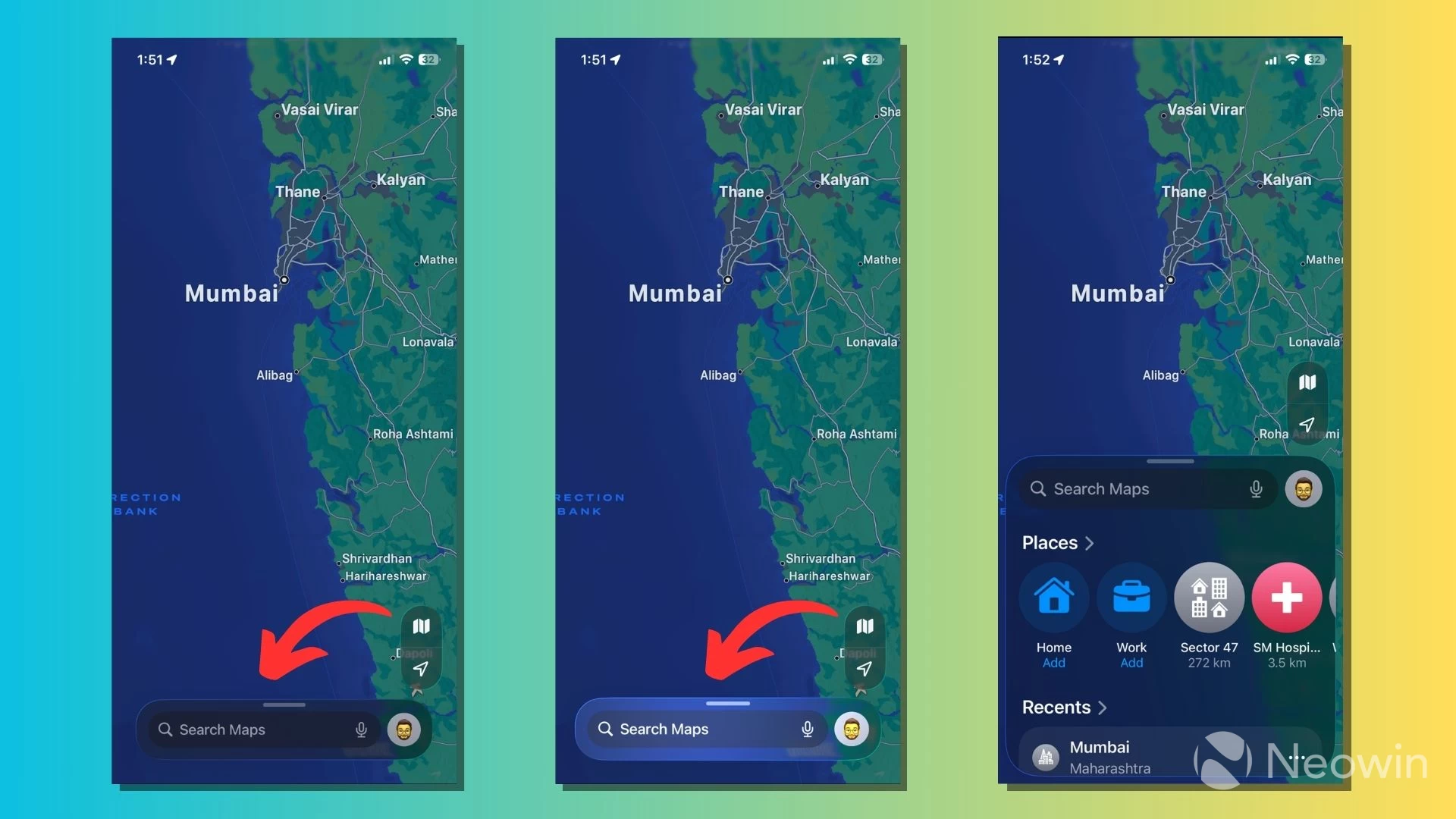
Last but not least, Apple"s Liquid Glass design language has trickled down to the Maps app. You can see it in action with translucent, curvier UI elements, rounded buttons/icons, and animations when you interact with them.
Unlike iOS 18, the user interface in several places across the app is now separated from the edges of the screen, alongside an updated share sheet. However, Liquid Glass isn"t just about the looks. It focuses on the content and features dynamic, adaptive behaviors, like a search bar that changes shape and size based on how you interact with it.
iOS 26 has turned out to be a significant update for Apple Maps, especially with Liquid Glass, the biggest visual overhaul Apple has done to iOS in years. The cherry on top is the new collection of features, such as natural language search, Visited Places, and Preferred routes, which rely on on-device intelligence to improve the user experience.
This article is part of our series exploring the new features and changes in the iOS 26 update. You can read our detailed coverage of the newly added features in the Reminders and Camera apps, and learn how to capture screenshots in HDR and convert 2D images into their 3D counterparts.
What do you think about the Visited Places? Tell us in the comments.