
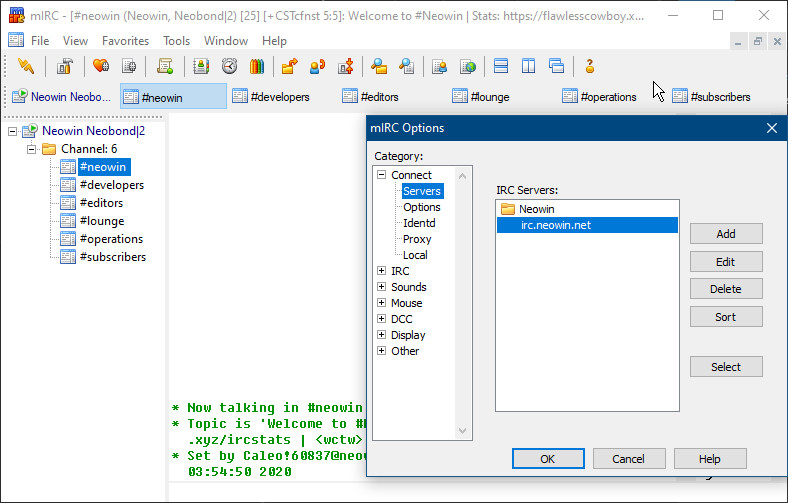
mIRC is a full featured Internet Relay Chat client for Windows that can be used to communicate, share, play or work with others on IRC networks around the world, either in multi-user group conferences or in one-to-one private discussions.
It has a clean, practical interface that is highly configurable and supports features such as buddy lists, file transfers, multi-server connections, SSL encryption, proxy support, UTF-8 display, customizable sounds, spoken messages, tray notifications, message logging, and more.
mIRC also has a powerful scripting language that can be used both to automate mIRC and to create applications that perform a wide range of functions from network communications to playing games. mIRC has been in development for over a decade and is constantly being improved and updated with new technologies.
mIRC 7.82 changelog:
- Added $tip() support for permanent tray tips.
- Added support for specifying a username for SASL Logins.
- Added SASL disconnect on error server option.
- Fixed percent encoding/decoding memory bug that would have caused intermittent crashes.
- Fixed touchpad speed/sensitivity when scrolling in different types of windows.
- Fixed handling of swapped mouse buttons in different contexts.
- Fixed $urlget() crash bug when credentials are passed in URL.
- Fixed features that were using the wrong default GUI font under Windows 10/11.
- Fixed various Aero theme bugs relating to Windows display scale and text size options.
- Updated all code and libraries in preparation for future 64bit / ARM64 versions.
- Updated libraries to LibZip v1.11.4, LunaSVG v3.5.0, and TagLib v2.1.1.
- Updated from the OpenSSL v3.0.x branch to v3.5.4.
- Updated SSL code to remove use of 30+ deprecated OpenSSL APIs.
- Updated CA root certificates cacert.pem file.
- For a full list of recent changes, please see the versions.txt file.
Download: mIRC 7.82 | 4.2 MB (Shareware)
View: mIRC Home Page | Screenshot
 Get alerted to all of our Software updates on Twitter at @NeowinSoftware

















0 Comments
Load the comments and join the conversation!
Read the comments, ask the editors questions, show respect and join the conversation.