After spending years with productivity-focused mice, I was curious to try one that puts performance and lightweight design above all, so when Akko offered its Dash V9 Ultra mouse for a test, I decided to give it a spin. The Akko Dash V9 Ultra is a superlight mouse with a pretty affordable price tag. Having spent a few weeks with it, here are my impressions.
Disclaimer: Akko provided the review unit without editorial inputs or pre-approvals.
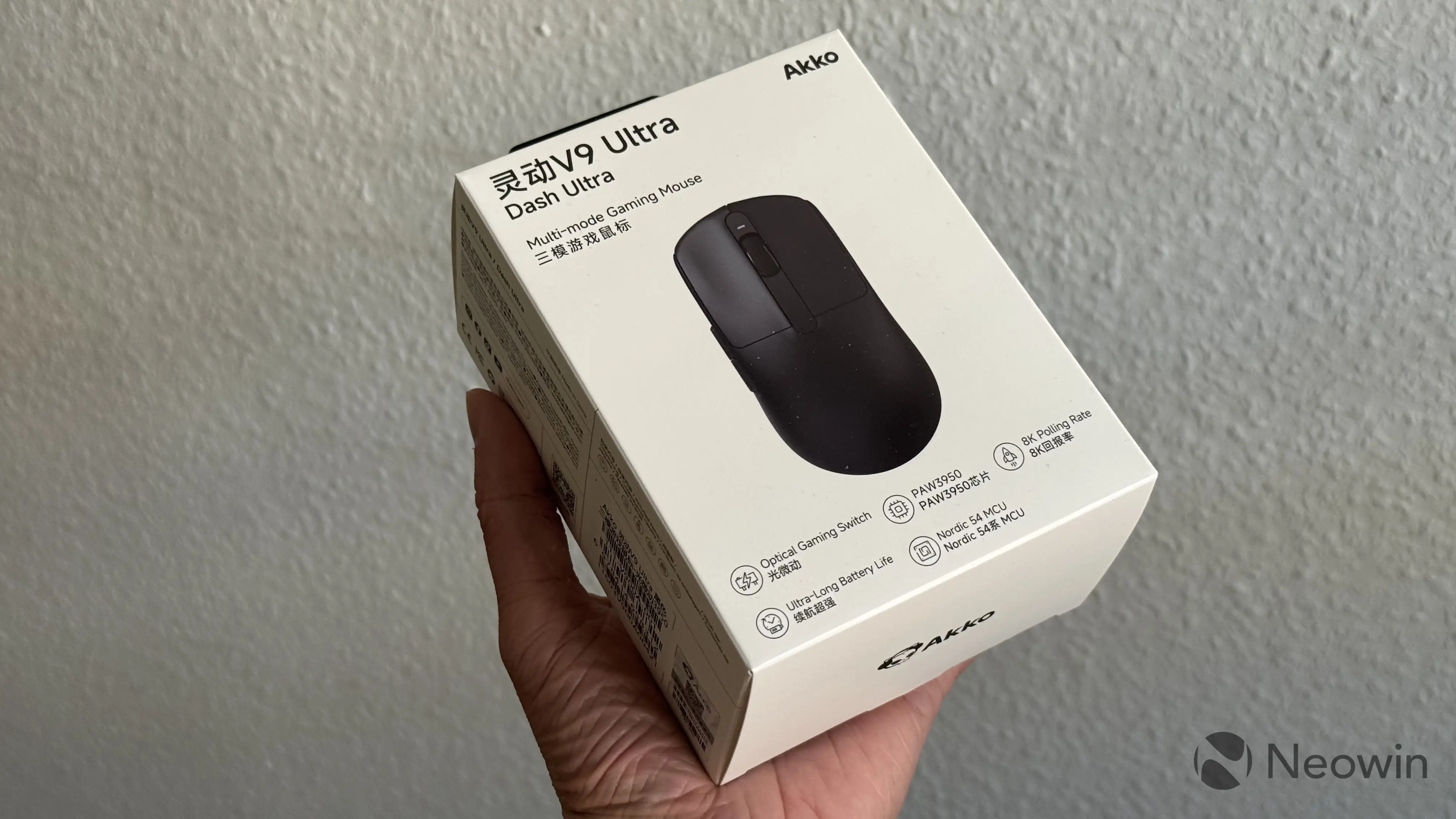
The mouse comes in a relatively big box for a mouse. Print quality is nice, and the unboxing experience is also nice. Not going to bog down on packaging, as the most important thing is what is inside. In the box, you will find the following:
- Akko Dash V9 Ultra Mouse
- A flexible USB Type-C to Type-A cable
- A USB Type-A (female) to Type-C (female) adapter
- A wireless dongle
- Three sets of dotted skates with different smoothness
- A set of optional grips
For this price, the amount of extras you get is pretty impressive. Big thumbs up for that.
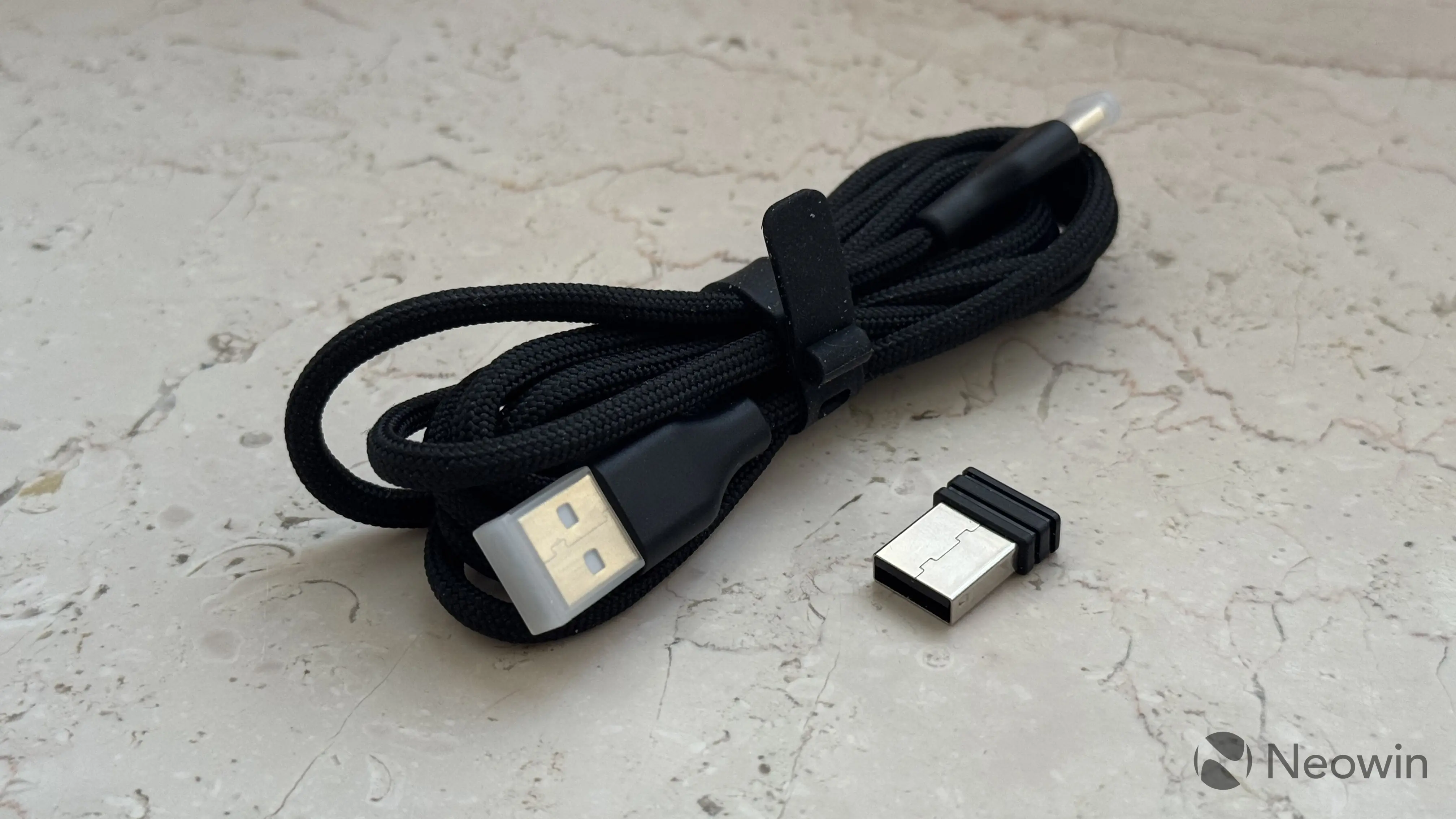
And here is a spec table:
| Dimensions | 75.6 × 90.9 × 37.1mm 40 g. |
|---|---|
| Sensor | PixArt PAW3950 |
| MCU | Nordic 54L15 |
| Polling Rate | 125Hz - 8,000Hz |
| Switches | Omron or Akko Custom Optical |
| DPI | Up to 42,000 DPI |
| Connectivity | 2.4GHz dongle (included), wired, or Bluetooth (up to three devices) |
| Price |
$59.99 (Akko Custom Switches) on the official website |
Akko Dash V9 Ultra—design
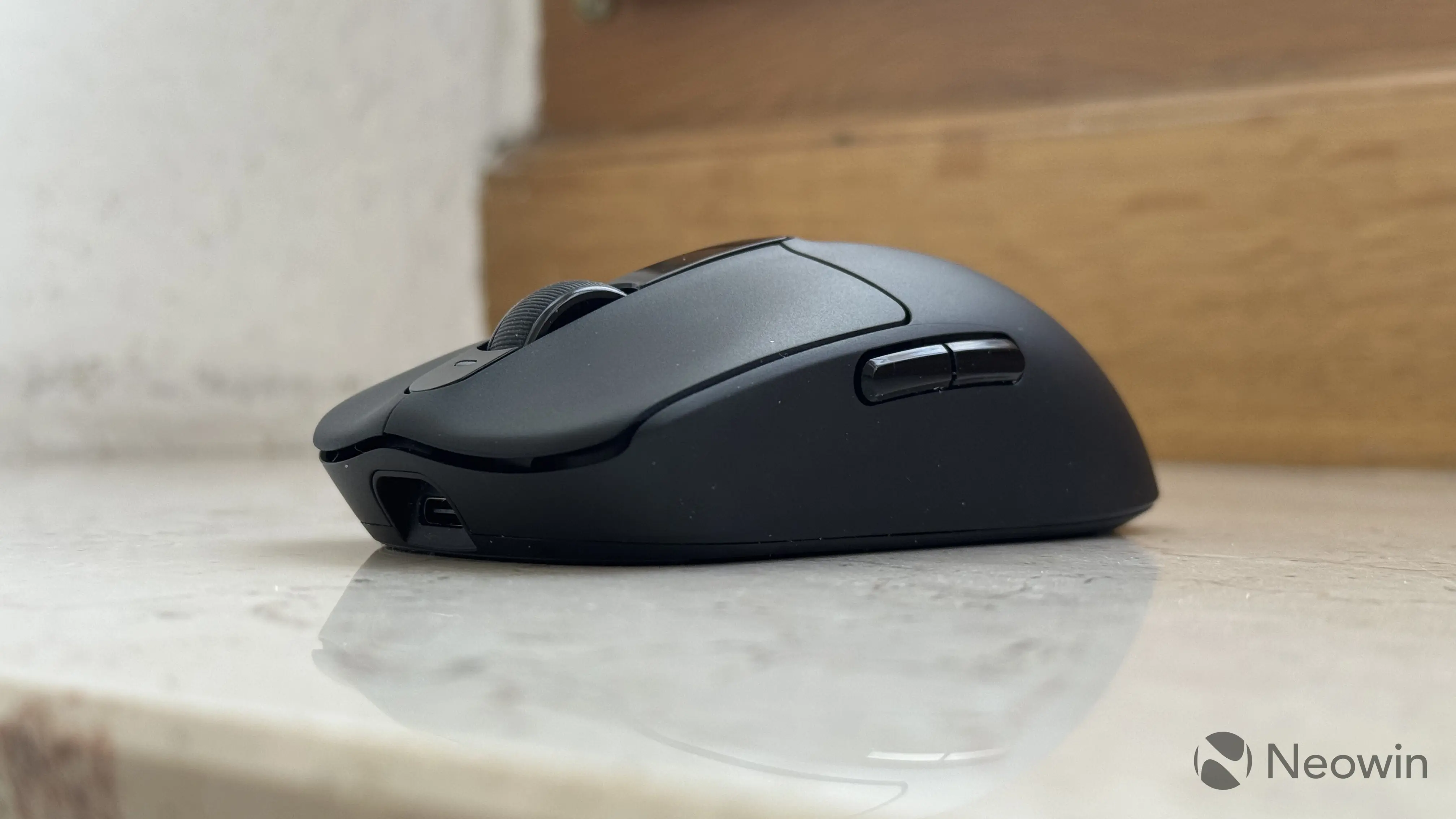
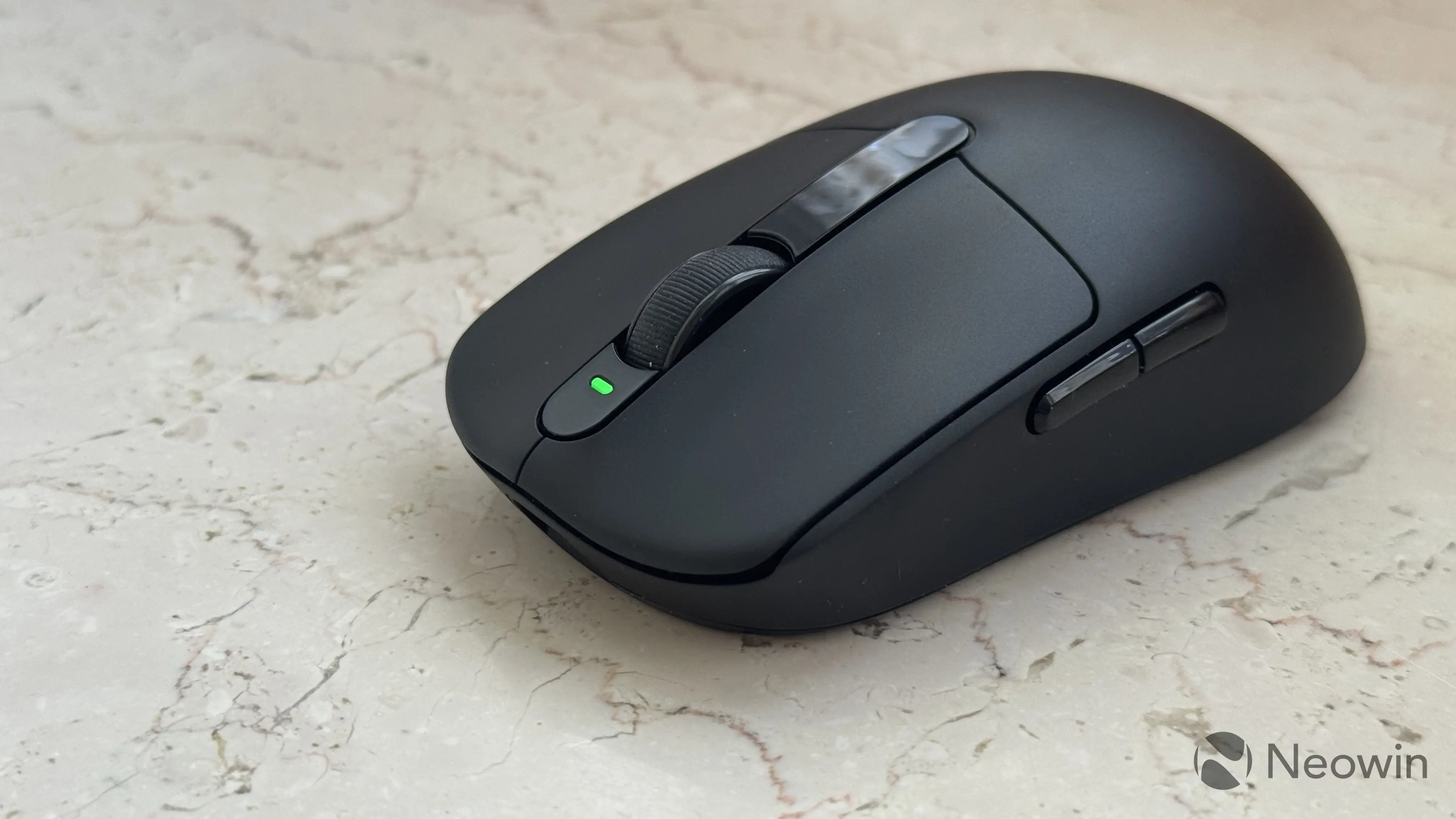
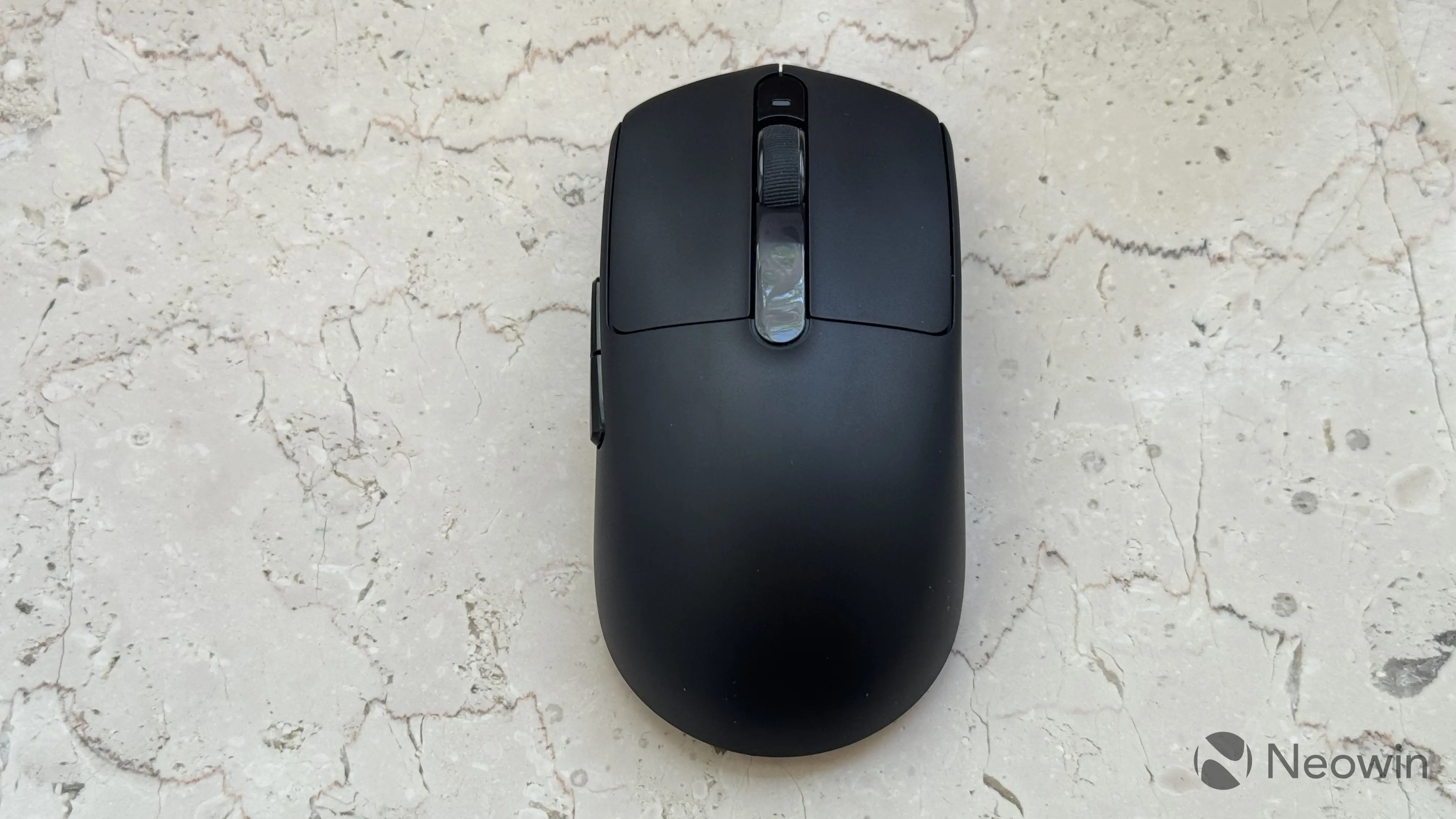
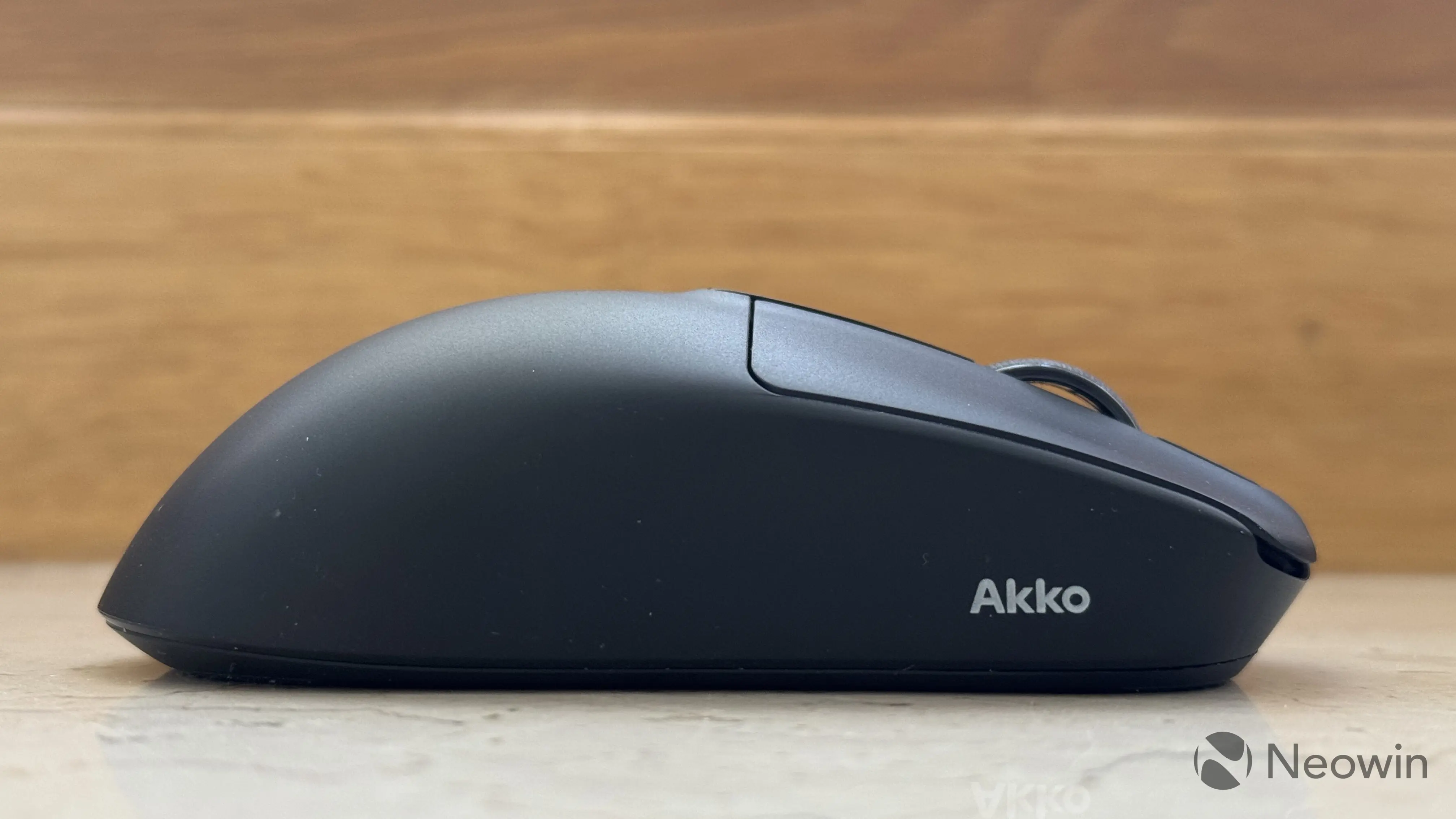
When it comes to looks, the Akko Dash V9 Ultra is quite unassuming. It is a simple-looking mouse made of matte black plastic. It has a symmetrical design (minus the navigation buttons, of course) with a single scroll wheel, two main buttons, and two navigation buttons. There is also a single LED above the wheel to indicate the connection status.
The mouse is designed for small and medium hands, and Akko makes it very clear on the official website. Therefore, if you have big hands and prefer a palm grip, this mouse might not be for you. However, even for big-handed people, the Dash V9 Ultra is usable and even comfortable, as long as they can tolerate finger/claw grip. To be honest, I wish it were bigger or at least there were a bigger version of it. I am used to big mice like the MX Master 4, and switching to a smaller one required some muscle/grip training.
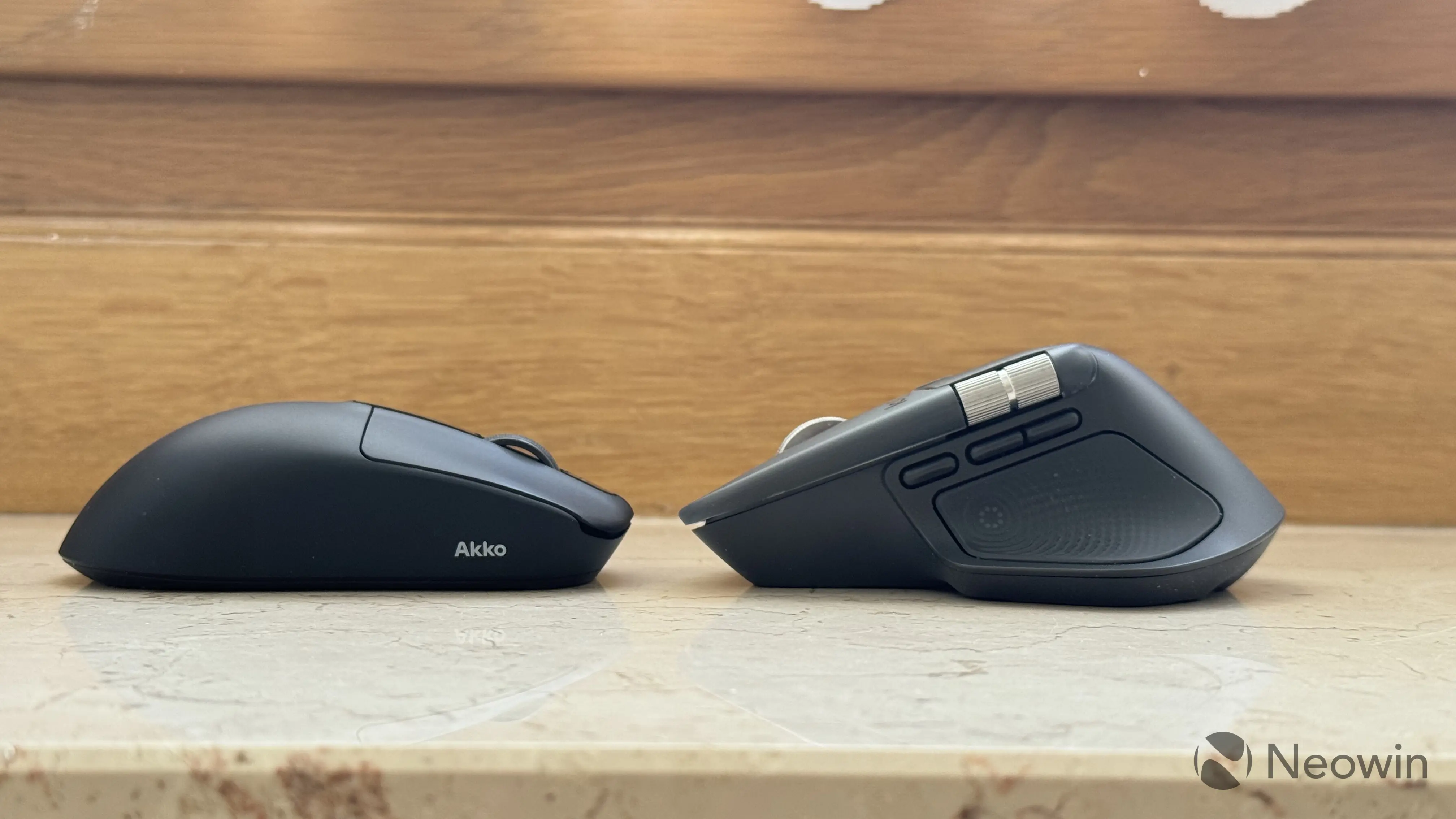
I like that the primary buttons are slightly concave for better ergonomics. It is a small design element, but I found it quite noticeable, especially after coming from a mouse with perfectly flat buttons. Thanks to this design, fingers always land where they should, but I have to add that the click feels nearly identical even if you press on the edge of the button. The side buttons are made of glossy plastic. They are big enough for comfortable use, and they feel very similar to the main buttons.
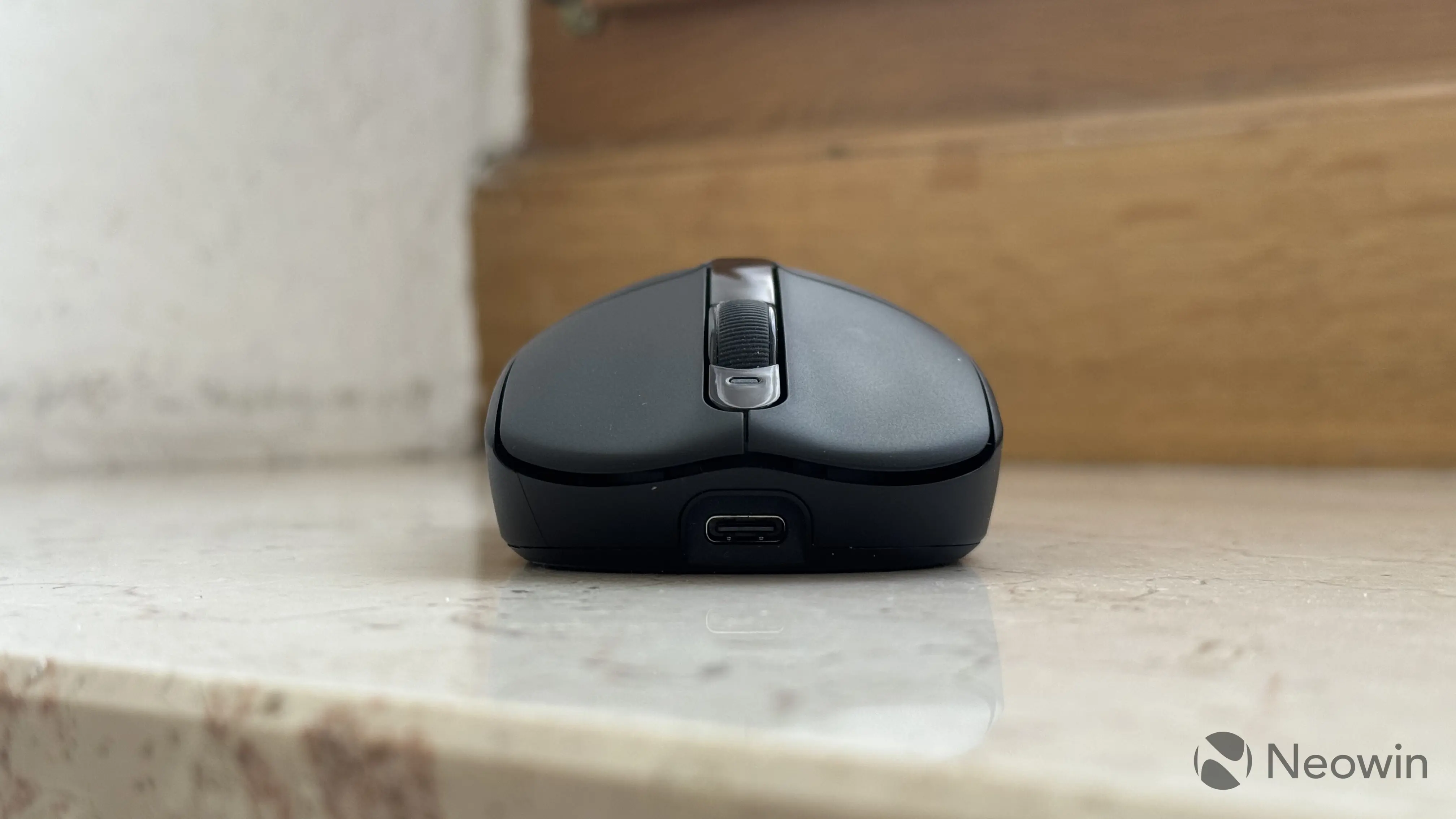
The Akko Dash V9 Ultra uses custom optical switches (can be optionally specced with Omron switches), which are rated for up to 150 million clicks. They are quite firm and have a very pronounced click. This mouse is not quiet, but it is also not the loudest. The mouse has no dedicated DPI switch button, and changing it without using the app requires holding three buttons at once: right, left, and the middle click. This method is not the most convenient one, but again, I understand that a spare button would make the mouse heavier.
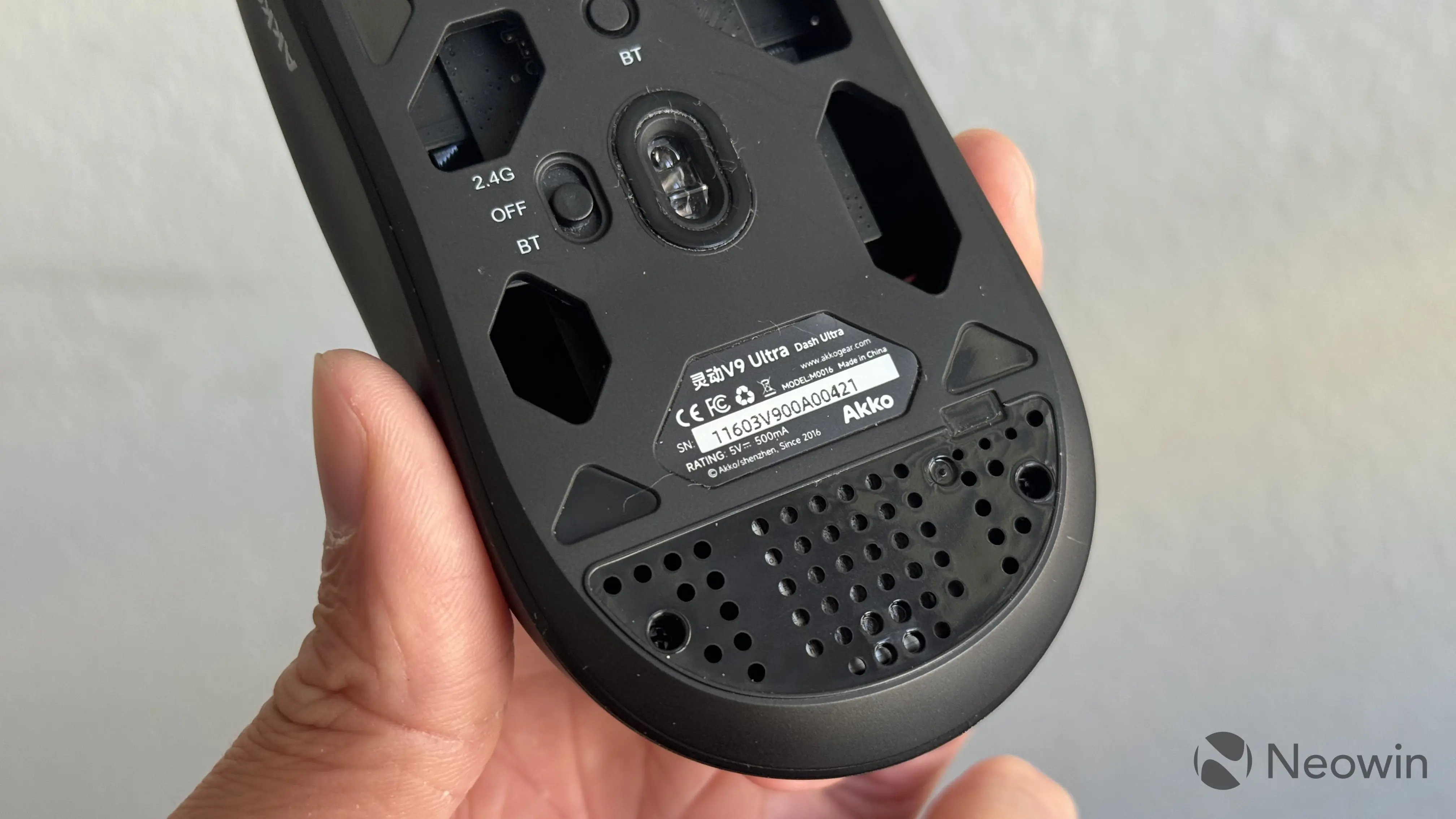
On the bottom of the Akko Dash V9 Ultra, you will find a Bluetooth connection button and a mode switcher combined with the on/off switch. Unfortunately, the bottom of the mouse has no place to store the adapter, which is quite disappointing. While there are a few big holes (for weight saving, I assume), none of them can hold the USB Type-A adapter.
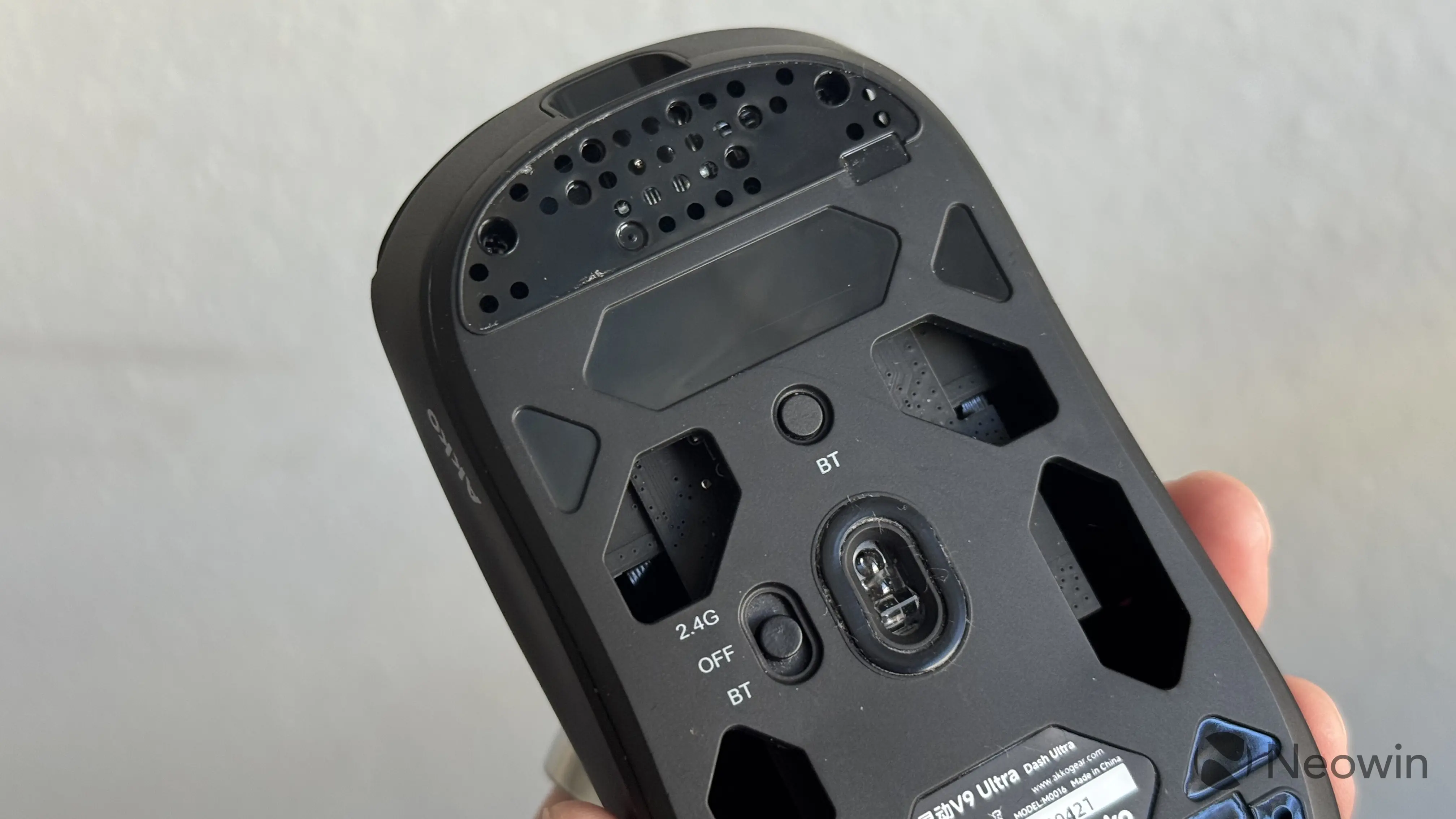
The Dash V9 Ultra is made of what I would call typical plastic. It does not feel particularly premium, but I also can't call it cheap. Despite being very light (only 40 grams), the Dash V9 Ultra does not feel hollow. There is no rattling, squeaking, or flexing. Yes, you can feel a tiny bit of flex when squeezing it, but you have to do it pretty hard to notice. Akko gets a big thumbs up for build quality.
I have been using this mouse for a little more than a month, and there are still no signs of wear. Akko uses Electrical Discharge Machining finish to prevent shine and wear in areas where you touch the mouse the most. I admit that one month is too short to judge this claim, but so far, so good. The material is not very slippery, but if you want more grip, you can use the bundled grips, which feel like a very interesting mix of rubber and synthetic leather. It is not my thing, and I did not bother myself with applying it.
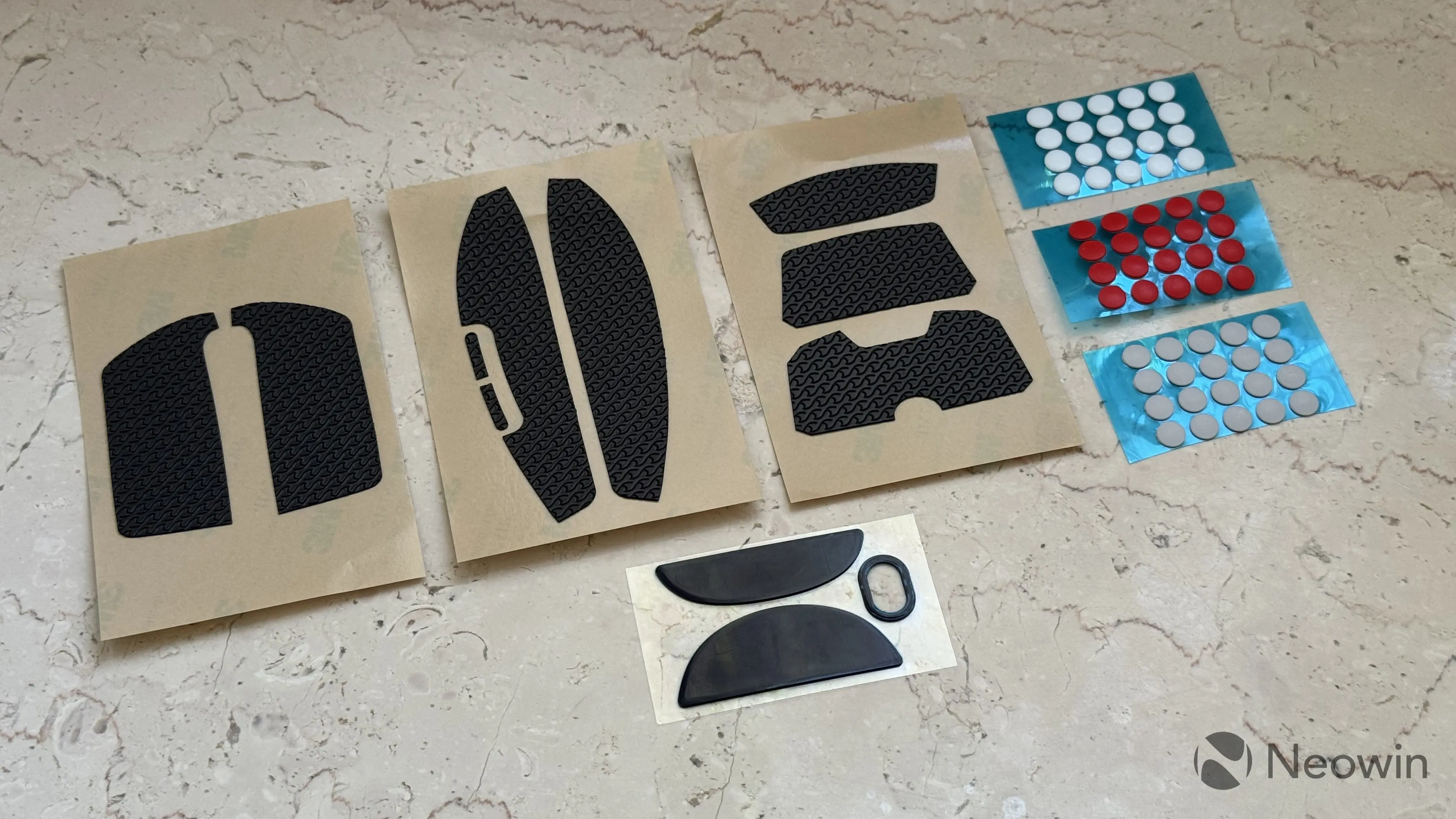
The mouse comes with a set of pre-applied glides (they also hide the screws). To my casual hand, they feel alright, and if you are not happy with them, you can switch to one of the three bundled dot-sized glides. Reds are very similar to the stock glides (indistinguishable to me), whites are smoother, and grays are very smooth. After trying all three, I stayed on white, settling for a perfect middle ground. Your exact choice will depend on your mouse mat.
The sensor
Of course, for a gaming mouse, the most important thing is its sensor. The Dash V9 Ultra uses the PixArt PAW3950 sensor, a top-of-the-line solution for gaming mice. It works with a polling rate between 125Hz and 8KHz and a resolution up to 42,000 DPI. It also has a very low lift-off distance of just 0.7 mm.
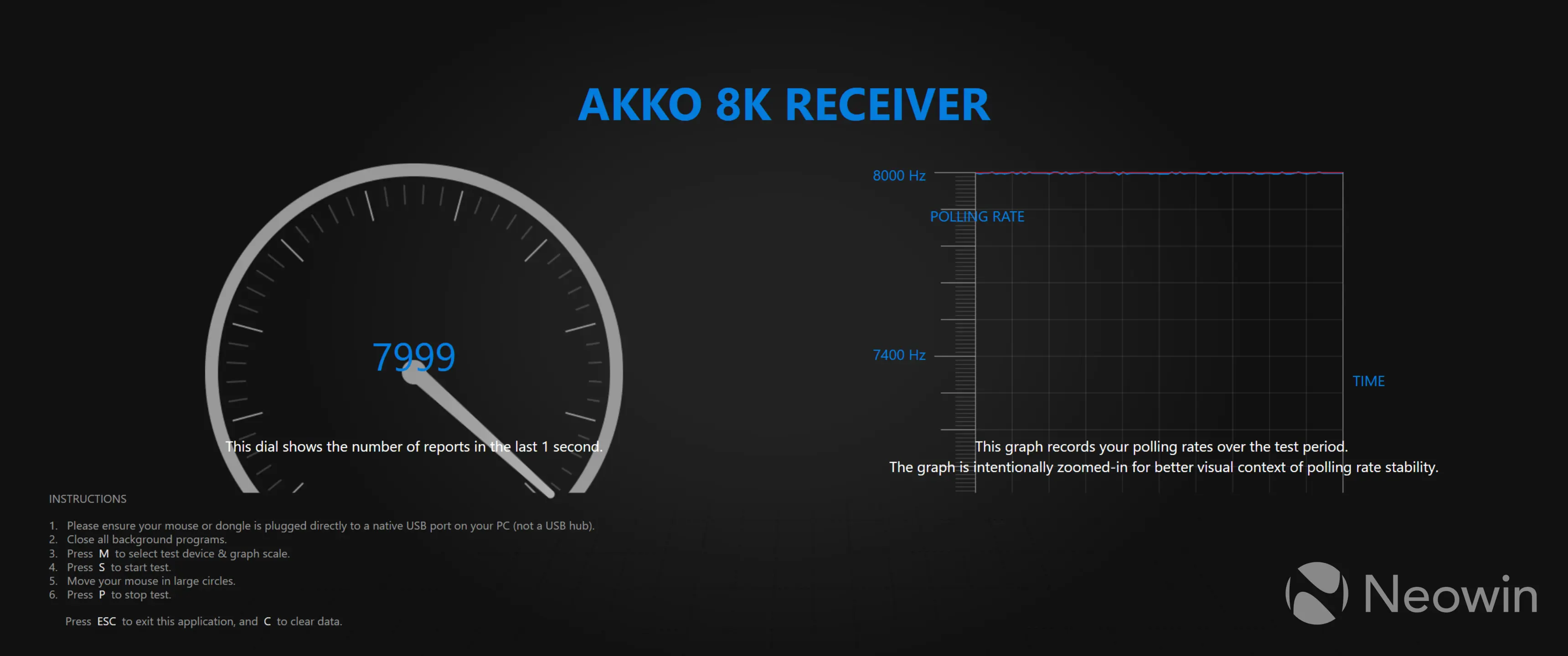
I have to be honest and admit that I cannot feel a big difference between 1KHz and 8KHz polling rate, but switching from a 125Hz mouse certainly felt like a massive upgrade. I run Razer's polling rate tester, which showed a consistent, stable polling rate even at the highest levels. In both wired and wireless (via the dongle), the mouse operates at the correct polling rate. At 8KHz, it fluctuates between 7,995 and 8,000Hz, which is quite impressive. In Bluetooth mode, the Akko V9 Ultra is capped at 125Hz, which is something to be expected.
I used the V9 Ultra to play some mouse-oriented games, and I did not encounter any abnormalities. The tracking is stable and without any noticeable jitter. I do not play competitive shooters, so my competence in this area is limited, to say the least, but the mouse felt precise without any skipping or spinouts. What is definitely noticeable is the ultra-low lift-off distance. At just 0.7 mm, the mouse tracks even the smallest changes in distance between the sensor and your mouse pad, eliminating unwanted tracking when repositioning the mouse. If 0.7 mm is too low, the software lets you switch to up to 2 mm of lift-off travel.
If you want to buy a high-polling rate mouse, you must consider CPU strain. The higher you set your polling rate, the higher the CPU load gets. At 8KHz, the Akko V9 Ultra causes about 20% CPU load. Dropping the polling rate to 1KHz reduced it to 10%. Whether it affects performance or not depends on specific PC builds and the games you play. If you play something CPU-taxing, you may need to reduce the polling rate. The good news is that you will most likely not notice a big difference between 2KHz and 8KHz, and the latter is aimed at pro-grade games with ultra-high refresh rate monitors and high-end computers.
Another thing worth mentioning is interference. The V9 Ultra's dongle is susceptible to radio interference from other devices, especially if they also operate at high polling rates. I could not get all 8KHz out of the dongle until I disconnected my gamepad's dongle, which works at 1KHz.
The scroll wheel
Size aside, the scroll wheel is the only thing that I seriously dislike in the Akko Dash V9 Ultra. I have to admit, coming from the flagship Logitech mice with their iconic MagScroll wheels, I cannot help but feel a bit spoiled and disappointed. Akko's scroll wheel is nothing but average, and to be completely honest, it feels a bit cheapish. The wheel lacks inertia, and you have to compromise between scroll speed and its precision. I love notchy scroll wheels where you can feel every line you scroll, and sadly, the wheel here feels like it is a bit worn out.
I know, a superlight mouse cannot have too many control elements for weight's sake, but the lack of side scroll is also a "meh" moment. This makes the Akko Dash V9 Ultra less universal, forcing you to have two mice—one for gaming with the main focus on weight, sensor, and performance, and one for productivity, with more buttons, side scroll support, and more. If your games heavily rely on the scroll wheel, it is a notable thing to consider.
Software
The Akko Dash V9 Ultra offers three ways to customize it: on-device controls without any software, a dedicated driver app, and a browser-based control panel. The latter lets you tweak the mouse without installing any programs. All tweaks you make are stored on-device, and you can switch between devices without worrying about losing all settings.
The lack of software dependability and the browser-based control panel is also great when you have to use the mouse on a device with limited features (say, a work laptop where you cannot install additional software).
You can use dedicated Akko's software. It is available as an installer or a portable app. It is not the most feature-rich app, but has all the necessary adjustments. You can remap buttons to various actions (including macros, keyboard shortcuts, DPI switching, and more), adjust DPI, polling rate, lift-off distance, debounce delay, sleep timer, angle snapping, motion sync, and ripple control.
I find it pretty cool that different DPI levels can have their own colors for the built-in LED. This makes it easier to understand what DPI level you are setting.
Gallery: Akko Software
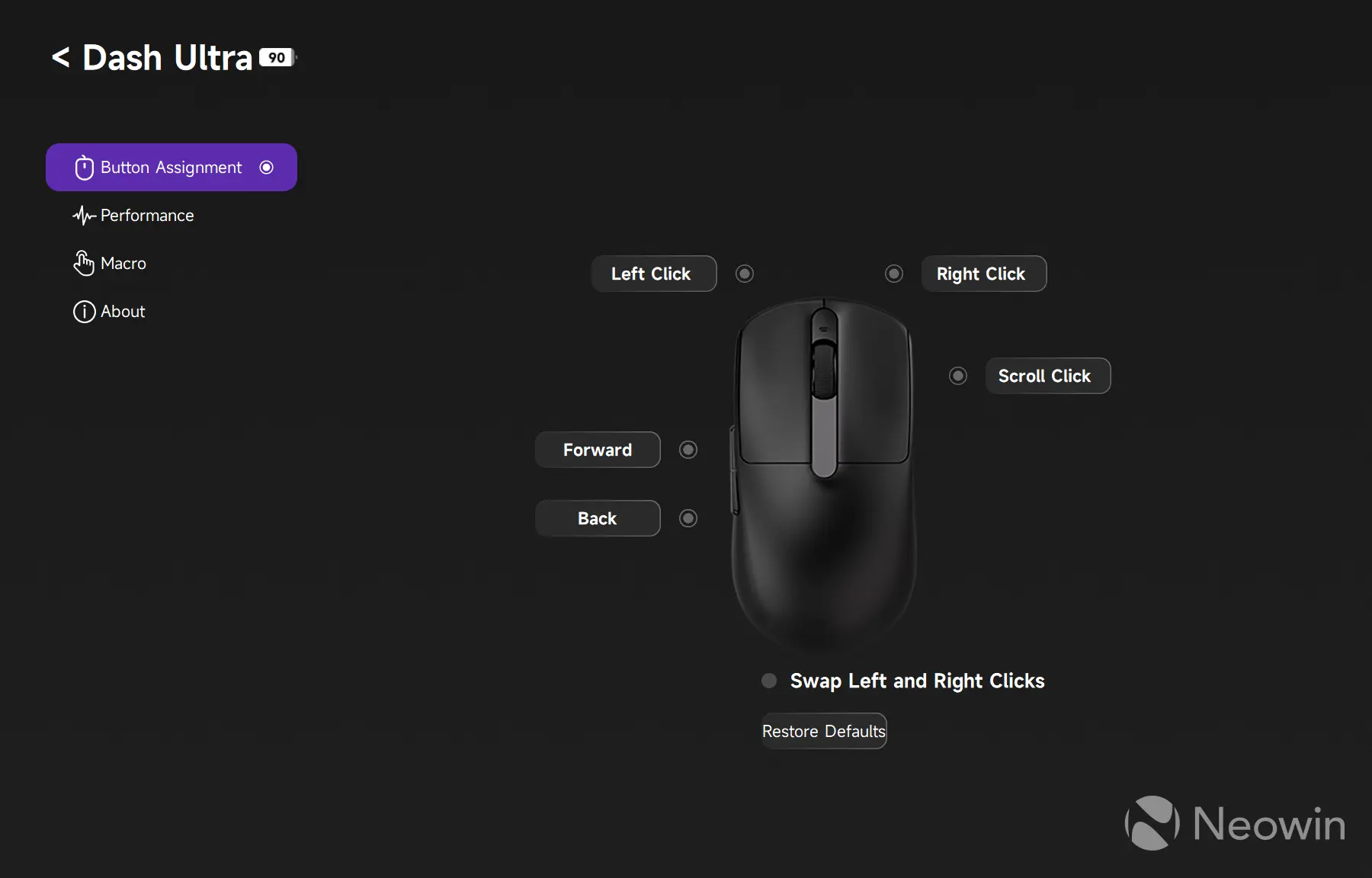
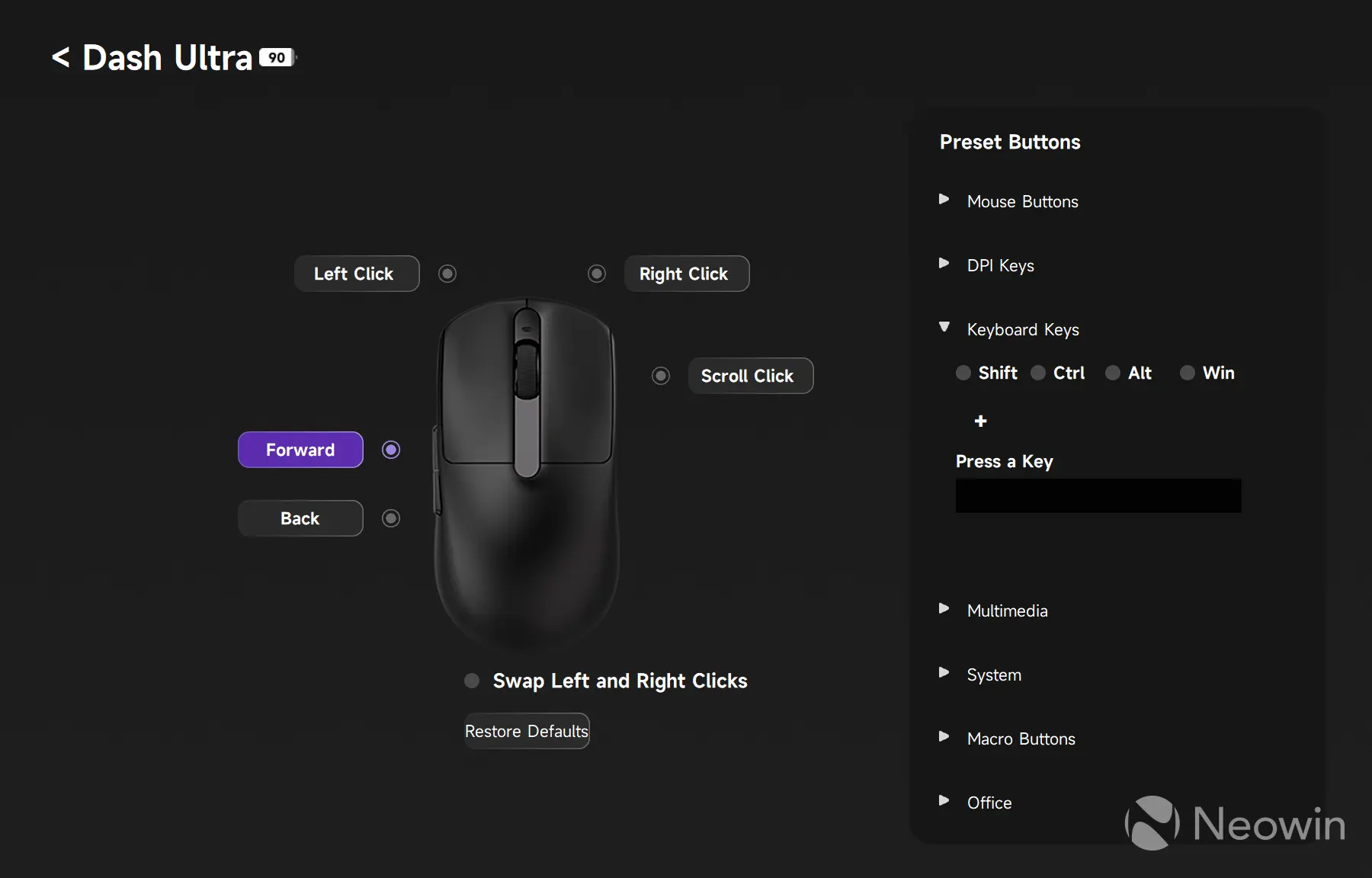
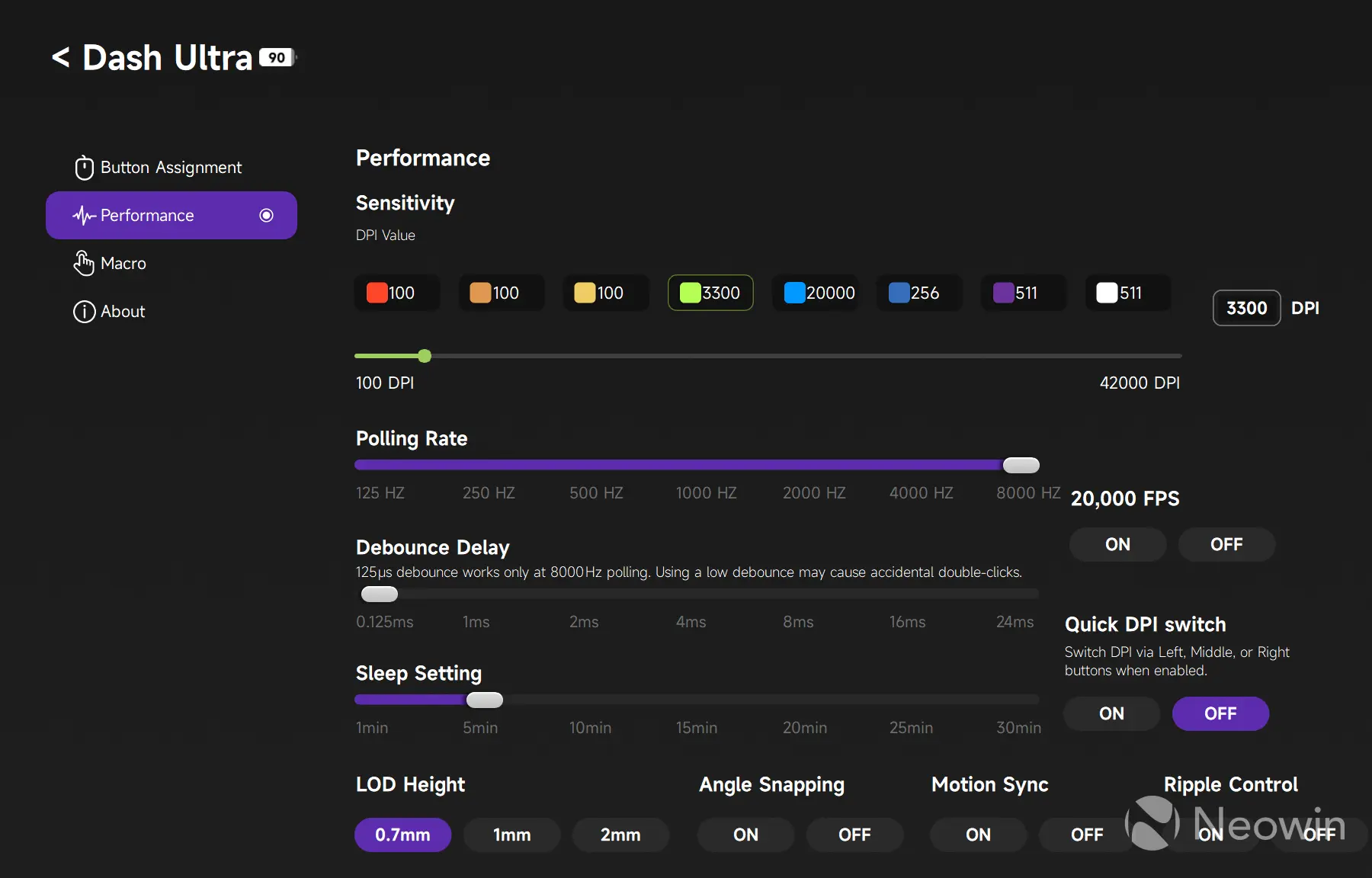
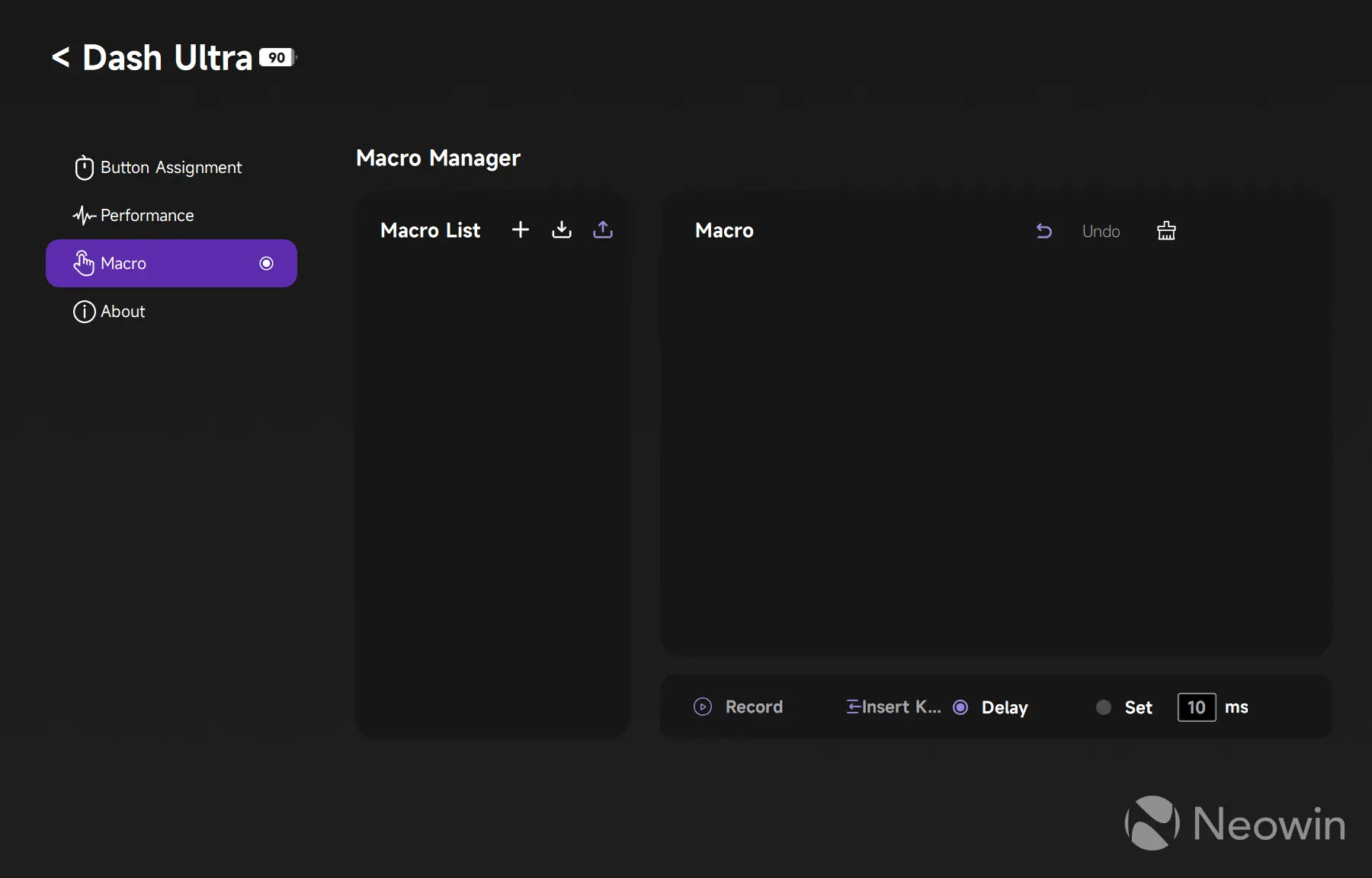
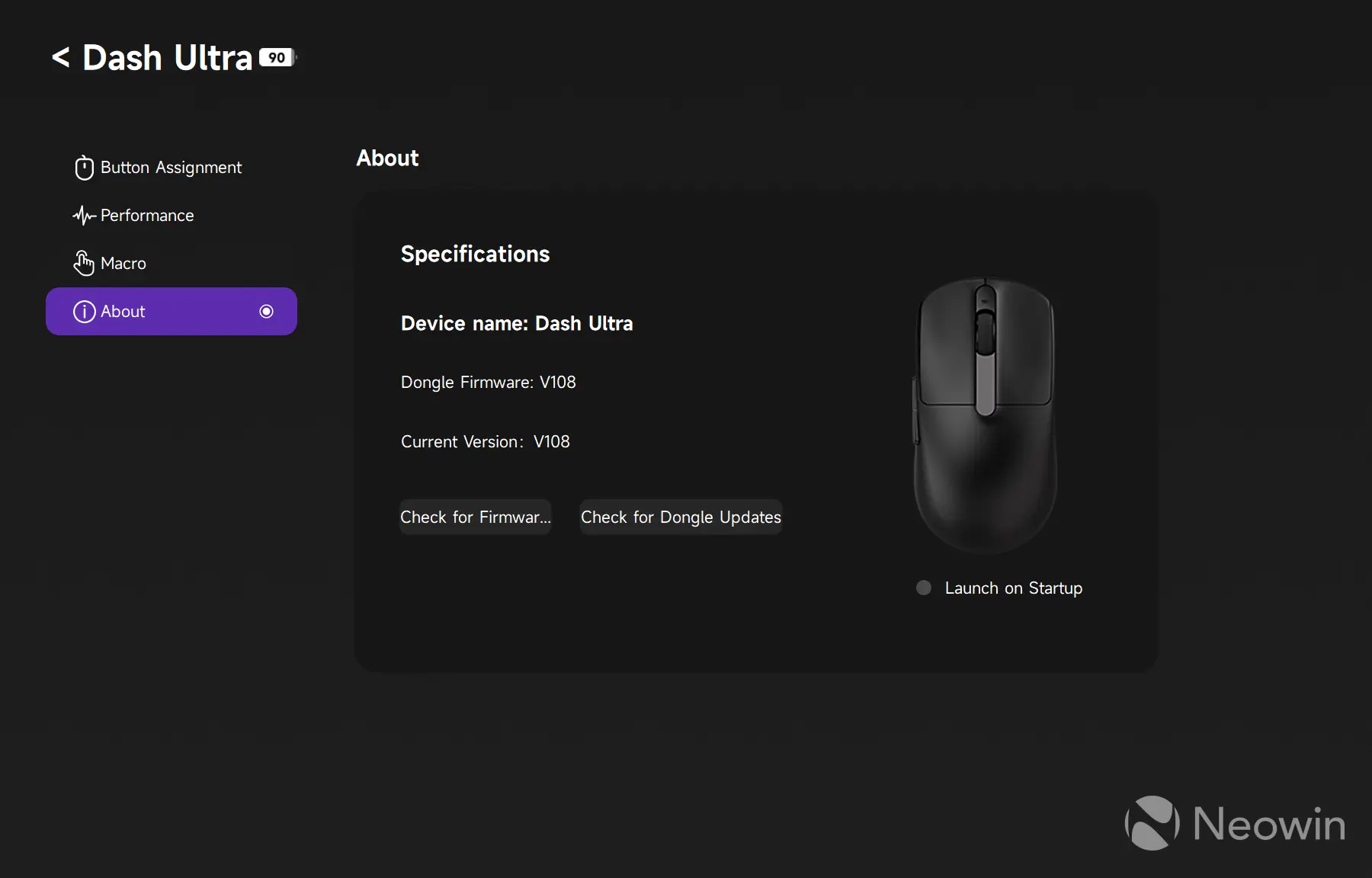
The driver is not the prettiest-looking app, but I am not complaining. It does its job, is stable enough, and has all the necessary settings. An anime girl on the start screen is an odd choice, but it is not there when you use the web-based app. The latter has nearly all the same features as the dedicated app. One major downside is that the web driver only works with Chromium browsers. Come on, guys, show some love for Firefox, too!
Battery life
Battery life depends on the polling rate. The higher you set it, the quicker the battery drains. The V9 Ultra has a 500 mAh battery rated for up to 220 hours of continuous use at 1KHz. After a little more than one month of daily use, my unit is still at 70%. Akko says that a single charge should get you up to three months of use at 1KHz. Unfortunately, I do not have time to test this claim, so I have to take Akko's word for it.
By the way, if you connect the mouse via Bluetooth, Windows 11 can show its battery level in the Bluetooth flyout, which is nice.
Conclusion
If you are looking for a superlight mouse, you have to set your expectations straight and know what to expect. The Akko Dash V9 Ultra has its priorities set straight, focusing just on what matters most in this segment. You get a good sensor, good performance, robust connectivity, good materials, and enough accessories to make a perfect setup. It is not good for productivity, and if you have big hands, it might also be a no-go, but for gaming, for just $59.99, this thing does not disappoint.
Switching to the Akko V9 Dash V9 Ultra felt like switching from a practical family SUV to a sports car. Yes, some conveniences are missing, but in return, you get a purpose-built device with much better performance, agility, and lightness. It was quite fun.
As an Amazon Associate, we earn from qualifying purchases.











0 Comments
Load the comments and join the conversation!
Read the comments, ask the editors questions, show respect and join the conversation.