Cuktech recently offered me the opportunity to review the new 30 Ultra desktop charging station, which, unlike typical wall chargers, offers more than a few USB ports to juice up your devices. The Cuktech 30 Ultra is a desktop charging station capable of delivering up to 300W of power, while also displaying various charging stats on a large display. Here are my thoughts.
Disclaimer: Cuktech provided the review unit without any editorial input or pre-approval.
The 30 Ultra arrived in a very nice, premium-looking box with quality print all over it that matches the $159.99 price tag. Inside, you will find a very rich bundle of various accessories:
- The charger itself
- Main power cord
- 240W USB Type-C cable
- 300W DC cable (angled)
- 9 adapters for various laptops
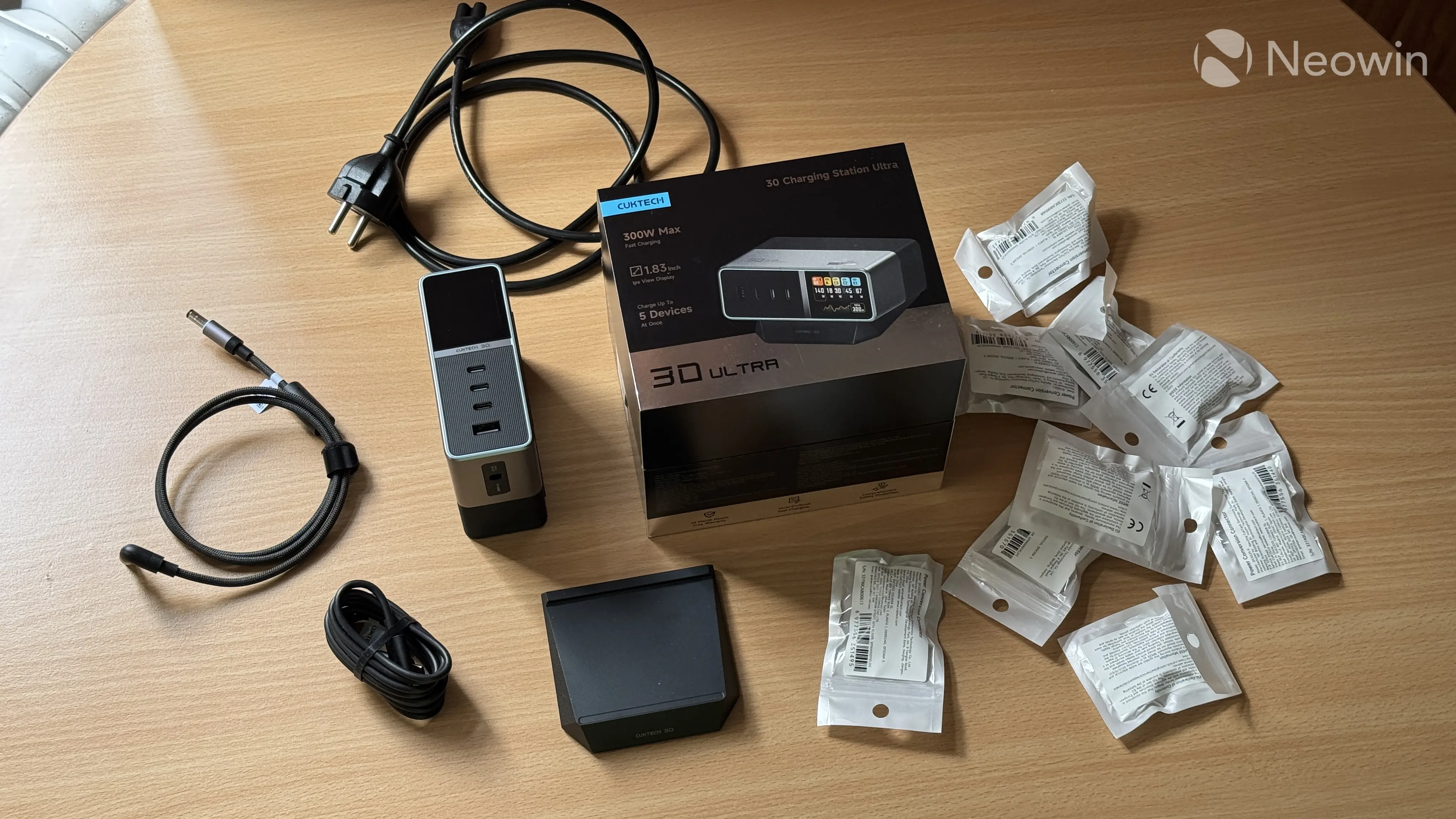
The idea behind the Cuktech 30 Ultra is to declutter your desk, eliminate the need for multiple chargers, and make sure you can power even the most powerful gaming laptops under heavy load. Most phones, tablets, and laptops can be powered from USB ports (these are quite powerful, but we will get there), but if you have a gaming machine that needs a special charger with a proprietary connector, this is where the 300W DC output comes into play.
Since different manufacturers use different charging connectors, Cuktech decided to give you nine, hoping that one will match your device. Seven adapters support 240W charging, while only two can supply the full 300W. These include the following:
- Type B1 (240W): Lenovo Legion and ThinkCentre
- Type L (240W): ASUS ROG laptops
- Type P1 (240W): HP Omen, Pavilion Gaming, Envy, ZBook, ProBook
- Type D (240W): Dell G Series, Alienware, Latitude
- Type K (240W): Acer Predator, ConceptD, Aspire
- Type I (240W): Dell Vostro, XPS, Inspiron, Optiflex
- Type A1 (300W): Certain ASUS ROG Flow, TUF, ProArt, StrixScar models
- Type M1 (300W): MSI only
- Type R (240W): Razer only
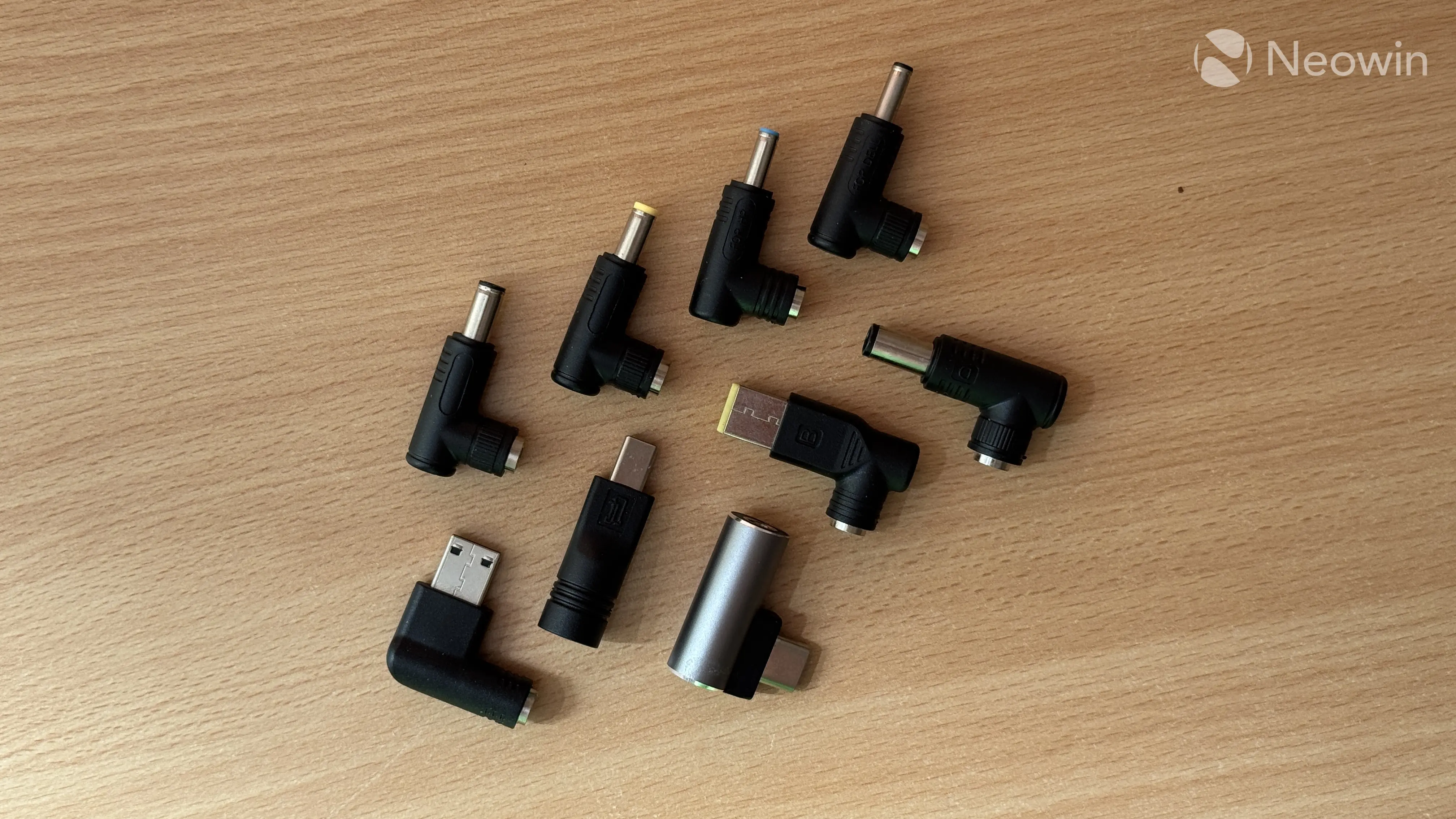
I strongly recommend checking Cuktech's official website and compatibility list to ensure your device works with one of the bundled connectors.
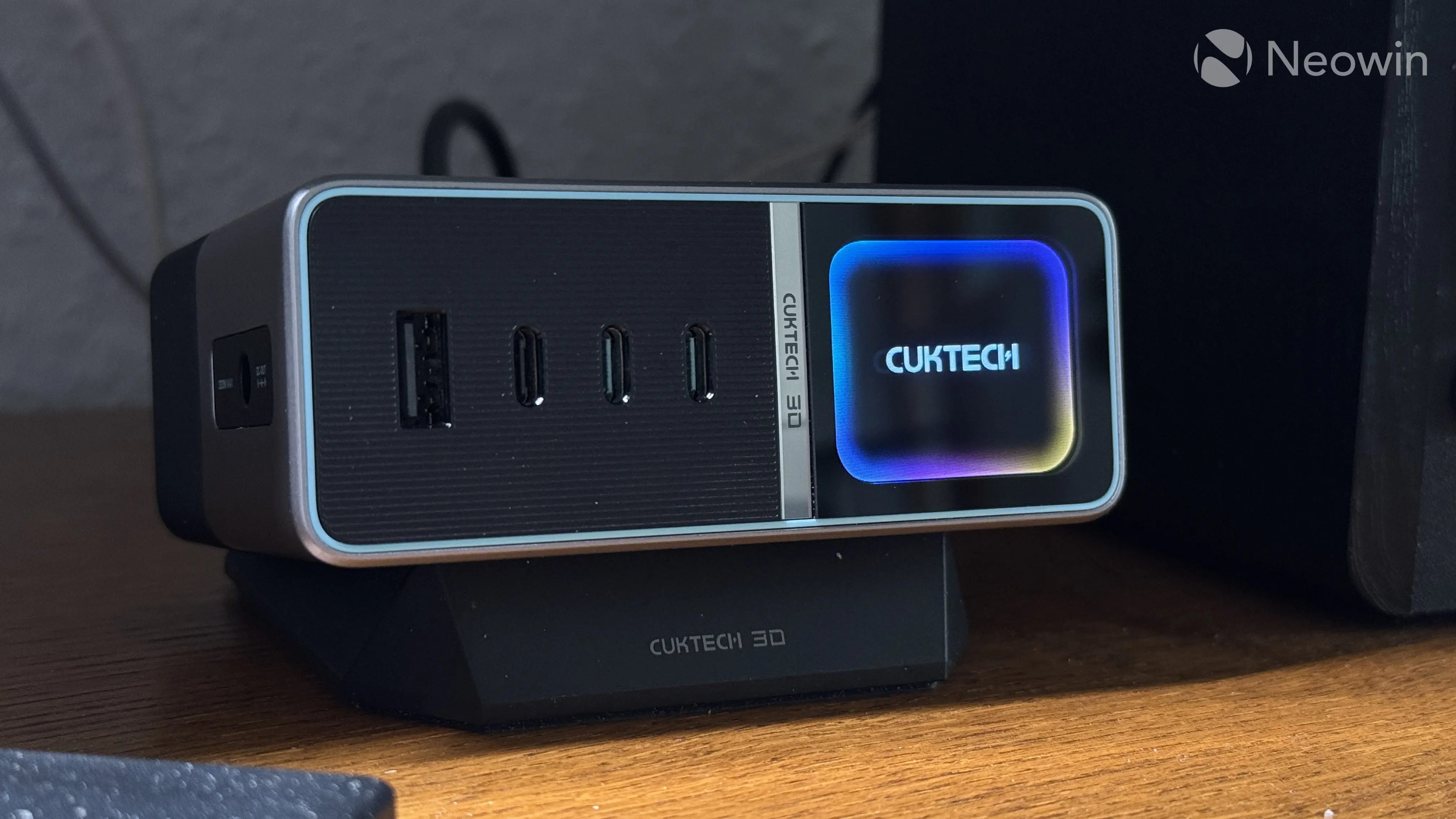
The Cuktech 30 Ultra is quite a small device for the kind of power it delivers. A 300W power adapter for a gaming laptop is typically quite large and heavy. While the 30 Ultra is heavy as well (like seriously heavy), it is very portable, at only 108 x 85 x 43 mm. Plus, unlike laptop adapters, this one also packs four extra USB ports, buttons, and a 1.83" 850 nits display. It is impressive stuff, I have to say.
The charger sits on a surprisingly heavy metal anti-slip stand that tilts the charger by 10 degrees and attaches magnetically. If you want, you can use it without a stand. The 30 Ultra has rubberized feet, which prevent unwanted slips. However, despite the heft, removing cables is still a two-handed job.
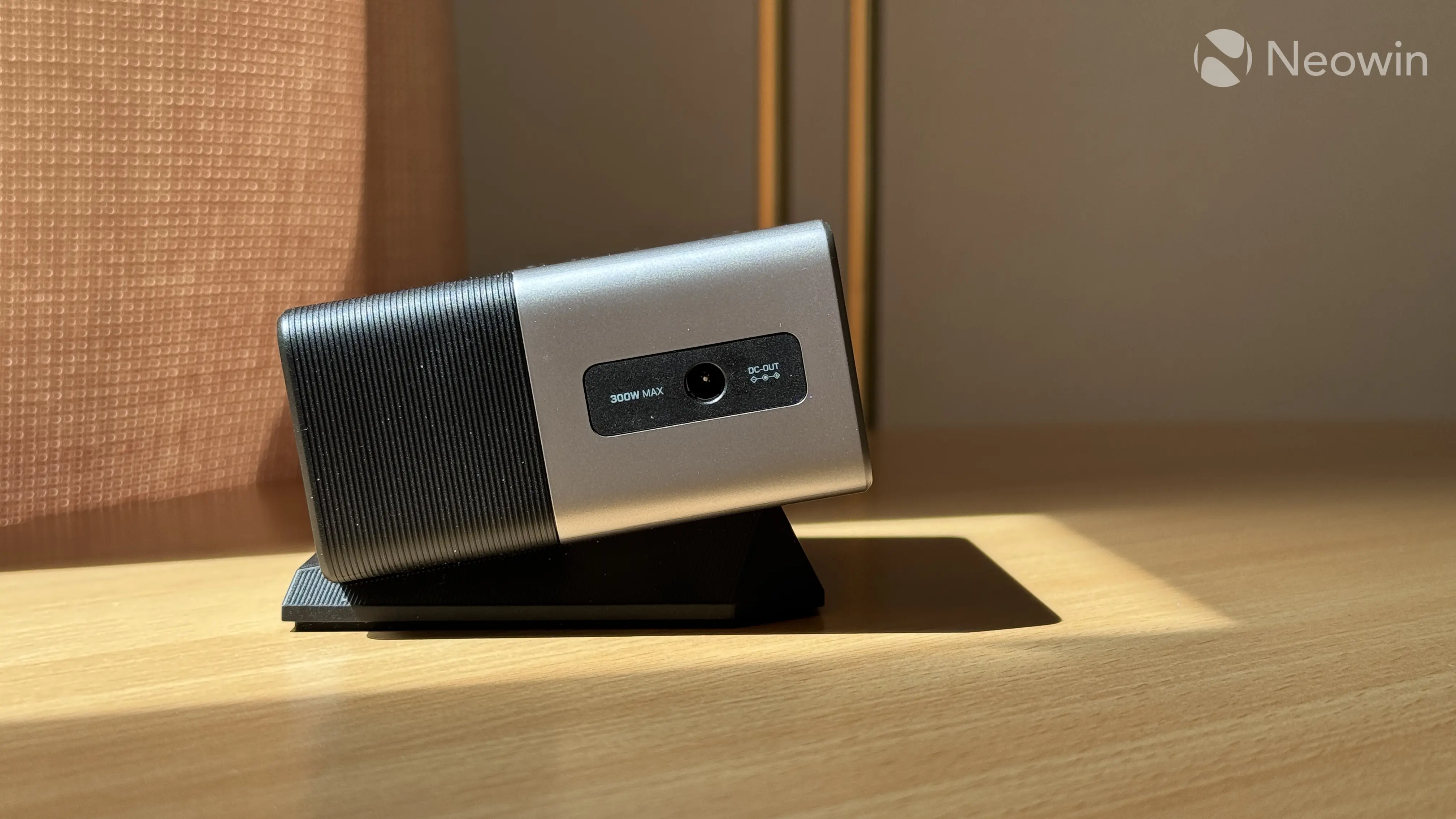
The bundled DC cable is sleeved and angled for more convenience, with metal connectors on both sides. However, the power lead and the bundled USB Type-C cable are nothing fancy, with typical rubber insulation. I can't say it is a problem, but sleeving them would certainly make the experience more premium.
Display
The built-in display is a major selling point of the Cuktech 30 Ultra. This screen is quite big and bright. Measured at 1.83" in diagonal, it has a peak brightness of 850 nits, which is quite impressive. Not sure why you need such a bright display in indoor environments, but alright, I guess. Viewing angles are also great, and overall, the display does not feel cheap in the slightest.
The display can show a lot of charging-related information:
- Total power: Shows total power draw with dedicated activity indicators for each port
- Power curve: Shows power draw of each port, a load curve, and a smaller total power output indicator.
- Detailed overview: This view provides real-time charging data for each port: total power, voltage, amps, and charging protocol. Moreover, for supported devices, the Cuktech 30 Ultra can display the current charging level. This is a super-handy feature, as it eliminates the need to tap your phone's or tablet's screen to see the current charge level.
- Temperature graph: There are no precise temperature indicators. Just a generic gauge that goes from blue (cold) to red (hot).
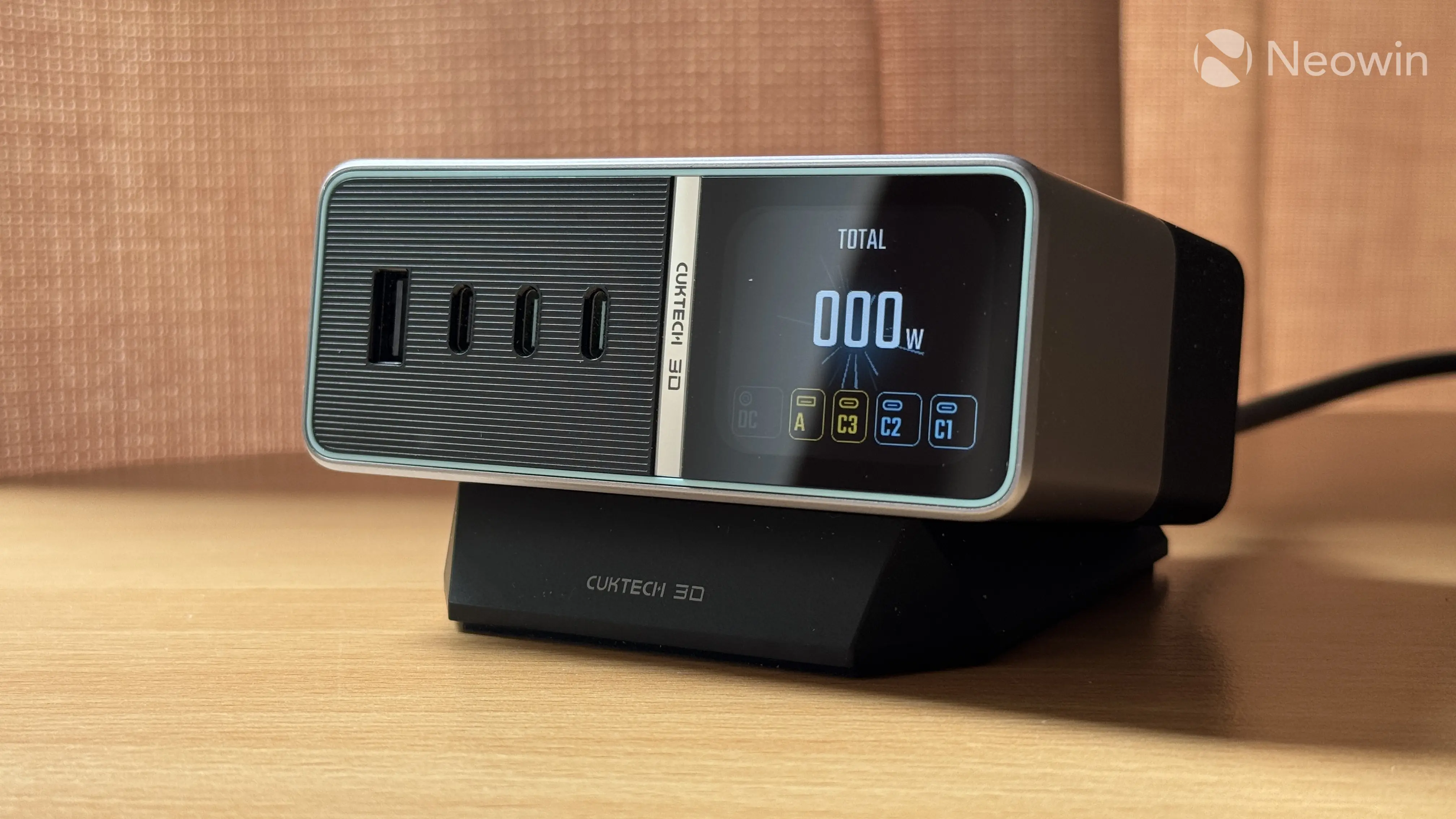
The Cuktech 30 Ultra is smart enough to detect charging protocol and handshakes, and it can show you the device type upon connecting. Plus, there is a standby screen saver with a Cuktech logo, and a settings section where you can adjust the following:
- System language (Chinese or English)
- DC Power output and 300W mode
- Select what appears on the screen by default
- Screensaver
- Screen off time
- Restore default settings
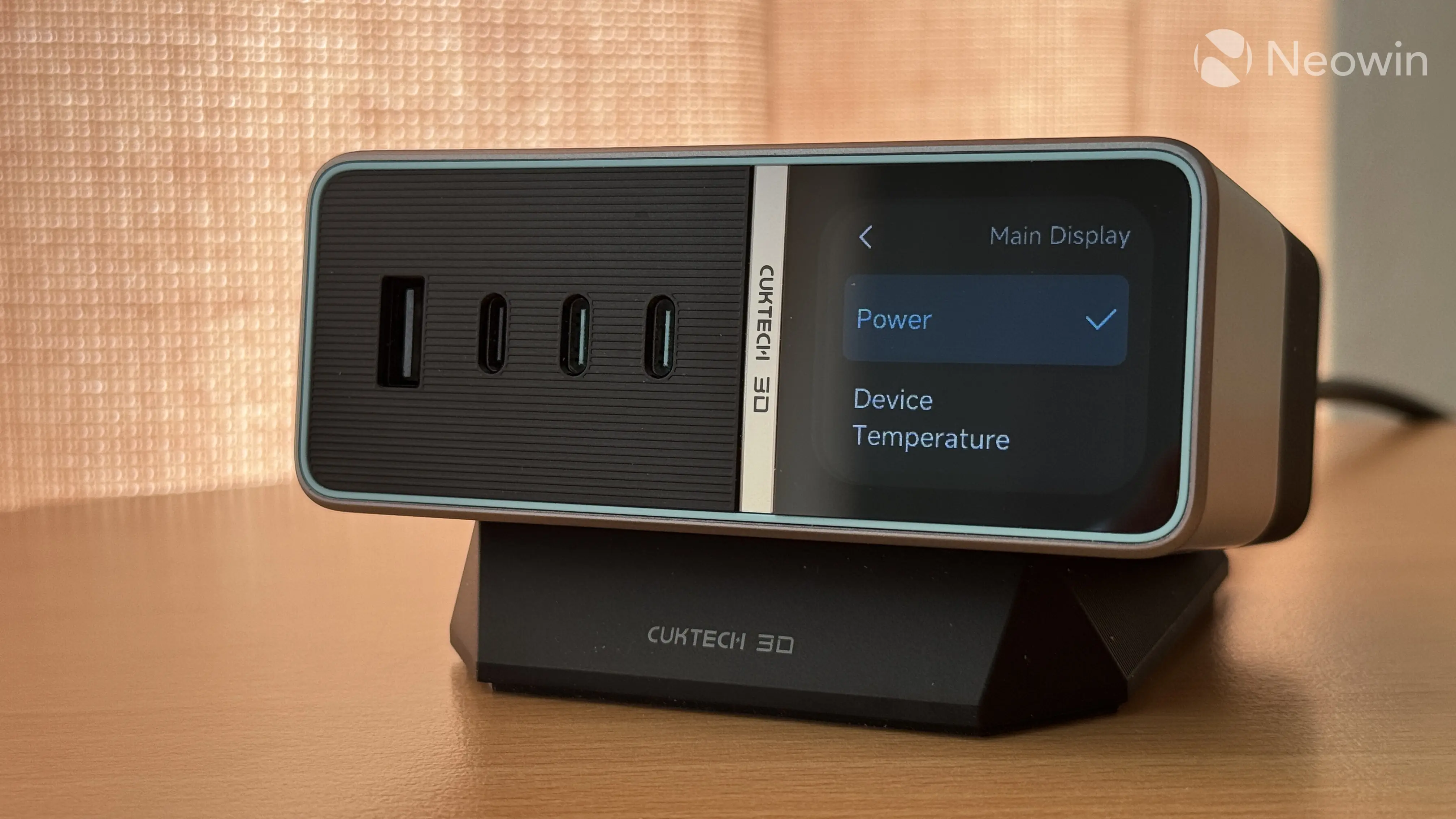
The screen is not capacitive, and all navigation is handled by two buttons and long presses. Buttons are nice to press and add to the overall premium feel. While touch would be better and more convenient, the screen is great. It is sharp, easy to read, and quite informative. There are no poorly translated bits or awkward fonts. However, I cannot help but feel that Cuktech falls short just a little bit.
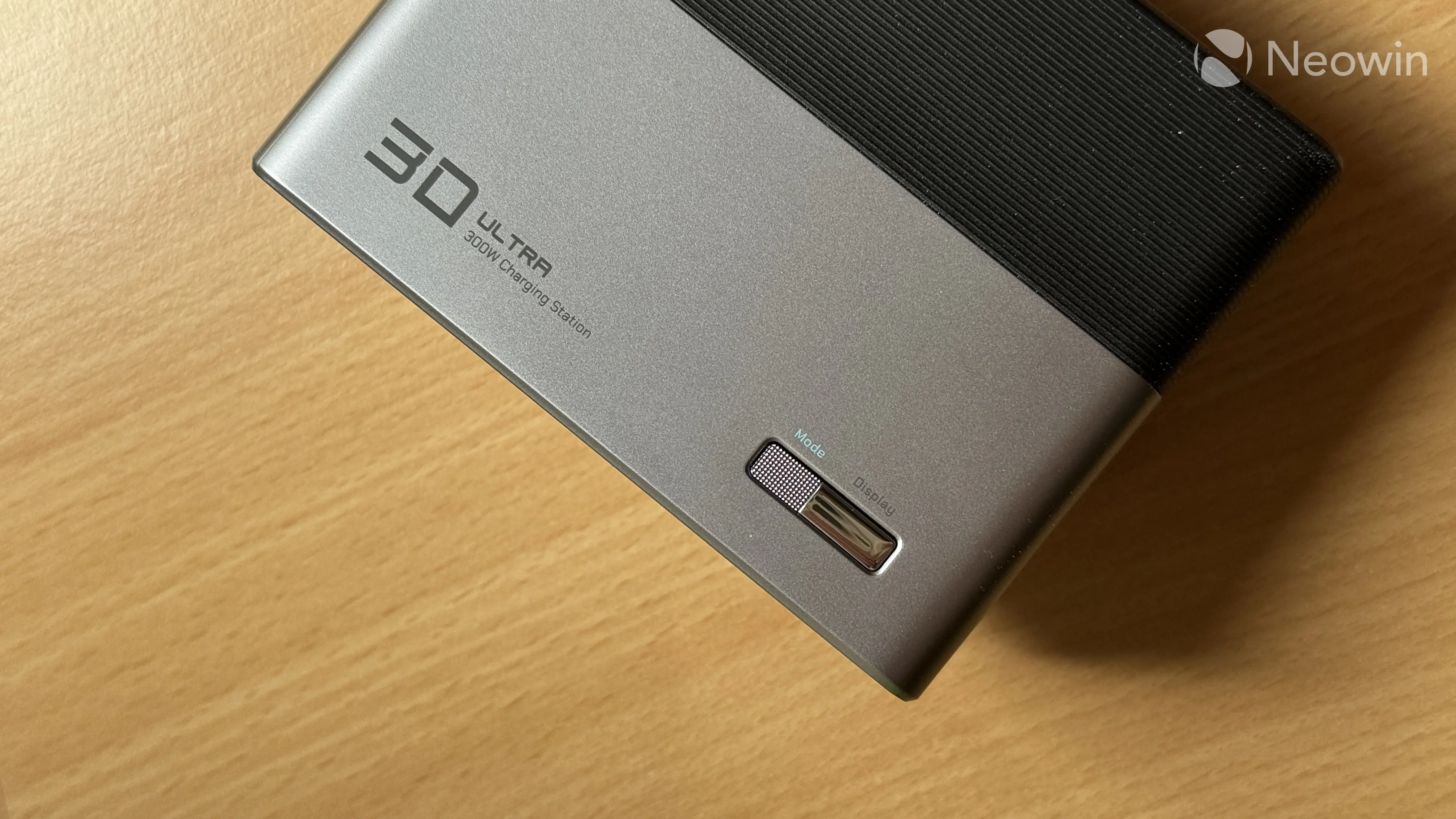
The Cuktech 30 Ultra is a stationary, always-plugged device, and I think adding a simple clock/calendar would have made it so much more useful. While charging stats and temperature monitoring are cool and useful, you do not need this information all the time. You can see that Cuktech thought about it, as the charger has a screen-saver feature. Unfortunately, it is not useful at all. All it does is display yet another Cuktech logo, totalling three: one on the stand, one between the display and ports, and one on the screen.
Charging with the Cuktech 30 Ultra
The Cuktech 30 Ultra uses Gallium Nitride, which makes chargers more efficient, cooler, and smaller. As such, manufacturers can crank the power up without making their chargers too big. Cuktech also claims that the 30 Ultra has low voltage ripple, and my tests showed that the company is not lying. Even under heavy load, voltage ripple or pulsation stays under 50 mV. This indicates good, quality components.
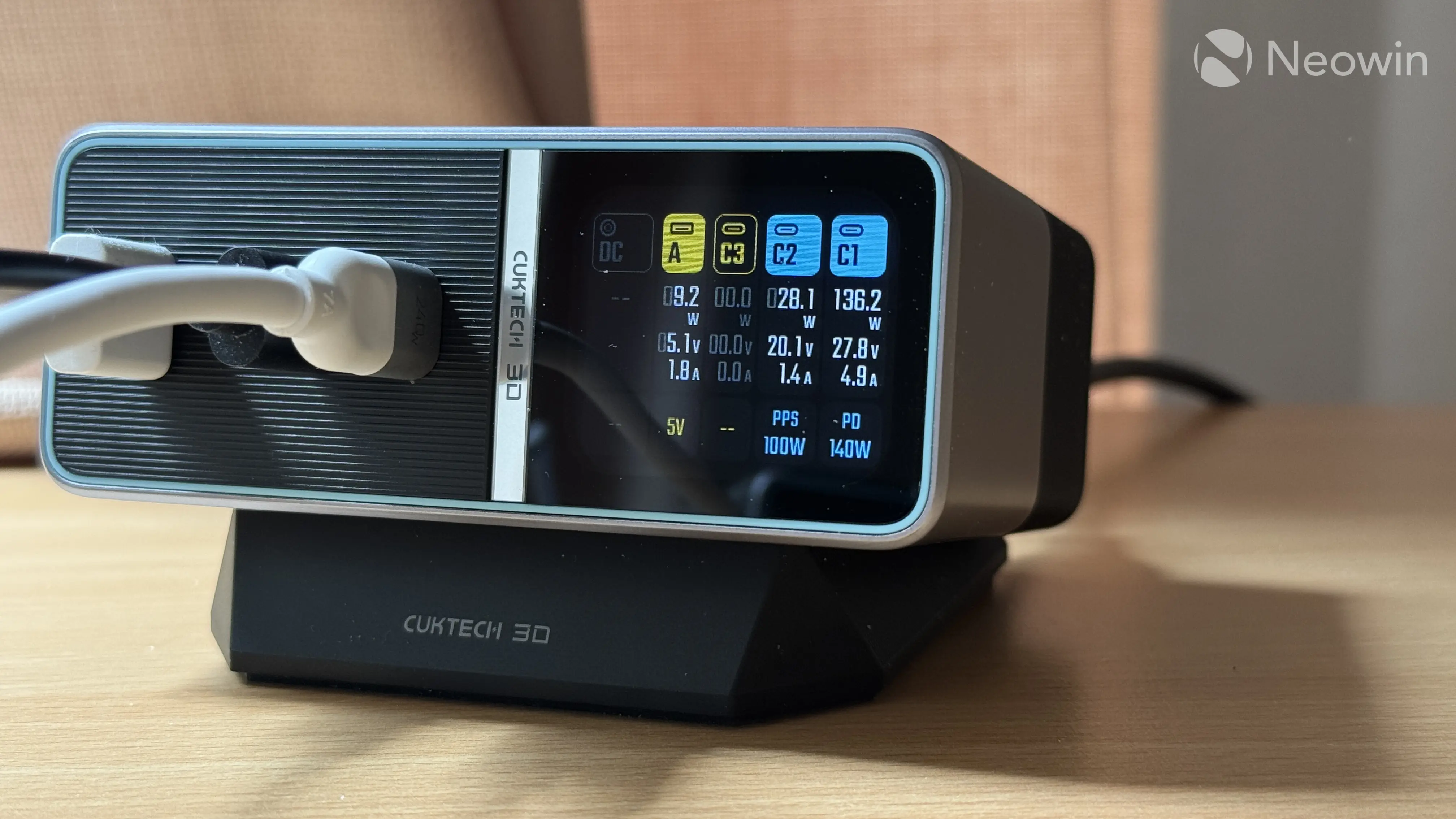
The Cuktech 30 Ultra has a maximum power output of 300W. However, single-port 300W output is only possible via DC with compatible laptops. USB ports, unfortunately, are capped at just 140W, even though the charger is bundled with a 240W USB Type-C cable. The good thing is that you can get a full 140W output on both Type-C ports. The 30 Ultra does not drop power when you connect a second or even third device, allowing you to maintain high charging speed while charging additional devices.
The USB ports have the following charging modes:
- Type-C 1 and 2 (with cyan connectors): 140W max single or two-port mode.
- Type-C 3: 33W max
- Type-A: 18W max
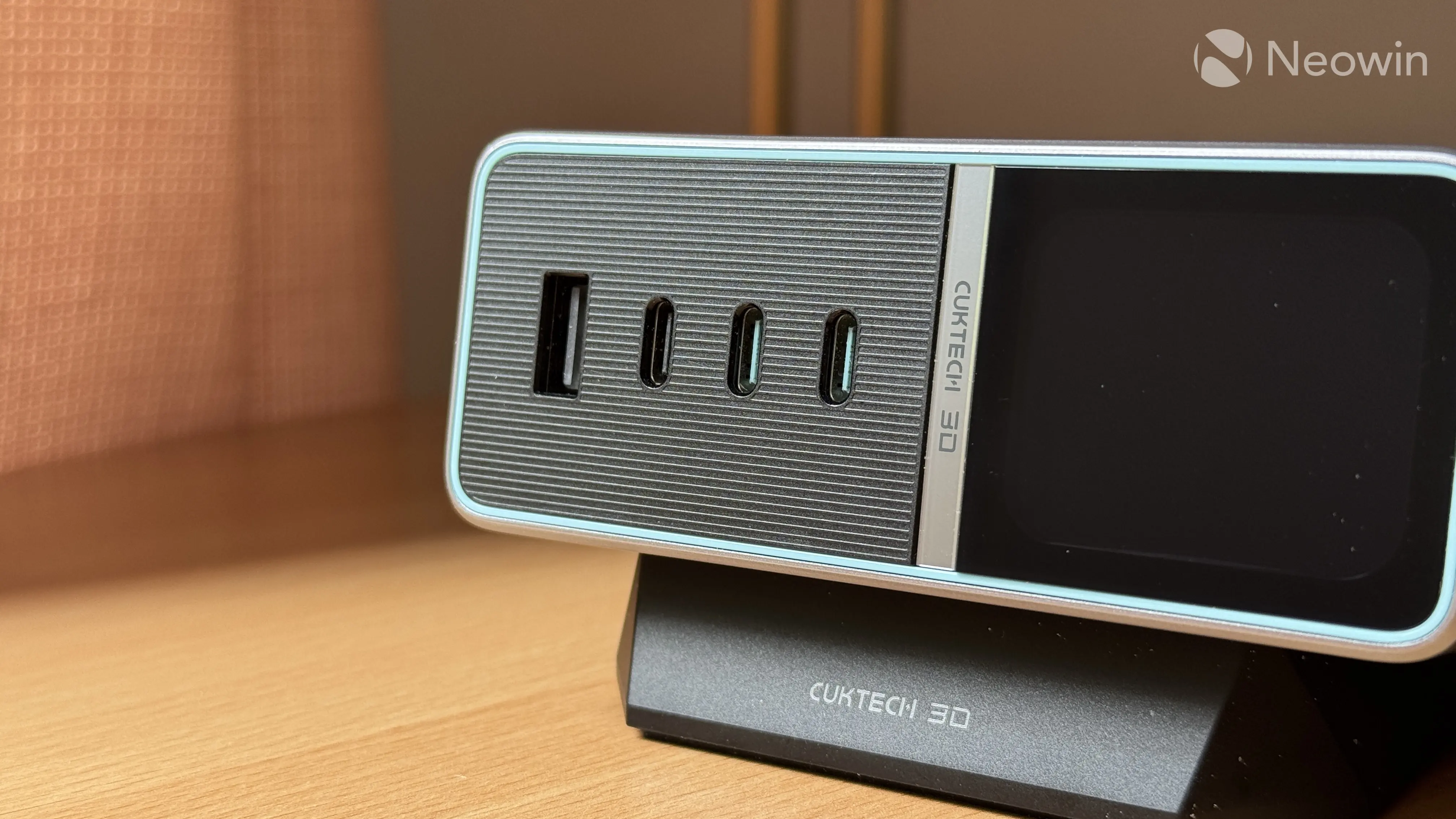
All four ports are ready for use the moment you connect something to them, while the DC output requires pressing the smaller button to activate the port.
You can combine USB ports with the DC output, and the charger will distribute power accordingly. Cuktech also claims support for 13 major fast-charging protocols, including PD3.1 (140W), PPS (100W), Xiaomi 120W, UFCS, Huawei SCP, QC, AFC, and others. It goes without saying that charging speed depends on what protocol your device supports.
I tried to strain the charger as hard as possible to test its stability and thermal capabilities. Even at 270W, it remained barely warm, again, showing that good-quality components are doing their job as expected, well done. I have zero complaints about how this charger works, except for the detailed view always showing 5.1V on the Type-A port even when nothing is connected. And again, the lack of a clock/calendar screensaver is disappointing.
Conclusion
The Cuktech 30 Ultra has been sitting on my desk under the monitor for a couple of weeks, and now I cannot see myself using standard chargers once again. I admit, $159.99 is far from cheap (you can currently save 10% on it), and those who do not need high power output can probably settle for something more affordable. However, if you have a high-power laptop to charge, the Cuktech 30 Ultra will be a good addition to your desk. It will eliminate clutter and give you five ports for multi-device charging with a handy screen for charging stats.





2 Comments
Load the comments and join the conversation!
Read the comments, ask the editors questions, show respect and join the conversation.