Unlike smart watches, smart rings are a relatively new product category in the market. While the general idea of health tracking is largely the same, these two kinds of gadgets offer quite different experiences. After nearly ten years of using the Apple Watch, I was curious to try one of the available smart rings and see what the new category has to offer. Meet the Luna Ring Gen 2, a beautiful wellbeing device that stands out among competitors.
Disclaimer: Luna provided the review sample without any editorial input or pre-approvals.
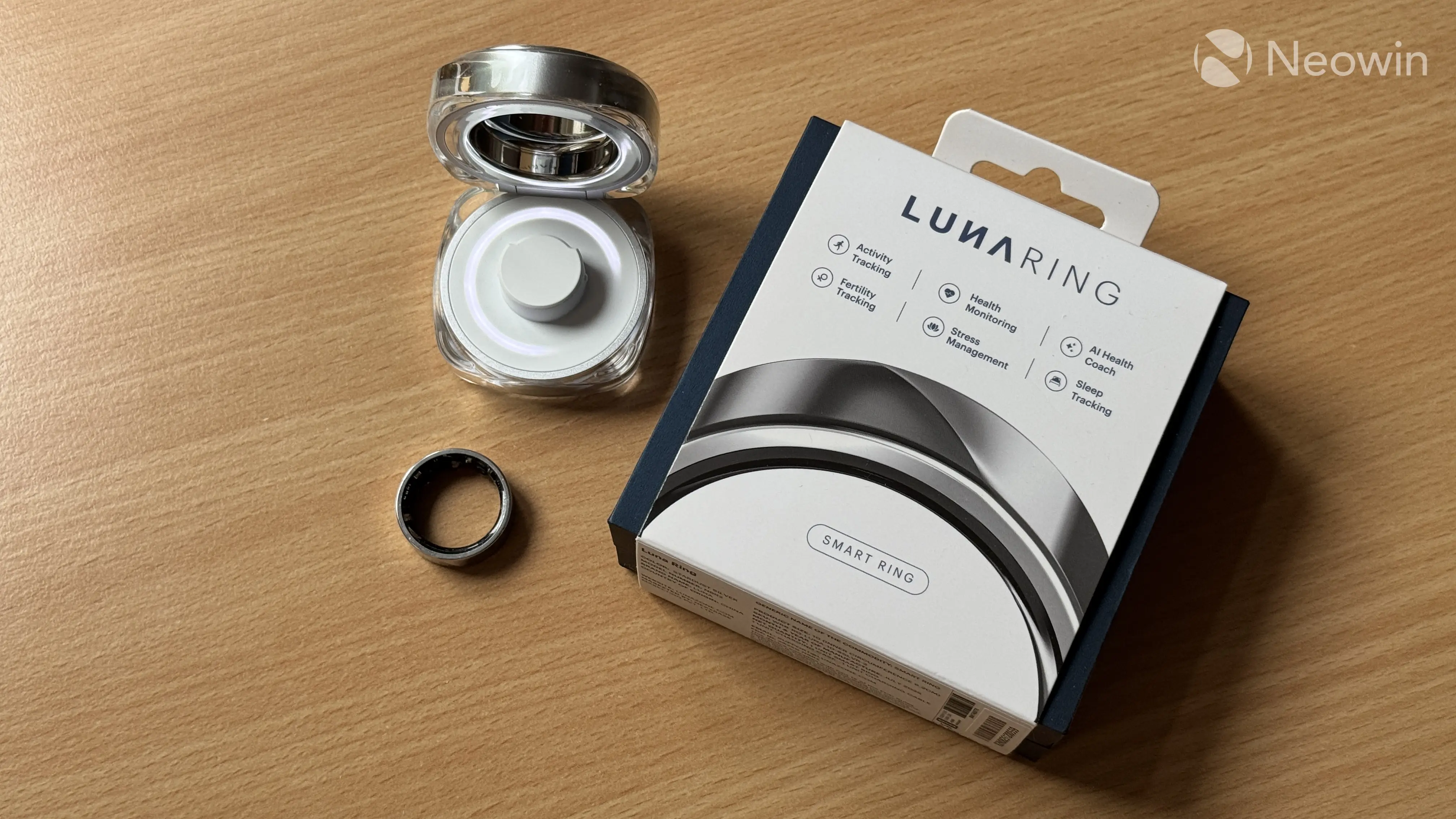
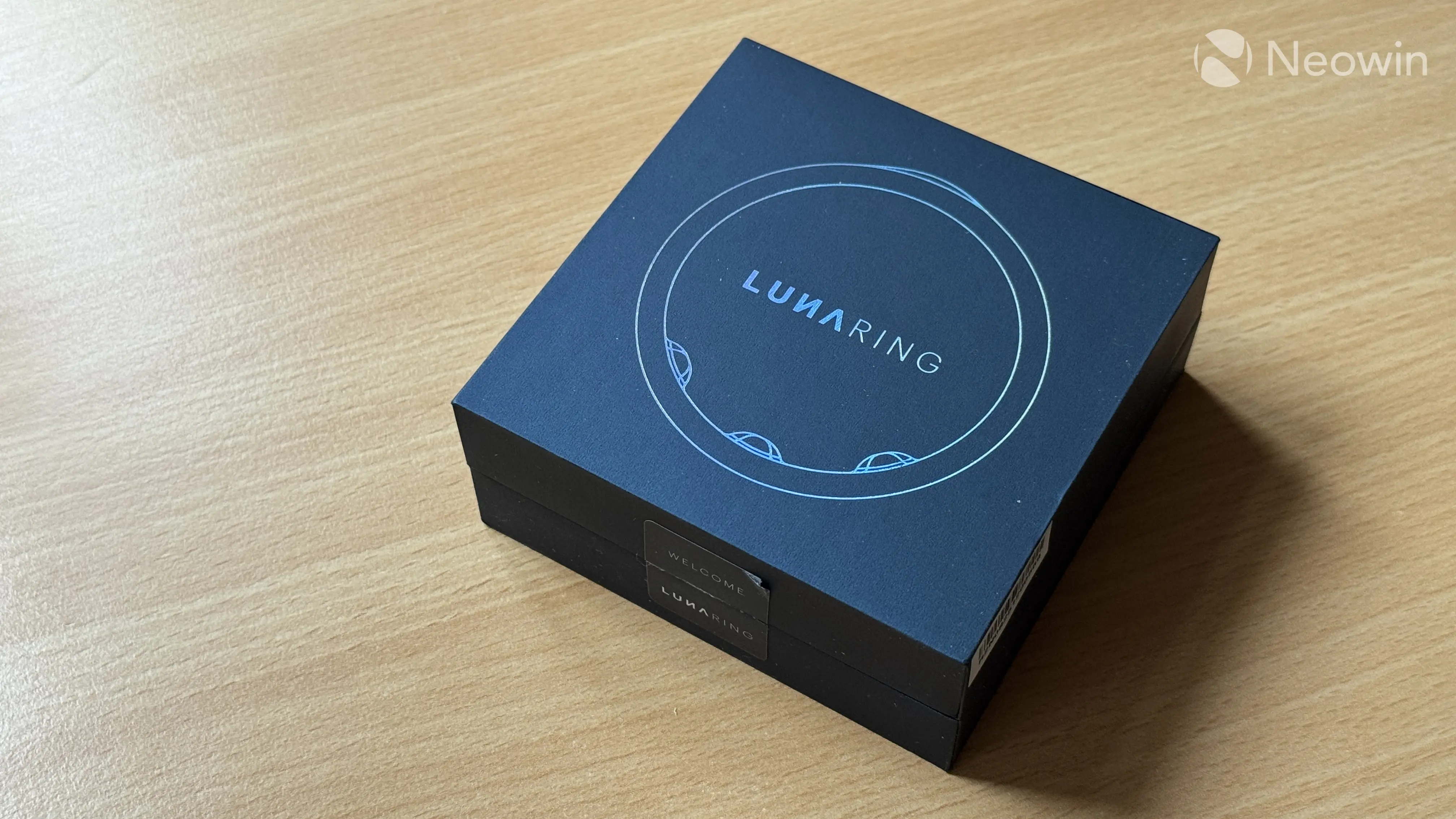
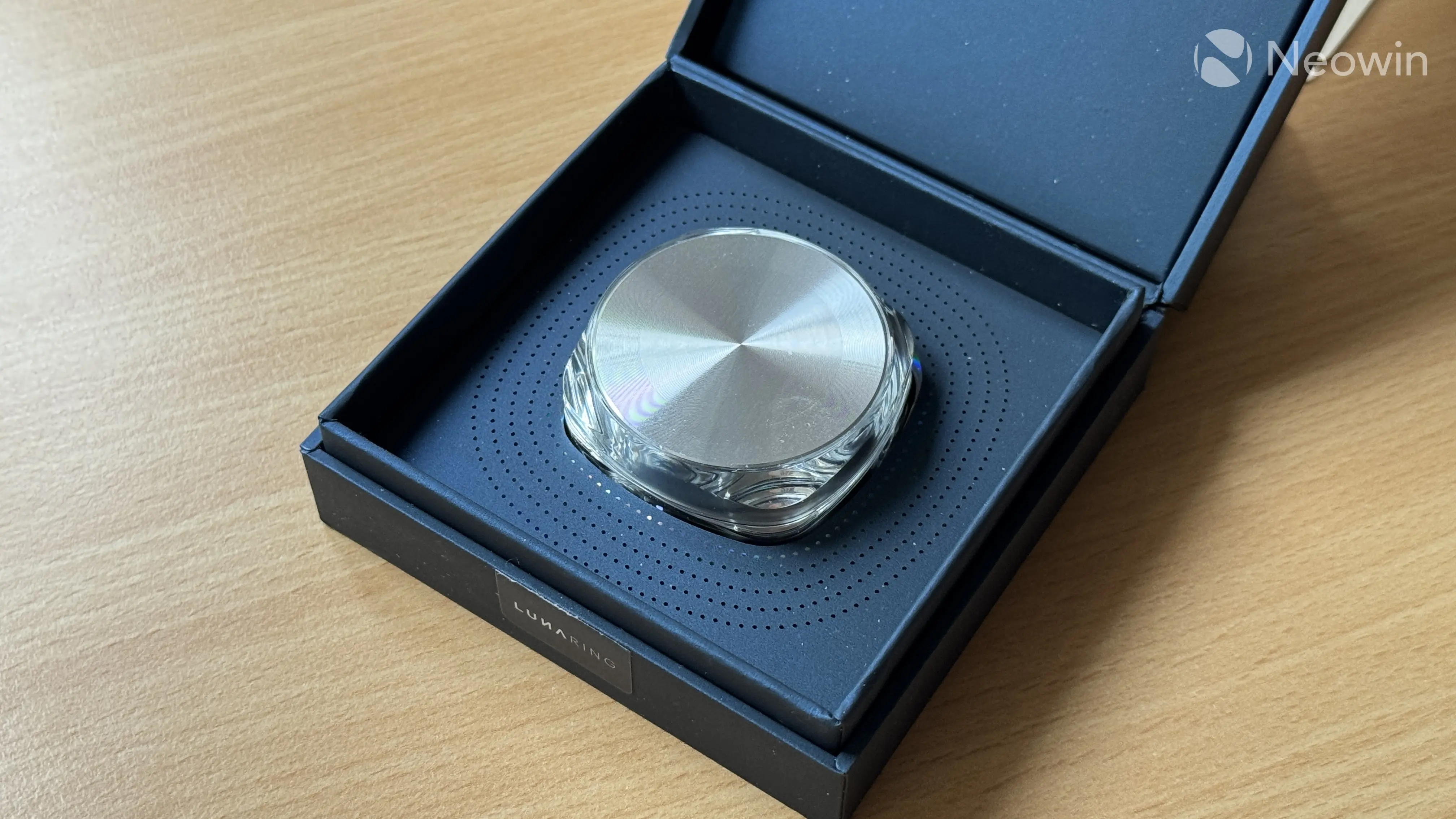
The Luna Ring Gen 2 comes in a small box wrapped with a single-use cardboard insert that advertises its main features. Getting to the ring requires tearing a seam and removing a seal that holds two parts of the box together. The box is made of soft cardboard that feels quite nice and premium, giving off strong jewelry vibes. The box also has prismatic foil stamping, and it looks absolutely fantastic. You will find similar prismatic dots surrounding the case with your ring inside the box.
In the box, you will find the following:
- The Surge case (charging case)
- Your ring (inside the case)
- A sleeved USB Type-C cable
- A user manual
The unboxing experience is delightful, matching the ring's $329 price tag. We are off to a good start.
|
|
|
Picking the right size and finger
Unlike smartwatches, which usually come in one or two sizes with adjustable straps, smart rings are more personal size-wise. You have to measure your finger and pick the right size before ordering, but even if you know your finger's precise size, I strongly recommend ordering a free sizing kit. Luna will set you a set of different samples (they are made of plastic) so that you can pick the correct size. Note that a smart ring has a bunch of sensors sticking out (inside, technically), so the right size might be different than the rings you are currently wearing.
If you are not sure which size you should pick, always aim for the larger one. The Luna Ring Gen 2 is supposed to be on you 24/7, and humans' fingers change their thickness depending on time of day, activity, and more.
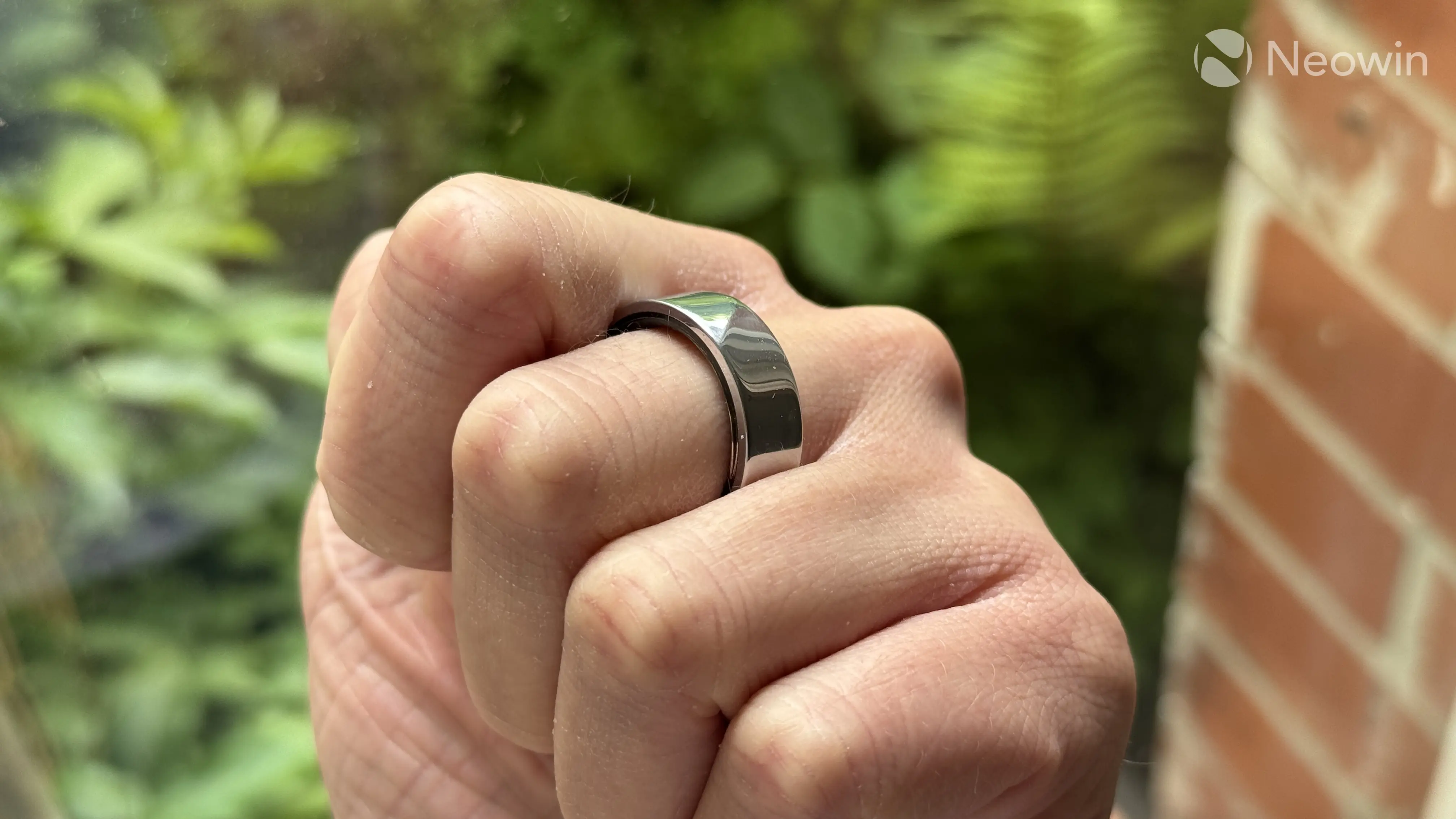
I also recommend wearing a ring on a non-working hand on the index, middle, or ring finger. In my experience, the index finger proved to be the best option. Of course, you do you, but I noticed that the pointer is the most comfortable fit because a smart ring is significantly thicker than a regular gold or silver ring. As such, it does not get in the way when you need to make a fist, hold a heavy bag, etc.
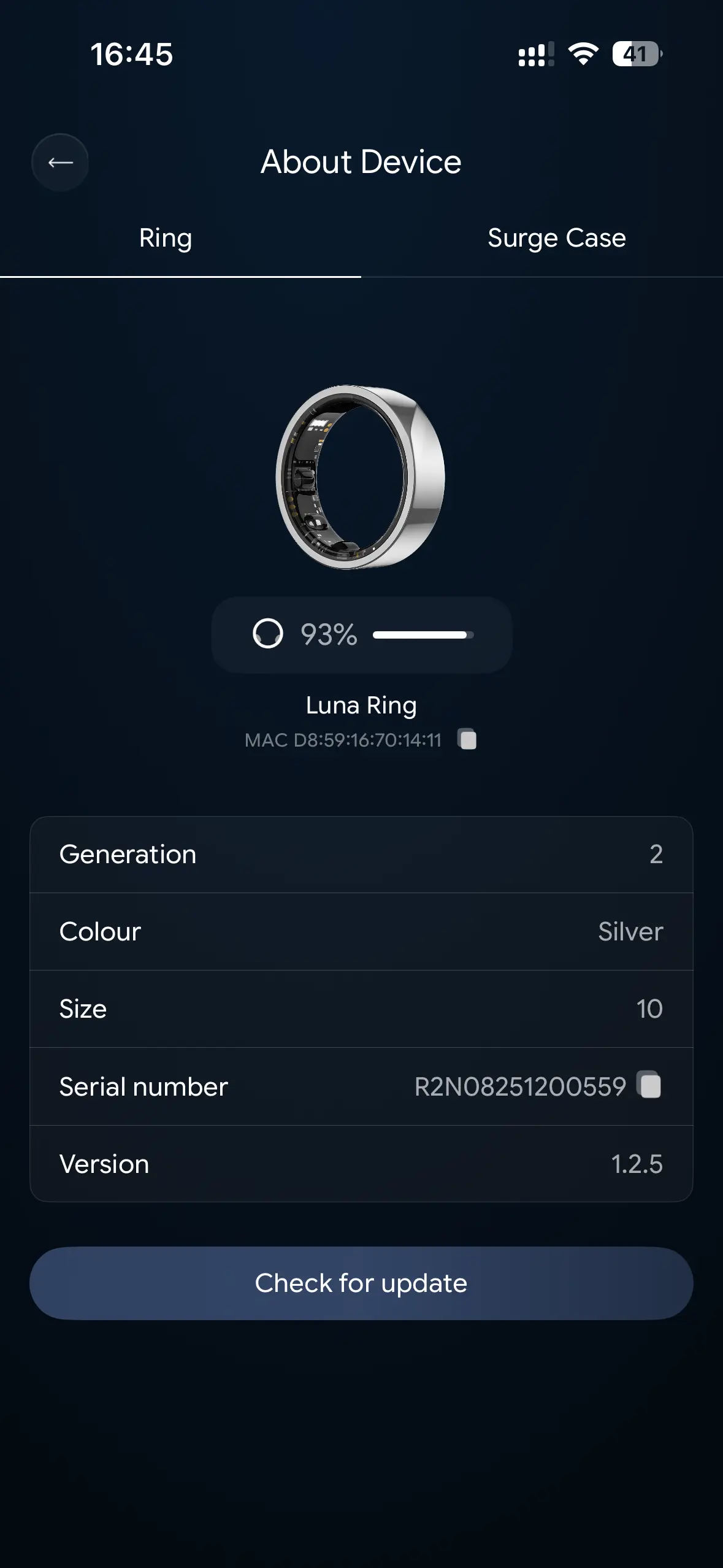
The Luna Ring Gen 2 is available in sizes 6-14. Mine is size 10, and as I said, I wear it on my left index finger, periodically changing to the middle finger.
Design and battery life
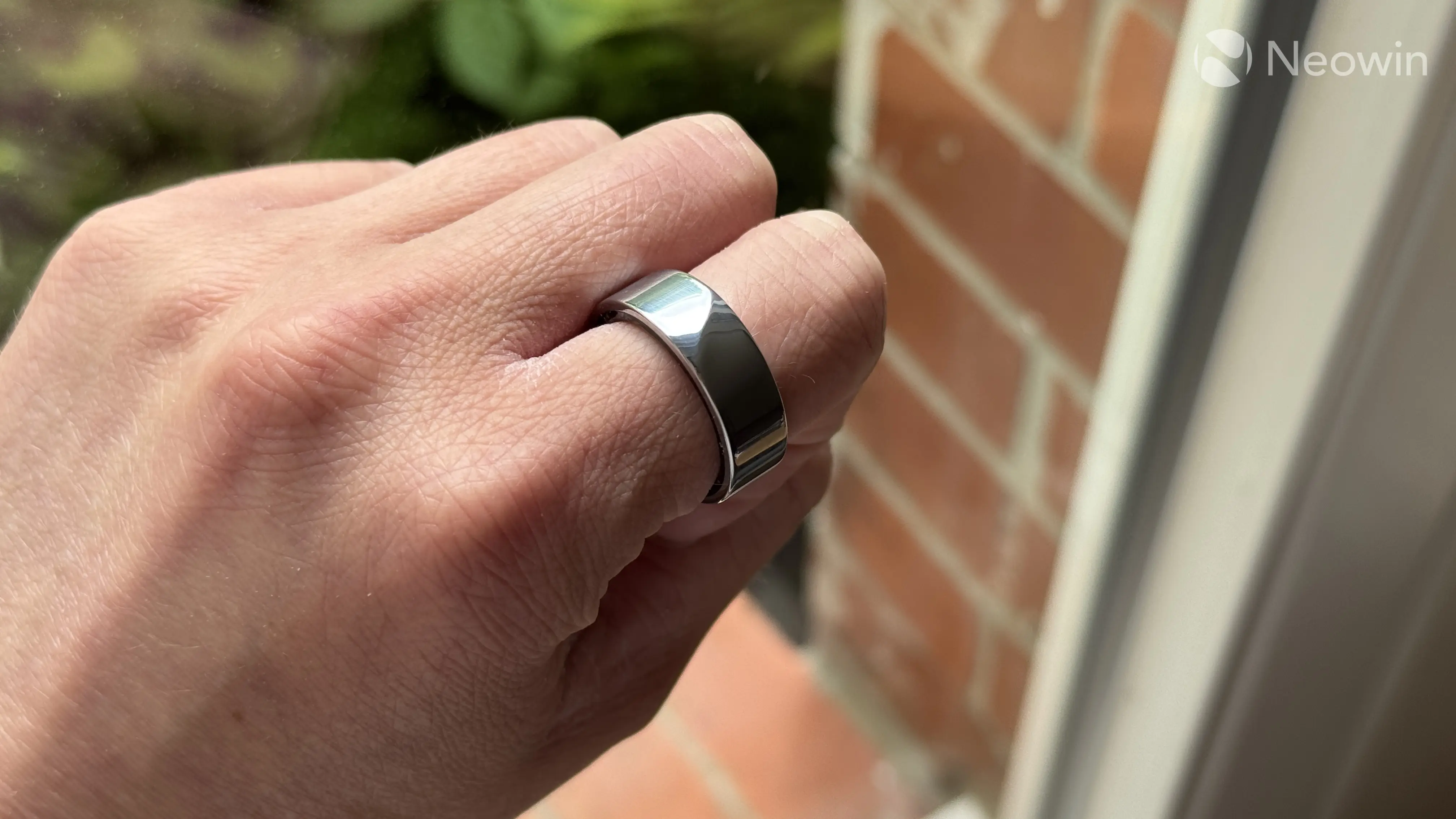
The Luna Ring Gen 2 has five colors for you to choose from: sunlight gold, rose gold, moonlight black, midnight black, and stardust silver. I went for the latter, settling for a more classic look. There is not much I can say about the design. It is a classic flat ring with a subtle diagonal ridge to make it look slightly more interesting and help you find the ring's center to align sensors properly.
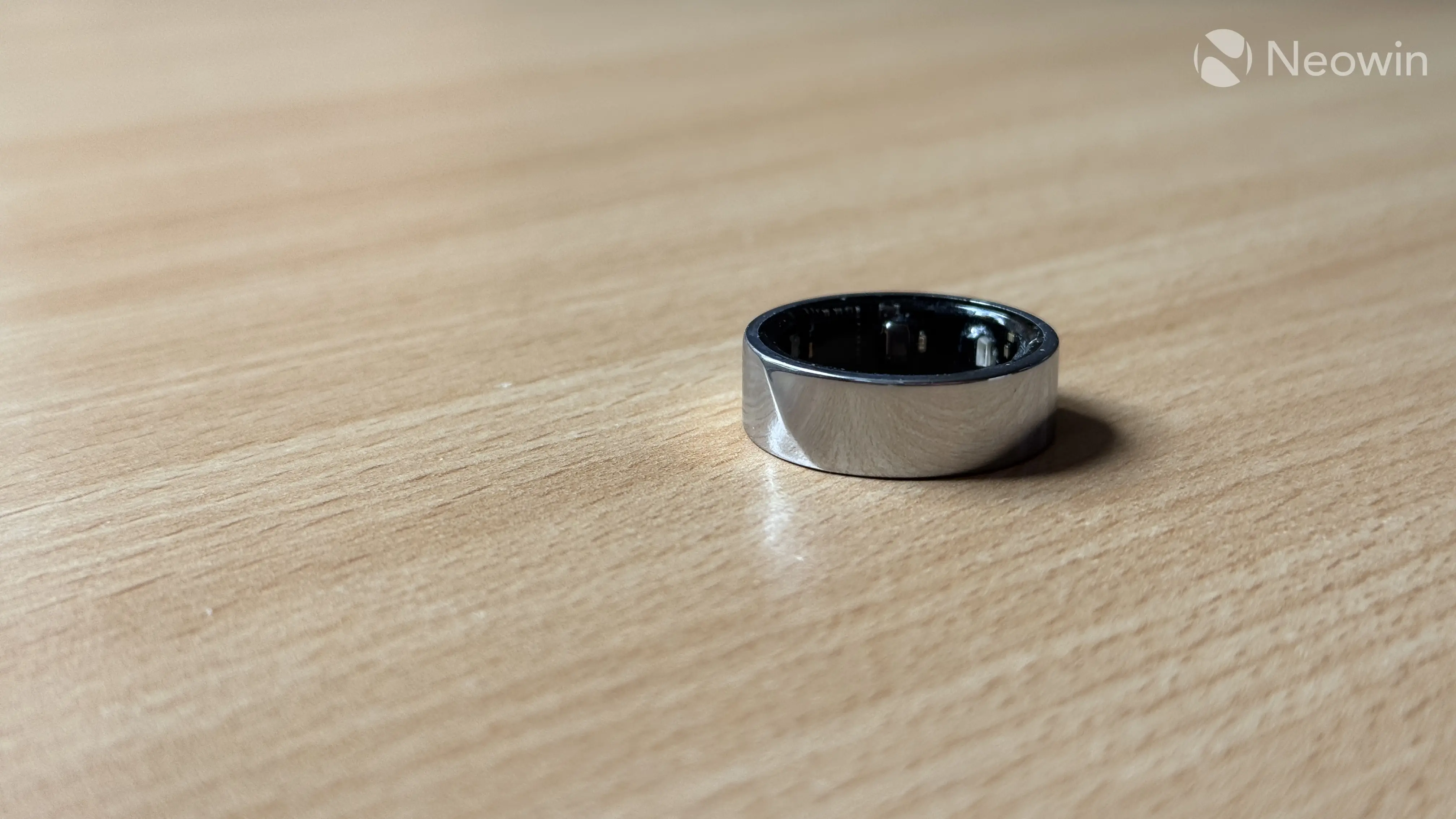
The ring is 8 mm in width and 2.9 mm thick, which is why I recommend wearing it on the index finger. It is made of Titanium with PVD coating, and depending on the size, it weighs from 3 to 5 grams. The inner part of the ring is a non-allergenic, non-metallic moulding, and after more than one month of daily use (I only take it off when showering or charging), the material shows no signs of wear. I have to say that durability could be affected by cosmetics. I have dry skin and use a lot of creams/body lotion, but the ring still holds strong. On the outside, my ring already has a few dings and scratches, even though I try to be as careful as possible. The Luna Ring Gen 2 is also water-resistant (5 ATM or 50 m / 164 ft), so no issues with taking a shower or swimming with it.
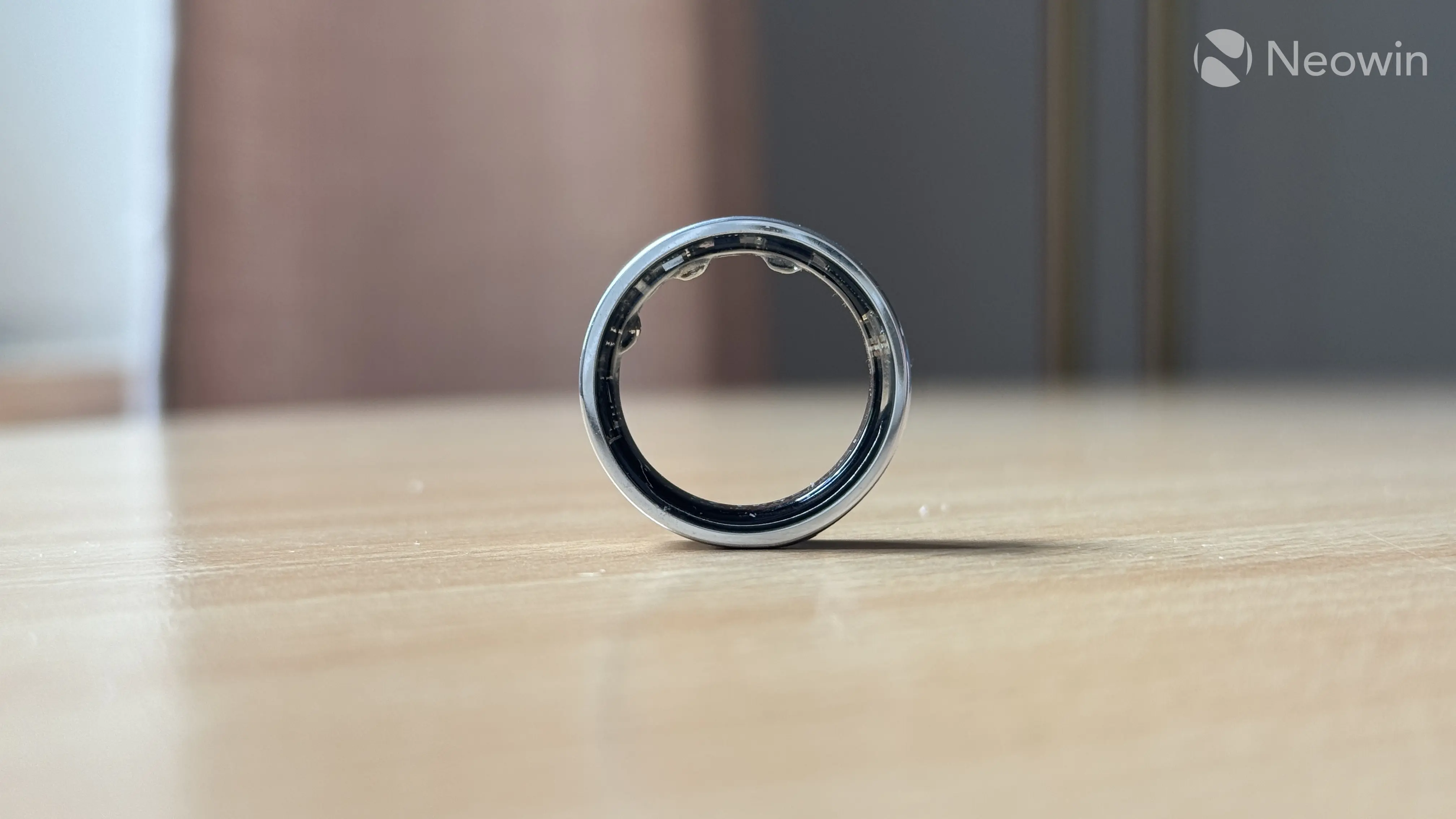
Overall, the Luna Ring Gen 2 is a pretty-looking ring, and the only thing that makes it obvious that it is not a regular ring is its thickness. I find the ring quite comfortable, and I've gotten to the point of forgetting I even wear it. That is, of course, if you pick the right size. I do not recommend wearing it in a gym, though. If I were to nitpick, I would say that the sensor placement could be a little distracting. Green and Red LED lights bleed out, which could be an annoyance at night, and some may find the sticking-out sensors less comfortable.
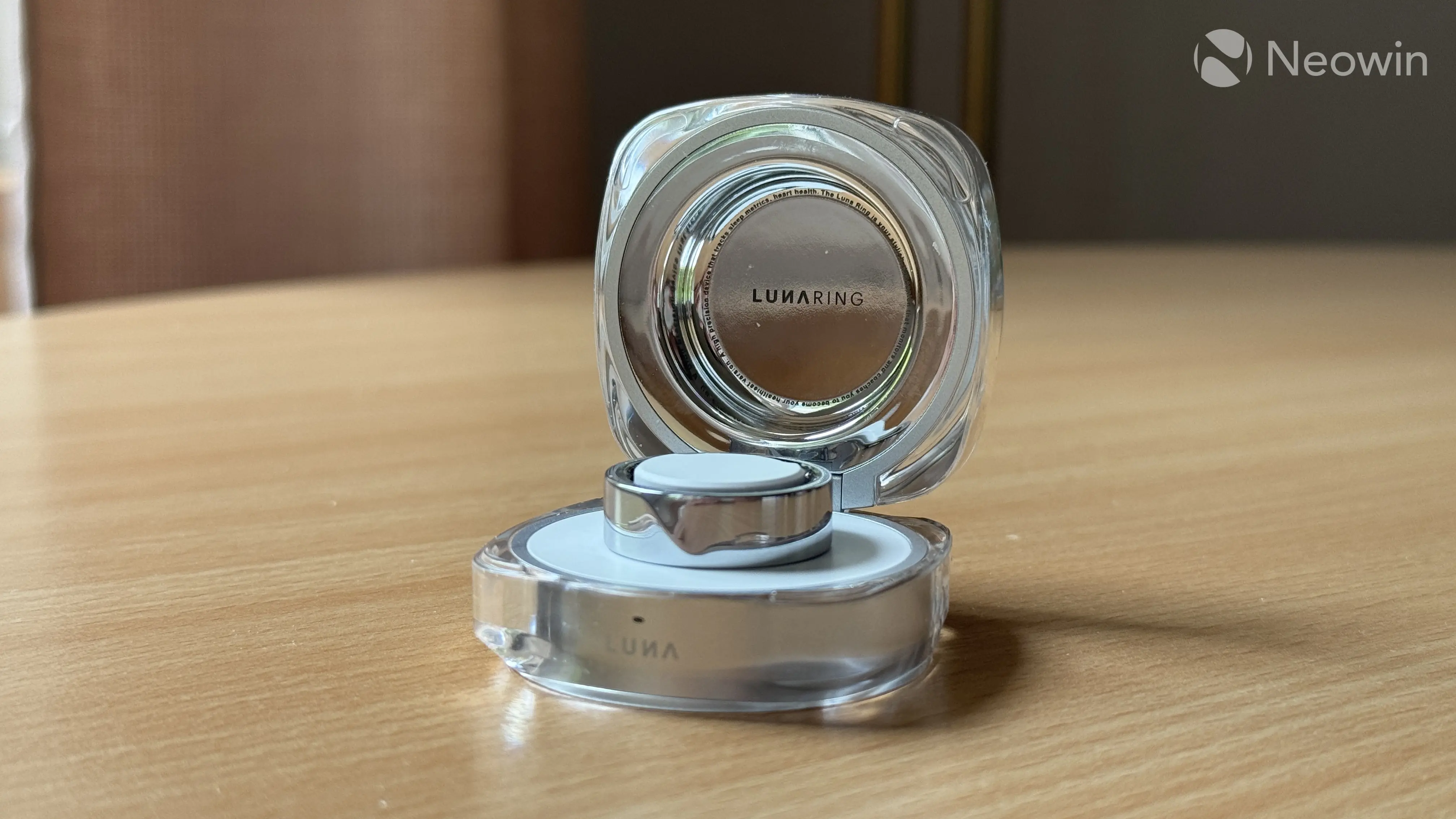
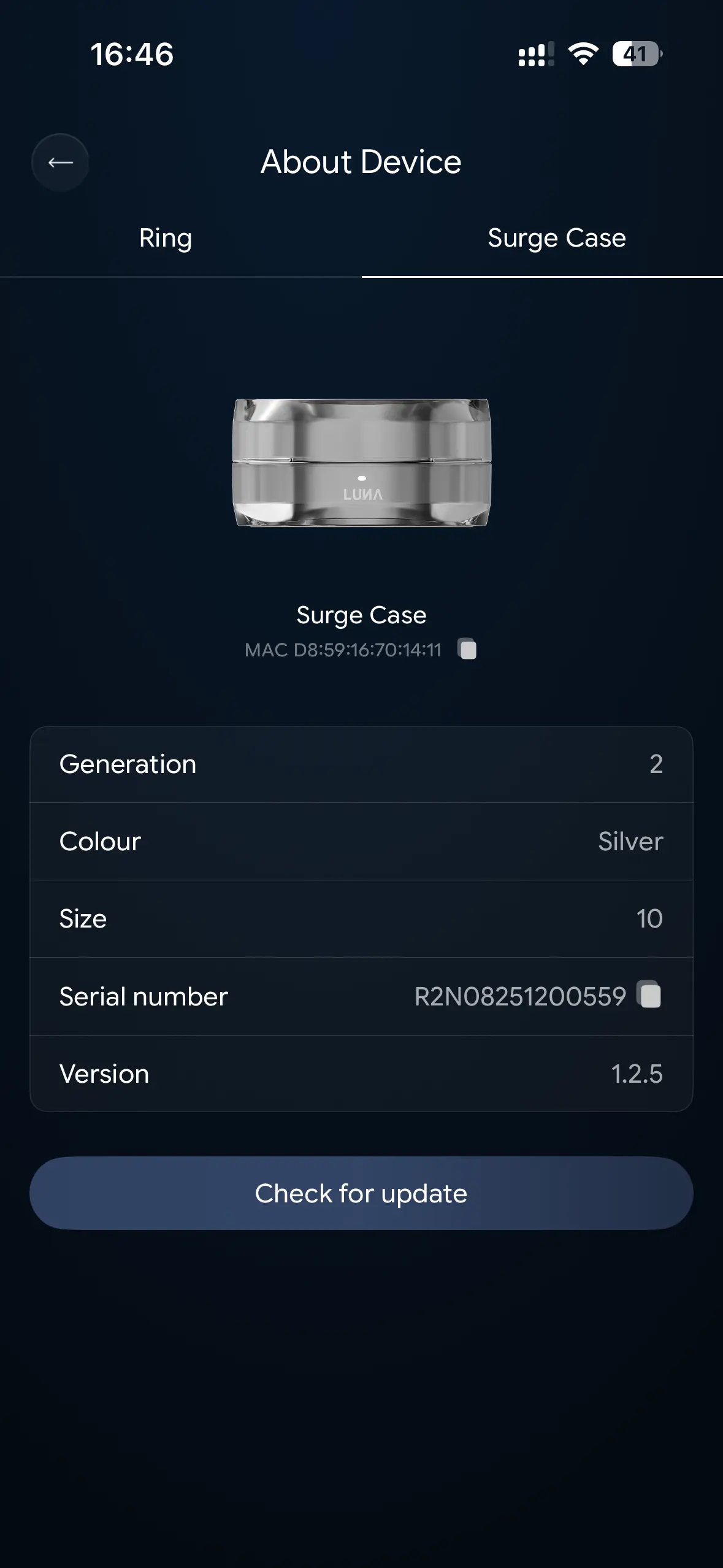
The charging case is great. It is made of acrylic, ABS plastic, and aluminum alloy with rubberized ring-shaped feet. The top is made of polished metal, while the inside is covered with a mirror-like material. I love that designers put a lot of effort into the case and use different materials instead of making it a dull-looking plastic thing.
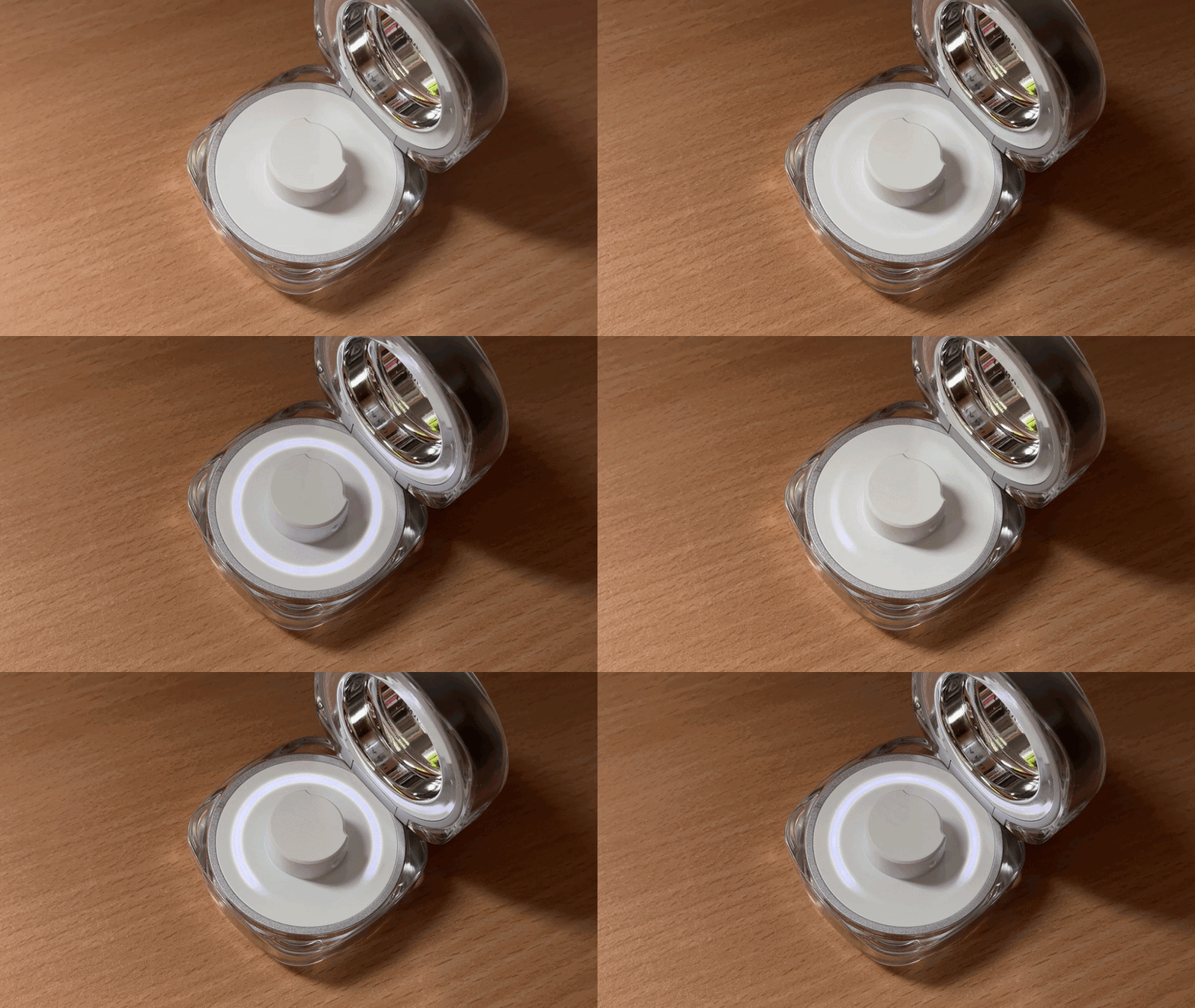
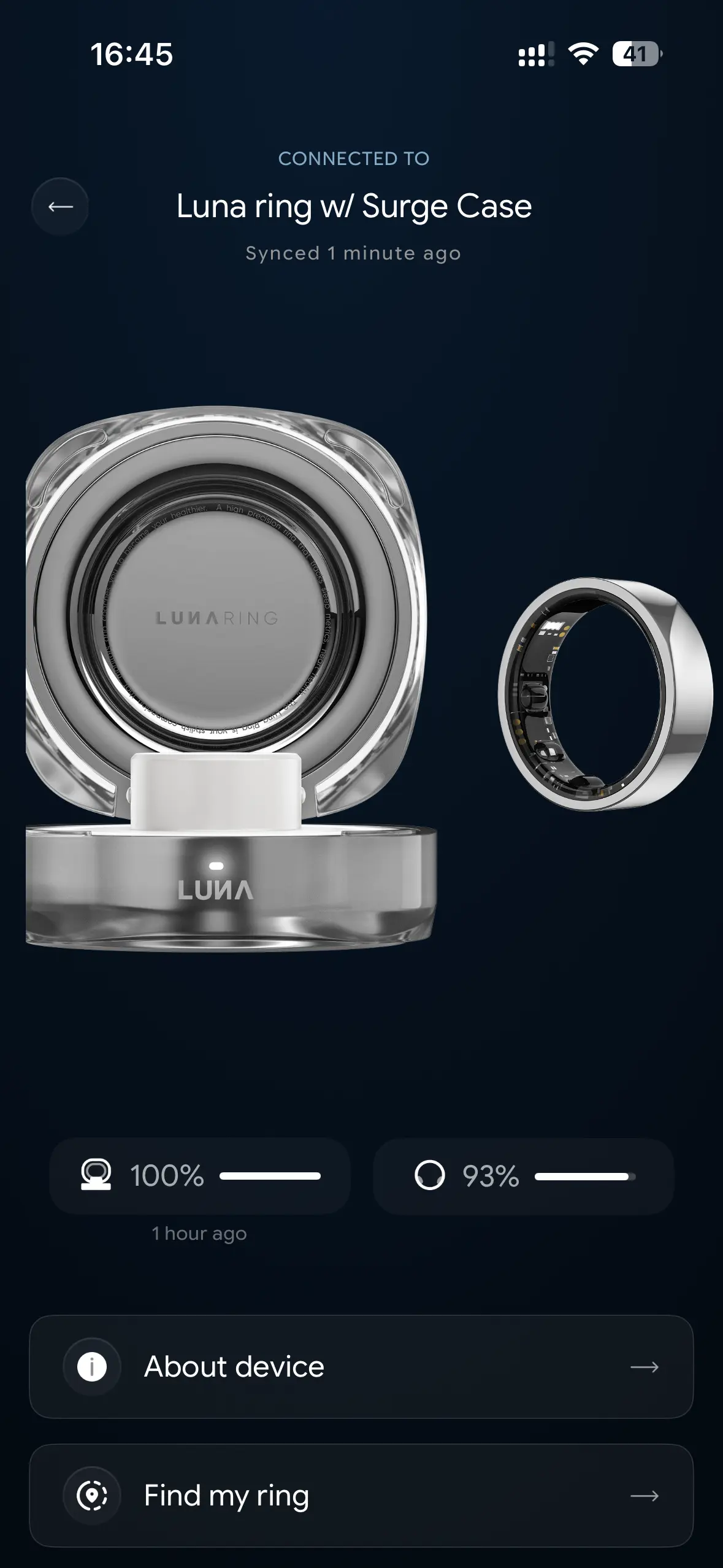
The case has a few LED indicators—one outside for when the case is closed and one inside. The outside LED is just a small pulsing dot that turns solid when charging is complete. The inside LEDs form a ring of light around the charging area, and they serve as a charge level indicator. When the ring is out of the case, these LEDs show the case's battery level or charging progress, and when you place the ring, they display the ring's battery level. It is a clever, elegant way to display useful information while preserving the elegant design. Great job.
Despite its small size, the ring has solid battery life. Luna rates it for up to five days on a single charge, but my tests showed that you can squeeze up to an entire week without charging (depending on your activity). You can get it from 0 to 100% in about one hour, and the charging case with its 580 mAh battery provides up to 30 days of battery life.
Sensors, app, and tracking
The Luna Ring Gen 2 has several sensors to track your health. Those include an optical heart rate sensor (green LEDs), a blood oxygen sensor (red LEDs), a skin temperature sensor, and a three-axis accelerometer. The ring combines data from these sensors to track various health data and provide you with insights. Additionally, you can tell the app how you feel to give it more context for data calibration and more precise recommendations. You can also use voice assistants for hands-free communication with Luna and its LifeOS health platform.
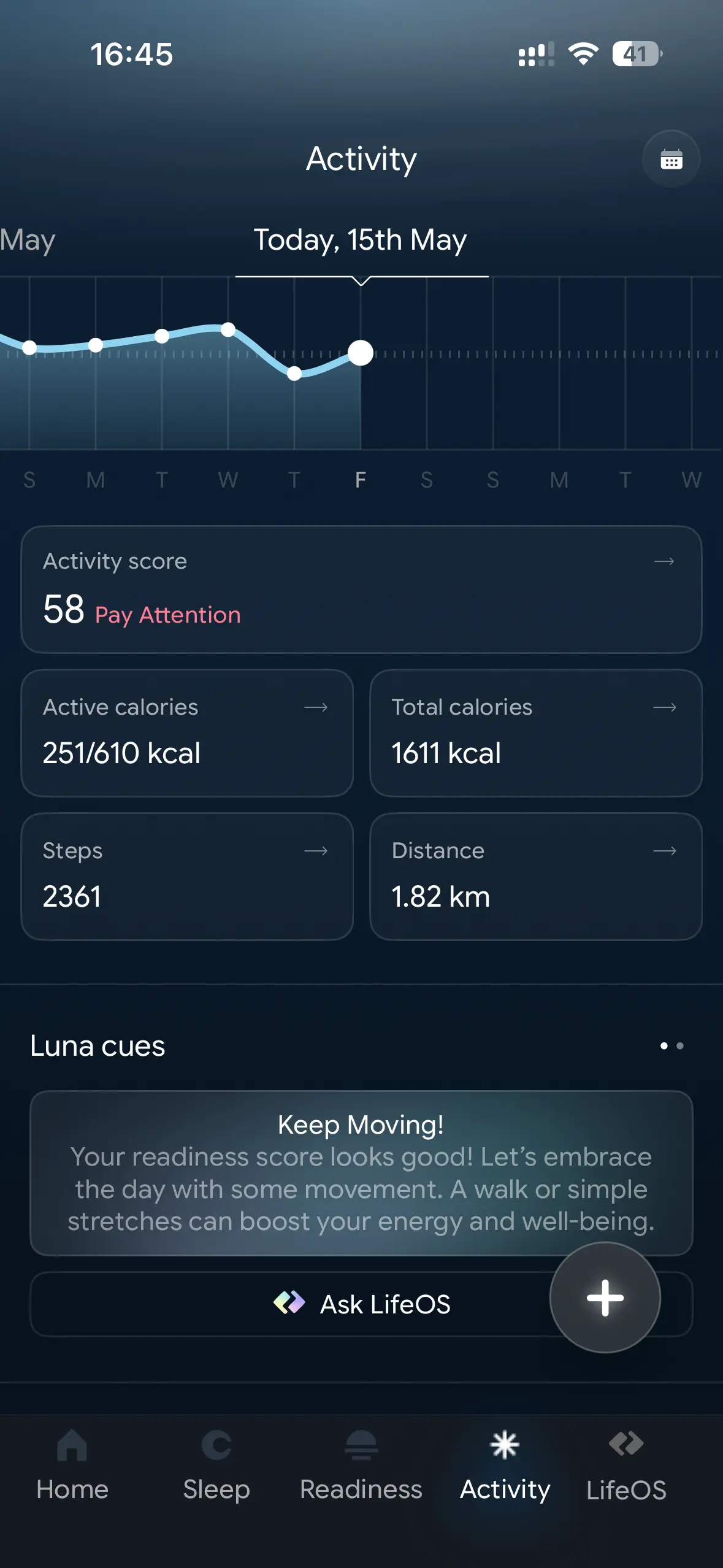
In the app, you can track your sleep, stress levels, workouts, fertility, skin temperature, and blood oxygen. Additionally, you can track supplements, water, steps, and more. I wore it with my Apple Watch Series 10, and did not notice much discrepancy between the two in sleep tracking, step counting, heart rate monitoring, and more.
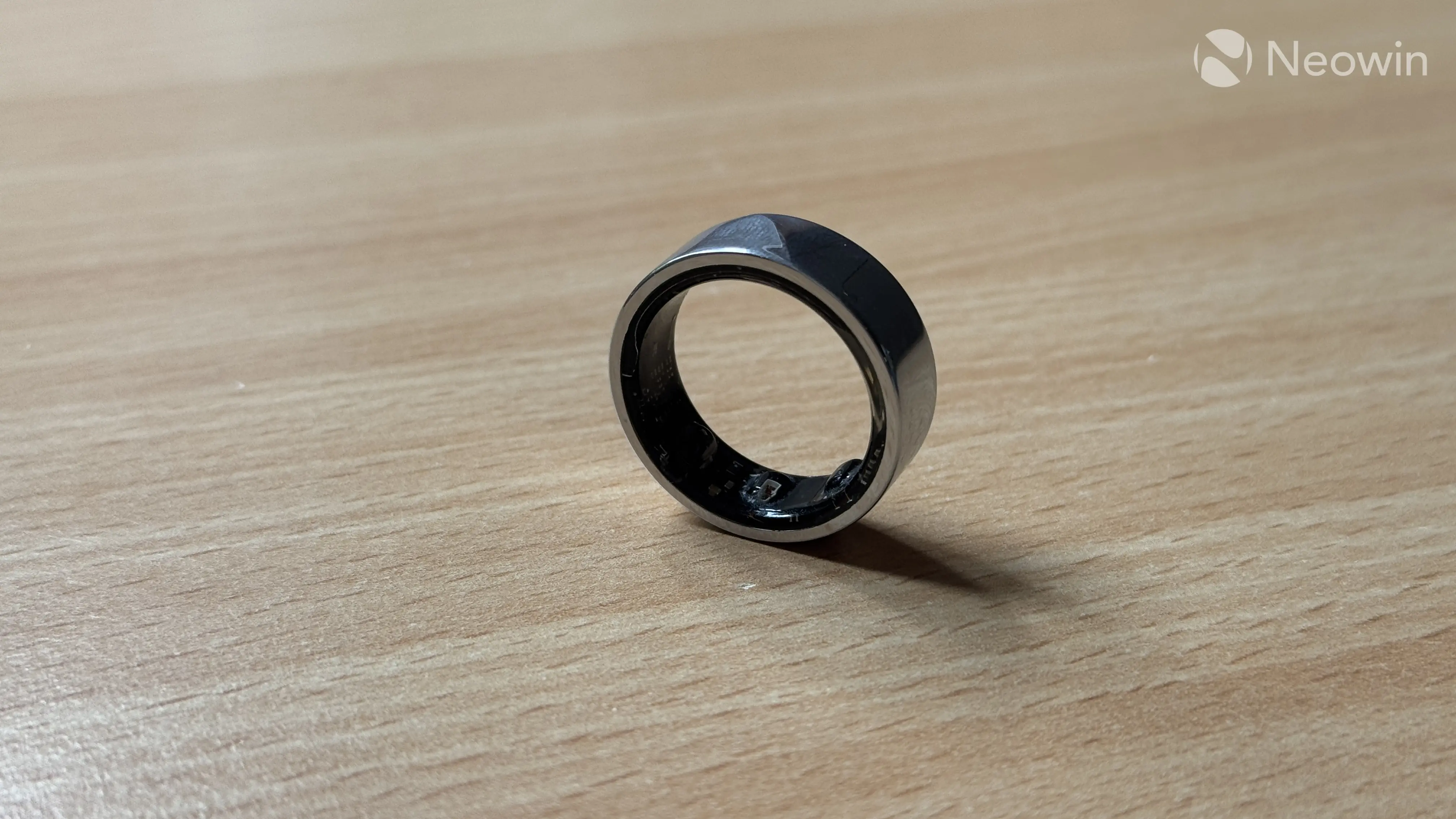
It is worth noting that the ring has no GPS, NFC, or vibration. These features are just too much for such a small device, and if you need them, you'd better go for an Apple Watch or a similar device. I also recommend a smartwatch if you want more in-depth workout tracking. The Luna Ring Gen 2 is alright for basic workout tracking, but nothing more, as its hardware constraints make it more of an overall well-being device, not a fitness gadget. However, it is very good at detecting workouts, and it never missed a single walk or run, constantly notifying me that "a workout was detected."
Sleep tracking is a strong suit of this ring, and I can recommend it for those who do not want to wear something on their wrist at night. There are many metrics to track, including REM, deep sleep, light sleep, awake time, sleep efficiency, and more. You can see trends for each category, and there are easy-to-understand explanations for each category, so that you can know what those numbers and graphs actually mean. You can tell that sleep is a big part of the user experience in the Luna app, as it has a dedicated tab for quick access.
The skin temperature sensor is also good, but keep in mind that it is not good for measuring body temperature. Its main purpose is similar to the skin temperature sensor in the Apple Watch, which tracks trends and changes, plus the ring uses it for fertility tracking. I once caught a fever during my testing, and the ring successfully caught the temperature increase.
You can find a lot of useful information about your health inside the Luna app, and its flagship feature is the LifeOS assistant. This chatbot analyzes your health data and offers various suggestions and insights. Right off the bat, I strongly recommend approaching it with the right mindset and considering whatever it says as suggestions and recommendations, not direct instructions or a doctor replacement. It is good at stuff like explaining your sleep or readiness score.
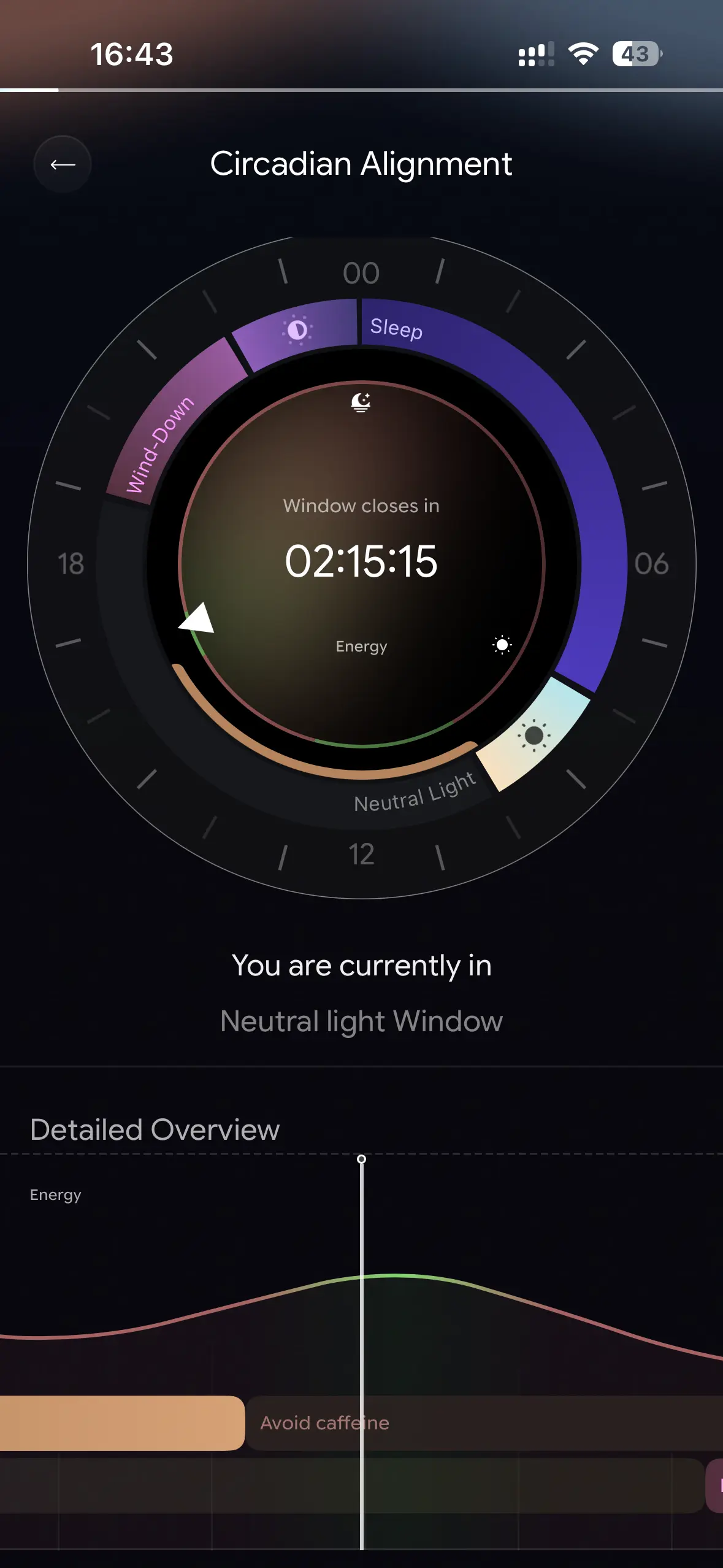
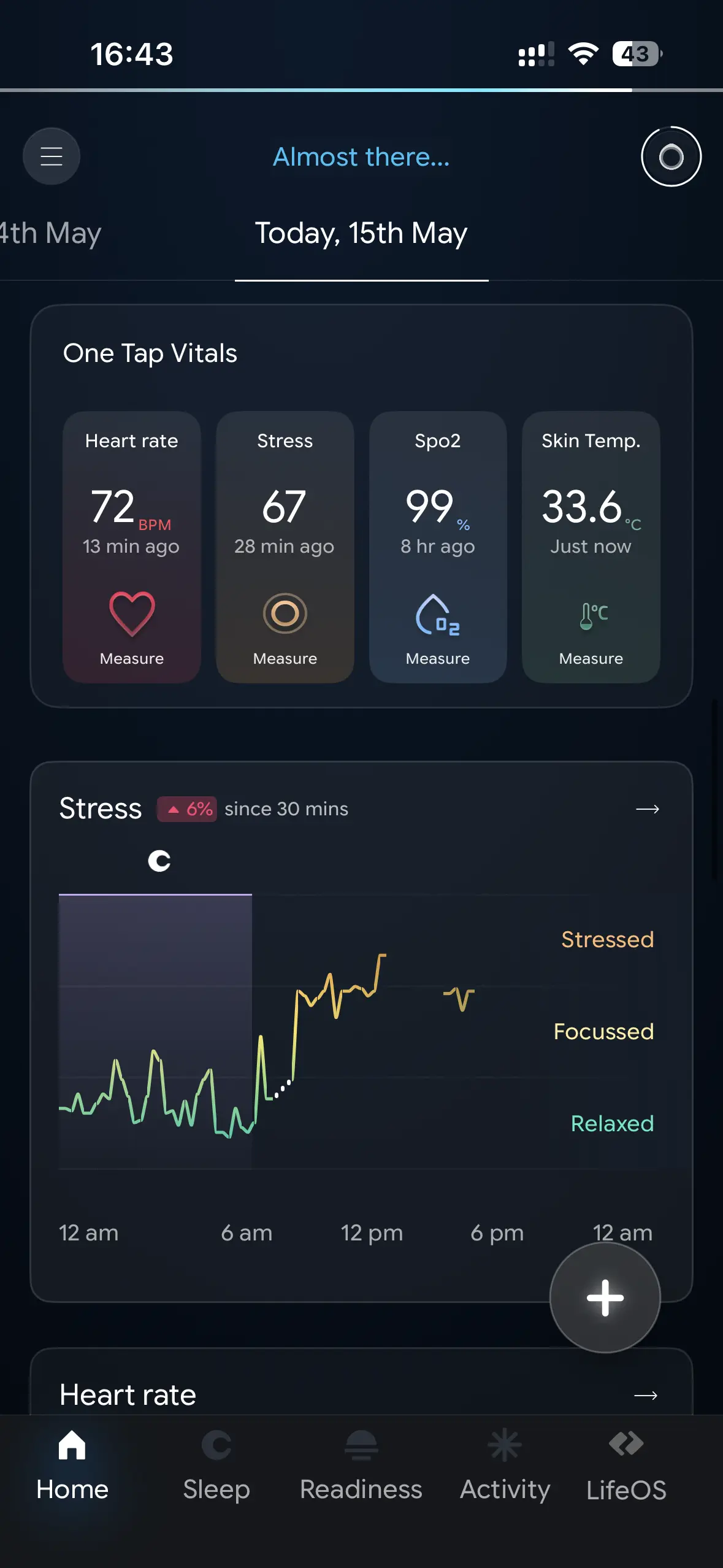
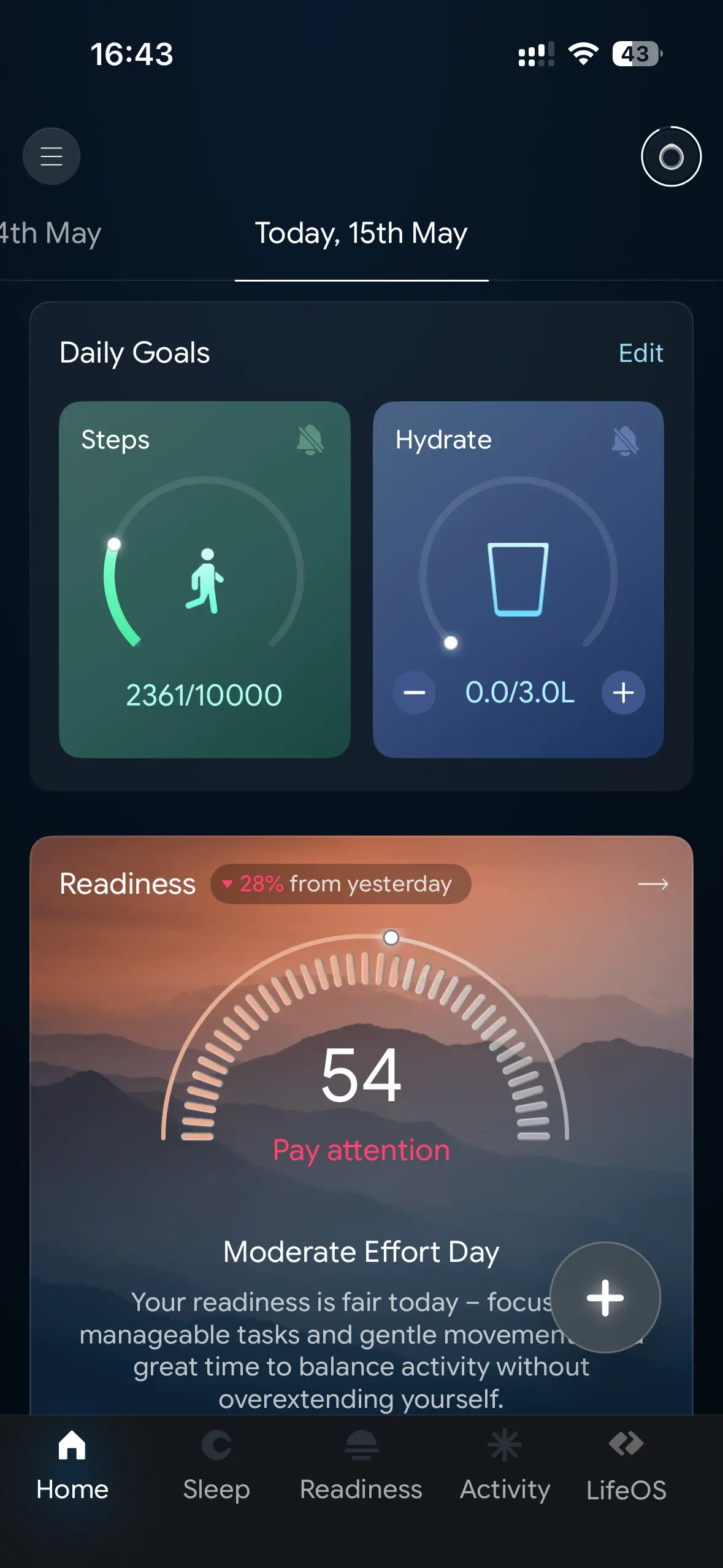
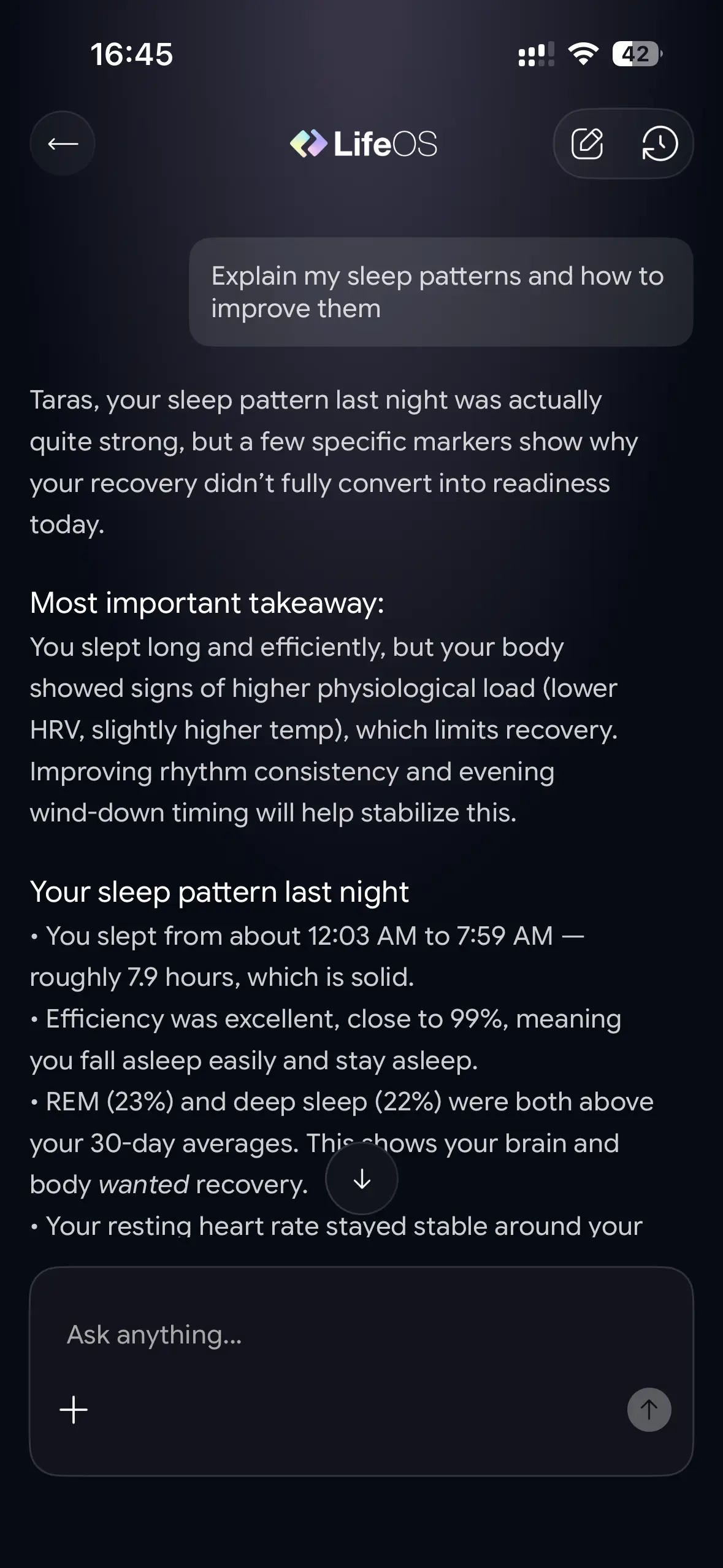
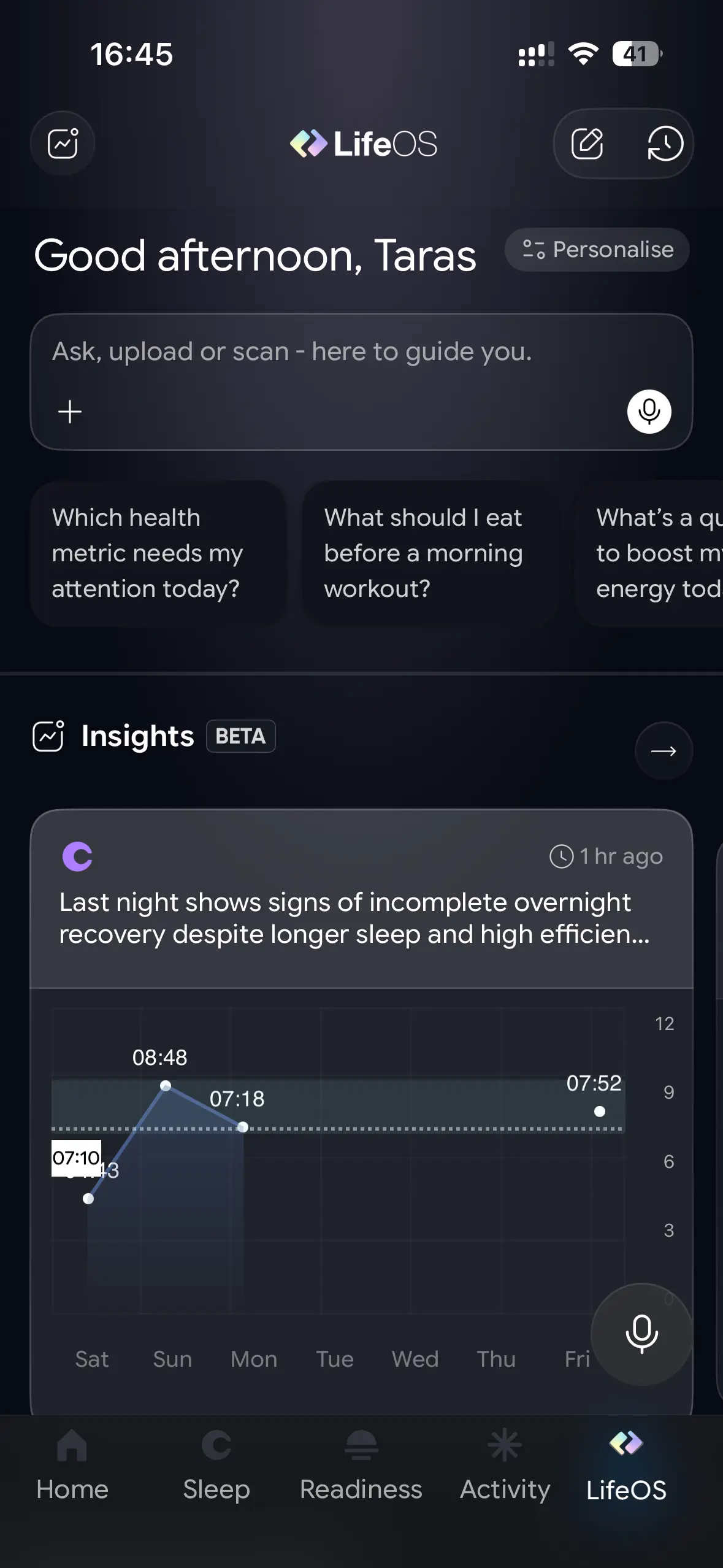
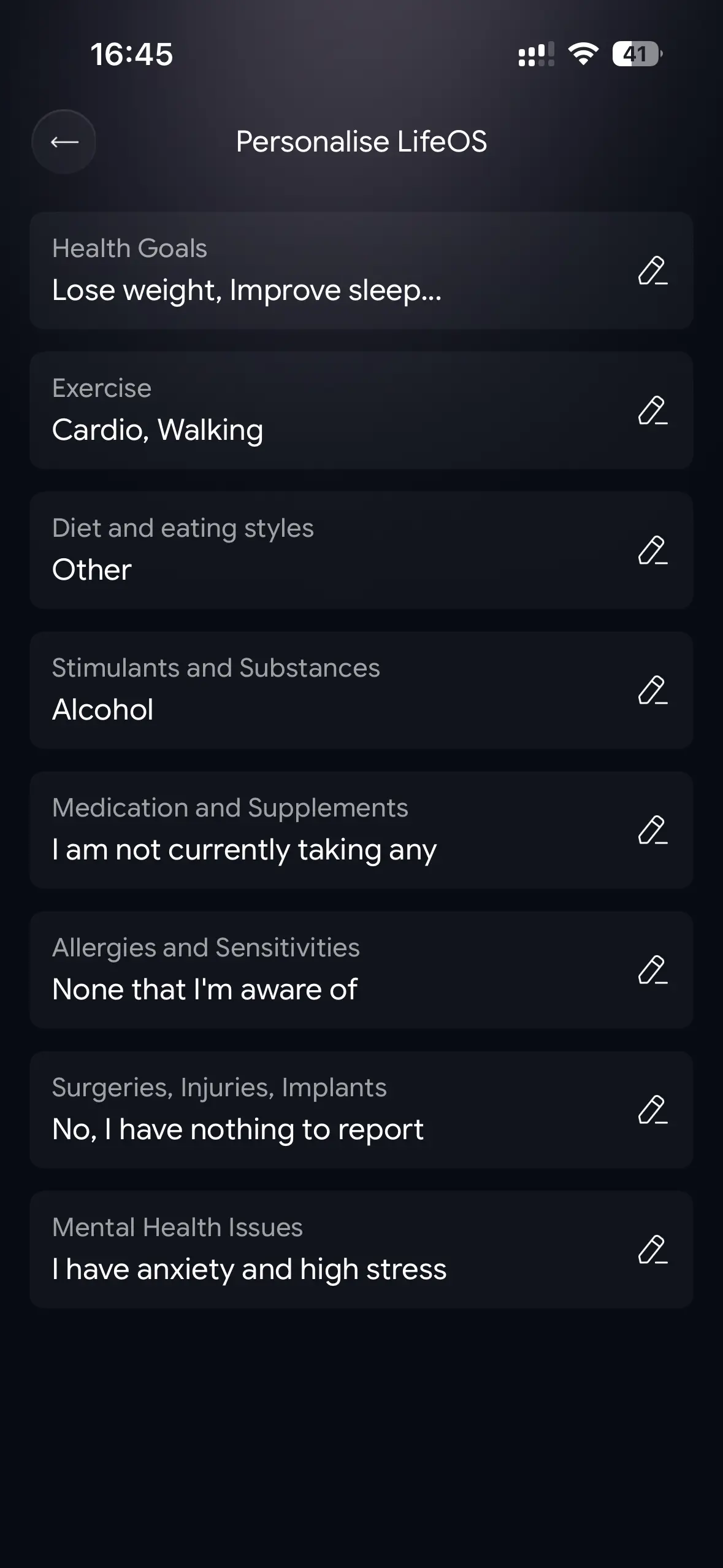
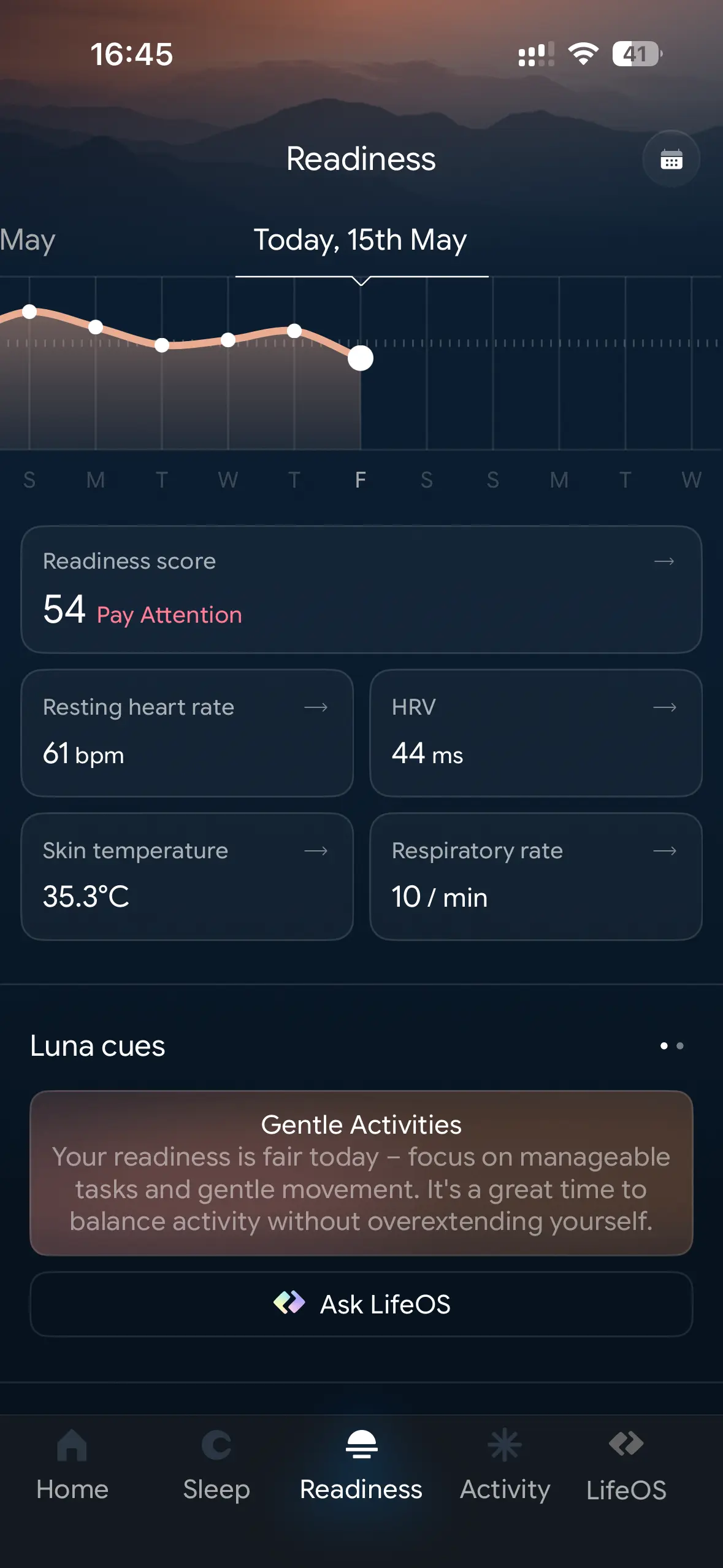
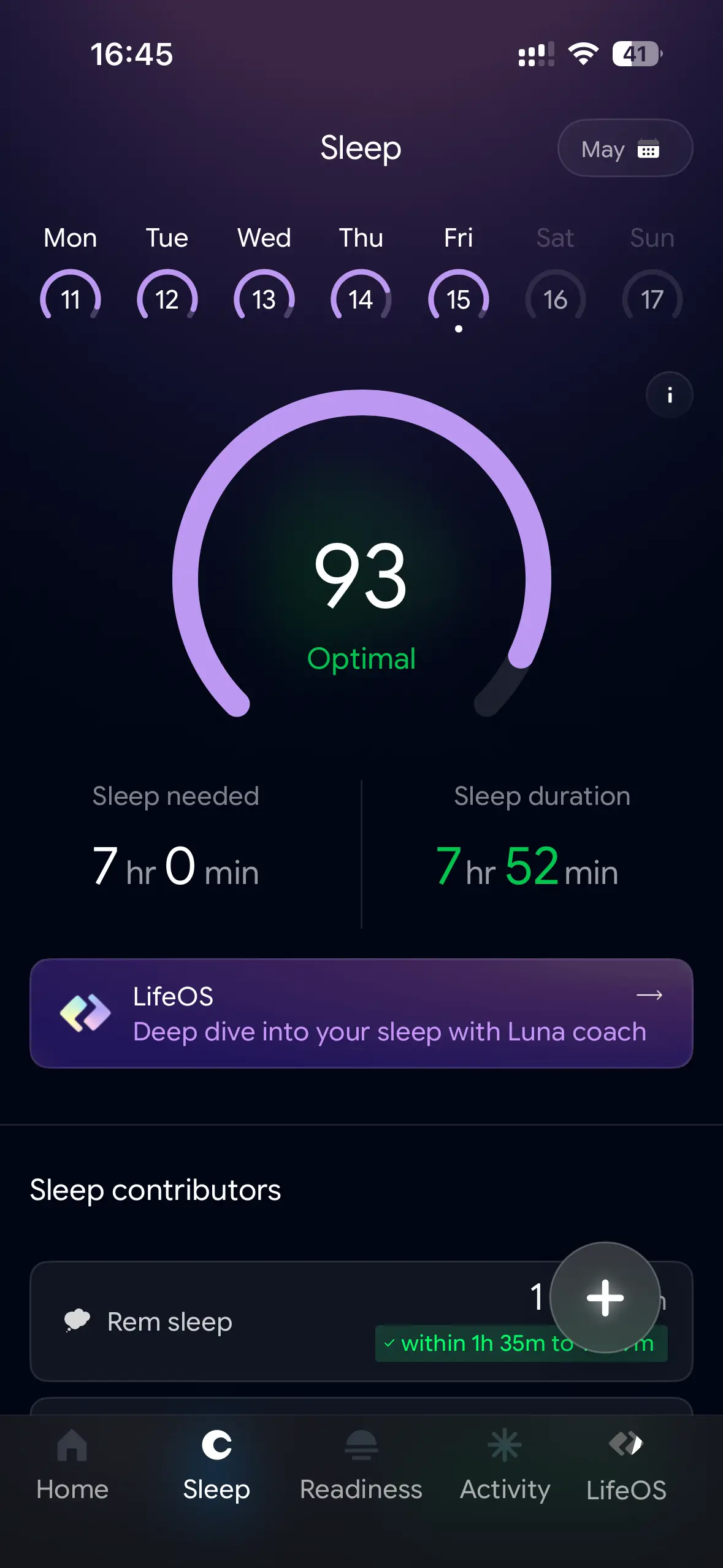
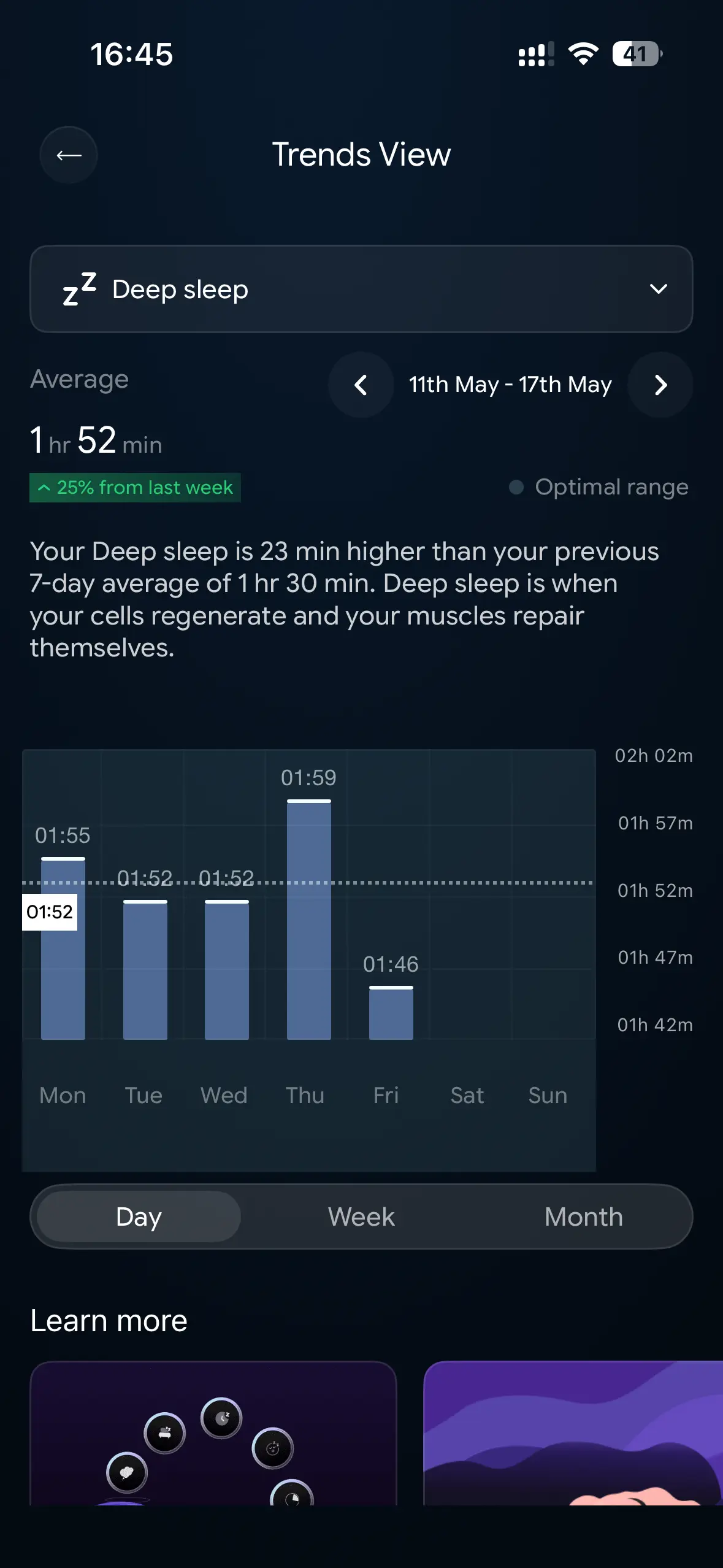
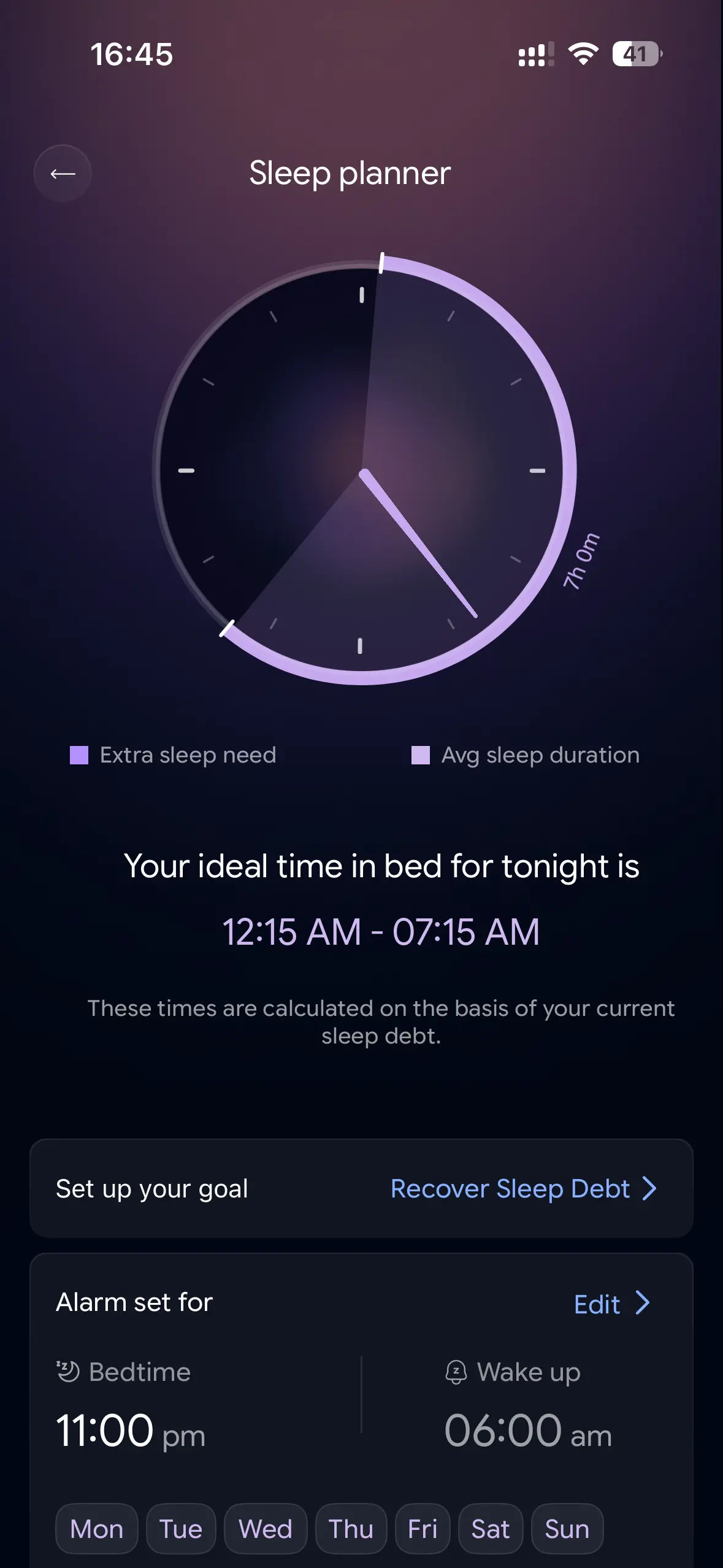
The problem with modern health apps is that they often give you plenty of data but don't tell you what to do with it or how to interpret it. LifeOS can help you make sense of it and focus on things you want to improve. The app is also very good at tracking circadian rhythms and suggesting sun exposure, the optimal caffeine window, and wind-down time based on your sleep. And while you can ask Copilot or Claude for health-related suggestions (again, do not treat them as your doctors), it is nice to get recommendations without providing tons of data first. LifeOS already has the right metric, and all you have to do is ask what you want in simple, human language.
The best part? You don't have to pay for this. Unlike the Oura Ring or Superhuman, you only pay for the device. All the software experiences and the built-in AI are completely free. In a world where some gamepad manufacturers dare to ask for a subscription, seeing a wellbeing device without a subscription is a big breath of fresh air and a major selling point. Combine that with accurate data tracking, and you get a serious competitor on the market.
By the way, if you use the Luna Ring Gen 2 with an iPhone, you can sync all the data with Apple Health.
Not perfect
With all the positive stuff, I also have some negative things to say about my experience with the Luna Ring Gen 2. First, I had issues with the initial firmware. Upon unboxing, I discovered that the Ring would not charge. Placing it on the charger resulted in nothing. I know that in situations like this, the first thing you do is install updates. But the problem was that the ring had only ~30% battery, and updating firmware requires placing it in the charging case. As such, the app stubbornly refused to update firmware, leaving me dead in the water. I tried re-pairing the ring, wiggling it around, using different cables, and nothing helped. Eventually, the ring ran out of battery and died.
After a day or so, it magically started charging out of the blue. I do not know what happened, but the thing mended itself. I managed to charge it to 100% and update the firmware. I have not had a single charging issue since, so I am not really sure what it was or how to fix this issue should your review unit arrive in the same state. I hope that Luna has sorted it out (I reported the problem, obviously) and newer units will ship without this problem.
My second complaint is about the app. While it is informative and feature-packed, I cannot help but feel it is a bit cluttered and cramped. It is like developers have run out of space for all the cards, graphs, explanations, suggestions, and indicators. The app is good at helping you understand your health data, but it sometimes confuses you with red exclamation marks and "pay attention" messages. It is not a badly designed app, but I think Luna should spend some time optimizing the user interface and making it less tight.
Conclusion
The Luna Ring Gen 2 is a solid wearable. Health data tracking is rich and accurate, the app offers useful insights and suggestions, and the ring looks nice. The charging case is convenient and beautiful, and the no-subscription approach makes it much easier to recommend than other, often more expensive rivals. At $329, the Luna Ring Gen 2 is still quite an expensive device, but it makes up for that by not asking you for any additional expenses or subscriptions. I do wish it were a little thinner and without sticking-out sensors, plus the app could benefit from some UI optimization, but overall, you should not regret buying it, assuming your ring arrives without firmware issues.









0 Comments
Load the comments and join the conversation!
Read the comments, ask the editors questions, show respect and join the conversation.