• 0

Digsby has gone to the dark side.


Question

After recently downloading a copy of Digsby at a customers house. I was shocked what I found. I was so shocked I rechecked that I hadn't been phished about 4 times.

While all of the stuff in new install is opt out. Its still a step back. Whats funny is that after you see all of that spyware being thrown in your face a box pops up at the end of the install wanting your email address. If that doesn't make you worried on some level even if just for a moment, you need to listen to some "security now".

Here is what I posted on the digsby forum regarding the new installer

First of let me start by saying I downloaded the first beta that was made available to the public. When I say I was quite impressed I'm not kidding. Never before had I fallen in love with an IM client that I continued to use for months and still use to this day. I tried other IM clients like Pidgin or Miranda. But they got deleted after about a day of use. They just never felt right. The previous IM messenger I used was trillian. With the new Astra release taking forever and the god ugly default UI, well let's just say Digsby came along just in time.

About 2 weeks ago I was at a customer's house. I do computer repair and I was there on a repair job. I just finished reinstalling Windows XP from a malware infection. I was going to have them try Digsby, in hopes this would prevent them having to run 4 different messengers at once. I went to the site and downloaded the installer. Once I opened the installer to start installing Digsby, to say I was surprised is an understatement. I was so surprised that I thought somehow I had been phished by miss typing the URL. So I checked it, double checked it and triple checked it. Surely this installer couldn't be related to Digsby? So I checked it again. At this point I closed the installer hopping I just didn't catch some kind of infection on this nice clean xp machine. I don't know what frightened me more about that installer. The fact it looked so doggy or all of the different things I could potentially infect (yes I said infect, most of that stuff is spyware) this machine with.

I don't know if it's because I'm computer savvy, or the fact I listen to the podcast "Security Now" every week and just had a gibsonian response(a response Steve Gibson would have if he ran your installer).

I realize that you make all of the items on the installer opt out. Being in the computer repair business you see just how stupid people can be. People will infect themselves will all sorts of stuff without trying very hard. Unfortunately I feel your new Digsby installer gives people an even easier way to accomplish that.

I know you guys want to make money. After all, you are making something for free. I just have to imaging there is a better way to accomplish this than by using your new frightenly infectious installer. Remember how bad the buzz surrounding Kazza was from installing tons spyware on peoples machines? At this point in time I feel you are really no different, other than the fact you ask people before you do it. The truth of the matter is people are too stupid to opt out.

I would try a donation button first. See how that goes. If you offered free life time upgrades I'd buy a copy of your product for $20. Just please do away with your new installer. While I guess you guys mean well on some really hard to figure out level, in the end your shooting yourself in the foot. Keep it up and you will be known as the Kazza of instant messengers.

Adam

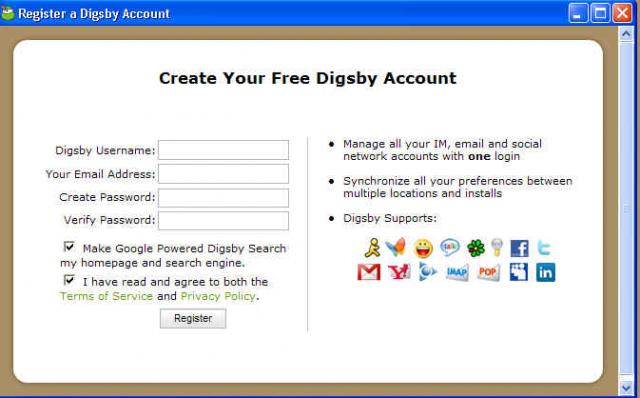
And now for the photos

post-4927-1230616278_thumb.jpg

post-4927-1230616284_thumb.jpg

post-4927-1230616289_thumb.jpg

post-4927-1230616294_thumb.jpg

post-4927-1230616298_thumb.jpg

post-4927-1230616304_thumb.jpg

post-4927-1230616310_thumb.jpg

post-4927-1230616316_thumb.jpg

post-4927-1230616321_thumb.jpg

Edited by warwagon
Link to comment
https://www.neowin.net/forum/topic/715258-digsby-has-gone-to-the-dark-side/
Share on other sites

Recommended Posts

  • 0

I am never ever using their software until they remove spyware from their installer.

I would not mind if it was opt out or something, hell i could live with a simple after install there be a popup or advert to view or even a few adverts but to have software installed that is spyware on my pc no thanks

This is low real low, they should of done the msn plus approach to this.

Boycott digsby

  • 0
i don't understand why people would use Digsby when there's a GREAT open source alternative called Pidgin available.

It even looks like Digsby.

Biggest reason is, Digsby adds, social networking, AND for me a really quick way to see your other emails, with a GMail notification on your taskbar.. I can click it and check my email without even going to the site.

Also it's MUCH easier to skin Digsby than it is Pidgin, and finding skins is a breeze. Try to explain to a 40+ yr old person about GTK and how to find a skin on the linux websites can be a pain in the butt.

My installer hasn't looked like that. I wonder if it's the new version.

If it does.. I won't be using it again.

It does Andrew.. Its the newest versions that has it, like I said my original installer did not, but when I got the most recent version from the site about a week or more ago, it had it in it.

  • 0

i had an older version of Digsby installed and each time they would push an update i would get it. however, a few days ago i got a message telling me that my version of Digsby was Very outdated and i figured it might need additional newer modules or something so i went to the site and downloaded the "New" installer. once i installed it i noticed my computer running slowly during renders. thats when i found out about the "Optional research function" even thought it says it uses low priority when rendering 3D graphics there was a Very noticeable different by HOURS of render time. I wish i had known before hand, i would have never upgraded it.

  • 0
i had an older version of Digsby installed and each time they would push an update i would get it. however, a few days ago i got a message telling me that my version of Digsby was Very outdated and i figured it might need additional newer modules or something so i went to the site and downloaded the "New" installer. once i installed it i noticed my computer running slowly during renders. thats when i found out about the "Optional research function" even thought it says it uses low priority when rendering 3D graphics there was a Very noticeable different by HOURS of render time. I wish i had known before hand, i would have never upgraded it.

That's odd. Mine's still pushing updates.

  • 0
I stopped using Messenger Plus! a long time ago because of the addition of adware in the installer. It looks like this is yet another one that will never touch my PC.

I really don't think it's fair to compare Digsby to Messenger Plus!. Cyril and the rest of us have worked extremely hard to make it clear that the sponsor program is not only 100% noticeable when installing, but also have worked to keep the sponsor program non-intrusive by filtering out nudity and profanity out of the advertisements. To say that you quit using Messenger Plus! because of the "addition of adware in the installer" is very misleading because it's totally noticeable.

50 million people use Messenger Plus! and it's resources on a daily basis, so it takes a lot for Cyril to keep the software going smoothly. The only way that we're able to see new version of Messenger Plus! offering new features (Such as the custom sounds feature), is by having the sponsor program.

Edited by RebelSean
  • 0

I liked digsby from the beginning, but I knew they would goto the dark side, but I never knew it would be this bad. It's sad to see such a good product turn to such garbage because of this.

  • 0
Who's the guy that submitted this to Digg?

Why ruin a perfectly good title ("Digsby has gone to the dark side")?

That'd be me, and I changed it because "spyware" seems to get more hits. It's not like the article was ripped and put elsewhere so I don't see what the big deal is.

  • 0

Yesterday I was flipping out trying to figure out why my system was acting so sluggishly. Now, I'm curious if it has anything to do with the hidden research option. Where in the settings does the option appear? I have to try to disable it tonight to see if it's the cause of my problems.

  • 0
Yesterday I was flipping out trying to figure out why my system was acting so sluggishly. Now, I'm curious if it has anything to do with the hidden research option. Where in the settings does the option appear? I have to try to disable it tonight to see if it's the cause of my problems.

It's buried under Help > Support Digsby, and in the dialog that appears there is an option for "Help Digsby conduct research" with a Disable button next to it.

  • 0

I guess i'll eat my words and wait for Trillian Astra to come out (currently in beta, which i'm testing...good so far). Hopefully there's a plugin similar to the e-mail function Digsby has where you can reply to e-mails from within the popup notification.

  • 0
For something completely different... There are still people out there taking Steve Gibson seriously?

That would be me. I agree Gibson has his moments where he says stupid stuff. Like vista includes an antivirus. I still believe he a very smart individual when it comes to security. He's very cautious online. After listing to security now for as long as I have I feel more paranoid online, which I think is a good thing.

  • 0
It's buried under Help > Support Digsby, and in the dialog that appears there is an option for "Help Digsby conduct research" with a Disable button next to it.

Thanks for the info.

I think that if you are an advanced enough user to want to use a multi service IM client, then it's pretty obvious that you don't want all the extra crap. So I don't really have an issue with Digsby there, but I had no idea about that, and I'm seriously ****ed off about it actually :angry:

Should I be able to see a process running in task manager apart from "digsby-app.exe" (I take it "aspell.exe" is installed by Digsby too)

  • 0

Considering the average user likely clicks 'Accept' repeatedly until the program is finished installing (sad...i know, but i'm sure it happens often), this is beyond ridiculous. I could understand 1 or 2 items in the install, but 4-5? Fail.

This topic is now closed to further replies.
  • Recently Browsing   0 members

    • No registered users viewing this page.
  • Posts

    • This saddens me greatly
    • Well again I do not mind seeing it charge my stuff if it does it well. "yeah charge my phone like that, charge it good"
    • Getting so tired of this push for that new useless slop over the less-useless old slop that at this point I just want M$ to have this nice, big, hearty cup of *FU*.
    • Brave Browser 1.91.168 by Razvan Serea Brave Browser is a lightning-fast, secure web browser that stands out from the competition with its focus on privacy, security, and speed. With features like HTTPS Everywhere and built-in tracker blocking, Brave keeps your online activities safe from prying eyes. Brave is one of the safest browsers on the market today. It blocks third-party data storage. It protects from browser fingerprinting. And it does all this by default. Speed - Brave is built on Chromium, the same technology that powers Google Chrome, and is optimized for speed, providing a fast and responsive browsing experience. Brave Browser also features Brave Rewards, a system that rewards users with Basic Attention Tokens (BAT) for viewing opt-in ads. This innovative system provides an alternative revenue model for content creators and a way to support the Brave community. SlimBrave Neo takes all the good things about Brave and makes them even better by keeping everything clean, light, and privacy-focused. It removes the extra clutter, turns off features you might not need, and cuts down on anything that could slow you down or collect unnecessary data. Because it relies on simple settings and policies instead of modifying the browser itself, you still get full Brave compatibility—just in a smoother, lighter, and more privacy-friendly package. Brave Browser 1.91.168 changelog: Web3 Added “Get Started” section to the “Portfolio” page. (#54029) Added the ability to view “Asset Distribution” in “Portfolio”. (#54028) Added dotted texture to wallet line chart. (#54216) Migrated Jupiter swap provider to “Gate3”. (#51848) Updated the “Permission” panel to display the site origin. (#54482) Updated NFT balance fetch to remove duplicate entries prior to fetching balances. (#55036) Fixed missing back button on the “Deposit Funds” page. (#55842) Fixed reloading an account tab redirecting to the “Accounts” page. (#54826) Leo Added support for text file uploads with renderer-based extraction. (#54062) Added PDF text extraction at upload time. (#51911) Updated display of Brave Leo attachment previews to scroll horizontally instead of vertically. (#54258) Updated the “Copy” button for the code block header to be sticky when scrolling. (#53704) Updated the staged content in the Leo side panel to be the active tab. (#53533) Updated the search terms in the answer’s footer to be left aligned. (#54204) Fixed crash which could occur in certain cases when using multiple tool requests. (#55438) General Added support for Brave Origin. (#37127) [Security] Added the ability to disable or delay automatic extension updates when brave://flags/#brave-user-extension-auto-update is enabled. (#7200) Enabled ability to force context menu using “Shift + Right Click” by default. (#54790) Improved performance by caching adblock DATs. (#27161) Updated background color for PWA install button in the omnibox. (#54736) Fixed tab hover card position when using vertical tabs. (#54199) Fixed extra border displaying around the content area when vertical tabs are used on macOS. (#54153 & #52961) Fixed audio farbling distortion in multi-voice Web Audio API synthesized music. (#52906) Upgraded Chromium to 149.0.7827.54. (#55943) Download: Brave Browser 64-bit | 1.2 MB (Freeware) Download: Brave Browser 32-bit View: Brave Homepage | Offline Installers | Screenshot Get alerted to all of our Software updates on Twitter at @NeowinSoftware
  • Recent Achievements

    • Dedicated
      JKR earned a badge
      Dedicated
    • One Year In
      CHUNWEI earned a badge
      One Year In
    • Conversation Starter
      FBSPL earned a badge
      Conversation Starter
    • Week One Done
      I2D earned a badge
      Week One Done
    • Week One Done
      Dr Jared Dental Studio earned a badge
      Week One Done
  • Popular Contributors

    1. 1
      +primortal
      471
    2. 2
      PsYcHoKiLLa
      255
    3. 3
      Skyfrog
      79
    4. 4
      FloatingFatMan
      61
    5. 5
      Michael Scrip
      61
  • Tell a friend

    Love Neowin? Tell a friend!