Windows 10 is turning 10 years in a few days, just a couple of months before the end of support. Even though Windows 11 is now the most popular Windows version, Windows 10 still has hundreds of millions of users worldwide who will soon stop receiving security and quality updates. If you are still using Windows 10, here is everything you need to know about the end of its support.
When is the end of Windows 10 support?
October 14, 2025.
Can I continue using my PC after the end of Windows 10 support?
Yes, you can. Your computer will not kill itself on October 15. However, it is not recommended to use a modern computer without security updates. Therefore, consider enrolling your system in the Extended Security Update program to get one more year of Windows 10 security updates.
Will my apps and games work after the end of Windows 10 support?
Yes, for some time. However, eventually, developers will stop supporting Windows 10 with app updates. Some might continue working as is, while others will stop working altogether. Microsoft 365 apps, for example, will continue receiving new features until August 2026 and security updates until October 10, 2028. For now, there is no information about the end of support for major apps like Chrome or Adobe.
What is the Windows 10 Extended Security Updates program?
It is a special program that grants additional security-only updates for Windows 10 after October 14, 2025.
How long can I receive Windows 10 updates in the Extended Security Updates program?
If you are a home user, the program gets you 12 months of additional updates from October 14, 2025, through October 13, 2026.
Enterprise users can get up to three years of security updates.
Is the Windows 10 Extended Security Updates program free?
Yes and no. Home users can get 12 months of updates for free by backing up their PCs" settings in OneDrive or by paying Microsoft 1,000 Reward Points or $30. Enterprise users have to pay Microsoft a fee for each PC and each year of additional support.
The Extended Security Update program applies to all users on your computer and up to 10 devices with the same Microsoft Account. Note that you have to enroll each device separately.
What do I need to get additional security updates for Windows 10?
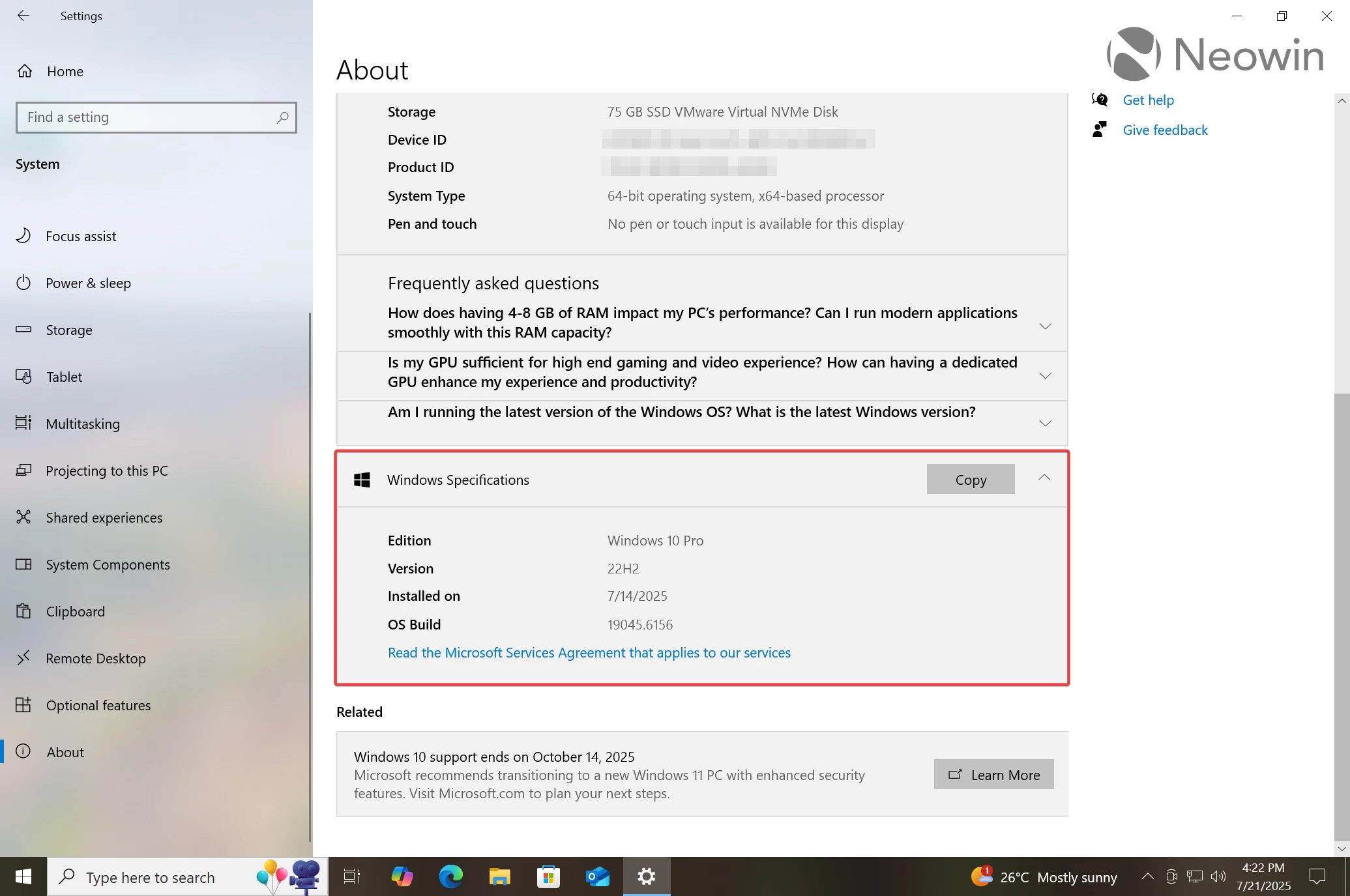
Your computer must be on Windows 11 version 22H2 with the latest cumulative updates and one of the following editions: Home, Pro, Pro for Workstations, or Pro Education. You also have to sign in with a Microsoft Account and have administrator privileges.
You can check your Windows 10 version by heading to Settings > System > About.
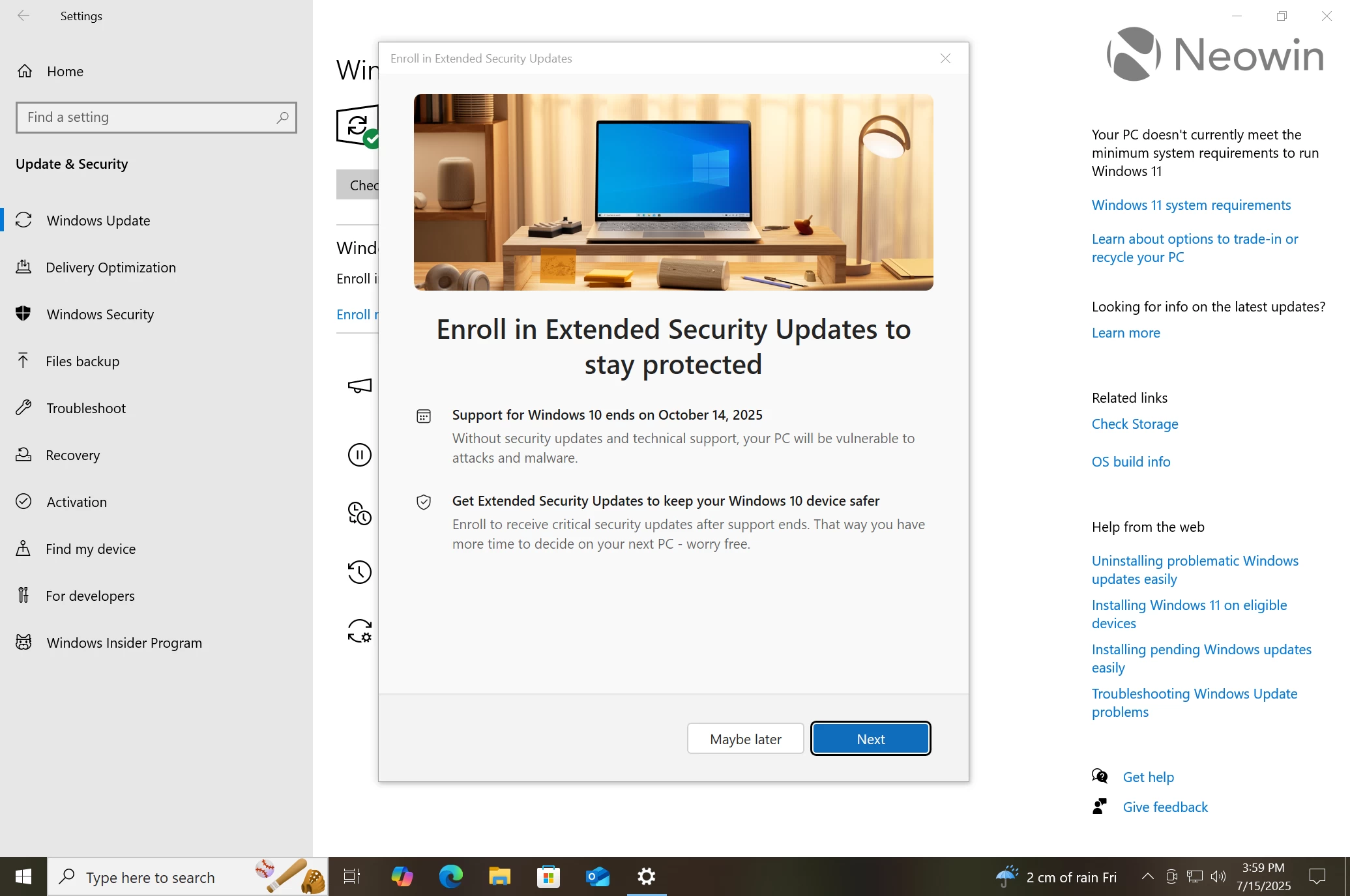
How to enroll in the Extended Security Updates program?
Check out this guide: How to get one more year of Windows 10 updates for free. You can enroll now or after October 14, 2025.
Can I update to Windows 11 for free after the end of Windows 10 support?
Yes, if your device supports Windows 11. If not, also yes, but using unofficial methods.
What are the other options for unsupported Windows 10 PCs?
The Extended Security Updates program is not your only option. You can update to Windows 11 for free if your computer supports it. You can also update unsupported PCs using various workarounds and third-party apps. Also, there are third-party security update providers. For example, 0patch offers up to five years of paid security updates.
Note that you can upgrade to Windows 11 for free even after the end of Windows 10 support, regardless of whether your computer is enrolled in the Extended Security Update program or not.
You cannot enroll if your computer is in kiosk mode, Entra or Active Directory domain-joined, or enrolled in Mobile Device Management.
What should I do with my Windows 10 PC after October 15, 2026?
As of right now, Microsoft does not plan to extend the ESU program beyond the initial deadline, which may or may not change in the future. Therefore, you should plan to upgrade to Windows 11 or switch to another supported operating system. Again, you can continue using Windows 10 as is, but you risk encountering malware or ransomware that utilizes an unpatched vulnerability.
If your Windows 10 PC does not support Windows 11, you have two options: upgrade to Windows 11 using unofficial methods or upgrade it to supported hardware. You can find Windows 11"s system requirements here.
If you have additional questions, leave them in the comment section. We will update the article should Microsoft announce additional information or changes.