There is a lot to cover in today"s review of the new FiiO K13 R2R, a desktop all-in-one that has been anticipated by fans of July 2024"s K11 R2R, as well as those who didn"t get one because it lacked the connection options that suited their setups.
Well, the lack of connectivity has now been satisfied with this new update, along with more power and a refined sound that should please everyone.
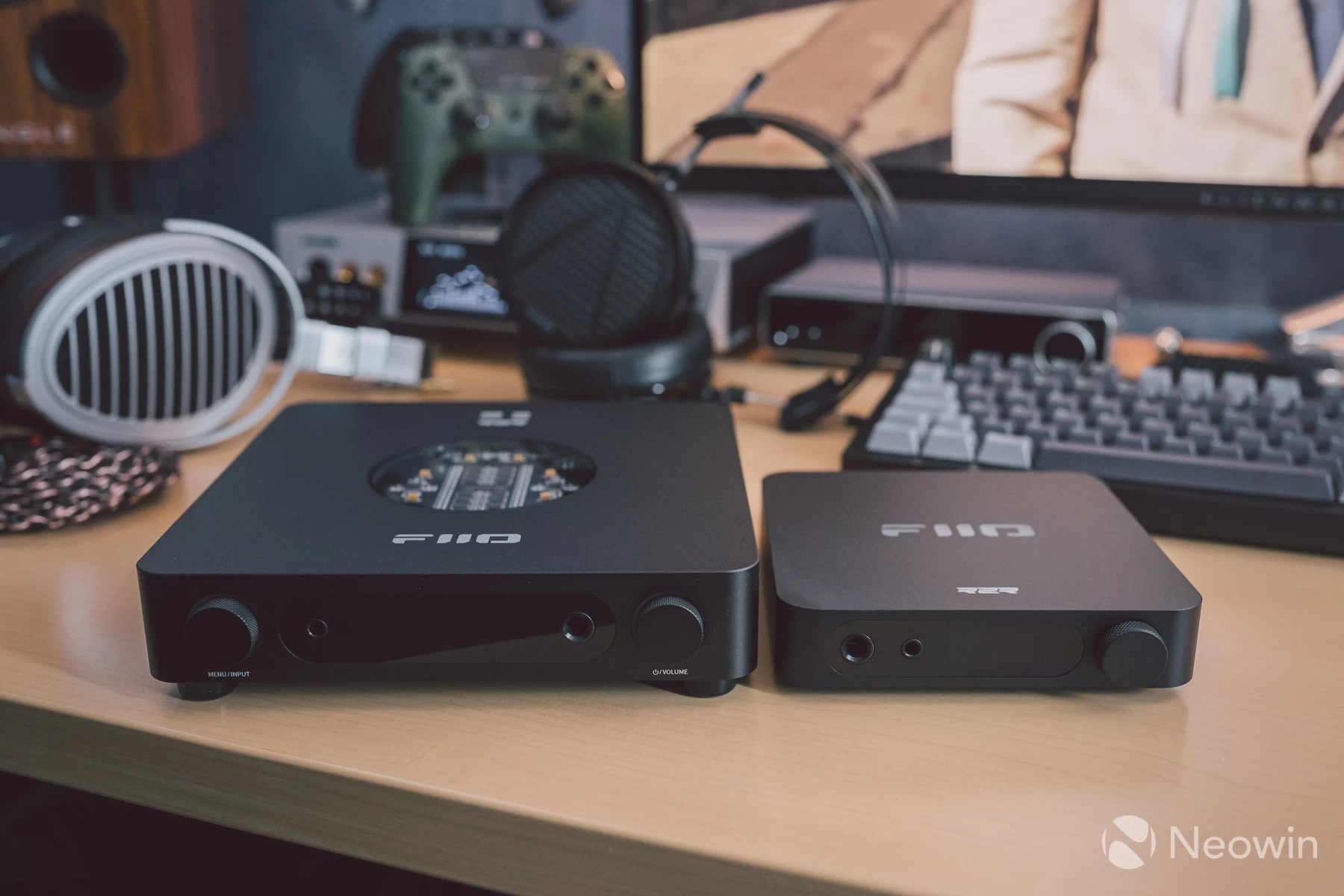
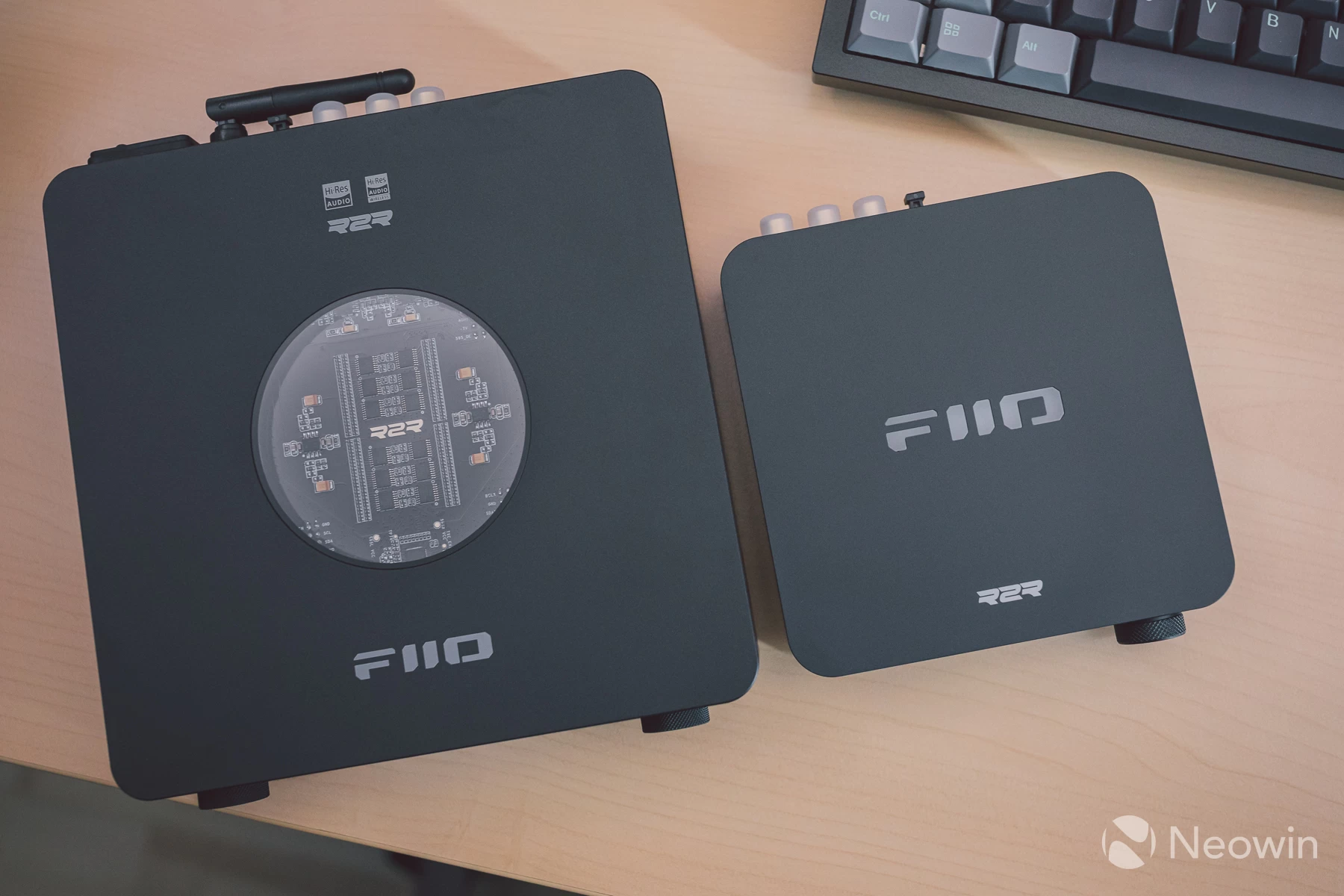
Compared to the K11 R2R, the K13 R2R has grown in size to accommodate a new custom low-noise power supply outputting 30 watts. Dangling external power bricks seem quite old-fashioned now, so it is nice to see that FiiO has engineered a new power supply, and not just a generic off-the-shelf implementation, but one that considers acoustic harmony for optimum performance in this form factor.
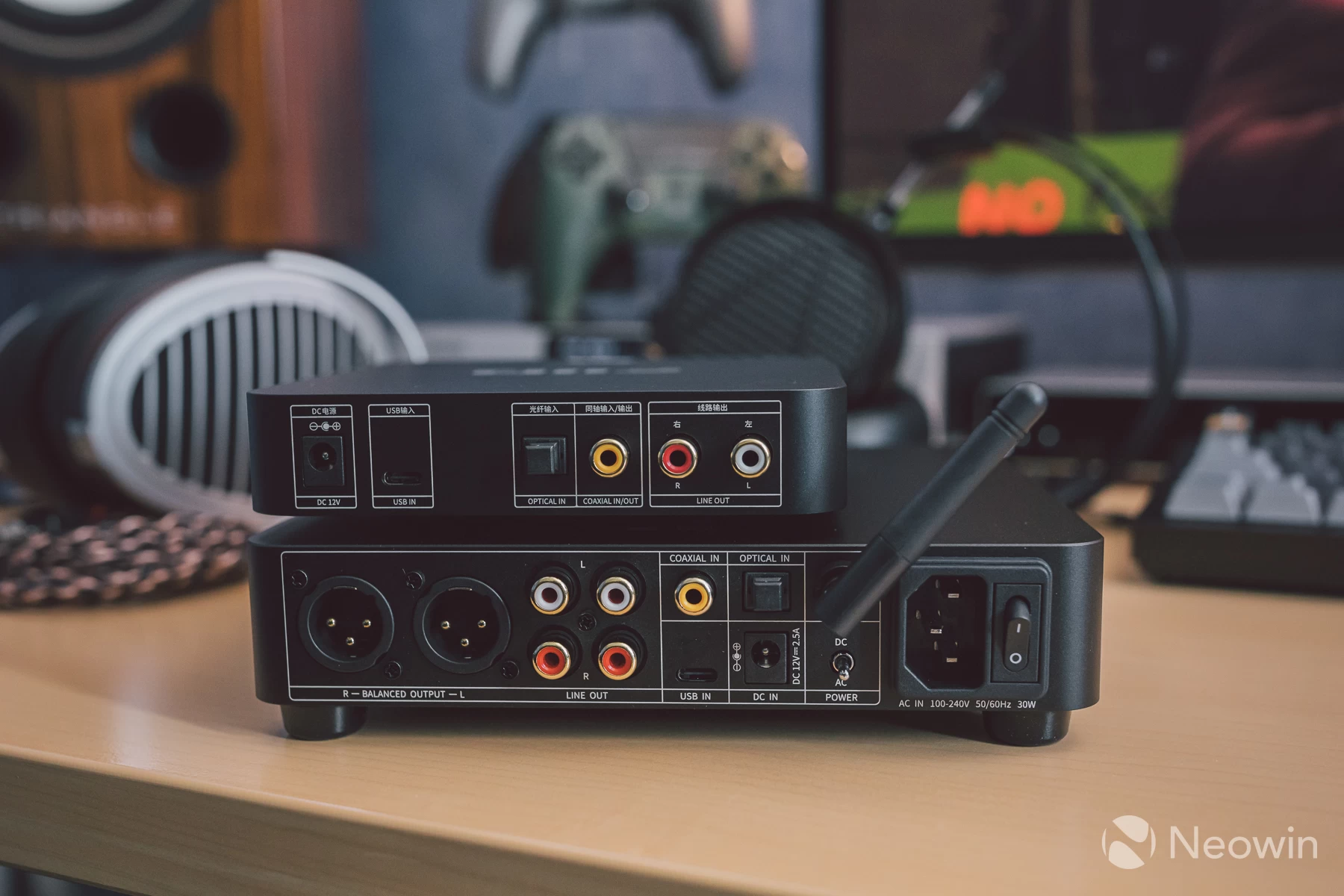
Audiophiles who still prefer an external linear power supply can use one via the DC 12V barrel port. Simply toggle the switch to DC mode, and an even cleaner power supply can be used. I will not be covering DC power supplies with this review, FiiO has a new model matching the styling and size of the K13 R2R coming around December 2025, so I will cover that when the time comes. In the meantime, FiiOxJade Audio produce the PL50, a linear regulated power supply that costs nearly half the price of the K13 R2R.
I have not needed to explore this because the internal power supply appears to be excellent already, so how much a linear one will improve things remains to be seen. My testing has been done alongside the Luxsin X9, which has an internal linear power supply, and to cut a long story short, the K13 R2R gets very close in sound to the X9 whilst costing a lot less.
That is good enough for me!
My desktop audio configuration consists of a pretty transparent Topping PA7 power amplifier connected to the K13 R2R via balanced XLR, the FiiO is operating in pre-amp mode for this, and the PA7 is set to its bypass mode, so all volume is controlled by the K13. The speakers are a pair of TRIANGLE Comete 40th Anniversary, these are very revealing speakers with an incredible width and height to the soundstage and stereo image.
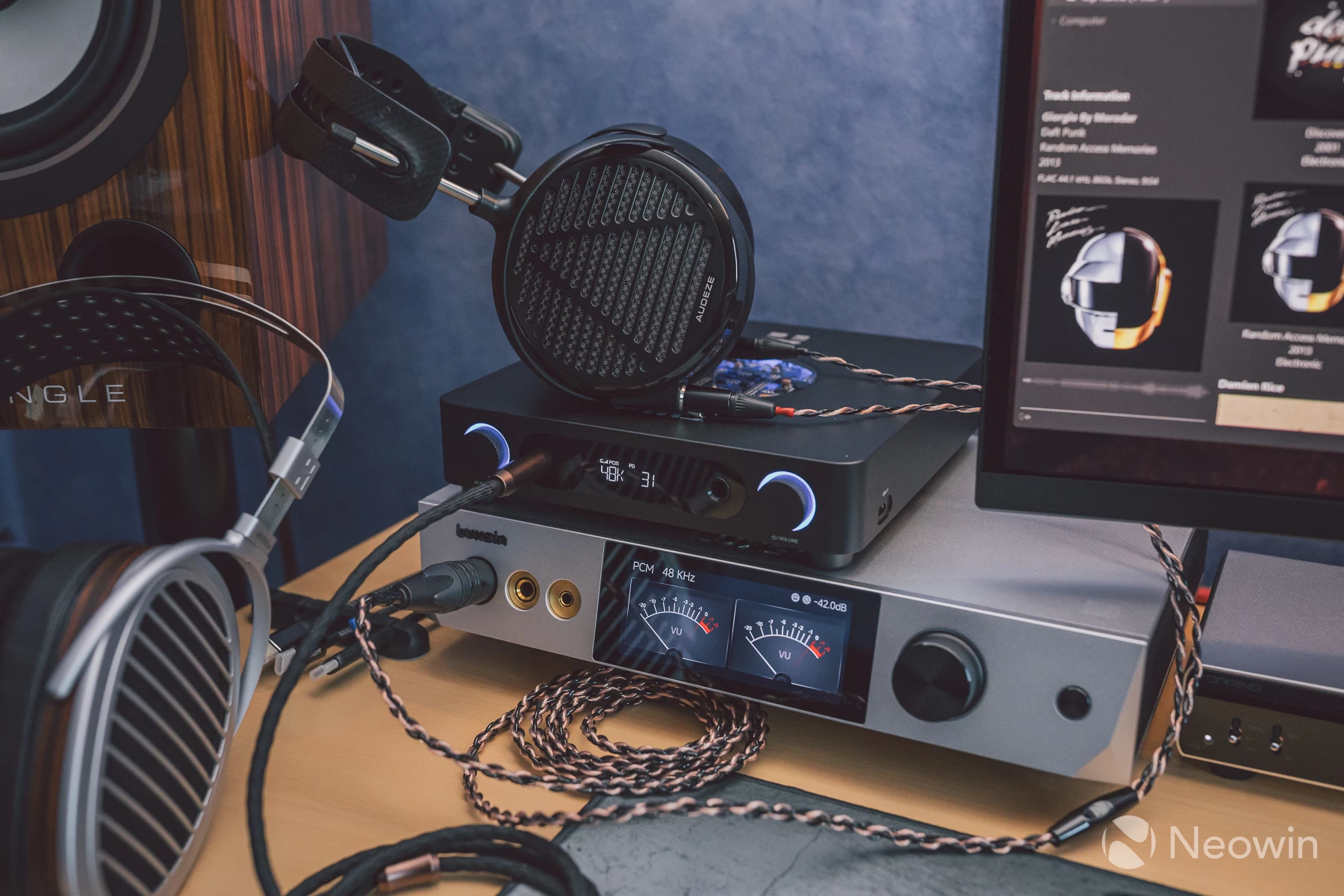
The headphones tested were the HiFiMAN HE1000se and Audeze LCD-5. Both are highly resolving headphones capable of outputting whatever details an amplifier is able to decode from the music source; between them, they both also afford soundstage and imaging from very spacious and holographic to a more moderate level of intimacy, depending on taste.
The LCD-5, as noted in my recent review, does not sound the best without EQ application, so it is an ideal model to test here and see what it is like out of the box on an R2R amp, along with checking out the capabilities of the 10-band parametric EQ the new R2R has.
| FiiO K13 R2R | |
|---|---|
| Colours | Silver, black |
| Display | 1.1-inch LCD |
| DAC solution | FIIO-developed R2R DAC 24-bit |
| General architecture | FPGA + DSP MCU: ESP32-S3 |
| R2R + LPF OpAmp | Texas Instruments OPA1642 x4 |
| Volume controller | Electronic via NJW1195AV quad channel controller (same as K11 R2R, no bit-depth loss) |
| HP Amplifier | OPA1642 x2 + TPA6120A x2 |
| LO buffer OpAmp | LTA8092 |
| USB solution | XMOS XU316 NOTE: The power pins on the USB ports are connected to the PCB, a USB power isolator may be needed for those who experience noise issues on their configurations. |
| Bluetooth solution | Bluetooth 5.4 with BTLE, supporting SBC / AAC / LDAC |
| WiFi solution | None |
| 12v Trigger support | No |
| USB-C input | 2x USB-C |
| Optical/Coax input | 1x Optical, 1x Coax |
| Analogue input | None |
| Rear XLR output | 1x pair XLR3 |
| RCA output | 2x pairs |
| Headphones output | 1x 4.4mm balanced, 1x 6.35mm single-ended |
| Max headphones power | 6.35mm out, USB DAC/Coaxial decoding/Optical decoding, High gain, OS mode: 1200mW + 1200mW (16Ω, THD+N under 1%, 4.4Vrms) 1220mW + 1220mW (32Ω, THD+N under 1%, 6.2Vrms) 150mW + 150mW (300Ω , THD+N under 1%, 6.7Vrms) THD+N: About 0.0173% (1kHz/-6dB@32Ω) SNR: ≥117dB (A-weighted) 4.4mm out, USB DAC/Coaxial decoding/Optical decoding, High gain, OS mode: 1200mW + 1200mW (16Ω, THD+N under 1%, 4.4Vrms 2400mW + 2400mW (32Ω, THD+N under 1%, 8.8Vrms 600mW + 600mW (300Ω , THD+N under 1%, 13.5Vrms THD+N: About 0.0173% (1kHz/-6dB@32Ω) SNR: ≥115dB (A-weighted) Frequency response 20Hz~20kHz: attenuation under 0.2dB Frequency response 20Hz~80kHz: attenuation under 2.9dB |
| Features | 10-band parametric EQ with 10x user slots for custom EQ |
| Power supply | AC: IEC connector with internal low noise switch mode power supply, 30W rated DC: 12v 2.5A barrel connector for a linear power supply sold separately |
| Weight | 980 grams |
| Dimensions | 210mm x 188mm x 42mm |
| Price | £317.96 / $319.99 / €315 - Official FiiO store |
Out of the box
The family resemblance is a familiar one here; not only does the K13 R2R look like a bigger sibling to the K11 series, but it feels like it, too.
An area where the newer model isn"t the same, though, is the non-slip feet at the bottom. The K11 and K11 R2R both have a silicone pad that has no friction at all on any surface, so doing something as simple as pressing in the volume dial results in the whole thing being pushed back as shown above.
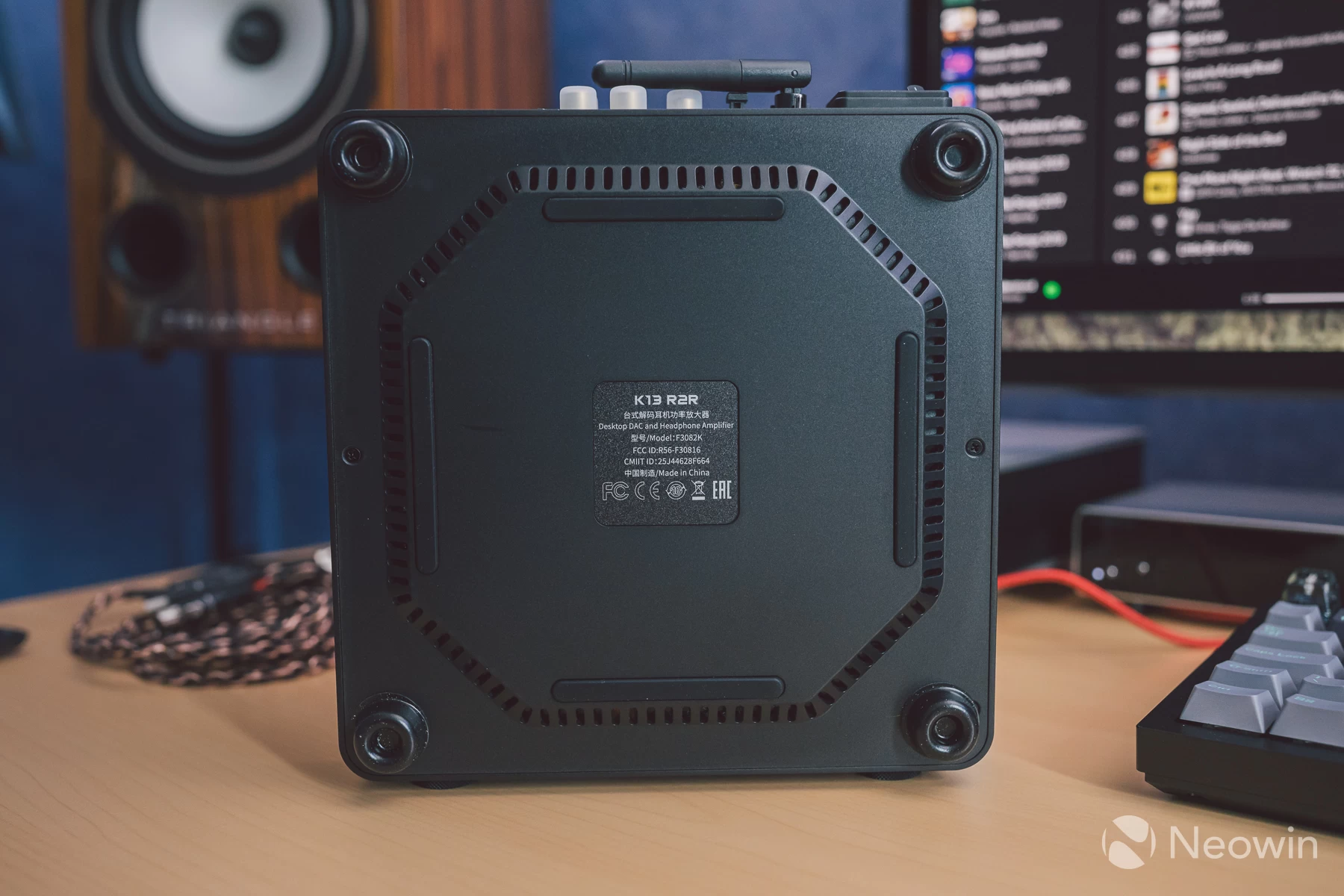
Replacing the awful pad, we now see proper feet with actual tackiness that creates good friction on a solid surface. I still use my own feet however, because I like a bit of extra height, and I have loads left over so why not, these stick-on feet are even more tackier than the stock feet.
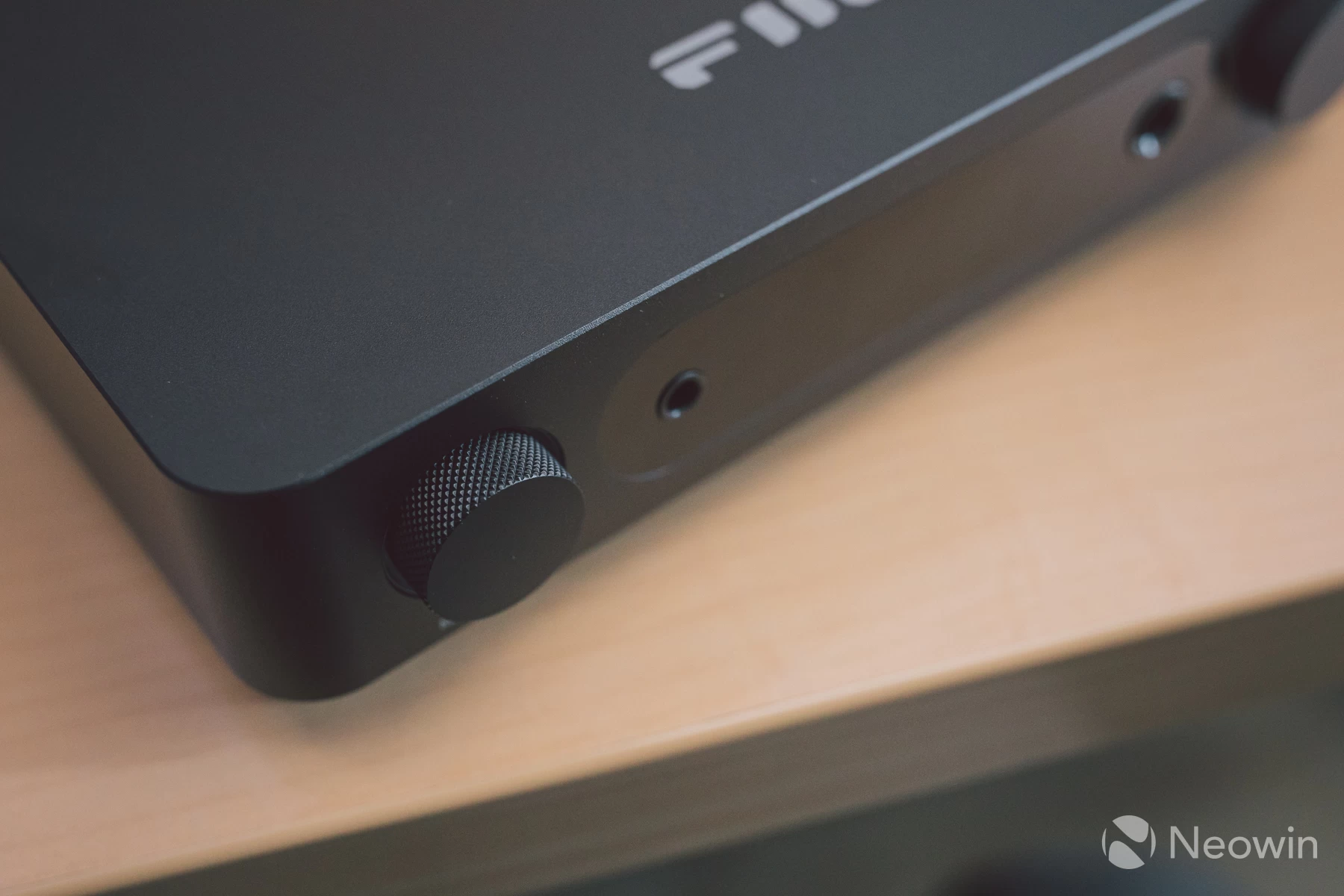
Both models share the same metal volume dial; the K13 R2R has an additional dial for mode selection, too. Both are knurled the same way for an excellent grip and one-finger operation. The volume pot is digital with the display reacting instantly to every notch on the dial, with no missed increments when turning at speed.
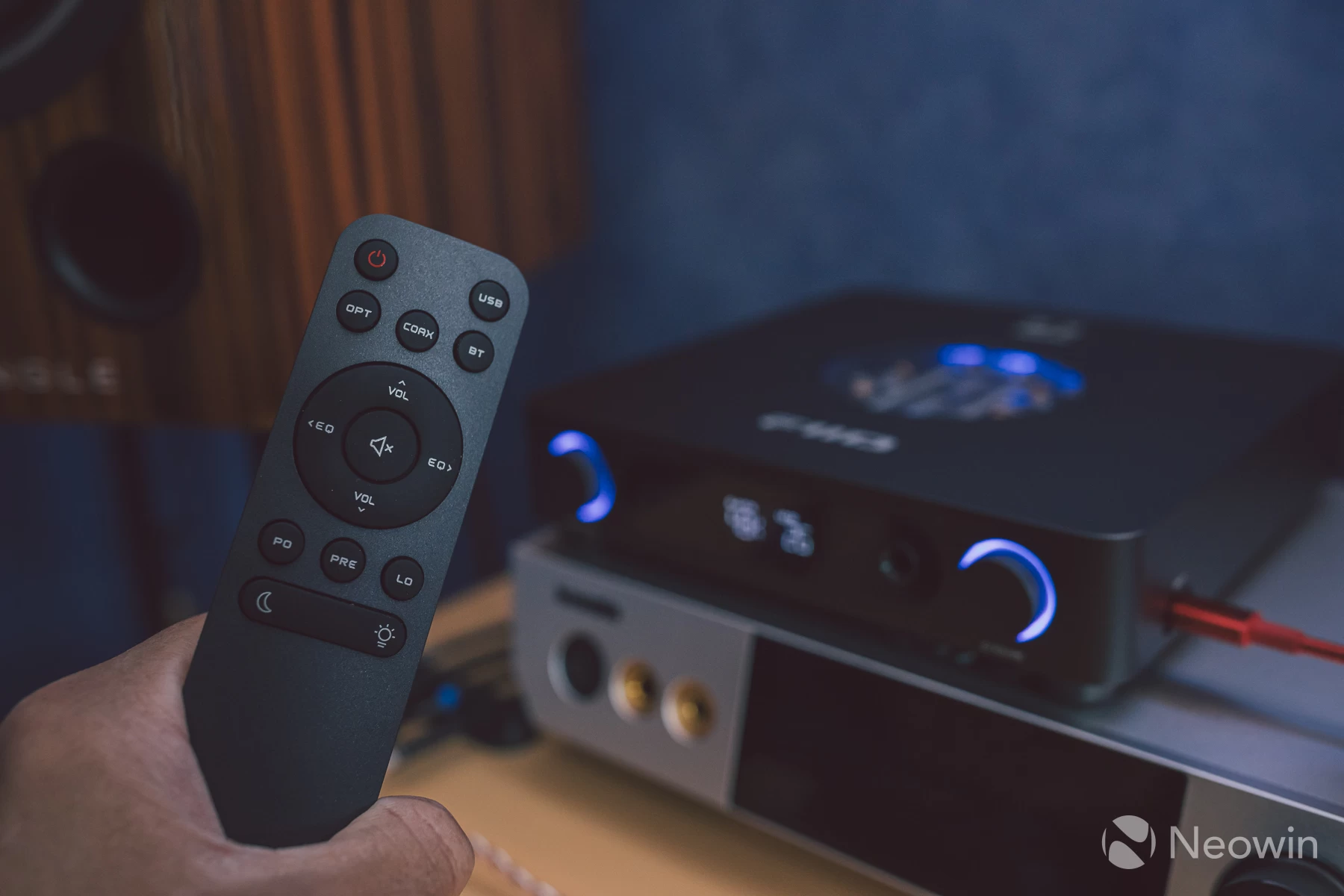
The remote control is new, as the K11 series never got one. It"s nice to see that all main functions have a button, especially the output select modes, since the K13 does not automatically switch to headphones when connected, and as such switch back to pre-amp or line-out when disconnected. A dedicated button for each output relieves some of the faff involved with having to reach over to the mode dial each time throughout the day.
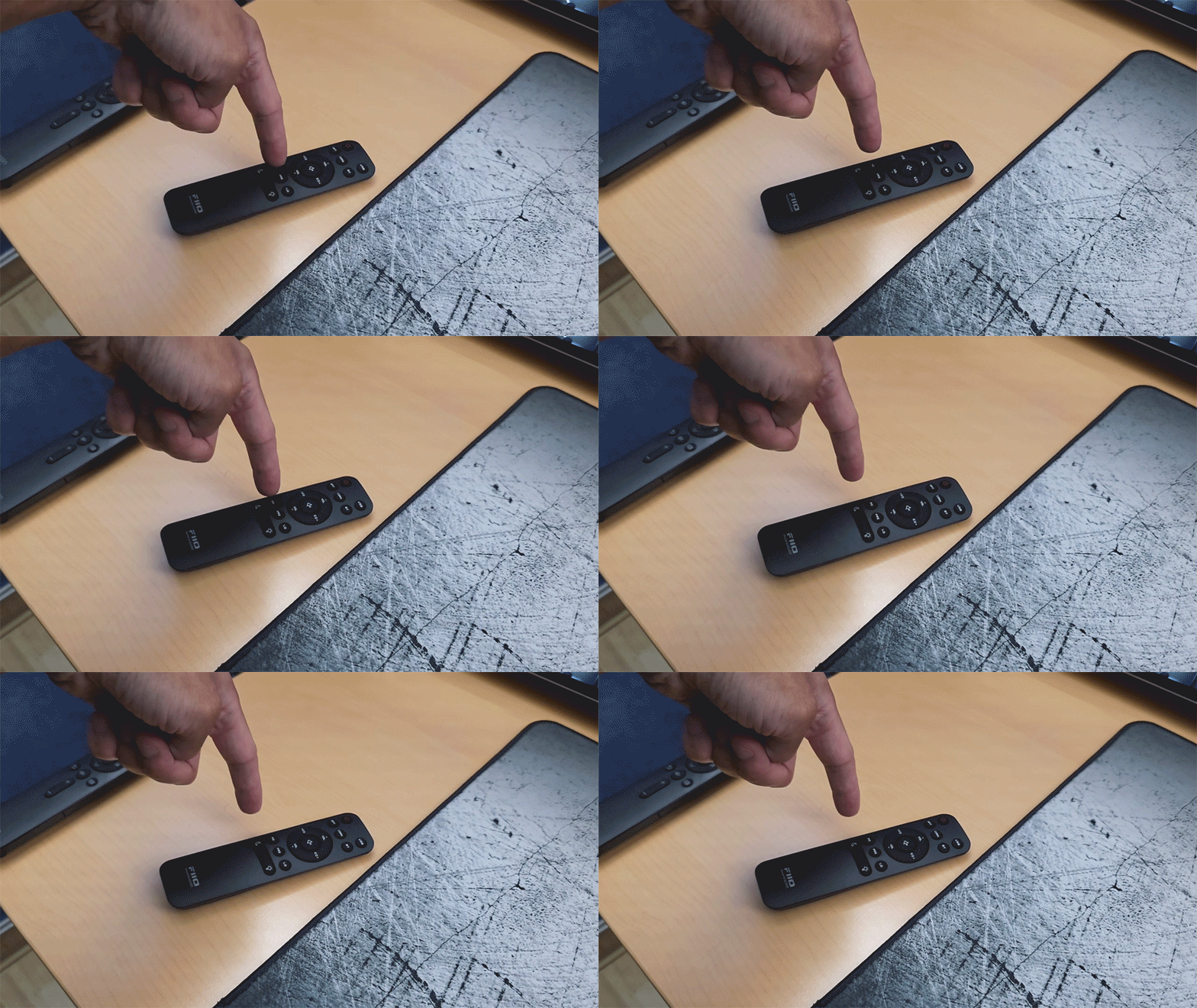
Annoyingly, the remote isn"t perfect; the bottom should have been flat, but it isn"t, so it naturally wobbles. Luckily, I have smaller sticky feet in my box of stuff, so I attached 2 on each top corner to somewhat mellow out the wobble.
Also, there is a mute button on the remote, but not on the front panel. The logical expectation is that the volume, dial when pressed, mutes audio; instead, the display turns off, which I find completely pointless, as there is a dedicated button for this on the remote for the rare times the display is an unwanted distraction. I hope FiiO adds an option in the menu to toggle what pressing the volume dial does via a firmware update, or puts an option for it in the phone app.
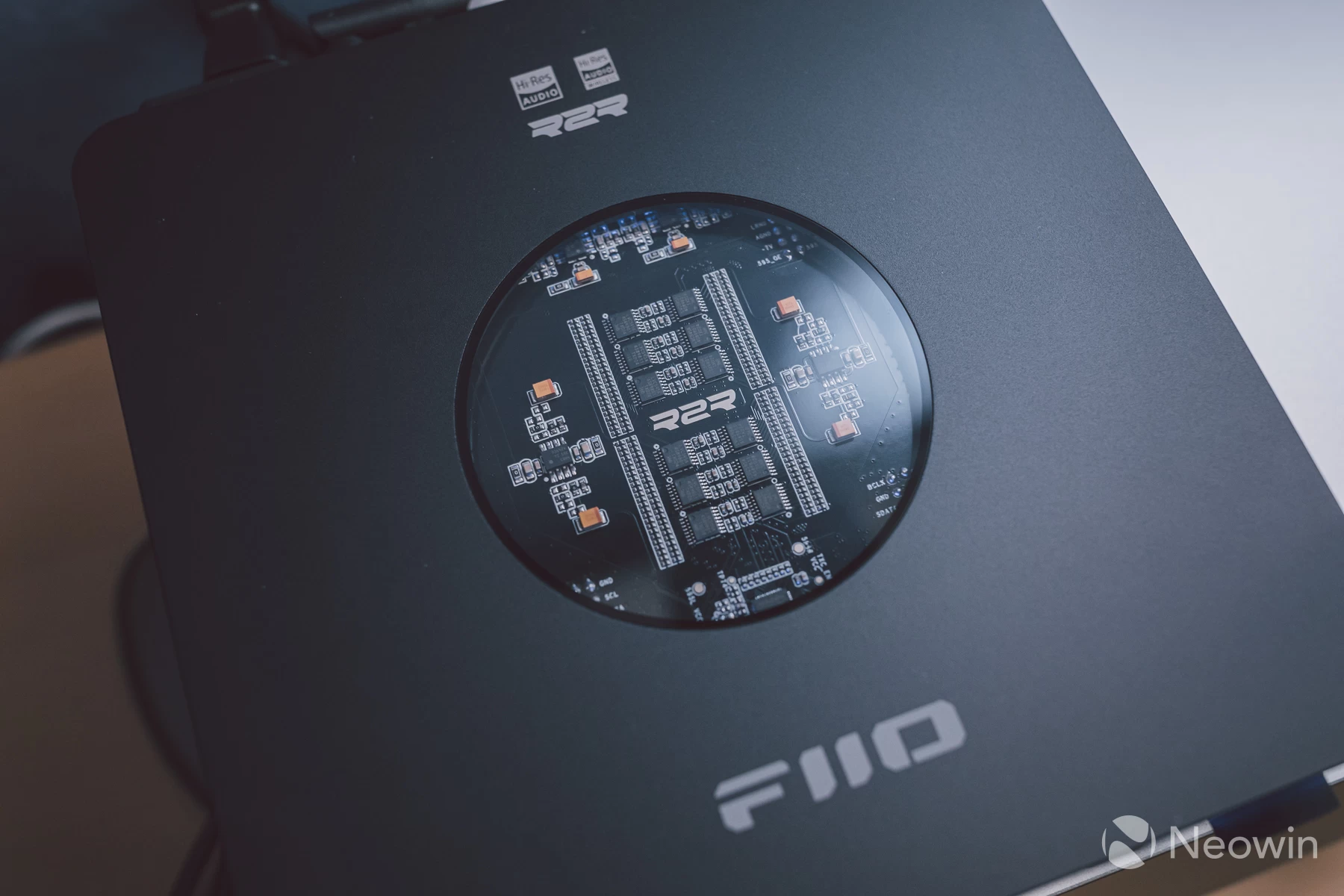
This time round, we get to see the R2R DAC board through a display window. The default lighting for both the window and dial button surrounds is fixed to the output sample rate. Play back audio that is above 48KHz, and the lighting changes colour:
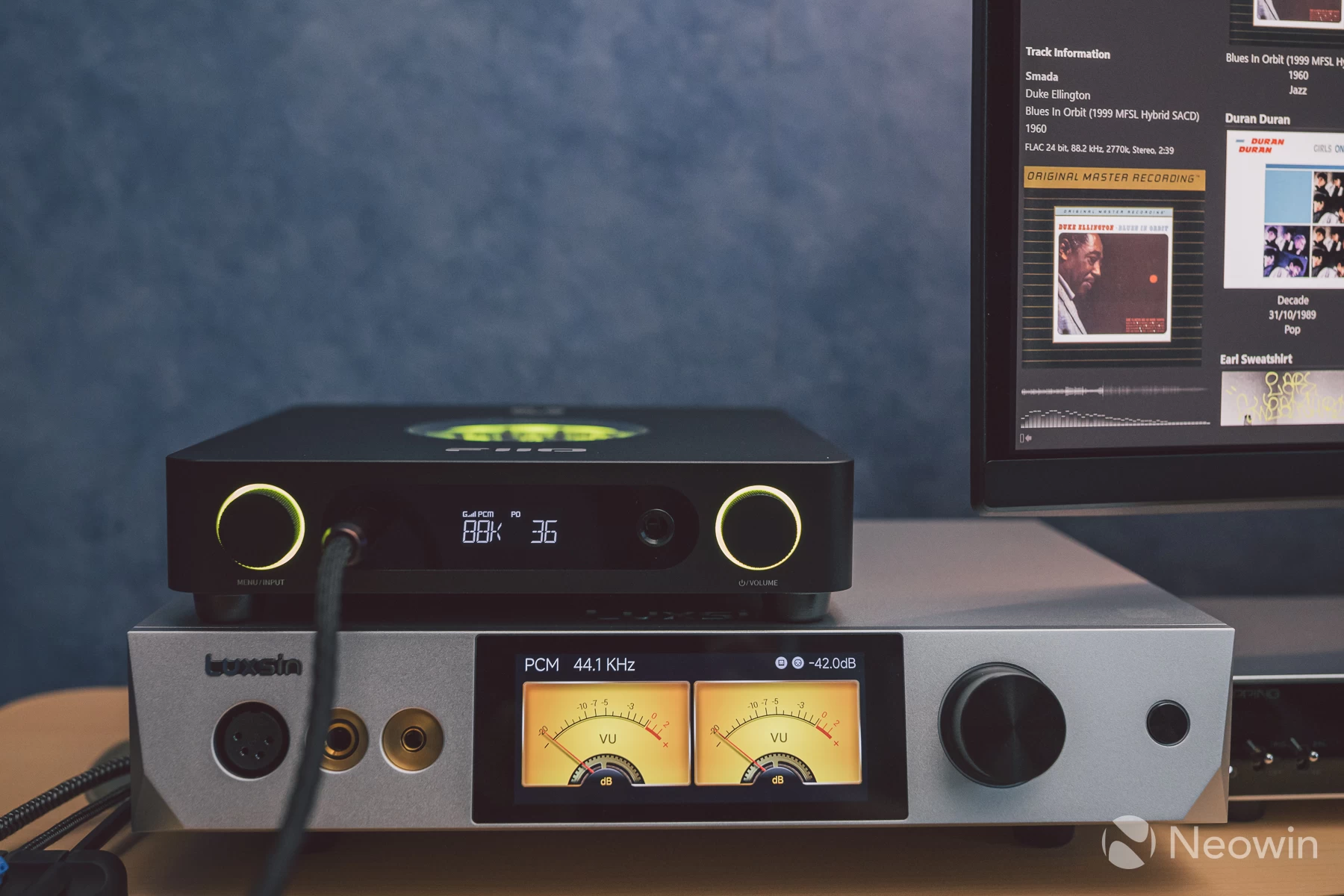
The lighting colour and style can be customised by using the FiiO Control app found on the app store on your phone. This connects via BTLE without the need to add a Bluetooth pairing and offers a range of options, along with the ability to rename the unit and update Bluetooth Firmware. The main hardware firmware can be updated the traditional way using the USB port.
How does it sound?
I wanted to try out DSD audio first, as this is one format I have not paid much attention to until most recently. Prior to this, my choice of lossless has always been FLAC container tracks that I have ripped myself from a CD or purchased online.
The DAC will decode most music you play as PCM, whether they are compressed or lossless. Still, if you play back DSD files (.dsf file extension), these can be played back as PCM via a conversion done on the DAC hardware as D2P (DSD to PCM) and 1-bit DSD (native), or in your software player (DOP - DSD over PCM). The DAC may have a menu option to set the DSD mode between 1-bit and D2P; the K13 R2R has this option.
Is any of this really that important to know? No, not really. The debates online can swing either way, the more research you do, the more you realise that ultimately what matters more is the mastering, regardless of whether the music is lossless or compressed. This is summed up nicely by Gemini:
"While DSD purists claim superior sound, many audio engineers note that the mastering and the equipment"s quality are more significant factors in the final sound than the format itself"
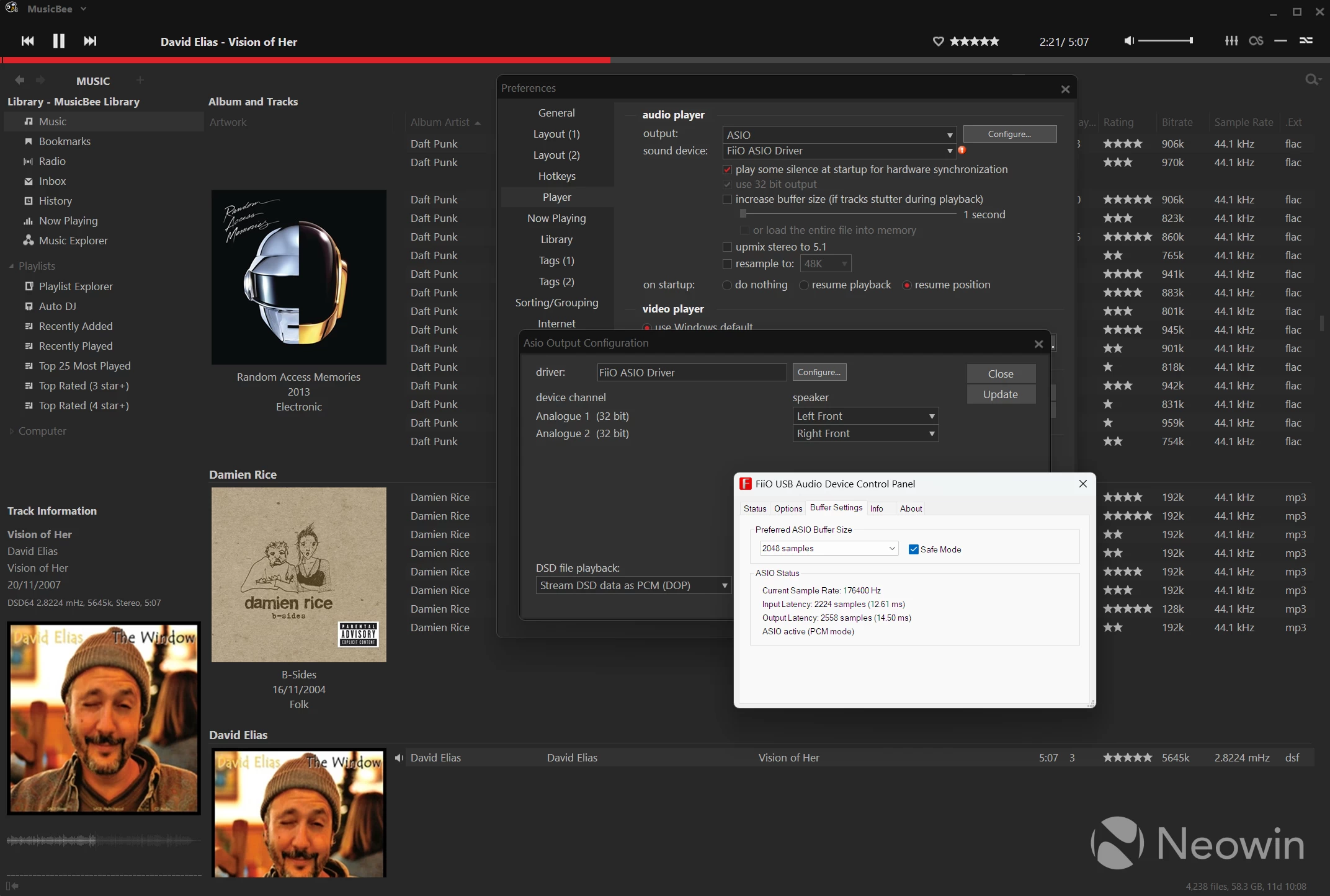
Nevertheless, getting DSD files playing can sometimes involve some faffing around with your music software. I am a long-term MusicBee user (shown above) and had to set the player"s DSD mode to use DOP, and then select a supporting ASIO driver. Note that whilst Windows has native support for exclusive mode (required for bit-perfect streaming to a DAC) via WASAPI Exclusive, it does not play back DSD files as DSD but instead as PCM, which the DAC detects as a hi-res PCM signal.
The necessary ASIO driver is needed instead, and only then does the DAC display DSD on the front panel, in this case, D64:
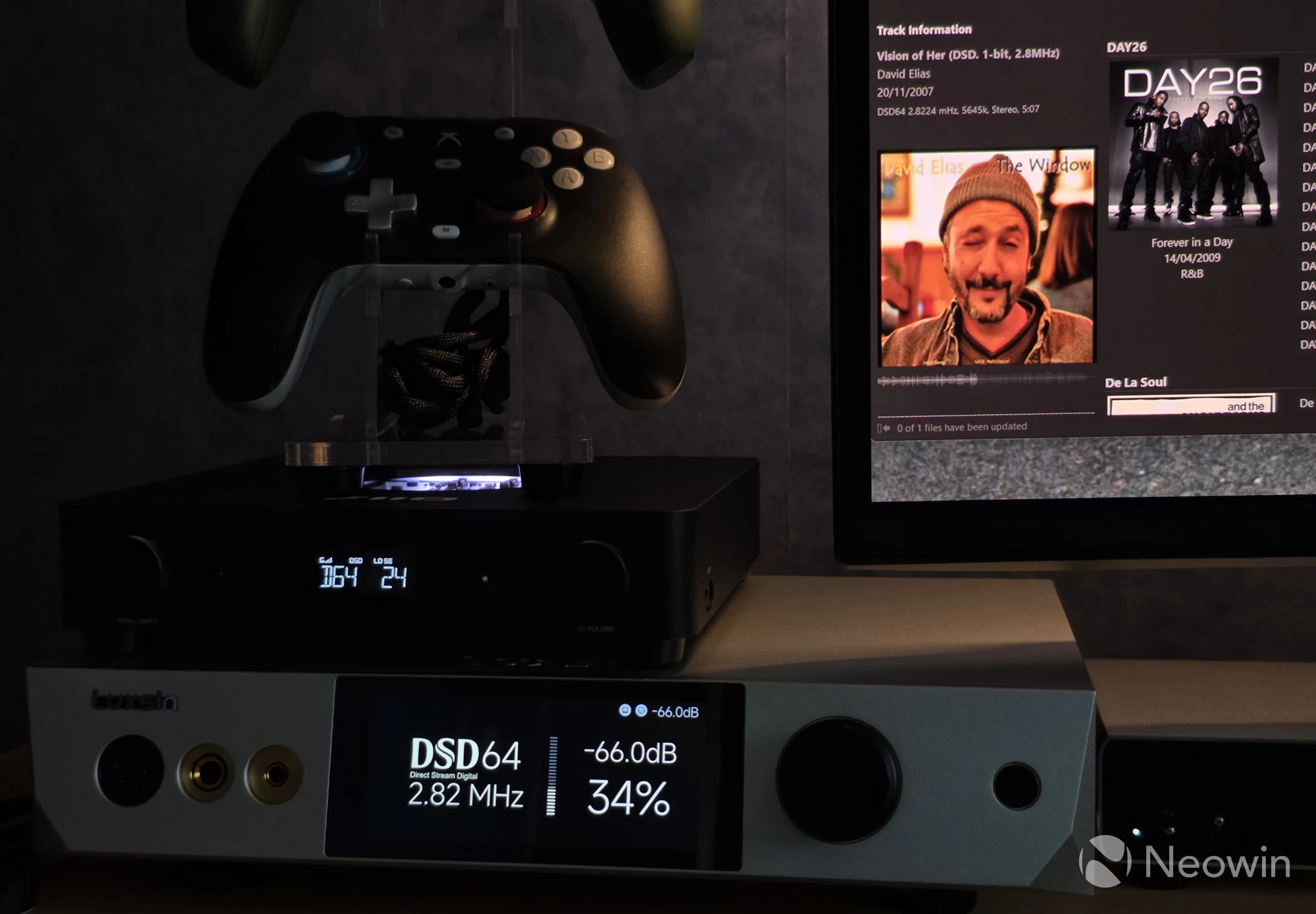
Whether I was playing through Spotify, MusicBee or Quboz, everything sounded absolutely excellent through the K13 R2R, and even though the first part of my testing was done using it as a DAC+Pre-amp, the same applied once headphones entered the picture.
The Audeze LCD-5, with no EQ enabled, still sounded poor to my ears, just with the added warmth and smoothness that R2R brings. I needed to allow the parametric EQ (PEQ) to get these headphones to life once again, which was a relief as it meant that my experience with this via the Luxsin X9 was not isolated to that amplifier.
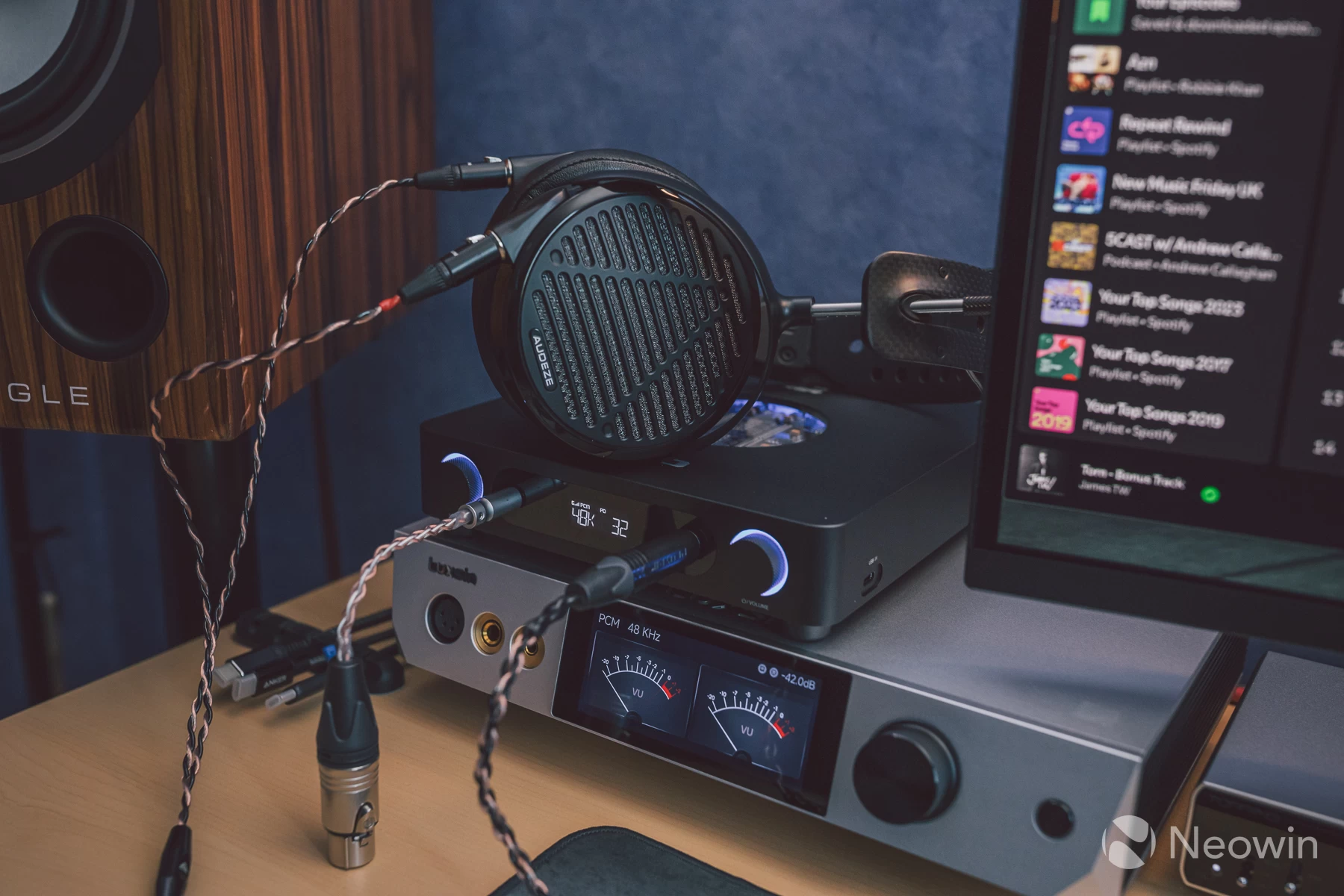
Whether headphones or speakers, the K13 R2R presents excellent articulation in soundstage, stereo imaging and layering of instruments in music, I ended up A/B testing between this and the much more expensive X9 multiple times to make sure what I was hearing was correct, that the K13 R2R sounds very close to the X9, close enough that if the X9 died on me tomorrow, then I would have no problem replacing it with the K13 R2R and living happily ever after.
That"s not to say there isn"t a difference in sound when both are set to their respective bypass modes, disabling any DSP effects and PEQ. The difference is small enough that, at least for sound, it could be flagged under diminishing returns.
The X9 costs more because it does a lot more beyond just excellent sound, and comes in a diamond-cut fascia and thick panelled housing with custom high-end components inside. The overall package is what dictates the cost of something like the X9, whilst the K13 R2R sets out to deliver excellent sound whilst adding features like a PEQ and some pretty lighting.
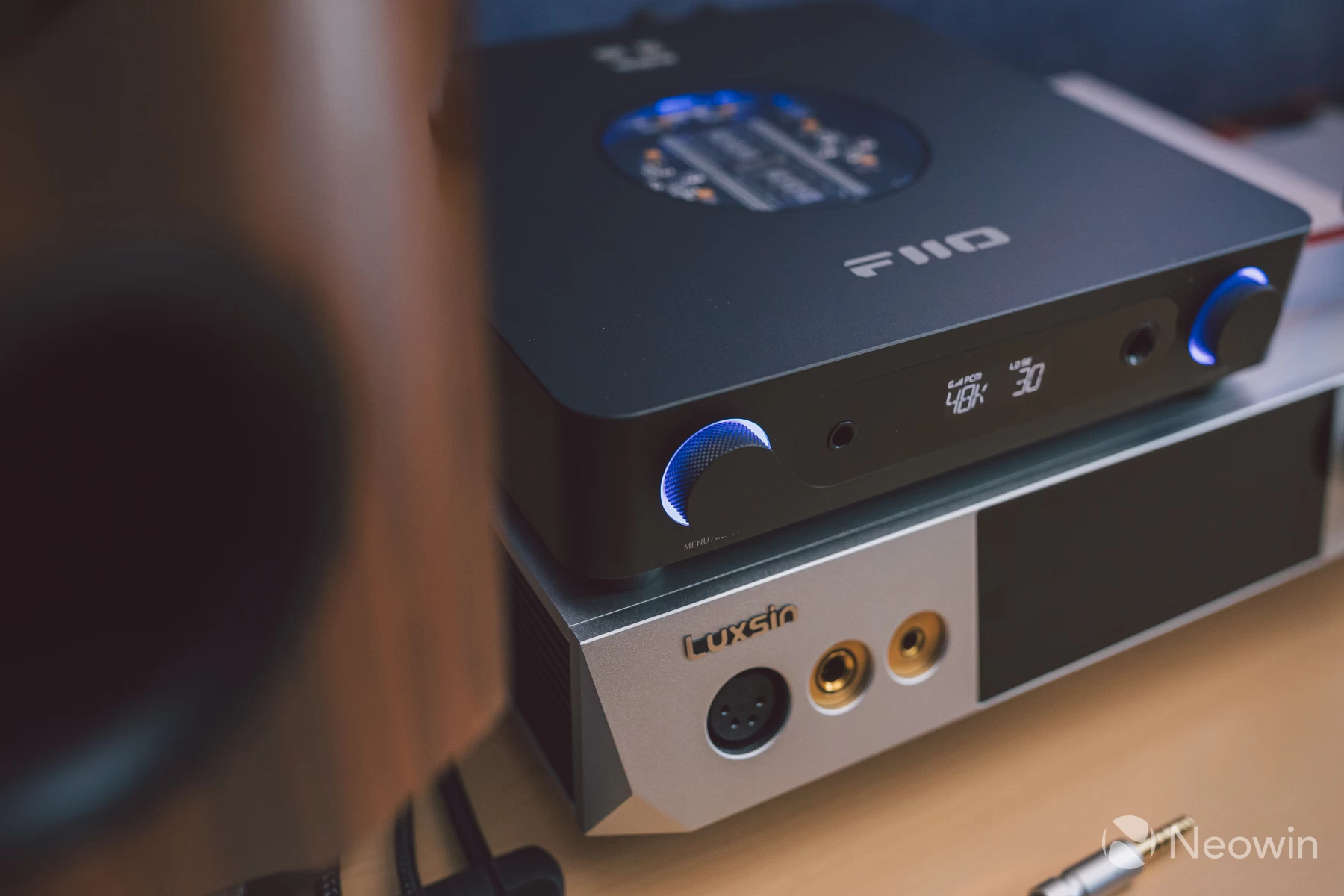
Both of these devices have a Class AB amplification and present sound similarly. It"s a great sign when something as cheap as the K13 R2R comes out and produces sound that rivals products priced several times higher, if all you want is a PEQ and great sound without the fancy CNC-machined materials and additional features to tweak with.
As it"s September, PC gaming season is in full swing with some new games I"ve been getting into. Cronos: The New Dawn has incredible audio production, from the background score to the dynamic sounds throughout the game world. I felt immersed almost holographically, whether wearing headphones or through the speakers.
Firing up a movie another time showed me that the K13 also carries weight at presenting cinematic audio with aplomb; of course, this is a stereo amplifier. I"m here playing surround sound content, but down-mixing in MPC-HC from 7.1 channels showed no audible distortion at any volume level with the K13, nor was there any confusion with the output not sounding natural and cinematic after mixing all those extra audio channels down to just two for the DAC to decode.
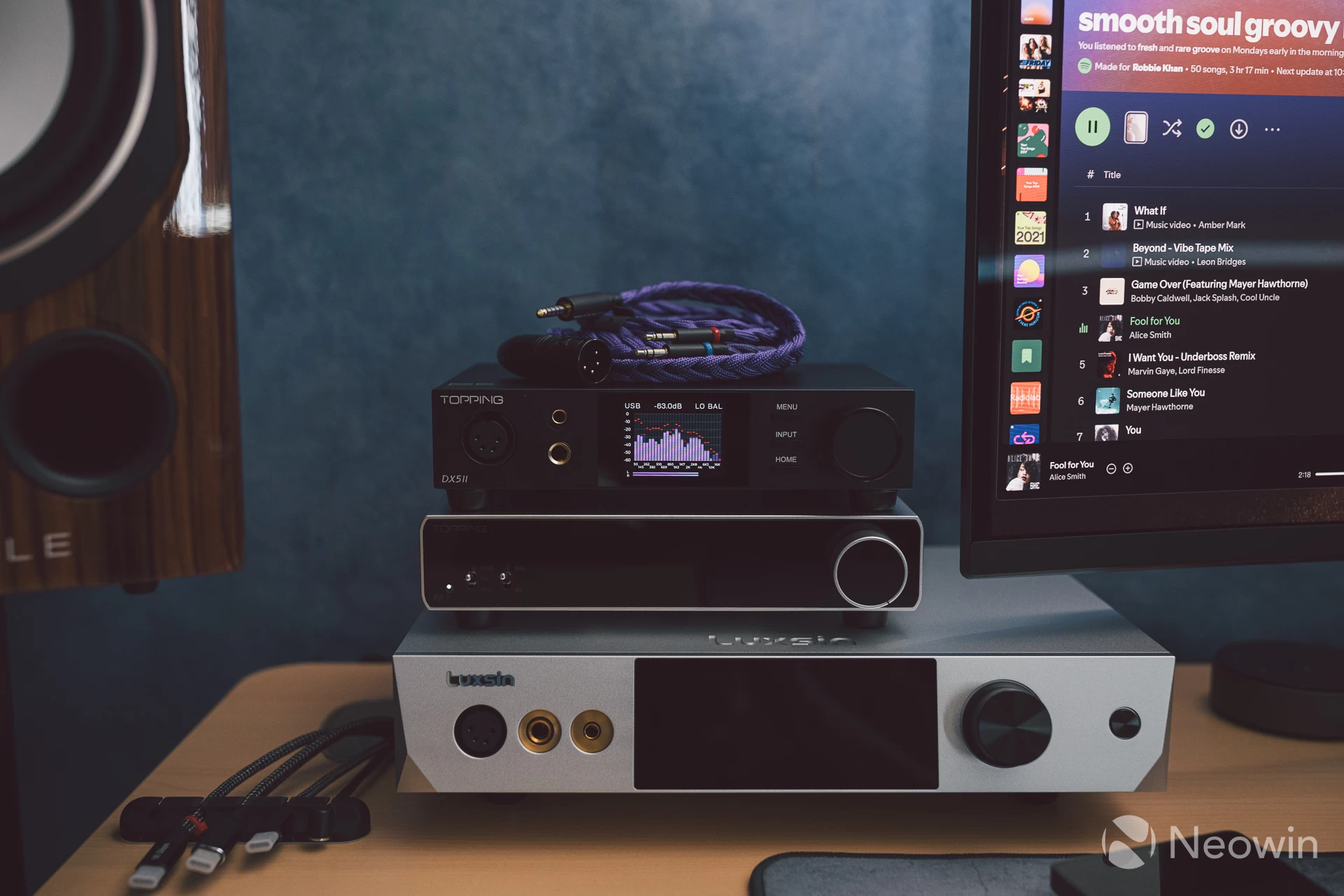
It seems then that there has never been a better time than now to be a desktop audiophile on a budget. Topping"s new DX5 II (shown above) was the first this year to offer premium specs and sound (even if it didn"t really impress me due to being too analytical/sterile for my taste), and in fact is the direct competitor to the K13 R2R as they are both priced near enough the same so that the decision will come down to individual preference on sound signature.
The K13 R2R offers a wide soundstage and matching stereo image with defined layering, whilst the DX5 II provides a more intimate soundstage and narrower stereo image that brings vocals closer to you, presenting everything with a flat sound signature which is more typical of the ESS DAC chips it uses.
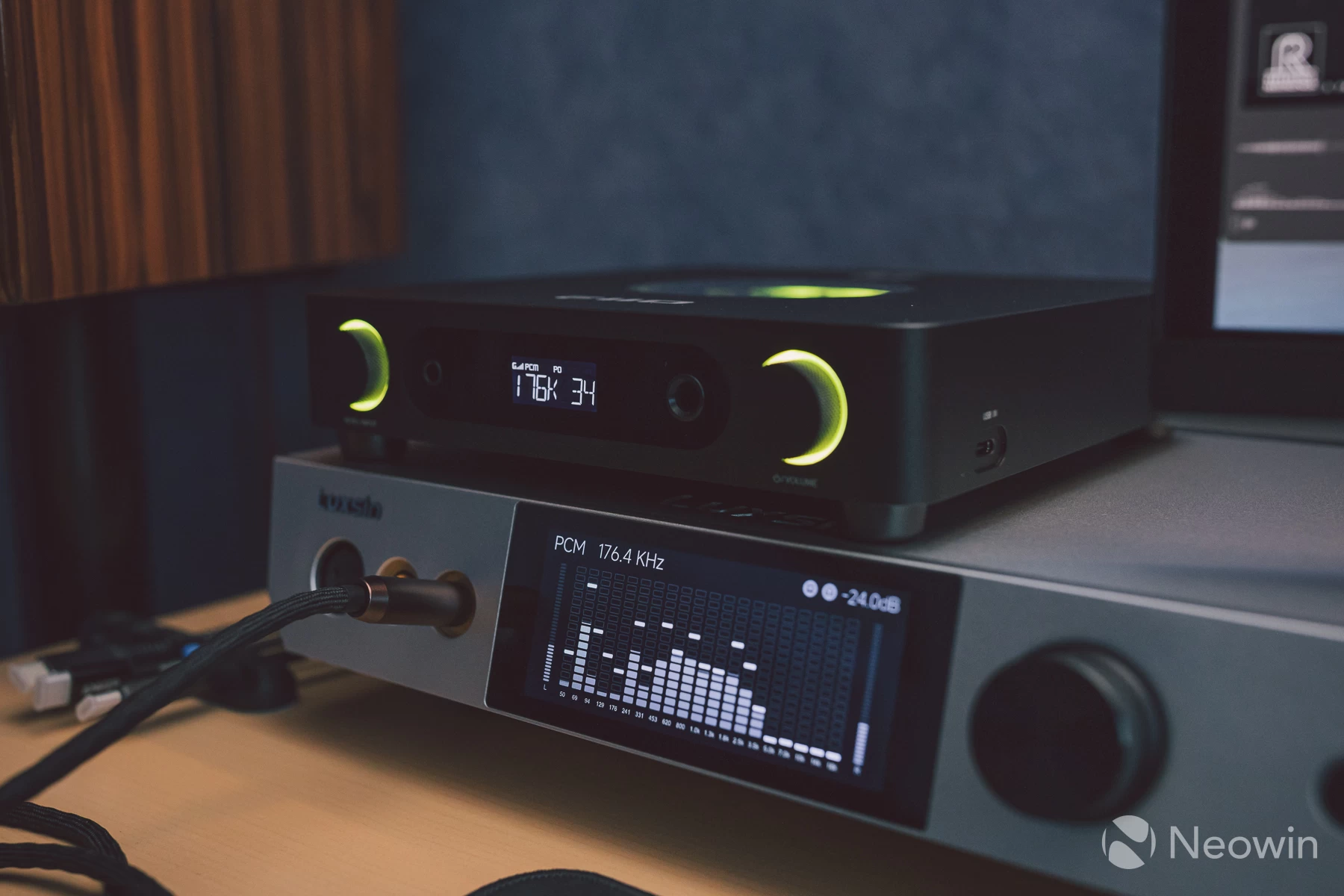
The DX5 II also has considerably more headphones output power, coming in at over twice that of the K13 R2R at most impedance values. However, don"t focus on this too much, as even 1000mW is more than enough to drive most headphones to deafening loudness levels. A lot of contributing factors will dictate a buying decision, and things beyond specs alone must be considered. Reviews like this will hopefully build a strong case for one or the other, but at the end of it all, the only thing that matters is what your ears are telling you, even if what"s written on a spec sheet or measurement graphs is telling you one appears better over the other.
| Bluetooth | |
|---|---|
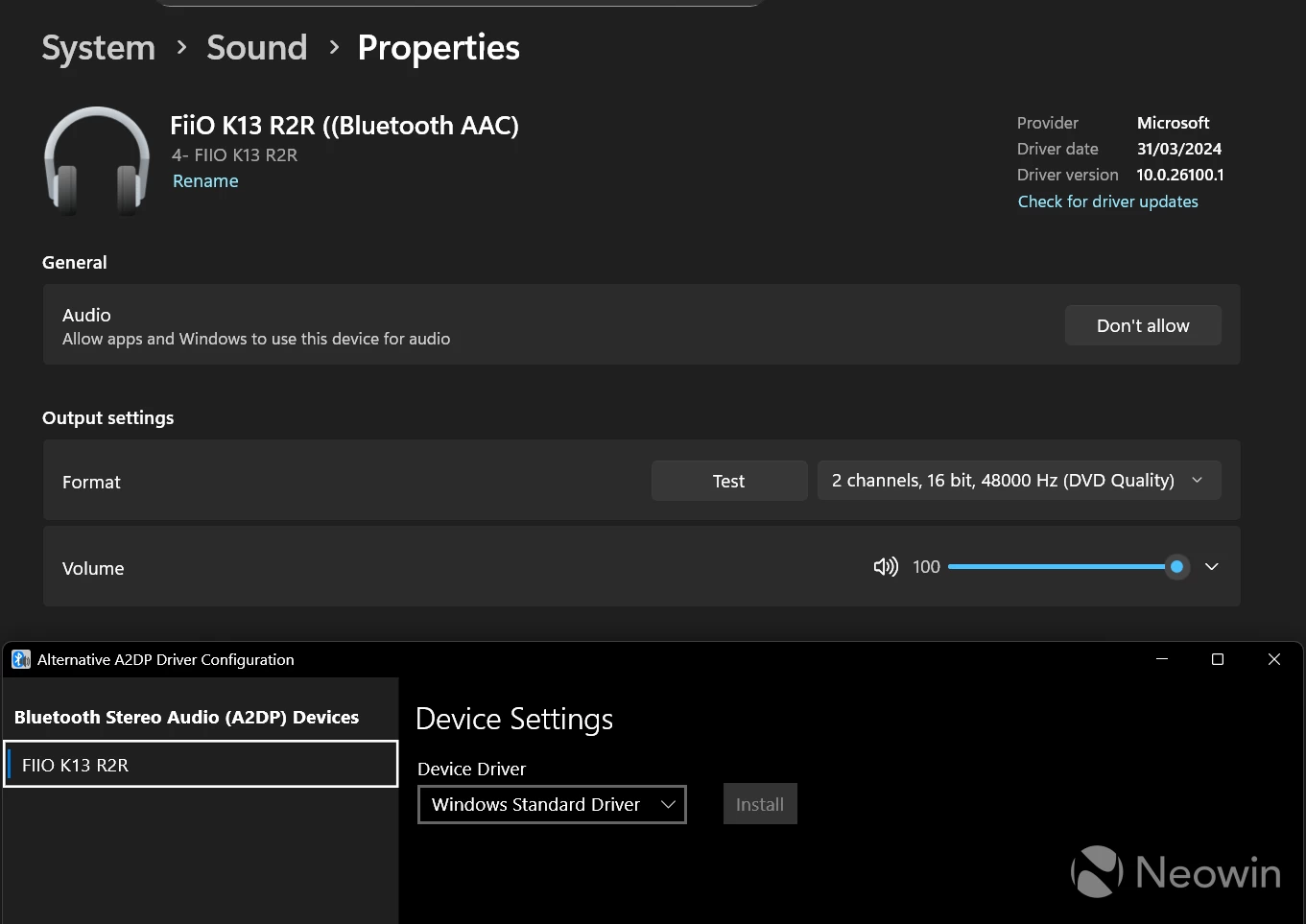
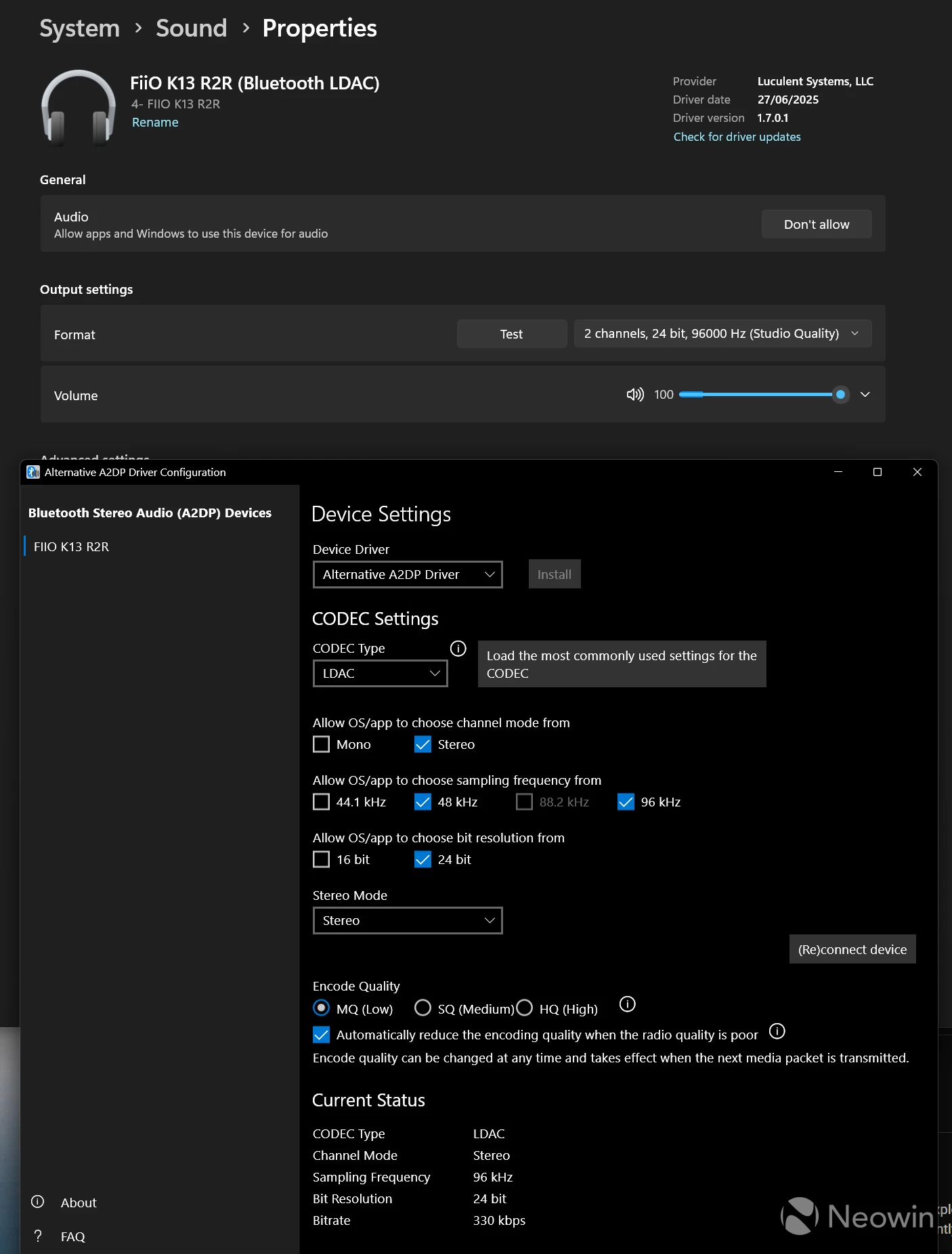
Bluetooth connectivity was painless, but as I have said many times in past reviews, if you are on Windows, then Alternative A2DP Driver must be used; otherwise, Windows will simply use the lowest quality CODEC, which in this case is AAC when using Microsoft"s abandoned native driver.
Enabling the third-party driver allows the use of LDAC and sample rate and bit-depth rise to 240-bit 96KHz. Using Bluetooth, even with LDAC, will not be truly lossless, though. Still, the quality difference between it and AAC is very obvious, especially with music congested with a smattering of instruments and vocals.
Parametric EQ and customisation
Similar to the Luxsin X9, the K13 R2R"s 10-band PEQ has a built-in cloud database for many headphones available today, with target curves that can be selected and then saved to a user slot.
This is all done via FiiO Control, a web-driver-based software accessible by visiting fiiocontrol.fiio.com from a HID Connect-compatible browser such as Chrome or Edge:
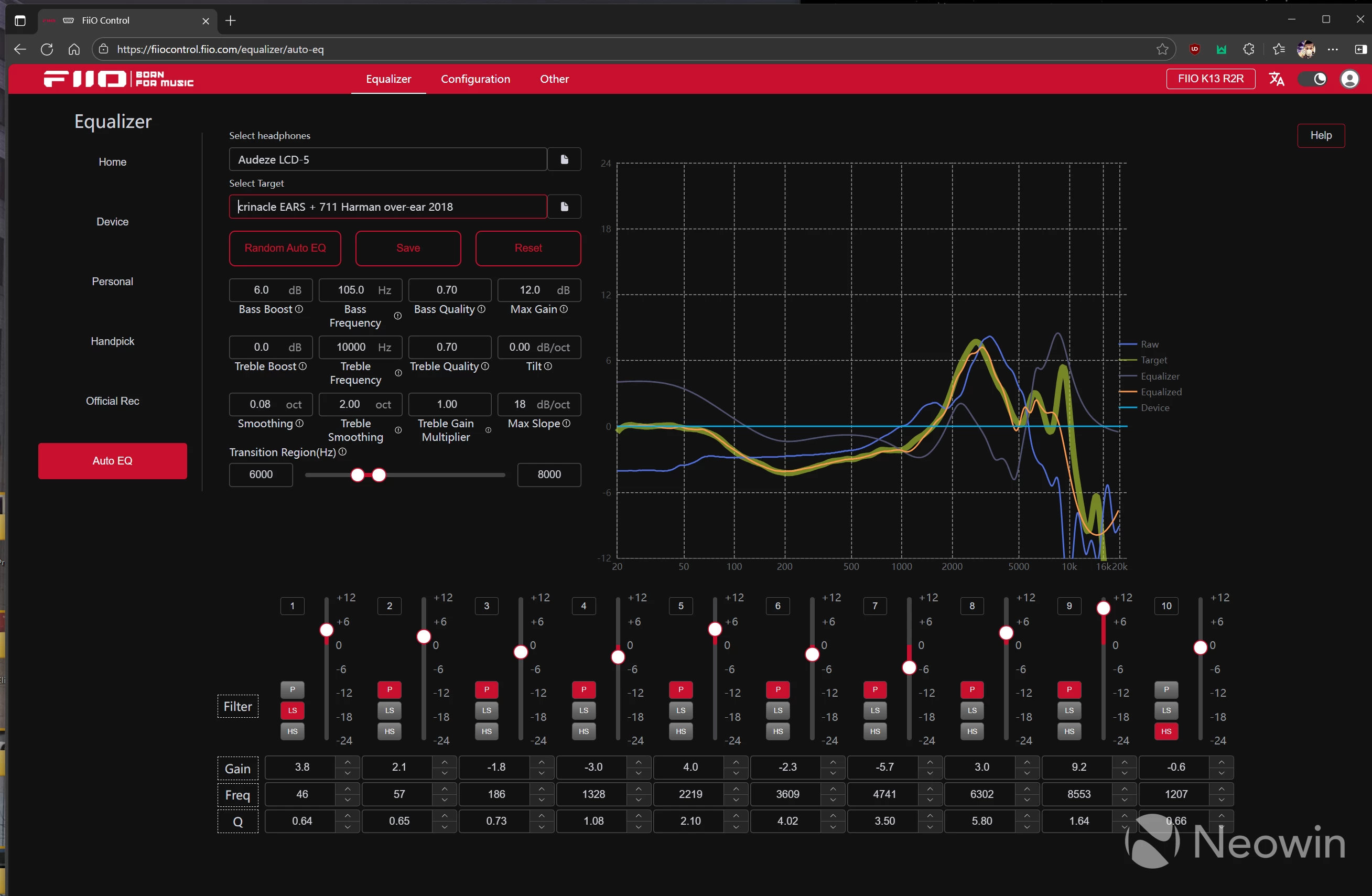
Once connected, picking a headphone model and target curve is very easy; you can then further tweak to customise and re-save as your own bespoke target curve if the supplied one does not quite hit the mark.
The PEQ can also be configured using the FiiO Control smartphone app, though the UX for this is not very pleasing. I recommend using the browser version at all times.
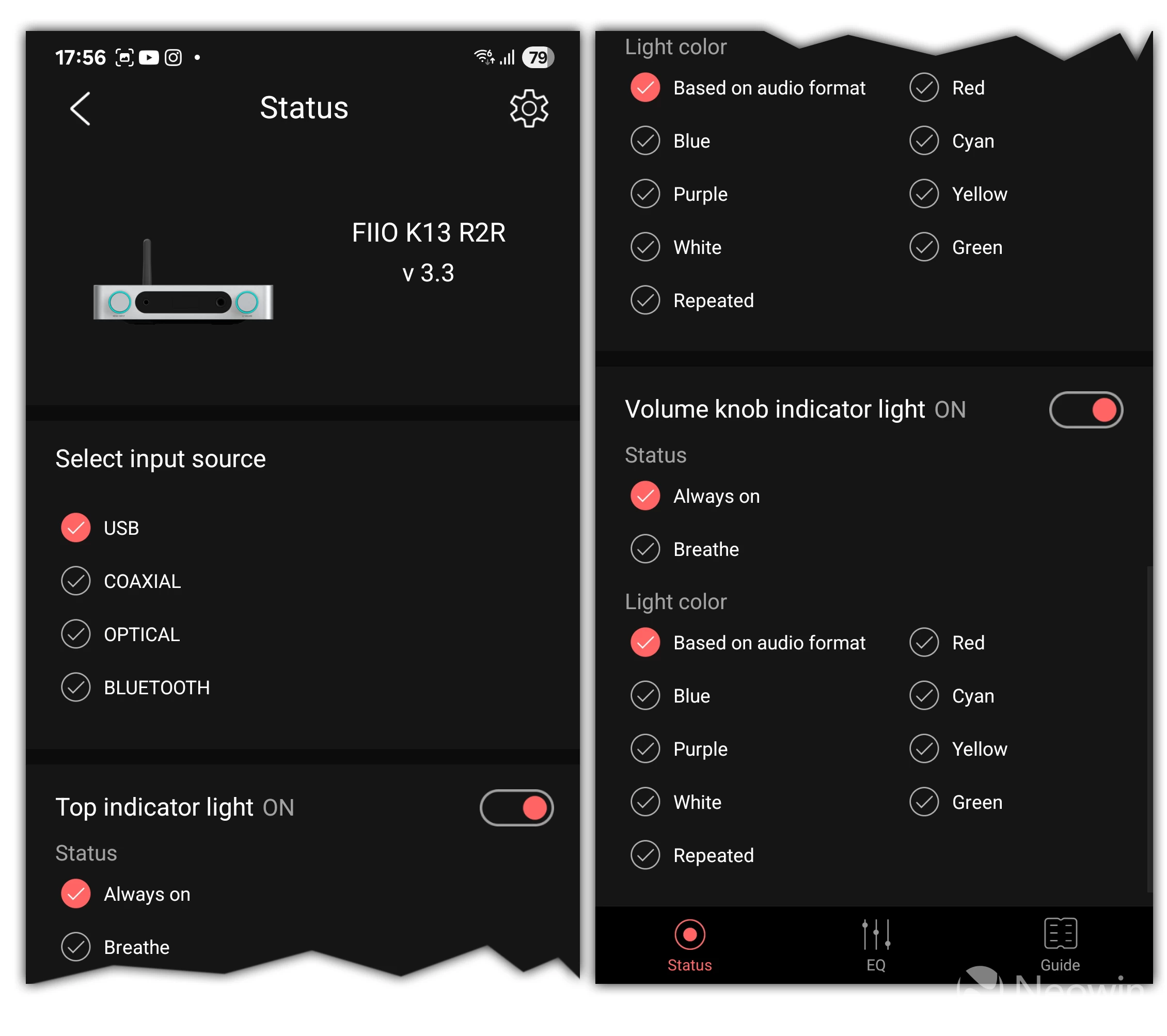
The app is required to update Bluetooth firmware and customise various settings, such as RGB colours and lighting modes, these settings are not possible via FiiO Control in the browser which I find illogical again. Doubly so because whilst the on-screen menu offers the ability to customise the display, knob and panel lighting, it does not allow you to choose lighting modes or colours like the app does.
I feel that everything should be in one place, with options in the menu also included. It makes no sense to spread out different settings across three other interfaces.
A PSA for all
For those who are connecting any DAC to a computer via USB, if running Windows, then please do yourself a favour and install the latest version of the official driver supplied by your DAC"s manufacturer. This is important because without the control panel that comes with the driver, you will almost certainly get an initial sound playback delay that happens when the DAC has to wake up from an internal sleep state after several seconds of no audio playback.
As the delay happens, the first portion of any notification sound or audio is missed, this means notifications from apps like Discord could be completely missed as the DAC has not woken up and processed the signal in time for such a short notification tone.
It is something that most people probably are not even aware of, but once you notice it, it will always be seen!
To fix it on Windows, simply load up the control panel and navigate to the Options tab. Select the drop-down box for the Streaming option and set it to Always On.
The streaming setting appears to keep a silent signal alive to the DAC, which means the DAC remains in an active state listening for a live audio signal. This might have a very minor impact on power draw when idle, but it will be so small that it is largely insignificant. Some brands like Eversolo/Luxsin don"t offer the option as the default mode is set to Always On anyway, and the driver simply adds ASIO support, so installing it is still worthwhile.
This setting is set to On if Needed by default for FiiO DACs, with some older models not even having the Options tab in the control panel. I have quizzed FiiO directly about it and am awaiting a response on whether it will update the control panel to add this setting for older models and what it intends to do about the default setting going forward, as well as a solution for non-Windows systems.
Update: FiiO has responded and this info, along with some other clarifications have been added to the end of this review as a broader update.
Users on Mac OS and Linux are out of luck currently, there has been some discussion about this online going back a while, but no complete solution exists as of yet.
Other observations summarised
- You cannot use both USB-C inputs individually; priority is given to the side port when something is connected to it.
- The headphones" gain setting slopes from low to medium are not that far apart; from medium to high is a massive dB boost.
- Unlike Topping, FiiO includes batteries with the remote!
- The included USB cable is still a cheap-feeling generic tat.
- PEQ mode has a Bypass and OFF; these are not the same thing. Off completely bypasses the EQ and all processing. Bypass simply stops the blanked audio delay when trying out different EQs for A/B testing.
- Both headphone ports output audio at the same time, so you can listen with two pairs of headphones at once if you have two heads 😁😁
- The ten PEQ user slots cannot be renamed, so when you save a custom curve, you need to note down which curve is in which slot, which is annoying.
- Saved PEQs cannot be applied to a specific output port, they are global, you can cycle through PEQ slots using the remote though, so are easy enough to toggle.
- Unlike on the K11 R2R, the Coax port is only an input instead of dual mode.
- Lack of 12V trigger support creates a minor inconvenience for setups containing other devices in the chain.
Conclusion
As an owner of the K11 R2R, I knew what I was most likely going to get with the K13 R2R. FiiiO marketing even said it themselves, that this new model delivers what consumers have been wanting since the K11 R2R was released, a DAC/amp that has more power and more connectivity options.
FiiO has delivered exactly that, and then gone one step beyond to make the K13 R2R sound more musical than the K11 R2R. It is clear that the sound improvements are coming from the better amplifier stage, along with the new in-house internal power supply. There may be some additional hardware tuning, of course, but there is no detail on what these might be at this stage.
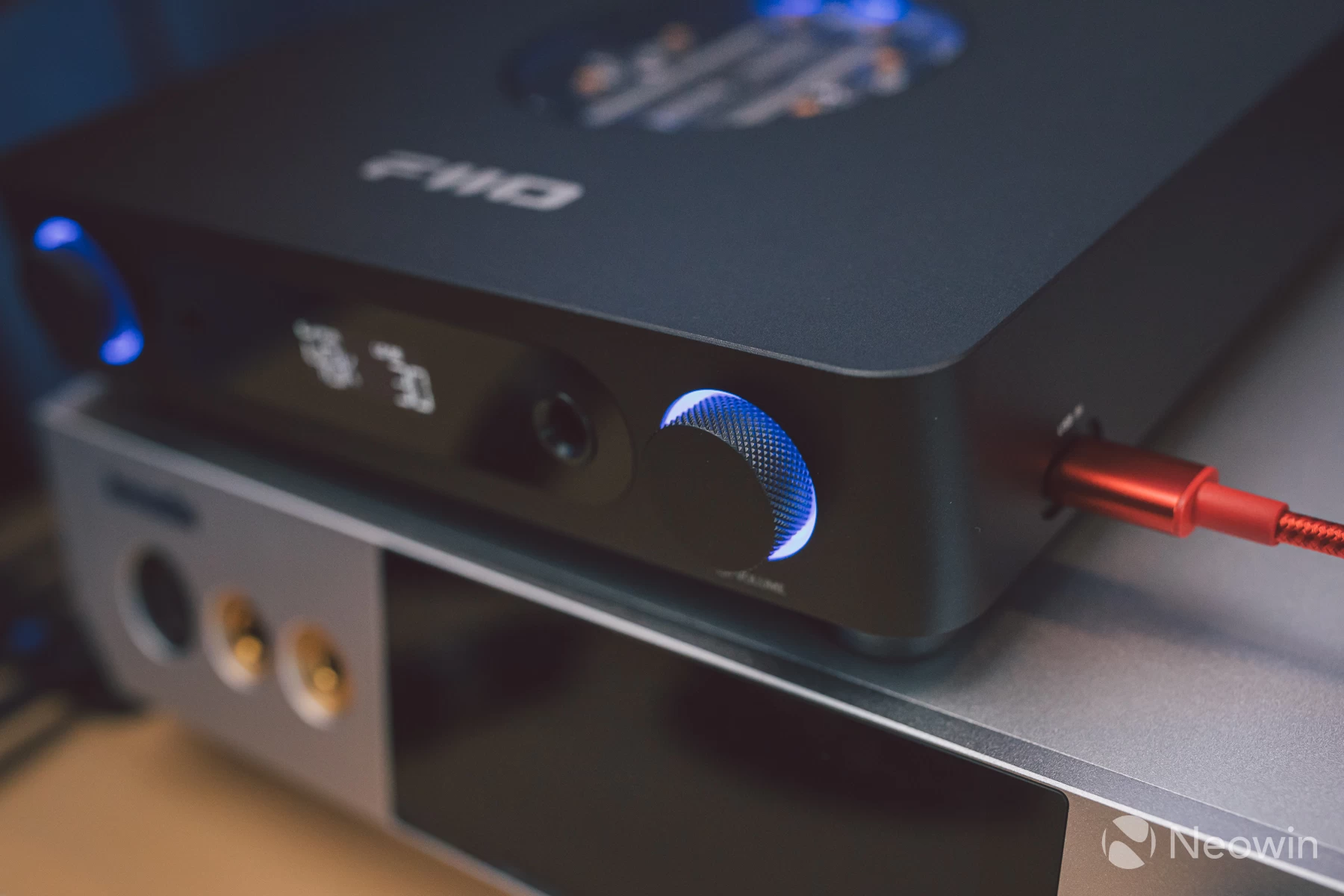
The side-mounted USB port initially seemed a bit of an odd placement. Still, I have been using it quite conveniently, connecting up a phone, my monitor to get a USB connection during additional testing and so on.
What surprised me most was the fact that there have been no glaring bugs or issues that I can find. Sure, there are some nitpicks I have already covered. However, as a new release, the firmware is stable, Bluetooth works flawlessly, the display is still simple but also legible, the remote has 99% of the buttons I would look for, and most importantly of all, it sounds high-end. My immediate experience with the Topping DX5 II was somewhat different by comparison.
I can see this becoming an even bigger hit than the K11 R2R. It might cost more, but it"s still cheap enough to remain affordable, with a slew of new connectivity options and a PEQ, exactly what we were mostly missing from the K11 R2R.
You can buy the FiiO K13 R2R for £317.96 / $319.99 / €315 - at the official FiiO stores.
UPDATE:
FiiO responded to the questions I raised based on my findings in this review, here is what customer service has said:
1. About the "streaming" option, it is added in the latest USB DAC driver. So you could adjust this option when connecting to other FiiO USB DAC as well.
2. We have considered to keep the streaming option to "always on" previously. However, some USB DAC have "no data defection function". And the "always on" setting will disable the "no data defection function". So we keep the streaming option to "on when needed" instead. The users could switch this option to "always on" while needed.
3. The mute function via volume knob will be assessed.
4. We will check whether the requirement of renaming PEQ is high. If yes, we will try to add. Because of the Display limitation in K13, only a few letters could be shown.
Just some clarification on non-Windows operating systems remain, which I will add info about once more is known.