Files is a popular file manager for Windows 10 and 11, and it is one of the best alternatives to the stock File Explorer. The app is packed with features, it looks fantastic on Windows 11, it is free, and it regularly receives feature updates. The latest preview update, version 3.9.12, introduces some big changes to the address bar, search, and filtering.
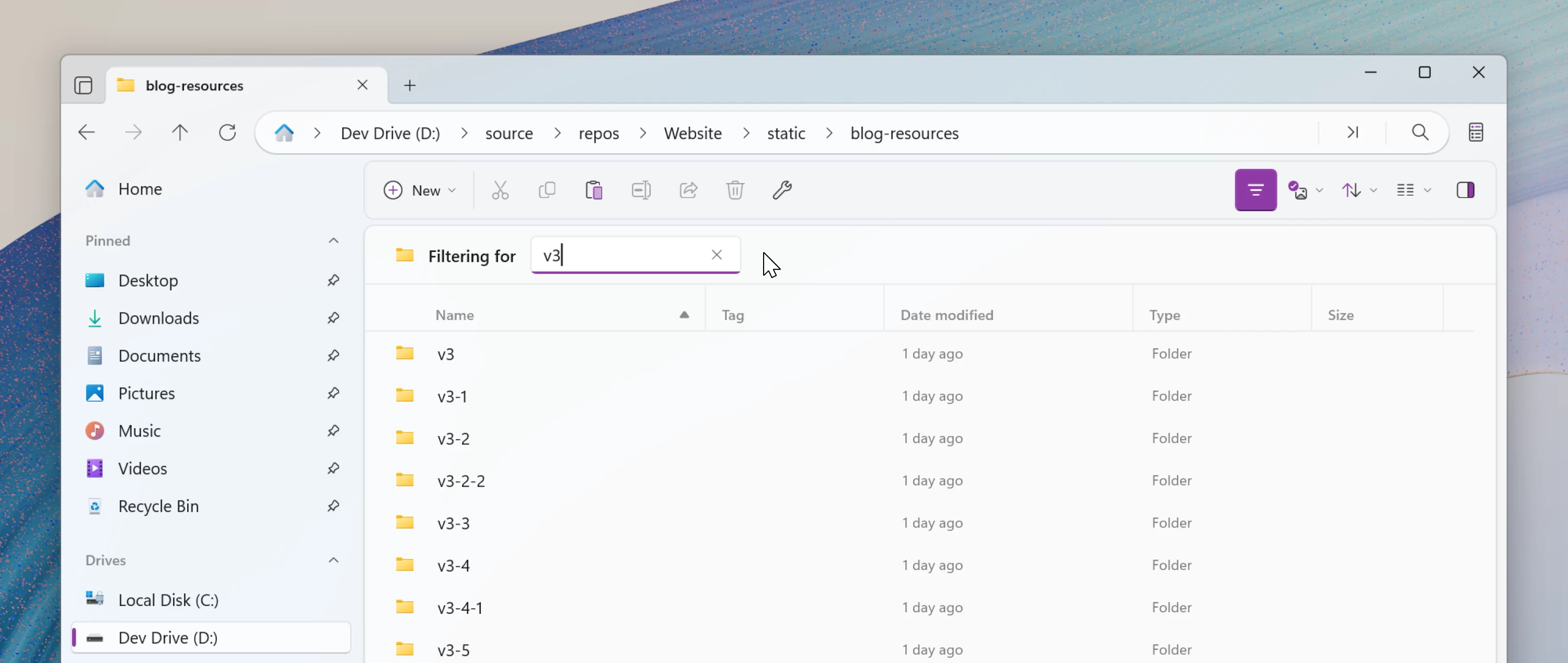
With Files Preview 3.9.12, the app is getting the new Omnibar. It is a new control that works the same as your browser"s address bar. It combines the "breadcrumb" path and the search box into a single UI element. By default, the new Omnibar displays breadcrumbs, which are the current path to the folder with quick access to each directory in the path and their nested folders.
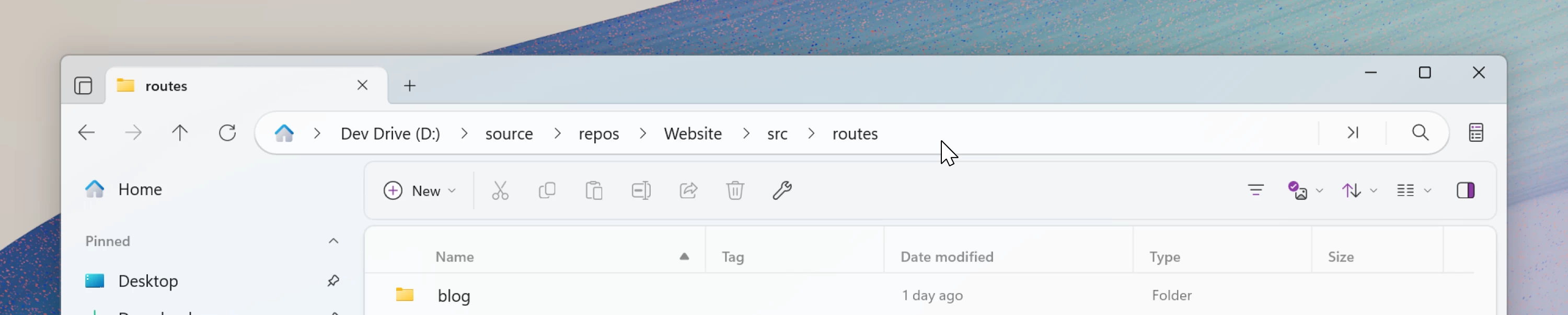
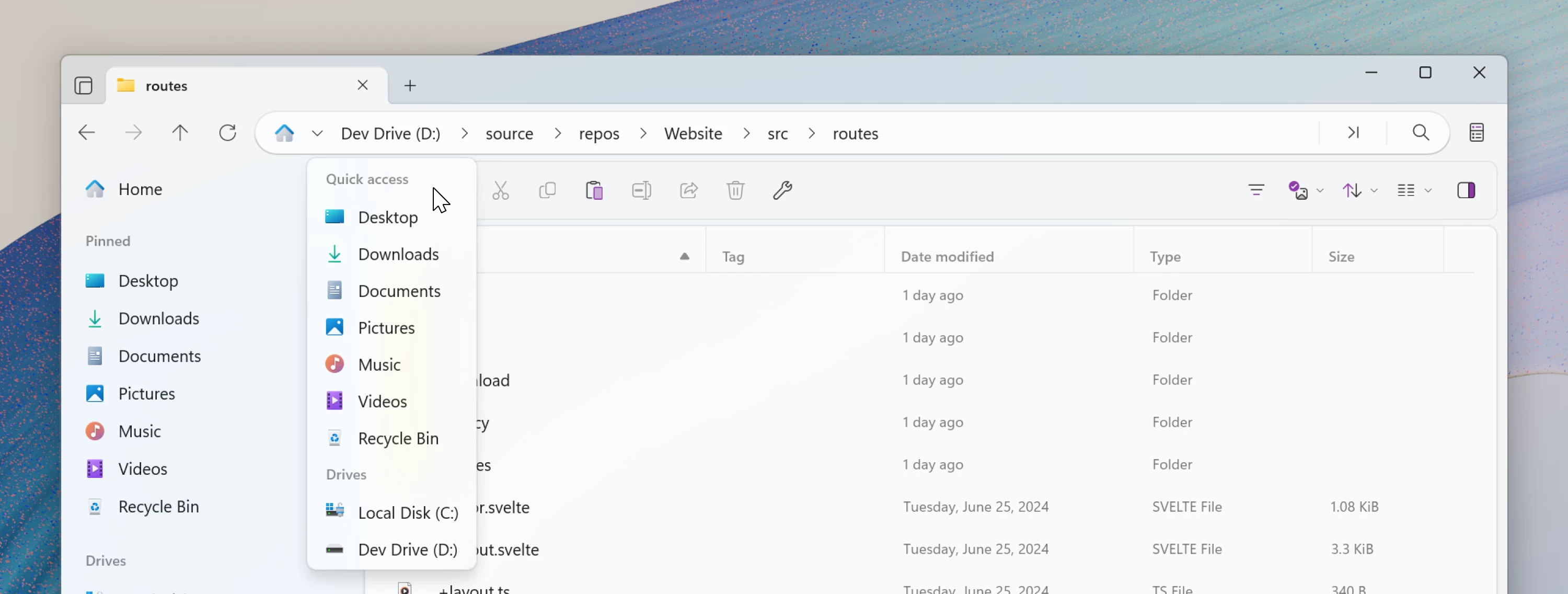
Besides the visual overhaul, the new Omnibar introduces a new Home button with a dedicated flyout that lets you navigate to quick access items, drives, and other elements.
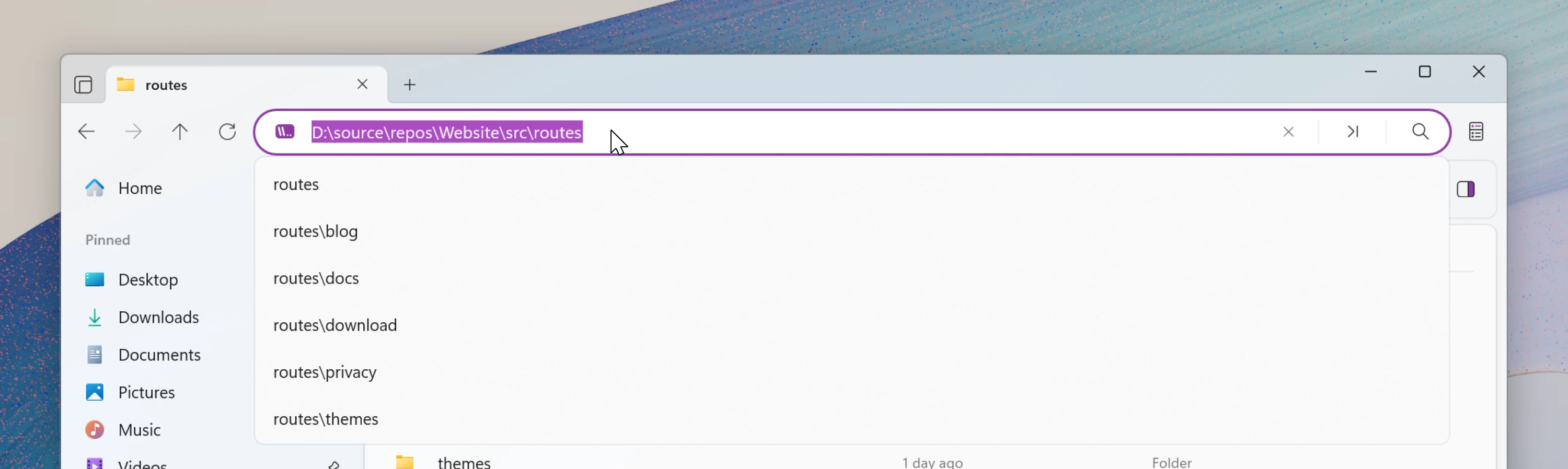
You can click the new Omnibar (or press Ctrl + L) to edit or copy the current path, paste a new address or navigate to another folder by typing its location. The Omnibar also now hosts the Command Palette, which you can trigger by pressing Ctrl + Shift + P.
With the Omnibar, Files no longer uses a dedicated search bar. You can search for files by pressing Ctrl + F or clicking a search button in the omnibar. It is also worth noting that developers changed how filtering works. Now, Files has a dedicated filter UI instead of defaulting to filtering items when typing in the search box. It works faster and it is more intuitive.
Other changes in Files Preview 3.9.12 include OX Drive integration and partial RTL support.
You can download Files Preview 3.9.12 from the official Files.community website. If you want to support developers, you can purchase the preview version from the Microsoft Store.