
Microsoft Defender is an excellent tool for security teams managing cybersecurity risks within their organization. However, a tool alone cannot be enough in many cases, especially those which require deep investigation and manual analysis. The good thing is that Microsoft understands the need for this, which is why it is integrating some new capabilities directly into Defender.
Security analysts and IT teams often rely on their own arsenal of scripts and utilities to triage and investigate threats. During dynamic sessions involving live investigations and responses, it can be particularly cumbersome to upload these assets and then use them within the team. This is why Microsoft is now offering a way to directly manage this repository in Defender.
This is made possible through the new Library Management experience in Defender that offers a centralized interface where security teams can upload files, scripts, and other assets in a streamlined manner. This approach emphasizes proactive behavior that reduces dependencies and improves readiness and visibility.
There are lots of capabilities available in Library Management. The highlight is, of course, centralized management of assets in Live Response scenarios that allows bulk upload and cleanup. Customers also have the option to preemptively upload PowerShell scripts and batch files, so they are immediately accessible should the need arise. The content of scripts is directly viewable in this portal as well, so you don't need to download dedicated tooling.
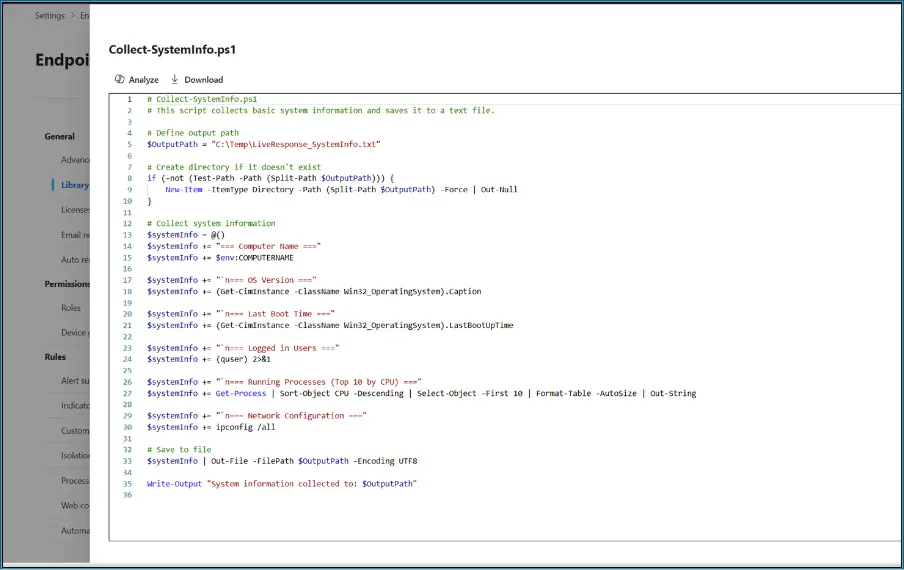
Naturally, Microsoft has also integrated Security Copilot into Library Management, and it is capable of providing the following information:
- Summarized behavior descriptions
- Security-relevant insights
- Execution risk context
Library Management in Defender is now ready for utilization by enterprise customers. Security teams can access it through the Live Response page in the Microsoft Defender portal. This is arguably a powerful utility that can greatly enhance your organization's cybersecurity posture if used in the intended way.














1 Comment
Load the comments and join the conversation!
Read the comments, ask the editors questions, show respect and join the conversation.