At the end of last month, you may remember we reviewed the D1 SSD Pro disk enclosure that supports up to Thunderbolt 5 speeds (80 Gbps). Well, TerraMaster is back with another disk enclosure, this time it's the "baby" in the series, supporting up to USB 3.2 Gen 2 speeds (10Gbps). I was offered the chance to take a look at it and put it through its paces; it's (still) a palm-sized enclosure that supports a single M.2 SSD with Type-C USB support.
Before we get underway, here is a disclaimer: TerraMaster provided a free sample without any review pre-approval.
Here are the full specs of it:
| TerraMaster D1 SSD | |
|---|---|
| Dimensions: | 113.6 x 45 x 21 mm |
| Weight: | 146 g (Gross Weight: 330 g) |
| Max Noise Level: | Noiseless |
| Compatible Disk Types: | PCIe3.0/4.0/5.0 NVMe M.2 2280 SSD |
| USB Bridge: | Realtek RTL9210B-CG |
| Raw Capacity: | 8TB |
| Reading Speed (max.) Writing Speed (max.) |
1020MB/s (Samsung 990 Pro 4TB M.2 SSD) 1010MB/'s (Samsung 990 Pro 4TB M.2 SSD) |
| Power Consumption: | 3.2 W (Built-in Samsung 990 Pro 4TB M.2 SSD in read/write state) 0.8 W (Built-in Samsung 990 Pro 4TB M.2 SSD in hibernation) |
| Working Temperature: | 0°C ~ 40°C (32°F ~ 104°F) |
| Storage Temperature: | -20°C ~ 60°C (-5°F ~ 140°F) |
| Relative Humidity: | 5% ~ 95% RH |
| RAIDs Supported: | Single Disk |
| Certification: | CE, FCC, CCC, KC |
| Ingress Protection Rating: | IP67 |
| Power saving: | Hibernation |
| Ports: | USB 10Gbps |
| Warranty: | 2 Years |
| (MSRP) Price: | $39.99 |
As you may notice from the specs listed above, this D1 (which is the slowest in the line up) also supports ingress protection, rated at IP67, which means "the device is completely dust-tight, and can withstand temporary immersion in freshwater up to 1 meter for 30 minutes." It is the only D1 in the series that has this rating.
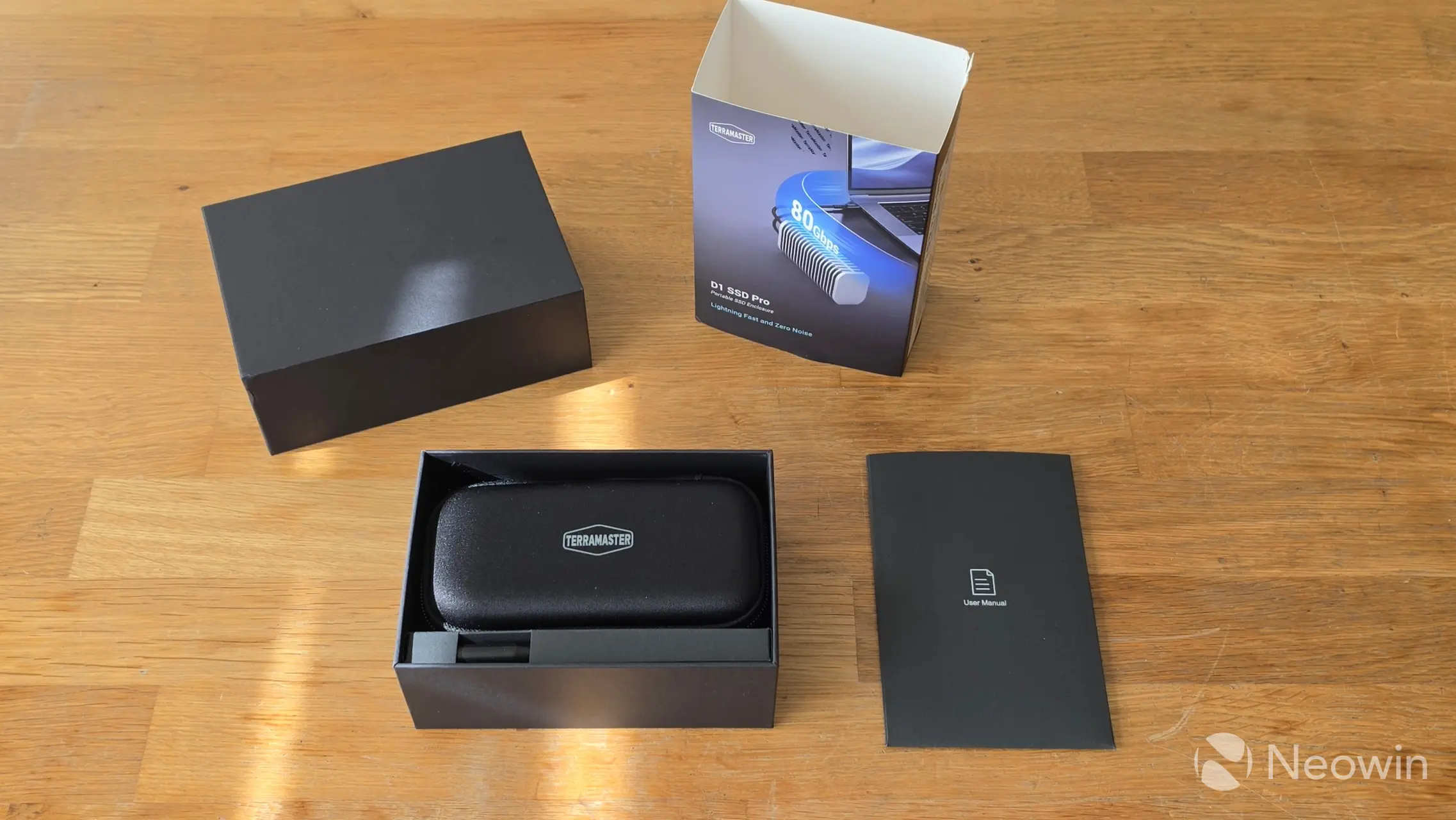
With that out of the way, the D1 SSD comes in a cardboard box, that when opened reveals the documentation envelope, a cardboard compartment for the accessories, and the D1 SSD enclosure sitting in a nice looking case which itself is made from soft but rigid cushioned fabric covering of a mold made from either thin plastic or cardboard.
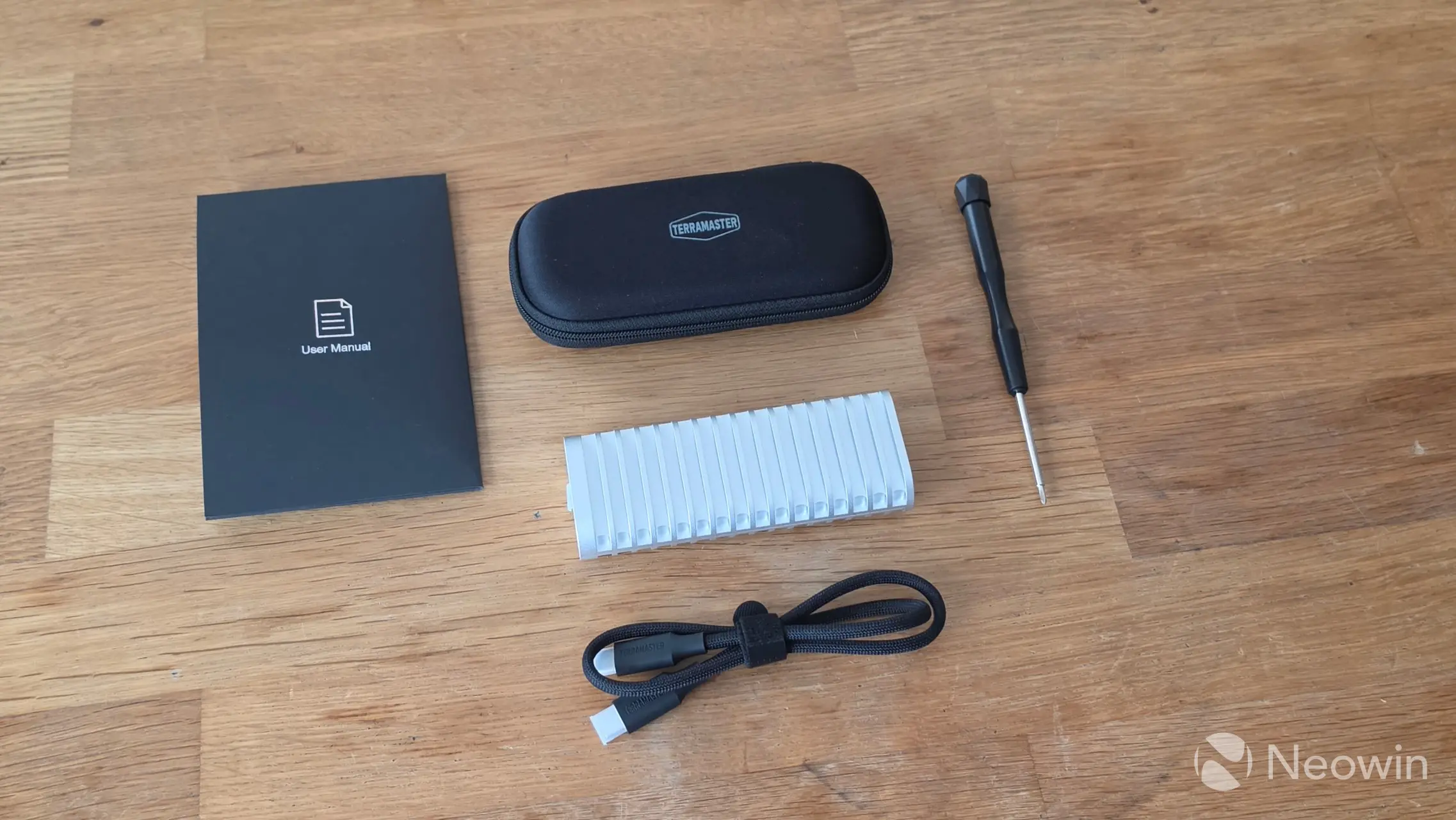
What's in the box
- D1 SSD
- USB Type-C cable (C to C) 0.5m
- Screwdriver (magnetized)
- Quick installation guide
- Limited warranty notice
- Case
TerraMaster no longer requires an email address and product details in order to access the support pages of its products (Yay!), however there's no online link for a PDF of the User Manual, instead, there's a link to a zip which contains the User Manual, Warranty details, Statement & Terms, and End User License Agreement PDFs. That same page also has the desktop TPCBackupper, and TDAS Mobile apps.
Design
I said it last time (about the D1 SSD Pro), and I'LL SAY IT AGAIN, the design of the D1 SSD is really great, TerraMaster, don't change anything! It is basically one big heat sink made from metal, and it is cold to the touch when not powered on. As can be seen in the specs, at 146 grams (less than half the weight of the D1 Pro), it has a good heft to it as well.
|
|
|
|
|
|
|
|
|
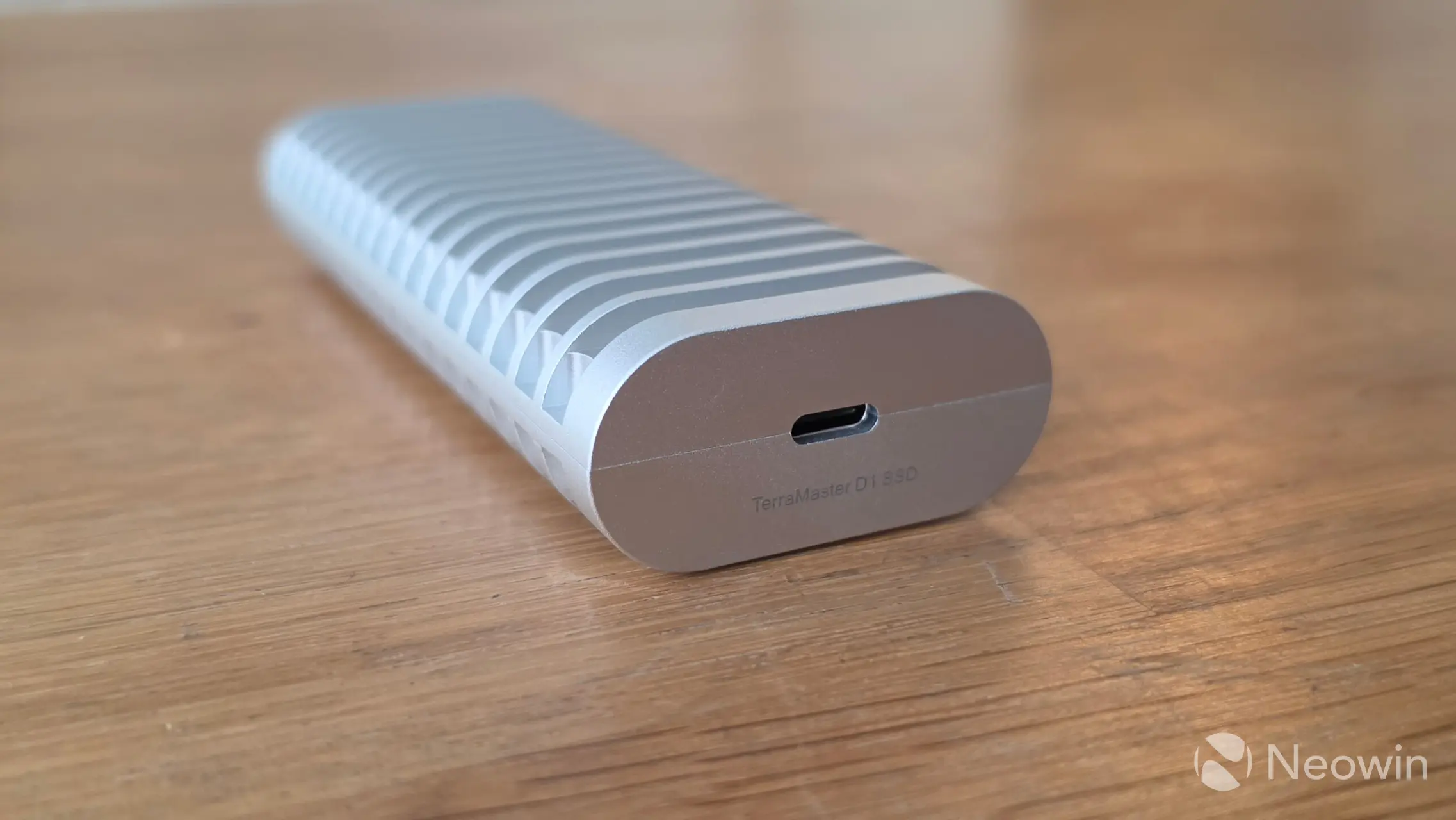
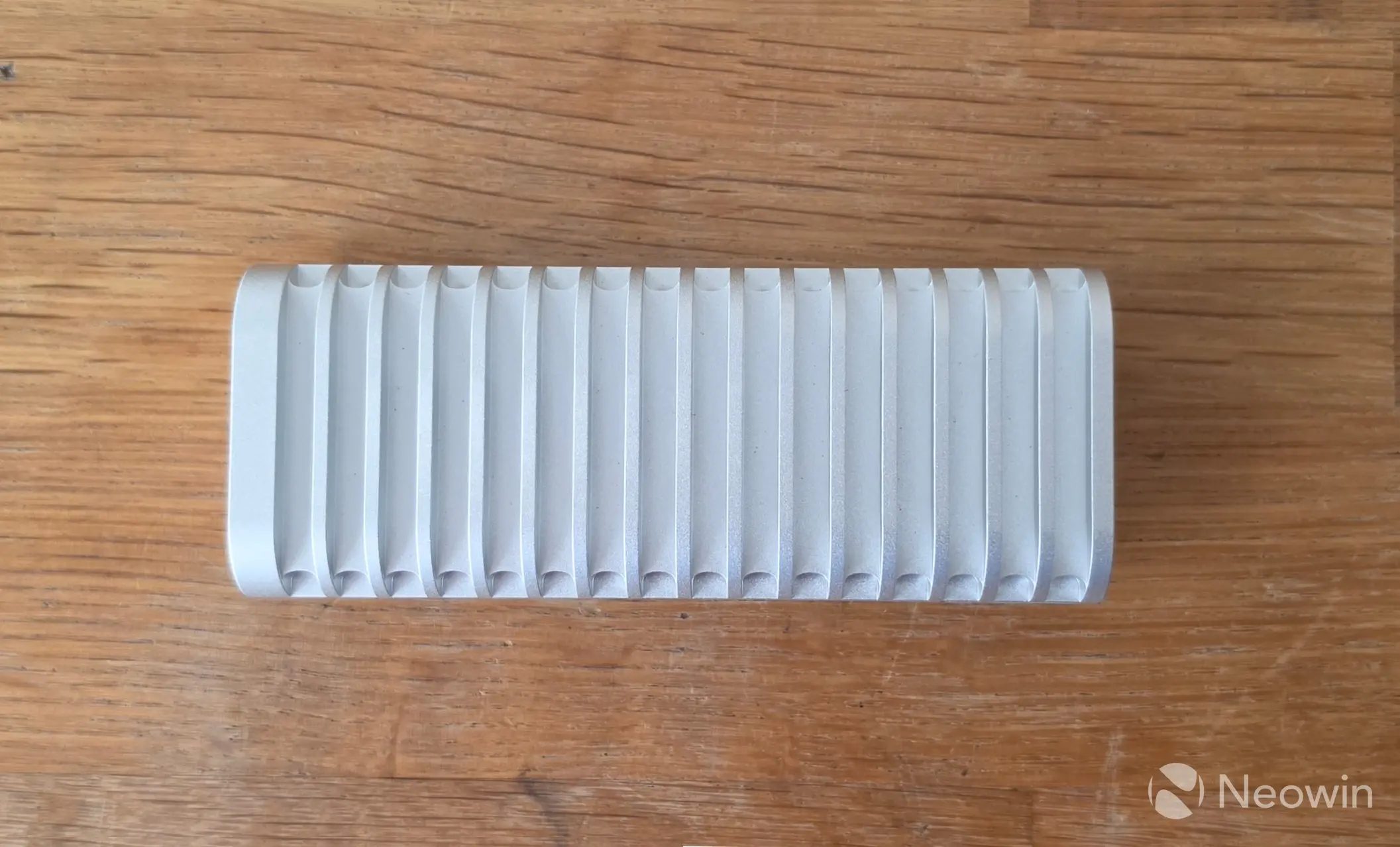
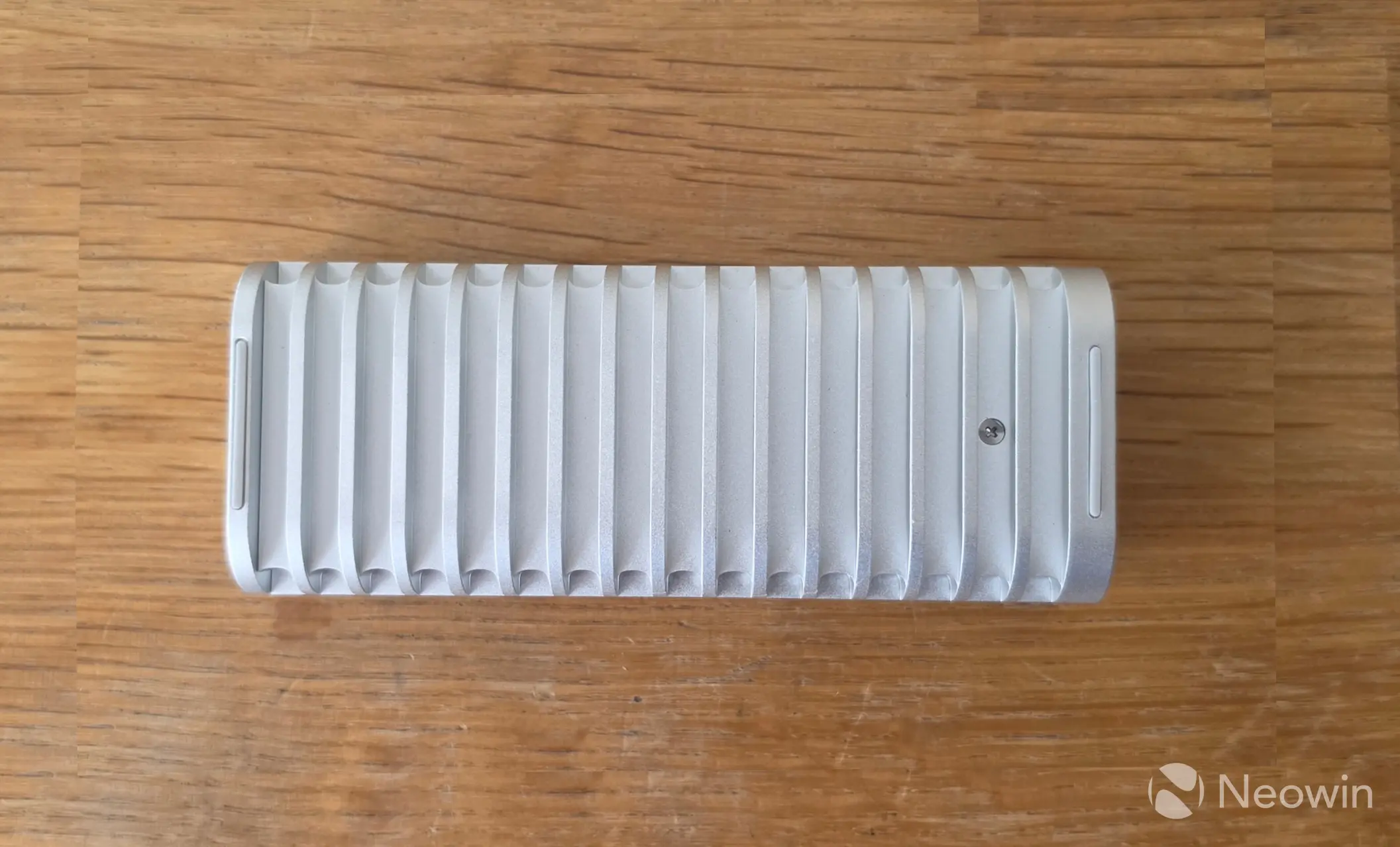
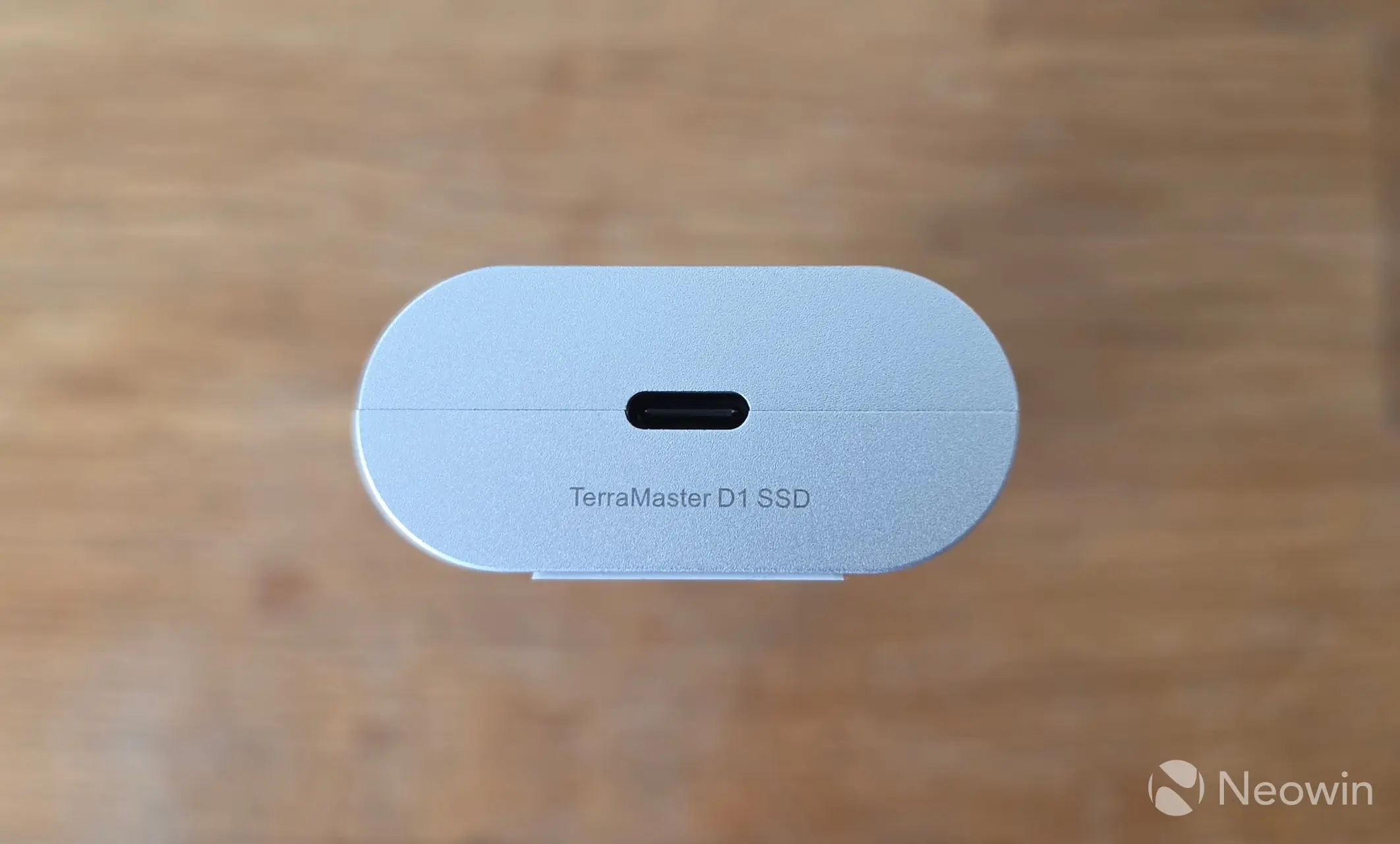
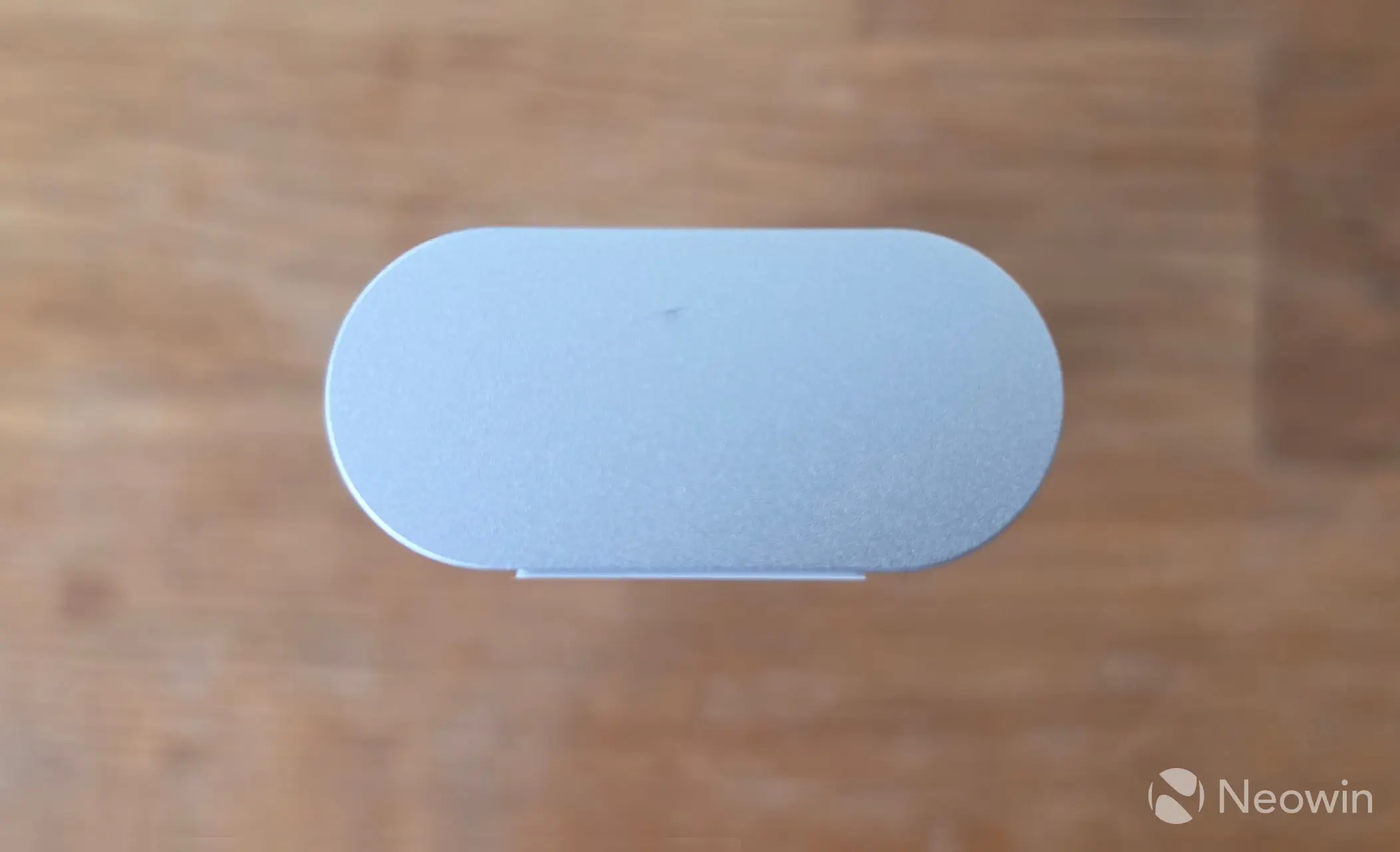
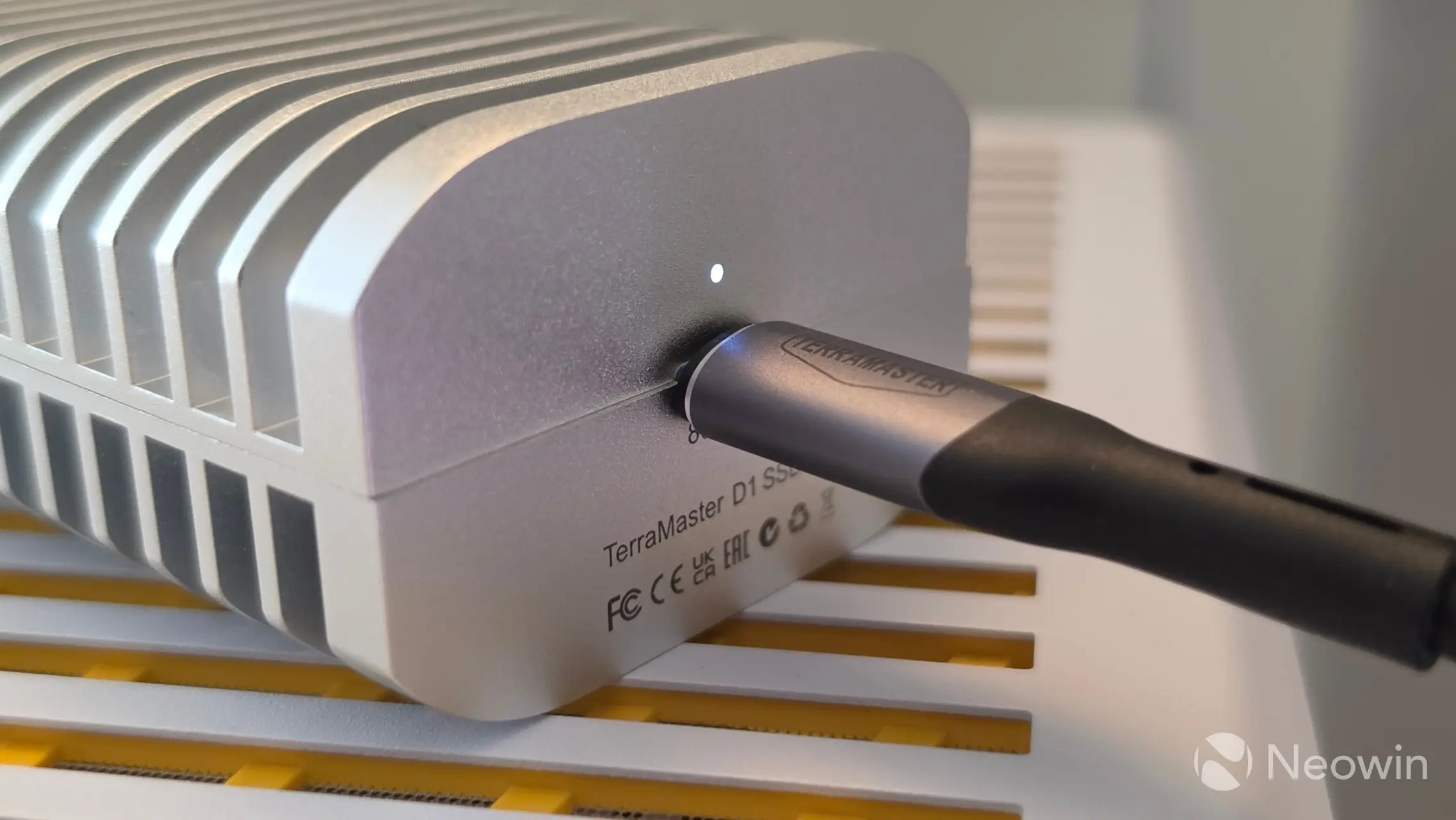
Above you can see it from all angles, the underside has one screw that stays in the frame when loosened. On one side you have the port, product name, and that's it. Yes, most likely due to the very attractive price point of the D1 SSD, but also to achieve that IP67 rating there's no status LED. The various safety marks can be found on the inner frame.
Around the other side has no markings whatsoever.
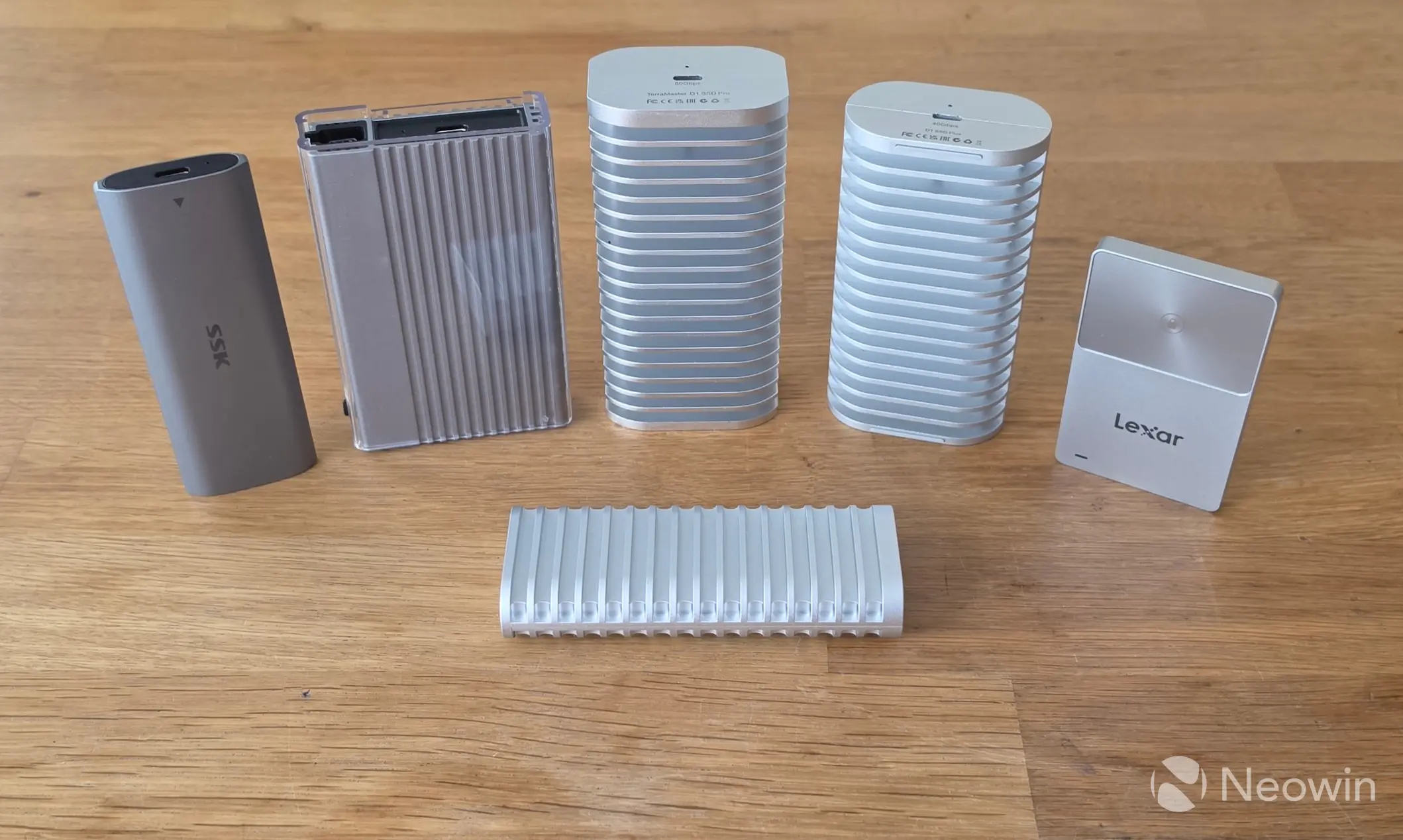
Compared to D1 SSD Plus and D1 SSD Pro
|
|
|
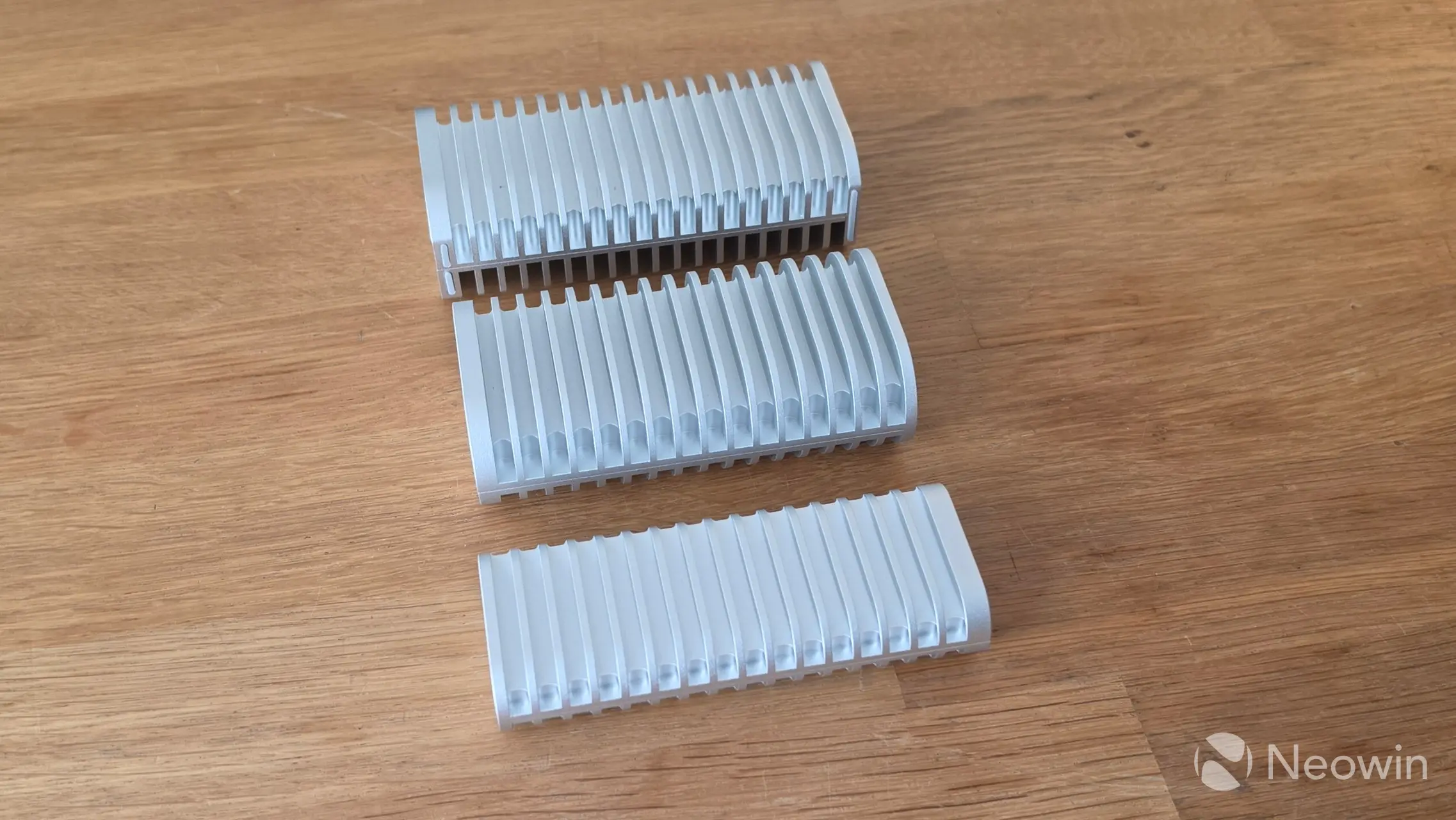
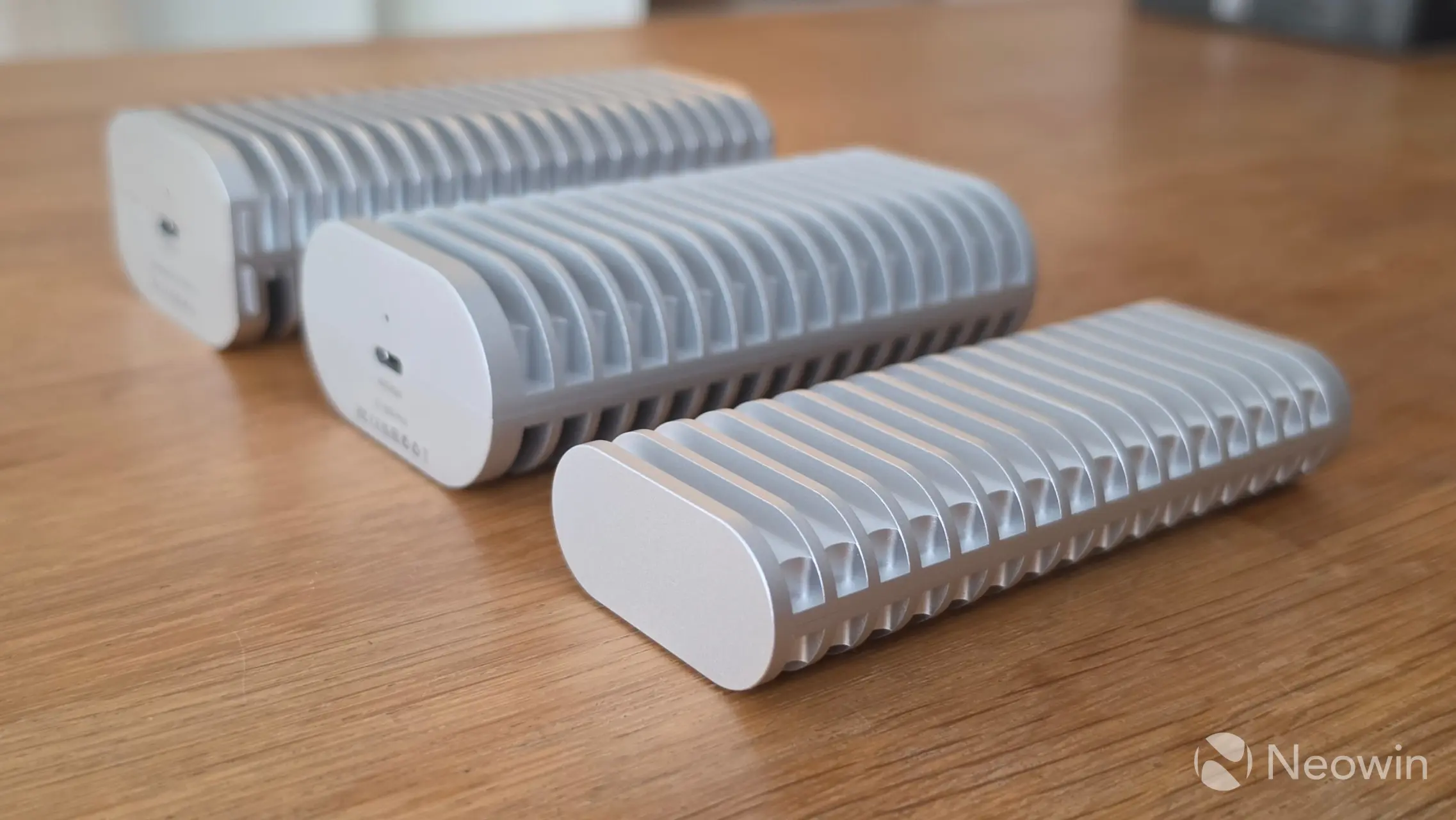
Compared to the D1 SSD Pro and Plus, the D1 SSD looks more like a scaled down version of the Plus, right down to the rubber stand offs on the bottom of the enclosure. These slimming down changes shave off 128 grams of weight in comparison to the Thunderbolt 4 capable D1 SSD Plus (146g vs 274g) and lets remember the Pro is even heavier at 300 grams.
Teardown
|
|
|
|
|
|
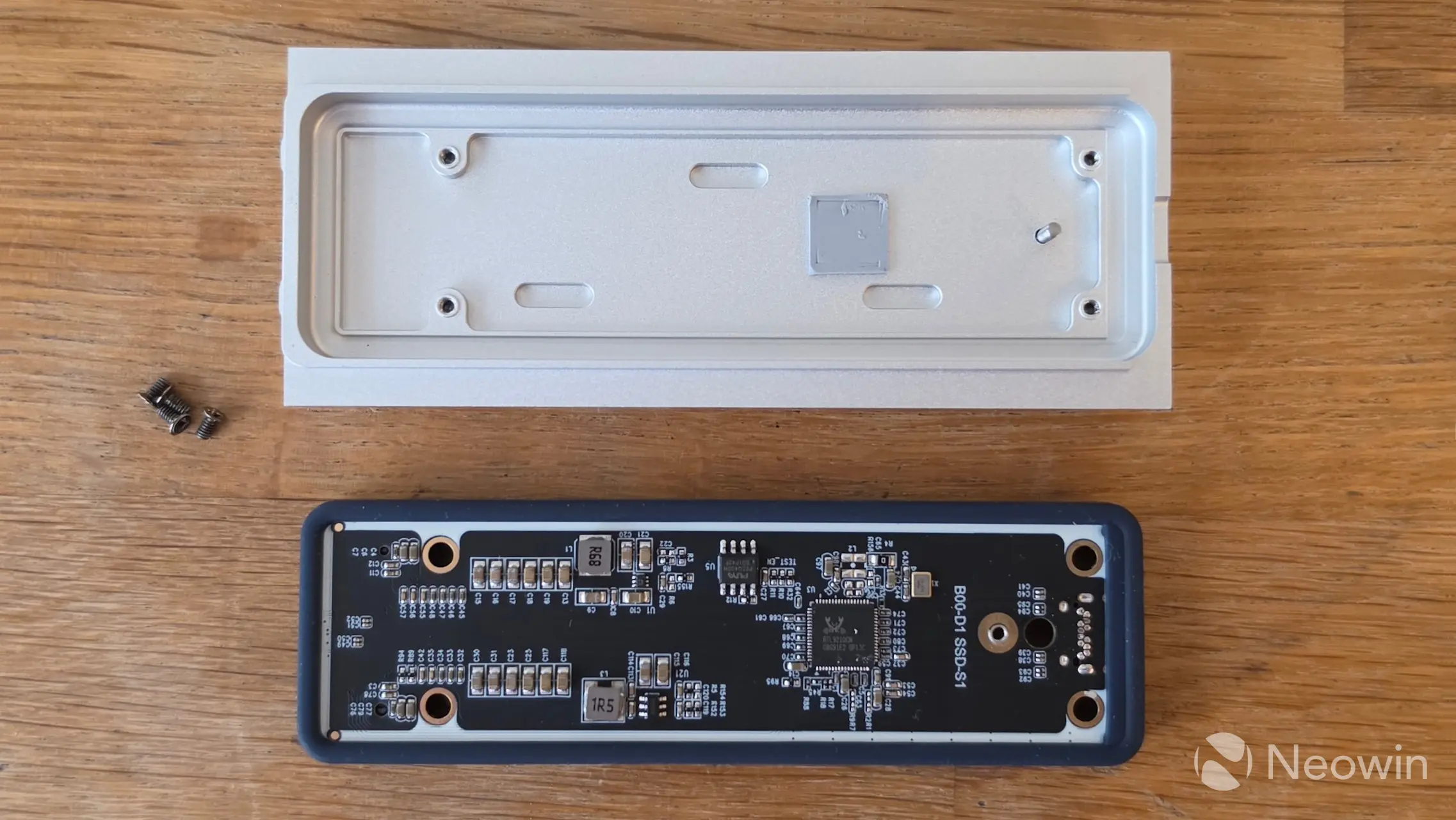
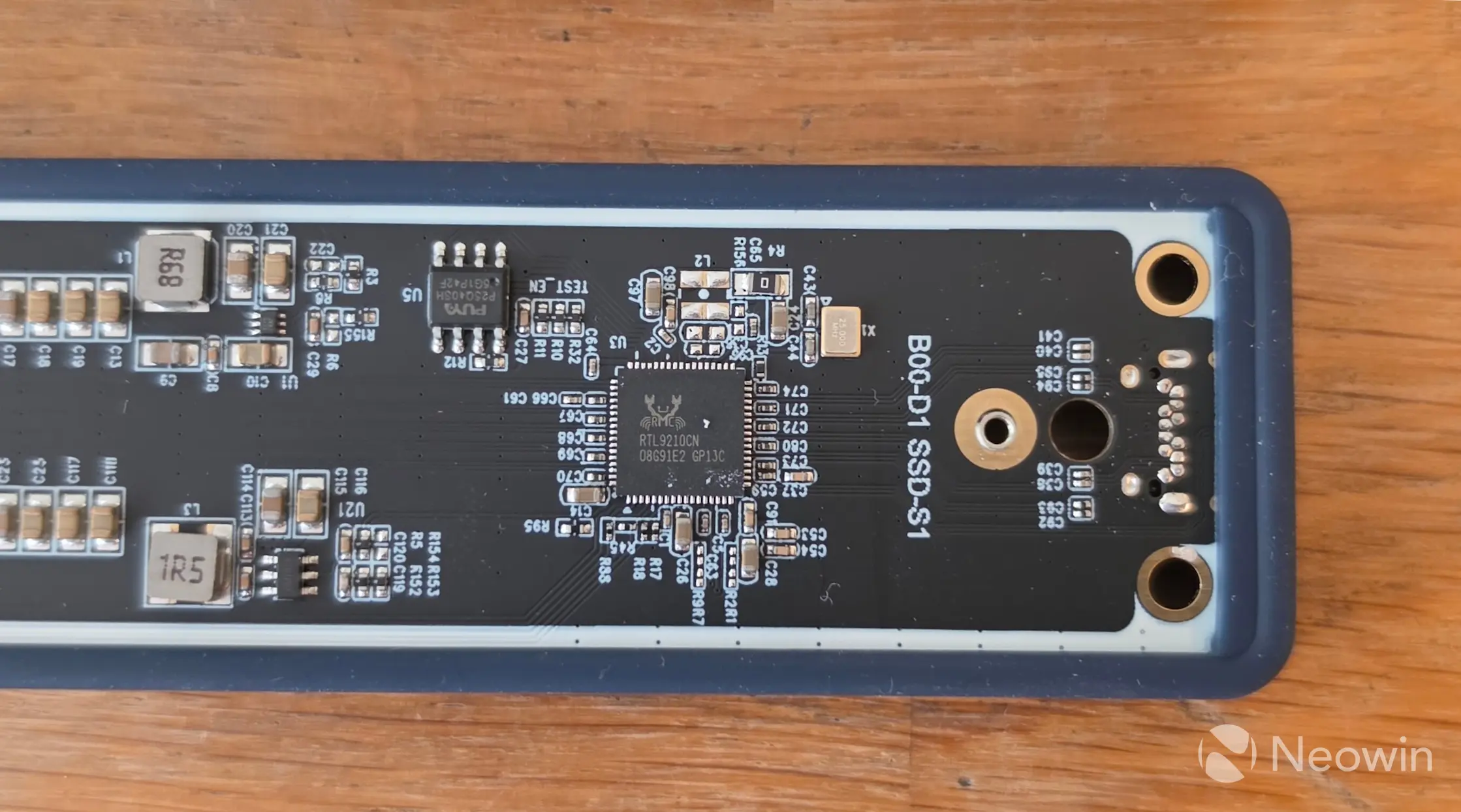
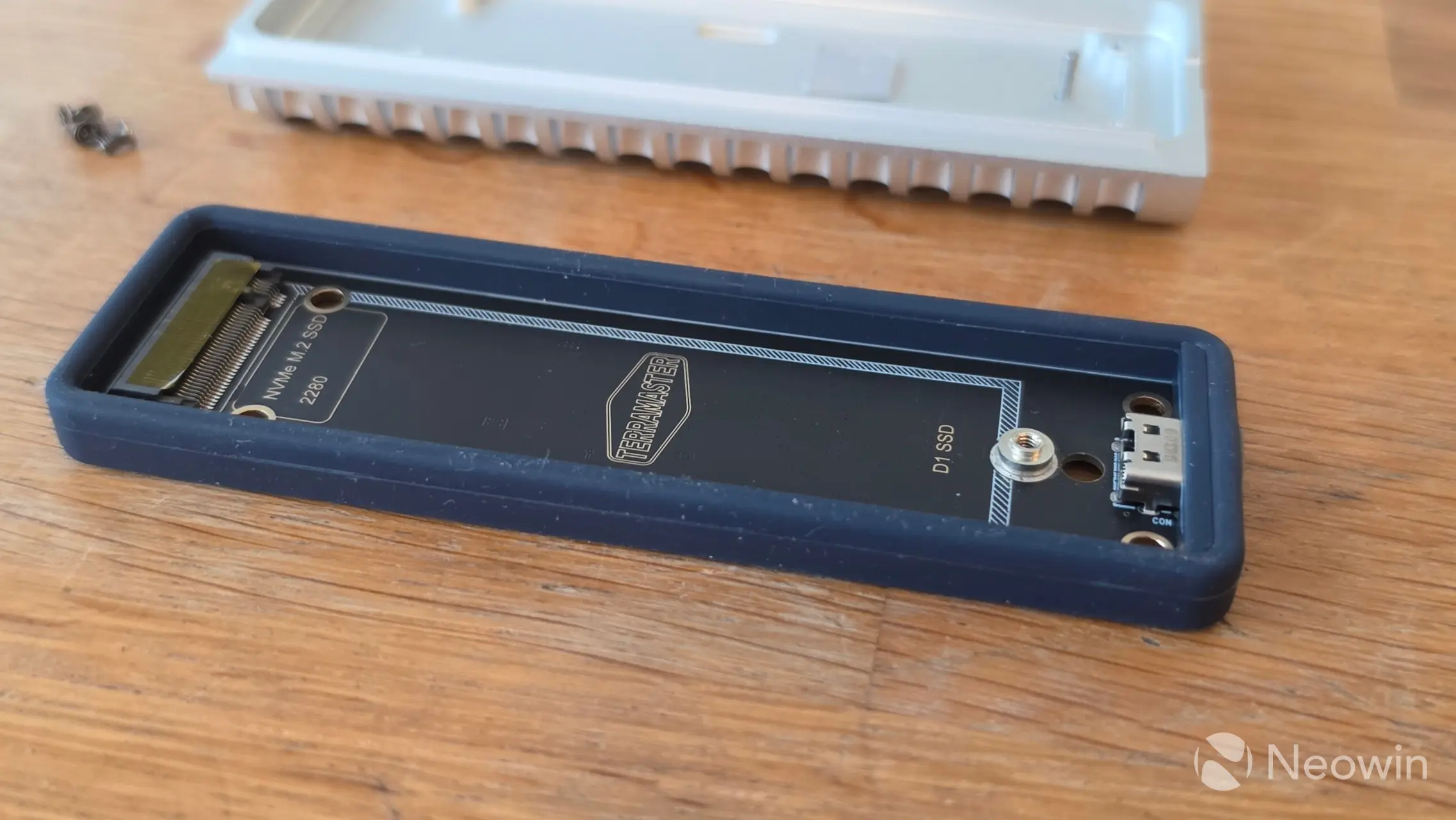
After removing the four screws of the PCB, turning it over and carefully prising out the PCB with the rubber ingress protections from the metal shell, the RTL9210B-CG chip can be seen along with a relatively large amount of SMD capacitors, this ensures voltage stabilization, power failure protection, and data safety. Technically compatible with USB 3.1 GEN2 (Super Speed Plus), the RTL9210B-CG chip is also backwards compatible with existing USB Type A ports, and since USB 3.1 Gen2 was renamed to USB 3.2 Gen 2, TerraMaster is not telling fibs on its product page even though the Realtek highlights the previously named standard.
The inside of the heat sink also includes a thermal pad to deal with the high speeds the chip generates.
Installation
|
|
|
|
|
|
|
|
|
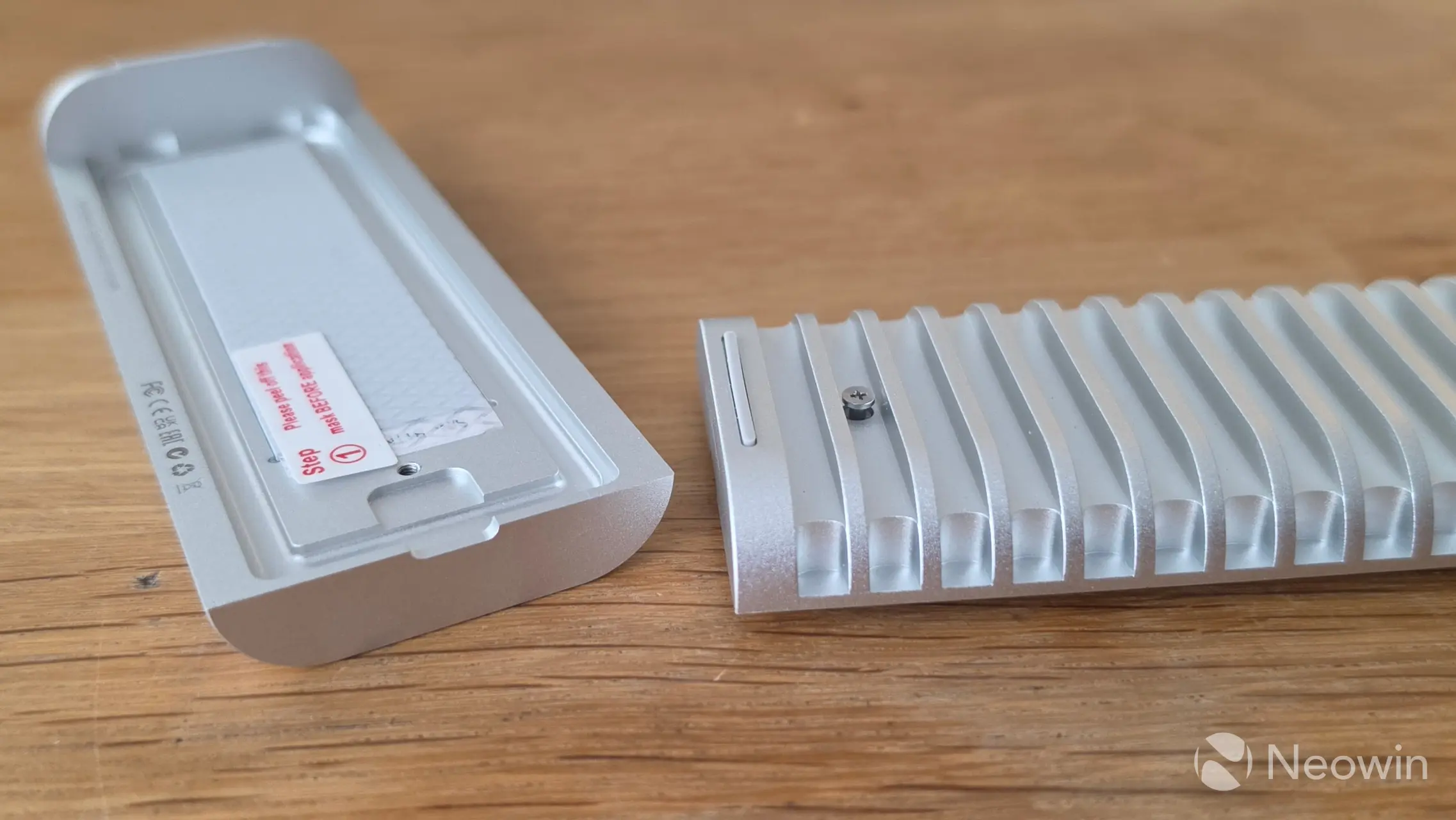
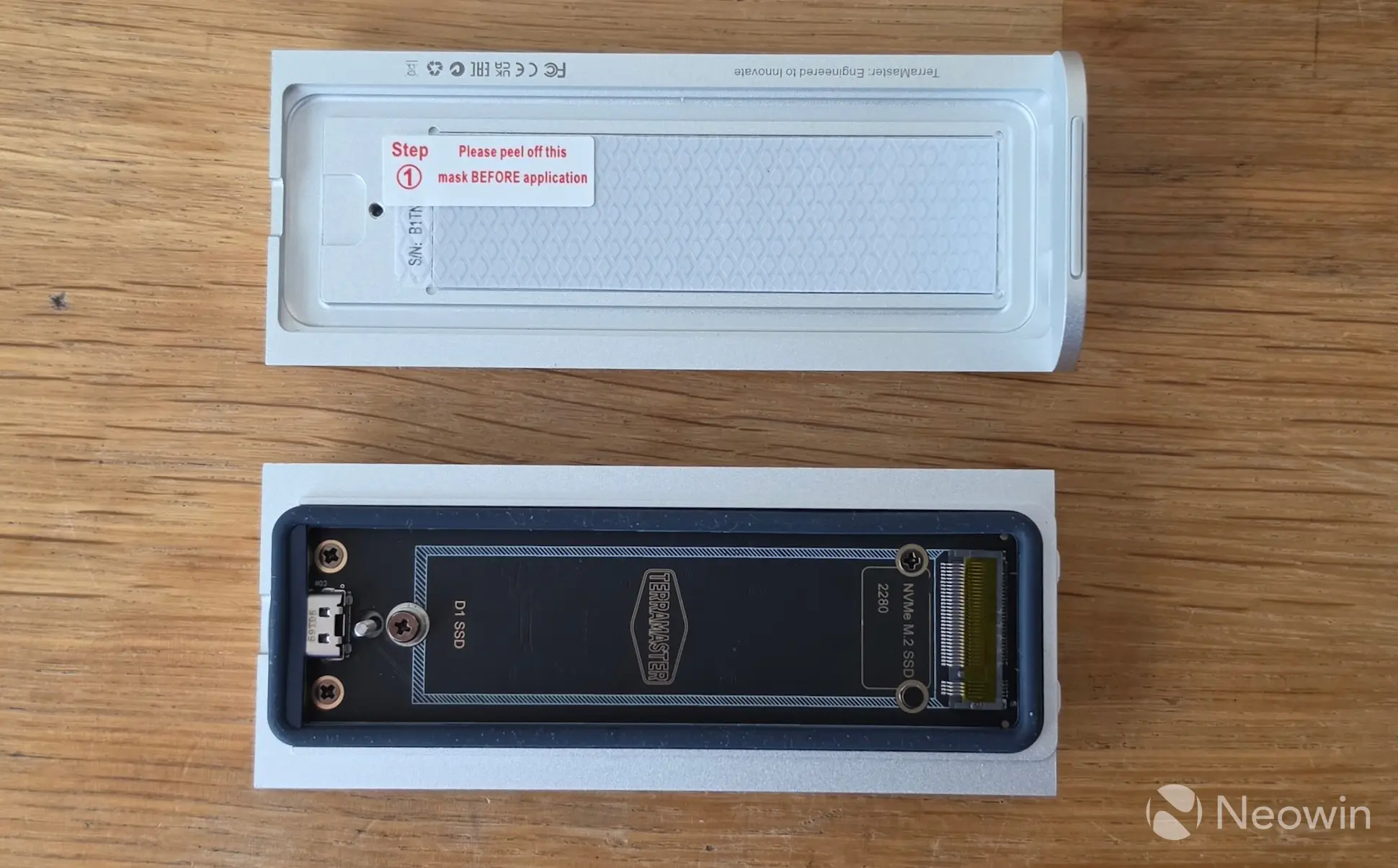
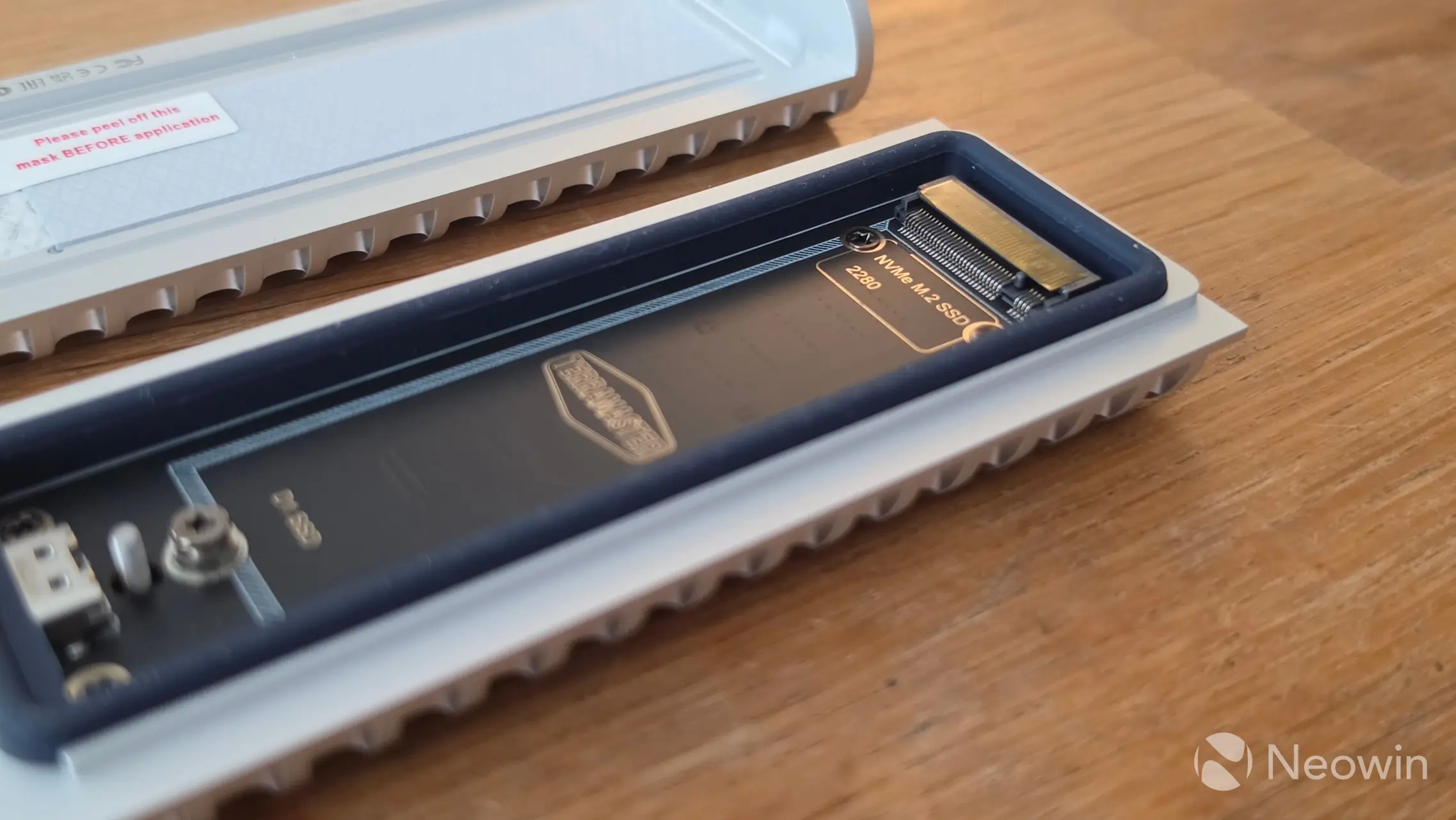
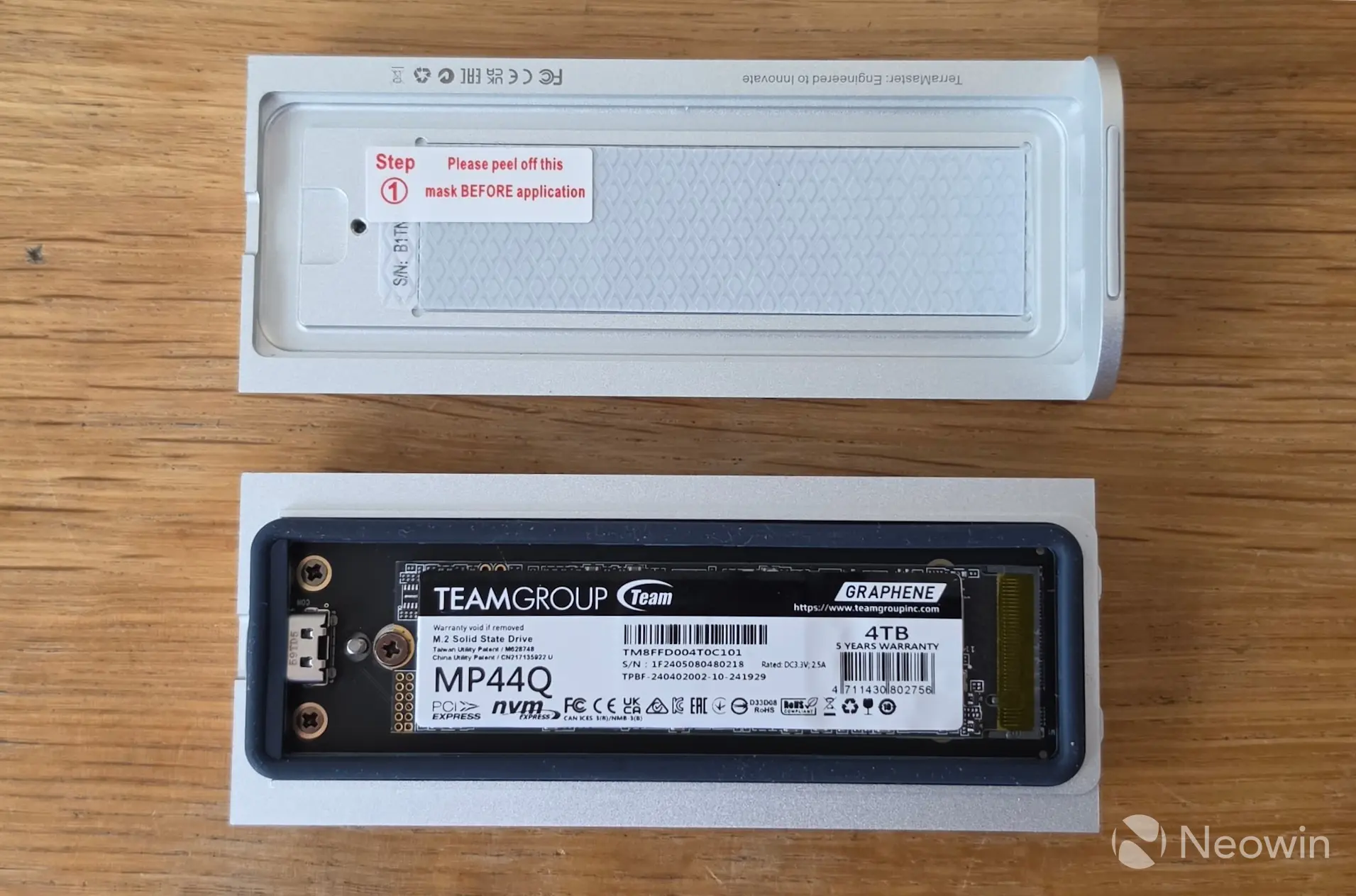
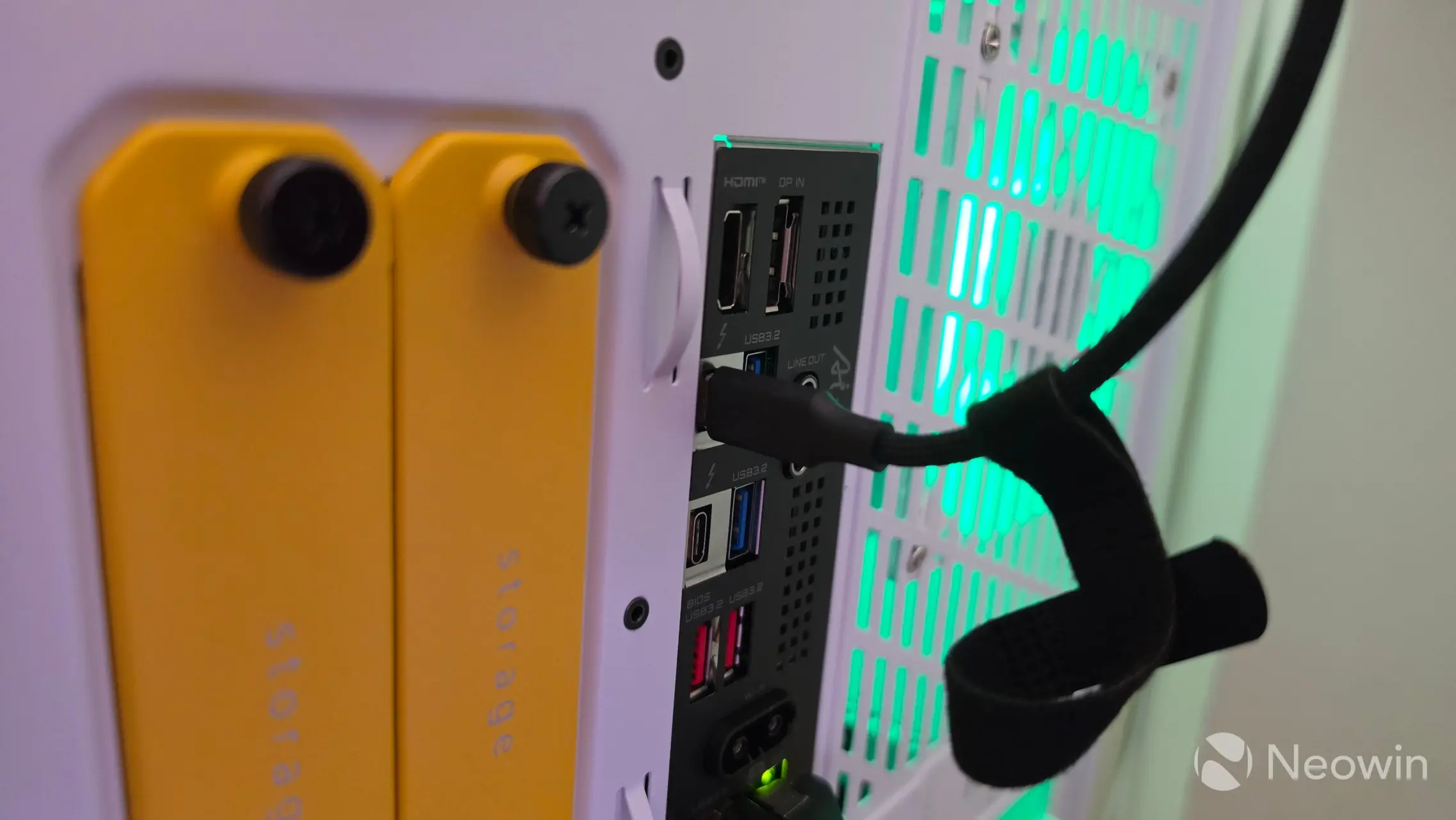
For our review, I used the exact same TEAMGROUP MP44Q 4TB NVMe (PCIe 4.0) (Amazon|Newegg) SSD that I used in the D1 SSD Plus, and Pro that TEAMGROUP supplied us with. Installation is simple, simply unscrew the Philips screw on the bottom of the D1 SSD and pull apart to access and install your 2280 M.2 NVMe with an M2 screw. Yes, instead of a latch system, which I am a fan of, it uses a small M.2 screw to fasten the SSD. And yes, I did remember to remove the thermal film covering before closing it back up.
Reattach the two pieces and secure with the screw (which does not fall away from the casing) and plug the provided cable into the D1 SSD, and your Type-C USB port.
TerraMaster has a 6-steps image on the product page that shows how to install the NVMe SSD.
Test System
Our test system consists of the following:
- HYTE Gundam Wing Y70 Touch Infinite (Official|Amazon)
- Intel Core Ultra 7 270K Plus (Amazon|Newegg)
- GIGABYTE Z890 AORUS ELITE WIFI7 ICE (BIOS F19) (Amazon|Newegg)
- Corsair RM1000x SHIFT (Amazon|Newegg)
- ARCTIC Liquid Freezer III Pro 360 A-RGB (White) AIO (Amazon|Newegg)
- Thermal Grizzly KryoSheet - 44x37 (Amazon|Newegg)
- 2x 16GB G.Skill Trident Z5 RGB (7200 MT/s in XMP) (Amazon|Newegg)
- NV5000 2TB NVMe SSD ($299.99 on Amazon or Newegg)
- PNY RTX 5080 (Amazon)
- Windows 11 25H2 Professional Build 26200.7623 (Neowin Deals)
Benchmarks
For our benchmarks, hwinfo.com provided a commercial license of HWiNFO, and UL Solutions provided us with a Professional (commercial use) license for 3DMark.
Drive speed
| CrystalDiskMark 9 | ||
|---|---|---|
|
|
|
|
|
|
||
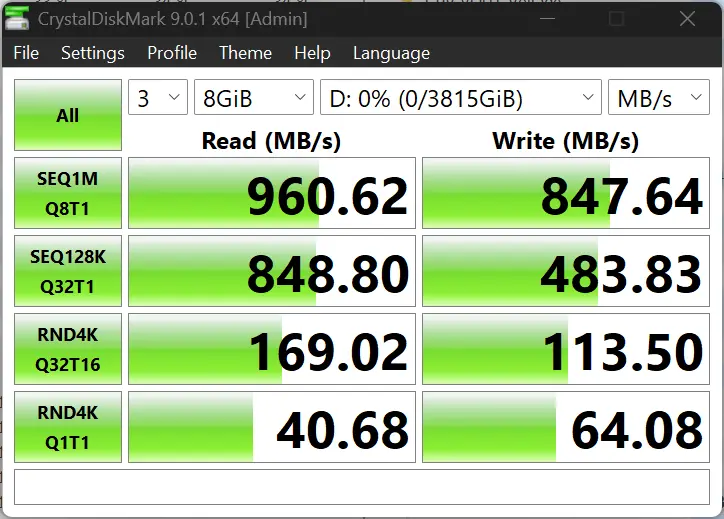
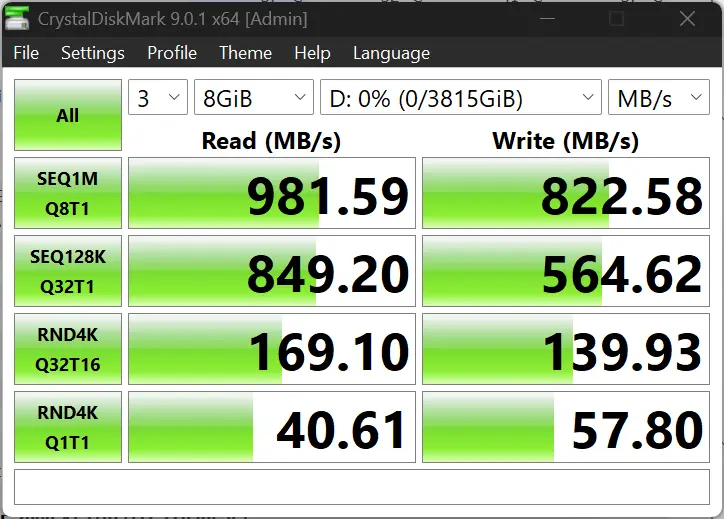
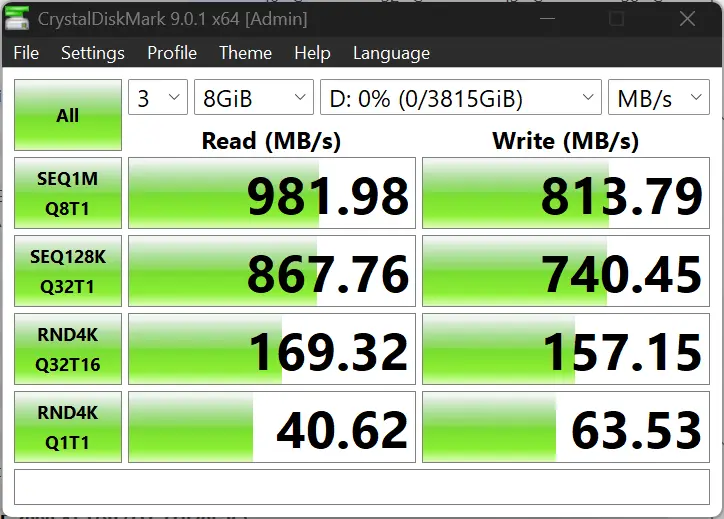
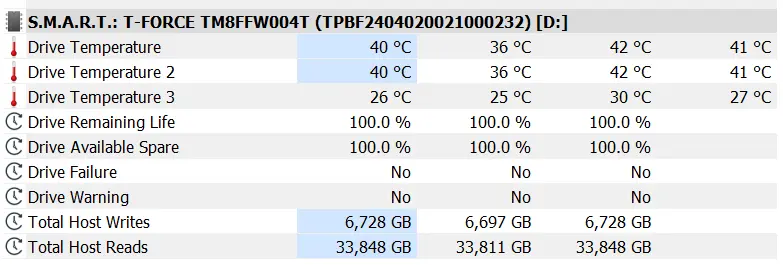
I ran CrystalDiskMark 9.0.1 in Windows 11 with the D1 SSD attached to a Thunderbolt 5 port three times with an 8GB workload, and also recorded the disk temperature using HwINFO, the enclosure never went above 30C with disk averages of 41C showing off how great the heat sink and thermal pads are performing.
CrystalDiskMark numbers show the random reads are great and the random writes are decent, with reads coming in just under the 1020MB/s read and writes well under the 1010MB/s rating listed on the product page, all in all nothing much to complain about here.
| AS SSD |
|---|
|
|
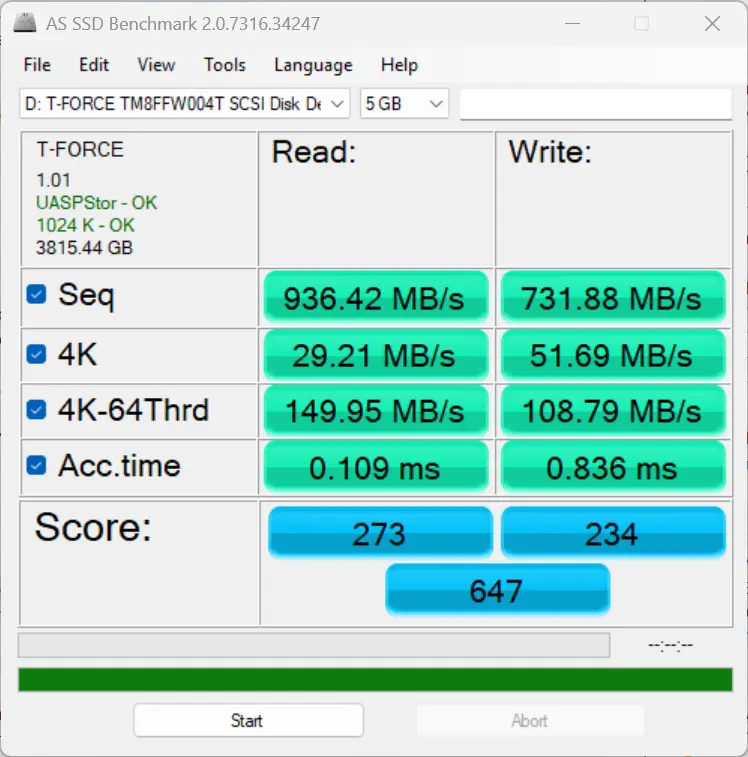
We also did a run of AS SSD and the performance figures put up are good. The drive has performed as expected in both sequential and random throughputs here too. Again, write speeds feel quite a bit under the 1010MB/s rating given by TerraMaster though.
Aside from that we also test gaming and how the enclosure can affect it.
Storage
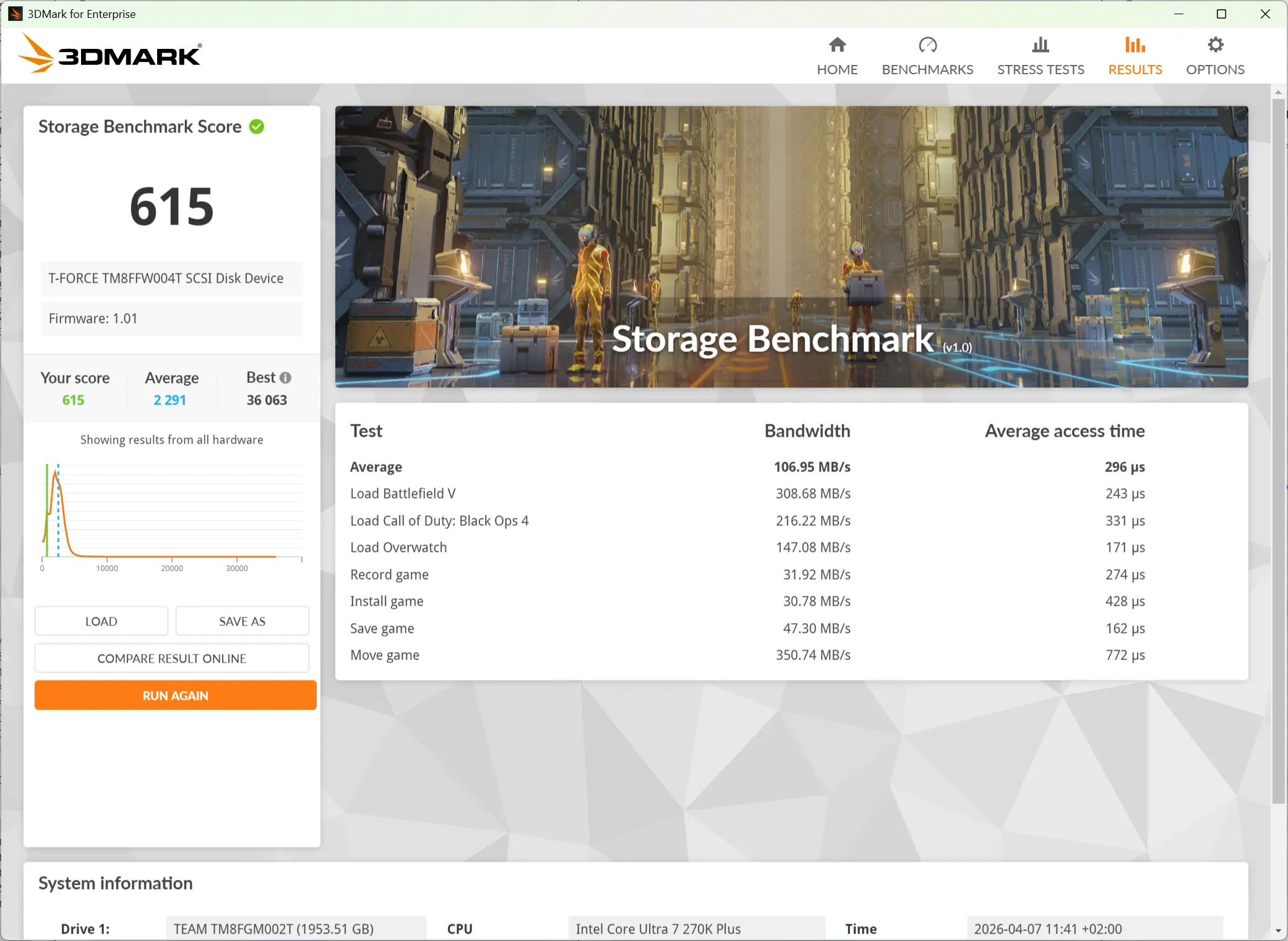
I ran the Storage Benchmark from the 3DMark suite. This is a feature test that measures the impact of the storage disk on the various gameplay actions. It comprises game file copying/moving, installing, loading, 1080p60 OBS gameplay recording, and saving.
As you can see in the data above, the D1 SSD is not equipped to host a game library, with the best showing in the "Move Game" test as it reached just over 350 MB/s. This shows that in common gaming and related scenarios, the D1 SSD could be a bottleneck.
As such I skipped the DirectStorage feature test since it is a USB 3.2 Gen 2 drive. No sane person is putting their Steam library on what is effectively a USB Flash drive with speeds up to, but not exceeding, PCIe Gen3 x2?
Heat
| Port side | Right side |
|---|---|
|
|
|
| Top | Bottom |
|---|---|
|
|
|
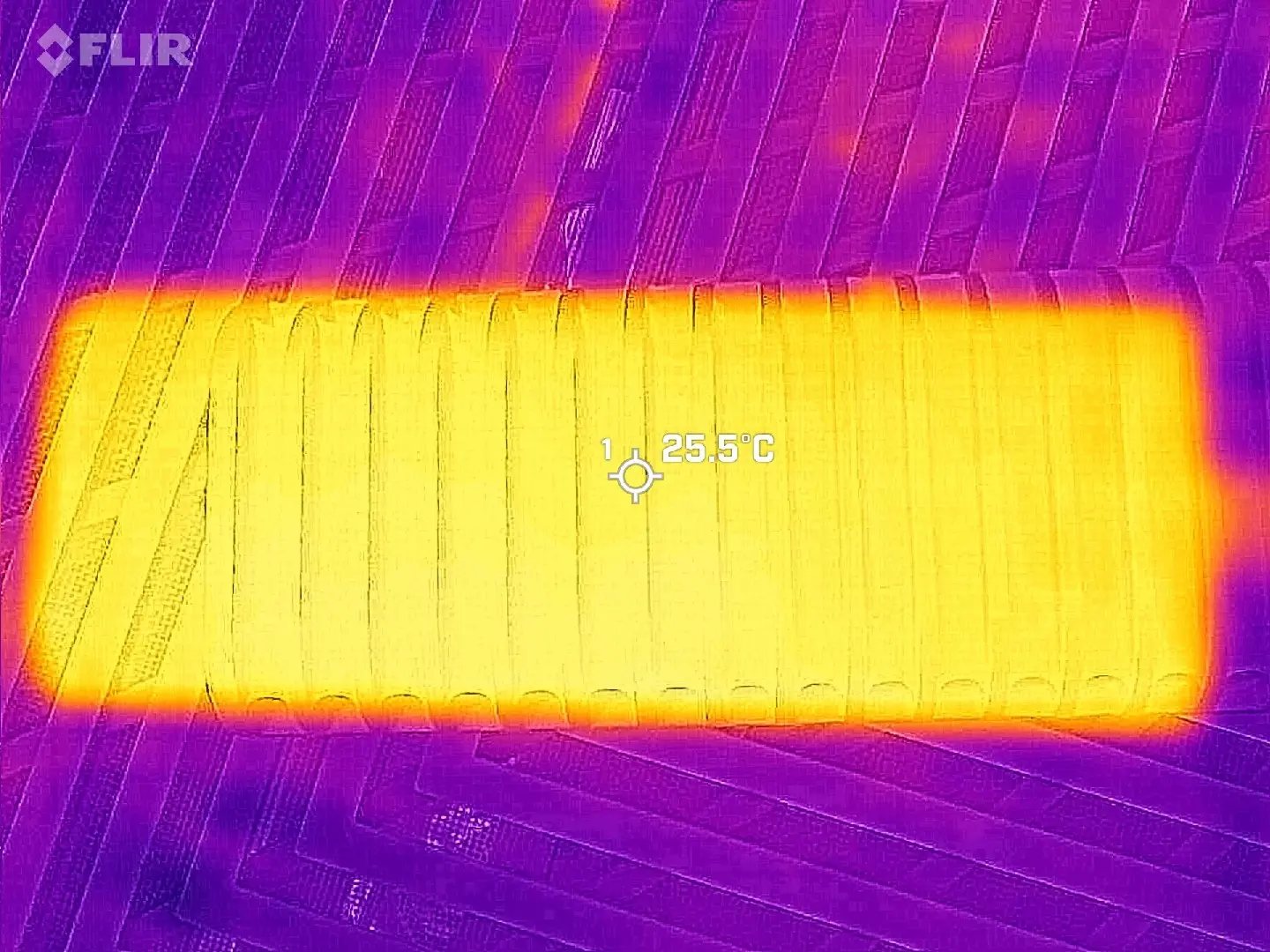
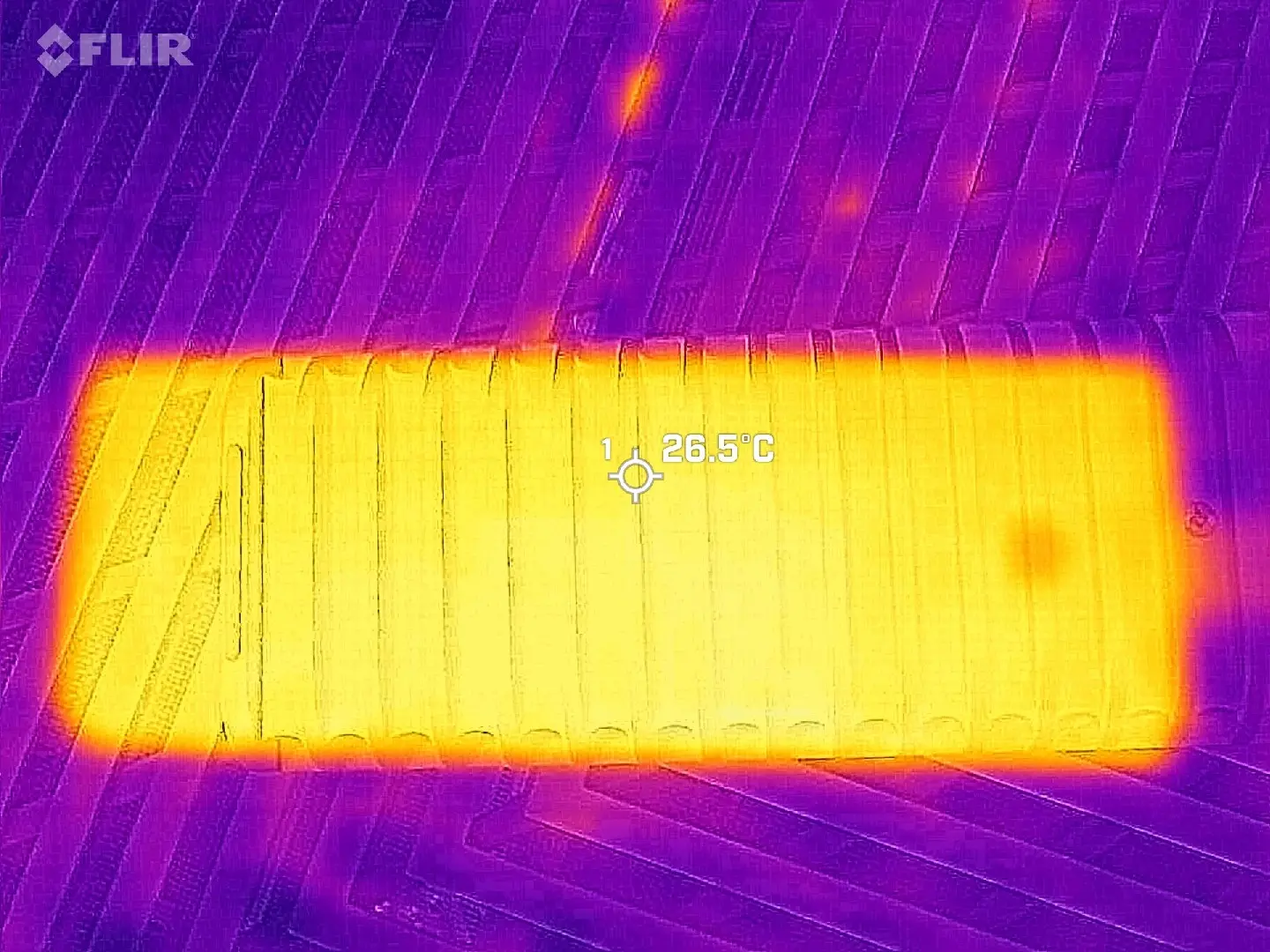
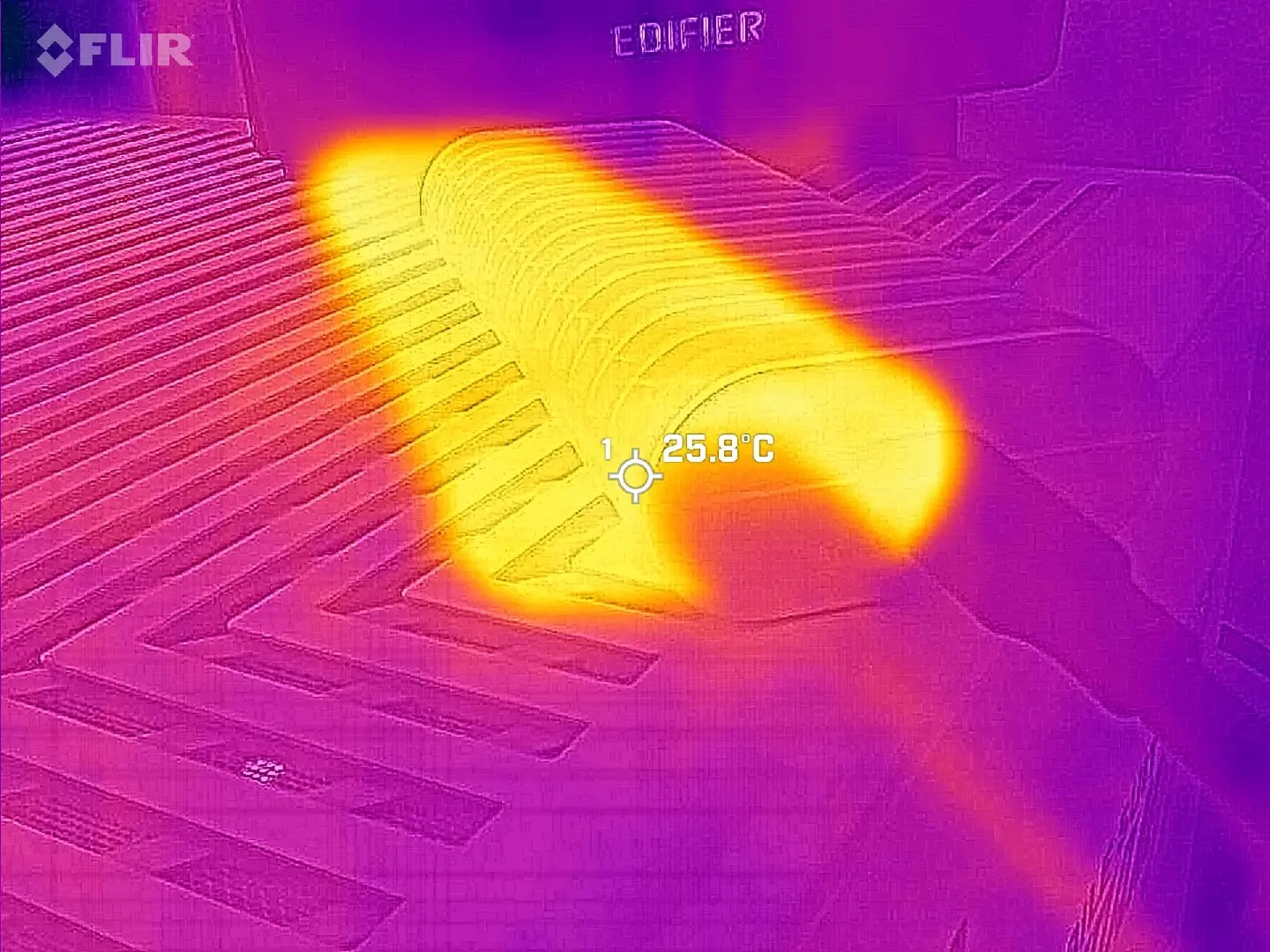
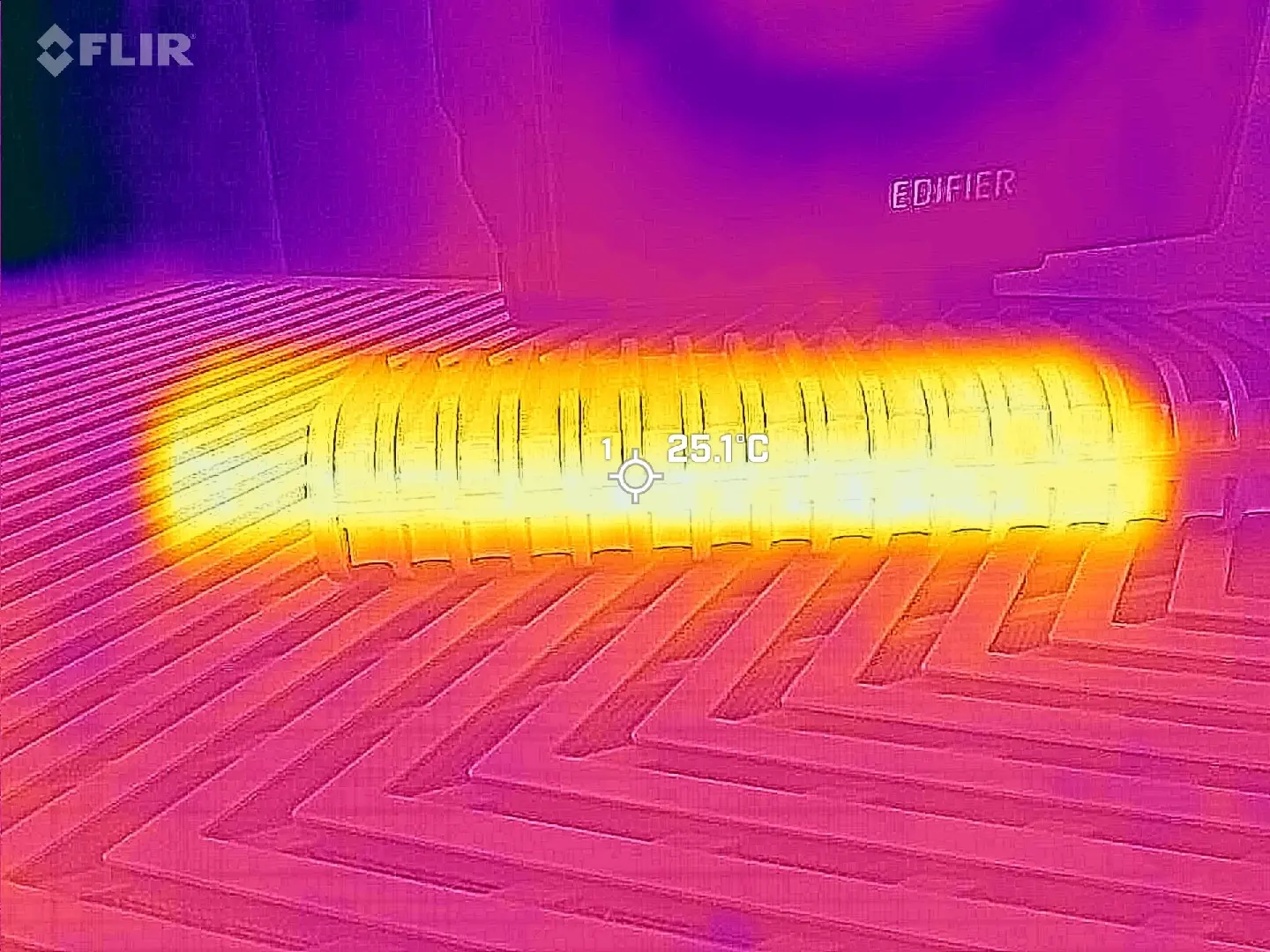
Using my FLIR ONE Gen 3 thermal camera while the CrystalDiskMark was running, I was not able to record a temperature above 26.5C anywhere on the casing (pretty much matches our HWiNFO reading above), which means this enclosure will stay pretty cool with even the most demanding workloads.
Water test?
You may be asking yourself why I didn't drop it in water to test its IP67 rating. I'll just say this, IP67 is for accidental drops, and even then it will only survive submergence up to 1 meter for up to 30 minutes. At today's crazy SSD pricing I don't want to run the risk of destroying a 4TB SSD, would you?
I'll just say this, the D1 SSD should protect your SSD if for some reason it slips out of your hand into the kitchen sink, bathtub, or maybe the big gulp soda drink at your desk (IP67 rated for fresh water, not soda though). If anyone is willing to sponsor the cost of a replacement SSD I'll do it and film it.
Conclusion
Okay, USB 3.2 Gen 2 enclosures are pretty much in the dime a dozen category, but I feel like TerraMaster offers something different here with the D1 SSD and its included IP67 rating; this can survive an accidental drop in water, and it is completely dust-tight too, coupled with the all-metal housing what we have here is a premium device that isn't expensive for what you get.
Personally, as I've said about the D1 Plus and D1 Pro already, I think it looks great, and I believe me saying "it's cool" is perfectly accurate given our test results. I can't really fault it, it also has a slightly longer cable at 0.5m which was a bit of a pain point of the D1 SSD Plus and Pro's 0.3m one. I'll still dock a point for not utilizing a latch system for placing the M.2 SSD, but that's me nitpicking. So that's another thumbs up from me!
Where to buy
The D1 SSD's MSRP is $39.99 and available through Amazon at the links below.
- TerraMaster D1 SSD for $33.99 on Amazon US with in-page voucher price
- TerraMaster D1 SSD for £32.29 on Amazon UK with in-page voucher price
- TerraMaster D1 SSD for €36.54 on Amazon DE with in-page 15% off coupon
As an Amazon Associate, we earn from qualifying purchases.













0 Comments
Load the comments and join the conversation!
Read the comments, ask the editors questions, show respect and join the conversation.