SoundSwitch is a Windows app that makes switching your sound devices super easy. Normally, changing speakers or microphones means clicking through annoying menus. With SoundSwitch, you just press a shortcut key (like Ctrl + Alt + F1) — and it switches to the device you want. You can set different keys for speakers, headphones, microphones, or even groups of devices. It also lets you mute your mic with a hotkey and shows a clear banner so you know it's muted. It runs in the background, shows up in your taskbar, and starts with Windows if you want. It’s perfect if you use multiple audio devices and get tired of clicking around every time you want to change one.
SoundSwitch features:
- Customizable Hotkeys: Assign specific key combinations to switch between audio devices quickly.
- Playback and Recording Device Switching: Toggle between selected playback and recording devices without navigating through system menus.
- Microphone Mute Toggle: Use hotkeys to mute or unmute the default microphone.
- Persistent Mute Notification: Displays a compact banner indicating the microphone's mute state, which remains visible until the microphone is unmuted.
- Profile Management: Create profiles to switch between specific combinations of playback and recording devices using designated hotkeys.
- Command Line Interface (CLI): Control SoundSwitch through command-line commands for device switching, microphone mute control, and profile management.
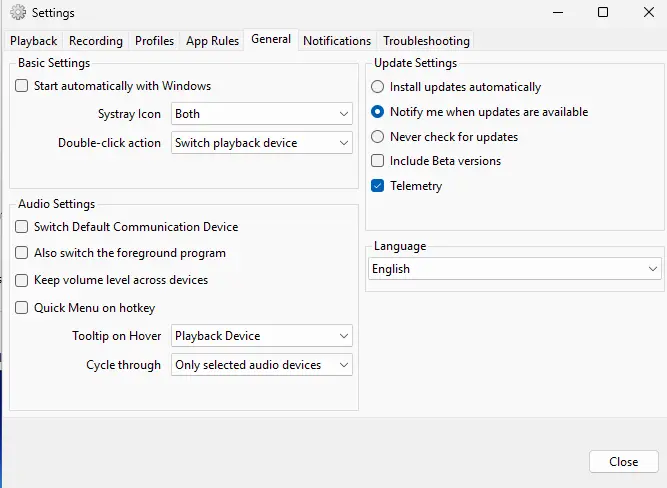
- Auto-Start with Windows: Option to launch SoundSwitch automatically upon system startup.
- Multi-Language Support: Includes translations for various languages, such as Tamil.
- Notification Customization: Choose the type of notifications displayed for device switching and mute status.
- Support for Various Hotkey Combinations: Accepts single keys like PrintScreen, Pause, Home, End, and function keys as hotkeys.
- System Tray Integration: Access settings and perform device switching directly from the system tray icon.
- Device Grouping: Organize multiple devices into groups for streamlined switching.
- User-Friendly Interface: Provides an intuitive setup and configuration process for users.
- Open-Source Development: Available on GitHub for community contributions and transparency.
- Regular Updates: Actively maintained with new features and bug fixes.
SoundSwitch 7.0.0 release notes:
- This is a huge new version where you can test setting audio device for specific application using the new app rules setting.
- Also, the notification settings has been fully overhauled to let you decide where to put your notification. Thanks to @XangelMusic
- The installer has been completely overhauled to support arm64 natively. Now, SoundSwitch installer will download the right version of the .NET Runtime and install it on your machine.
- Last but not least, the website has been fully rewritten with helpful guide and information about the different features. [SoundSwitch 7.0.0 full changelog]
SoundSwitch 7.1.0 changelog:
- website: add Advanced nightly downloads page (#2148) (4287d87)
Bug Fixes
- banner: Prevent banner notifications from stealing focus in exclusive fullscreen games (#2156) (acfec27)
- build: ship separate x64 and arm64 publish directories; installer selects correct one at install time (#2143) (ba8dd75)
- ci: prevent nightly devVersion failure under strict mode (#2146) (4089154)
- settings: DPI scaling for the Notifications settings layout (#2154) (311fdbb)
- website: add temporary homepage banner to .NET 7.0.0 FAQ (37963b2)
- website: place .NET FAQ banner before home hero (d697a3f)
Download: SoundSwitch 7.1.0 | 10.5 MB (Open Source)
View: SoundSwitch Website | Github | Screenshot
 Get alerted to all of our Software updates on Twitter at @NeowinSoftware


















1 Comment
Load the comments and join the conversation!
Read the comments, ask the editors questions, show respect and join the conversation.