
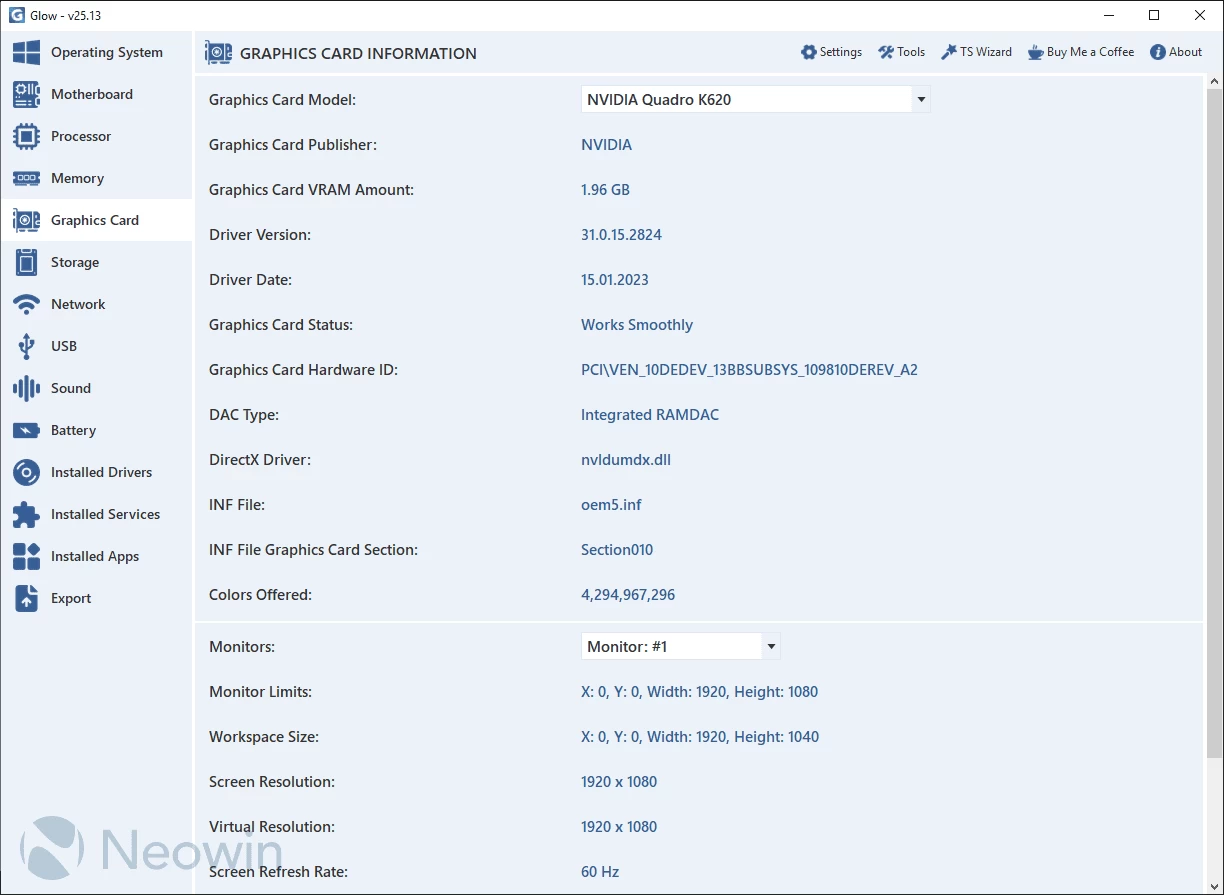
Glow provides detailed reporting on every hardware component in your computer, saving you valuable time typically spent searching for CPU, motherboard, RAM, graphics card, and other stats. With Glow, all the information is conveniently presented in one clean interface, allowing you to easily access and review the comprehensive hardware details of your system.
Glow provides detailed information on various system aspects, including OS, motherboard, processor, memory, graphics card, storage, network, battery, drivers, and services. The well-organized format ensures easy access to the required information. You can export all the gathered data to a plain text file, facilitating sharing with others for troubleshooting purposes.
No installation needed. Just decompress the archive, launch the executable, and access computer-related information. Glow runs on Windows 11 and Windows 10 64-bit versions.
Glow 26.10 changelog:
New Features
- The bootstrapping algorithm has been completely redesigned. The software can now launch directly without requiring TS Preloader. As part of this change, the startup splash screen displayed during initialization has been removed. In addition, spikes in CPU usage have been eliminated, resulting in a more stable architecture with significantly lower memory consumption.
- The Microsoft Office detection infrastructure within the Operating System section has been enhanced. Additional detection support has been added for Office C2R (Click-to-Run) installations. Furthermore, the license status evaluation system has been improved, and the priority order has been revised as follows: Licensed > Grace Period > Other (NOTIFICATIONS, EVALUATION, etc.).
- Glow now includes preliminary support for Wi-Fi 8 technology, allowing more detailed information to be displayed for Wi-Fi 8-compatible network adapters.
- Glow now provides full support for Bluetooth 6.2. Adapters supporting Bluetooth 6.2 can be analyzed in greater detail and with improved accuracy.
- The disk distribution view in the Disk section has been modernized, replacing the traditional table layout with a new 2×2 card-based design.
- The TS Custom Controls module has been updated to v26.7. Thanks to the new custom controls, all Türkaysoft applications now offer a more modern and consistent user interface aligned with Windows 11 design standards.
Bug Fixes
- Potential line-ending handling issues in the Office detection code within the Operating System section have been resolved. Additionally, the output format has been standardized to UTF-8 to prevent character encoding issues and ensure consistent data processing.
- Several stability and file management issues within the Debugging infrastructure have been addressed. Problems that prevented new log files from being created after Debugging was disabled, as well as issues causing debug records to be lost, have been fixed. File deletion and reaccess issues that occurred after file locks were released have also been resolved. In addition, a bug that caused newly recreated log files to remain locked after deletion has been eliminated. Unnecessary blank lines within debug logs and the extra empty line that could appear at the end of log files have also been corrected.
- A shortcut key conflict caused by assigning identical hotkeys to both the DNS Test Tool and the Donation page has been fixed. The DNS Test Tool can now be accessed using CTRL + Shift + D, while the Donation page is available via CTRL + Alt + D.
Changes
- The service responsible for providing the Public IP Address and Internet Service Provider information in the Network section has been updated to use the ipinfo.io infrastructure. This change improves the accuracy and consistency of the displayed data. (No external requests are made while Hiding Mode is enabled.)
- Some terms in the Dutch and Korean language files have been updated to make them clearer and more user-friendly.
- [TS Updater] Before the update process begins, users are now prompted to choose whether they would like to view the release notes.
Note: Always unzip the program before using it. Otherwise you may get an error.
Download: Glow 26.10 | 1.8 MB (Open Source)
Links: Glow Homepage | Screenshot | Github
 Get alerted to all of our Software updates on Twitter at @NeowinSoftware

















0 Comments
Load the comments and join the conversation!
Read the comments, ask the editors questions, show respect and join the conversation.