Subtitle Edit is a powerful, free, and user-friendly subtitle editing tool designed for creating, editing, and converting subtitles for videos. It supports a wide range of subtitle formats, including SRT, ASS, and SUB, allowing users to easily modify and adjust subtitles for accurate timing and formatting.
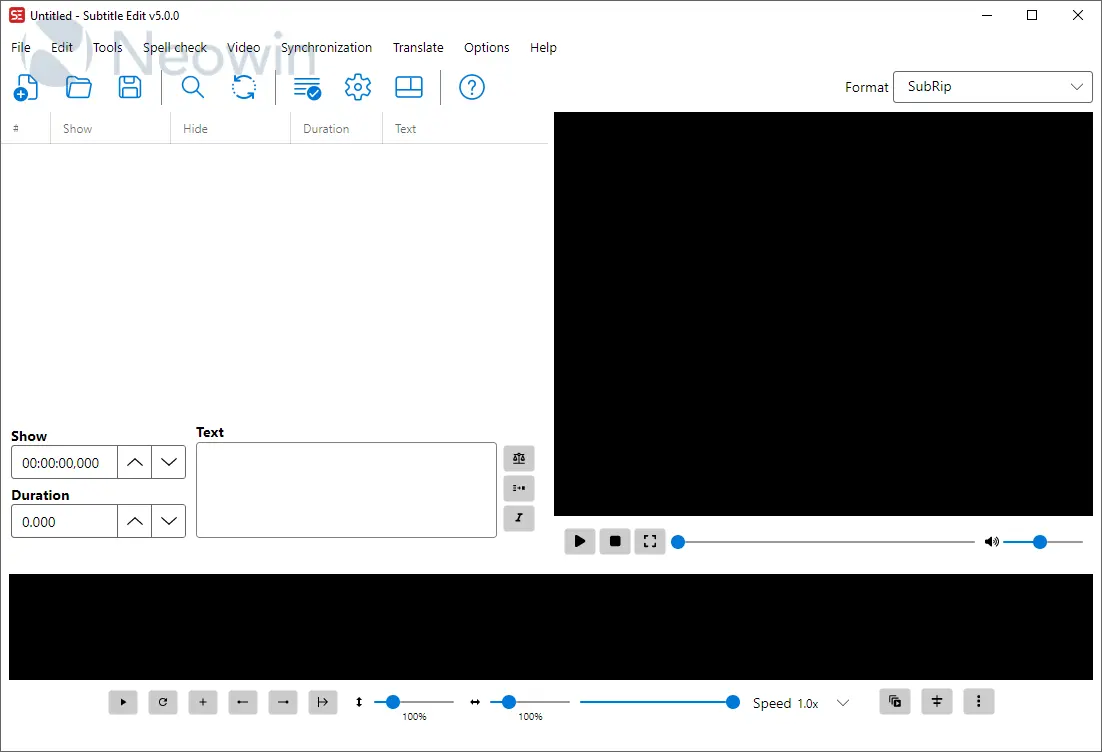
With its intuitive interface, Subtitle Edit provides a variety of features such as waveform audio display, spell-check, subtitle synchronization, and real-time video preview, making it an ideal choice for both beginners and professionals. The software also includes powerful tools for batch processing, translating subtitles, and converting between different subtitle formats.
Subtitle Edit features:
- Create/adjust/sync/translate subtitle lines
- Convert between SubRib, MicroDVD, Advanced Sub Station Alpha, Sub Station Alpha, D-Cinema, SAMI, youtube sbv, and many more (300+ different formats!)
- Cool audio visualizer control - can display wave form and/or spectrogram
- Video player uses mpv, DirectShow, or VLC media player
- Visually sync/adjust a subtitle (start/end position and speed)
- Audio to text (speech recognition) via Whisper or Vosk/Kaldi
- Auto Translation via Google translate
- Rip subtitles from a (decrypted) dvd
- Import and OCR VobSub sub/idx binary subtitles
- Import and OCR Blu-ray .sup files - bd sup reading is based on Java code from BDSup2Sub
- Can open subtitles embedded inside Matroska files
- Can open subtitles (text, closed captions, VobSub) embedded inside mp4/mv4 files
- Can open/OCR XSub subtitles embedded inside divx/avi files
- Can open/OCR DVB and teletext subtitles embedded inside .ts/.m2ts (Transport Stream) files
- Can open/OCR Blu-ray subtitles embedded inside .m2ts (Transport Stream) files
- Merge/split subtitles
- Adjust display time
- Fix common errors wizard....and more.
Subtitle Edit 5.0.0 changelog:
- Subtitle Edit 5 is a major new release and a big step for the project. For the first time, Subtitle Edit runs natively on Windows, macOS, and Linux from a single, modern, cross-platform codebase. The builds are self-contained, so no separate .NET installation is required, and on macOS and Linux the needed media components (mpv/ffmpeg) are bundled in.
Please read before upgrading:
Subtitle Edit 5 is a new application, not just an update of Subtitle Edit 4. It has been rebuilt from the ground up to be cross-platform, so:
- It is not 100% the same app. The look, layout, and some workflows have changed. Some things are in different places, and a few behave differently than in SE4.
- Not every SE4 feature exists in SE5 yet. SE5 covers all the core editing, conversion, sync, video playback, OCR, and online services, but some of the more specialized SE4 tools are not available yet. Features will continue to be added.
- If you rely on a specific SE4 feature that is missing, please keep SE4 installed alongside SE5. The easiest way to run both side by side is to use the Portable versions of SE4 and SE5, which keep their settings separate and do not interfere with each other.
Which version should I use?
- Subtitle Edit 5: recommended for most users on Windows 10 (22H2) or newer, macOS 12+, and Linux.
- Subtitle Edit 4: please continue to use SE4 if you are on an older Windows version (Windows 7/8), or on older / slower computers where SE5 may not run well. SE4 remains available and is the right choice in those cases.
- To run SE4 and SE5 at the same time, use the Portable versions - you can try SE5 while keeping SE4 as a fallback.
Download: Subtitle Edit 5.0.0 | ARM64 | ~60.0 MB (Open Source)
Download: Subtitle Edit Portable | 103.0 MB
View: Subtitle Edit Homepage | Screenshot
 Get alerted to all of our Software updates on Twitter at @NeowinSoftware














0 Comments
Load the comments and join the conversation!
Read the comments, ask the editors questions, show respect and join the conversation.