The ThinkPad X9 15 Gen 1 Aura Edition laptop being reviewed was provided to me for evaluation purposes by Lenovo as one of their Lenovo INsiders advocacy program as well as being a community moderator in their support forum. All of the thoughts and opinions expressed are solely my own.
While the model I received is a pre-production model, the device specs are final:
| ThinkPad X9 15 Gen 1 Aura Edition | |
|---|---|
| Dimensions: | 339.6 × 228.5 × 12.9 mm (13.4 × 9.0 × 0.5”) |
| Weight: | 1.4 kg (3.1 lbs) |
| CPU: | Intel Core Ultra 7 Processor 258V, 8C (4 pCore, 4 eCore) (eCore: 3.7GHz with boost 4.8 GHz; eCore: 2.2 GHz, 5 TOPS), 12 MB Cache, TDP 37W max |
| Graphics: | Intel Arc 140V GPU (8 Xe-cores, 1.95 GHz, 64 TOPS) |
| NPU: | Intel AI Boost, 48 TOPS (overall peak TOPS 117) |
| Memory: | 32 GB (LPDDR5x-8533, on-die) |
| Storage: | 1 × 1 TB M.2 2242 NVMe SSD (user replaced with 2 TB) |
| Networking: | Intel Wi-Fi 7 BE201 (802.11be and Bluetooth 5.4) |
| I/O Ports: | 1 × USB 10 Gbps Type-A, 2 × Thunderbolt 4, 1 × HDMI 2.1, 1 × 3.5 mm headphone jack |
| TB4 Specs: | Thunderbolt 4/USB4 40 Gbps, USB-PD 3.0, DisplayPort 2.1 alt-mode |
| Security: | Fingerprint reader in Power button (Windows Hello), discrete TPM 2.0 with TCG and FIPS 140-2 certification |
| Power: | 65W GaN USB-C charger |
| Price: | $1,806.03 |
A few words before we begin…
I would like to start out by explaining what this review is not going to be, which is a typical review of a laptop computer, with charts focusing on CPU, drive I/O and graphics benchmarks. There are already a number of excellent reviews of this model online, including in Lenovo's own forum talking about its suitability for the various kinds of tasks that people who use devices in this class for daily use. There’s even a hate-thread over there by some die-hard ThinkPad fans who are upset at the company for, well, innovating, of all things.
These are all good reviews—even the one by those grognards has some valid points in it—but I wanted to take a look at things a little differently in my review, as I evaluated the computer for a period of over six months. So, instead focusing on benchmarks which others have already covered in detail, this will be about my observations as a long-time ThinkPad user¹ of using the device to perform the typical kind of office productivity tasks for which ThinkPads are purchased.
While the overall focus of this particular review is going to be how this new generation of ThinkPad looks from the perspective of my years using ThinkPads, I will also take a look at how and where this model fits into that lineage, and think about where Lenovo might go from there.
What’s in a name?
The word iconic gets tossed around quite a bit these days, often when it particularly isn’t. In the automobile world there are a few brands whose design is iconic: the choices they make about how their vehicles look and perform makes it easy to see their lineage from one generation to the next. BMW is one such brand, and Porsche is another. You could arguably say this about many other automobile brands, but I’m not a car guy, nor is this a review about cars.
When it comes to computers, there are iconic designs, too. Apple’s Macs, for example, machined out of a single billet of aluminum, have maintained their smooth-but-not-slick texture and subtle curves of their unibody design over several generations. And macOS, their operating system, follows its own design cues, perhaps not as neatly as it used to, but close enough. If you asked the average computer user for another brand with its own identity, they would probably draw a blank until you asked them about ThinkPads.
Enter the ThinkPad
And then there’s the ThinkPad, the laptop design that defined a generation of businessfolk and road warriors starting in the 1990s. Invented by IBM, it lives on today under Lenovo. At a time when you could get a laptop in any color you wanted--as long as it was some shade of white--the ThinkPad stood out. It wasn’t beige, cream, gray, or putty. It was black. And unlike all those other laptops with their pronounced bullnose-style rounded edges, the sides of the ThinkPad came together at a much smaller radius, with some edges even being chamfered. That blackness, and all those flat planular surfaces stood out, and lead to inevitable comparisons to another piece of technology made public in the 1990s, the Lockheed F-117 Nighthawk stealth fighter².
And there was also the TrackPoint: The pointing stick with the reddish-magenta rubber cap. You either loved it or you hated it. For those that learned to use it, the TrackPoint was a kind of force multiplier; coupled with left and right buttons below the space bar, it provided a way to keep typing and working and accomplish mouse movements without having to move fingers very far from the keyboard’s home row, which was a huge benefit to that early generation of the mobile computer-using workforce. If you didn’t use it, the TrackPoint was not an obstacle, but it was seen as a kind of anachronism in a world with touchpads had slowly gotten bigger and improved over the years.
When people think of the ThinkPad today, it’s those design elements from the 1990s that typically stand out in most people’s memories… even those long gone like the seven-row keyboard or the ThinkLight, that little LED night light at the top of the screen bezel that could be toggled on and off to illuminate the keyboard—a very handy thing while working on business proposals and presentations between 35,000 feet and airplane cocktails on red-eye flights at the dawn of the dot-com era. Today, though, those innovations are seen as somewhat dowdy and retrograde; the uncool hardware of an older generation of famously uncool people, such as their parents.
But time moves forward, and that brings us to 2025’s ThinkPad X9 15 Gen 1 Aura Edition , the laptop which I have been writing and editing the majority of this review on.
X9 marks the spot
The ThinkPad X9 15 Gen 1 Aura Edition has drawn attention because it is a departure from what people think of when they think of a ThinkPad. Whether that’s a good thing or not largely depends upon whose attention has been drawn, people who have avoided ThinkPads, or people who are fans (up to and including the small but very vocal minority of ThinkPad purists).
It is not the first ThinkPad to be a different color than black. Some of the earliest ThinkPads were beige, there have been red ThinkPads, a variety of models have been available in a variety of grays, and there is even a limited edition of this model available in white.
Nor is it the first model without a TrackPoint: Lenovo has long had a series of ThinkPads of ultra-ruggedized laptops without TrackPoints for one of the most challenging environments on earth, primary (K-12) classrooms. Perhaps those models had their TrackPoints removed after a spate of accidental swallowings, or maybe because K-12 sysadmins got tired of continuous requests to replace missing TrackPoint caps (they are, after all, easy to replace, since ThinkPads are designed to be quickly serviced and returned to their users).
But the ThinkPad X9 15 Gen 1 Aura Edition isn’t one of those models sold into a specific vertical market like primary education. It was introduced at this year’s CES as a flagship device with the latest premium AI features, and that means a certain level of attention is drawn to it.
With all of that in mind, a reminder before we look at the ThinkPad X9 15 Gen 1 Aura Edition: As previously mentioned, this is a pre-production model, complete with this interesting label stating the unit has not finished passing through FCC certification yet:
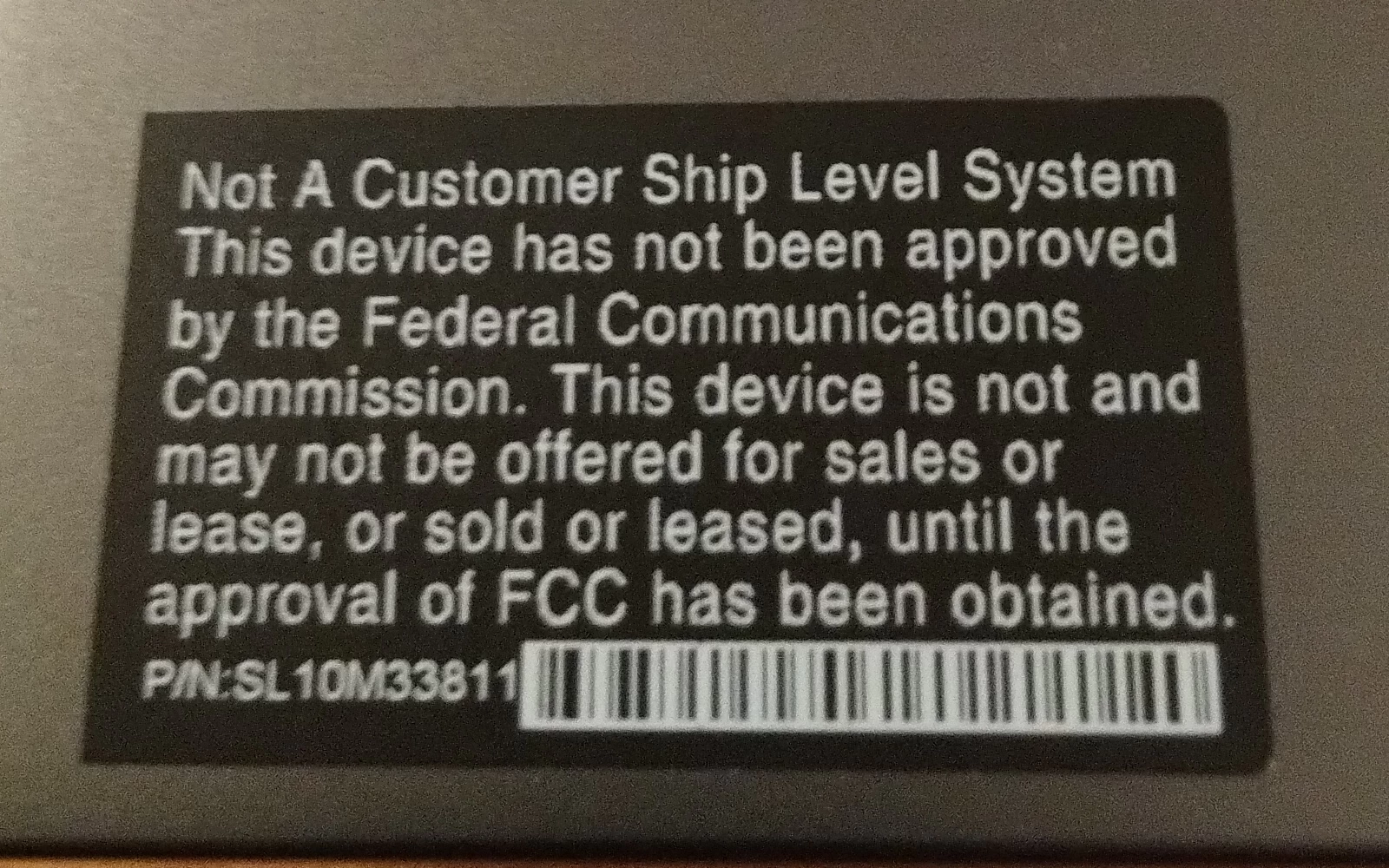
Figure 1- Not A Customer Ship Level System sticker
This particular model is from fairly late along in the production process, though, the equivalent of a release candidate in a software release lifecycle. The exterior fit and finish seem identical to models now available for sale, as do pictures of their BIOS (UEFI) firmware screens. I have only been able to make that comparison from pictures and videos online, though.
It is entirely possible this unit just may have been one that assembled outside of a main production line to test the manufacturing process—I’ve received units like that before—it usually makes no difference in terms of the final product.
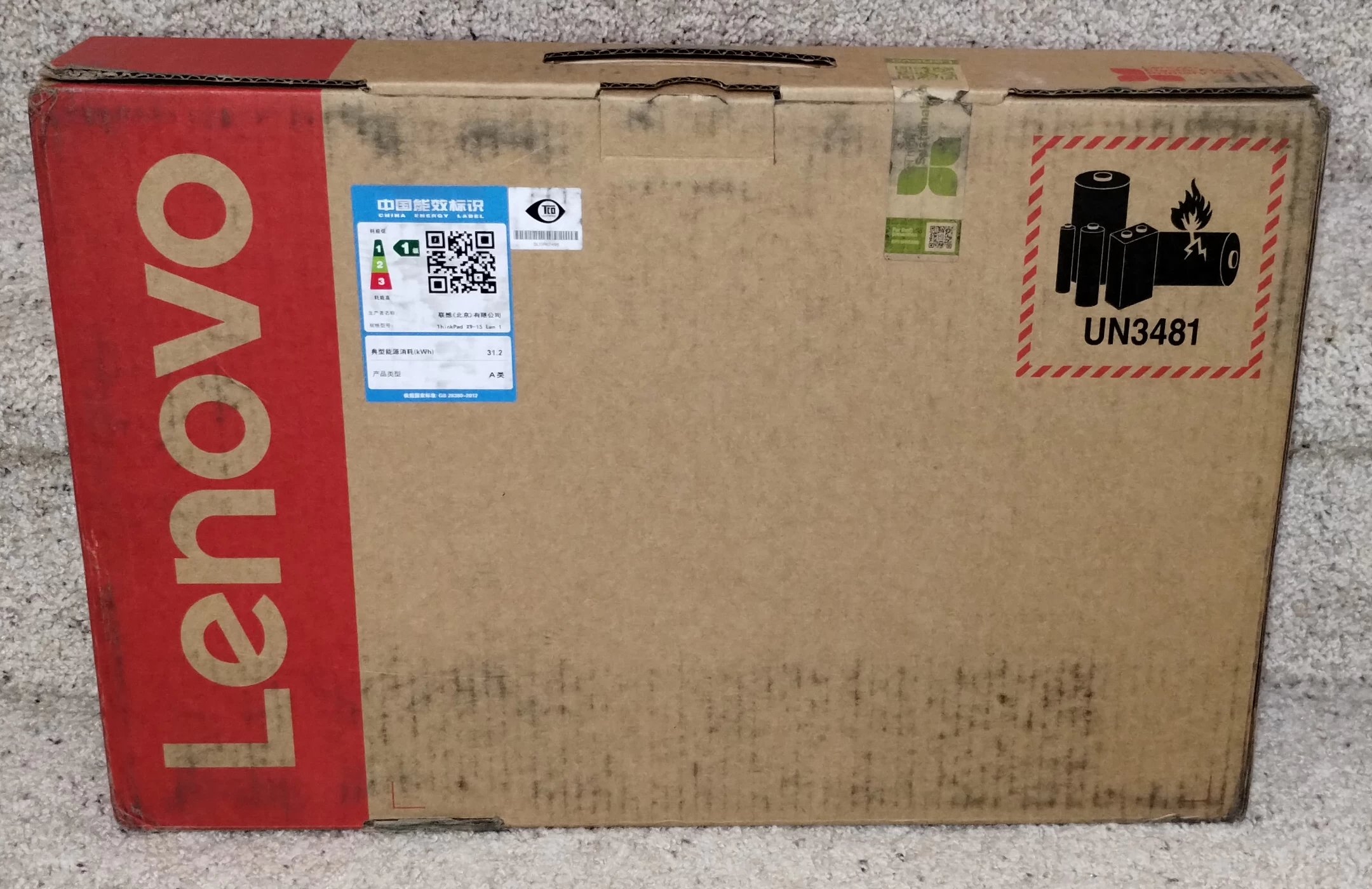
Figure 2 - This ThinkPad shipping carton has a Chinese energy efficiency label on it.
One thing I noted was that the shipping carton this unit came in had a torn security seal. For a retail purchase that would be an automatic return, but in this case the unit may have undergone some firmware or other updates that required it to be unpacked. I have seen this happen with pre-production units before. In models that are even earlier along in the development cycle, one comes across things you wouldn’t see in a retail unit, like unfinished BIOS (UEFI) firmware missing important information like model and serial numbers, chassis with no company logos applied on them, arriving with a hardware configuration (processor, memory, and/or storage) that never gets offered for sale, and so forth.
This unit seems close enough to final, though, that I suspect it would be identical were I able to compare it against a retail unit.
Circumnavigating the X9
One thing that is immediately noticeable is just how thin and how light the ThinkPad X9 15 Aura Edition is. I normally work with Lenovo’s P-series ThinkPads, which are the company’s thicker workstation models. I also regularly use T-series ThinkPads, the models so beloved of corporations that they have become a kind of unofficial badge of office workers everywhere. The ThinkPad X1 15 Aura Edition makes even those feel clunky in comparison.
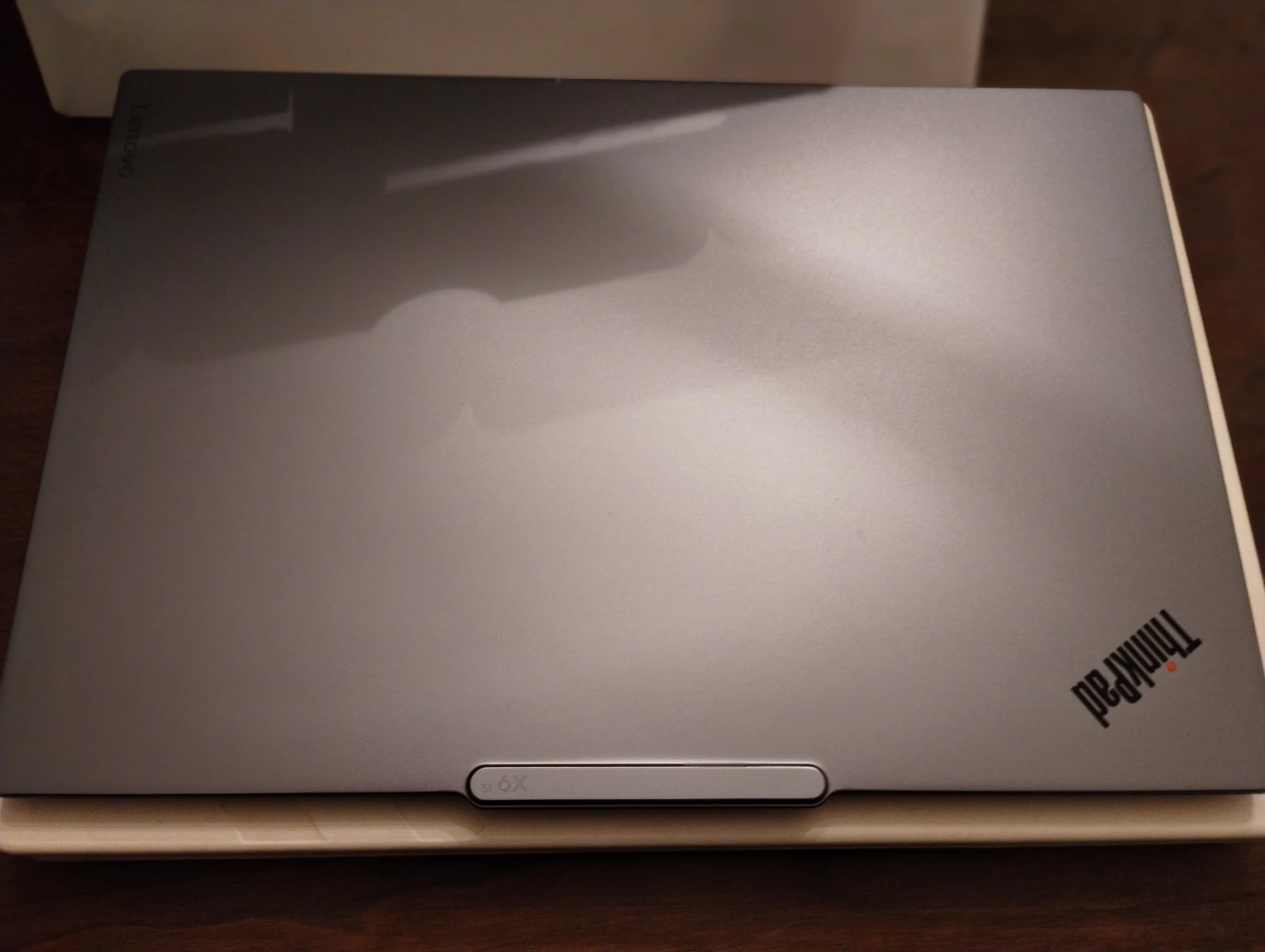
Figure 3 - The ThinkPad X9 15 unboxed
Of course, this is far from Lenovo’s first foray into ultra-thin laptops: the ThinkPad X300, released in 2008, was so remarkable at the time that it had a book written about its creation, and that laptop was 23.4mm (0.73”) high at its shortest point. Contrast that with the ThinkPad X9 15 Gen 1 Aura Edition, which is 12.9 mm (0.5”) high at its highest point. While such a reduction might seem unimpressive in a time span of 17 years, it is still remarkable when one considers all of these improvements to things like battery life and screen technology that have been made over the years. This slim and svelte ThinkPad is clearly meant to be used as a laptop on the go.
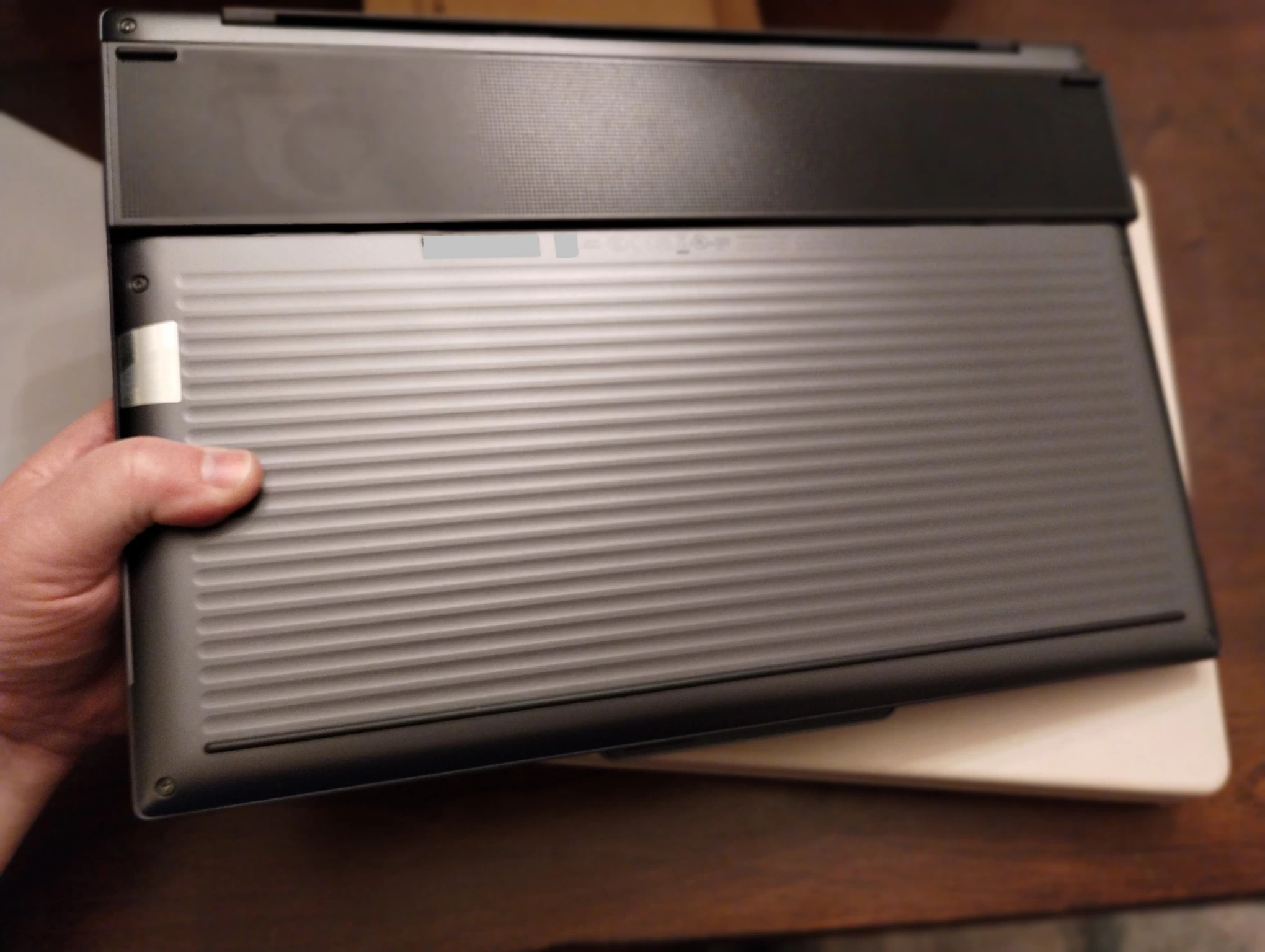
Figure 4 - The bottom of the unit
The ThinkPad X9 15 Gen 1 Aura Edition is offered in one color, which I would call gunmetal, but Lenovo refers to as “Thunder Grey.” This color permeates the chassis, with the notable exception of a black “stripe” across the bottom of the unit towards the rear, where a metal grill functions as an inlet for the fans. The ribbing running the length of the bottom is presumably to make the chassis stronger as well as provide better traction when gripping the unit.
If grey isn’t your thing, a limited edition is available in select markets in “Arctic White.”
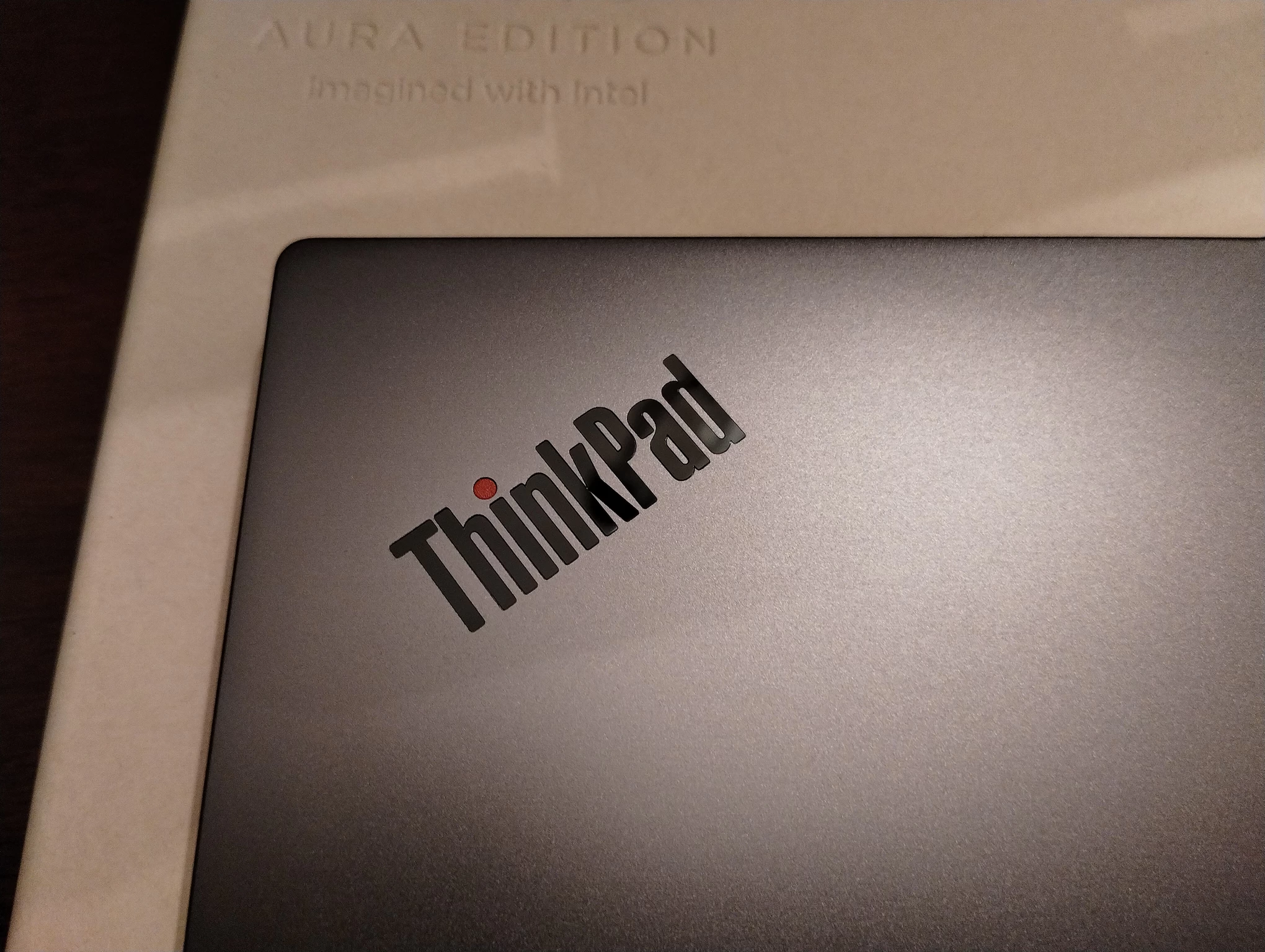
Figure 5 - The ThinkPad logo
Looking at the laptop from the top with its lid closed, two things are immediately apparent: The first is the laptop’s ThinkPad logotype with its red LED serving as a highlight for the lower-case “i”. The second is a protuberance or bump at what is the top of the lid when opened. On the outside, it just contains the model number “X9 15”. However, once the laptop is opened, its function is apparent: It is the housing for both the 4K and infra-red cameras (the latter is used with Windows Hello for biometric authentication) as well as a two-microphone stereo array. Expanding these out of the bezel allows for an overall thinner bezel at the top (matching the sides). It is solidly part of the chassis, and while I would not recommend grabbing it to lift the laptop, it does serve as a natural gripping point when carrying the laptop or opening the lid.
Once opened, the there are four things which are immediately apparent:
- The laptop’s screen, which is surrounded by a thin black plastic bezel of about 4 mm (by my measurements).
- The keyboard, which is slightly recessed into the chassis.
- There is no TrackPoint in the keyboard, nor buttons for use with one below the space bar.
- The relatively giant Trackpad, which is about the size of a 3×5” index card
Let’s take a more detailed look at each of these:
The Screen
The screen on this unit measures 15.3” diagonally and has a native resolution of 2880 × 1880—what Lenovo calls 2.8K—which gives it a 16:10 aspect ratio. The screen panel itself is OLED, supports HDR, and runs at refresh rates of 60 or 120 Hz. Lenovo also offers a version of laptop in ThinkPad X9 series with a 14” screen at resolutions of either 1920 × 1200 (non-touch) or 2880 × 1800 (touch). Presumably the lower resolution screen offers improved battery life.
For the 15” version, the only differences in the screen is whether it is a touchscreen. The model I am evaluating has the touchscreen. One complaint I have read online about Lenovo's touchscreens is that they have a faint-but-visible grid pattern. This is not the case with the ThinkPad X9 15 Aura's screen. The screen is bright, clear, and crisp, and had no problems detecting my finger or a capacitive stylus (I used a Fisher Space Pen). I experienced no eye fatigue at all, even after looking at the screen for several hours at a time. I will note that the screen is glossy and not matte like the screens of most ThinkPads I have used over the years. This appears to be standard for touch screens
The Keyboard
The keyboard is a six-row model and features an island-style layout. Most of the alpha-numeric keys are subtly bowl-shaped with a mild depression at the center, while control and function keys are flat. More noticeable to longtime ThinkPad users is that the keys no longer have the “shield” shape with the slightly-curved bottom. This “island” style of keyboard is how the keys were originally envisioned by industrial designer Richard Sapper for the first ThinkPad, and they have been a staple of ThinkPads since 2013, when models were released with the fourth generation of Intel’s Core processors.
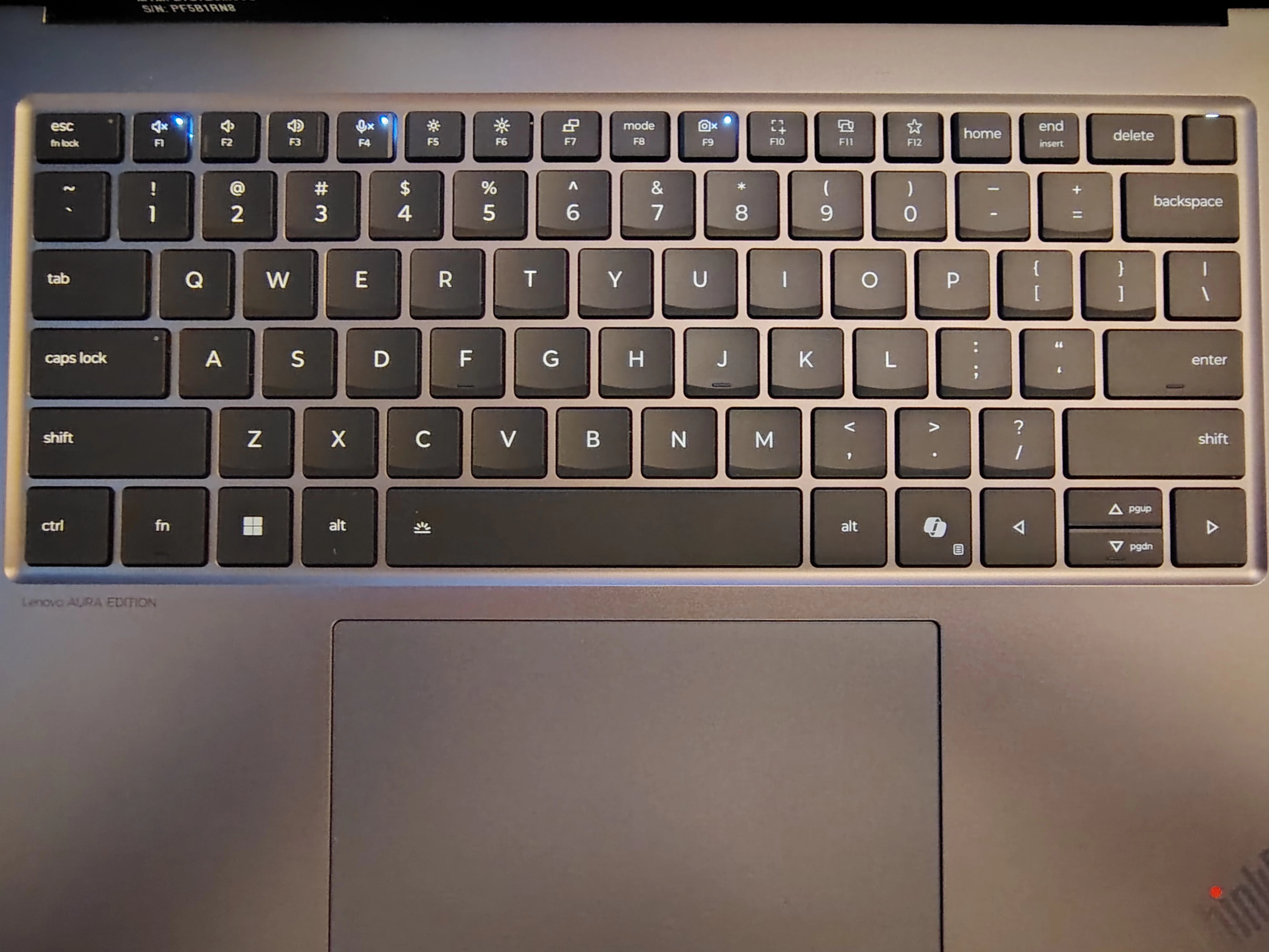
Figure 6 - View of the keyboard
These new key caps are squared off with chamfering on the side facing the typist. I have found that this to actually be an improvement over the previous shield key design. As a touch typist, they are better to type on because they allow for more speed and accuracy since they subtly guide the typist’s fingers into the center of the key. At least, that’s my take; keyboard preferences are a very idiosyncratic thing. That said, I do hope that this new key cap shape finds its way to other ThinkPads.

Figure 7 - A closer look at the key caps
The keyboard has a backlight with two levels of illumination, and also features “Auto mode,” where it turns itself on and off in response to ambient light. I am unsure if this a feature new to the ThinkPad X9 15 Gen 1 Aura Edition or if it has been standard on ThinkPads for a while, but it is a welcome feature and makes good use of the device’s ambient light sensors.
The layout of the ThinkPad X9 15 Gen 1 Aura Edition ’s keyboard is a departure from the traditional ThinkPad keyboard: The Fn and Ctrl keys are reversed so that the Ctrl key is in the lower-left corner and the Fn key is to the right of it, a configuration that is normal for other laptop manufacturers. This can be changed in the BIOS (UEFI) firmware or through software. The menu key, historically located past the Alt key on the right side of the keyboard, has been replaced with a CoPilot key. In case you’re curious it actually generates a Win + Shift + F23 keystroke, (the original IBM PC could recognize function keys up to F24; and while PC/AT keyboards standardized on F1-F12, recognition of the next twelve function keys is still a part of most PC hardware designs). Pressing the Fn + CoPilot keys together generates a normal Menu key press. I did not see any way to toggle this to generate a Menu keypress with just a press of the CoPilot key. Perhaps in a move to make room for this new functionality there is no second Ctrl key to the right of the space bar.
The navigation key cluster in the lower-right corner has changed as well: For decades these have been in an inverted-T shape, with the upper-left and upper-right keys acting as PgUp and PgDn keys, respectively. The new navigation key layout copies other laptop manufacturers’ layouts of four keys in an H layout with the Left and Right arrow keys now being full-height keys, while the Up and Down arrow keys remain as half-height keys between them. PgUp and PgDn are now accessed from them when holding down the Fn key. This layout is standard on laptops from Apple, as well as some models from Dell and HP, and like the missing TrackPoint gives an indication of whom Lenovo might be targeting with this new model of ThinkPad.
The quality of the keyboard is excellent, with stiffness being good without feeling mushy, and key travel is adequate as well.
Trackpad
At 80 × 135mm (or 3.15 × 5”), the Trackpad is just slightly larger than a standard 3 × 5” index card. Like other premium touchpads it has a glass surface and behaves as a standard Precision Touchpad under Windows. The Trackpad has no markings on it to show button locations or other functions, such as screen magnification, scrolling or zooming. Lenovo offers an upgraded version of the Trackpad with a haptic force-feedback mechanism; this evaluation unit uses the non-haptic version.
As for how the Trackpad performs, it is smooth to the touch and responsive. As someone who does not use any kind of Trackpad or touchpad regularly, I found it slowed down activities such as document creation as I had to move my hands and fingers around in unfamiliar ways and engage in numerous contortions to perform simple editing tasks ingrained in muscle memory. For people coming from other manufacturers’ laptops, I assume it provides a welcome and familiar experience.
In keeping with the spirit of evaluating this unit, I did not connect an external ThinkPad Compact Bluetooth keyboard, which does have a TrackPoint with buttons and a more familiar cluster of navigation keys. However, I found myself using a Lenovo mouse via Bluetooth from time-to-time when I grew frustrated with the hand contortions required to use the Trackpad.
Power button & fingerprint reader
Instead of having a power button on the side of the chassis, or separate from the keyboard cluster, the uppermost-right key now functions as a both a power button and a fingerprint reader.
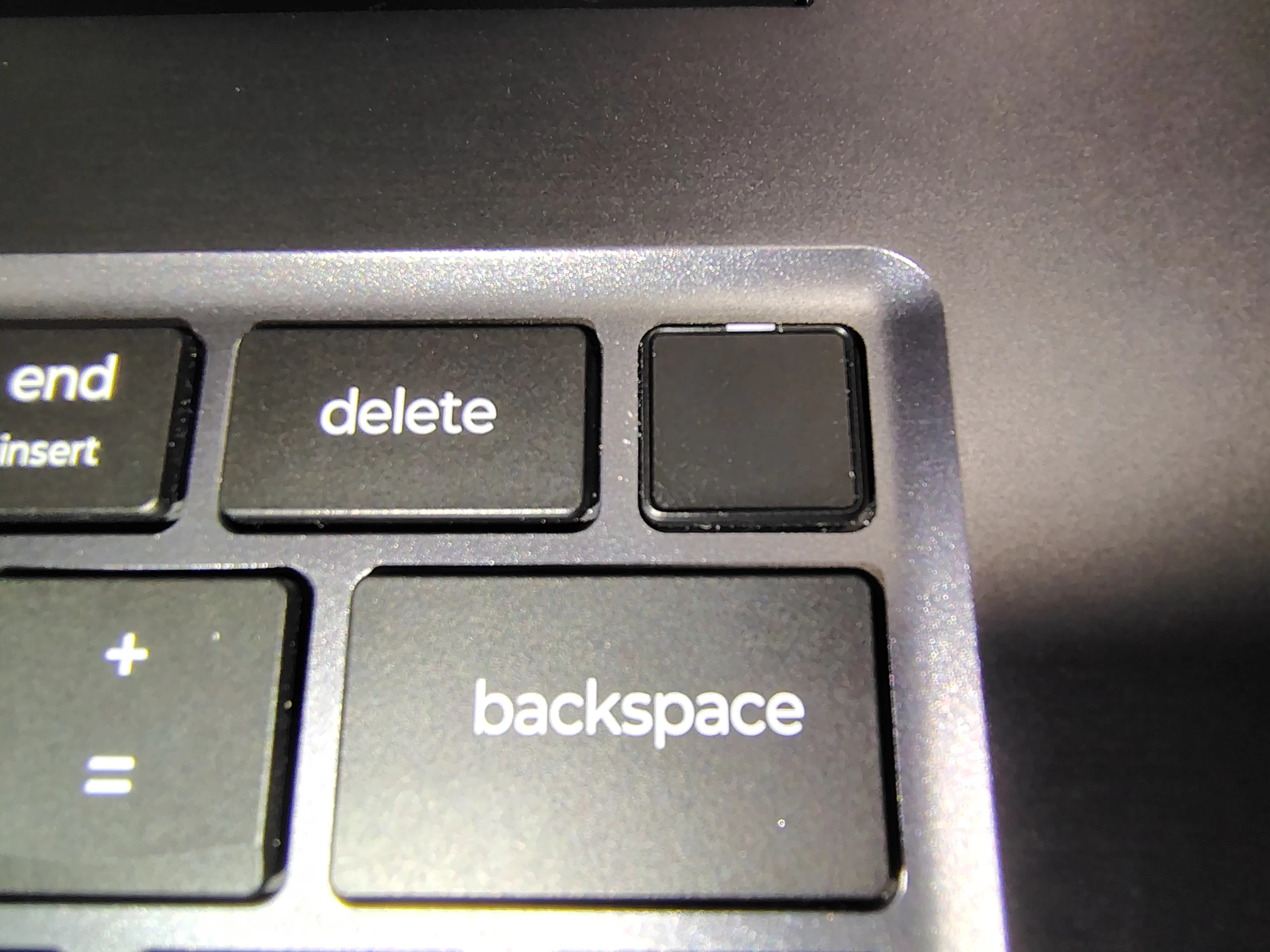
Figure 8 - The combination power button and fingerprint reader in the upper right corner
The fingerprint reader worked without issue. Enrolling and removing fingerprints worked as expected under Windows, and there were no issues using it with Windows Hello to unlock the computer. When the computer is powered up, the key is lit by a white LED indicator lamp to indicate power. When a fingerprint swipe is available, the white LED turns to green. The fingerprint reader can also be used perform pre-boot authentication, allowing it to be swiped instead of entering power-on and drive passwords. I did not test this functionality.
At first, I thought I might have trouble touch-typing with the Delete key no longer being in the upper-right corner but surprisingly it turned out to be a non-issue for me.
Ports and expansion options
The ThinkPad X9 15 Gen 1 Aura Edition has less ports than the ThinkPads I am used to working with, the P- and T- series, however as previously mentioned, it is also a lot slimmer than those models. I suspect users of Lenovo’s ultra-slim ThinkPad X1 Carbon series of ThinkPads, as well as similar ultra-slim business models from other vendors, will not find much difference here.
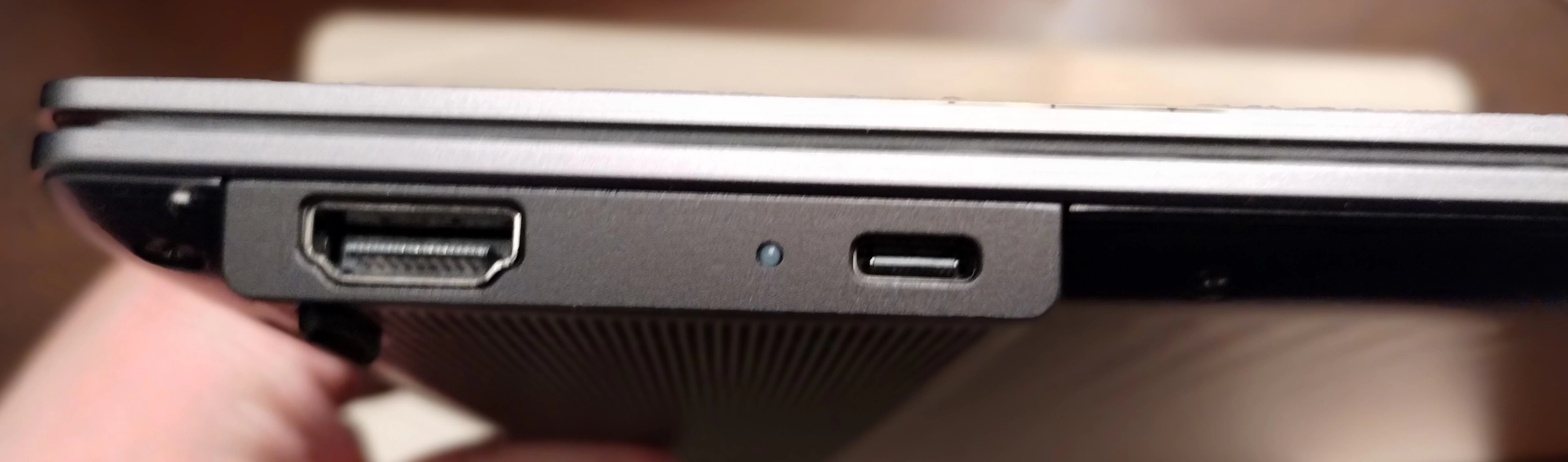
Figure 9 - Left I/O includes HDMI 2.1 and Thunderbolt 4 ports, plus a LED charging indicator
On the left side, is a HDMI 2.1 port capable of supporting up to 4K60 displays, and a USB-C Thunderbolt 4 port.
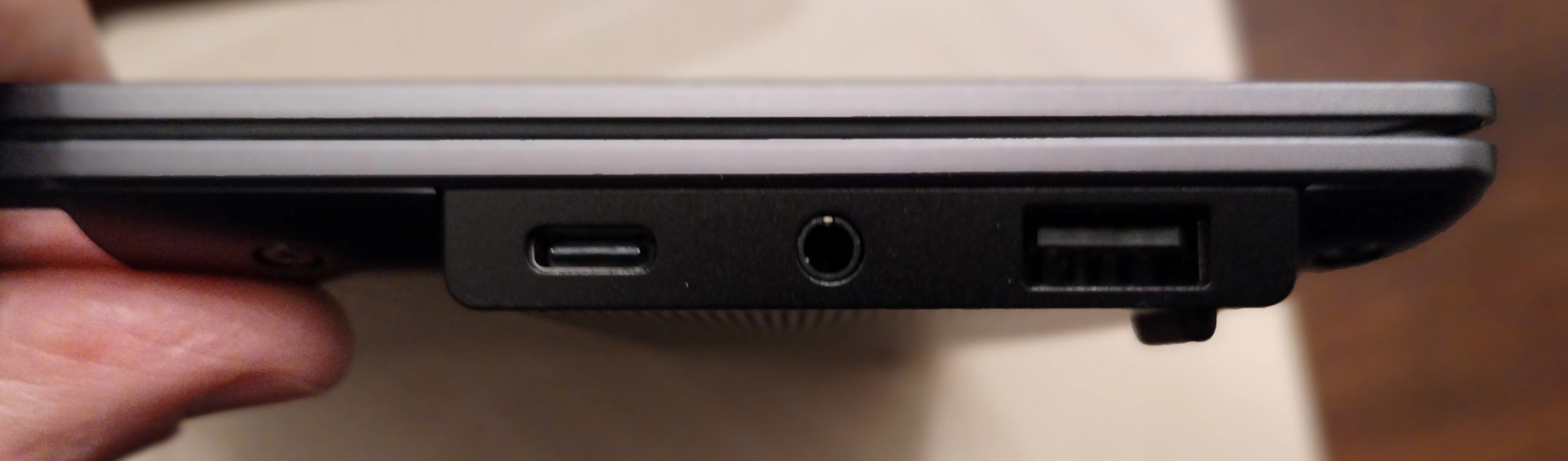
Figure 10 - Right I/O includes Thunderbolt 4, 2.5 mm headset, and USB Type-A ports
On the right side is a single USB-A port, a 3.5mm headset jack, and another USB-C Thunderbolt 4 port. It seems either port can be used to charge the laptop. A LED on the left side indicates when the ThinkPad is charging (orange = charging, white = charged).
The ThinkPad X9 15 Gen 1 Aura Edition is a lot less upgradeable or expandable than other ThinkPads I have used over the years. This is understandable given the device’s intended audience and usage, younger knowledge workers running local AI workloads.
- The memory is not upgradeable at all. It is not soldered to the motherboard but integrated into the CPU package. On the plus side, the lack of distance between the processor and memory allows Intel to utilize LPDDR5x-8533 memory, which is faster than what is offered in notebooks with replaceable memory.
- Network-wise, the unit comes with an Intel BE201 (Wi-Fi 7 and Bluetooth 5.4) chip integrated into the system board. This is the latest wireless chipset from Intel at the time of this writing, so it will remain current for some time, but the lack of a replaceable module means there will be no upgrades as future standards emerge. Performance of the Wi-Fi card was excellent on my home network, with connections ranging from above 1 Gbps to the upper hundreds of Mbps depending upon where I used the laptop and what devices were around me.
- The unit has one single-sided M.2 2242 slot with PCIe 4.0×4 lane width for an NVMe SSD. The model I received had a 1 TB drive installed, which I replaced with a 2 TB Corsair M600 M.2 2242 NVMe SSD, the largest capacity drive that would fit into the unit. The slot on the system looked delicate compared to other ThinkPads I have opened, and the Hardware Maintenance Manual for the unit specifically warns against repeatedly inserting and removing drives into it.
- The unit does not have any kind of card reader for SDXC or even Micro SDXC Cards. This surprised me since I thought this particular model of ThinkPad would be of interest to digital photographers due to screen quality.
- There is no internal Ethernet or WWAN connectivity built into this series of laptops. While I did not test it tethered or with a cellphone hotspot, the unit worked fine with Lenovo's 1 Gbps and 2.5 Gbps Ethernet to USB adapters on wired networks.
As noted, some of these issues can be ameliorated with a USB to Ethernet adapter, an SDXC or Micro SDXC card reader, or even a Thunderbolt dock. It also makes the ThinkPad X9 15 Gen 1 Aura Edition similar to competing models from other laptop manufacturers in another way: by requiring users to carry a handful of dongles with them.
Processor, graphics, and memory
The ThinkPad X9 15 Gen 1 Aura Edition ships with a choice of five processors from Intel’s Lunar Lake family. All of the models have four Lion Cove performance (p-core) and four Skymont efficiency (e-core) processor cores. Symmetric multi-threading (aka hyperthreading) is not supported in these models, so they are all 8C/8T. All of these CPUs have Intel’s Lunar Lake Neural Processing Unit (NPU), used for local AI processing, such as Microsoft Copilot.
Here are the available CPUs available with this model:
- Intel Core Ultra 5 226V (3.5 GHz/4.5 GHz max, 8 MB L1 cache, 16 GB RAM)
- Intel Core Ultra 5 228V (3.5 GHz/4.5 GHz max, 8 MB L1 cache, 32 GB RAM)
- Intel Core Ultra 5 238V (3.5 GHz/4.7 GHz max, 8 MB L1 cache, 32 GB RAM)
- Intel Core Ultra 7 258V (3.7 GHz/4.8 GHz max, 12 MB L1 cache, 32 GB RAM)
- Intel Core Ultra 7 268V (3.7 GHz/5.0 GHz max, 12 MB L1 cache, 32 GB RAM)
Intel Core Ultra 5 units ship with Intel’s Arc 130V graphics (53 TOPS), while Core Ultra 7 units ship with Intel’s Arc 140V graphics (64 TOPS).
This evaluation unit shipped with the Intel Core Ultra 7 258V and 32 GB of RAM. In this configuration, the NPU provides 48 TOPS of processing power for AI workloads, with another 64 TOPS from the integrated Arc 140V graphics processor, and 5 TOPS from the CPU, for a total of 117 TOPS.
This CPU has Intel’s ARC 140V graphics processor unit integrated into it. Based on Intel’s second-generation Battlemage GPU technology, the GPU consists of eight Xe² cores and is capable of driving three 4K displays simultaneously. This GPU represents a major improvement over Intel’s previous integrated graphics processors and should be more than adequate for casual gaming. However, given that this is a thin-and-light business class laptop I did not perform any extensive testing of games. The laptop had no problem displaying full-screen videos from YouTube or playing simple browser-based games like Google Solitaire.
The LPDDR5x-8533 memory was incredibly fast, allowing memory-intensive operations to finish in a snap. This is a major benefit to having the memory part of the CPU’s actual chip package. The flip side, though, is that it cannot be upgraded. For this reason, I would suggest avoiding the lowest-end CPU model, the Intel Core Ultra 5 226V, which only comes with 16GB of RAM. The mid-range and up models of the Intel Core Ultra 5 and both of the Intel Core Ultra 7 models have 32GB of RAM, which means the laptop should remain usable for a much longer time. This is an important consideration, given the non-replaceable nature of the laptop’s memory.
AI workloads
With Intel’s Lunar Lake NPU coprocessor, this laptop is clearly intended for use running local LLMs and similar AI workloads. I did not do any software development on the laptop, unless you consider some light PowerShell scripting that. However, I installed a third-party antivirus software that does make use of the NPU, and could track when it was using the NPU to perform AI activities through the Task Manager.

Figure 11 - NPU activity while running antivirus software
As more and more applications make use of AI features, monitoring NPU usage will become more the norm for businesses.
Power and battery life
One of the biggest advertised features of Intel’s Lunar Lake systems are the improvements in power utilization over previous generations of Intel’s mobile processors.
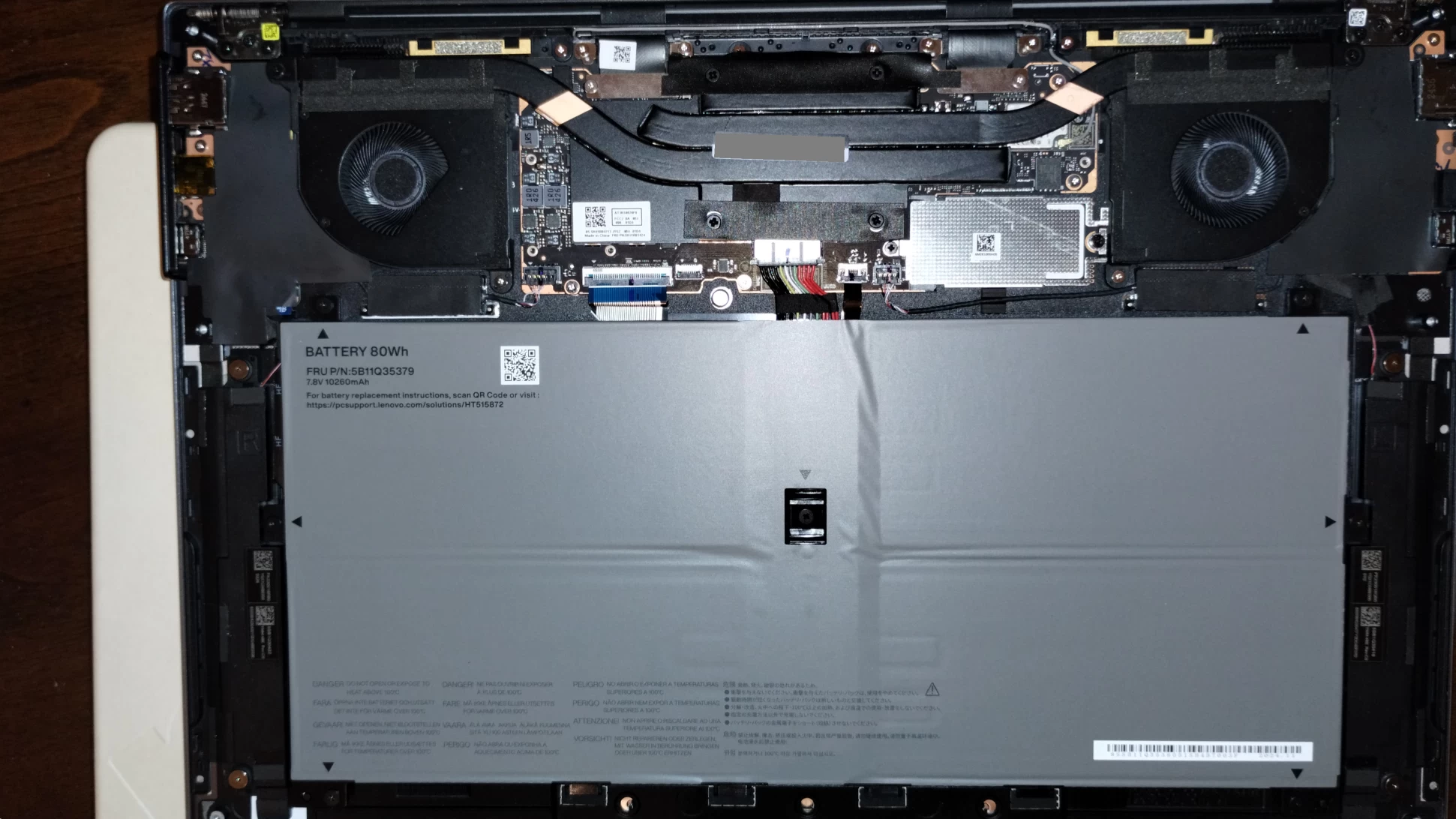
Figure 12 - Most of the internal space is for the battery, with a system board taking up the rear
The unit ships with an 80Wh battery, that Lenovo claims can last for up to 20 hours between charges. I was not optimizing my usage of the laptop for battery life, in particular I was disabling various power saving features, but I saw the laptop was using about 10% per hour when I did work that was routine to me (office productivity programs, some light script editing, web browsing and so forth), giving me a rough estimate of 10 hours based on my usage patterns. The unit comes with a 65W USB-PD GaN charger; it is slightly smaller than previous Lenovo chargers I have used (but still larger than various third-party chargers) and charges the battery as expected, getting warm—but not hot—when charging the laptop over an extended period of time.
Software and manageability
Enterprises have standardized on ThinkPads due to their manageability, availability of spare parts, ease of repair, and world-wide support. The ThinkPad X9 15 Gen 1 Aura Edition is no different in this respect from other ThinkPads, and shows its business chops through its software stack, manageability, and compatibility with other ThinkPad accessories. The laptop works with Lenovo’s Commercial Vantage (aka “Red” Vantage) software for managing its features and performing driver updates. Both SCCM and HSA driver packs are available for download to manage the computer using Microsoft Configuration Manager or Microsoft Intune.
As with other ThinkPads, the ThinkPad X9 15 Gen 1 Aura Edition ships with no bloatware preinstalled on it. In fact, it only contained two applications specific to the device, Lenovo Commercial Vantage for updates and device management, and Lenovo Smart Noise Cancellation to handle that specific functionality, since it is not available in Windows. A third icon in the Start Menu said “User Guide” and launched the web page for that.
On the accessories side, I had no trouble pairing the device with a Lenovo mouse via Bluetooth, or connecting to Ethernet networks using 1GbE and 2.5GbE USB adapters from Lenovo. The laptop worked with the Lenovo ThinkPad Thunderbolt 4 Workstation Dock I use with my other ThinkPads. This includes the dock’s ThinkPad-specific power switch. As there is no standard for how power switches are implemented on docks, each device manufacturer to implement their own methods of handling on and off signaling to attached laptops. The fact that this worked with the power switch is indicative of the device’s ThinkPad DNA in its ancestry.
Using the laptop
I have been using the laptop on-and-off for over half a year now, including the writing of this review. In order to experience the ThinkPad X9 15 Gen 1 Aura Edition the way Lenovo shipped it, I chose not to remap the Fn, Ctrl, or Copilot keys to experience them as Lenovo (and Microsoft) intended. Getting used to the “new” layout of the Fn and Ctrl keys has been difficult, especially when switching between other ThinkPad models, but it is survivable.
As someone who makes their living by typing, I found the changes to the navigation key cluster to be harder to come to terms with. Combined with the lack of a TrackPoint, I found myself occasionally using an external mouse with the laptop. Lenovo recommends their own Lenovo Multi-Device Wireless Mouse (X9 Edition) mouse for use with this particular model of ThinkPad, however, I used the regular (non-X9 Edition) of the mouse handy without issue.
In terms of software compatibility, there were no issues running the traditional suite of Microsoft Office software on the device, as well as VPNs and various third-party utility and security software. The device shipped with Windows 11 Pro 24H2 and during usage was upgraded to 25H2 without issue. As a matter of fact, it was noticeably faster performing upgrade to 25H2 than other ThinkPads I own with 13th, 10th and 8th generation Intel CPUs, showing that despite it being a targeted at thin-and-light laptops, the Intel Lunar Lake CPU is quite capable of running Windows.
Now, my day-to-day workload often involves working with virtual machines, and while the 32GB of LPDDR5 RAM allowed me to run several at once, the small capacity of the drive meant I could not keep all of the documents and all of the virtual machines I normally use on the system’s drive, even after upgrading the capacity from 1 TB to 2 TB. The fact that the laptop has two Thunderbolt 4 ports means attaching an external NVMe SSD is possible, however, this again necessitates carrying an external device with the laptop.
Also, I had initially some performance issues with the VMware Workstation virtualization software I was using but this was solved by forcing it to run only on the CPU’s four Lion Cove performance-cores and skip the four Skymont efficiency cores. Running virtual machines is a task usually relegated to desktop workstations and servers these days, and this is not a laptop marketed as a workstation for running virtual machines, so this is really more of an issue with my workflow not aligning with the laptop than an issue with the laptop itself.
Concluding Thoughts
The ThinkPad X9 15 Gen 1 Aura Edition has a lot going for it. This model represents a bold new reimagining of what a ThinkPad can be for the modern knowledge worker and the AI-assisted tasks they perform. The key caps of the keyboard showed definite signs of improvement over previous generations of ThinkPad, and the screen was gorgeous, too: the deep blacks and color saturation reminded me more of a laptop designed for digital video editing than an AI workhorse. And the laptop’s slimness and battery life means it can be carried around and used just about anywhere for a long time.
That said, the unit does have some first-of-its-line jitters: The chassis has fewer expansion ports than other ThinkPads in the 15” size range, and having room for just one single-sided M.2 2242 NVMe SSD means less storage capacity as well. These may be non-issues for the intended audience for this laptop. And although this was a pre-production device, the build quality and quality of the screen were impressive. No rattling, movement, or flexing. Just a well-built laptop, the equal of any production laptop model I’ve used.
It is also worth noting what this laptop isn’t.
There are a lot of IT departments that want to issue ThinkPads to all employees because of their ruggedness, their reliability, how well they just work. And when they don’t work, parts are readily available and the laptops are easily serviced. But workforce requirements evolve over time, too: There are a lot of employees entering the workforce who want an ultra slim laptop, a large screen with a tiny bezel, and, shockingly enough, no TrackPoint pointing stick. This device manages to combine those two somewhat-competing requirements in such a way that checks the boxes for both parties. Even small details such as the chassis screws appear to be a nod to the fact that this isn’t your father’s ThinkPad: the machined screws are reminiscent of those found on Apple Macs, minus the pentalobe. After all, ThinkPads are meant to be easily serviced using common tools.
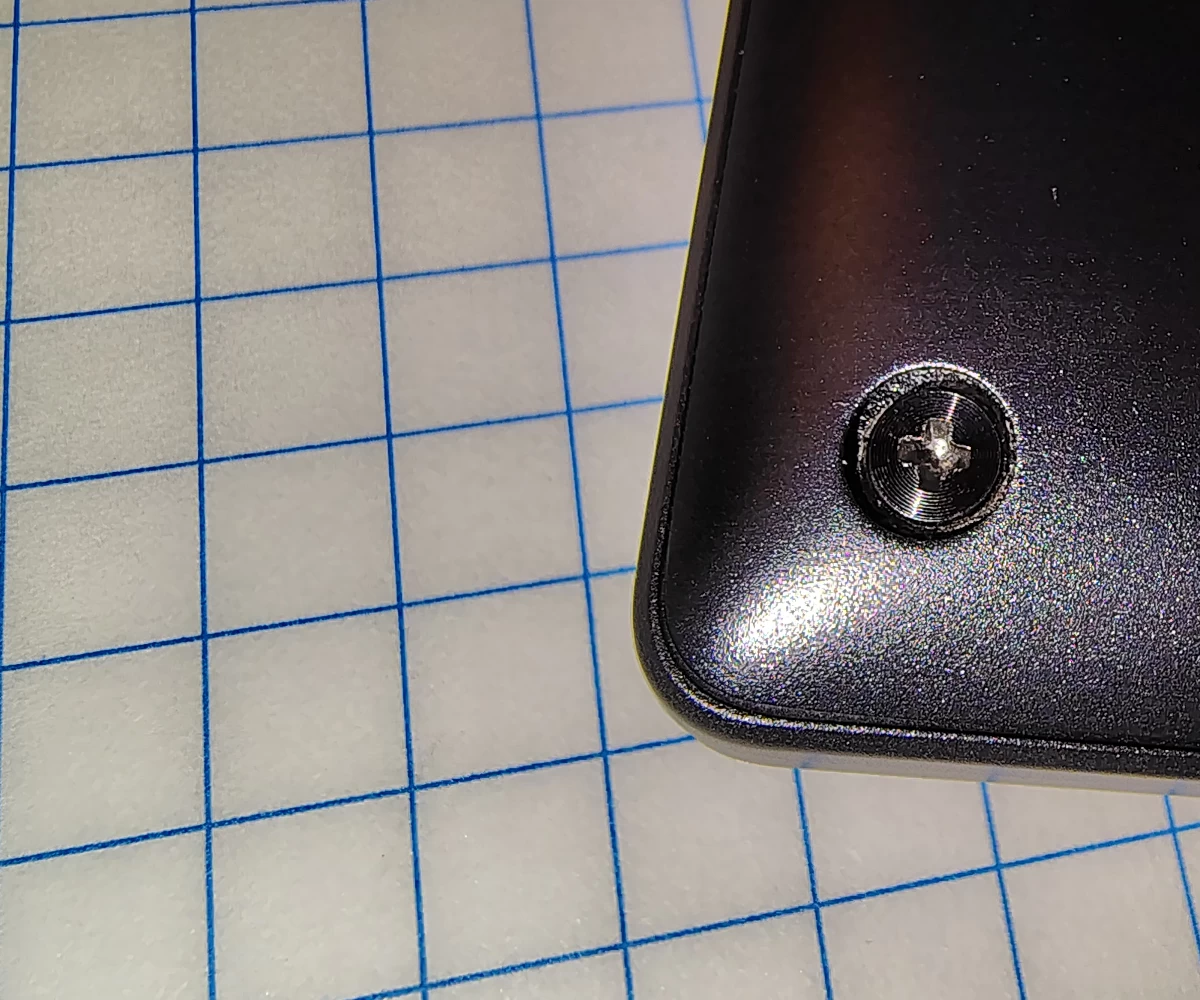
Figure 13 – The chassis screws with concentric grooves
To be clear, the ThinkPad X9 15 Gen 1 Aura Edition is a ThinkPad for a new generation of ThinkPad users. A group that demands a laptop powerful enough to run their local LLMs with a long-lasting battery and a keyboard and pointing interface that’s familiar to them. At the same time, their IT department requires them to have a computer that is as manageable, as rugged, and as repairable as previous generations of ThinkPads.
A final thing I’ll point out is that this new style of ThinkPad doesn’t mean the end of the “traditional” ThinkPad or its iconic TrackPoint: Lenovo has released multiple models of ThinkPad since the X9 15 Gen 1 Aura Edition was announced, including its ThinkPad X1 Carbon Gen 13 Aura Edition, which combines the ThinkPad X9 15 Gen 1 Aura Edition’s AI-centric features with a keyboard and pointing device more familiar to ThinkPad users, as well as additional ports and expandability. Albeit all of this comes at a higher price point and a look that might disappoint younger employees look for a more stylish (read: TrackPointless) laptop.
Where to buy
This variant can be purchased on Amazon for around $1,800 at the time of writing.
¹I purchased was a ThinkPad 755CE in 1994. It was 57 mm (2.2") high and ran DOS and Windows for Workgroups 3.11.
²Actually a light bomber.









14 Comments
Load the comments and join the conversation!
Read the comments, ask the editors questions, show respect and join the conversation.