
In addition to releasing two new Windows 11 preview builds for Windows Insiders in the Release Preview Channel, Microsoft is shipping updates for inbox Windows 11 apps, namely Paint, Snipping Tool, and Notepad.
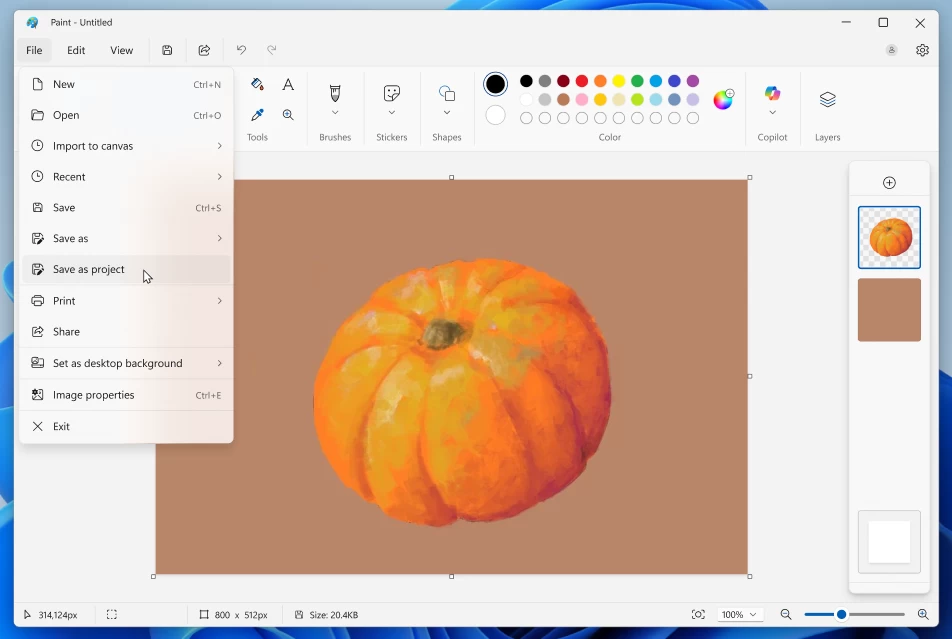
Starting with Paint, the app received two big upgrades. With version 11.2508.361.0, Paints lets you save your artwork as projects, preserving all the layers. This enables you to transfer your work to another device or continue at another time. Saved projects will have the .paint file extension in File Explorer.
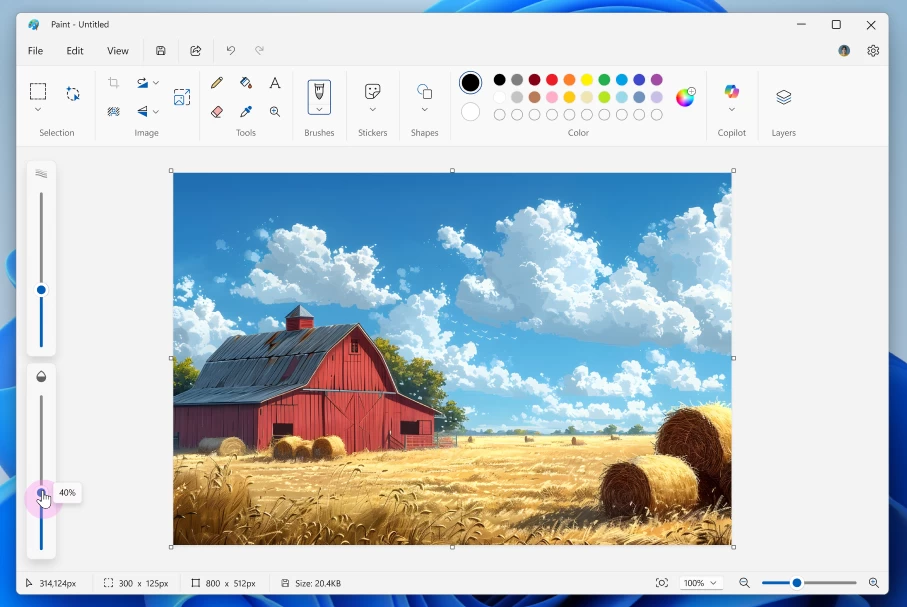
The next upgrade is an opacity slider. You can now change the transparency of pencils and brushes for more realistic strokes and blends when drawing.
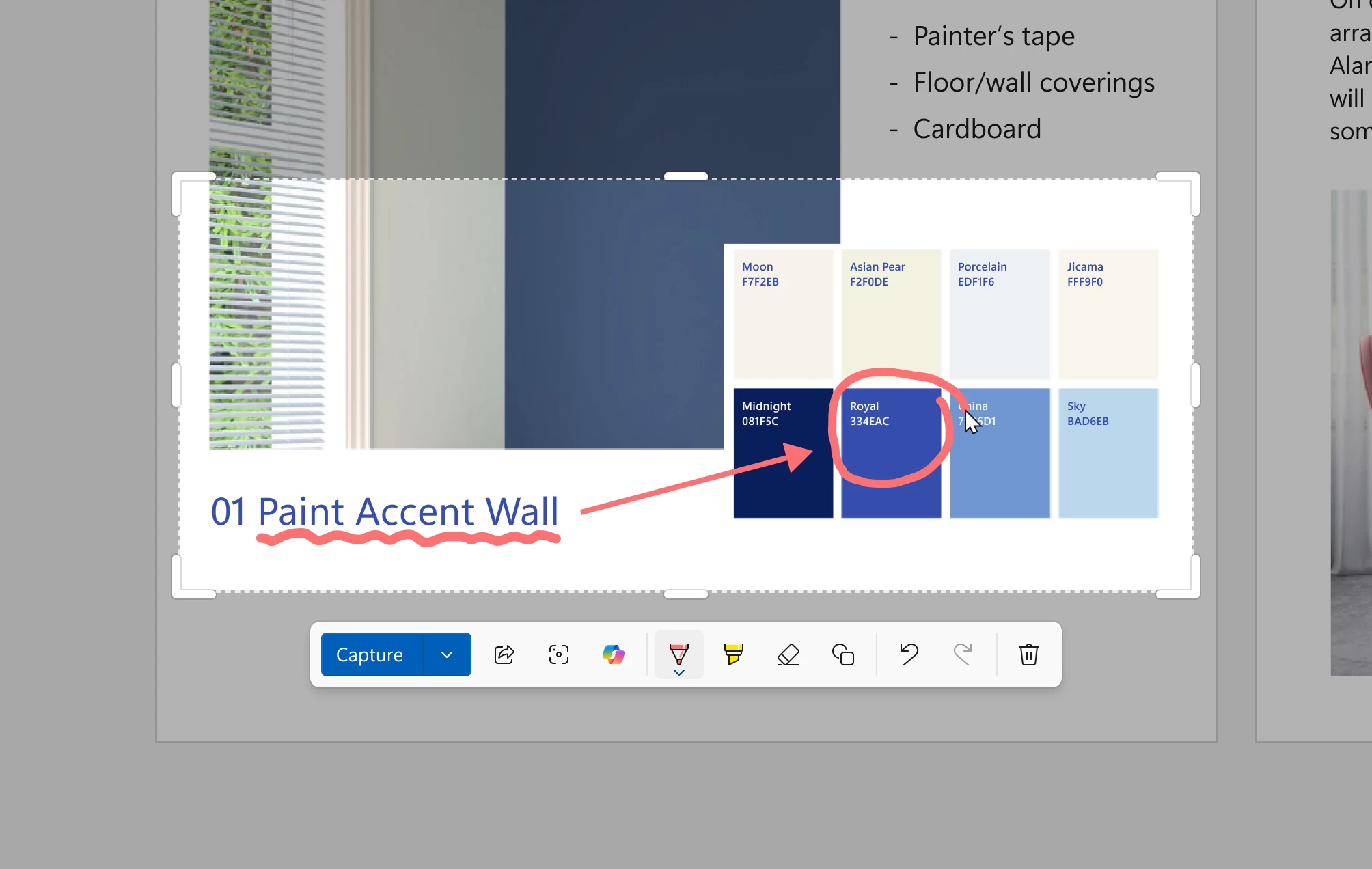
Snipping Tool version 11.2508.24.0 is getting the Quick Markup feature, something Microsoft calls "a faster way to annotate your screenshots and streamline your workflow." This feature was spotted several weeks ago, and in a nutshell, it lets you annotate your screen before taking a screenshot. To try it out, press Win + Shift + S to open Snipping Tool and click the Quick Markup button (you can also press Ctrl + E). After that, select the area you want to capture and start doodling. Available instruments include a pen, a highlighter, an eraser, shapes, and emojis. Additionally, you can resize the selected screen area, share, perform a visual search with Bing, and ask Copilot.
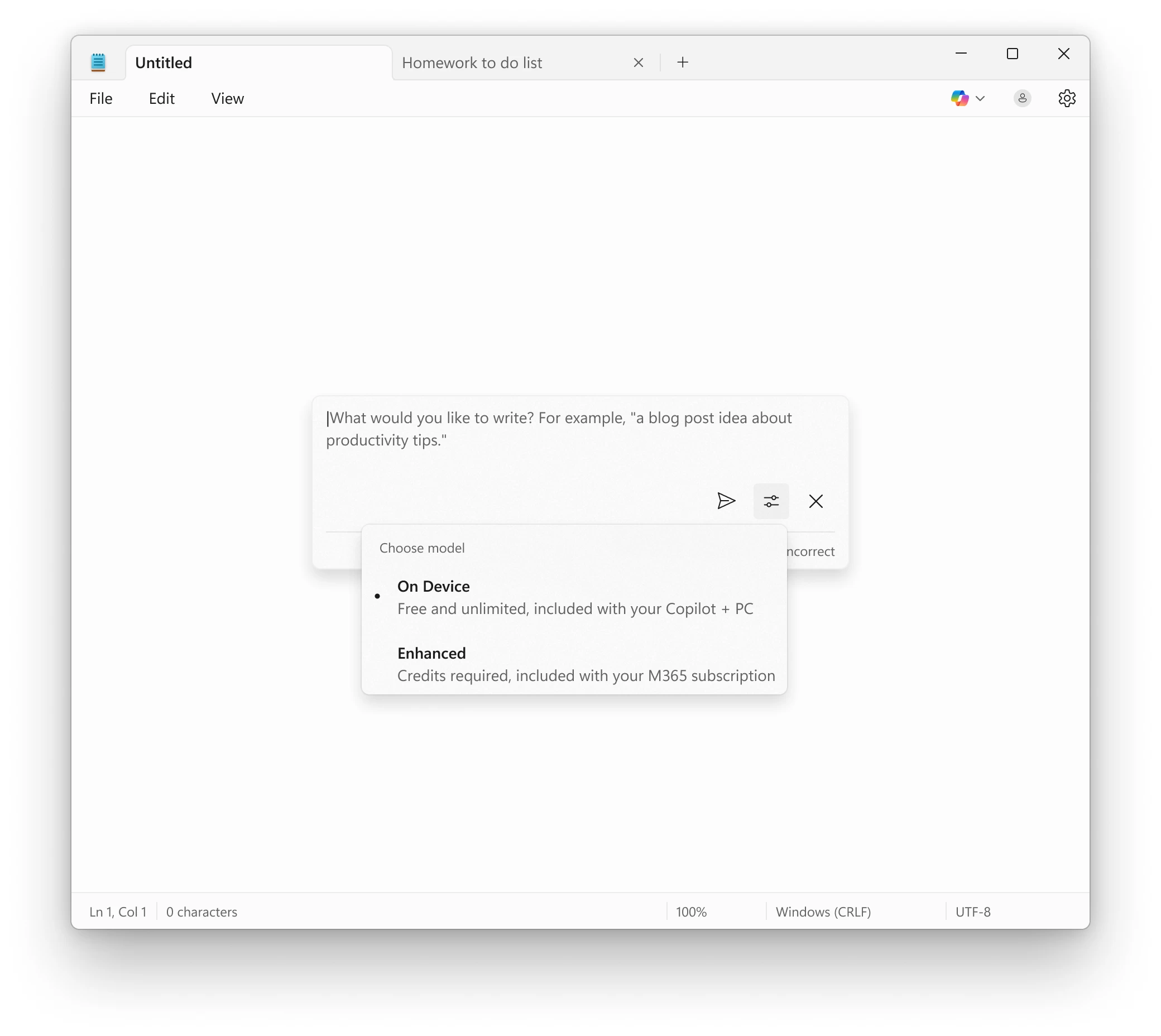
Finally, Notepad version 11.2508.28.0 enables AI-powered features that no longer require a premium subscription. If you have a Copilot+ PC, you can use its Neural Processing Unit to draft, rewrite, and summarize text (these features also work without a Microsoft Account). However, if you have a premium subscription that enables AI features in Windows 11's apps, you can switch to cloud-based models. Note that as of right now, local processing in Notepad only works in English.
You can read more about these updates (now rolling out to Canary and Dev Insiders) in the announcement post.











6 Comments
Load the comments and join the conversation!
Read the comments, ask the editors questions, show respect and join the conversation.