
Screen, webcam and sketchboard recorder with an integrated editor.
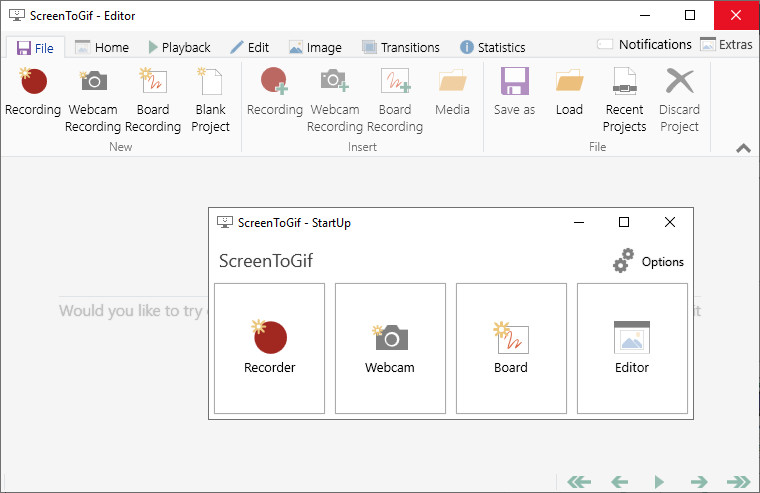
ScreenToGif is an open source program that lets you to record a selected area of your screen, live feed from your webcam or live drawings from a sketchboard. Afterward, you can edit and save the animation as a gif, apng, video, psd or png image. Also there's the Webcam Recorder and the Board Recorder.
Features:
- Record your screen and save directly to a gif looped animation or a video.
- Pause and continue to record or start over by discard the recording.
- Move the window around to record what you want, it stays on top.
- You can add Text, Subtitles, Title Frames, Borders, Watermarks, Drawings, etc.
- Crop and Resize.
- Remove frames that you don't want.
- Select a folder to save the file automatically or select one before encoding.
- Add the system cursor to your recording.
- Very small sized and portable executable.
ScreenToGif 2.42.1 fixes:
- Gifski export resulted in gifs with incorrect timings of 20ms in all frames.
Download: ScreenToGif 64-bit | Portable 64-bit ~7.0 MB (Open Source)
Download: ScreenToGif 32-bit | Portable 32-bit
Download: ScreenToGif ARM64 | Portable ARM64
View: ScreenToGif Home Page | User Guide | Screenshot
 Get alerted to all of our Software updates on Twitter at @NeowinSoftware














0 Comments
Load the comments and join the conversation!
Read the comments, ask the editors questions, show respect and join the conversation.