
Microsoft launched the first Copilot+ PCs in the middle of 2024, and with them, Windows 11 received a bunch of features available only on devices with Neural Processing Units. Most of those features remain exclusive to Copilot+ PCs, but some of them are making their way to all Windows 11 devices. With the latest Windows 11 preview build, the first one in 2026, Microsoft announced that it is bringing Narrator with Copilot to all Windows 11 systems.
The updated Narrator that can use Copilot to generate better image descriptions using AI was first announced in 2025 for Copilot+ PCs (Snapdragon, AMD, and Intel). Now, Microsoft managed to make it work without relying on NPUs. You can press Narrator Key + Ctrl + D to make Narrator describe the focused image. The Narrator + Ctrl + S to describe the entire screen. When Narrator opens Copilot, you can enter a custom prompt to generate desired results, ask it to describe the image, and more.
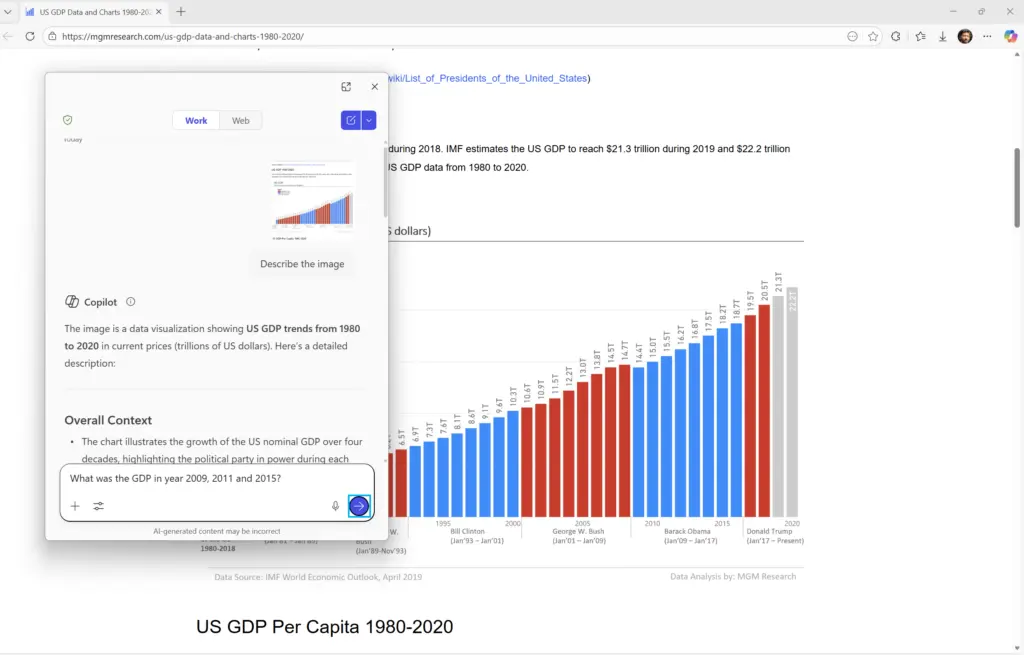
Microsoft clarifies that Windows 11 won't send the selected image until you ask Copilot to describe it.
Narrator with Copilot is now rolling out gradually to Windows Insiders in the Dev and Beta Channels with build 26220.7535. Note that the feature is not available in EEA countries. You can read more about Narrator with Copilot in the release notes for build 26220.7535.
Other useful additions to Windows 11 in recent Windows 11 builds include more language support for Settings Agent, a feature that lets you describe what you want to change in the Settings app with natural language. Also, Microsoft is adding Copilot to File Explorer, a feature that lets you quickly invoke Copilot to work with your files.


















4 Comments
Load the comments and join the conversation!
Read the comments, ask the editors questions, show respect and join the conversation.