A surprise set of Monday builds is now rolling out to Windows 11 Insiders in the Dev and Beta Channels. While the Dev Channel now has a higher build number, today's release has the same changelogs with two main changes: Emoji 16.0 support and advanced camera settings. Here is what is new in build 26300.7760 (Dev Channel) and build 26220.7755 (Beta Channel):
[Emoji 16.0]
We’re starting to roll Emoji 16.0 back to Insiders:
- The Emoji 16.0 release introduces a small but thoughtfully curated set of new emojis—one from each major category—designed to resonate across cultures and contexts. With this build, you will see these new emojis available in the emoji panel.

[Camera Settings]
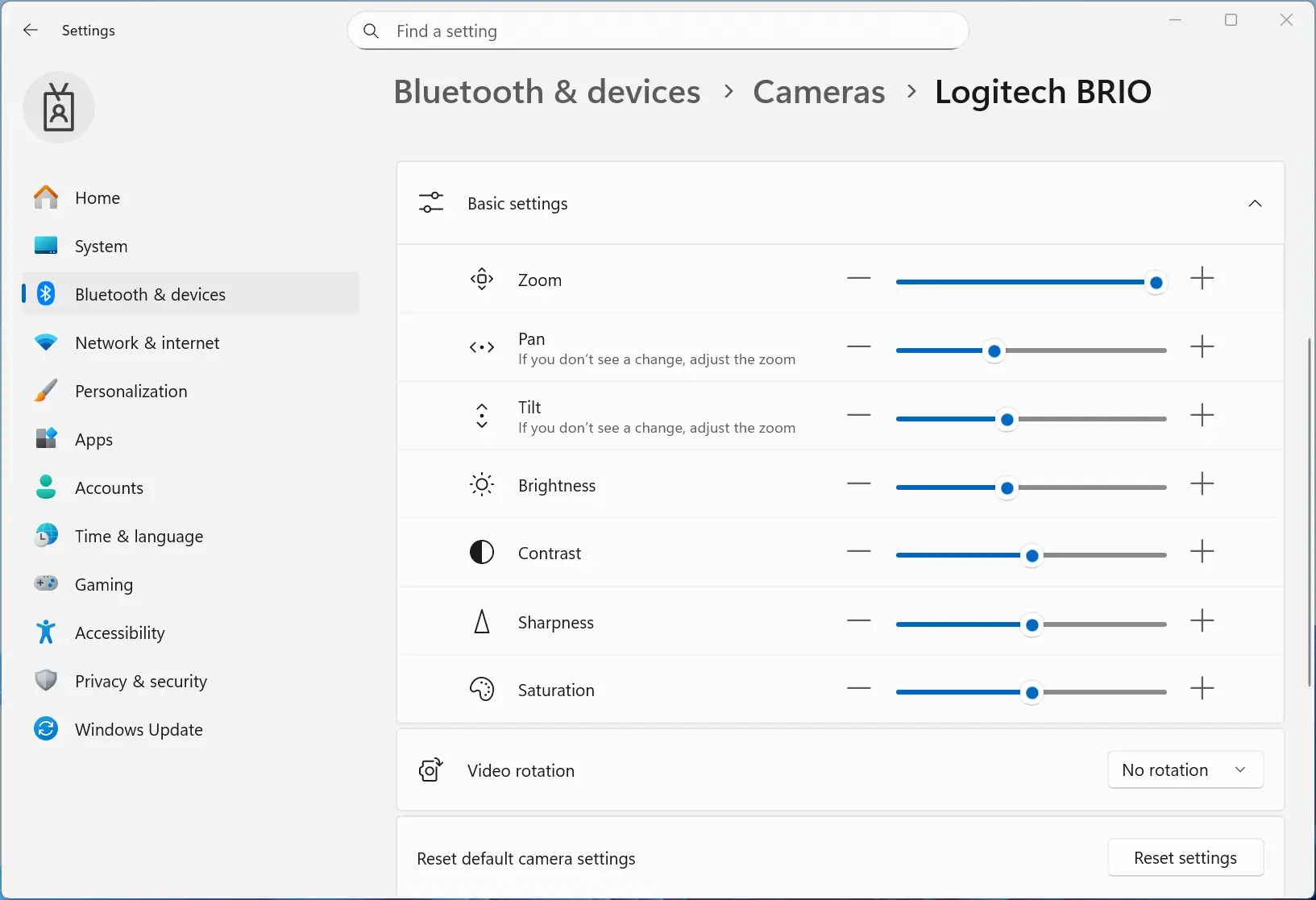
- We are adding the option to directly control pan and tilt for supported cameras in the Settings app. These new controls appear in the camera settings page (Settings > Devices & drivers > Cameras) under the “Basic settings” of your selected camera.
Changes and Improvements are gradually being rolled out with toggle on:
[General]
- Improved the visual experience and performance for several scenarios, including at the bottom of the screen when the taskbar is set to autohide, desktop icons' unexpected flashing (and decreased performance interacting with your PC), and Windows Security pop-up for credentials.
You can find the announcement blog post here (Dev Channel) and here (Beta Channel).
















0 Comments
Load the comments and join the conversation!
Read the comments, ask the editors questions, show respect and join the conversation.