
Last year, after a long wait, Microsoft finally redesigned the Start menu in Windows 11, bringing some much-needed improvements and features, such as the ability to disable the Recommended section, switch to alternative layouts, and more. However, one thing remains unchanged: you still cannot resize the Start menu. There are reports about Microsoft bringing that feature later this year, but they have yet to materialize. If you want to change the size of the Start menu right now, we have some good news for you.
You can resize the Start menu in Windows 11 right now. All you need is a simple Windhawk mod. For those unfamiliar, Windhawk is a modding platform for Windows 10 and 11 where users can submit their mods for everyone to use and poke around. There is plenty of useful stuff that supercharges the stock experience, and the new, aptly named "Start Menu Size" mod is a new addition to it.
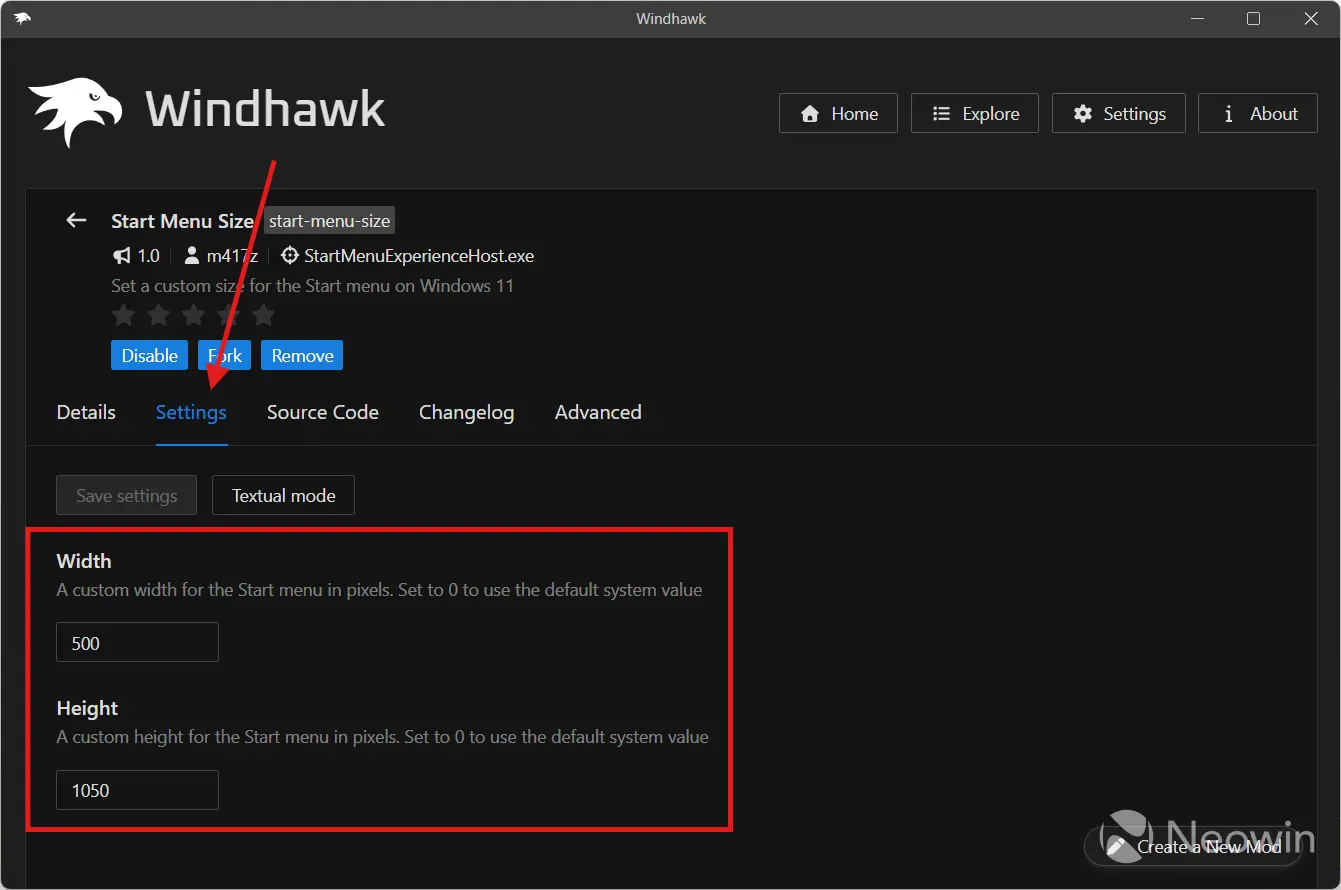
The mod is as simple as it gets: all you have to do is install it and specify the desired Start menu size in pixels (width and height). This lets you have an ultra-narrow Start menu like in Windows 10 without tiles (especially useful if you have the taskbar aligned to the left), a wide menu for more horizontal space for ultra-wide monitors, a taller menu, you name it. And when you want to reset it to default, just set both values to 0. Here are some examples:
| Stock | Wide | Narrow |
|---|---|---|
|
|
|
|
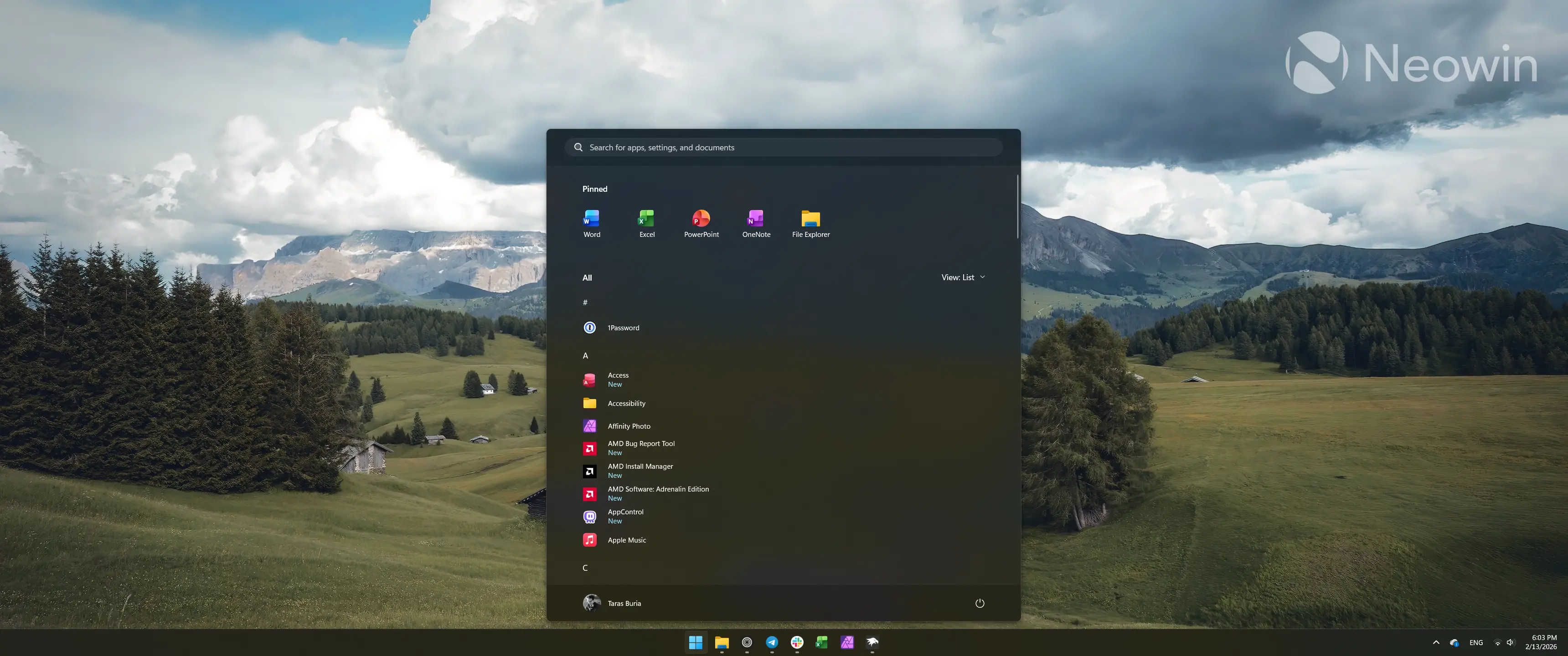
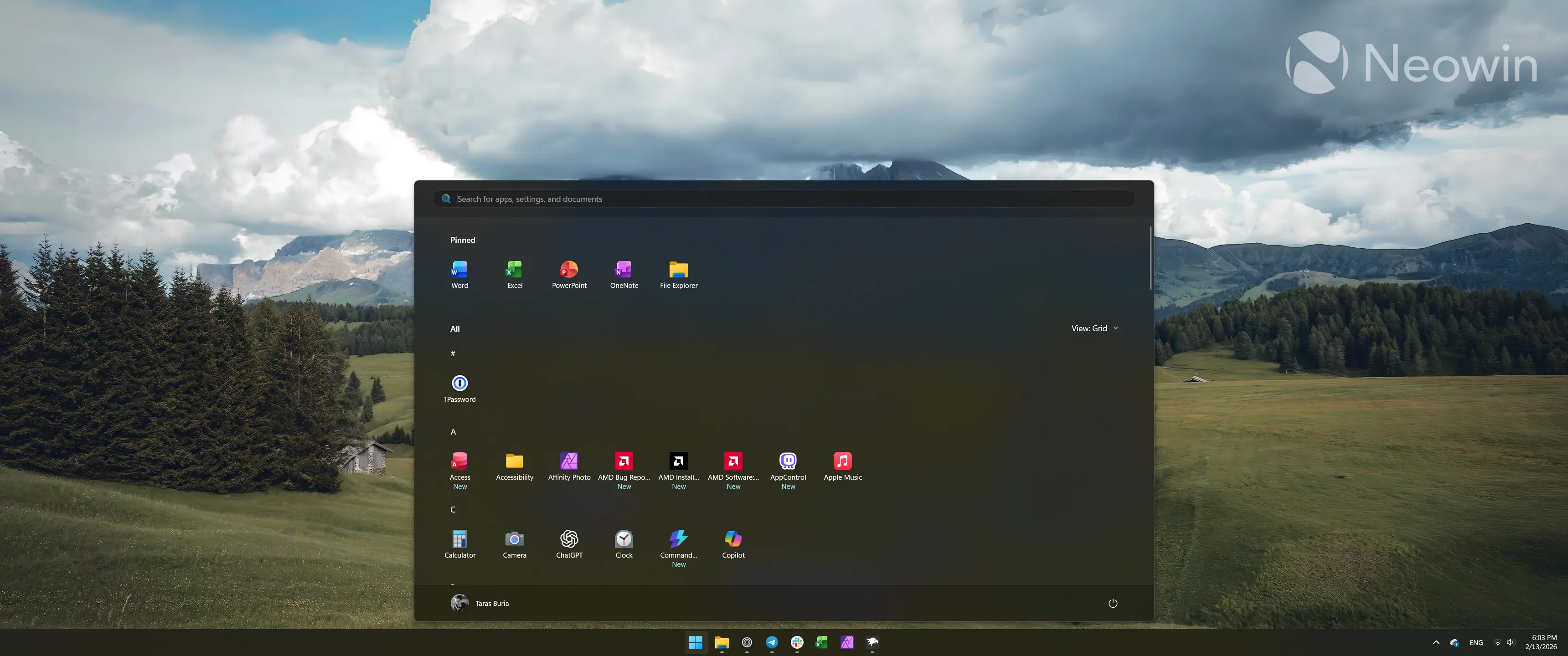
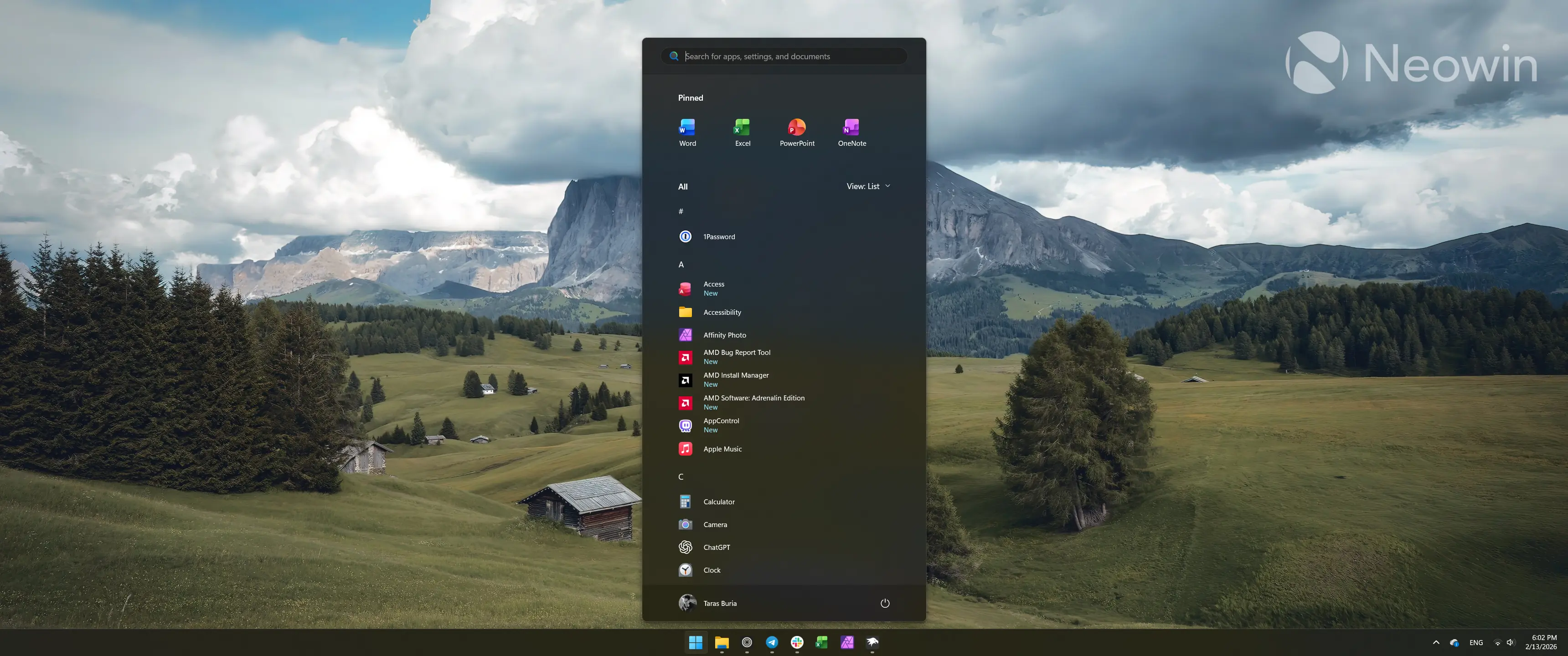
Here is step-by-step instruction:
- Download Windhawk from the official website and install it.
- Run Windhawk and click Explore.
- Search for the "Start Menu Size" mod.
- Click Install.
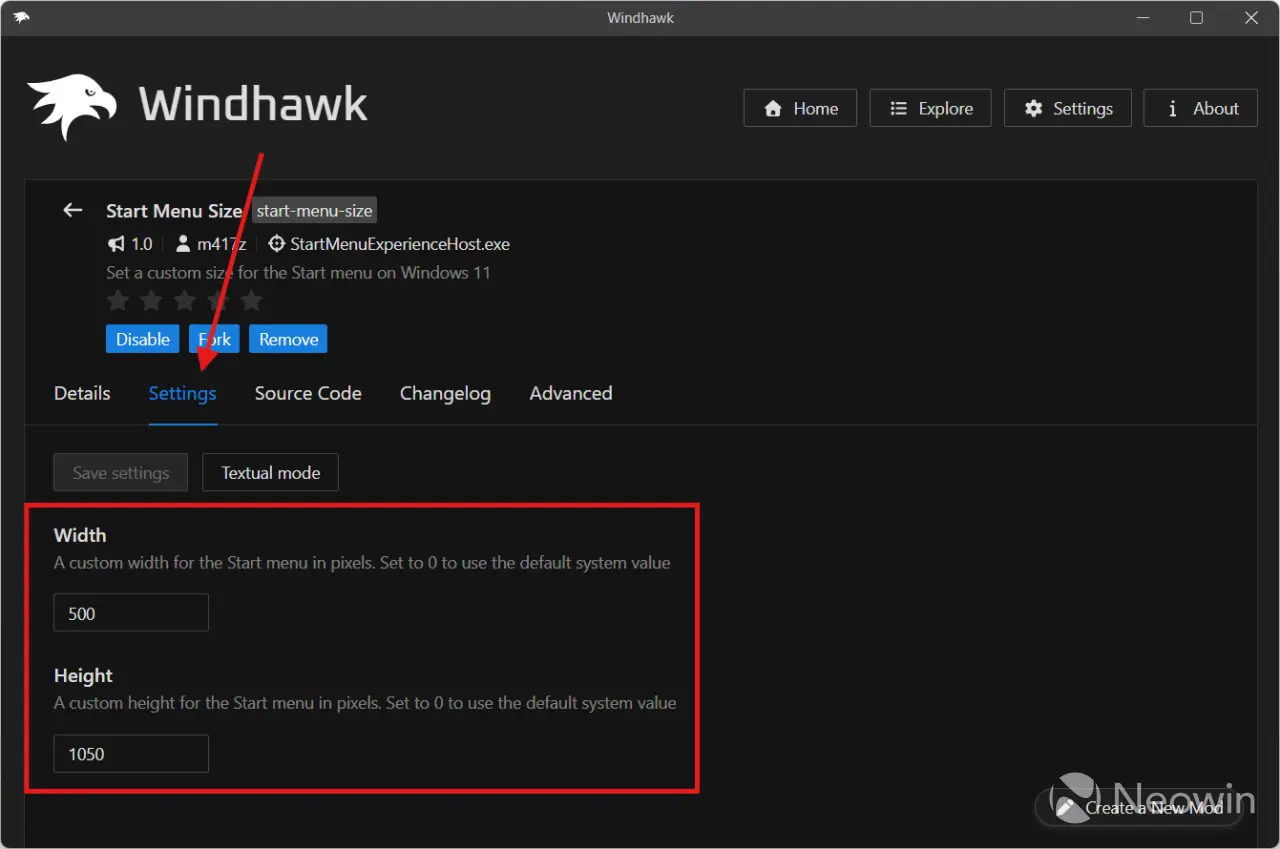
- Once the mod is installed, click Settings, enter preferred height and width, then click Save changes. Windhawk will apply changes immediately, with no need to restart the shell or the entire system.
It is worth mentioning that even though Windhawk mods are open for everyone (just click the Source Code to see what is under the hood of the selected mod), you should still exercise caution when modifying Windows 11. Have your data backed up, and set system restore points so that you can quickly undo unwanted damage. We have not heard any major issues with Windhawk mods, but it is better be safe than sorry.


















12 Comments
Load the comments and join the conversation!
Read the comments, ask the editors questions, show respect and join the conversation.