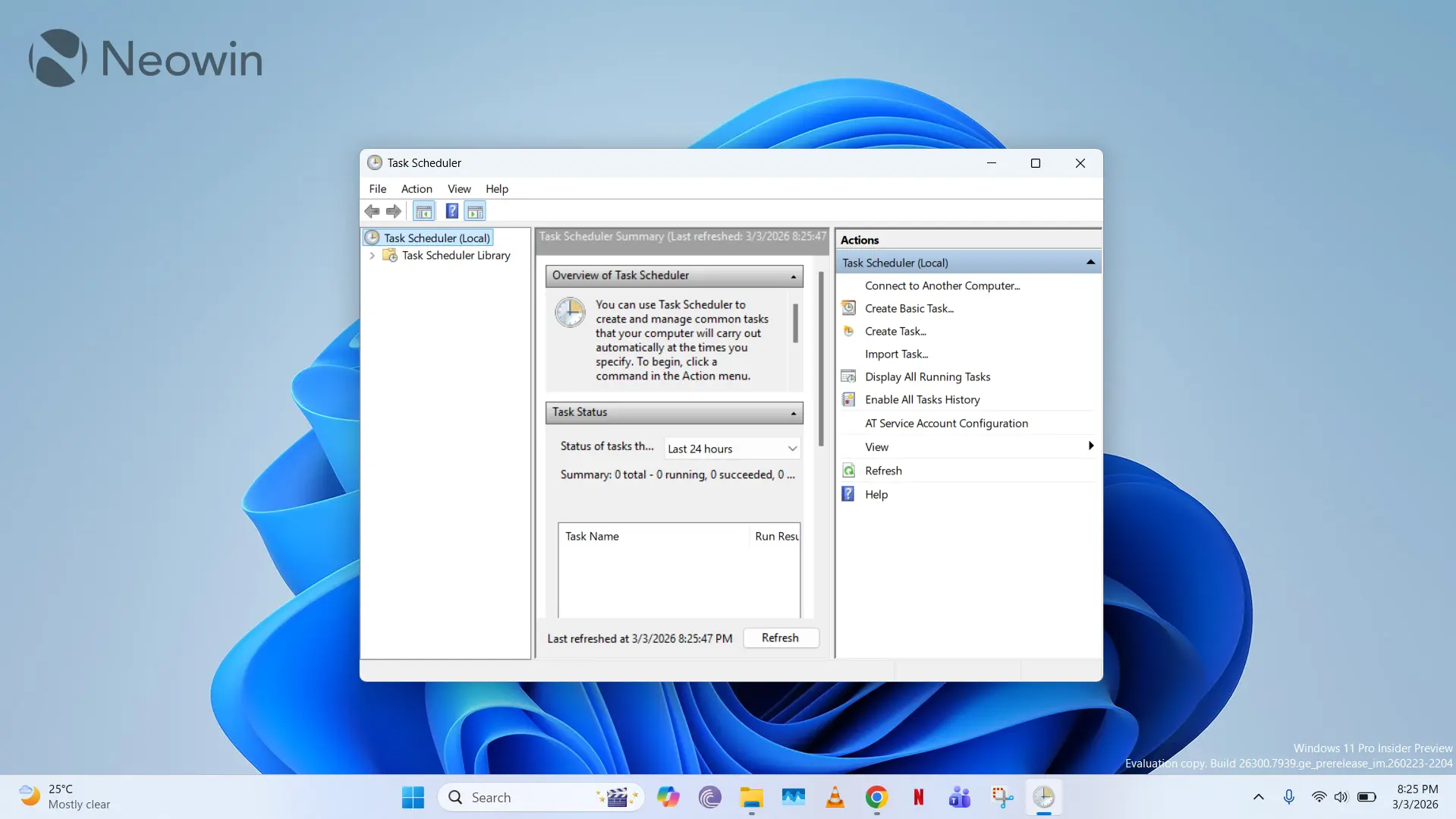
Task Scheduler is one of those old pieces of Windows software that has not received a major redesign in years. Version 2.0 of the application was released with Windows Vista and Windows Server 2008 almost two decades ago, with a UI that is based on the Management Console. Windows 11 has been out for several years, and while it has modernized many similarly outdated interfaces, Task Scheduler still retains its classic look.
For those unware, Task Scheduler (taskschd.msc) in Windows is typically used to automate repetitive tasks that are either based on a trigger or follow a time-based schedule. Although it doesn't really have a lot of mainstream use-cases for consumers, it is still leveraged in some enterprise environments for niche scenarios. Now, a Windows enthusiast has modernized Task Scheduler for the modern era.
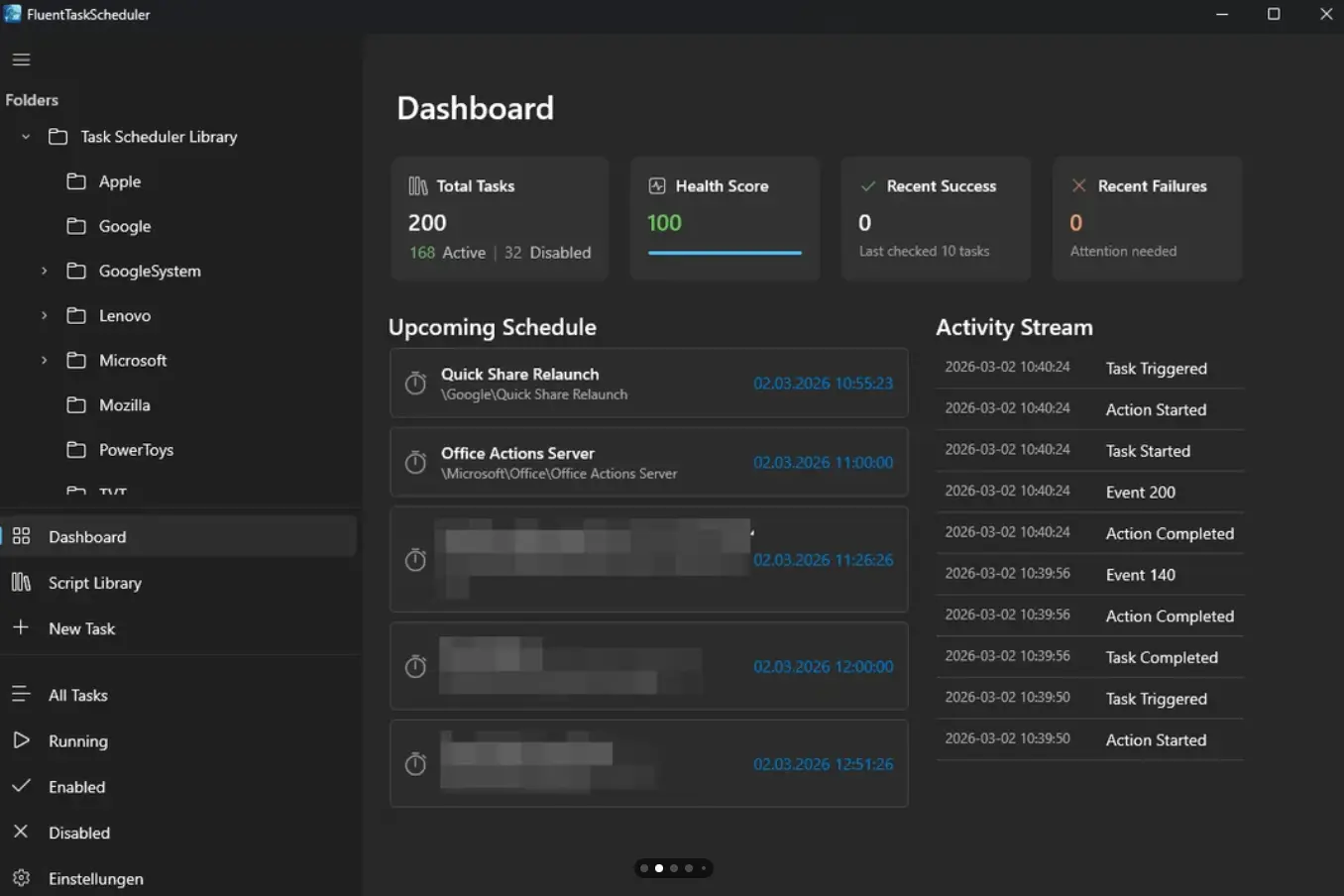
TRGLUL over on the r/windows subreddit has detailed their initiative to rebuild the Windows Task Scheduler using Fluent Design principles, WinUI3, and .NET 8. We wouldn't call it the prettiest looking interface out there (see screenshot above), but it's at least modernized compared to what we have now.
This "FluentTaskScheduler" acts as a wrapper for the Windows Task Scheduler API that offers several functionalities such as dashboard and monitoring, comprehensive trigger support, a centralized script library, customization options, and more. However, the developer has acknowledged some flaws in the implementation such as inefficient handling of smooth scrolling, small launch window, and close to tray behavior. They have also admitted to utilizing AI to code some of their application, but of course, that's not a flaw by itself.
Task Scheduler might not fit in your daily workflows, but if it does, then FluentTaskScheduler may serve as a nice alternative to the legacy application. The code is open-source under the MIT license and is hosted on GitHub here. However, before you proceed to install it, we would like to recommend caution and due diligence because the software comes from a third-party developer and accesses Windows APIs.
















28 Comments
Load the comments and join the conversation!
Read the comments, ask the editors questions, show respect and join the conversation.