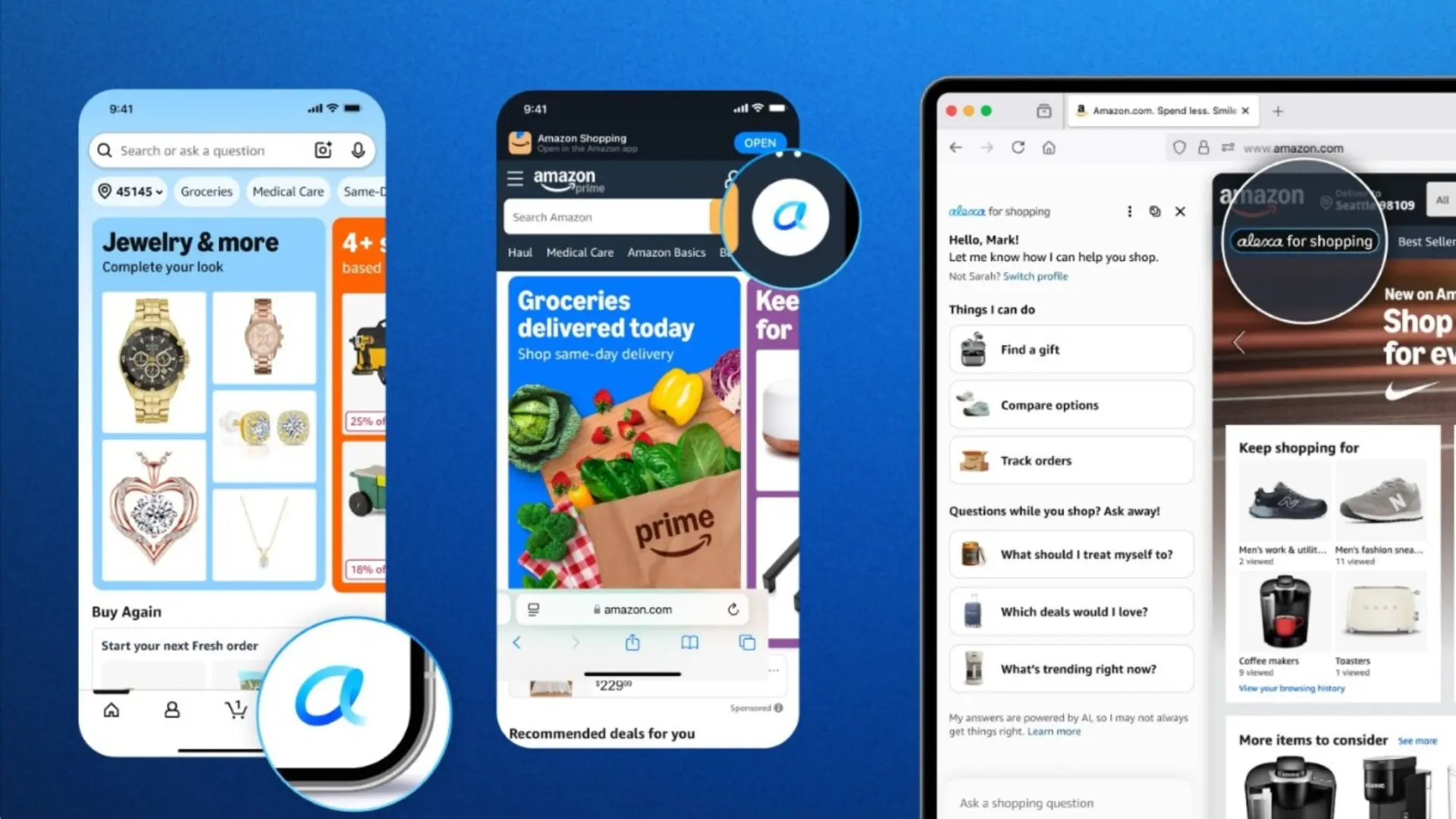
Amazon is bringing a new generative AI chatbot on its shopping app, website, and Echo Show devices, unsurprisingly called Alexa for Shopping. The new AI assistant is a mix of Alexa+ and Rufus. In other words, the arrival of Alexa for Shopping marks the end of Rufus, which is an AI chatbot currently available in the Amazon app.
The e-commerce giant noted that over 300 million customers used Rufus in 2025 to research, compare, and buy products on Amazon. Its new AI assistant combines Rufus' product expertise and shopping history with the context and personalized knowledge Alexa+ has about you through conversations on your devices and other activities.
Speaking of the features offered by the new assistant, you can ask questions directly in the main search bar in the Amazon app, compare products from search results, check product price history for up to a full year, get AI overviews, schedule routine purchases, add items to cart, and get custom shopping guides when exploring new product categories.
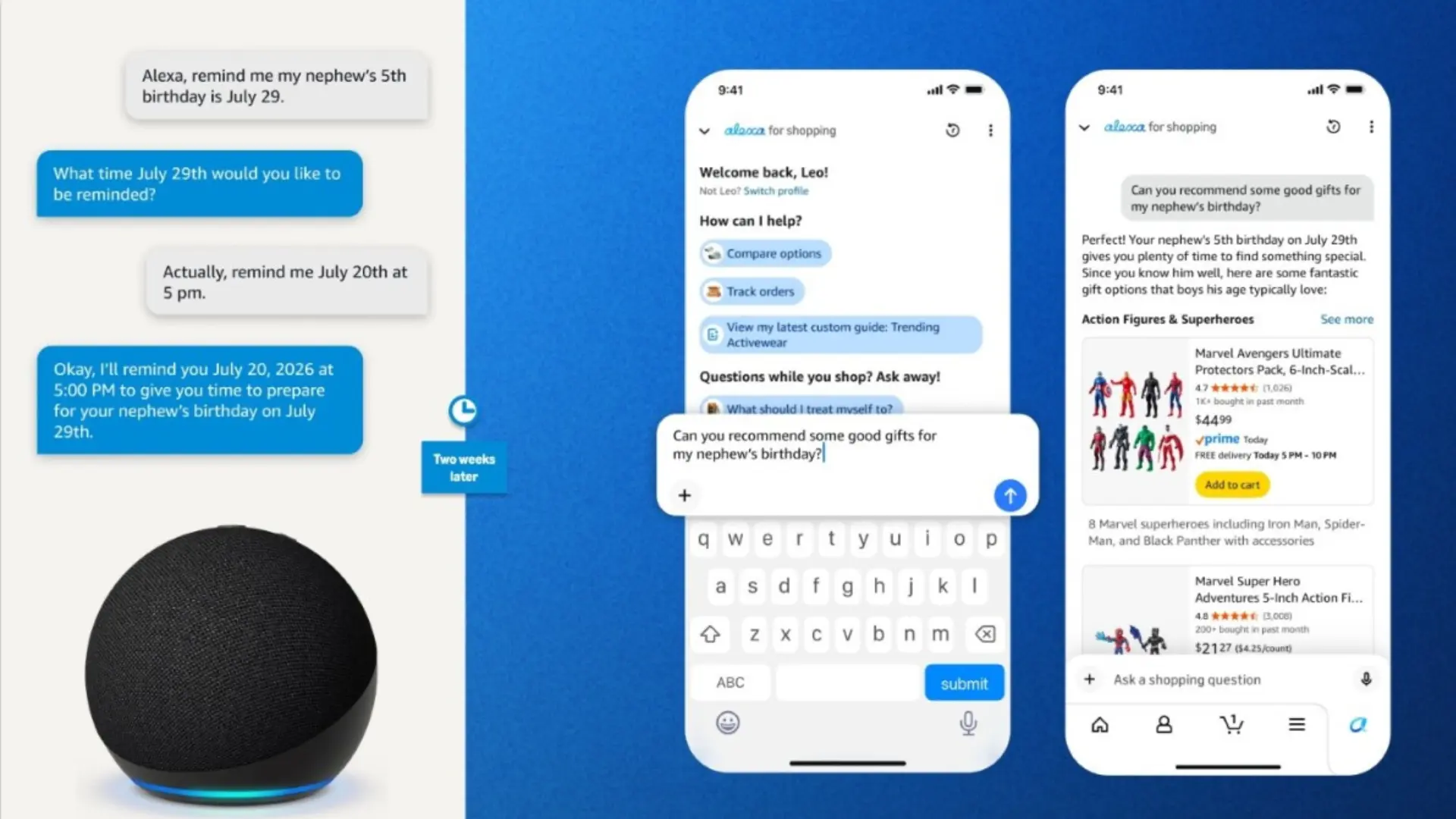
In addition to the Amazon app, Alexa for Shopping also lets you purchase eligible items from other brands' websites when Amazon doesn't sell them directly. You can also use the chatbot to view and update details, including family members, pets, interests, and dietary needs. Note that Rufus has been available since 2024 and offers several of the features you'll find in the new assistant.
Amazon said in a press release that Alexa for Shopping will roll out to US customers over the coming week. You can be prepared by updating your Amazon app to the latest version. You'll find the Alexa icon in the app's bottom navigation bar or at the top of your screen on desktop to get started.
The company added that Alexa for Shopping will be available for free to everyone, with no requirement for a Prime membership or an Echo device. Speaking of which, the e-commerce giant is also bringing its full shopping experience to the Echo Show, enabling users to shop the full Amazon store via voice, touch, or both.

















1 Comment
Load the comments and join the conversation!
Read the comments, ask the editors questions, show respect and join the conversation.