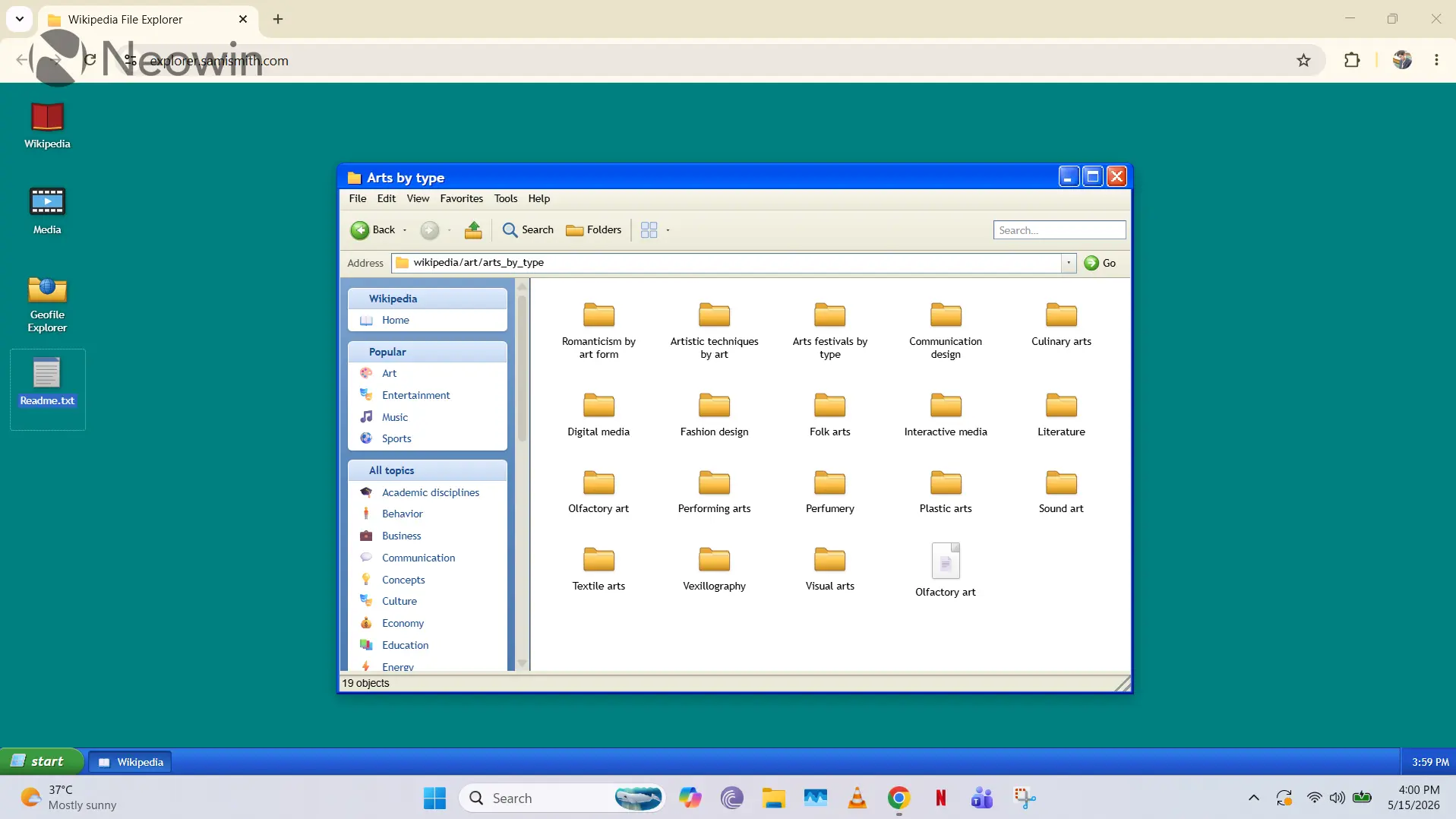
We have seen some very interesting projects from software enthusiasts in the past, with a notable example being the simulation of Windows XP on the web using purely web-based technologies. Since that feat has already been accomplished, it seems like another enthusiast decided to go in a slightly different direction using the same concept.
If you navigate here, you'll be greeted with a Windows XP-themed desktop interface, and the cool part is that it allows you to access Wikipedia like a filesystem. There are multiple desktop icons like Wikipedia, Media, Geofile Explorer, and Readme.txt.
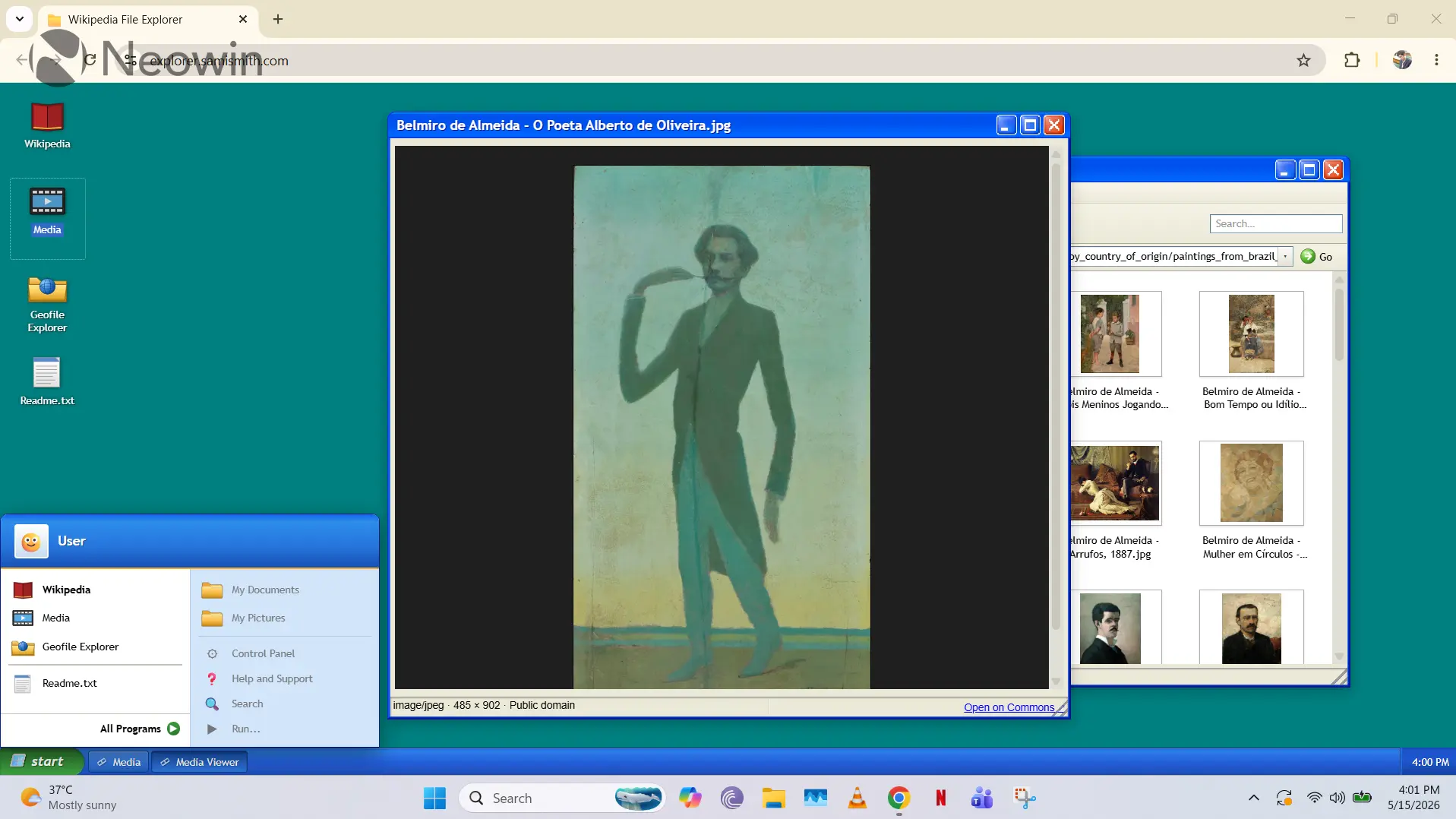
Inside the Wikipedia folder, you'll see all of Wikipedia's categories as folders, and the articles nested within them can be opened as documents. Meanwhile, the Media folder is basically the category explorer for Wikimedia Commons, and you do have the ability to set any image as your "Windows XP" background. Finally, Geofile Explorer is something that the developer is working on right now, and it essentially allows you to explore like folder as you navigate across continents, countries, cities, and more granular regions.
It's clear that the UX is very much inspired by Windows XP, but you'll notice that it does not contain the Windows or Microsoft logos, obviously to skirt copyright infringement concerns. If you click the Start menu, you'll also see other options like Control Panel, My Documents, and more, but they are greyed out. Regardless, it's a great touch, and the functional File Explorer interface is certainly nostalgic. It's not a 1:1 replica of Windows XP, but the inspiration is obvious.
This project has been created by Sami Smith who can be found on X with the @hellosami handle. Although some may argue the utility of this project, it's arguably a great way to solve coding challenges while also having fun along the way.

















1 Comment
Load the comments and join the conversation!
Read the comments, ask the editors questions, show respect and join the conversation.