
This week, Microsoft released a new Windows 11 preview build, which introduced two long-requested features: a movable taskbar and the ability to make it smaller. Users had been asking Microsoft for these features for literally half a decade, and while it is great that the proper taskbar customization is back, Microsoft still has some work to do.
In a newly published post on the official Windows Blogs website, Microsoft confirmed that it is not done with fixing the taskbar and Start menu. The company said that additional Start menu customization is on the way, and users will soon be able to do the following:
- Section-level toggles: the Start menu is becoming more modular, allowing you to disable specific parts, such as Pinned apps, recommendations, and the list of all apps.
- Better controls over recommendations: the current Start menu implementation lets you turn off recommendations properly, but it also, for some reason, disables jump lists and recent files in File Explorer. Microsoft is fixing that, and soon, you will be able to remove recommendations without affecting jump lists and recent files.
- Resizable Start menu: the Start menu size currently depends on your screen size and DPI, which is not very convenient. Microsoft will let you switch between small and large layouts for more convenience.
- Hide account details: There will be an option to remove your username and profile picture from the Start menu, which could be useful for privacy reasons when sharing screen, streaming, and more.
Here is a quick look at the upcoming Start menu settings:
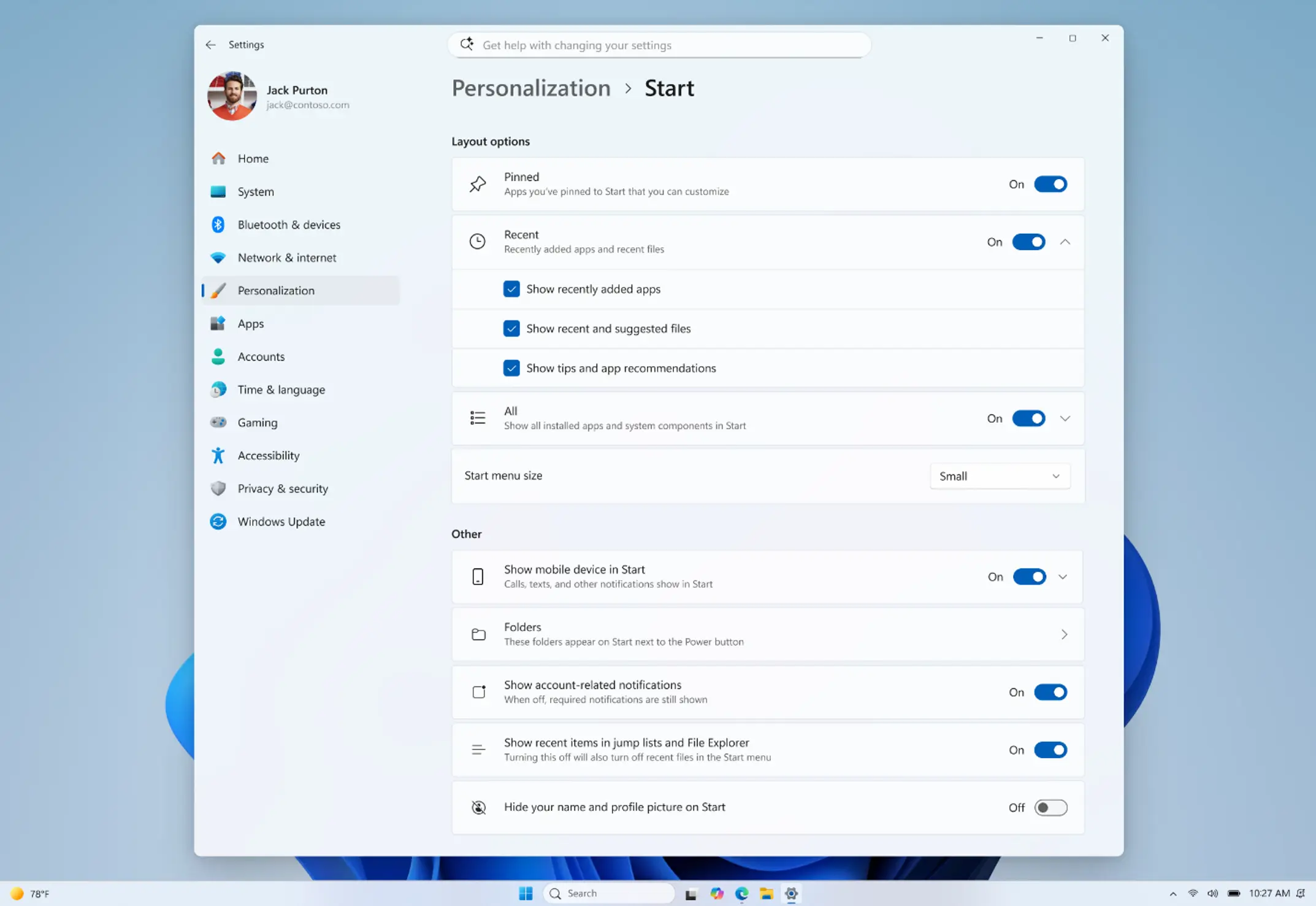
Finally, Microsoft promises better file recommendations so that the Start menu suggests more relevant and useful files. Plus, the company is renaming "Recommended" to "Recent" to better reflect what the section primarily shows.
Microsoft says that all these features will be available for testing in the next few weeks with the upcoming Windows 11 preview builds.

















10 Comments
Load the comments and join the conversation!
Read the comments, ask the editors questions, show respect and join the conversation.