Earlier this year, we learned of a major Firefox UI and UX redesign Mozilla was working on. Today, the firm officially confirmed that's the case as it shared details in a new blog post. The aim is to make the browser feel faster, cleaner, and more adaptable while also keeping privacy and customization at paramount importance.
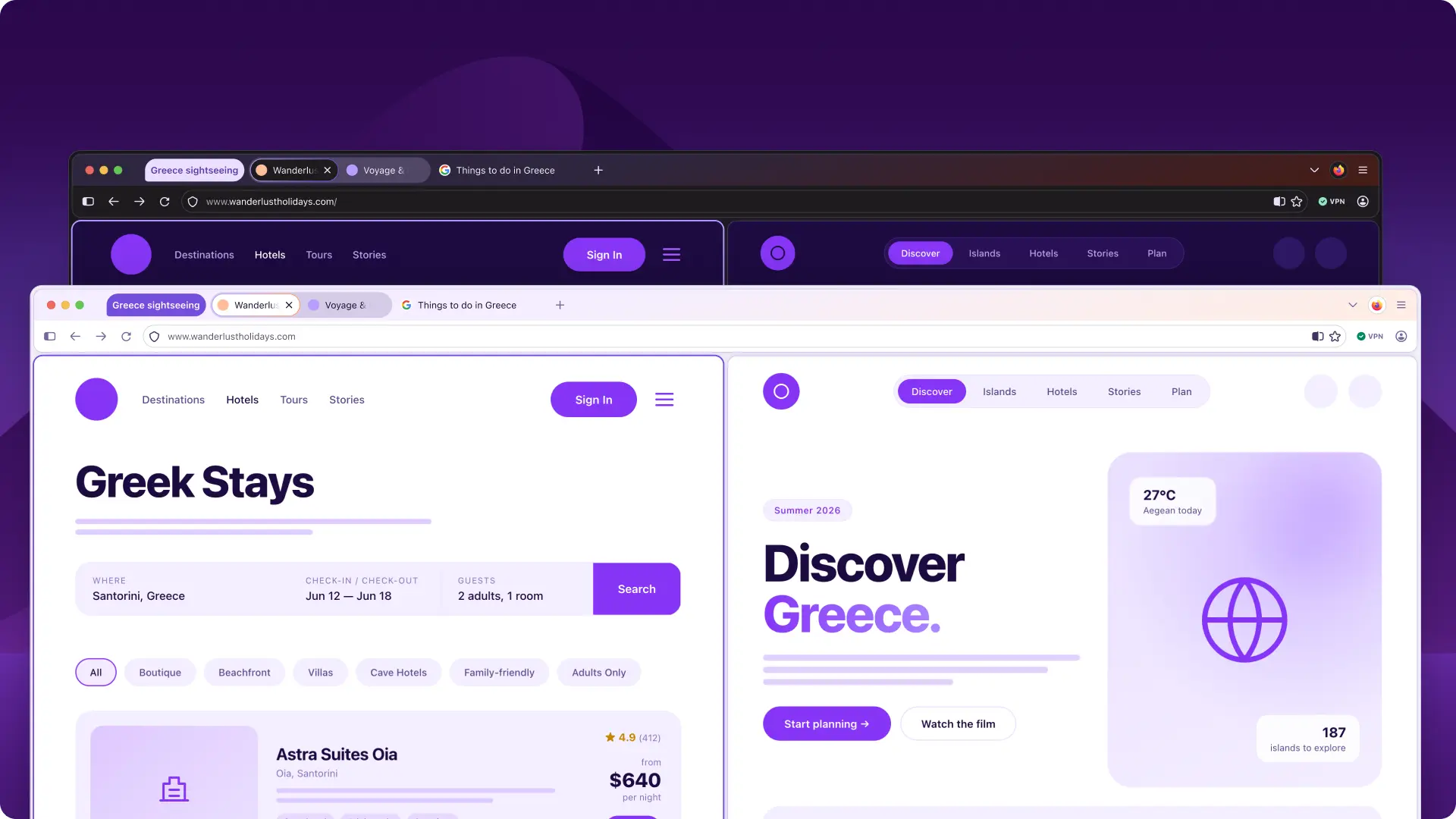
The update is internally known as “Project Nova” and is expected to roll out later this year. The Firefox UX team has described the redesign as a “renewal, not a replacement.” The company said the project was envisioned so as to keep pace with the rapidly changing internet and evolving user expectations for modern browsers.
The new design is meant to focus heavily on privacy tools and easier navigation, and hence, features such as the browser’s new built-in VPN and private browsing mode will become more visible within the interface. This can be great for new users who may not be familiar with the Firefox UI.
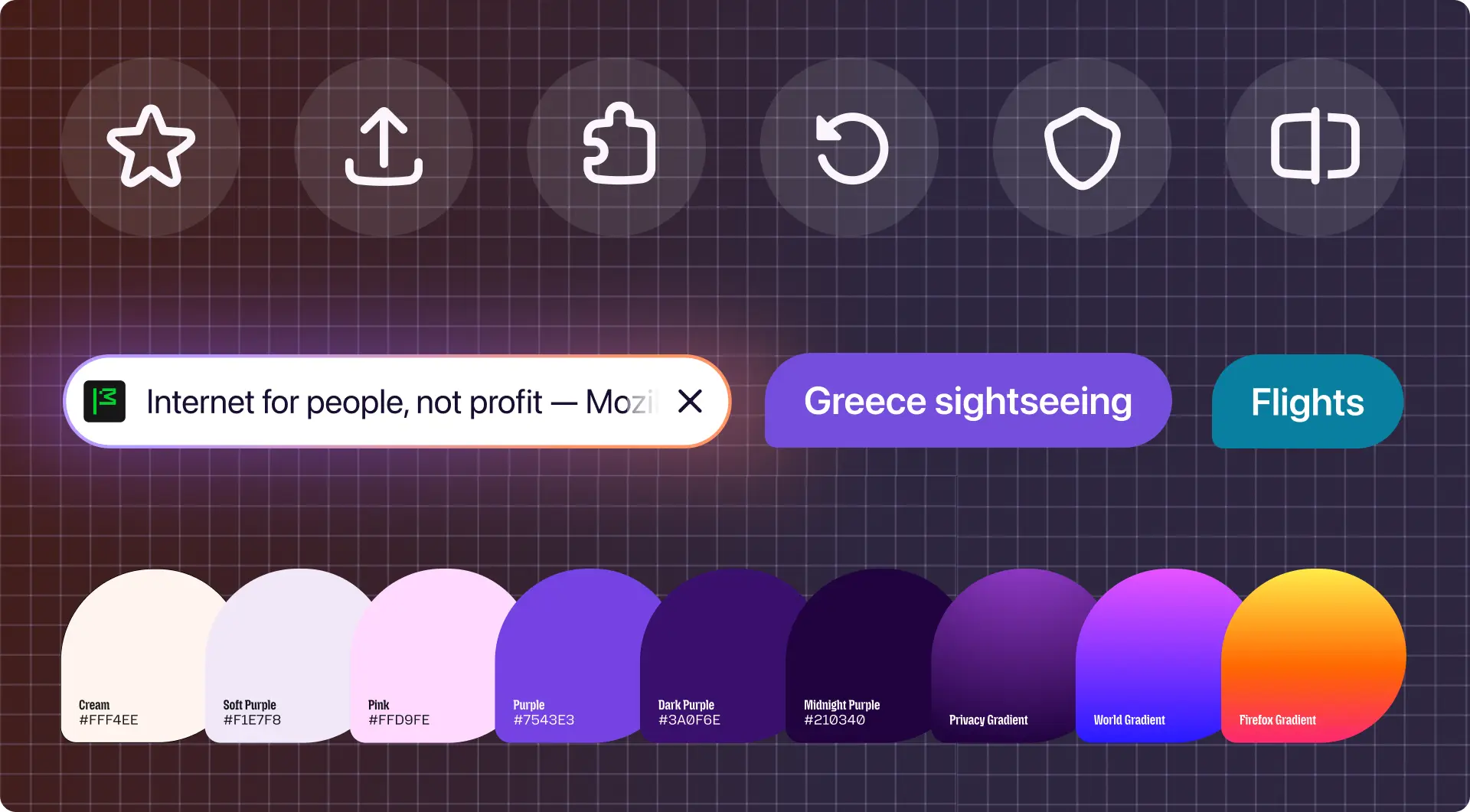
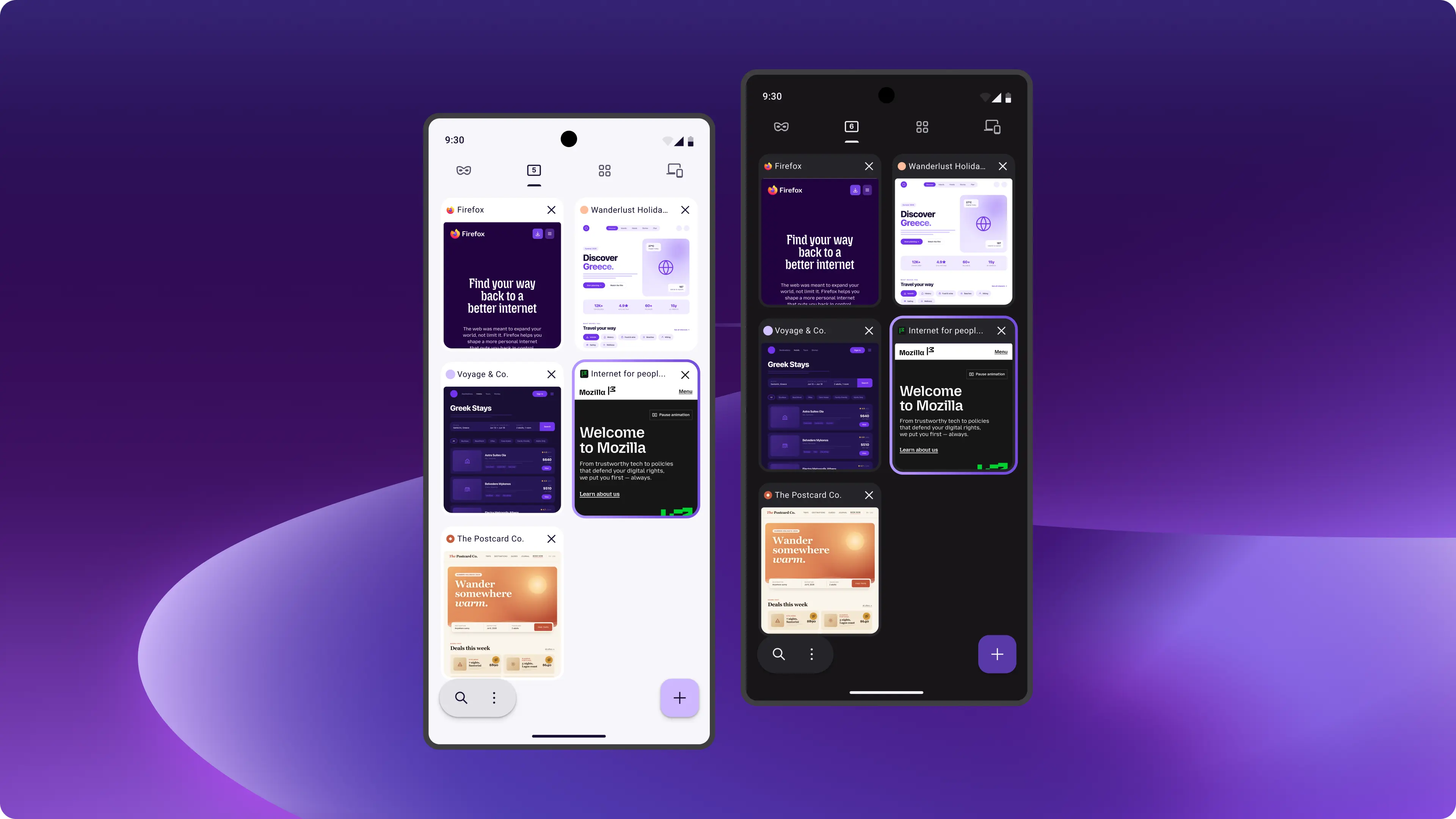
Firefox will adopt softer tab shapes, updated icons, and a warmer color palette inspired by “the feeling of fire,” and the basic idea is to feel modern without becoming distracting. As such, UI and UX elements such as menus, panels, and controls are being standardized to create a more consistent look across desktop and mobile devices.
The company is also redesigning the Settings menu to make privacy controls easier to understand and manage. Users will be able to disable AI-related features entirely with the kill switch, while Enhanced Tracking Protection settings will offer clearer choices between privacy and usability.
The redesign also wants to improve performance, as this is something we have found it to be lagging in our own testing, too, compared to Chromium browsers like Chrome and Edge. Mozilla says that you should be able to "feel the speed" as Firefox is said to have improved load times for key page content by 9% over the past year. The company has argued that blocking trackers not only protects privacy but also helps pages load faster.
New workflow improvements will make tools such as tab groups, split view, and vertical tabs easier to access. The company is also bringing back Compact mode after receiving feedback from users who preferred a denser interface.
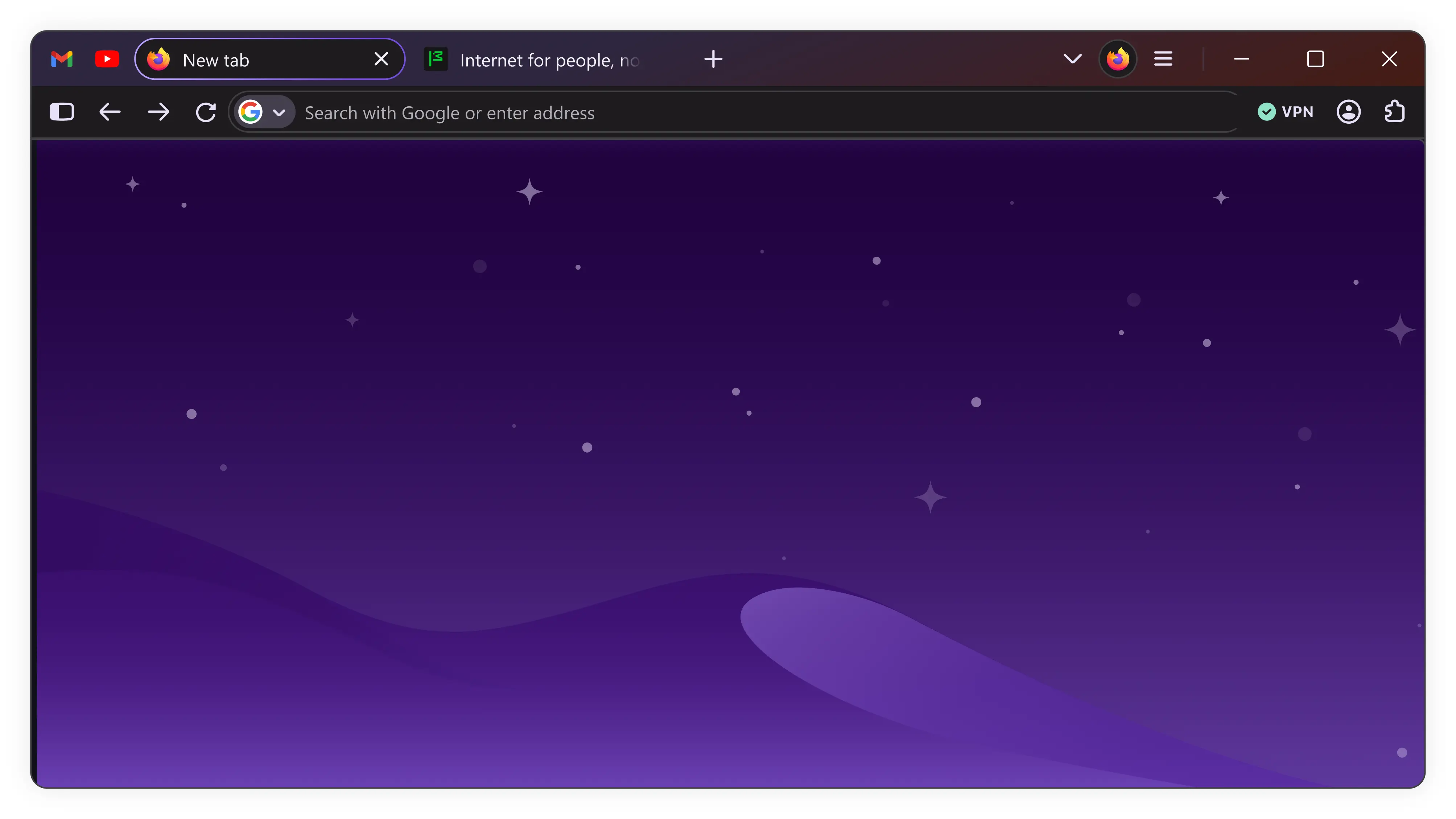
Customization, as mentioned above, is said to remain a central part of Firefox’s identity. With that in mind, the company plans to introduce new themes and wallpapers, while also exploring more advanced personalization options in the future. Accessibility is another major focus as the redesign will be paying close attention to readability, keyboard navigation, contrast, and visual comfort, especially for users who rely on dark mode or other accessibility settings.
Mozilla also stressed that Firefox development will continue to happen openly with feedback from its community. As such, the company has encouraged users to keep sharing opinions as the redesign evolves.
Users who are interested in seeing Nova for themselves will have to download one of the latest Nightly versions, access the Advanced Preferences page via the Configuration Editor (about:config), and add a new "browser.nova.enabled" preference. Set this from false to true and restart. Keep in mind, though, that Nightly builds are experimental and, as such, you could run into stability issues.

















25 Comments
Load the comments and join the conversation!
Read the comments, ask the editors questions, show respect and join the conversation.