Do you ever feel like you’re becoming more of an unpropertied renter in the digital space? Whether it's our Android or iPhone device, our Windows 11 computer, our preferred streaming platforms, or social media platform, stuff always seems to be shifting beneath our feet; we use those platforms, but we don’t really control that software. If you like a feature on Facebook, for example, but Meta wants to scrap it, Meta wins.
I have been thinking about this lately, and in my view, the solution is obvious: use more free (as in freedom) software, also known by some as open source software (the two overlap, but there are some differences). The Free Software Foundation outlines four freedoms that you have with free software compared to proprietary software, including:
- The freedom to run the program as you wish, for any purpose (freedom 0).
- The freedom to study how the program works, and change it so it does your computing as you wish (freedom 1). Access to the source code is a precondition for this.
- The freedom to redistribute copies so you can help others (freedom 2).
- The freedom to distribute copies of your modified versions to others (freedom 3). By doing this, you can give the whole community a chance to benefit from your changes. Access to the source code is a precondition for this.
It is quite clear that with SaaS (Software as a Service), where software runs on an external server and you just log in to use it, you do not have these freedoms. In the case of proprietary software, such as Windows, which is running on your own computer, you are also denied these freedoms, as you don’t have access to the source code. While many proprietary pieces of software used to stay quite fixed in their appearance and utility, in the case of Windows 11 and some other software, you get a constant stream of changes, much like you get with SaaS solutions.
If we were to extend out the property metaphor I started with, SaaS and proprietary software feel mostly like you are living in a fully-managed apartment complex where a landlord handles all the plumbing, or in this case, the server updates, bug fixes, and security patches. The barrier to entry is also lower compared to buying software, with users being given access via a subscription or supported by ads.
Obviously, this has several drawbacks for users. If the company goes bust or changes its Terms of Service to something you don’t agree with, you can be locked out of the platform with no access to your data. You are also at the mercy of the company on pricing. Whenever they feel like they want to increase their rents, I mean subscription prices, then you have to keep up or lose access. Similar to renting a property, you are also restricted by what you’re allowed to do with the software; you might not be able to customize it as you’d like, or you might have strict DRM/licensing limitations as part of your usage terms.
To truly own the software we use, it should be free software, that is, software that meets the four freedoms outlined above. The terms open source and FOSS (free and open source software) are sometimes used interchangeably, and there is a lot of crossover, but not all open source software actually respects the four freedoms guaranteed by free software - and remember, free software refers to freedom to do with the software as you wish, but a developer could still sell you the program if they want, it isn’t free in that regard necessarily.
With free software, such as that under the GPLv3 license, you get four essential freedoms that govern your usage of the software. You can study the code, modify it, redistribute it, and sell or give away any modifications you make to it. With the home ownership metaphor, using free software is closest to owning your own home, though the copyright remains with the author of the program, even though you are getting significant rights when using free software.
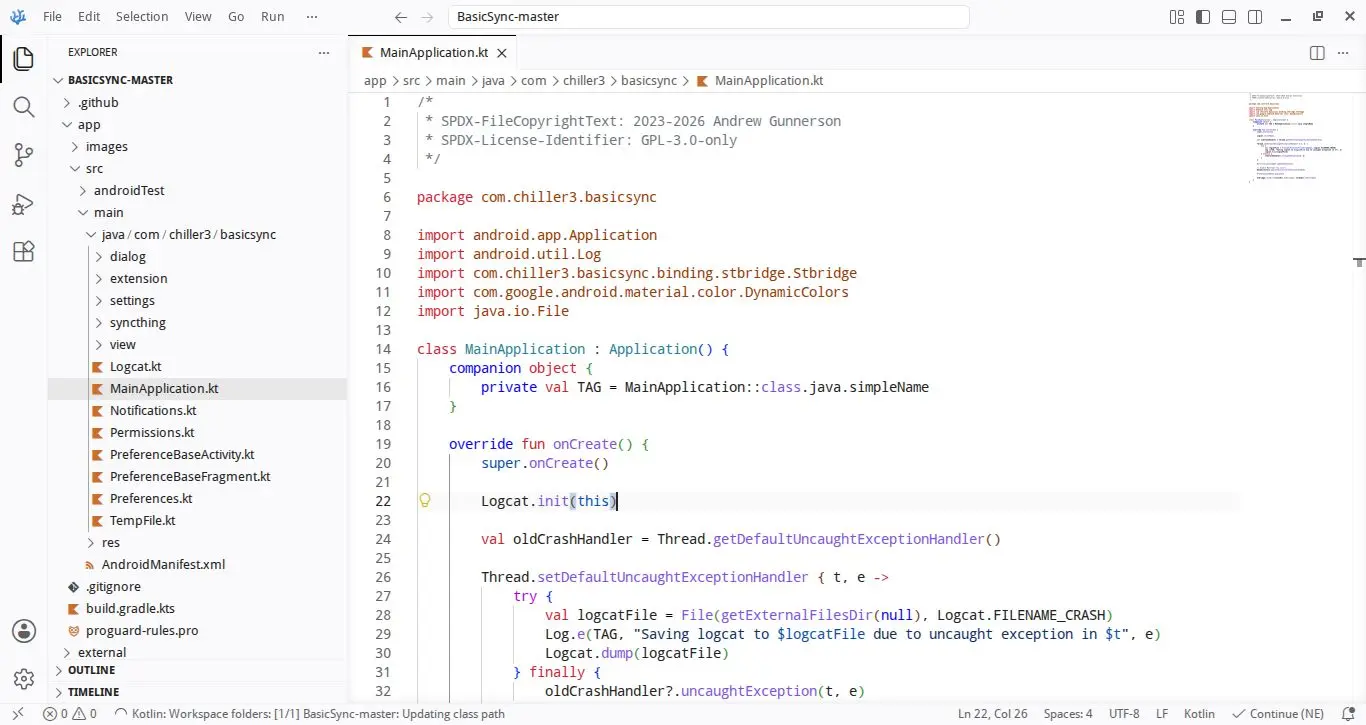
With free software, if the original developer makes a change you don’t like, you can fork a previous version that you did like and just run that version instead. Obviously, non-technical people probably can’t do this, but they are served by other community members who do take it upon themselves to fork projects. Just look at all the forks of Mozilla Firefox, which plenty of people use because Mozilla made an unpopular decision.
Also, you are able to fork a piece of software if the original developer has decided they no longer want to maintain the project. Take a look at Google and how many services it has killed over the decades. When it decides to do that, we users have no say and just have to look for an alternative. Compare this to free software, where you can just find a project’s GitHub page, hit the fork option, and continue using it.
Proprietary software has undergone a pretty big shift since the 90s with the introduction of Software as a Service (SaaS). Take a look at Microsoft Office. You used to get that on a CD, install it on your PC, and it would be pretty static except for security updates. You could continue using Office 2003 after Office 2007 came out, no issue. Now, if you’re on Microsoft 365, the Redmond giant will push out updates to everyone, and if you don’t like that change, tough.
With the proprietary software that you installed, it was kind of like you owned it, but not fully, because you could not mess about with the code or make forks like you can with free software. In housing metaphors, it’s like a lease on a condo; you own the software (until the support dies), but you don’t own the land (the code).
Nowadays, Big Tech is watching its share prices explode, primarily driven by its shift to SaaS. Microsoft, Apple, Google, Netflix, and Spotify are all big names that offer subscriptions. They tend to offer free, ad-supported services before pushing you to spend money. Just look at Google with its scary warnings that you’re on the edge of running out of space, when you still have 3GB free, or Spotify, which will only let you play songs on shuffle unless you buy premium.
What appeals to people about SaaS is that it seems cheap when looking at the monthly costs. You can get Spotify’s whole library per month for the cost of a CD; you don’t actually have a physical CD to do with as you please and the music you like can be pulled from Spotify at any time, but in general, people are drawn in by the convenience of being able to listen on any device at any time; you are still renting that access though if you’re paying for it.
Arguably, Spotify is not too bad because it has given us access to a massive library that no other service has given us. Arguably, there was iTunes, which let you buy lots of music, but that came with all sorts of DRM padlocks that restricted what you could do with the songs you had purchased a license to listen to, whereas a physical CD gave you more freedom.
Where the subscription model is more problematic is with stuff like Microsoft 365, where apps we had offline access to once purchased are now stuck behind a monthly subscription fee. Stop paying, you lose access.
I wouldn’t call myself a free software purist who will only use it and not proprietary software. I wrote this on Google Docs because it is more resilient when it comes to power cuts or internet dropouts. However, I do think that it’s generally a good idea to use more free software where possible so that you have more control over the software you use and to prevent yourself from becoming a tenant for the landlord Big Tech.
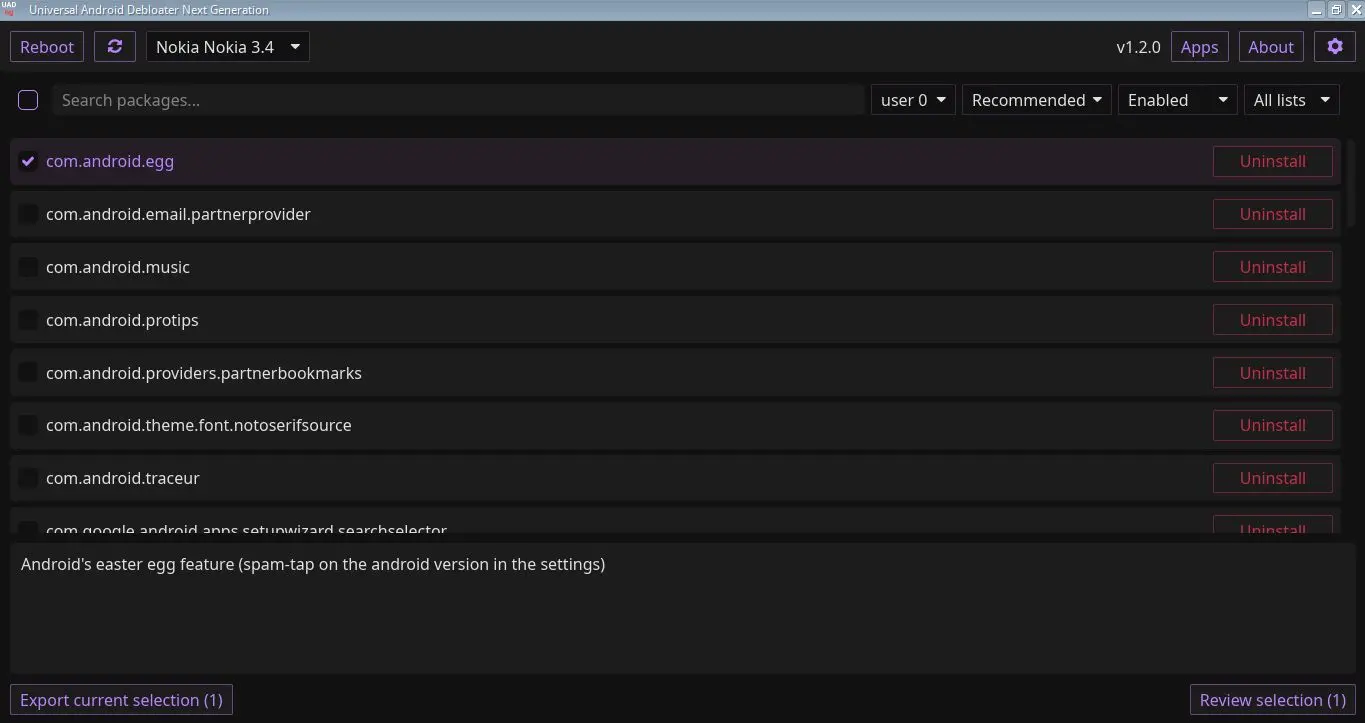
While you might think of Linux or a custom ROM for Android and de-Googling when you think of free software, you do not have to take such a drastic step to begin reclaiming some sovereignty over your devices. In my case, I have an old Nokia 3.4 lying around, apparently there is an unofficial way to unlock the bootloader, but I didn’t fancy that so I looked around for a debloater app to help disable most of the Google stuff, I did this with the UAD-ng debloater and also used it on my Poco X5 but to a lesser extent because I do need the Play Store and quite a few proprietary apps. How far you take it depends on your needs, really, and I would consult AI or the web to ensure the packages you’re considering disabling are safe to be disabled to avoid boot loops.
If you aren’t interested in pruning your device, because it can be risky if you disable a sensitive bit of software that the system relies on, then another app that I came across by accident in F-Droid is a tool called LibreFind. This app isn’t totally perfect, but it’s close enough. It lists all of your apps on your Android device and lets you know which ones are proprietary and which ones are FOSS. In some cases, it will let you know some alternatives to the proprietary software you use.
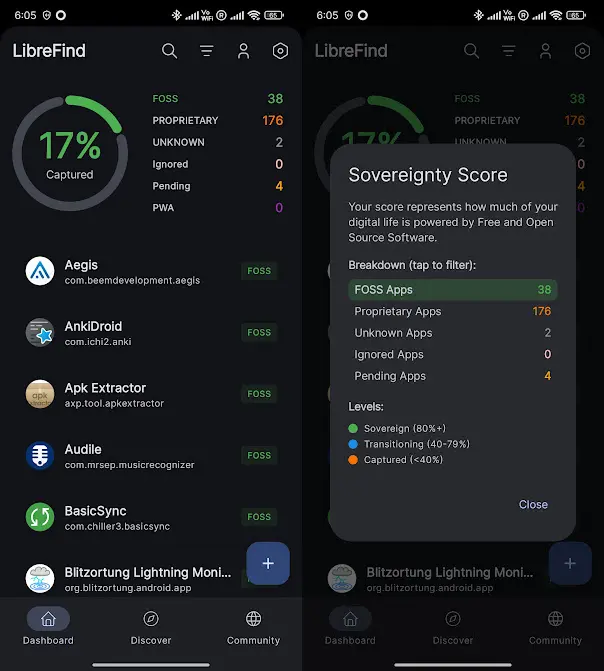
Some of the easiest targets on my Poco X5 were the calculator, the keyboard, Gmail, and a bunch of other stuff. What I am really glad about with this experiment was that I found an app called Syncthing, which allows you to share folders on your devices with your other devices, all peer-to-peer. I used this to finally free my passwords from Google Chrome and store them in an encrypted KeePassXC (KeePassDX on Android) file, and then I shared the folder between my devices using Syncthing. Now, I am free to use any web browser and keep my passwords in sync across devices. This is super helpful on that Nokia device where I disabled the Play Store and don’t have access to Google Chrome (I’m using a Firefox fork called Fennec).
So, whether you are getting sick of AI features appearing in all the tools you use, or if you just want more sovereignty over your devices, free software is definitely something you can look into. With tools like LibreFind, F-Droid, and UAD-ng, freeing your devices from the grasp of Microsoft, Google, and Apple is now easier than ever.
If you have freed any of your phones or computers, leave a comment explaining what actions you took.













2 Comments
Load the comments and join the conversation!
Read the comments, ask the editors questions, show respect and join the conversation.