In April, OpenAI announced a major update for the Codex app that brought support for background computer use. This feature allowed Codex to control the user’s computer with its own cursor, enabling Codex to control a wide variety of apps that do not offer an API. Earlier this month, OpenAI announced the Codex experience inside the ChatGPT mobile app, allowing developers to monitor and steer coding tasks from their smartphones. Both of these features were available only on Mac until now.
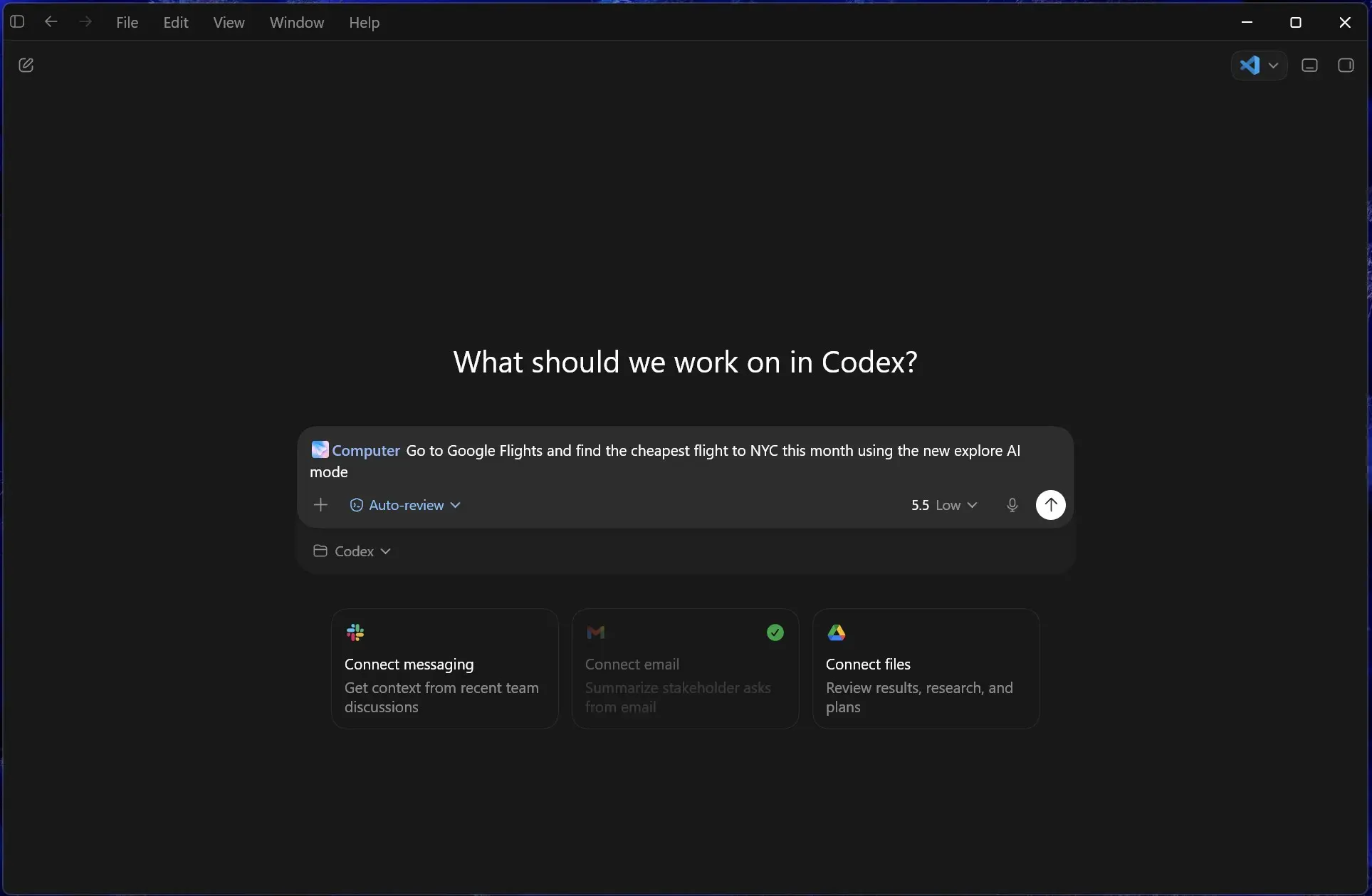
Today, OpenAI released a major update for the Codex app on Windows, bringing the two capabilities that were previously limited to Mac users: computer use and remote access through mobile devices.
The Codex app version 26.527 can operate Windows desktop applications by seeing what is on the screen, clicking buttons, and typing while completing a task. One major difference seems to be the way computer use works on Windows. Unlike on Mac, the Codex computer use feature works in the foreground. Therefore, users cannot continue working in the same Windows session while Codex controls another app.
This feature will be useful for developers performing tasks that depend on graphical user interfaces, such as testing a Windows app, reproducing a bug that only occurs in the UI, changing settings inside an application, or completing workflows in software that does not offer a structured integration.
This new Codex update also enables remote control for Windows devices. Users can connect their Windows PC to Codex in the ChatGPT mobile app and start new threads, continue existing work, send follow-up instructions, approve actions, review diffs and test results, and check screenshots or terminal output remotely.
Windows users, this one’s for you.
— OpenAI (@OpenAI) May 29, 2026
Computer use now works on Windows, so Codex can take action on your Windows computer.
And with Windows support for Codex in the ChatGPT mobile app, you can start, review, and steer tasks on the go while work continues on your Windows machine.… pic.twitter.com/OPIxOcP4Nl
Along with these two major features, OpenAI has updated the Profile section in the Codex app to display profile details, usage statistics, and token activity. The update also includes additional performance improvements and bug fixes.
The updated Codex app is now available on Windows through the Microsoft Store.
















0 Comments
Load the comments and join the conversation!
Read the comments, ask the editors questions, show respect and join the conversation.