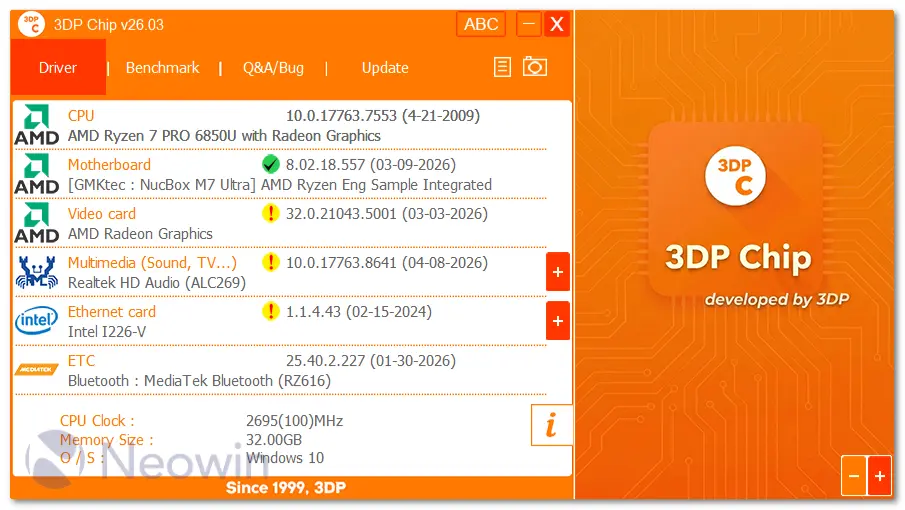
3DP Chip is a standalone, no-install portable tool that scans your computer’s hardware and automatically detects the latest drivers available for your specific configuration and external devices. It provides a clear list of drivers that need updates, locates the correct downloads, and helps you upgrade them easily.
3DP Chip will automatically detect and display the information on your CPU, motherboard, video card and sound card installed on your PC. You can also choose to copy these information into your clipboard with one click for later use (such as posting in a forum).
Also, if you're upgrading your operating system or just need to reinstall Windows, 3DP Chip can backup all the drivers on your PC or laptop. 3DP Chip backup and reinstall features can save you hours of searching for and installing individual device drivers.
3DP Chip most popular drivers include:
- audio and sound drivers
- video drivers
- printer and scanner drivers
- digital camera drivers
- network drivers
- webcam drivers
- keyboard and mouse drivers
3DP Chip v26.05 changelog:
Driver date/version information has been added or updated
- AMD motherboard chipset v8.03.25.247
- AMD motherboard chipset v8.05.04.516
Newly added product or support has been enhanced
- AMD Radeon Graphics
- AMD Radeon 780M Graphics
- AMD Radeon 840M Graphics
- AMD Radeon 860M Graphics
- AMD Radeon 880M Graphics
- AMD Radeon RX 9070 XT
- AMD Radeon Pro W7500M
- NVIDIA GeForce RTX 3050 6GB Laptop GPU
- NVIDIA GeForce RTX 4050 Laptop GPU
- NVIDIA GeForce RTX 5050 Laptop GPU
- NVIDIA GeForce RTX 5050 Laptop GPU
- NVIDIA GeForce RTX 5060
- NVIDIA GeForce RTX 5070 Laptop GPU
- NVIDIA GeForce RTX 5070 Ti Laptop GPU
- NVIDIA RTX Pro 500 Blackwell Generation Laptop GPU
- NVIDIA RTX Pro 1000 Blackwell Generation Laptop GPU
- NVIDIA RTX Pro 2000 Blackwell Generation Laptop GPU
Download: 3DP Chip 26.05 | 7.2 MB (Freeware)
Links: 3DP Chip Home Page | Screenshot
 Get alerted to all of our Software updates on Twitter at @NeowinSoftware

















0 Comments
Load the comments and join the conversation!
Read the comments, ask the editors questions, show respect and join the conversation.