Helium is a private, fast, and honest Chromium-based web browser — built for people, with love. It offers the best privacy by default, unbiased ad-blocking, and a clean experience free from bloat and noise. Proudly based on Ungoogled-Chromium, Helium removes Google’s clutter while keeping a fast, efficient development pipeline. With thoughtful touches like native !bangs and split view, Helium is a people-first, fully open-source browser that puts control back in your hands.
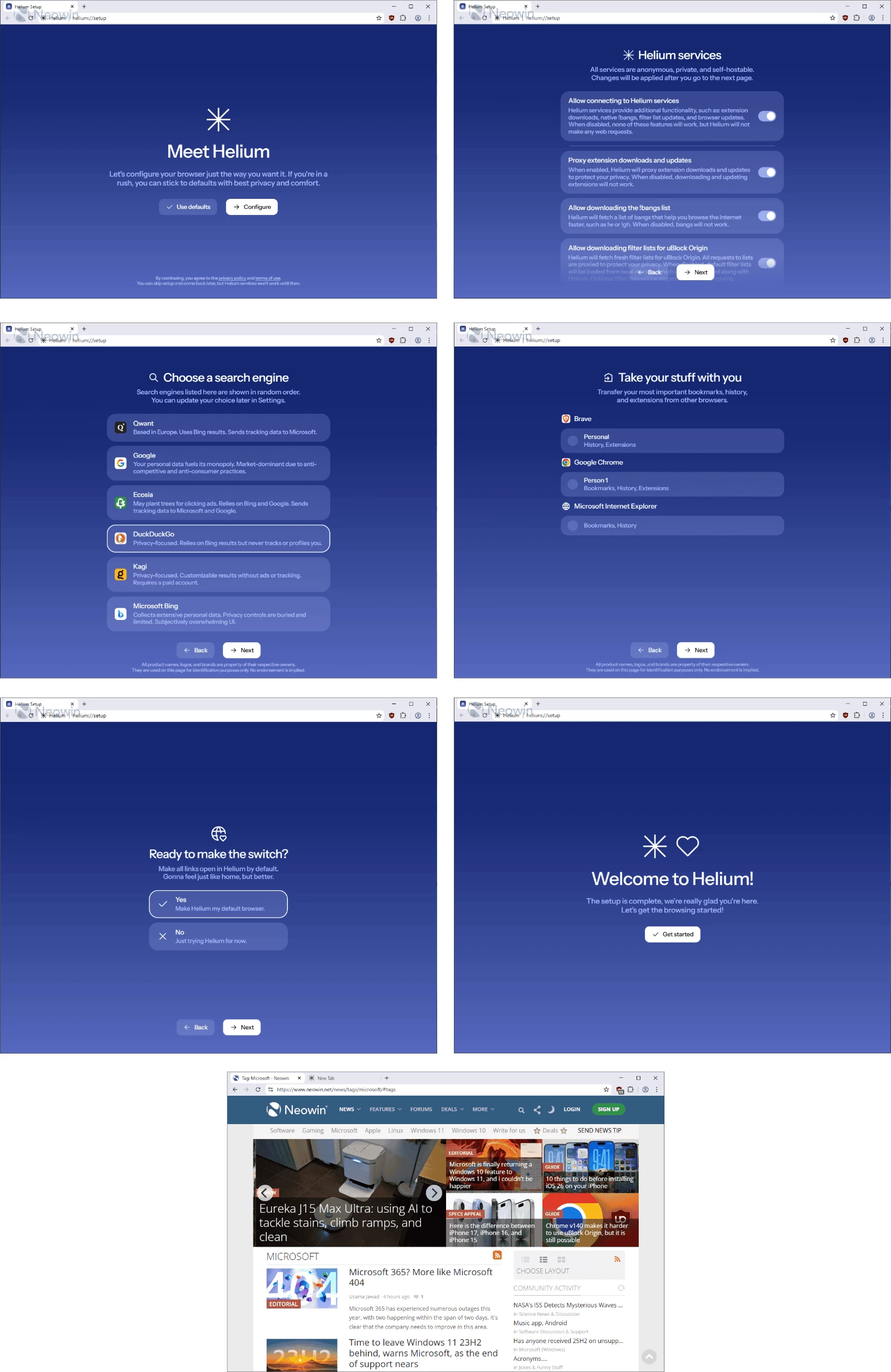
Privacy, security, and control come first. Ads, trackers, and third-party cookies are blocked automatically, HTTPS is enforced everywhere, and all Chromium extensions work seamlessly — while Google can’t track your activity. Helium’s 13,000+ offline-ready !bangs let you jump straight to sites or AI tools like ChatGPT instantly. Open-source, people-first, and unbiased, Helium delivers a browsing experience that’s fast, secure, and free from noise, ads, and compromises.
Helium Browser key features:
Performance
- Fast, efficient, and lightweight — built on Chromium’s optimized engine.
- Energy-saving and consistent — stays fast over time without slowing down.
- No bloat — stripped of unnecessary components for maximum speed.
- Minimalist interface — compact, clean, and distraction-free.
- Customizable toolbar — hide elements you don’t need.
- Smooth and stable — no flicker, lag, or animation glitches.
- Comfort-focused experience — intuitive and unobtrusive.
Privacy & Security
- Best privacy by default — blocks ads, trackers, phishing, and third-party cookies.
- Unbiased ad-blocking — powered by community filters and uBlock Origin.
- No telemetry or analytics — zero background web requests on first launch.
- Strict HTTPS enforcement — warns for insecure sites.
- Passkeys supported — modern authentication made simple.
- No built-in password manager or cloud sync — your data stays yours.
Extension Compatibility
- Full Chromium extension support — including MV2 extensions.
- Anonymized Chrome Web Store requests — Google can’t track extension installs.
- Extended MV2 support — maintained for as long as possible.
Smart Features
- Native !bangs — browse faster using 13,000+ offline-ready shortcuts.
- AI integration — use !chatgpt and others directly from the address bar.
- Offline functionality — bangs work without an Internet connection.
Philosophy
- People-first design — open source, transparent, and community-driven.
- No ads, no noise, no bias — privacy and honesty over profit.
Helium Browser 0.13.2.1 changelog:
- 6b6fbd0f revision: bump to 2 (#1907)
- cb3f77bd helium/ui/zen: fix cmd+s shortcut sidebar preference in zen mode (#1849)
- e3980159 deps: bump onboarding (#1905)
- c99531d5 helium/core: add an option to copy URLs from tab context menu (#1904)
- c1aba0ea helium/search: add kagi image search params (#1899)
- eb6711f4 helium/core/hibernate: add an option to hibernate other tabs (#1901)
- 425306f5 merge: update to chromium 149.0.7827.102 (#1897)
- ae94c3c8 helium/core/update-pref: improve auto updates strings (#1896)
- 06897c1d patches & domain_substitution: refresh for chromium 149.0.7827.102
- d09826d0 merge: update ungoogled-chromium to 149.0.7827.102
- 9aeb58da helium/search-engine: reject default engine urls without %s (#1893)
- 4d7bb965 Update to Chromium 149.0.7827.102
- fa67665c i18n: fix "add shortcut" string collision (#1891)
- 6894bd30 devutils/i18n: parse meaning into source.gen.json
- dc3fe739 helium/kb-shortcuts: disambiguate "Add shortcut" string
- cbf38eb4 i18n/apply: pass meaning to fingerprint generator
- 53ea9920 extra/disable-jit-flag: build drumbrake only if supported
Download: Helium 64-bit | Portable 64-bit |~100.0 MB (Open Source)
Download: Helium ARM64 | Portable ARM64
Links: Helium Home Page | macOS | Linux | Screenshot
 Get alerted to all of our Software updates on Twitter at @NeowinSoftware













0 Comments
Load the comments and join the conversation!
Read the comments, ask the editors questions, show respect and join the conversation.