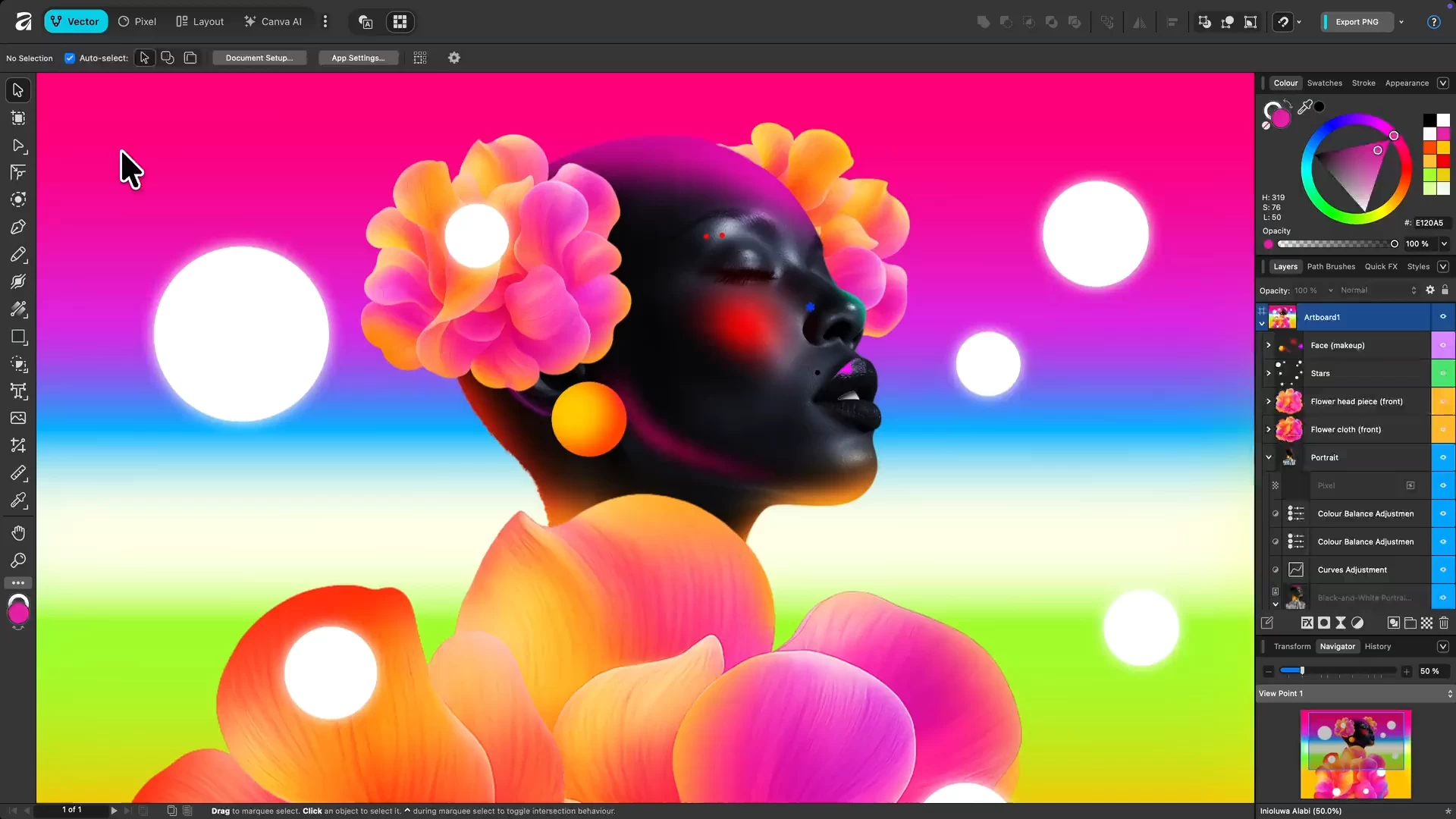
Affinity by Canva is a free, all-in-one creative app combining vector design, photo editing, and page layout in a single platform. Originally developed by Serif, it’s now under Canva, offering professional-grade tools without subscriptions. Users get full access to Pixel, Vector, and Layout studios, plus ongoing updates. Designed for Mac and Windows, it empowers designers, illustrators, and content creators to work faster, smarter, and more creatively than ever before.
Affinity is a unified, high-performance design platform combining vector, raster, and layout workflows. It offers fully non-destructive editing, advanced curve and shape manipulation, artboards, symbols, and seamless integration of pixel and vector content. The photo engine supports RAW editing, compositing, retouching, and batch processing with macro automation. Layout tools include long-form document support, typographic precision, navigational elements, CMYK-ready print, and Data Merge. Canva AI Studio adds generative tools (Fill, Expand, Edit), Depth Map, Super Resolution, and advanced portrait effects, accessible via Canva Pro or higher. Broad file compatibility and customizable workspaces ensure professional-grade efficiency.
Advanced AI features like Generative Fill and Expand are unlocked in Affinity through the Canva AI Studio for users with a Canva premium plan (Pro, Business, Enterprise, or Education).
Affinity is truly free.
Every tool in the Pixel, Vector, and Layout studios is fully accessible, along with all customization and export options—no limits, no payments required. The app also receives free updates with new features and improvements.
Your creativity remains yours.
Affinity stores all your work locally on your device. Canva does not use any Affinity content to train AI or develop features, including anything created with Canva AI tools within Affinity. If you export or upload your work to Canva, you remain in full control. Data preferences can be reviewed or updated at any time in your Canva account settings.
Why is Affinity free?
Curious how this is possible? Here’s the philosophy behind it and how it works.
Note: A free Canva account is required to use Affinity. Your account gives access to Affinity along with other Canva products and features.
Download: Affinity 3.2.2.4557 | ARM64 | ~600.0 MB (Freeware)
Links: Affinity Website | macOS | Screenshot
 Get alerted to all of our Software updates on Twitter at @NeowinSoftware













0 Comments
Load the comments and join the conversation!
Read the comments, ask the editors questions, show respect and join the conversation.