TeraCopy is a compact program designed to copy and move files at the maximum possible speed, also providing you with a lot of features.
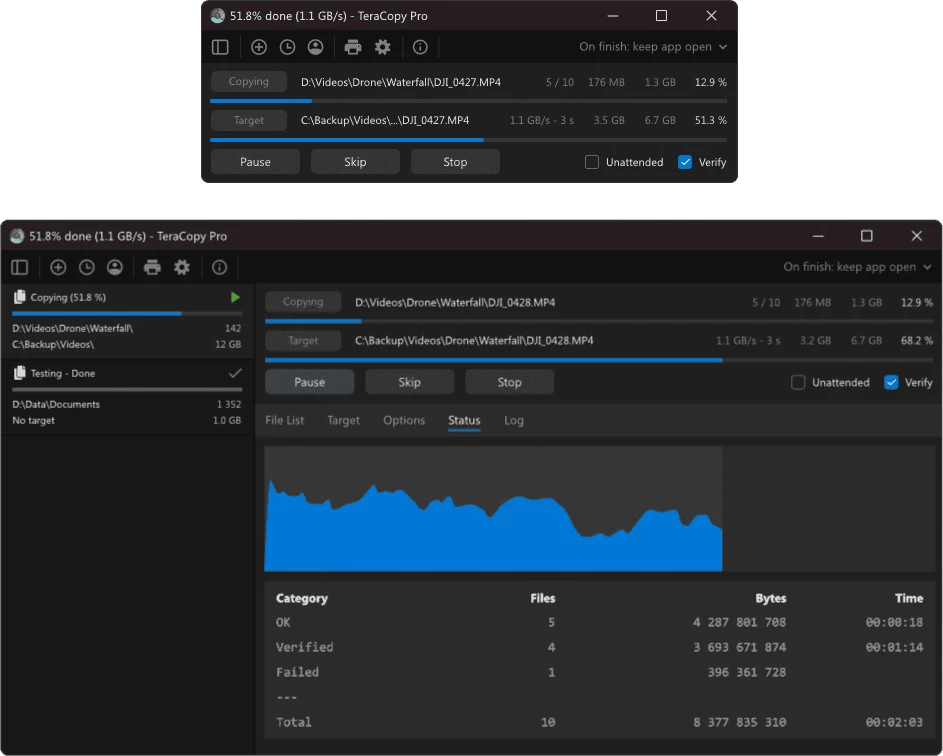
- Copy files faster. TeraCopy uses dynamically adjusted buffers to reduce seek times. Asynchronous copy speeds up file transfer between two physical hard drives.
- Pause and resume transfers. Pause copy process at any time to free up system resources and continue with a single click.
- Error recovery. In case of copy error, TeraCopy will try several times and in the worse case just skips the file, not terminating the entire transfer.
- Interactive file list. TeraCopy shows failed file transfers and lets you fix the problem and recopy only problem files.
- Shell integration. TeraCopy can completely replace Explorer copy and move functions, allowing you work with files as usual.
TeraCopy is free for non-commercial use only. For commercial use you need to buy a license. The paid version of the program includes the following features:
- Copy/move to your favorite folders.
- Save reports as HTML and CSV files.
- Select files with the same extension/folder.
- Remove the selected files from the copy queue.
Changelog:
- Added support for receiving files via the LocalSend protocol.
- Improved exception handling and automated bug report upload.
- Fixed several minor bugs and small memory leaks.
Download: TeraCopy 4.0 | 14.6MB (Freeware, paid upgrade available)
View: TeraCopy Website | Screenshot
 Get alerted to all of our Software updates on Twitter at @NeowinSoftware













0 Comments
Load the comments and join the conversation!
Read the comments, ask the editors questions, show respect and join the conversation.