TeraCopy is a compact program designed to copy and move files at the maximum possible speed, also providing you with a lot of features.
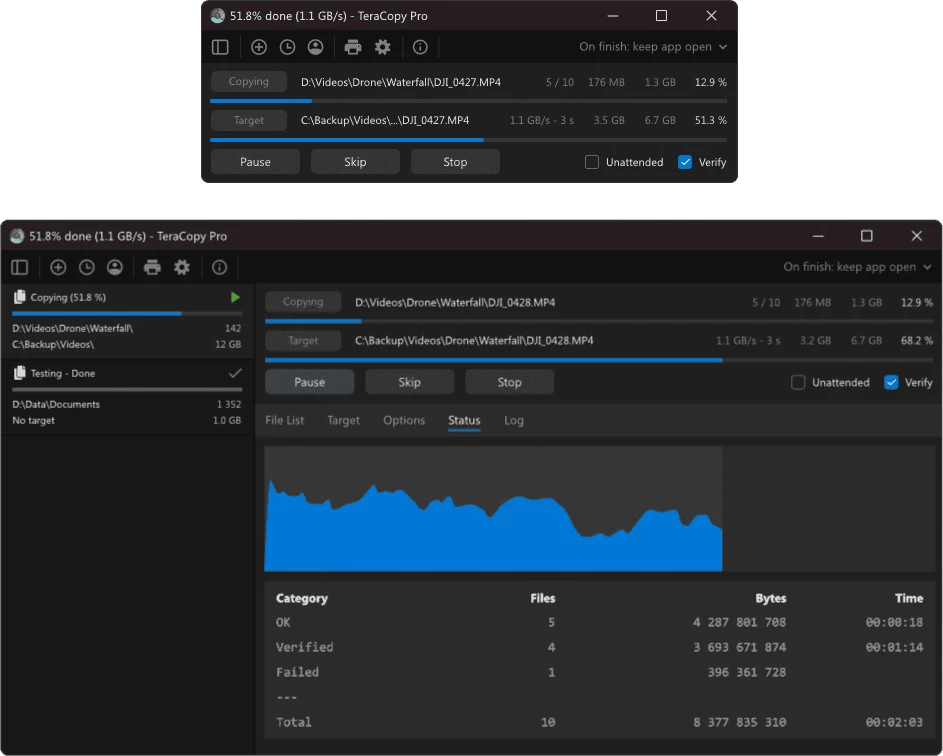
- Copy files faster. TeraCopy uses dynamically adjusted buffers to reduce seek times. Asynchronous copy speeds up file transfer between two physical hard drives.
- Pause and resume transfers. Pause copy process at any time to free up system resources and continue with a single click.
- Error recovery. In case of copy error, TeraCopy will try several times and in the worse case just skips the file, not terminating the entire transfer.
- Interactive file list. TeraCopy shows failed file transfers and lets you fix the problem and recopy only problem files.
- Shell integration. TeraCopy can completely replace Explorer copy and move functions, allowing you work with files as usual.
TeraCopy is free for non-commercial use only. For commercial use you need to buy a license. The paid version of the program includes the following features:
- Copy/move to your favorite folders.
- Save reports as HTML and CSV files.
- Select files with the same extension/folder.
- Remove the selected files from the copy queue.
TeraCopy 4.0 RC3 changelog:
- SQLite in-memory cache and query improvements for better responsiveness.
- Background loading of the file states when opening the file list from history.
- Improved statistics calculation.
- Fixed progress bar and ETA display when copying attributes only.
- Always-on-top control on the toolbar.
- Current speed is now displayed in the title bar.
- Hover tooltips for file size, attributes, and icons in the list.
- Checksum files: continue validation with the Verify button.
- File comparison shows seconds when needed.
- Fixed two-second FAT/exFAT timestamp discrepancy.
- Fixed bug when verification did not respect the forced fast devices setting.
- Fixed manual verification after moving files to different drives.
- Shift/Ctrl + click to multi-select files in the list.
- Drop handler now ignores files inside ZIP archives.
- Improved per-monitor scaling.
- Switches can now be used with the SendTo command.
- Fixed the Recycle Bin delete mode.
- Dozens of minor UI fixes.
Download: TeraCopy 4.0 RC3 | 13.1 MB (Freeware, paid upgrade available)
View: TeraCopy Website | Screenshot
 Get alerted to all of our Software updates on Twitter at @NeowinSoftware
















0 Comments
Load the comments and join the conversation!
Read the comments, ask the editors questions, show respect and join the conversation.