
Microsoft Edge may not be the most popular browser out there, but it does receive quite frequent updates that sometimes bring surprising new features and axe others that are not as popular. Now, Microsoft has detailed some of the new security enhancements that it has introduced in Edge for Business, typically used by commercial customers.
Microsoft has emphasized that security features are baked into Edge for Business and offer native integration with security and governance tools like Defender and Purview. Browser sessions are governed by default on managed devices but can also be governed through dedicated work profiles on unmanaged devices.
An important aspect in this area is controlling the use of shadow AI. We have talked about this before, but it essentially restricts employees from using unsanctioned AI apps through data loss prevention (DLP) policies, with Edge redirecting them to trusted AI services like Microsoft 365 Copilot. This feature, available as a pay-as-you-go (PAYG) license, ensures that confidential data never exits AI boundaries set by your organization in Purview.
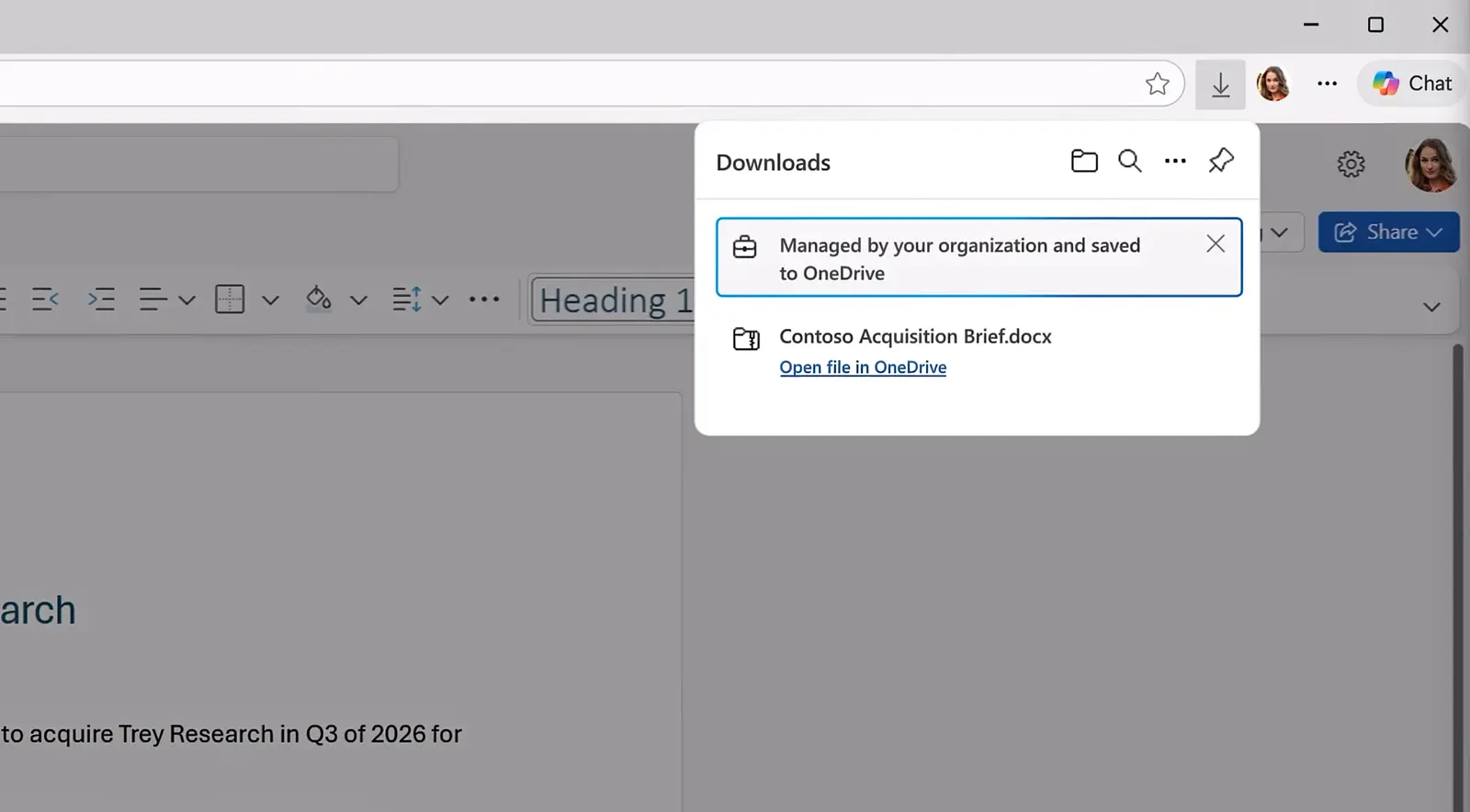
Additionally, Microsoft also has strong DLP policies for contractors. Contractors leveraging a Entra ID-joined work profile provisioned by their contracting company on a device managed by their actual employer can be restricted from downloading files locally. In such scenarios, the file is saved on the contracting firm's OneDrive rather than being downloaded locally.

Another useful Edge security feature disallows copying and pasting from unmanaged locations and apps. Similarly, DLP policies can be configured at a granular level to restrict screenshots or downloading of files from certain locations. In the same vein, IT admins can block the installation of extensions, hosted apps, themes and scripts, and control if users can install extensions from external locations. They can also enable the installation of specific extensions and allow users to request access to certain extensions, so that they can be managed on a case-by-case basis.
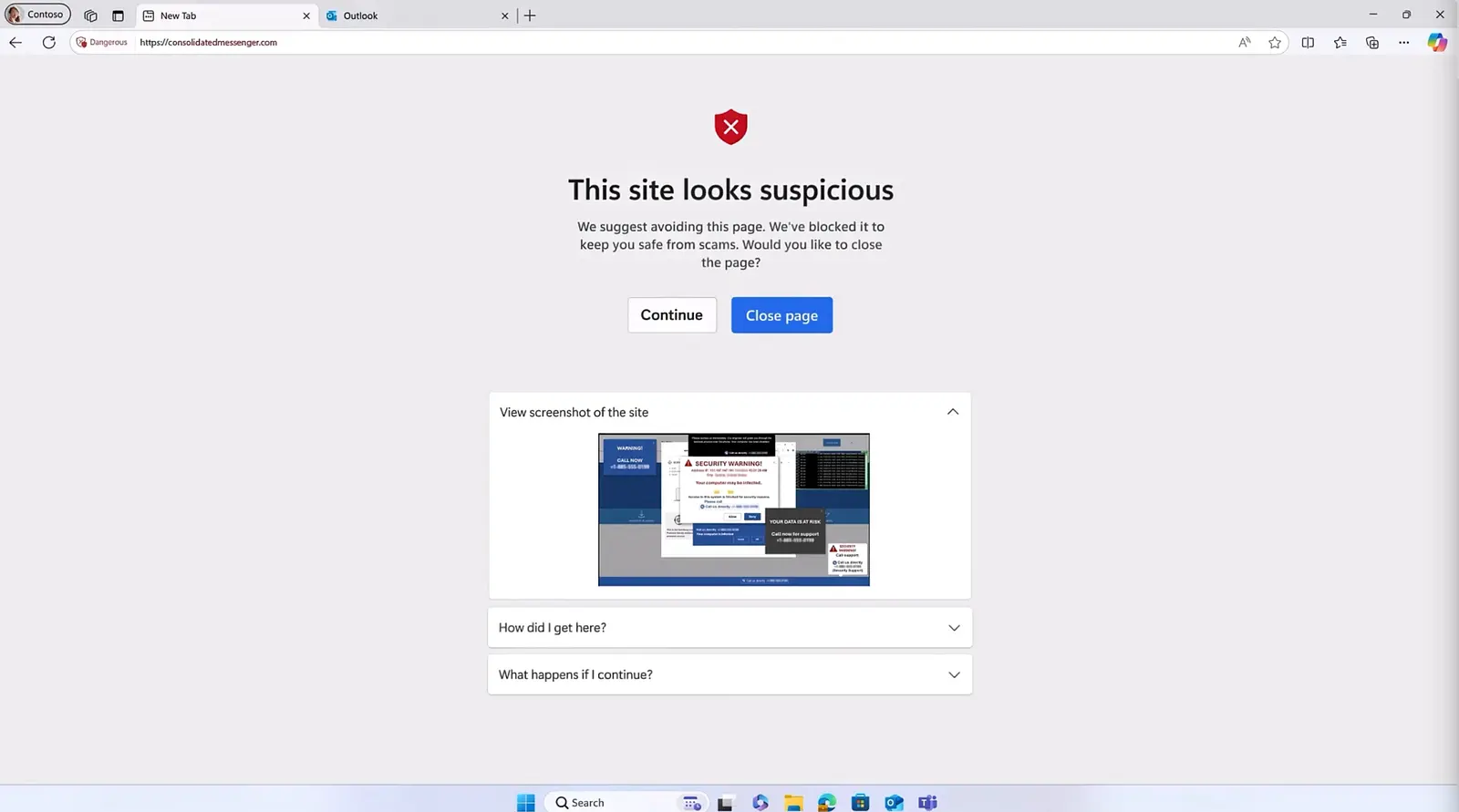
Finally, Edge for Business now has an on-device AI model that uses computer vision to see what's on your screen and block potentially malicious content immediately. This does not rely on site reputation, as it simply monitors what is being displayed on your screen, which means that it is effective against malicious content that takes over your screen and employs scareware tactics. Since this is an on-device AI model, it does use your system's resources, so it's enabled by default only on devices with at least 2GB of RAM and four CPU cores. You can find more details in the Microsoft Mechanics video here.
















6 Comments
Load the comments and join the conversation!
Read the comments, ask the editors questions, show respect and join the conversation.