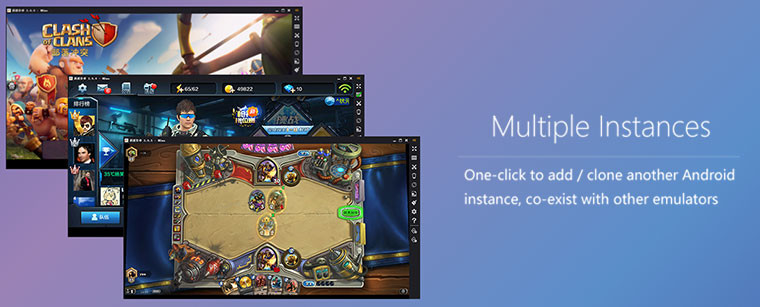
MEmu is a brand new FREE Android emulator that brings fun of the Android experience to Microsoft Windows devices. It runs on nearly all Windows devices (PC, notebook, 2-in-1 devices, tablets). Comparing to other Android emulators, MEmu provides the highest performance and greatest compatibility.
The richest features:
- Full Android experience with an elegant desktop
- Flexible customization (CPU#, memory size, resolution, device model, nav bar location, root mode, etc.)
- Mapping the keyboard / joystick to screen touch for much better game experience
- Passing through sensor data (e.g. accelerometer) to Android, so you can play car-racing like games intuitively
- GPS location simulation
- File sharing between Windows and Android
- Fast APK installation by drag and drop
- One-click Android system creation / clone / deleting, and you can run multiple Android instances simultaneously
Using MEmu, you can:
- Have fun playing Android games on PC
- Chat more conveniently by using keyboard in Whatsapp, Wechat, etc.
- Watch live show and TV channels
- Ten seconds to start
- Directly open several Android Emulator windows
MEmu 7.0.3 changelog:
- Fully integrated with Discord. Join now!
- More info about our Discord server: Reasons to join.
- Greatly optimized the compatibility of games on PC with AMD graphic cards. Eg:(Call of Duty Mobile, Lifeafter, Identity V, Onmyoji Arena, Cyber Hunter, Creative Destruction etc.)
- Optimized the menu & dialog box to choose the keymapping for different heroes in Moba games(Arena of Valor, Mobile Legends: Bang Bang)
- Optimized the user experience for the compact(Clean up) process in Multi-MEmu
- Upgrade the version of Android System WebView to have better compatibility of browser-related applications.
What’s Fixed:
- Fixed the issue of increasing usage of memory (RAM) after open and close apps repeatedly
- Fixed the issue that MEmu crashes when clicking “Recent APPs” button in some games under DirectX mode
- Fixed the issue of black screen after creating a large number of emulators (over 1800)
- Fixed the issue that apk files downloaded in system browser cannot be installed by clicking
- Fixed the issue that in some games (PUBG mobile) shooting is interrupted randomly
- Fixed the occasional issue that MEmu crashes when generating diagnose report
- Fixed the failure of the keymapping macro: “mapkey”
- Fixed the issue that it takes too much time exporting an instance
- Fixed the capability of old versions (before 6.0.1) with the latest version. The old versions can be updated directly by update installation
- Fixed the occasional issue that sequential batch start is interrupted
Games & APPs
- Call of Duty Mobile: Optimized the Smart mode of keymapping: Smart cure and grenade is now available. One can use different items by simply pressing a key; Fixed some graphic issue under DirectX mode; Fixed the issue that game crashes at the
- Free Fire: Fixed some graphic issue under DirectX mode; Fixed black screen issue of some event pages
- Clash of Kings: Optimized the render performance and reduced resource usage when playing with multiple instances
- PES2020: Fixed the black screen issue under OpenGL mode
- Knives out: Fixed some graphic issue under DirectX mode
- Matchington Mansion: Fixed some graphic issue under DirectX mode
- Re: Dive (tw.sonet.princessconnect): Fixed the black screen when starting the game; Fixed lag during the gameplay
Download: MEmu 7.0.3 Offline Setup | Google Drive | 233.0 MB (Freeware)
View: MEmu Home Page | MEmu Support
 Get alerted to all of our Software updates on Twitter at @NeowinSoftware