This is my first proper hands-on with a DualSense controller since I am a PC gamer who plays with Xbox layout controllers almost exclusively, until now.
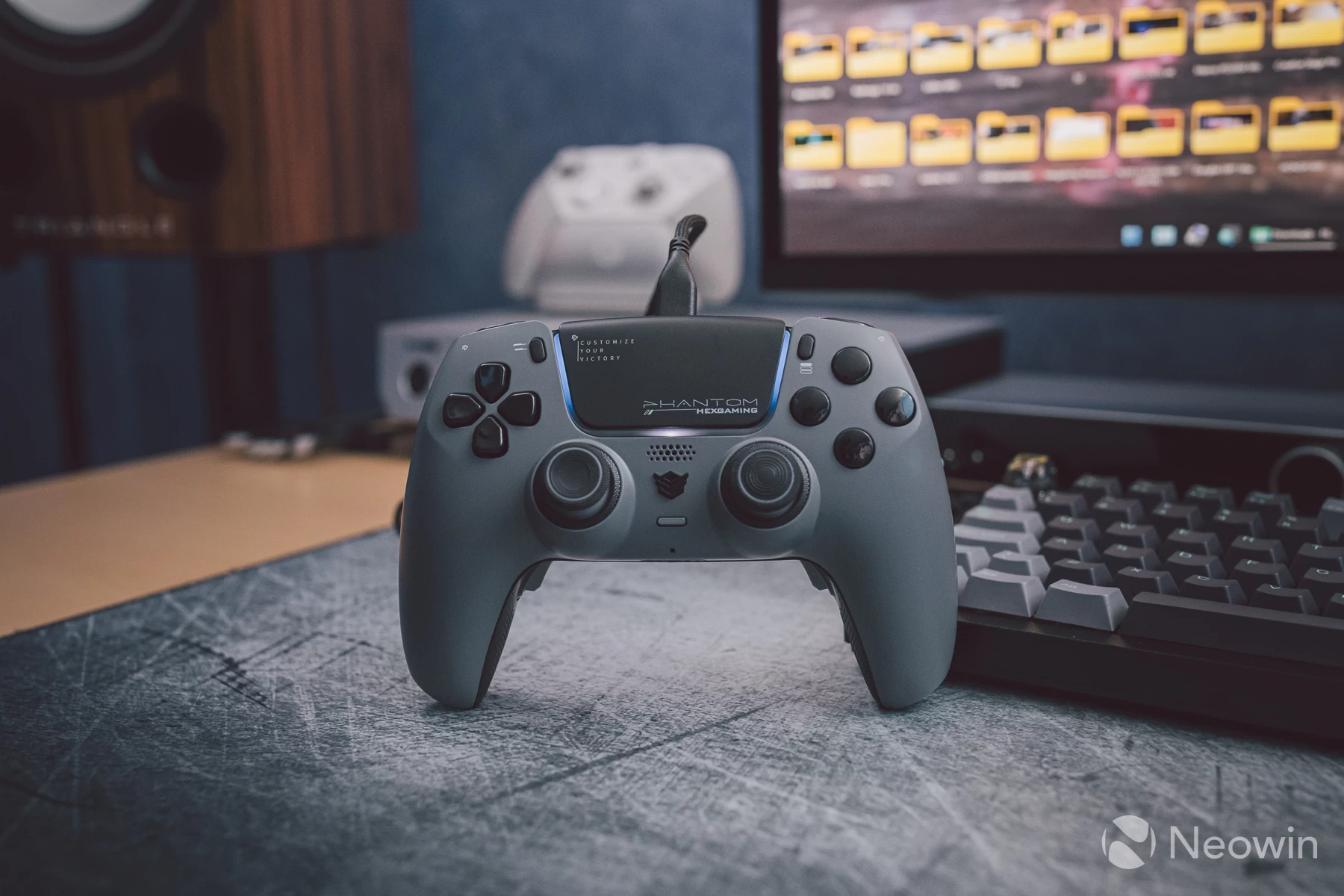
Hexgaming's Phantom is the current model of hall-effect and potentiometer controllers that take the internals from Sony's DualSense/DualSense Edge, and then modifications are applied to improve on what makes the first-party controller already appealing.
At the time of writing, there are nine colour variants:
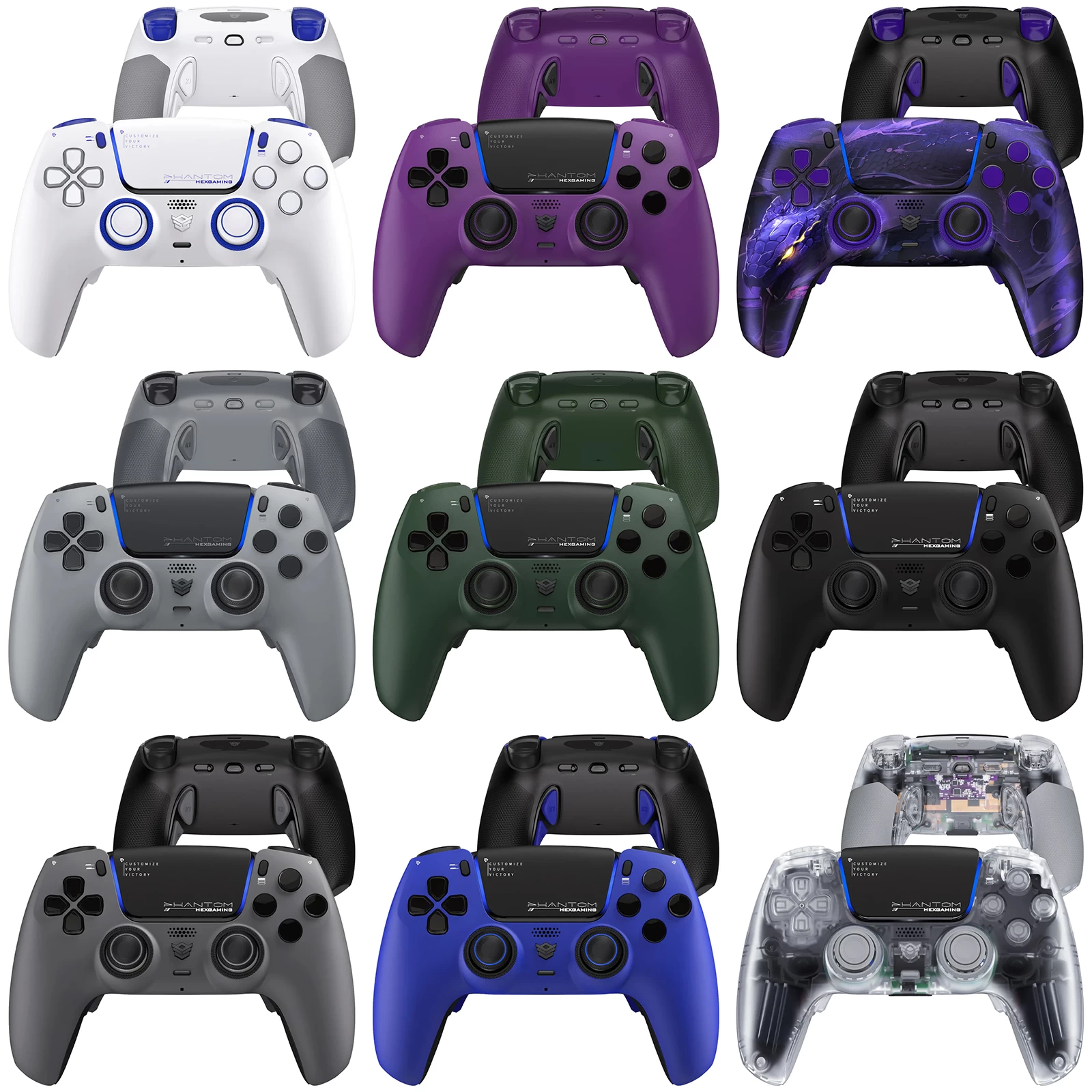
Some of the mods include a stick calibration system, which varies between a module that you physically adjust with a simple tool on the back of the controller, or a plug-in module to digitally recalibrate if opting for the slightly more expensive hall-effect version. Both versions claim to resolve stick drift, although I have my own thoughts on this in relation to the review version sent by Hexgaming, which is the potentiometer version of the two options.
A set of four customisable buttons on the underside also allows gamers to remap the buttons to existing topside buttons, or use one of six gaming profiles pre-defined by Hexgaming. Some level of customisation is possible when paired to a PC running Steam, as you can assign the mic mute button to become the screenshot button, for example, as well as assign functions to the touchpad and touchpad press action.
Outside of Steam, there is no supporting piece of software to tailor the Phantom as a PC controller.
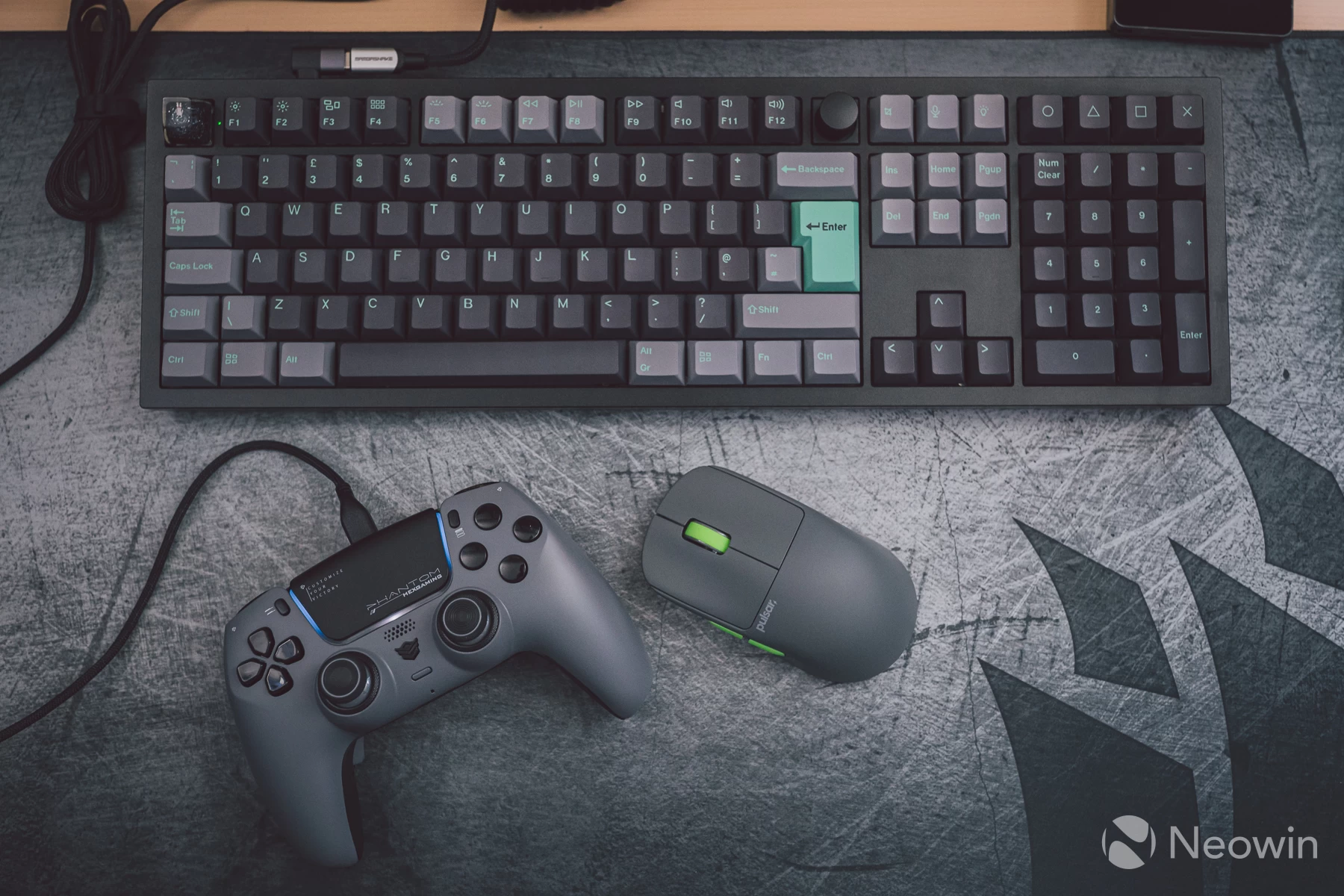
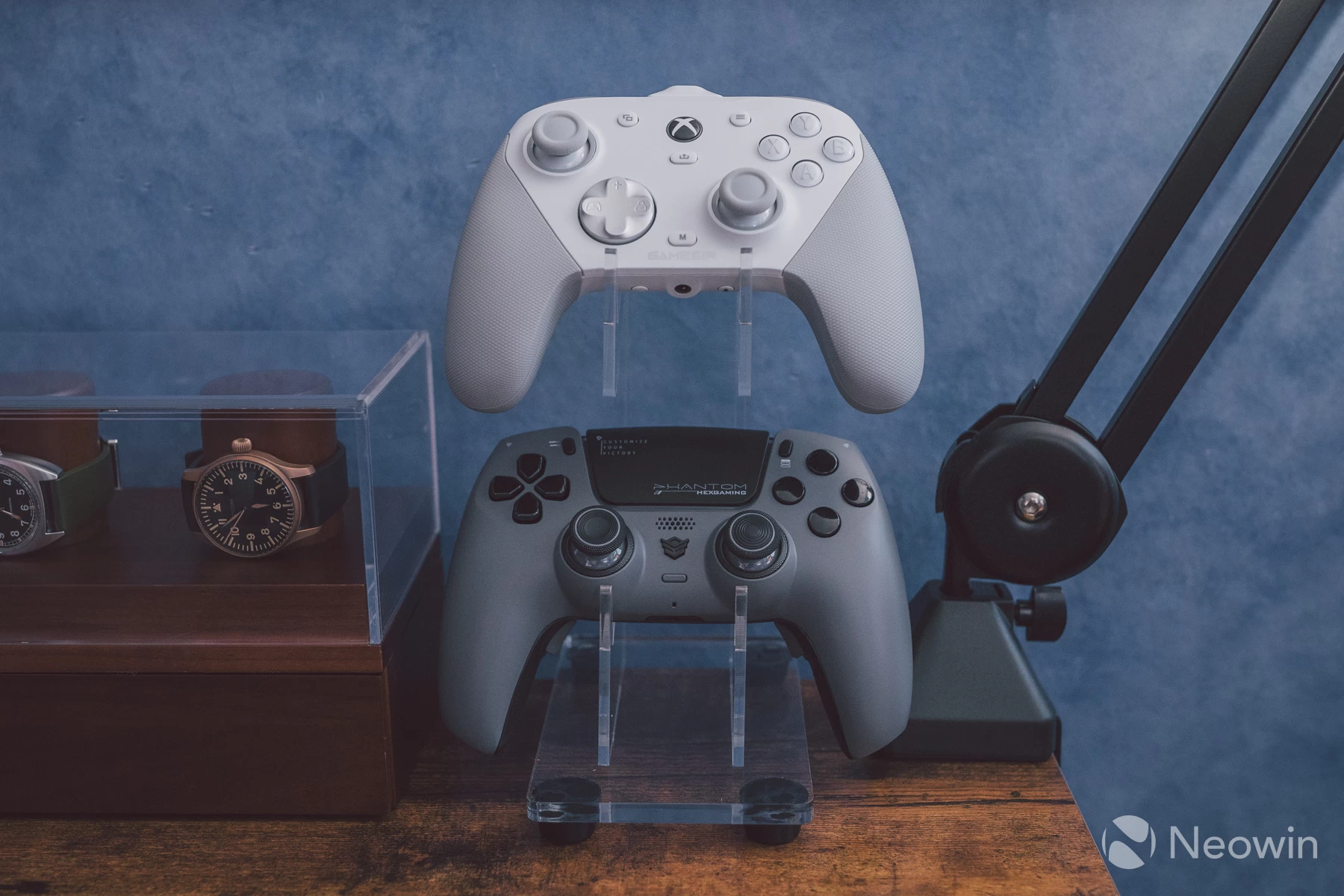
There is a lot to cover today, and since this is an expensive controller, I'm sure our readers will want to know just where the money is going. I will be comparing directly to the current flagship and personal favourite from GameSir, the G7 Pro, which comes in at well under £100, it is substantially cheaper than the Phantom, and has a slew of features not found in other controllers.
The G7 Pro is also an officially licensed Xbox controller that also works on PC, just like the Phantom does for the PlayStation 5 and PC, though to get the best out of the Phantom on PC, some tinkering is required, more on that later in the performance section of the review.
Hexgaming is also offering one lucky Neowin reader the chance to win a Phantom controller. The giveaway will go to a randomly selected reader from the comments section. All you have to do to enter is leave a message below; the winner will be announced exactly a week from this review's publication date.
| Specifications | |
|---|---|
| Platforms | PS5, PC, Android |
| Connectivity | Bluetooth (500Hz) USB-C (250Hz, 1000Hz with OC) |
| Sticks |
Potentiometer with DriFix stick drift calibration modules. The Hall effect version comes with a digital calibration module |
| Stick caps | Removable silicone with plastic necks for anti-friction |
| Deadzones | None observed |
| Raw sensors | Yes, factory default to square mode |
| Triggers | Hall-effect triggers with micro switches in lockout mode |
| D-Pad | Sony DualSense membrane D-pad |
| Shoulder buttons | Sony DualSense tactile switches |
| Accessory buttons | Sony DualSense tactile switches |
| ABXY buttons | Sony DualSense membrane switches |
| Back buttons | 4x micro switches, preset profiles for remapping, custom remaps to existing buttons |
| Motion control | 6-axis gyro control for PC and PS5 |
| Macro/Turbo | No |
| Vibration | Sony DualSense haptics |
| Adaptive triggers | Yes, in supported Sony games on PC |
| Touchpad | Sony DualSense touchpad |
| Construction | ABS plastic |
| Grips | Soft rubber underside |
| Features |
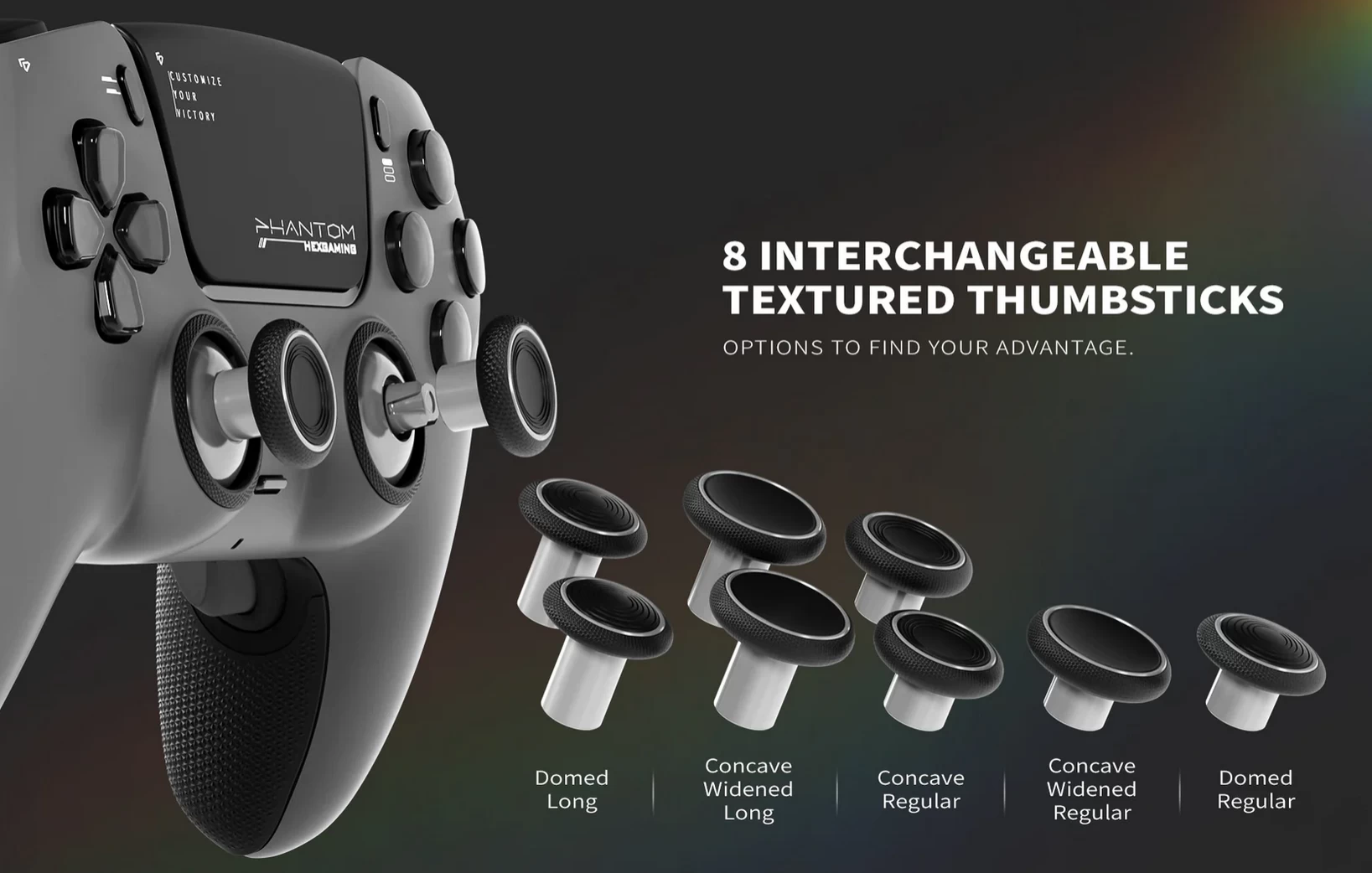
- 8x pairs of stick caps of various sizes and neck lengths |
| Release date | September 2024 |
| Price | From £229 / $229 (use code NEOWIN for 5% off at checkout) |
Unboxed
There is not much to add to this section other than the fact that if you have ever held a DualSense/Edge, then the Phantom feels similar to how they do. The plastic quality is good, and the grips, even when held tightly, feel robust.
That does not mean the build quality is perfect, though, because just like with the official Sony controllers, there is some creaking if I pull on the grips, whereas the GameSir G7 Pro see no such quirk. I suspect this is due to the inner frame in the central part of the Phantom, which has to house the gubbins for the touchpad components.
In normal use, even playing competitive fighting games, I found no issues with creaking or any other structural issues.
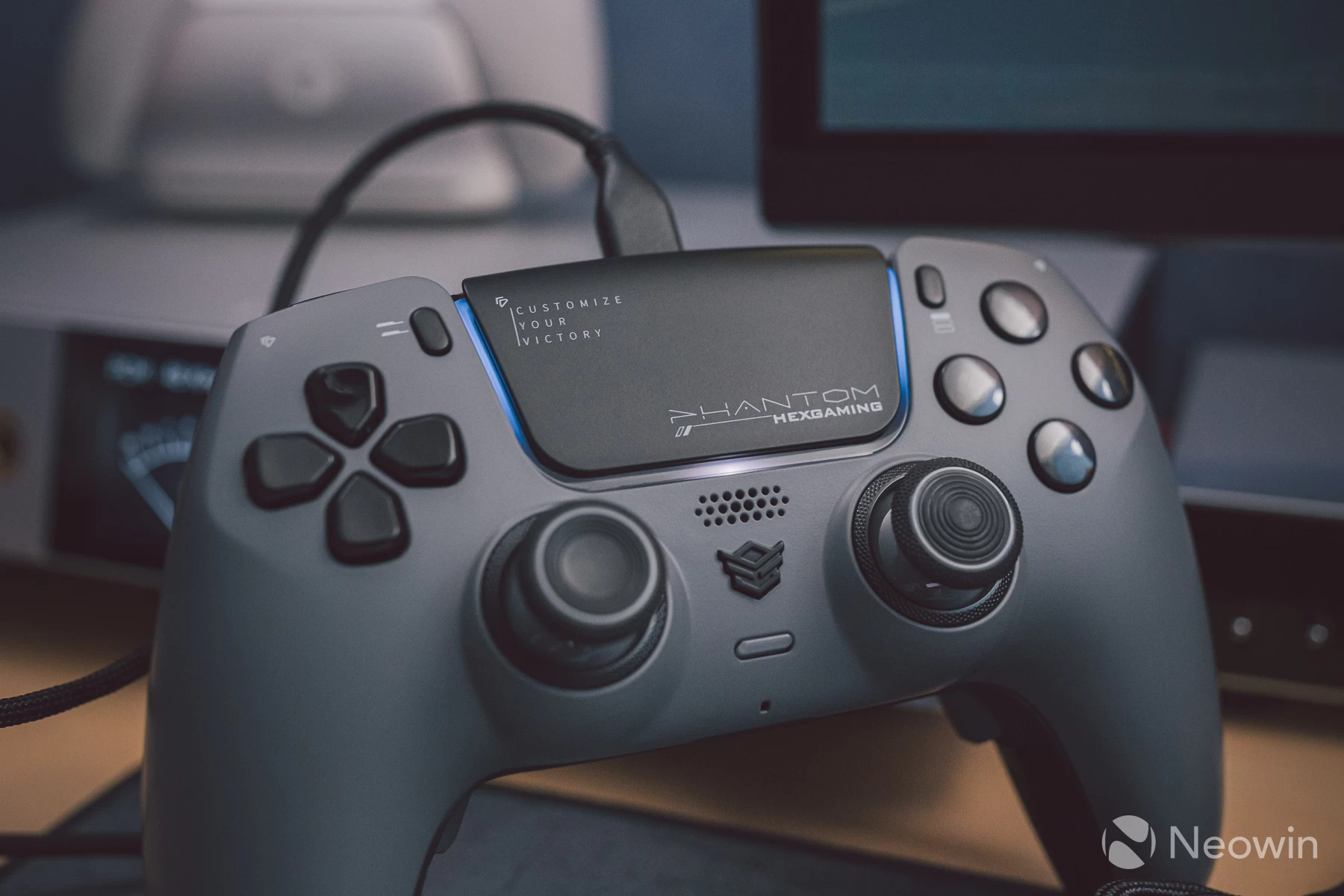
All face buttons feel and actuate like they do on the official controllers, and this is entirely expected considering the Sony internals being used.
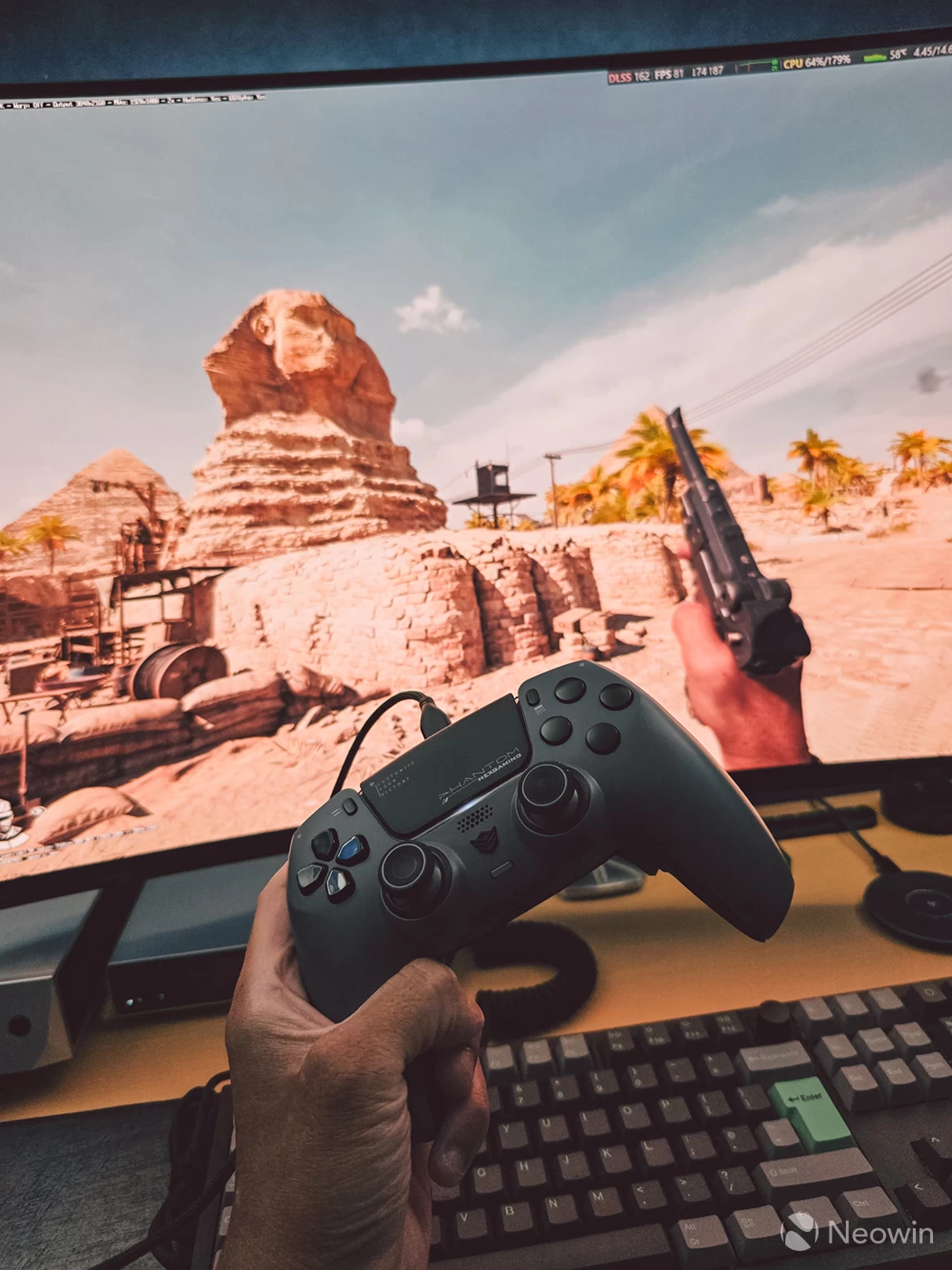
At first I wasn't sure if the size and shape of the DualSense design was for me as in my hands it feels slightly larger than the Xbox shaped controllers I've been using for years, but after a couple of days I found myself feeling right at home and actually, DualSense now feels more natural, especially in first person shooters like Indiana Jones and the Great Circle, a game that fully supports the adaptive triggers and advanced haptics that DualSense is known for.
|
|
|
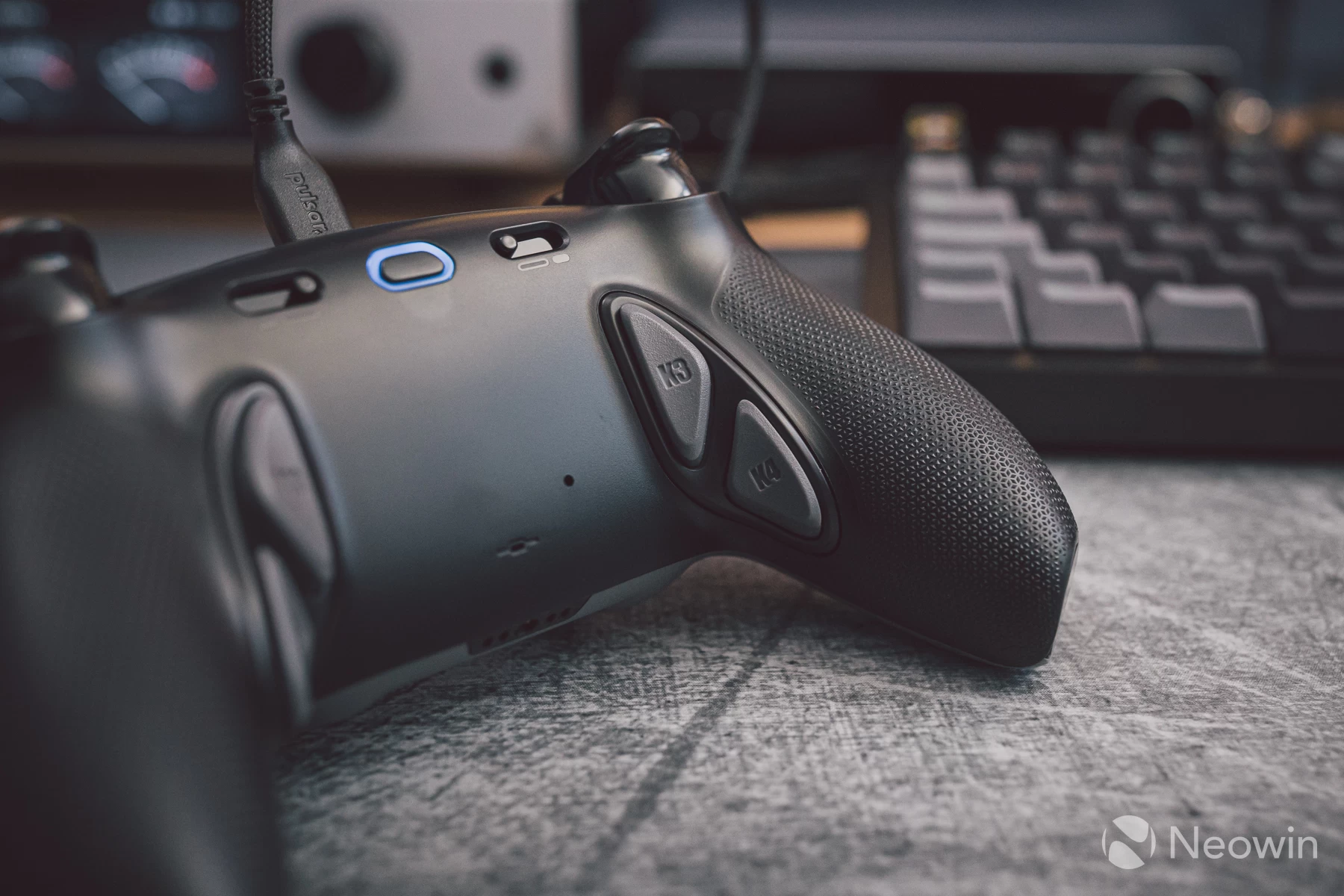
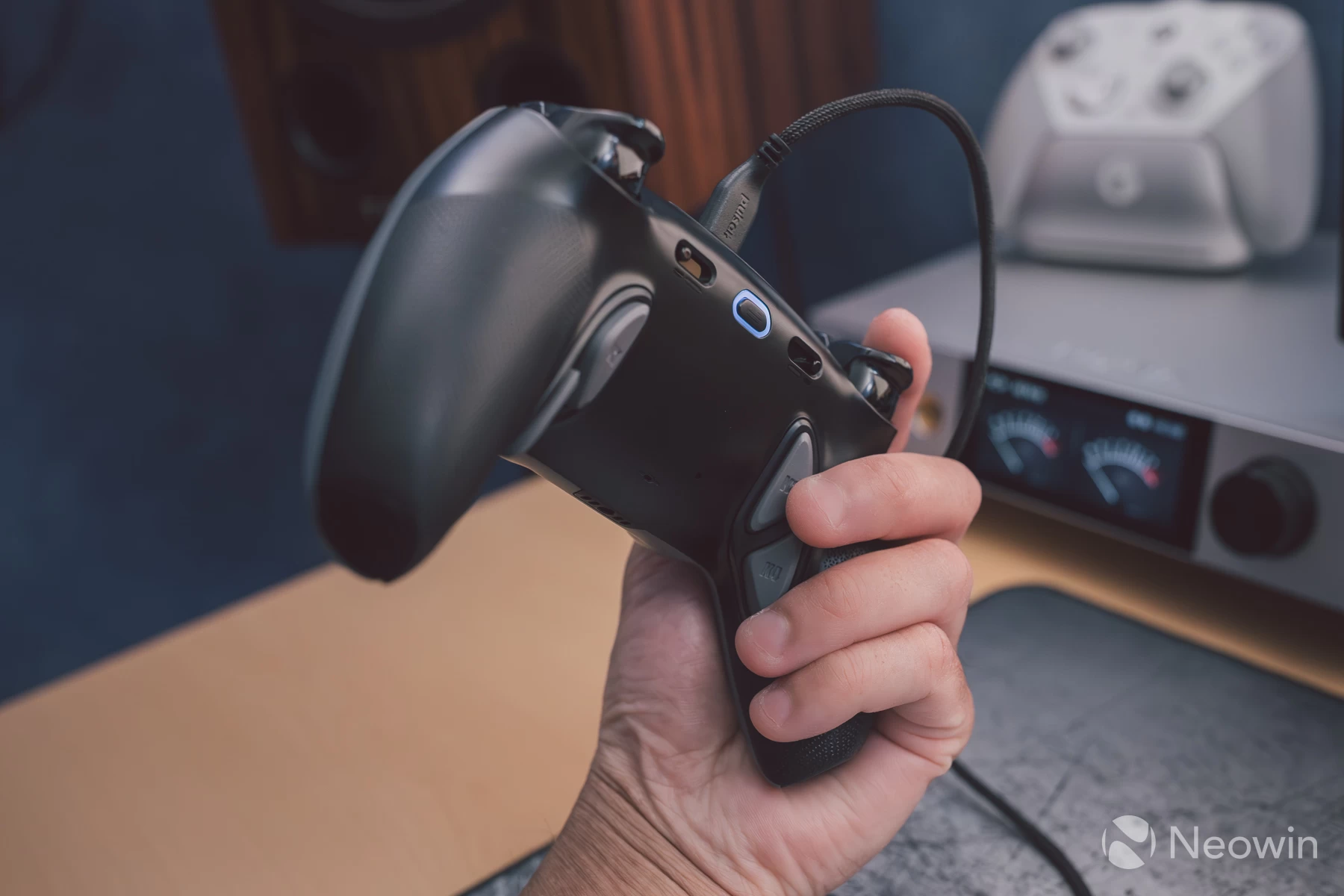
The underside receives an upgrade with re-mappable buttons, a profile switcher for those buttons that cycles between six pre-defined gaming type profiles, and mouse-click micro-switched hair trigger lockouts. All four re-mappable buttons use mouse-click micro switches, too, and placement isn't too awkward, as I found no major problems with accidental clicks with my preferred finger placement.
Here is a sample of what the micro switches sound like:
The underside of each grip is also high-quality rubber that feels great under the fingers, and in fact, I would say this grip texture and material feels more premium than that found on the G7 Pro, which also feels great.
As this is the potentiometer version of the Phantom, a pair of DriFix module adjuster tools is included in the box; these are basically just screwdrivers to turn the cross-head screws on the module for when the time comes to recalibrate for stick drift.
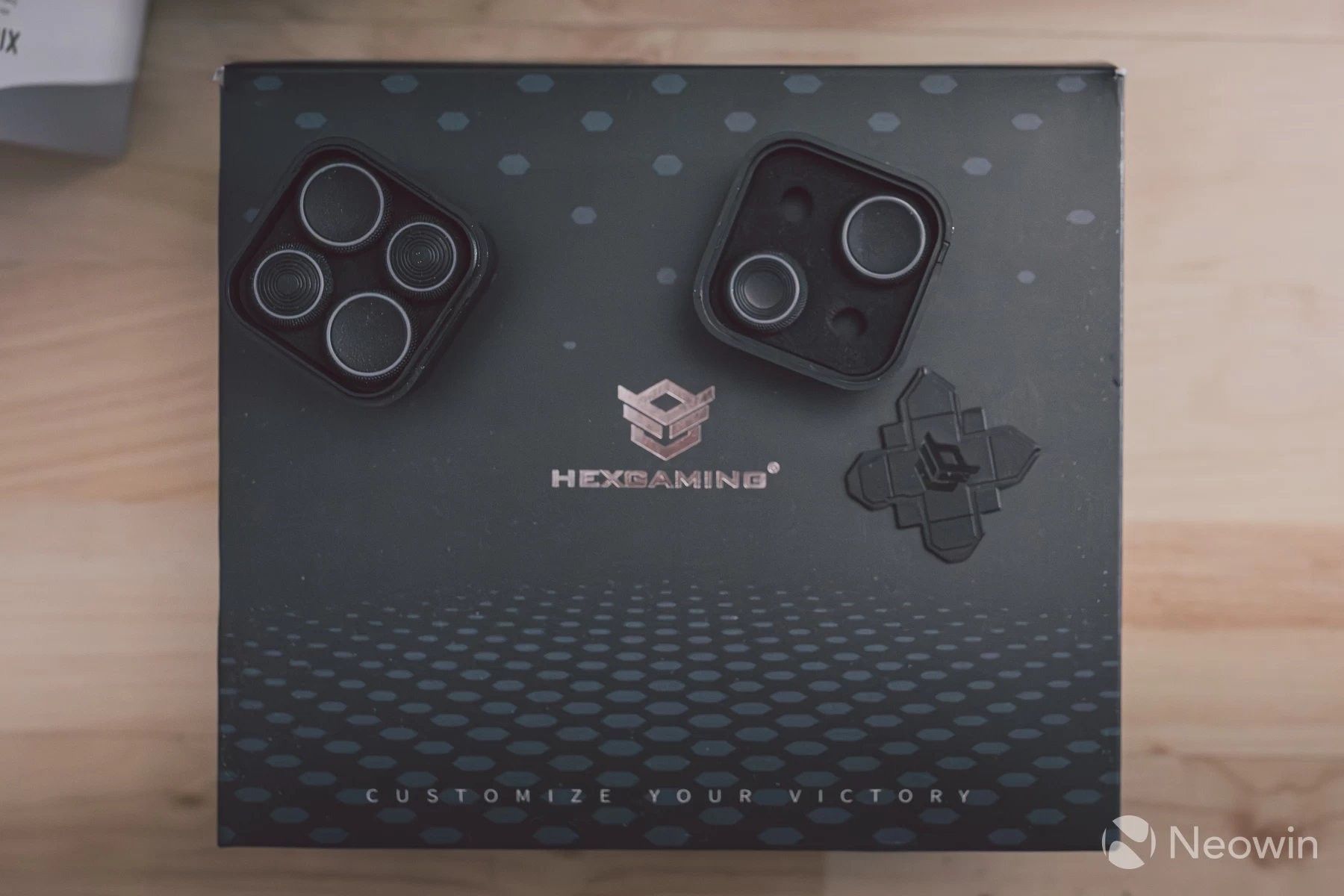
A set of eight thumbsticks is also included; these vary in shape and size, as well as stem length, though be warned that the stem necks are plastic, not metal like on the GameSir controllers. Whether this leads to faster wear over time remains to be seen.
Features
Adjusting the DriFix module to combat stick drift takes just a few simple steps.
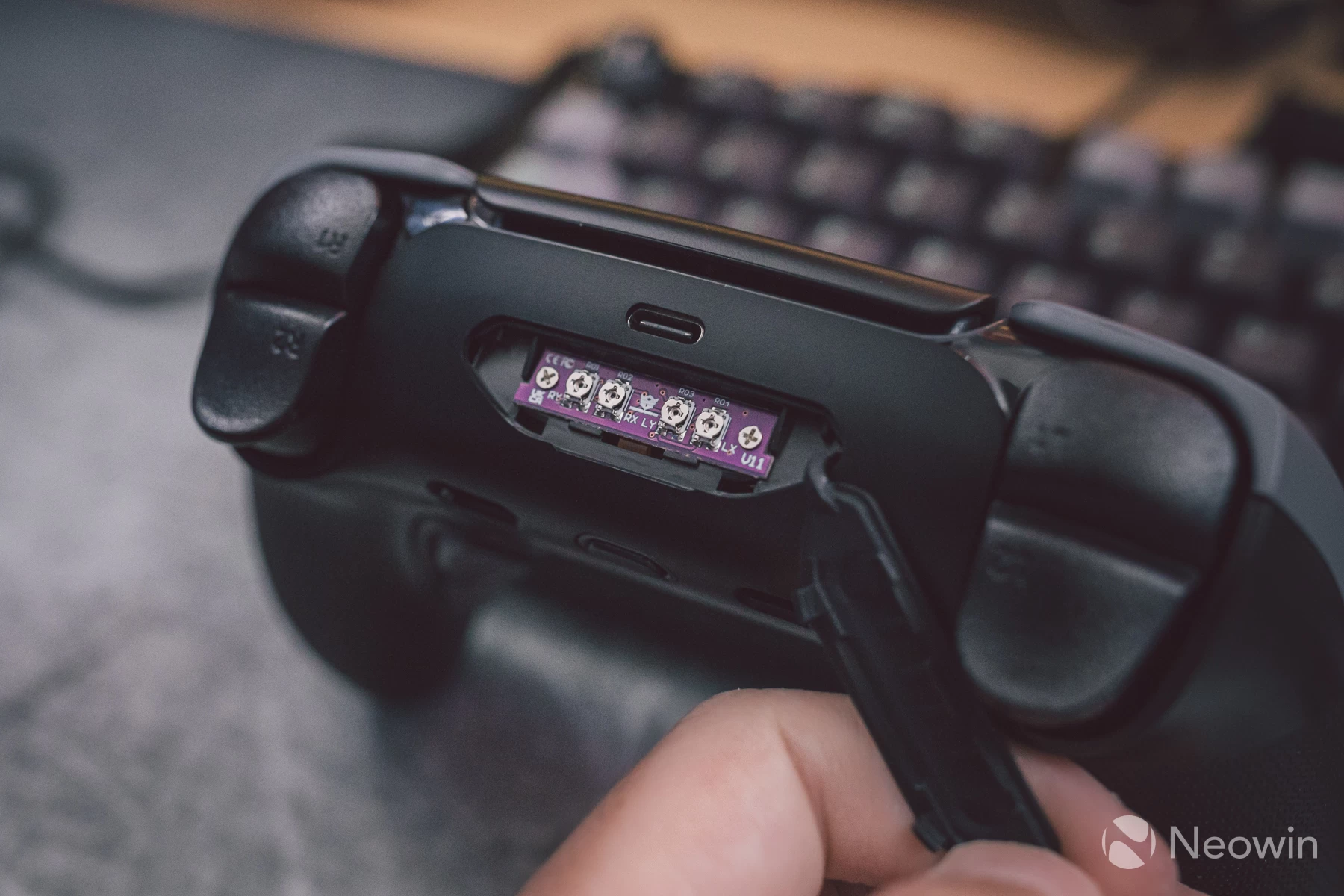
- Connect the Phantom to a computer and browse to Gamepad Tester.
- Open the flap at the back of the Phantom to reveal the module.
- Keeping an eye on the Gamepad Tester page, adjust the screws until the joysticks are centred.
That's it, easy as that. There has been some discussion on forums about whether this is actually fixing stick drift or just moving goalposts, as in, changing the boundary of where centre is registered on the potentiometers, as physical contact is how potentiometers work, and over time these contacts oxidise and wear away.
There will eventually come a point where recalibration has reached its limit, and this is why I feel the Hall effect version may be the best one of the two options for those hoping to keep the controller going beyond just several years, though this version comes at increased cost.
Some people still prefer potentiometers, though, and I respect that decision, these feel excellent in games, and dare I say it, I think I might prefer how natural they feel compared to any hall-effect or TMR stick controller I have used so far, there is no filtering being applied here either, and Hexgaming employ raw square sensor mode instead of the fake circles typically found on most controllers by default. Hexgaming has also promised to send me the hall-effect version, so I will update this review with how that feels in comparison once in-hand.
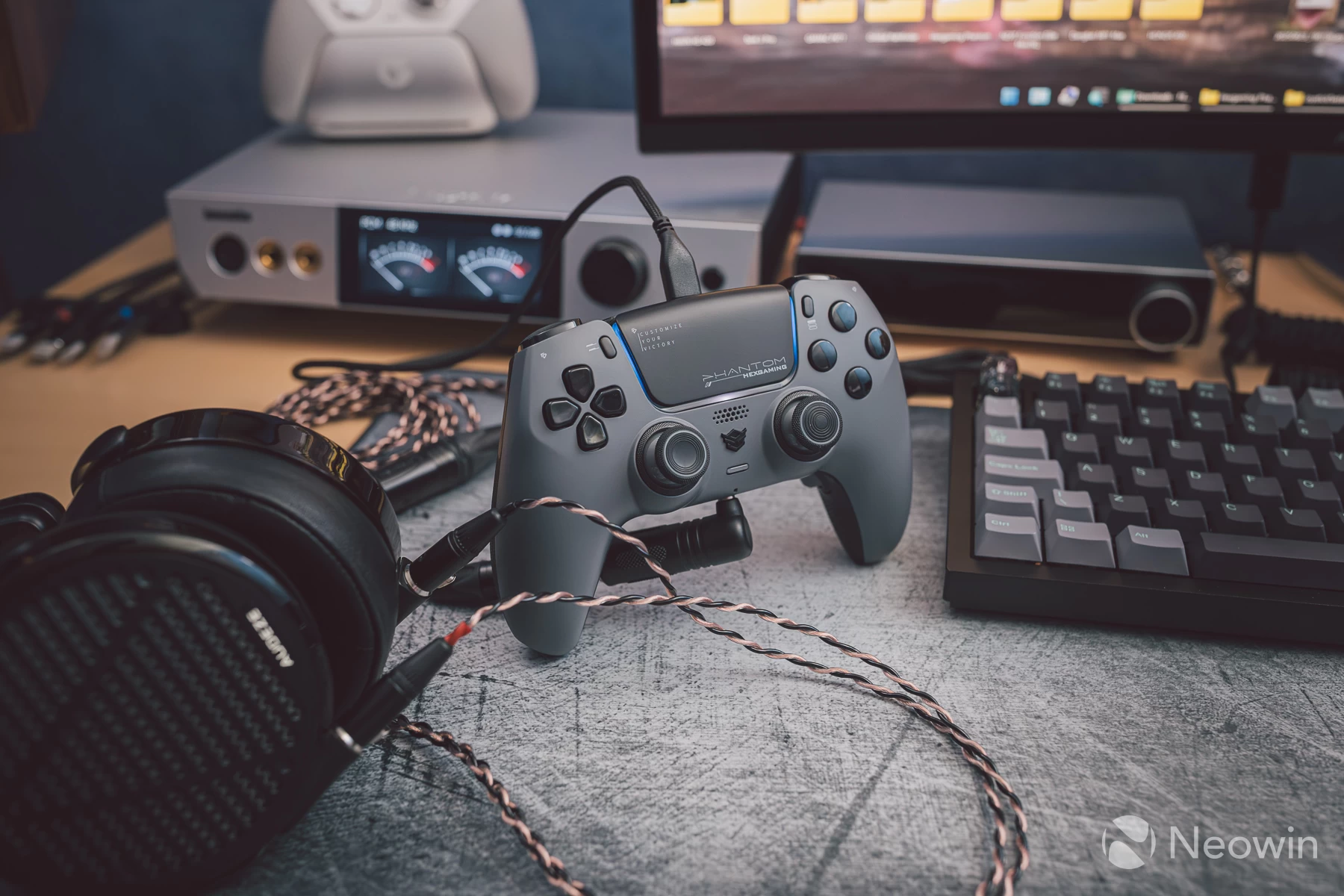
There is a 3.5mm headset jack on the underside that works flawlessly, and actually, as soon as you connect it to a Windows PC, the Phantom is detected as a sound output device. It also has a built-in speaker, which was playing game audio once I set the controller as the default output device in Windows sound settings.
Powering my planar magnetic headphones was no issue, and loudness got to comfortable levels, even on demanding headphones such as the Audeze LCD-5 shown above. The Phantom's DAC does indeed appear to be very good, although you cannot change the sampling rate from its fixed 16-bit 48KHz setting, not that this would be necessary anyway.
The only downside to using the Phantom (and any DualSense for that matter) with a pair of headphones is that there is no way to adjust volume directly on the controller like you can with Xbox licensed controllers. You must adjust it via the on-screen menu if on PlayStation, or via Windows for PC gamers.
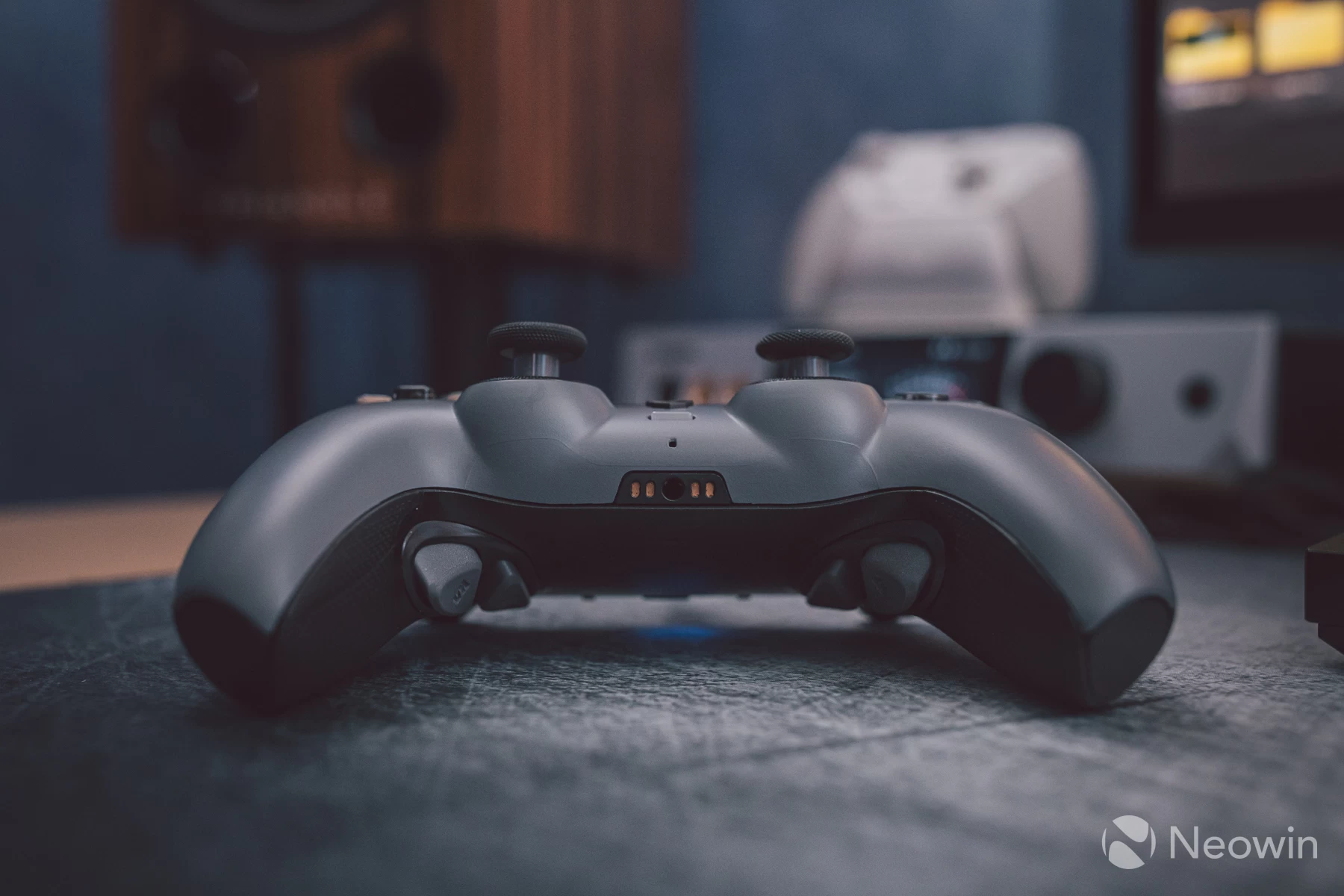
Bluetooth does feature here as well, and the polling rate is rated to 500Hz, although some have seen higher rates registered on a PC depending on the type of Bluetooth adapter being used. I tried it via a UGREEN Bluetooth 6.0 USB adapter and found I could not get higher than 31Hz polling rates, which is quite terrible.
After some research, it became clear that most USB Bluetooth adaptors are not up to the task when it comes to controller connections and high polling rates due to the cheap BT chipsets these adaptors use. The solution, if Bluetooth is your preferred method, is to install a PCIe Bluetooth adapter card inside the PC. These cost a lot more, but you then get at least 500Hz polling rates.
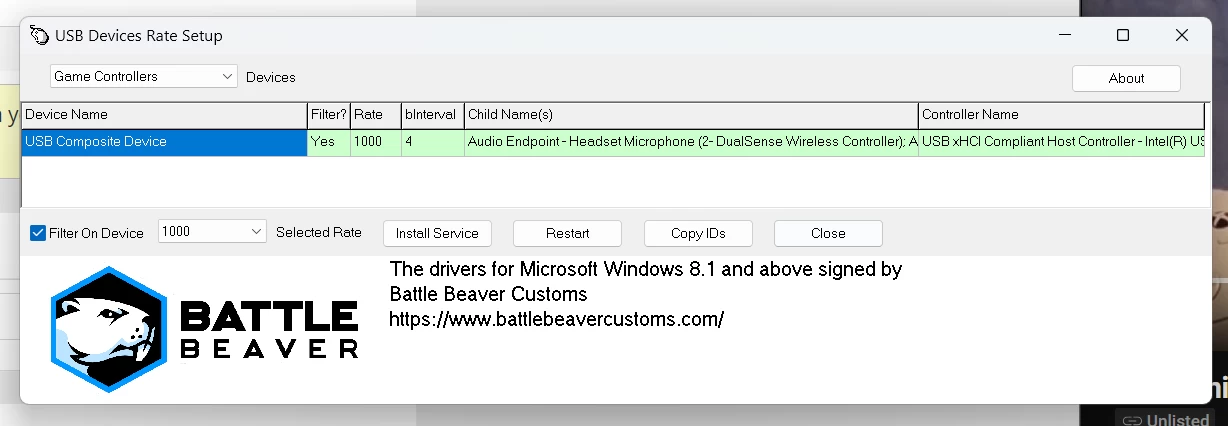
No faffing around is needed to connect to a PlayStation 5; just pair it to the console as you would a normal DualSense. I opted to stay wired for PC use, which allowed me the option to unlock the full 1000Hz polling rate by using HIDUSBF. Without this tool, the Phantom defaults to 250Hz when wired to a computer. Be sure to use the same USB port each time, as the polling rate is filtered to that port when the Phantom is connected!
Performance - Gaming
From the sandy pyramids of Giza in Indiana Jones to the grotty alleys of Detroit in RoboCop, or even fighting it out in Rivals II, the Phantom felt very responsive and comfortable. I did not miss that the main buttons were not micro switch-like on other controllers; the weight and actuation are the same as on Sony's own controllers, and this feels well-judged.
I am actually leaning on it more and more when playing fighting games like Rivals II,usually I lose a match to my nephews when we play weekly, but on the first game with us all in the same match, I managed to win by pulling off speedy responses that I have not yet been able to quite nail as precisely with Xbox shaped controllers, and I feel that is largely down to how well Sony designed the DualSense buttons and general layout.
That match was of course recorded, I play Zetterburn here:
Steam users have a nice bonus set of features to play with, too, because you can enable custom button mappings on a per-game basis. This allowed me to make use of the touchpad in games, giving the ability to map it to the right stick function to act as camera look. It's fairly responsive, and you can also have it replicate mouse movement like a trackpad if you wish:
No changes can be made to the haptics or adaptive triggers; these are exclusively controlled by the game, though Steam Input does give the option to enable or disable rumble, which is all it does. In supported titles, I found adaptive triggers and advanced haptics worked beautifully and enabled a new level of immersion that other controllers that aren't DualSense could not offer.
Other things can be directly adjusted via Steam, such as the brightness and colour of the idle LED indicators. Full gyro support is also present for games that use motion control.
I was expecting many of the more advanced features not to work properly on PC, though with native support for DualSense in many games nowadays, and Steam Input taking over where native support is absent, I was left very impressed.
There were some quirks, though, some games do require trial and error, for example, in RIvals 2, the Phantom will not even register without Steam Input being enabled, and once you do that, the glyphs in the game showing button actions and so on show ABXY instead of the PlayStation glyphs. This is one caveat of brute-forcing controller support into a game via Steam Input.
Performance - Measurements
Let's get right to it...
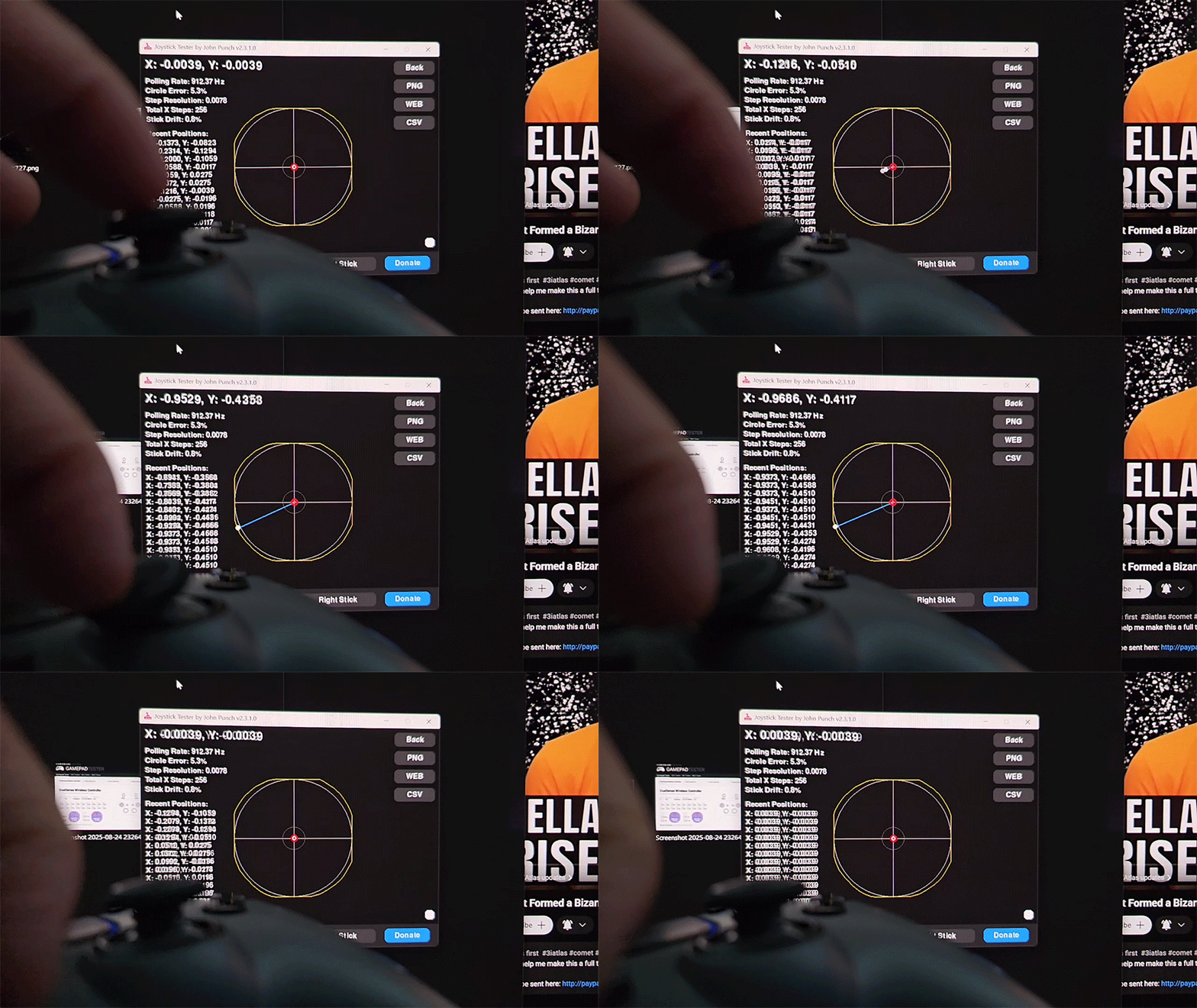
| Left stick | Right stick |
|---|---|
|
|
|
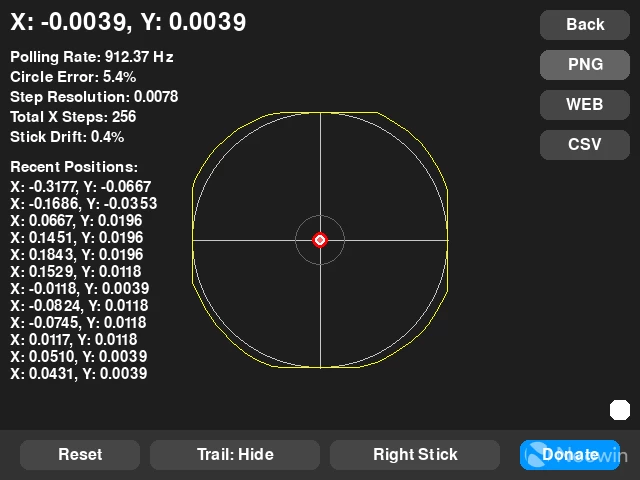
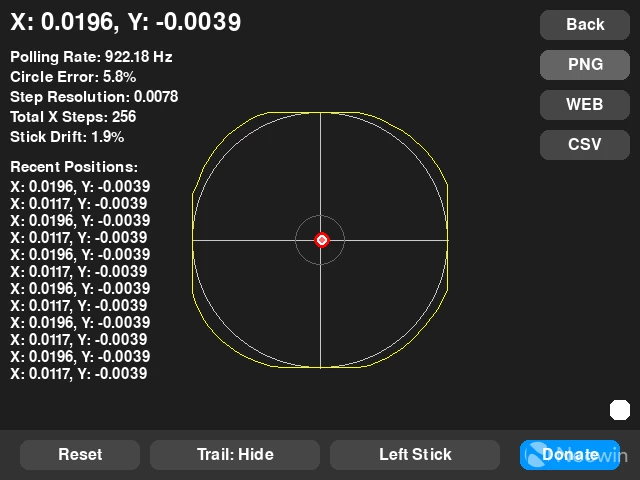
Both sticks came factory calibrated, and the idle stick drift registered very low. the only game where I observed stick drift if I set the in-game deadzones to 0% was Indiana Jones, if I set them to 4%, the drift vanished, and even at 4% I found that just the slightest touch of the right stick was able to precisely move the camera.
Notice that the circularity accuracy is under 6%, beating the GameSir G7 Pro's TMR sticks, though just slightly.
| Stock 250Hz | Unlocked 1000Hz |
|---|---|
|
|
|
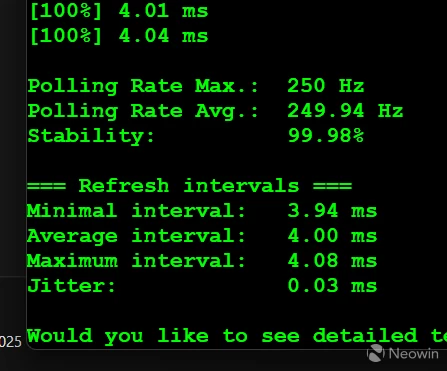
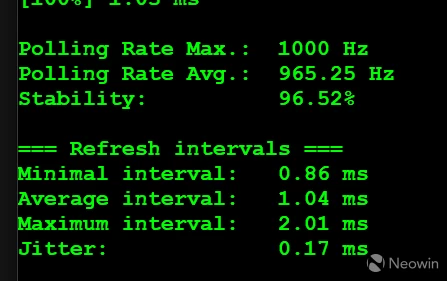
A quick synthetic polling results between the stock 250Hz and the unlocked 1000Hz revealed a measurable improvement, though in practice, I was unable to feel the difference in any game, even my slow motion bounce-back test showed similar results between stock and unlocked polling rates:
Some more research later, though I am still not 100% sure on its accuracy, revealed that the DualSense controllers can internally poll at up to 8000 times per second, even if the USB polling rate is lower. This means that even at 250Hz, the controller performs very well. My findings align with this information, so I am tending to lean on this being true, though if anyone knows otherwise, please do let us know in the comments!
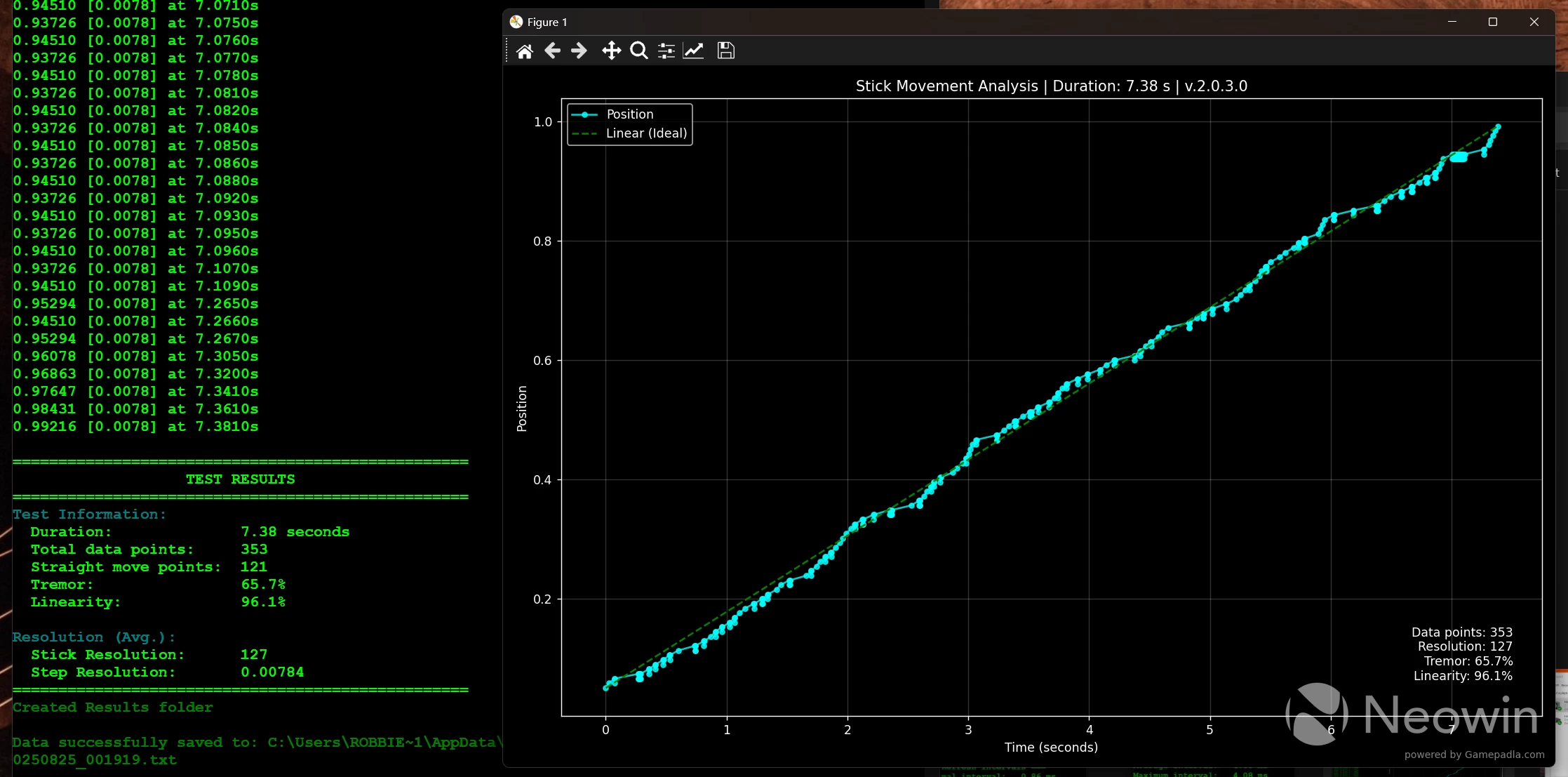
In the stick resolution test above the measures resolution is 127 points, this is considerably lower than any controller I have ever tested this way, the G7 Pro has over 3000 points on average, but here's the thing, the Phantom's sticks feel more reactive/precise, and this almost certainly is in relation to what i mentioned above about DualSense's internal polling/reporting rates and lack of filtering which can reduce responsiveness and feel.
The other thing I observed was that DualSense controllers seem to have sticks that have a slightly expanded range of physical movement than any Xbox-style controller I have used. It's not immediately obvious, but subtle enough to be noticeable in certain gameplay styles, especially when aiming a weapon quickly.
Conclusion
The Phantom has a lot going for it, a few quirks when used as a PC controller aside, it offers exceptional performance, even on the potentiometer version, with a slew of options to configure it via platforms like Steam.
It is a shame that Hexgaming did not implement a custom 2.4GHz wireless system for PC users that would afford 1000Hz like the competition, but at least high polling Bluetooth is possible for those who wish to put in some additional funds and effort to make that happen.
For me, testing with a very lightweight USB cable meant it essentially felt like a wireless controller anyway, and for those interested, the cable was one that came with an old Endgame Gear gaming mouse; similar cables come with most gaming mice these days.
The price is no doubt going to make many stomachs turn, but both Microsoft and Sony charge similar amounts for the Edge and Elite versions of their first-party controllers, so perhaps it's not such a bad deal when you are actually getting more for your money with the Phantom than what the big boys are offering.
The only thing I wish it had is the ability to remap the back buttons to anything I want on PC. GameSir has long perfected this approach, allowing full keyboard/mouse remapping to any button, so I would expect this to be the norm on any controller costing this much and marketing itself as cross-platform compatible.
I have referenced the G7 Pro throughout this review instead of the GameSir Tarantula Pro, which also has a symmetrical stick layout. This is for good reason, as that G7 Pro currently sits in my best performing TMR controller at the moment with its own set of excellent features and performance, whilst GameSir readies an update to the Tarantula Pro.
The G7 Pro is my go-to for certain games that feel best with an asymmetrical stick layout. Both G7 Pro and Phantom, at least for me, complement each other, even though the price gap between them is monumental. I have found that both symmetrical and asymmetrical are necessary depending on the games being played.
The Great Order DLC to Indiana Jones, as well as Cronos: The New Dawn, arrive this week, and both have full support for DualSense on PC. Things are about to get spooky with the Phantom being my choice to experience these new games on.
Don't forget to leave a comment for a chance to win a Phantom of your own.
UPDATE:
The giveaway winner has been randomly picked! Congratulations to SnoopZ, we will reach out directly to arrange the Phantom.
|
|
|
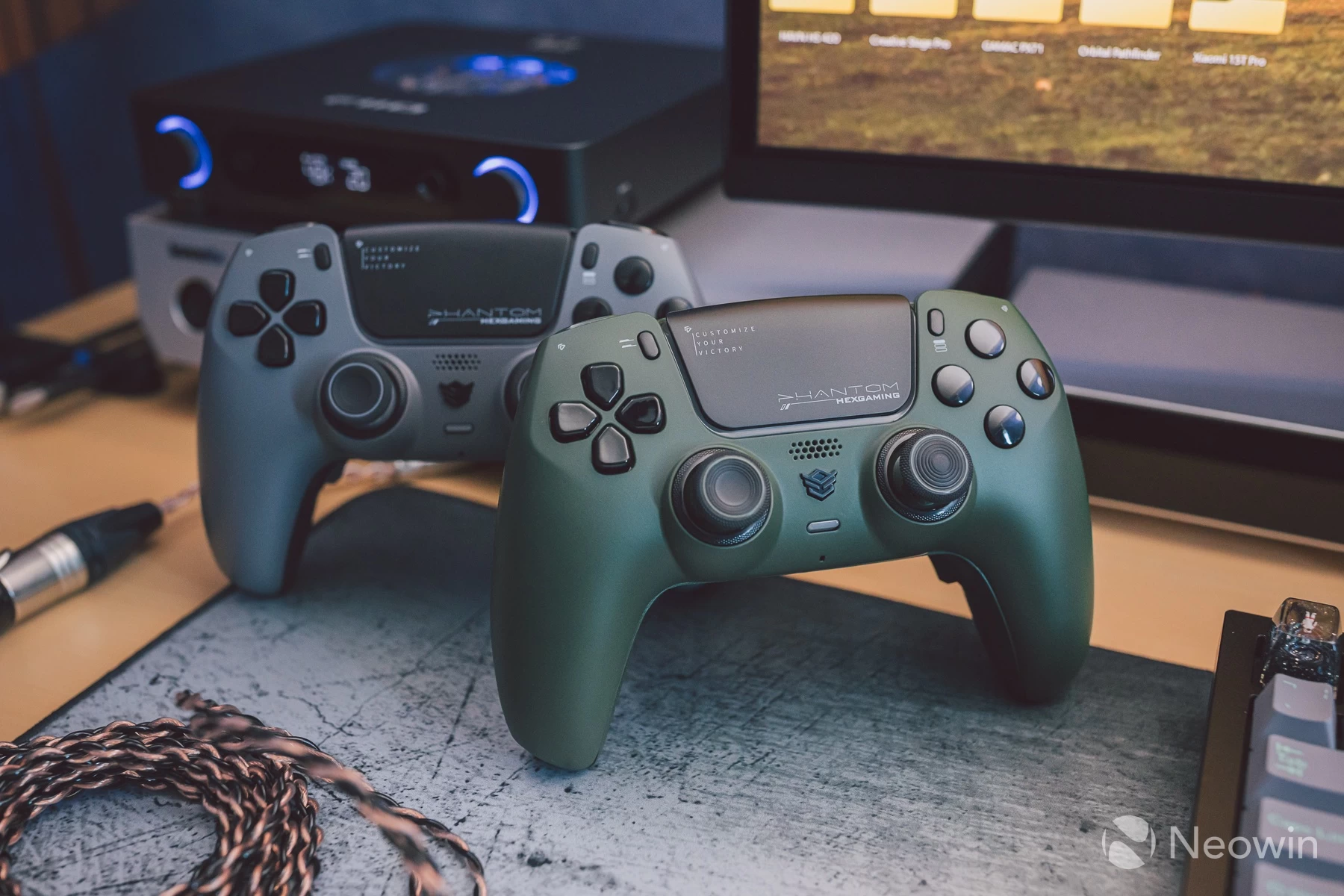
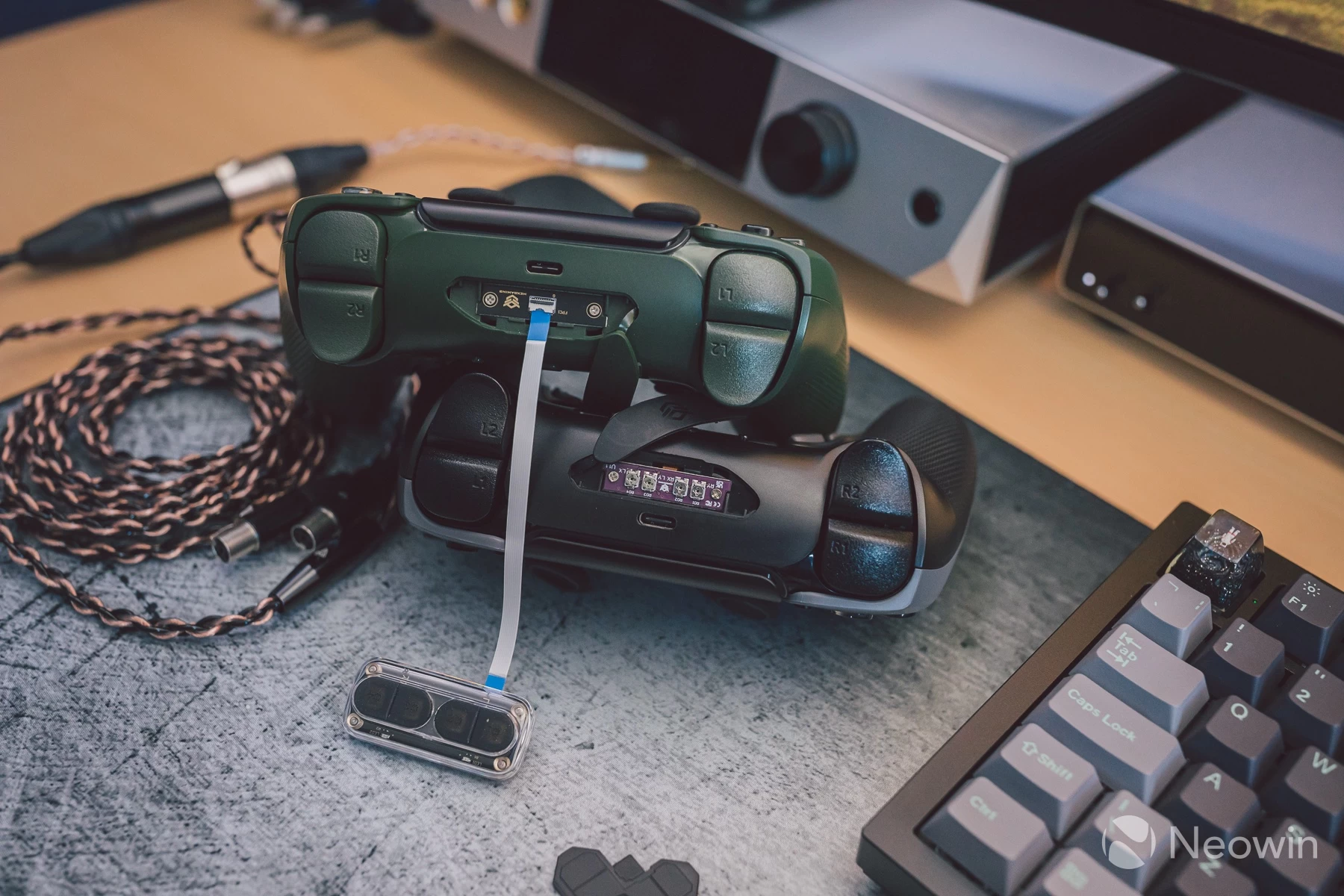
I have also been testing the hall-effect version over the last few days. I am happy to report that its stick performance feels similar to the potentiometer. The calibration module that attaches to the back via ribbon cable is slightly fiddly, though, but allows full calibration of inner drift/centering, outer reaches, circularity, cross-range, as well as adjusting the outer zone overlap if certain sections of the stick circle are not quite hitting the boundary. It's a great way to fine-tune the sticks and get near perfect results.
My sample arrived with an unsatisfactory stock calibration, the right stick did not feel natural, so I ran through the full process following the instruction manual which resulted in:
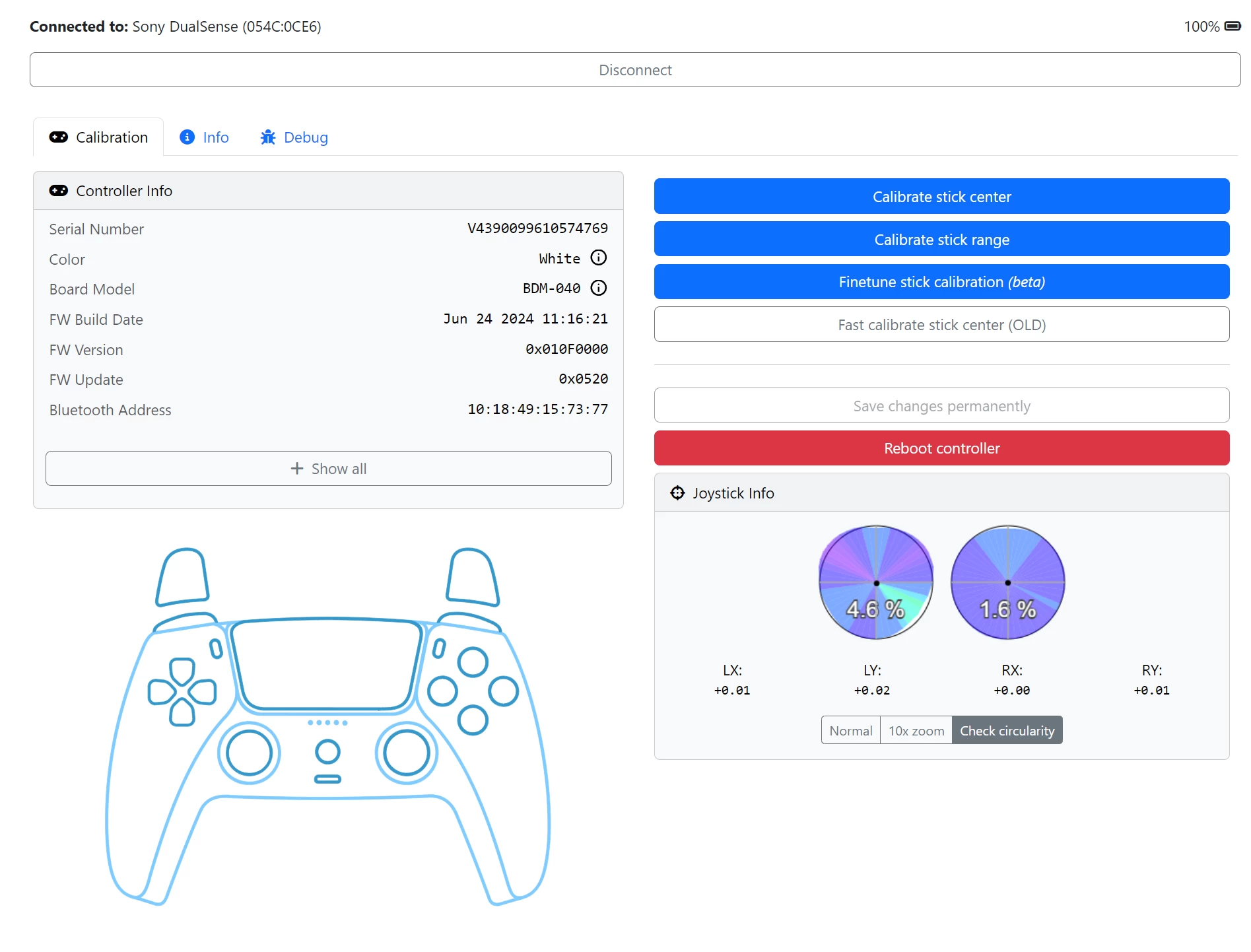
The tool shown above is the website DualShock Calibration GUI. It allows you to recalibrate normal DualSense controllers, but I would advise using the hardware modules on Hexgaming controllers as this is more precise, and follows the manufacturer's process for correct calibration.
I still think the potentiometer version has the slight edge in outright stick feel, but only just.








17 Comments
Load the comments and join the conversation!
Read the comments, ask the editors questions, show respect and join the conversation.