
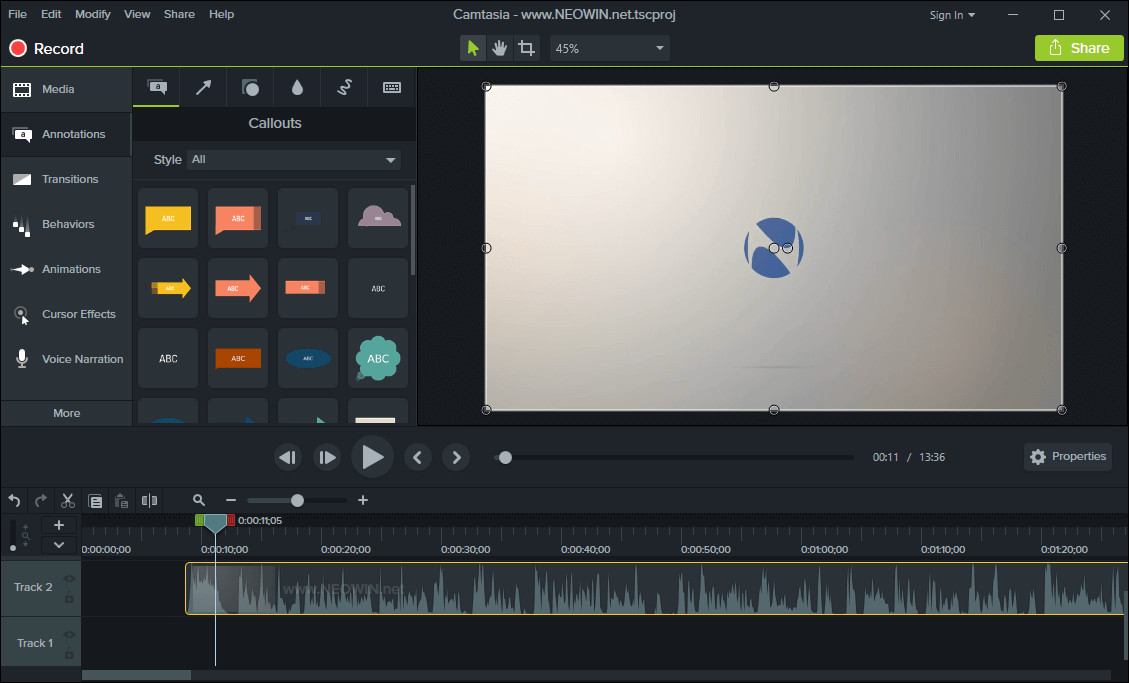
TechSmith Camtasia is the complete professional solution for high-quality screen recording, video editing and sharing. Camtasia 2025 makes editing your videos easier, and faster than ever. The new editor is packed with enhanced video processing, all-new production technology, an innovative library, and stock videos and other creative assets to help you create more polished, professional videos. No video experience needed. Anyone can create informative, engaging videos.
Create professional, eye-catching videos:
- Add special video effects - Apply Behaviors that are perfectly designed to animate your text, images, or icons. Get a crisp, polished look without being a professional video editor.
- Drag-and-drop your edits - What you see is what you get. Every effect and element in your video can be dropped and edited directly in the preview window. And you can edit at resolutions up to beautiful 4K, for clear video at any size.
- Get exceptional performance - Camtasia takes full advantage of your computer’s processor with 64-bit performance. You’ll get fast rendering times and enhanced stability—even on your most complex projects.
Camtasia 2025.2.3 changelog:
Feature Updates
- Removed the Save button from Camtasia Rev.
- Added support for vertical alignment and spacing properties with Dynamic Captions.
Updates for IT Administrators
- Improved messaging for enterprise customers to show that Screencast signin is unavailable.
Bug Fixes
- Fixed issue which caused extra log files to be written.
- Fixed a crash that could occur when sending a recording from Camtasia Rev to Camtasia Editor.
- Fixed an issue where Dynamic Caption transcript words could get duplicated after an undo.
- Fixed a bug to stop transcript keyframes from being added to Extend Frames of screen recordings and repeat in the transcript editor.
- Fixed an issue that could cause audio playback to stutter when decoding some video files.
- Fixed an issue that could cause the Cursor Scale effect to not be applied in Rev.
Download: Camtasia 2025.2.3 (64-bit) | 335.0 MB (Shareware)
View: Camtasia Homepage | Tutorials | Screenshot
 Get alerted to all of our Software updates on Twitter at @NeowinSoftware















0 Comments
Load the comments and join the conversation!
Read the comments, ask the editors questions, show respect and join the conversation.