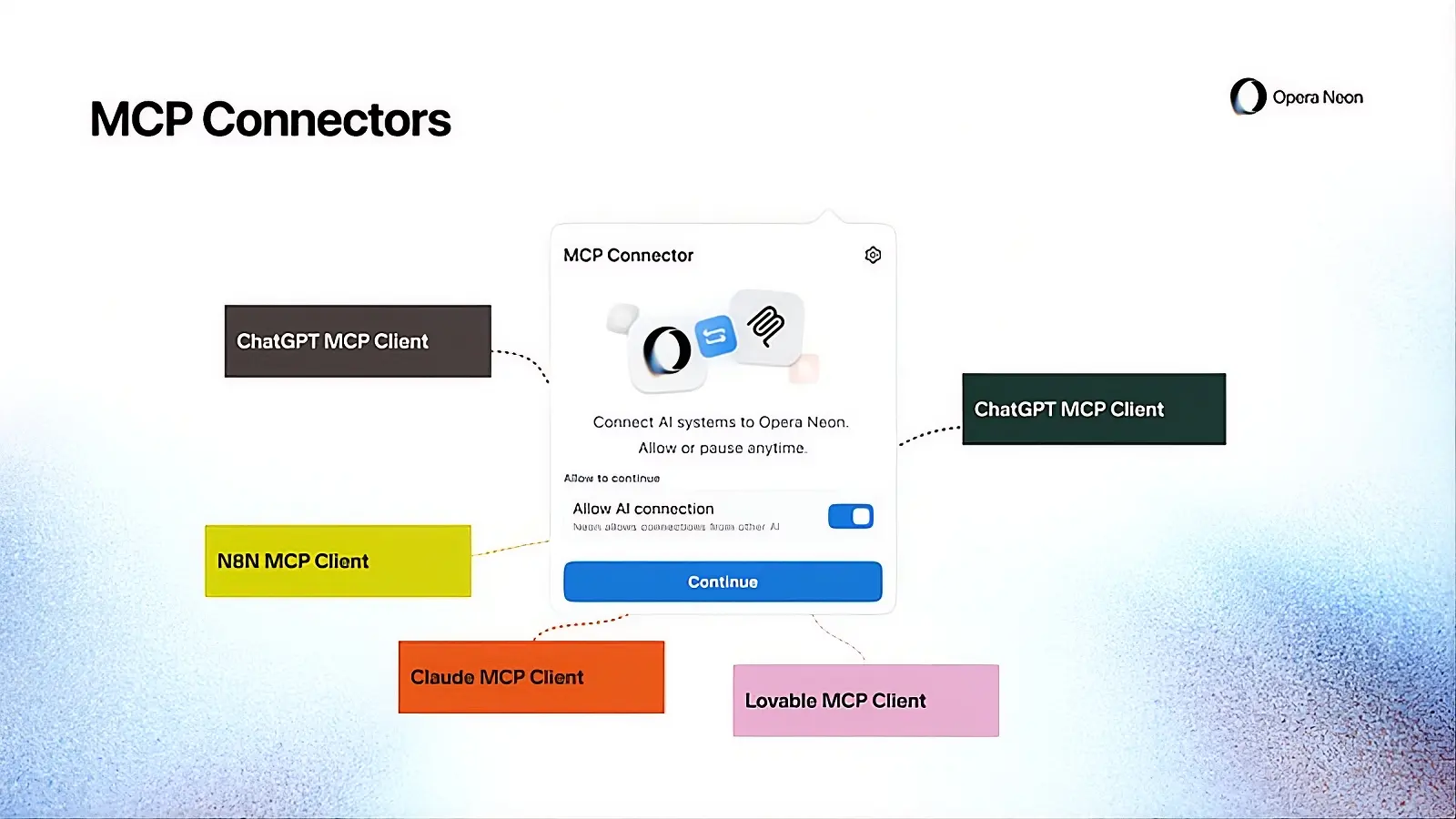
Opera has announced the availability of the MCP Connector for Opera Neon. This will allow users to enable an external AI client to connect directly to the browser, access the web, and perform actions autonomously. This will allow you to connect various AI models to your browser, including Claude, ChatGPT, Lovable, n8n, and OpenClaw.
The Norwegian company said that, unlike AI systems that operate in isolated or simulated browser environments, Opera Neon allows the AI to work within a real browser session. It also said this means you don’t need to provide context to your AI; instead, the AI is coming to the context so that it can carry out tasks with a greater understanding of what you want.
If you trust the AI to access your web browser and its contents, then this new feature can help you save time by not needing to explain things to your AI. Opera notes that this feature eliminates the need to copy content between tabs, and re-explain what you’re looking at, or restart workflows when switching tools.
Commenting on this development, Monika Kurczynska, Director of R&D for browser AI at Opera, said:
“Last year, we launched Browser Operator as a first step toward an agentic browser. Now we are opening those capabilities to external AI clients through MCP, so they can act directly inside the browser, not outside it. The browser is where workflows live, but AI has been disconnected from it. With Opera Neon, we connect popular AI clients directly to an agentic browser, so they can operate where users already work, without needing to recreate context.”
Once you give AI access to the browser, it will be able to navigate pages, extract information, capture screenshots, fill out forms, open new tabs, and perform searches.
To ensure more security, Opera ensures authentication is handled through a secure MCP server URL, and it uses a persistent proxy layer to help maintain connection stability. These measures ensure that only authorized AI clients can access the browser session.
MCP Connector is available now for all Opera Neon subscribers, and a simplified version will be implemented in Opera One and Opera GX in the future. It is worth noting that you should be extremely careful about giving AI this kind of access to your browser because of what it could do with the data it has access to.
















1 Comment
Load the comments and join the conversation!
Read the comments, ask the editors questions, show respect and join the conversation.