KeePass is a free open source password manager, which helps you to manage your passwords in a secure way. You can put all your passwords in one database, which is locked with one master key or a key file. So you only have to remember one single master password or select the key file to unlock the whole database. The databases are encrypted using the best and most secure encryption algorithms currently known (AES and Twofish).
KeePass is really free, and more than that: it is open source (OSI certified). You can have a look at its full source and check whether the encryption algorithms are implemented correctly.
KeePass features:
- Strong Security
- Multiple User Keys
- Portable and No Installation Required, Accessibility
- Export To TXT, HTML, XML and CSV Files
- Import From Many File Formats
- Easy Database Transfer
- Support of Password Groups
- Time Fields and Entry Attachments
- Auto-Type, Global Auto-Type Hot Key and Drag&Drop
- Intuitive and Secure Clipboard Handling
- Searching and Sorting
- Multi-Language Support
- Strong Random Password Generator
- Plugin Architecture
- Open Source!
Changes from 2.61 to 2.61.1:
- Improved workaround for focus bug after returning from a secure desktop.
- Improved initial application of the 'Always on Top' option.
- Improved dialog management.
- Improved HTML viewer initialization.
- Reduced flickering in the 'Print' dialog.
- The option 'Unhide empty data' (in 'Tools' → 'Options' → tab 'Advanced') is now turned on by default.
- Improved filtering in the field reference creation dialog.
- Improved disposal of process objects.
- Improved performance of the initial key modifier release when performing auto-type on Unix-like systems with XDoTool.
- File transactions where the base file does not exist yet and is accessed via a URL do not fail anymore.
- Various code optimizations.
- Minor other improvements.
Download: KeePass 2.61.1 | MSI Setup | ~3.0 MB (Open Source)
Download: Portable KeePass 2.61.1 | 2.7 MB
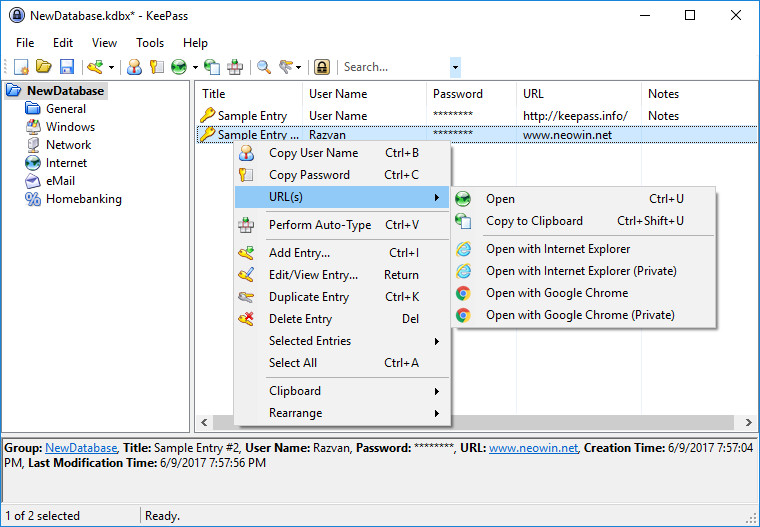
Links: KeePass Website | Other Operating Systems | Screenshot
 Get alerted to all of our Software updates on Twitter at @NeowinSoftware

















0 Comments
Load the comments and join the conversation!
Read the comments, ask the editors questions, show respect and join the conversation.