Some of you may know that I like to explore Windows utilities that are not always visible or advertised to the user. Some examples of this are Problem Steps Recorder, Character Map, and Phone Dialer. I have discovered most of these either by chance, or while researching for an article, or while simply browsing some online forum. Once again, this is because most of these obscure tools aren't really advertised to regular consumers for one reason or the other. Now, imagine my surprise when I found out that Windows actually has an entire dedicated section for native utilities integrated in the OS.
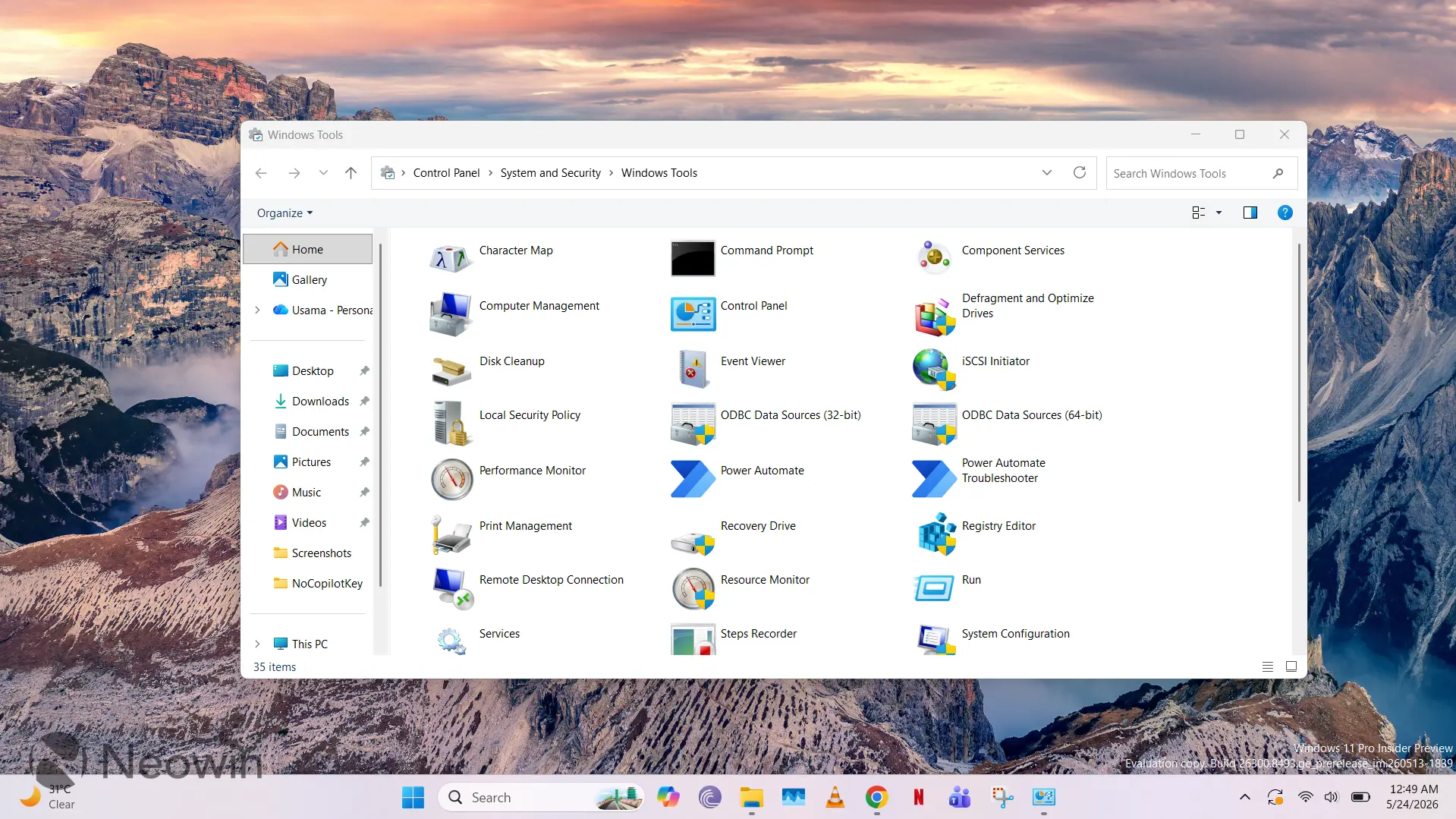
I came across the "hidden" Windows Tools interface while browsing the r/windows11 subreddit. The "hidden" is in quotation marks because it's not actually hidden; it's just not actively surfaced to consumers. If you type Windows Tools in Search or navigate to Control Panel\System and Security\Windows Tools, you'll be able to open it with ease. I did not know about this at all, but it's apparently been present in older versions of Windows too. A Redditor has a screenshot from Windows 2000 Professional when Windows Tools was dubbed Administrative Tools.
While I was initially excited that I had discovered some legacy UI to explore once again, it's primarily just a section that hosts shortcuts to a bunch of tools. I have listed the items present in my installation below:
- Character Map
- Command Prompt
- Component Services
- Computer Management
- Control Panel
- Defragment and Optimize Drives
- Disk Cleanup
- Event Viewer
- iSCSI Initiator
- Local Security Policy
- ODBC Data Sources (32-bit)
- ODBC Data Sources (64-bit)
- Performance Monitor
- Power Automate
- Power Automate Troubleshooter
- Print Management
- Recovery Drive
- Registry Editor
- Remote Desktop Connection
- Resource Monitor
- Run
- Services
- Steps Recorder
- System Configuration
- System Information
- Task Manager
- Task Scheduler
- Windows Defender Firewall with Advanced Security
- Windows Fax and Scan
- Windows Media Player Legacy
- Windows Memory Diagnostic
- Windows PowerShell
- Windows PowerShell (x86)
- Windows PowerShell ISE
- Windows PowerShell ISE (x86)
As I scrolled through the list, I realized that I was aware of most of the Windows utilities listed already. However, there were a few surprises. For example, I have no idea what iSCSI Initiator is, and while I can guess what Local Security Policy does, I confess that I've never seen or used it before.
Additionally, the software hosted in this Windows Tools interface does not appear to be exhaustive. And despite searching, I have not been able to find concrete documentation about the criteria that a software must pass in order to be listed here. It most definitely has to be a first-party software and likely needs to have some administrative purpose, but it's unclear what other requirements are mandated. For example, Group Policy Editor, which meets both of the assumed requirements above, is not listed here.
Overall, it's an interesting section that I wasn't aware of at all, but most of the utilities listed are quite common and accessible. There are some unknown variables in there for me, but I'll try and dig a bit deeper into this over the coming days and will share my findings here on Neowin if I come across anything interesting. In the meantime, if you have some fascinating tidbit to share regarding this interface, sound off in the comments below!

















68 Comments
Load the comments and join the conversation!
Read the comments, ask the editors questions, show respect and join the conversation.