
Files is among the best File Explorer alternatives for Windows 10 and 11. This free app is packed with all sorts of features and conveniences, but there is one crucial feature that is still missing—Tree View. Fortunately, the latest update in the Preview channel finally delivers it.
With version 4.1.4, which is now available for download in the Preview channel, developers implemented Tree View, a new mode that displays folders in an expandable hierarchy. Windows 11's stock File Explorer always had this feature, but it was nowhere to be found in Files until now. Starting with the latest preview update, you can expand each drive and its nested folders without leaving the current location and then open the folder you need in the main view.
To try Tree View in Files, update the app to the latest preview version, then click the small arrow next to a drive to expand its content. The developers say they are rolling out Tree View in Preview first to gather feedback from users and improve the feature before bringing it to all in the stable channel.
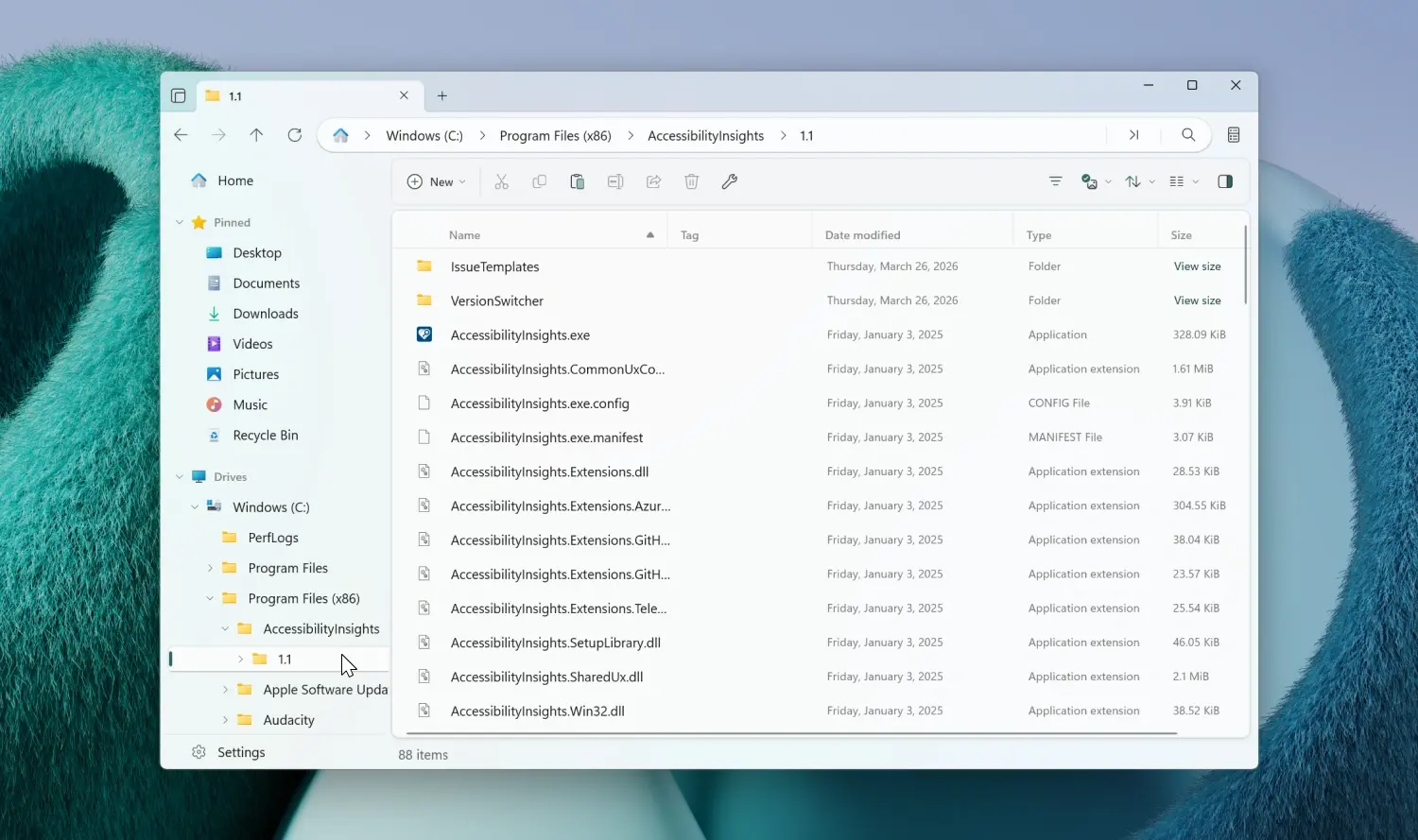
In addition to Tree View, Files 4.1.14 improves the Windows Fonts folder. You can now preview each font directly in Files with no need to open the built-in font viewer.
For now, these two features are only available in the Preview channel. For those using the stable release, developers recently released version 4.1.3, with improvements for the built-in tag system, on-demand folder size calculation, and plenty of various fixes. You can check out the full release notes here.
You can download Files from the Microsoft Store (paid version) or its official website (free).

















2 Comments
Load the comments and join the conversation!
Read the comments, ask the editors questions, show respect and join the conversation.