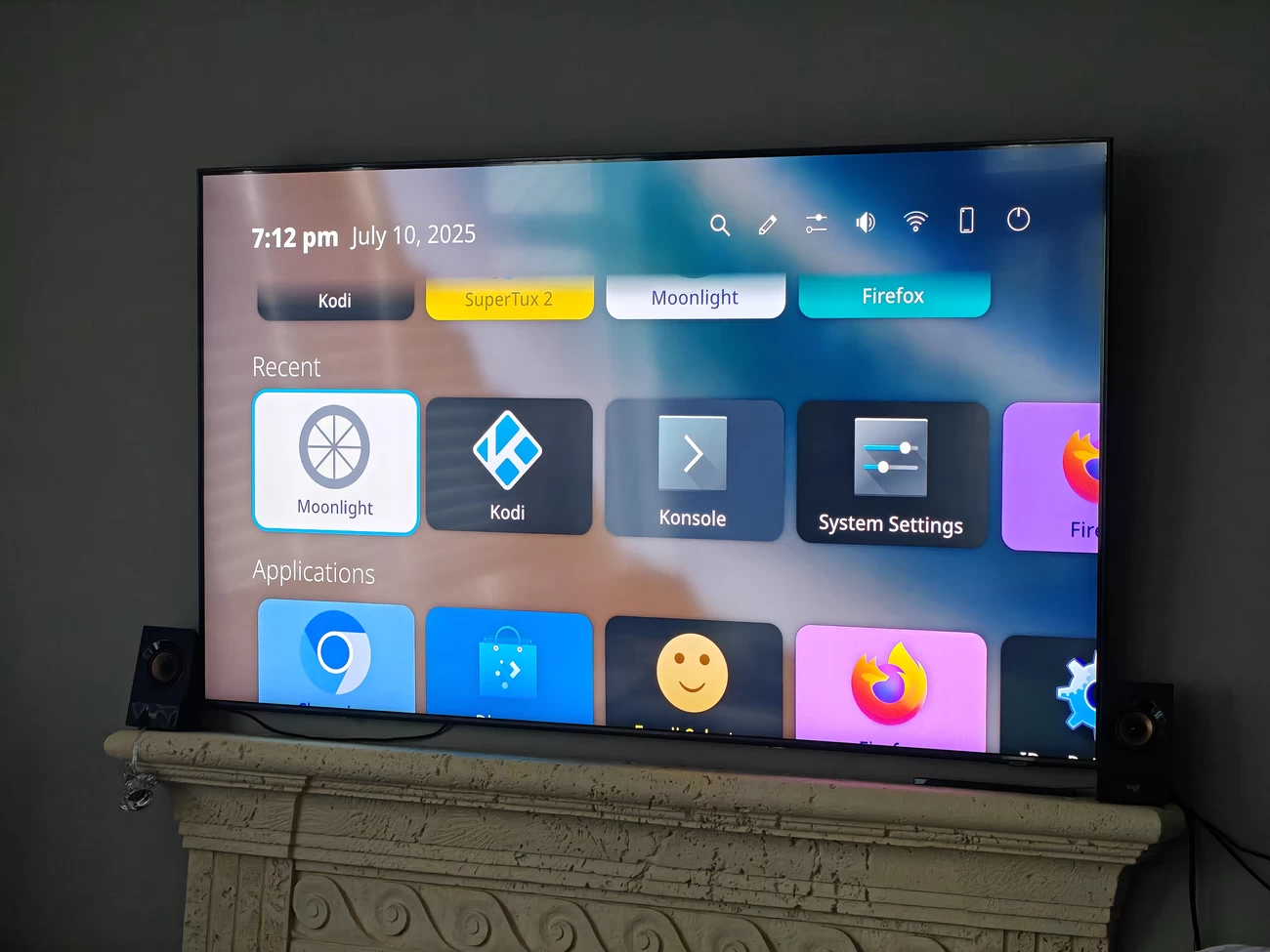
Lately, some KDE projects have seen a revival, like Karton (the native virtual machine manager for KDE) and the improved ISO Image Writer. Now, another abandoned KDE project, Plasma Bigscreen, is looking to return from the dead after long-time Plasma Mobile contributor Devin decided to spend a week overhauling the thing.
If you have not heard of it, Plasma Bigscreen is a Plasma shell for televisions, with original support for the now-defunct Mycroft AI assistant. It used to provide a simple launcher for apps and custom "Mycroft Skills" before development stalled, causing most distributions to drop it.
The project was left behind during the big transition to Plasma 6 last year because no one had ported it in time for the megarelease. After a friend of his started poking at the code, Devin stepped in to tackle the much-needed work.
He started by cleaning up the repository and then jumped into redesigning the interface, drawing inspiration from older Breeze mockups. The homescreen has been flattened, removing panel backgrounds. Here's a before-and-after comparison (click to enlarge):
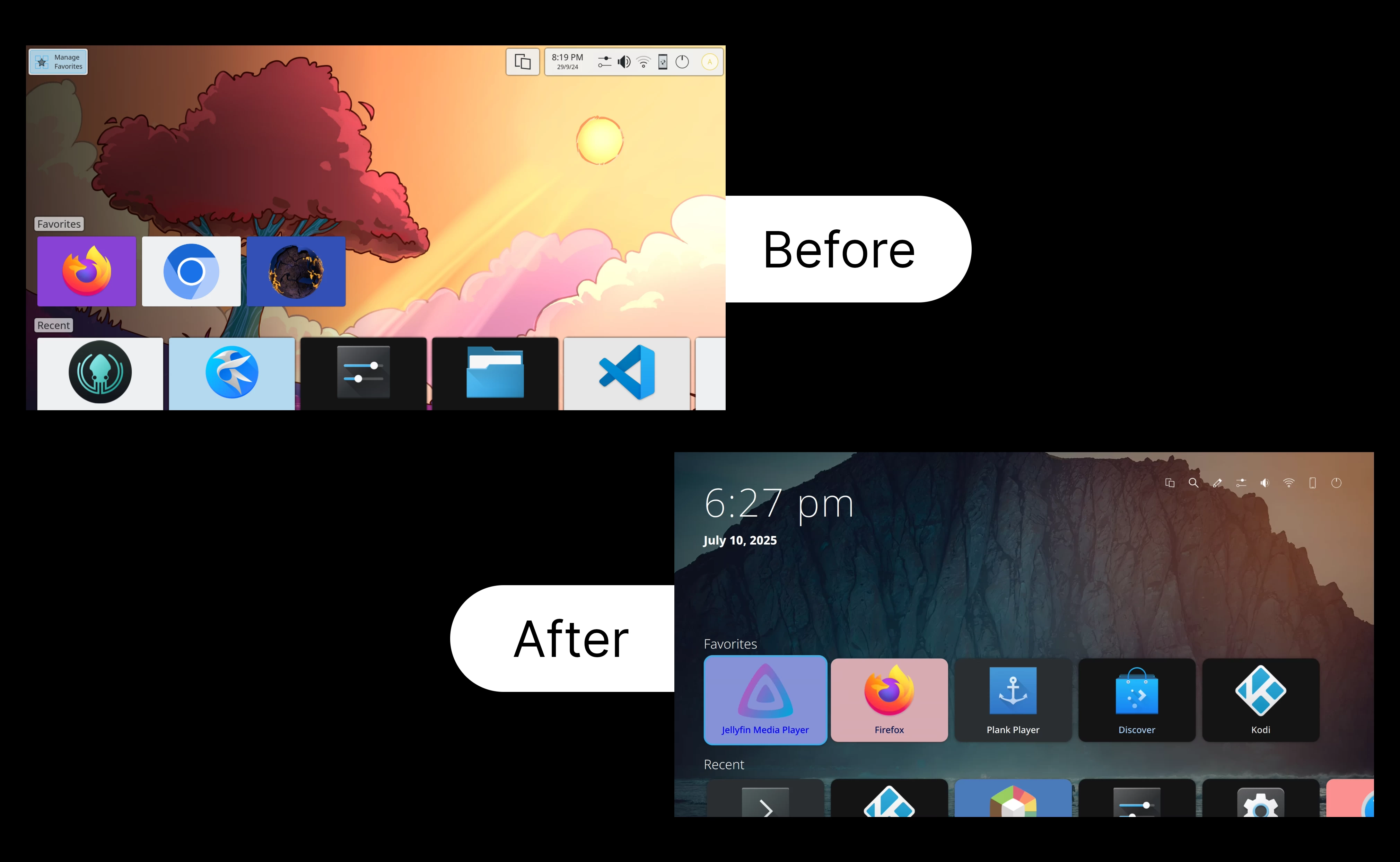
One of the more visible changes is that the UI now has a background blur when you are navigating menus, giving focus to the foreground elements.
For actually finding what you want to run, you are no longer stuck scrolling through a long list, as Devin added a new search view, searching using KRunner to quickly find and launch applications.

The Settings application also got a complete redesign, adopting a simple two-pane look with a sidebar for categories. A lot of the settings modules (KCM) used hardcoded layouts, so Devin built a small component library for TV-focused UIs and ported everything over.

The rewritten Display KCM now uses the libkscreen backend, and the Wi-Fi and KDE Connect modules have been fixed and updated. Startup feedback for launching applications was also broken, and when you start up an application, a small animation now plays, similar to the one on Plasma Mobile.
For anyone who wants to test this out, you can do as Devin did by installing Plasma Bigscreen on a Raspberry Pi using postmarketOS, though you would have to compile it yourself or pull from the nightly repos to get the latest changes.
Applications like Kodi and VacuumTube (smart TV version of YouTube) work well with remote navigation, and some games like SuperTuxKart are playable.

Controller support exists, but getting TV remotes to work over HDMI CEC is still untested. The project is far from finished; it still needs an arrow-navigable virtual keyboard and a clearer long-term direction now that Mycroft is gone. Still, the goal is to get it back into the official Plasma release schedule, possibly for version 6.5.

















7 Comments
Load the comments and join the conversation!
Read the comments, ask the editors questions, show respect and join the conversation.