
Earlier this month, Microsoft released the October 2025 security update for Windows 11, and with it, the company changed how File Explorer works with files downloaded from the internet. Now, the preview feature no longer works with stuff downloaded from the internet due to security reasons. In a newly published support document, Microsoft explained why it had to implement this change.
Microsoft says that file preview was disabled to fix a vulnerability that could leak NTLM hashes when working with potentially unsafe files. If the user previews a file with HTML tags that reference an external path, attackers could capture sensitive data, such as user credentials. Now, file preview is disabled by default for files with "Mark of the Web" to make sure the vulnerability is closed. As such, an attempt to preview a file downloaded from the internet results in the following message:
The file you are attempting to preview could harm your computer. If you trust the file and the source you received it from, open it to view its contents.
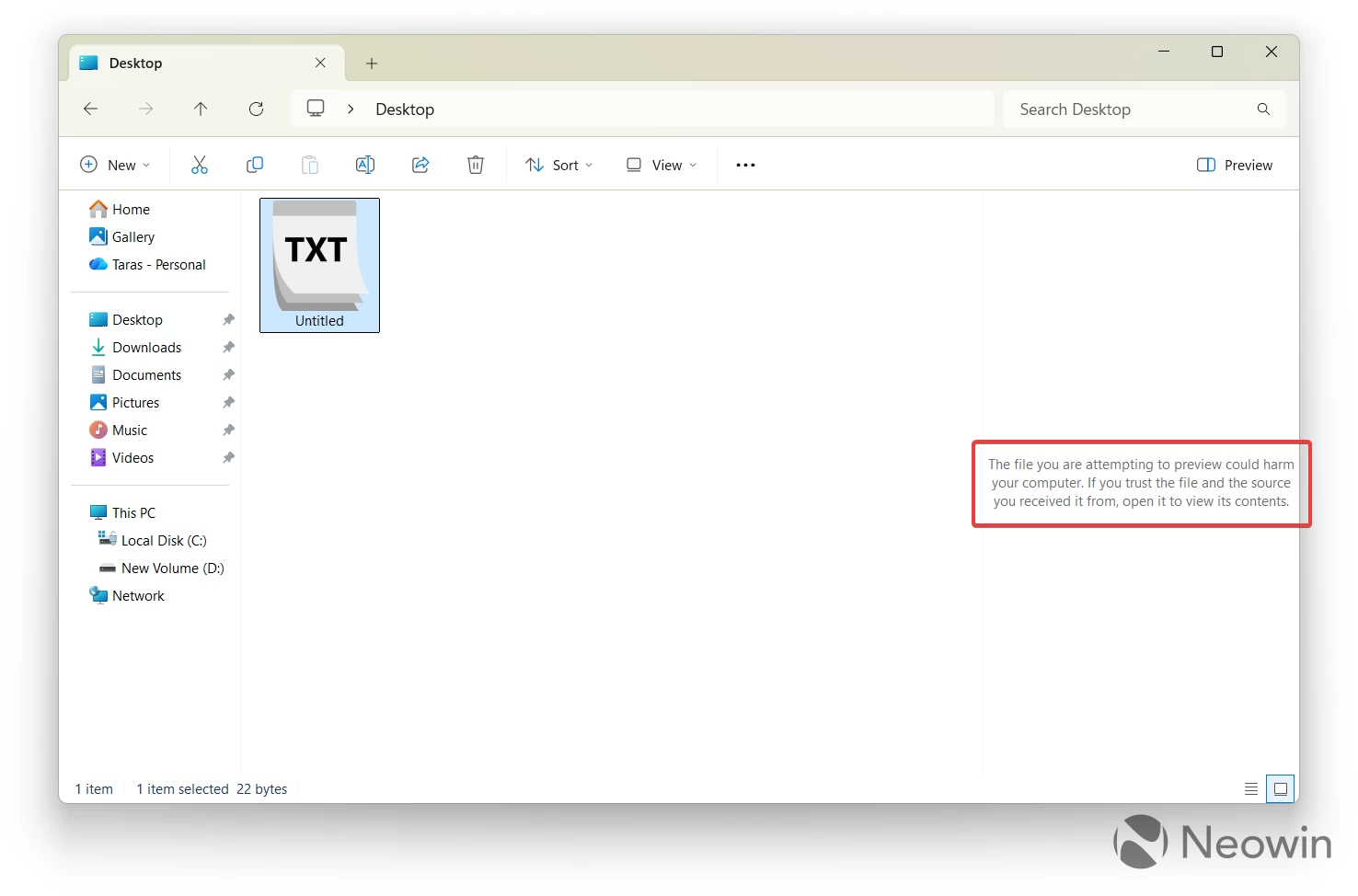
If you trust the file and its source, you can remove the Mark of the Web tag by right-clicking a file, selecting "Properties," and clicking "Unblock." It is also worth adding that the change does not affect your ability to open downloaded files or other workflows.
The preview feature is now disabled for files downloaded from the internet on Windows 11, Windows Server 2012, Windows Server 2012 R2, Windows Server 2016, Windows Server 2019, Windows Server 23H2, and Windows Server 2025. It does not apply to Windows 10, which is now unsupported unless you are willing to enroll your device in the Extended Security Updates program. The latter gives you 12 months of security-only updates, while business customers can pay Microsoft for up to three years of such updates.
You can find the support article for the latest File Explorer change here (KB5070960).
















5 Comments
Load the comments and join the conversation!
Read the comments, ask the editors questions, show respect and join the conversation.