Microsoft has released a new Windows 11 build for Insiders flighting the Canary channel. The new build, 27919, brings a new refreshed UI/UX for the Search page in the Settings app.
Alongside that, the company also fixes multiple bugs including one wherein File Explorer would crash if a user accessed the digital signature information via the right-click context menu. The build also has plenty of known issues too including one where multiple errors would pop up when working with the Group Policy editor, as well as a multi-monitor issue in remote desktop applications.
The full changelog is given below:
[Windows Search]
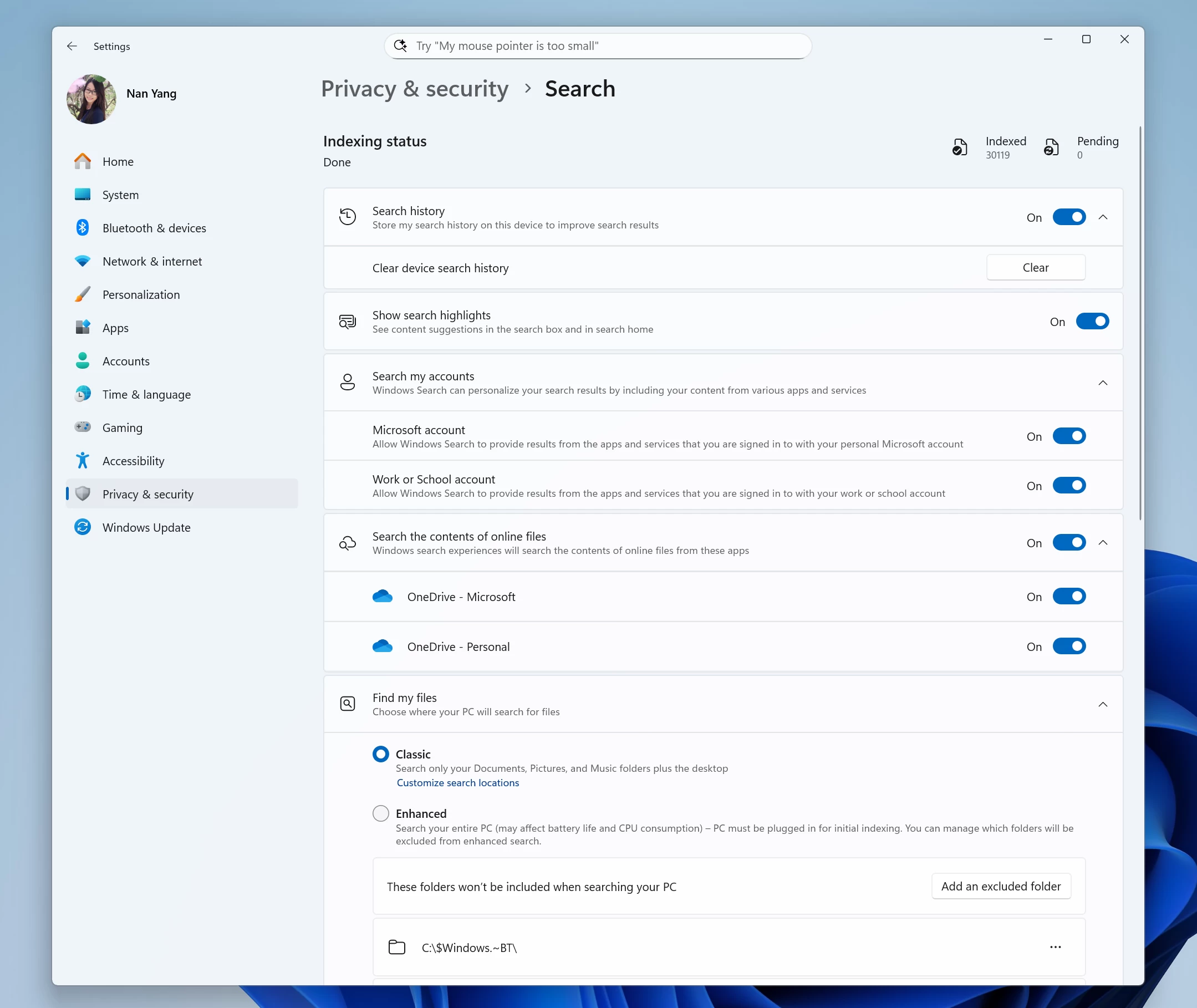
- Today, we rationalize and organize Windows Search settings under Settings > Privacy & security under a “Search permissions” settings page and a “Searching Windows” settings page. We are beginning to roll out a change that brings those two settings pages together so you can easily access to all the Windows Search settings under a single settings page via Settings > Privacy & security > Search. The page is refreshed with a new modern visual for you to clearly browse the settings and control your experiences inside Windows Search, with the items listed in a better order.
The bug fixes are as follows:
[File Explorer]
- Fixed an issue where File Explorer might crash when trying to view the digital signatures tab in the properties for a file.
[Input]
- Fixed an issue which was causing the Microsoft Changjie Input method to not work properly in the previous build.
- Fixed an issue which was causing phonetic keyboards, such as the Hindi Phonetic Input keyboard and the Marathi Phonetic keyboard, to not work properly in the previous build.
Finally, the known issues are:
[General]
- [IMPORTANT NOTE FOR COPILOT+ PCs] If you are joining the Canary Channel on a new Copilot+ PC from the Dev Channel, Release Preview Channel or retail, you will lose Windows Hello pin and biometrics to sign into your PC with error 0xd0000225 and error message “Something went wrong, and your PIN isn’t available”. You should be able to re-create your PIN by clicking “Set up my PIN”.
- The progress wheel may show as a rectangle glyph instead of rendering correctly when upgrading to this build.
- [NEW] You may see multiple error pop ups about unexpected elements when opening Group Policy Editor.
- [NEW] There’s an underlying issue with dao360.dll in this build which may result in some apps crashing.
[Remote desktop]
- [NEW] There’s an issue starting with the last build where remote desktop only uses your primary monitor even if it’s configured to use multiple monitors.
You can find the official blog post here on Microsoft's website.















0 Comments
Load the comments and join the conversation!
Read the comments, ask the editors questions, show respect and join the conversation.