It has been a week since Microsoft released Windows 11 version 25H2, the newest feature update for the OS. In case you weren't sure, the tech giant assured that it is fairly easy to upgrade using the required Enablement Package (eKB5054156).
The company also shared a full list of new features that the major update brings. However, not every promised feature made it as Microsoft confirmed that an important office-side feature called Administrator Protection is not here yet.
On the flip side, Microsoft has been adding in some new features too that were not previously announced when the new 25H2 feature update was released via KB5065789, Build 26200.6725 (Build 26100.6725 on 24H2).
Finally, multi-monitor users will be able to get the notification center on their secondary displays. The feature will probably be quite handy indeed for those who use two displays for work or play.
Now Microsoft is adding yet another new feature and this time it is specifically for developers or power users. The company has updated the changelog for KB5065789 (Build 26100.6725) to add that its new Edit CLI text editor is available now on Windows 1125H2 and 24H2:
"[Command line] New! Windows now includes Edit, a text editor you can use from the command line. To edit a file, open the Terminal app and type edit followed by the file name. Edit is open source and available on GitHub."
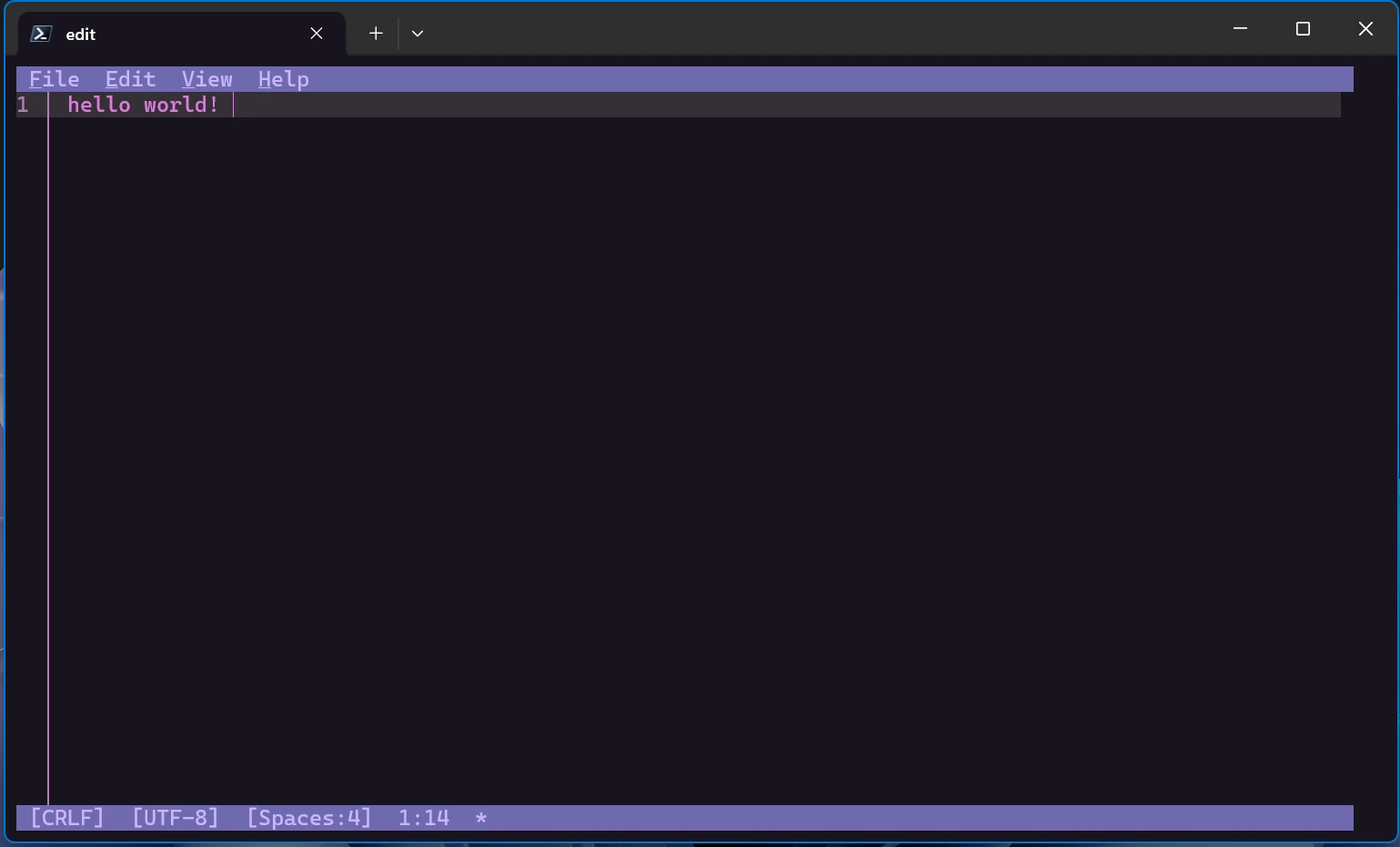
For those wondering, Edit is a new open-source "lightweight" command-line text editor on Windows. The tool is meant to address a long-standing gap as 64-bit Windows lacked a default CLI editor after the MS-DOS editor was retired. According to Microsoft, Edit is designed as a "modeless editor with a Text User Interface (TUI)" to lower the barrier for new users.
Microsoft is not exaggerating when it mentions the lightweight bit as Edit is under 250kB and should support multiple files, mouse-mode navigation, and more features.


















12 Comments
Load the comments and join the conversation!
Read the comments, ask the editors questions, show respect and join the conversation.