
Today, Microsoft announced a new method for sharing files from Microsoft 365 apps. Called "Publish to web," it allows users to share "clean, polished documents" with other users without revealing inside bits, such as edits, comments, version history, and more. Without this feature, users have to do the cleanup manually, which takes time and effort. Now, Microsoft 365 can take care of that for you, upload a document to the web, and generate a link so that you can send a read-only document without internal information.
Microsoft says "Publish to web" also eliminates accidental data leaks where confidential or sensitive information leaves the company unnoticed in a note, comment, or a previous version that the sender forgot to clean. When using the new feature, the receiving side gets only the finalized, polished, read-only document.
According to the announcement post, "Publish to web" will be available in Word, Excel, and PowerPoint. However, for now, the feature is only available in Excel and PowerPoint for the web, with Word for the web getting it in a future update.
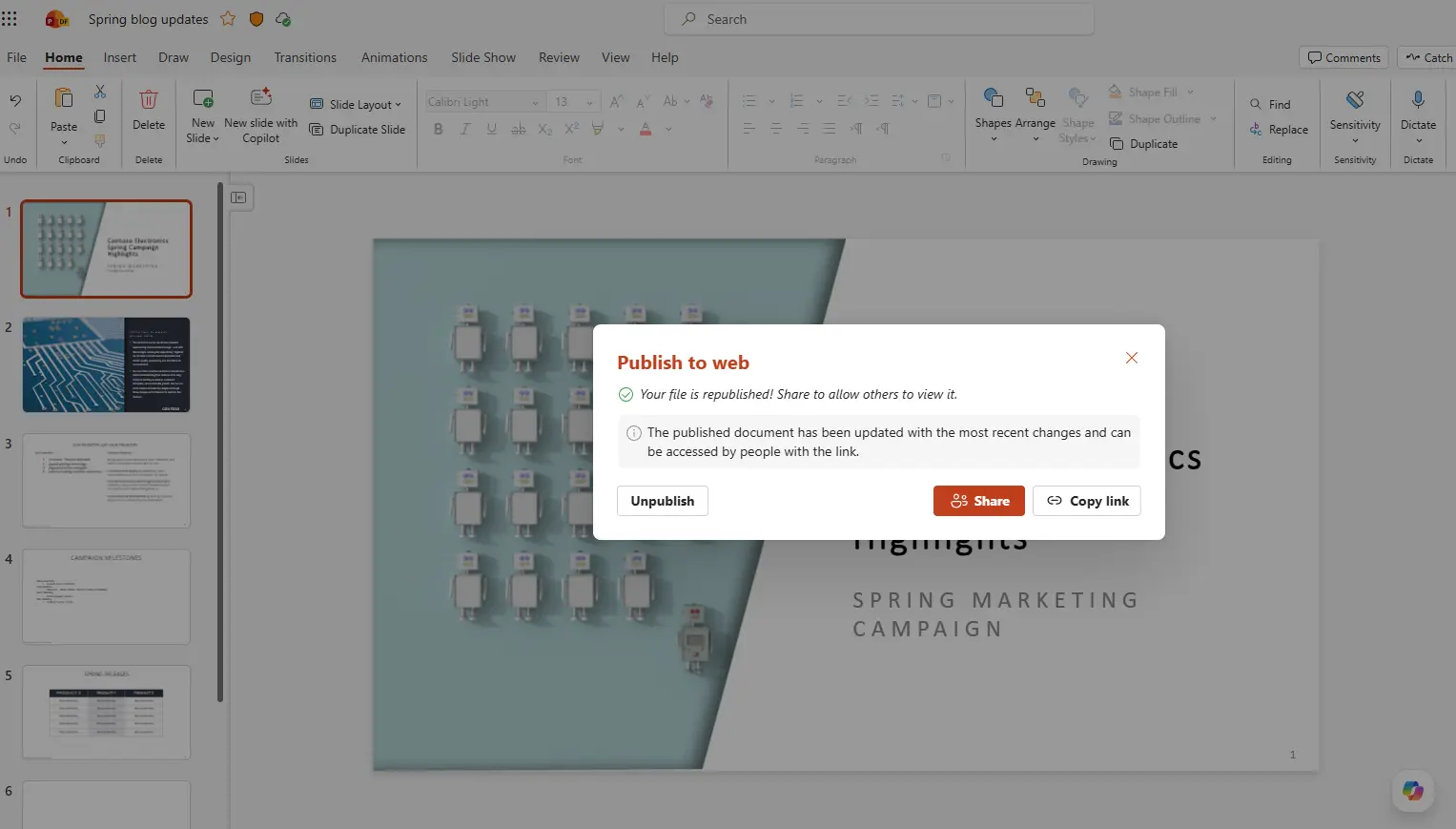
It is also worth noting that the new feature is not available for regular consumers. To use it, you need an enterprise license, as uploaded documents must be stored in SharePoint. Also, Microsoft lets you revoke the shared link at any time by clicking the Unpublish button or update the document by clicking Republish. Note that changes do not appear live in the shared document, they only appear after you republish the file.
Microsoft says the new feature is useful for sharing a client presentation, embedding live training materials on your company intranet, sharing board-ready reports with external stakeholders, distributing public announcements, and more. You can read more about it in a blog post on the official Microsoft 365 Insider website. Speaking of Microsoft 365 for enterprise users, this week, Microsoft announced a new E7 plan that costs $99 per month for those not satisfied with what E5 currently offers.















7 Comments
Load the comments and join the conversation!
Read the comments, ask the editors questions, show respect and join the conversation.