
Files is one of the most feature-packed file managers for Windows, and it is a great alternative to the stock File Explorer, which is far from being perfect with its odd bugs and poor performance. The latest update, Files 4.0.24, introduces support for PowerToys Peek, one of my all-time favorite utilities.
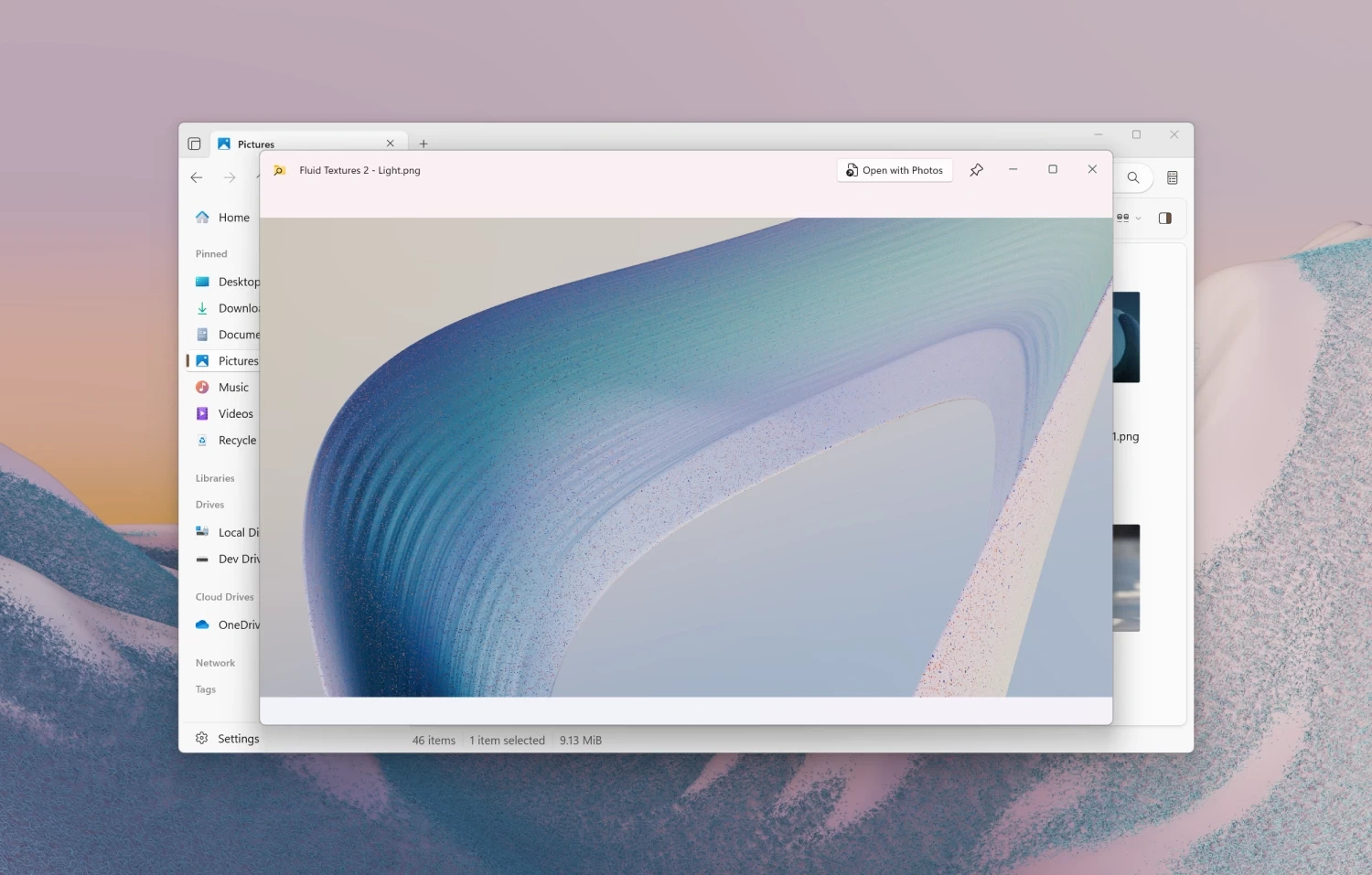
With Files 4.0.24, you can now preview files by simply pressing Spacebar. This convenient feature has been a staple feature of Mac's Finder, and this year, Microsoft finally brought it to Windows 10 and 11 with a PowerToys update. Just keep in mind that you need to have PowerToys installed alongside Files to make use of that upgrade.
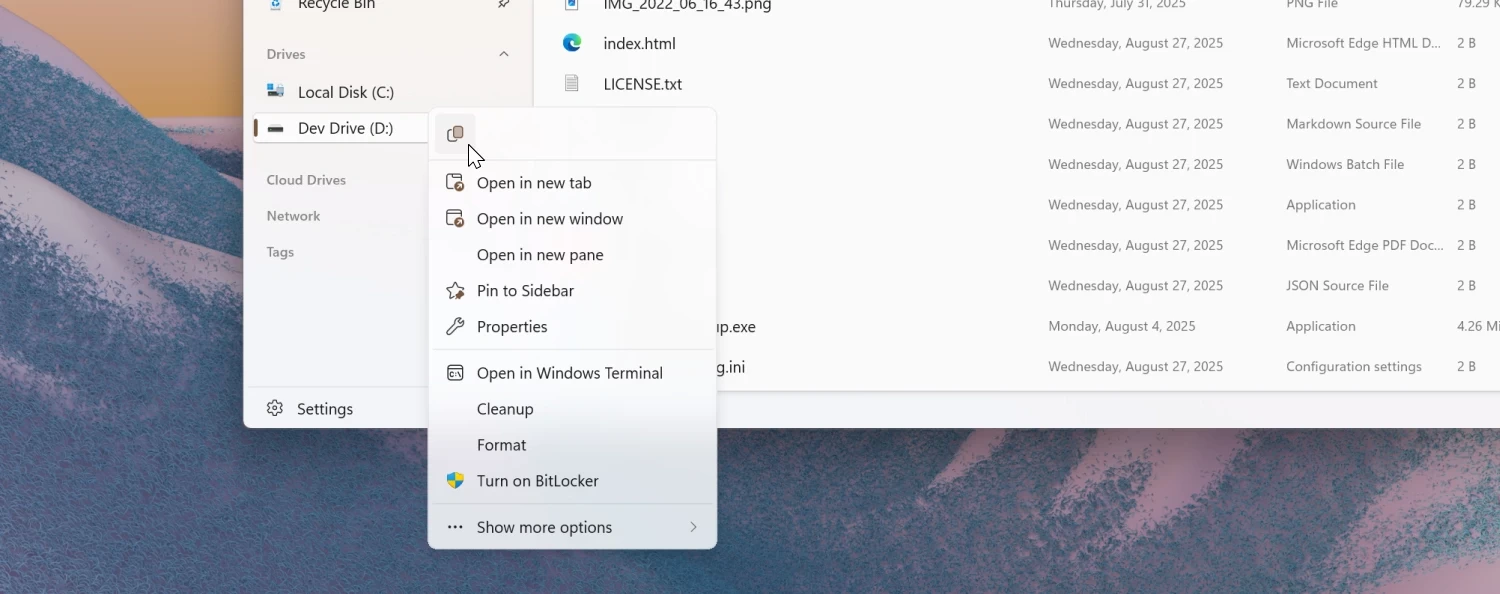
In addition to integrating PowerToys Peek, the latest Files update has a few smaller quality-of-life improvements that make the app a little more convenient and useful. For example, right-clicking items in the sidebar now has the "Copy" action, and creating a new document automatically pre-fills its name, such as "New Text Document" or similar. The latter lets you quickly create documents and files without wasting time on renaming them. Omnibar now casts shadows, the Status Center now properly wraps longer text in folder names, and tag search received support for AND/OR operators.
Finally, here are some of the fixed bugs:
- Fixed a crash that would occur when resizing the window in Dual Pane mode.
- Fixed a crash that would occur when switching git branches during a merge conflict.
- Fixed an issue where PNG-based .ico files with black backgrounds displayed incorrectly in the sidebar.
You can download Files for Windows 10 and 11 from the official website, its GitHub repository, or the Microsoft Store. The latter option is paid—developers use it as a convenient method for users to support them. Otherwise, the app is completely free.
Full changelog for Files 4.0.24 is available here.
















16 Comments
Load the comments and join the conversation!
Read the comments, ask the editors questions, show respect and join the conversation.